
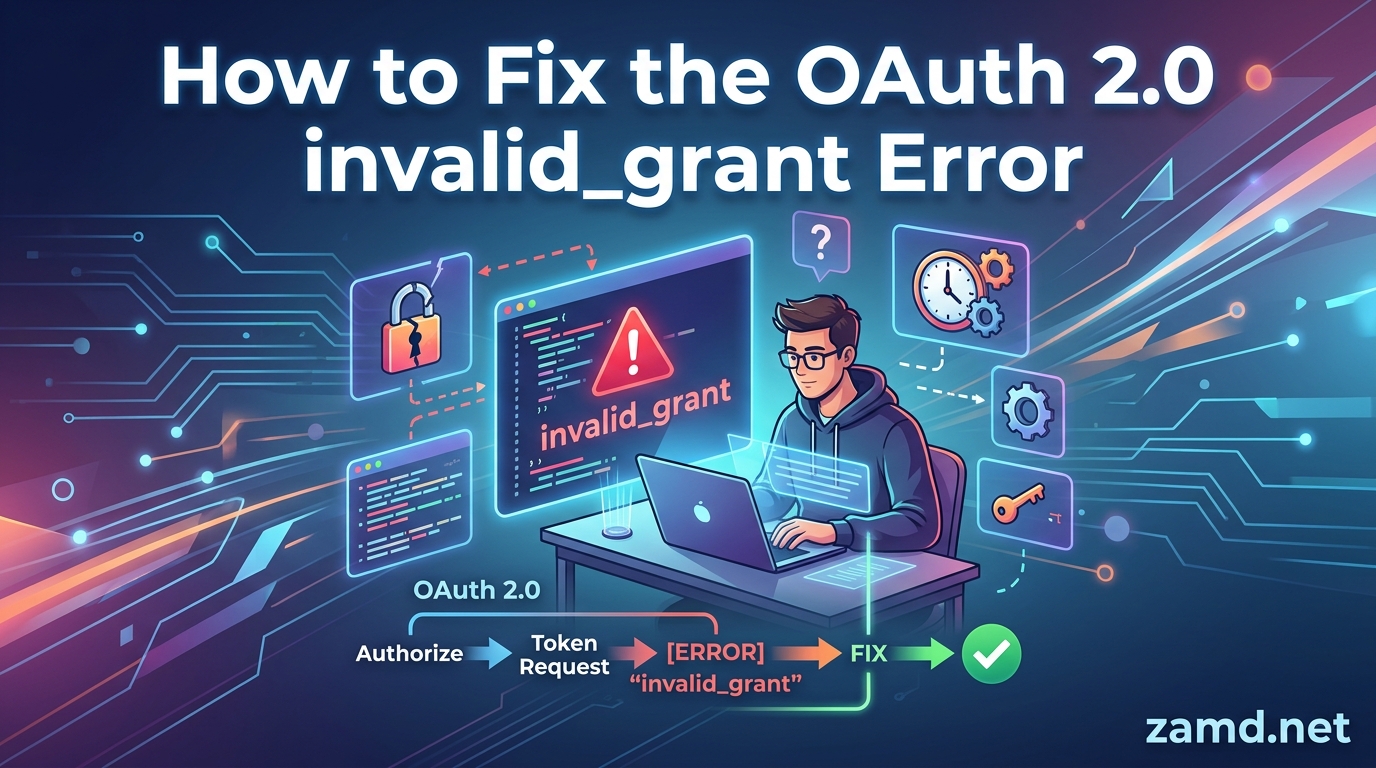
The OAuth 2.0 “invalid_grant” error is one of the most frustrating issues developers face when building API integrations. I have spent hours debugging this error across Google, Salesforce, QuickBooks, and Reddit OAuth implementations, and the problem is always the same: the error message tells you almost nothing about what actually went wrong.
The invalid_grant error is OAuth 2.0’s generic way of saying your authorization grant (an authorization code or refresh token) is invalid, expired, revoked, or was already used. It does not tell you which condition triggered it, which is why so many developers end up on Stack Overflow threads with hundreds of thousands of views trying every solution they can find.
In this guide, I will walk you through every major cause of the OAuth 2.0 invalid_grant error and show you exactly how to fix each one. Whether you are working with Google OAuth, Salesforce, QuickBooks, Zendesk, Reddit, or Microsoft, the solutions here will help you diagnose and resolve the issue fast.
Table of Contents
How the OAuth 2.0 Token Flow Works
To understand why the invalid_grant error happens, you need a quick refresher on the OAuth 2.0 authorization code flow. The flow has three main stages, and the error can surface at specific checkpoints within each stage.
First, the user is redirected to the authorization server to log in and approve access. Once approved, the server sends a short-lived authorization code back to your application via the redirect URI. This code typically expires in 30 to 60 seconds depending on the provider.
Second, your application exchanges that authorization code for an access token (and optionally a refresh token) by making a POST request to the token endpoint. This is where most invalid_grant errors occur.
Third, once the access token expires, your application can use the refresh token to get a new access token without requiring the user to log in again. The invalid_grant error can also appear during this refresh step.
The key distinction to remember: authorization codes are single-use and short-lived, while refresh tokens are longer-lived but can still expire or be revoked. The token exchange process validates that the code exists, has not expired, has not been used before, and matches your client credentials. If any single check fails, the server returns invalid_grant.
Common Causes of the invalid_grant Error
There are six major causes behind the OAuth 2.0 invalid_grant error. I have ranked them below in order of how frequently I encounter them in real-world debugging:
- Expired authorization code — the code was not exchanged quickly enough
- Authorization code already used — the code was submitted more than once
- Expired or revoked refresh token — the refresh token is no longer valid
- Redirect URI mismatch — the redirect URI does not exactly match what is registered
- Server clock skew — your server time is out of sync with the authorization server
- Invalid client credentials or configuration — wrong client_id, client_secret, or grant type
Let me break down each cause in detail with specific fixes.
Cause 1: Expired Authorization Code
The authorization code is intentionally short-lived. Google typically expires it after about 5 to 10 minutes, but many providers like Salesforce and Reddit use windows as short as 30 to 60 seconds. If your application takes too long between receiving the code and exchanging it at the token endpoint, the code expires and you get the invalid_grant error.
This cause is especially common in serverless environments where cold starts add latency, or in applications that queue the token exchange request instead of processing it immediately.
How to Identify This Cause
Check the timing between when your application receives the authorization code (the callback from the redirect URI) and when it sends the token exchange request. If there is a delay of more than a minute, code expiration is the likely culprit.
Also look at the error_description field if your provider includes one. Some providers return a message like “authorization code is expired” or “code has expired” alongside the invalid_grant error, which confirms this cause directly.
How to Fix It
Exchange the authorization code for tokens immediately after receiving it. Do not store the code in a database and process it later. If you are using a queue-based architecture, prioritize the token exchange request above other jobs.
In Python, a proper immediate exchange looks like this:
import requests

token_url = "https://oauth2.googleapis.com/token"
data = {
    "code": auth_code,
    "client_id": CLIENT_ID,
    "client_secret": CLIENT_SECRET,
    "redirect_uri": REDIRECT_URI,
    "grant_type": "authorization_code"
}

response = requests.post(token_url, data=data)
tokens = response.json()
# Process tokens immediately
In JavaScript (Node.js), the equivalent pattern using the axios library would be:
const axios = require('axios');

const response = await axios.post('https://oauth2.googleapis.com/token', {
    code: authCode,
    client_id: CLIENT_ID,
    client_secret: CLIENT_SECRET,
    redirect_uri: REDIRECT_URI,
    grant_type: 'authorization_code'
});
const tokens = response.data;
For Google OAuth specifically, make sure you are requesting access_type=offline in the initial authorization request if you need a refresh token. Without this parameter, Google will not issue a refresh token, and you will need to re-authorize the user every time the access token expires.
Cause 2: Authorization Code Already Used
Authorization codes are strictly single-use. Once you successfully exchange a code for tokens, that code is permanently invalidated. If your application retries the token exchange (for example, due to a network timeout or a retry mechanism), the second attempt will fail with invalid_grant.
I have seen this happen frequently when developers set up automatic retry logic for API calls without accounting for the single-use nature of authorization codes. The first request might actually succeed on the server side, but if the response is lost due to a network issue, the retry sends the same code again and gets rejected.
How to Identify This Cause
This cause is likely if your logs show multiple token exchange requests using the same authorization code. Check whether the first request actually succeeded by looking for a successful response in your HTTP client logs before the error appeared.
Some providers return a specific error_description like “code already used” or “authorization code already redeemed.” If you see that language, code reuse is confirmed.
How to Fix It
First, check whether the original token exchange actually succeeded. If it did, you already have valid tokens and the retry was unnecessary. Store the tokens securely and move on.
If the first exchange genuinely failed, you need to generate a brand-new authorization code. Redirect the user back through the authorization flow to get a fresh code. There is no way to “re-activate” a used code.
To prevent this issue going forward, implement idempotency in your token exchange logic. Use a unique identifier (like a state parameter or session ID) to track whether a particular authorization code has already been submitted, and skip the retry if it has.
Also, make sure your retry logic distinguishes between recoverable errors (network timeouts, 5xx server errors) and non-recoverable ones (400 Bad Request with invalid_grant). Never retry a 400 response automatically.
Cause 3: Expired or Revoked Refresh Token
Refresh tokens last longer than authorization codes, but they are not immortal. They can expire due to inactivity, be revoked by the user, or be invalidated by security events. When this happens, any attempt to refresh the access token returns invalid_grant.
Each provider handles refresh token expiration differently. Google refresh tokens expire after 6 months of inactivity, Salesforce tokens can expire based on your organization’s session settings, and QuickBooks tokens expire after 100 days.
User-initiated revocation is another major cause. If a user goes to their Google account settings and removes your application’s access, the refresh token is immediately invalidated. The same happens when a user changes their password on many providers, including Google, which automatically revokes all existing refresh tokens as a security measure.
How to Identify This Cause
If the invalid_grant error occurs during a token refresh request (grant_type=refresh_token) rather than during an authorization code exchange, you are dealing with an expired or revoked refresh token.
Check whether the user recently changed their password, revoked app permissions in their account settings, or has not used your application in several months. Any of these events can invalidate the refresh token silently.
How to Fix It
The only fix for an expired or revoked refresh token is to re-authenticate the user. Redirect them back through the authorization flow to obtain a new authorization code, exchange it for fresh tokens, and store the new refresh token.
When re-authenticating Google users, add the prompt=consent parameter to the authorization URL. This forces Google to issue a new refresh token even if the user has previously granted access. Without this parameter, Google may not return a new refresh token on subsequent authorizations.
To prevent this issue proactively, implement a token status monitoring system. Track when refresh tokens were last used, and if you detect that a token has been invalidated, prompt the user to re-authenticate before they encounter an error in the middle of a workflow.
For multi-provider integrations, maintain a provider-specific token expiration table so you know each provider’s policies. This helps you set realistic expectations for how long offline access will last before requiring re-authentication.
Cause 4: Redirect URI Mismatch
The redirect URI you include in the token exchange request must match exactly what you registered in the provider’s developer console. I mean exactly: trailing slashes, HTTP vs HTTPS, port numbers, query parameters, everything. A single character difference will trigger the invalid_grant error.
This is one of the most common causes I see in development environments. A developer registers https://localhost:3000/auth/callback but their application sends http://localhost:3000/auth/callback/ (note the HTTP vs HTTPS and the trailing slash). The mismatch causes the error.
The redirect URI must also match between the initial authorization request and the token exchange request. Some developers use different URIs for the two steps, which is not allowed.
How to Identify This Cause
Compare the redirect_uri parameter in your token exchange request character-by-character with the one registered in your provider’s console. Pay special attention to trailing slashes, protocol (HTTP vs HTTPS), port numbers, and path casing.
Google provides a particularly helpful error_description for this case: “redirect_uri_mismatch” along with a message showing the registered URIs. If you see that, the diagnosis is straightforward.
How to Fix It
Copy the exact redirect URI from your provider’s developer console and use it identically in both the authorization request and the token exchange. Do not construct the URI dynamically if you can avoid it.
Here are the most common mismatch pitfalls I have encountered:
- Trailing slash:
/callbackvs/callback/are different URIs to the server - Protocol:
http://vshttps://must match exactly - Port number:
localhost:3000vslocalhost:8080will cause failures - URL encoding: encoded characters like
%2Fvs/can cause mismatches - Case sensitivity:
/Auth/Callbackvs/auth/callbackmay differ on some providers
For Google OAuth, check the “Authorized redirect URIs” section in the Google Cloud Console under APIs and Services, then Credentials. For Salesforce, check the Connected App settings. For QuickBooks, check the Intuit Developer portal redirect URI settings.
Cause 5: Server Clock Skew
Some OAuth 2.0 flows, particularly those using JWT bearer tokens or client assertions, are sensitive to the system clock on your server. If your server’s clock is out of sync with the authorization server’s clock, the token exchange can fail with invalid_grant.
This happens because JWT assertions include timestamp claims (iat, exp, nbf) that the authorization server validates. If your server thinks it is 11:00 AM but the authorization server thinks it is 11:05 AM, a token you just generated might appear to be from the future or already expired.
Google’s OAuth 2.0 JWT bearer flow is particularly sensitive to clock skew. The Google token server typically allows a maximum clock skew of about 5 minutes, but even smaller discrepancies can cause issues with some providers.
How to Identify This Cause
Check your server’s system time against an authoritative time source. Run date on your server and compare it with the official time from a source like time.gov or the NIST time server.
If you are using service account authentication with JWT assertions (common with Google APIs), clock skew is a prime suspect. The error_description might say something like “Invalid JWT: Token must be a short-lived token” or “Token used too late.”
How to Fix It
Synchronize your server’s clock using NTP (Network Time Protocol). On Linux servers, run the following command to sync the clock immediately:
sudo ntpdate pool.ntp.org
# Or on modern systems:
sudo timedatectl set-ntp true
If you are running in a Docker container, make sure the host machine’s clock is synchronized, as containers inherit time from the host. For cloud environments like AWS EC2 or Google Compute Engine, enable automatic time synchronization in the instance settings.
In your JWT assertion generation code, add a small buffer to the timestamps to account for minor skew. For example, set the “issued at” time slightly in the past:
import time
import json
import jwt

now = int(time.time())
payload = {
    "iss": CLIENT_EMAIL,
    "scope": "https://www.googleapis.com/auth/drive",
    "aud": "https://oauth2.googleapis.com/token",
    "iat": now - 60,  # 60 seconds in the past for clock skew buffer
    "exp": now + 3600  # 1 hour expiration
}
assertion = jwt.encode(payload, PRIVATE_KEY, algorithm="RS256")
Cause 6: Invalid Client Credentials or Configuration
The invalid_grant error can also occur when your client credentials are wrong or your application configuration does not match what the authorization server expects. This includes using the wrong client_id, an incorrect client_secret, or the wrong grant type for your OAuth flow.
A surprisingly common issue I see with Google OAuth is confusion between the client_id and the service account email address. Developers sometimes use the email address from the Google Cloud Console instead of the actual client_id, which triggers invalid_grant.
Another frequent issue is a mismatched grant type. If your application is configured for the authorization code flow but you send grant_type=client_credentials (or vice versa), the server will reject the request.
How to Identify This Cause
Double-check your client_id and client_secret against the values in your provider’s developer console. Make sure you are using the correct OAuth 2.0 client type (web application, installed application, or service account) for your use case.
For Google specifically, verify that you are using the client_id (which looks like a long numeric string ending in .apps.googleusercontent.com) and not the service account email address.
How to Fix It
If your client_secret has been compromised, reset it in the developer console and update your application configuration. Some developers report that they had to completely recreate their OAuth credentials to resolve persistent invalid_grant errors, suggesting that credentials can sometimes become corrupted.
Verify that your grant_type parameter matches your OAuth flow:
- Use
grant_type=authorization_codewhen exchanging an authorization code for tokens - Use
grant_type=refresh_tokenwhen refreshing an expired access token - Use
grant_type=client_credentialsfor server-to-server authentication without user context
For Salesforce specifically, make sure you are using the correct OAuth scope and that your Connected App is set to the right access levels. Salesforce has strict requirements about which scopes are allowed for which grant types.
If you are using PKCE (Proof Key for Code Exchange), verify that the code_verifier in your token exchange request matches the code_challenge from your authorization request. A mismatch here will cause invalid_grant on providers that require PKCE.
How to Debug the invalid_grant Error: Step-by-Step Checklist
When you encounter the invalid_grant error, work through this diagnostic checklist in order. I have arranged these steps from most common to least common causes based on my experience debugging OAuth integrations.
Step 1: Check the timing of your authorization code exchange. If there is any delay between receiving the code and exchanging it, the code may have expired. Measure the time between the callback and the token request.
Step 2: Verify the authorization code has not been used before. Search your logs for any previous token exchange requests with the same code. If you find one, the code has already been consumed.
Step 3: Compare your redirect_uri character-by-character. Pull up the registered URI in your provider’s console and diff it against what your application is sending. Check trailing slashes, protocol, ports, and casing.
Step 4: Validate your client credentials. Confirm that your client_id and client_secret match exactly what is in the developer console. For Google, make sure you are not confusing the client_id with the service account email.
Step 5: Check for refresh token expiration or revocation. If the error occurs during a refresh, determine if the user changed their password, revoked access, or has been inactive beyond the token expiration window.
Step 6: Verify your server clock synchronization. If you are using JWT assertions, check that your server time is within a few minutes of an authoritative time source.
Step 7: Review the full HTTP request and response. Log the complete token exchange request (with secrets redacted) and the full server response including headers and body. Look for error_description fields that provide additional context.
Step 8: Test with a minimal request. Strip your token exchange request down to the absolute minimum required parameters and test it with a tool like curl. This eliminates variables introduced by your application framework.
Here is a minimal curl request for debugging:
curl -X POST https://oauth2.googleapis.com/token \
  -d "code=YOUR_AUTH_CODE" \
  -d "client_id=YOUR_CLIENT_ID" \
  -d "client_secret=YOUR_CLIENT_SECRET" \
  -d "redirect_uri=YOUR_REDIRECT_URI" \
  -d "grant_type=authorization_code"
Always check the response body for additional context. Many providers include an error_description field that gives you a much more specific reason than the generic invalid_grant error code alone.
Quick Reference: Causes and Solutions
Here is a summary table mapping each cause of the invalid_grant error to its solution. Bookmark this for quick reference during debugging sessions.
| Cause | How to Identify | Solution | Provider Notes |
|---|---|---|---|
| Expired authorization code | Delay between receiving and exchanging code | Exchange code immediately after receiving it | Google: 5-10 min window; Reddit: 30-60 sec |
| Code already used | Multiple requests with same code in logs | Re-authenticate user to get new code | All providers enforce single-use codes |
| Expired or revoked refresh token | Error during refresh_token grant | Re-authenticate user with prompt=consent | Google: password reset revokes all tokens |
| Redirect URI mismatch | error_description mentions redirect_uri_mismatch | Match URI exactly to registered value | Check trailing slashes, protocol, port |
| Server clock skew | JWT assertion rejected despite valid signature | Synchronize server clock via NTP | Google allows max 5 min skew |
| Invalid client credentials | Wrong client_id or client_secret format | Reset credentials in developer console | Google: do not use email as client_id |
Best Practices to Prevent invalid_grant Errors
Preventing the invalid_grant error is far easier than debugging it at 2 AM. Here are the best practices I recommend based on building OAuth integrations across multiple providers.
Exchange authorization codes immediately. Never store a code for later processing. The moment your callback endpoint receives an authorization code, send the token exchange request. If you need to queue the resulting tokens for background processing, do that after the exchange succeeds.
Implement proper token storage and rotation. Store refresh tokens securely (encrypted at rest) and track their usage. When a refresh fails with invalid_grant, handle it gracefully by redirecting the user to re-authenticate rather than crashing the application.
Use PKCE for all OAuth flows. Proof Key for Code Exchange (PKCE) adds a layer of security and is increasingly required by providers. It prevents authorization code interception attacks and ensures that only the application that initiated the flow can complete it.
Monitor token health proactively. Set up logging and alerting for token exchange failures. Track the rate of invalid_grant errors over time so you can detect problems before they affect large numbers of users.
Keep your redirect URIs consistent across environments. Use environment-specific redirect URIs in development, staging, and production. Register each one in the developer console and never hardcode a development URI in production code.
Handle re-authentication gracefully. When a refresh token expires or is revoked, redirect the user to re-authenticate with a clear message explaining why. Do not silently fail or show a generic error.
Synchronize your server clocks. Enable NTP synchronization on all servers that generate JWT assertions or interact with OAuth token endpoints. This eliminates clock skew as a potential cause entirely.
Read the error_description field. Many developers only check the top-level error code and miss the detailed description. The error_description often tells you exactly what went wrong, saving you hours of debugging.
FAQ’s
How to fix OAuth errors?
To fix OAuth errors, first identify the specific error code returned by the authorization server. For invalid_grant errors specifically, check for expired authorization codes, code reuse, expired refresh tokens, redirect URI mismatches, clock skew, or incorrect client credentials. Work through each cause systematically using the diagnostic checklist in this guide.
What is an invalid grant error?
The invalid_grant error is OAuth 2.0’s generic error indicating that your authorization grant (an authorization code or refresh token) is invalid, expired, revoked, or was already used. It is the most common OAuth error and can be triggered by at least six different underlying causes.
How do I fix an invalid token error?
To fix an invalid token error, follow these steps: 1) Verify the token has not expired. 2) Confirm the token was not already used (authorization codes are single-use). 3) Check that your redirect URI matches exactly. 4) Validate your client credentials. 5) Ensure your server clock is synchronized. 6) If using a refresh token, re-authenticate the user if the token was revoked.
Why is my OAuth refresh token returning invalid_grant?
Your OAuth refresh token returns invalid_grant when the token has expired due to inactivity, been revoked by the user, been invalidated by a password change (common with Google), or exceeded the provider maximum lifetime. The fix is to re-authenticate the user to obtain a new refresh token.
Does Google revoke refresh tokens on password change?
Yes, Google automatically revokes all existing refresh tokens when a user changes their password. This is a security measure that causes invalid_grant errors on the next refresh attempt. The user must re-authenticate through the OAuth flow to obtain new tokens.
How long do OAuth authorization codes last before expiring?
OAuth authorization codes are short-lived, typically expiring in 30 to 60 seconds for some providers like Reddit, and up to 5 to 10 minutes for Google. You should exchange the code for tokens immediately upon receiving it to avoid expiration-related invalid_grant errors.
Conclusion
The OAuth 2.0 invalid_grant error has six major causes, and now you have a specific fix for each one. The key is systematic diagnosis: work through the causes in order of likelihood rather than trying random solutions from Stack Overflow threads.
Remember that error messages are intentionally vague for security reasons. The authorization server does not want to reveal whether a code expired versus was already used versus does not exist, because that information could help attackers. Your job as a developer is to use the diagnostic checklist and your own application logs to pinpoint the actual cause.
If you take away one thing from this guide, make it this: exchange authorization codes immediately, handle refresh token failures gracefully, and always read the error_description field. Those three practices alone will prevent the majority of invalid_grant errors you would otherwise encounter.