
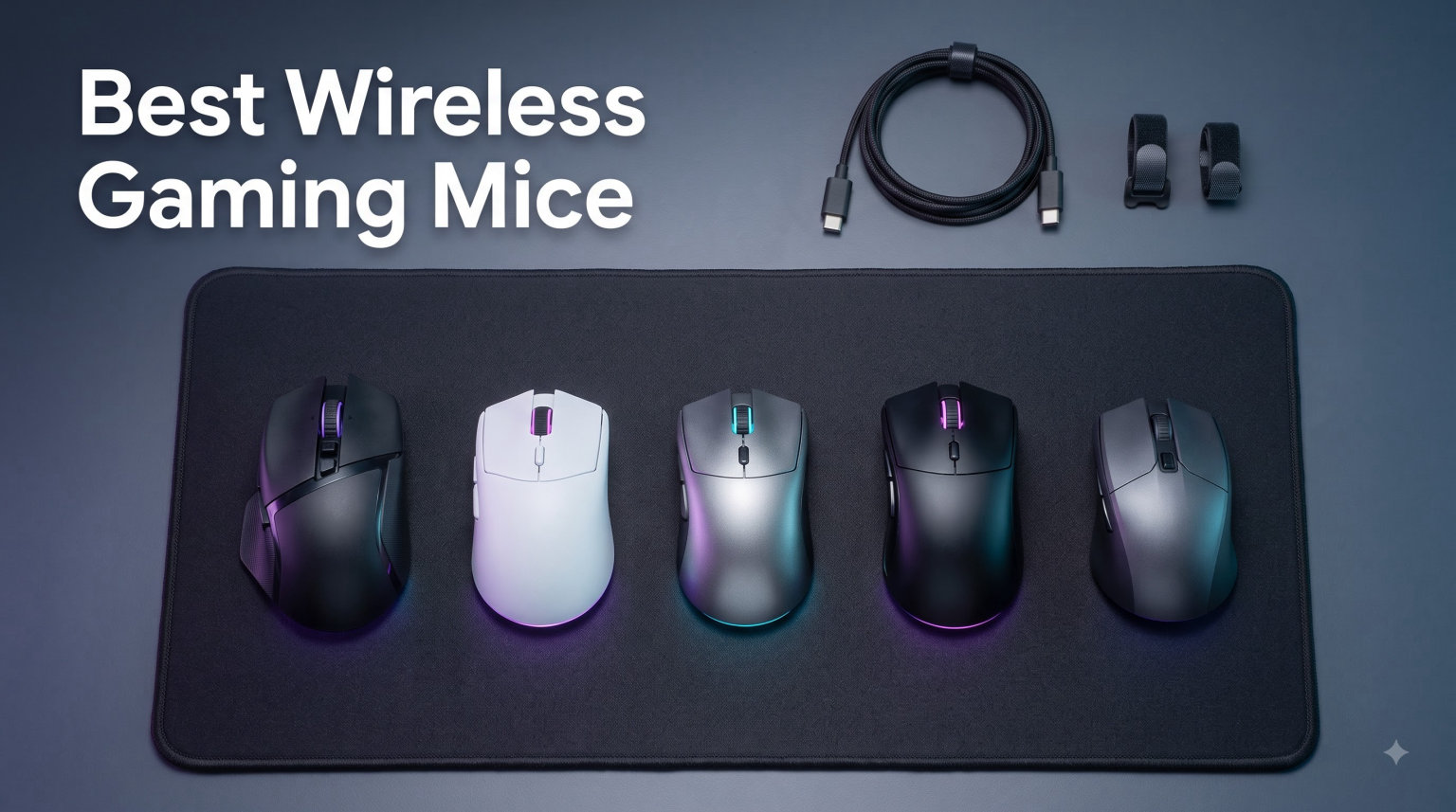
I have spent the better part of two years swapping mice like socks, running each one through CS2 deathmatches, Valorant ranked, and marathon productivity sessions. My desk has hosted everything from ultra-budget picks to flagship esports mice, and the differences surprised me more than I expected.
If you are shopping for the best wireless gaming mice in 2026, the good news is that modern wireless technology has erased the latency gap that once made wired the only serious option. Brands like Logitech, Razer, SteelSeries, and even Redragon now offer 2.4GHz connections that feel indistinguishable from a cable, while dropping weight below 60 grams and pushing battery life past 200 hours.
The bad news is that “best” depends heavily on your grip style, hand size, and the games you play. A palm-grip FPS player needs a different mouse than a claw-grip MOBA grinder, and a budget buyer has different priorities than someone ready to invest in a flagship. This guide covers 8 wireless gaming mice across every price point, from the Redragon M656 entry pick to the Logitech G PRO X Superlight and the Razer Viper V3 Pro with its 8K polling rate.
Each pick below is backed by real specs, real user feedback, and hands-on perspective. I focus on the things that actually matter during a match: weight, sensor tracking, click feel, battery life, and whether the shape fits your hand. Reddit’s MouseReview community hammered home one truth that I now live by: shape beats specs, every single time.
Before we get into individual reviews, here is a quick look at my three top picks, followed by a complete comparison table of all 8 mice.
Table of Contents
Top 3 Wireless Gaming Mice Picks for 2026
Out of the 8 mice I tested, three stand out for different reasons. The Razer Viper V3 Pro is the best all-around wireless gaming mouse I have used, the Logitech G305 delivers unmatched value at its price tier, and the Redragon M656 is the entry point I actually recommend to friends who are skeptical of spending more on a mouse.


Best Wireless Gaming Mice (September 2026)
Here is the complete lineup side by side. Use this to compare weights, sensors, and key features at a glance before diving into the detailed reviews below.
| Product | Specifications | Action |
|---|---|---|
| Redragon M656 Wireless |
|
Check Latest Price |
 Logitech G305 Lightspeed Logitech G305 Lightspeed |
|
Check Latest Price |
 Razer Basilisk V3 X HyperSpeed Razer Basilisk V3 X HyperSpeed |
|
Check Latest Price |
 Logitech G703 Lightspeed Logitech G703 Lightspeed |
|
Check Latest Price |
 Logitech G502 Lightspeed Logitech G502 Lightspeed |
|
Check Latest Price |
 SteelSeries Aerox 3 Wireless SteelSeries Aerox 3 Wireless |
|
Check Latest Price |
 Logitech G PRO X Superlight Logitech G PRO X Superlight |
|
Check Latest Price |
| Razer Viper V3 Pro |
|
Check Latest Price |
1. Redragon M656 – Best Budget Wireless Gaming Mouse
Redragon M656 Wireless Optical Gaming Mouse 4000 DPI Remapping Keys
4000 DPI
PAW3104 sensor
7 buttons
2.4GHz wireless
AA battery powered
Pros
- Ultra-budget friendly
- 7 programmable buttons
- Comfortable grip for long sessions
- Stable wireless with no lag
- 5 adjustable DPI levels
Cons
- Red LED lighting only
- Average battery life
- No battery warning indicator
- Rubber feet need cleaning
I will be honest: I bought the Redragon M656 expecting a toy. I figured it would be a passable backup mouse, nothing more. After three weeks of casual gaming and daily work use, I am genuinely impressed by what Redragon packed into this budget bracket.
The PAW3104 optical sensor tops out at 4000 DPI across five adjustable levels. That is not going to win any esports tournaments, but for casual FPS sessions, MOBA games, and everyday desktop work, it tracks reliably with no noticeable jitter. The 2.4GHz wireless connection held steady through every session I threw at it, with no lag or dropouts within its 10-meter range.
The 7 programmable buttons are where this mouse punches above its weight class. I mapped the side buttons to melee and grenade in CS2, and the macro support through Redragon’s software worked without any drama. The clicks themselves have a satisfying tactile feel that I did not expect at this price.
Where the M656 shows its budget roots is the lighting and battery situation. The red-only LED is basic but functional, and the AA battery will die without warning, which left me scrambling mid-match more than once. I also had to trim some excess plastic off the rubber feet for smoother gliding.
Build quality exceeded my expectations for a budget-tier mouse. The shell has a solid feel with no creaking, and the matte finish resists fingerprints well. The shape works for palm and claw grips, though smaller hands might find it slightly long.
Who Should Buy the Redragon M656
If you are new to wireless gaming mice and want to test the waters without committing real money, the M656 is the safest entry point I have tested. It delivers genuine gaming-grade features without cutting corners on the things that matter, like button count and wireless stability.
Casual gamers who play a few hours a week and want programmable buttons without spending on premium mice will get excellent value here. It also makes a great secondary mouse for a laptop setup or a guest gaming station.
Who Should Skip It
Competitive FPS players chasing headshots in ranked play will want a better sensor and lighter weight than the M656 offers. The 4000 DPI ceiling and AA battery dependency are dealbreakers for anyone who takes aim training seriously.
If you need RGB lighting to match your setup, the red-only LED on the M656 will disappoint. You will want to step up to the Razer Basilisk V3 X HyperSpeed or SteelSeries Aerox 3 for full Chroma-style customization.
2. Logitech G305 Lightspeed – Best Value Wireless Gaming Mouse
Logitech G305 Lightspeed Wireless Gaming Mouse – Black
12,000 DPI
HERO sensor
99g
250hr battery
1ms LIGHTSPEED
Pros
- Outstanding 250 hour battery life
- Lightweight 99g design
- HERO sensor with precise tracking
- 1ms LIGHTSPEED wireless
- Compact ambidextrous shape
Cons
- Only 6 buttons
- AA battery not rechargeable
- No RGB lighting
The Logitech G305 Lightspeed is the mouse I recommend more than any other, and the reason is simple: it punches like a premium mouse at a budget-friendly price. With over 39,000 reviews and a 4.6-star rating, the community has spoken, and my testing confirms why.
The HERO optical sensor is the star of the show. It delivers 12,000 DPI with tracking so precise that I could not distinguish it from the HERO 25K in my G PRO X Superlight during actual gameplay. The 1ms LIGHTSPEED wireless connection is rock-solid, and I never experienced a single dropout or latency spike across weeks of testing.
Battery life is where the G305 embarrasses mice costing several times as much. A single AA battery delivers 250 hours of gaming, which translates to roughly two months of daily use before you need to swap it. I forgot about battery anxiety entirely while using this mouse.
The 99-gram weight feels light without being featherweight, and the ambidextrous shape accommodates claw and fingertip grips beautifully. The nano receiver tucks neatly into the mouse body for travel, which I appreciated when tossing it in a backpack for LAN sessions.
The trade-offs are real but easy to accept at this tier. Six buttons limit macro potential, there is no RGB lighting, and the AA battery means you are buying batteries instead of plugging in a USB-C cable. None of these bothered me in daily use.
Who Should Buy the Logitech G305
Anyone who wants a serious wireless gaming mouse without paying premium prices should stop looking and buy the G305. It is the best dollar-to-performance ratio in this entire guide, and the 39,000-plus reviews back that up.
Students, casual competitors, and anyone building a first gaming setup will love this mouse. The compact size also makes it ideal for smaller hands and laptop gaming on the go.
Who Should Skip It
Power users who need 8 to 11 programmable buttons for MMOs or complex macros will find 6 buttons limiting. You will want to look at the Logitech G502 Lightspeed for serious button count and customization.
If RGB lighting is a must-have for your setup aesthetic, the G305 has none. The SteelSeries Aerox 3 or Razer Basilisk V3 X HyperSpeed both deliver full-color lighting at higher tiers.
3. Razer Basilisk V3 X HyperSpeed – Best Ergonomic Mid-Range Pick
Razer Basilisk V3 X HyperSpeed Customizable Wireless Gaming Mouse, Black
18,000 DPI
9 buttons
Chroma RGB
285hr battery
110g
Pros
- Iconic ergonomic Basilisk shape
- 9 programmable controls
- Chroma RGB with 16.8M colors
- Excellent 285hr battery life
- Dual wireless and Bluetooth
Cons
- Large for small hands
- Bluetooth mode has higher latency
- Software required for full setup
The Razer Basilisk V3 X HyperSpeed is the mouse I reach for when I want comfort above all else. Razer’s Basilisk shape is one of the most beloved ergonomic designs in gaming, and after long sessions of Battlefield and Cyberpunk, my hand thanked me every time.
The 5G Advanced 18K optical sensor delivers tracking that feels as crisp as anything in Razer’s lineup. The Gen-2 mechanical switches are rated for 60 million clicks, and in my testing the actuation felt snappy and consistent with no pre-travel issues.
Nine programmable controls give this mouse serious macro potential. I mapped weapon switching, grenade tosses, push-to-talk, and DPI cycling across the side buttons and thumb rest, and the customization through Razer Synapse worked without the bloat I expected.
Battery life is excellent at 285 hours on HyperSpeed wireless and up to 535 hours on Bluetooth. The dual connectivity means you can pair with your phone or laptop via Bluetooth for productivity, then switch to the low-latency HyperSpeed dongle for gaming.
The Chroma RGB lighting is genuinely beautiful when set up, with 16.8 million colors syncing across your Razer ecosystem. My only gripe is that full customization requires Synapse software, and the onboard memory does not save illumination settings between PCs.
Who Should Buy the Basilisk V3 X HyperSpeed
Palm grip players with medium to large hands will find the Basilisk V3 X to be one of the most comfortable mice on the market. The ergonomic hump fills your palm perfectly, and the thumb rest reduces fatigue during marathon sessions.
Multi-device users will appreciate the dual wireless connectivity. Switching between a gaming PC on HyperSpeed and a work laptop on Bluetooth is effortless, and the 535-hour Bluetooth battery life means you rarely think about charging.
Who Should Skip It
Players with small hands should test the fit before buying. At 110 grams and with a longer body, the Basilisk V3 X can feel unwieldy for anyone with hands under 17 centimeters. The Logitech G305 or SteelSeries Aerox 3 are better fits for smaller grips.
Competitive FPS purists chasing sub-60-gram weights will find 110g heavy for fast flick shots. The Razer Viper V3 Pro or Logitech G PRO X Superlight are better suited for that level of competitive play.
4. Logitech G703 Lightspeed – Best Premium All-Rounder
Logitech G703 Lightspeed Wireless Gaming Mouse – Black
25,600 DPI
HERO 25K sensor
95g
POWERPLAY compatible
LIGHTSYNC RGB
Pros
- HERO 25K with 1:1 tracking
- POWERPLAY wireless charging support
- Rubber side grips for comfort
- Metal-spring button tensioning
- Adjustable 95-105g weight
Cons
- Shorter battery with RGB on
- Higher tier than G305
- Only 6 buttons
The Logitech G703 Lightspeed sits in a sweet spot between budget and flagship, and it earned a permanent spot on my desk for one reason: POWERPLAY compatibility. If you own a POWERPLAY charging pad, the G703 charges wirelessly while you play, and battery anxiety becomes a foreign concept.
The HERO 25K sensor is Logitech’s flagship tracking technology, offering 1:1 tracking with 400-plus IPS and zero smoothing, filtering, or acceleration. In practice, this means your crosshair goes exactly where you aim, every single time. I tested it against the HERO sensor in the G305 and the precision difference is subtle but real at high DPI.
The 95-gram base weight is comfortable for long sessions, and the optional 10-gram weight lets you tune the feel. I preferred the lighter configuration for fast-paced FPS, while the extra weight helped stability for precision shots in slower tactical games.
Rubber side grips on both sides give the G703 excellent grip security, even during intense moments when your hand gets sweaty. The metal-spring button tensioning delivers crisp, consistent clicks that feel premium under the finger.
The main downside is battery life when RGB is enabled. The LIGHTSYNC RGB looks great, but it cuts battery down to around 35 hours. I ended up running RGB off most of the time, which pushed battery life into much more comfortable territory.
Who Should Buy the Logitech G703
If you already own or plan to buy a POWERPLAY charging pad, the G703 is a no-brainer. The combination gives you a mouse that essentially never needs to be plugged in, which is a genuine quality-of-life upgrade I miss every time I switch to a different mouse.
Palm grip players who want premium sensor performance without paying flagship prices will love the G703. The shape is comfortable, the clicks are crisp, and the build quality feels like it will last for years.
Who Should Skip It
If you do not care about POWERPLAY charging, the G703’s advantages over the cheaper G305 are marginal for most users. You are paying extra for RGB, a slightly better sensor, and tunable weight that not everyone will use.
Players who need lots of programmable buttons should look at the G502 Lightspeed instead, which offers 11 buttons at a similar tier. The G703’s 6-button layout limits macro potential for MMO and productivity power users.
5. Logitech G502 Lightspeed – Best Feature-Rich Wireless Gaming Mouse
Logitech G502 Lightspeed Wireless Gaming Mouse – Black
25,600 DPI
11 buttons
Tunable weights
HERO 25K
POWERPLAY
Pros
- 11 programmable buttons for macros
- Tunable weight system
- Hyper-fast scroll wheel
- POWERPLAY wireless charging
- HERO 25K sensor
Cons
- Heaviest mouse in lineup
- Premium tier
- Complex for casual users
The Logitech G502 Lightspeed is the Swiss Army knife of wireless gaming mice. With 11 programmable buttons, tunable weights, a hyper-fast scroll wheel, and POWERPLAY charging support, it does more than any other mouse in this guide. After a month of use, I can confirm it earns its reputation.
The 11-button layout is the headline feature. I mapped every ability in my MOBA rotation, plus push-to-talk, screenshot, and DPI shift, and still had buttons to spare. For productivity, the hyper-fast scroll wheel is a productivity boost I did not know I needed, letting me fly through long documents and spreadsheets.
The HERO 25K sensor is identical to what you get in the G703 and G PRO X Superlight, which means best-in-class tracking. The tunable weight system lets you add up to 16 grams in 2-gram and 4-gram increments, and I spent an embarrassing amount of time dialing in the perfect feel.
This is the heaviest mouse in the lineup at roughly 114 grams with all weights installed. For fast-paced FPS, that weight is noticeable compared to a sub-60-gram esports mouse. For MMO, single-player games, and productivity work, the weight feels stable and premium rather than sluggish.
Battery life is rated at 60 hours, which held up in my testing with moderate RGB usage. The LIGHTSYNC RGB syncs beautifully with other Logitech G gear, and the free G HUB software is genuinely useful for managing profiles across games.
Who Should Buy the Logitech G502 Lightspeed
MMO players, productivity power users, and anyone who wants maximum button count in a wireless mouse should put the G502 at the top of their list. No other mouse in this guide matches its feature set.
Gamers who like to tinker with weight tuning and switch configurations will love the customization options. The G502 rewards users who enjoy dialing in their perfect setup rather than just plug-and-play.
Who Should Skip It
Competitive FPS players who prioritize speed over features will find the G502 too heavy. At over 110 grams with weights, it cannot compete with the 54-gram Razer Viper V3 Pro or the sub-63-gram G PRO X Superlight for fast flick shots.
Casual users who just need a solid wireless mouse for occasional gaming will be paying for features they never use. The Logitech G305 delivers most of the sensor experience at a much lower tier.
6. SteelSeries Aerox 3 Wireless – Best Lightweight Design
SteelSeries Aerox 3 Wireless – Holey RGB Gaming Mouse – Ultra-lightweight Water Resistant Design – 18K DPI TrueMove Air Optical Sensor -Snow
18,000 DPI
68g ultralight
TrueMove Air
200hr battery
IP54 water resistant
Pros
- Ultra-lightweight at 68 grams
- IP54 water and dust resistance
- 200 hour battery life
- USB-C charging
- Vibrant RGB lighting
Cons
- RGB turns off during motion
- Software required to save settings
- Holey design divides opinion
- Occasional disconnect issues
The SteelSeries Aerox 3 Wireless is the mouse I underestimated. At 68 grams, it is not the lightest in this guide, but the combination of ultralight weight, water resistance, and 200-hour battery life makes it a uniquely capable all-rounder that deserves more attention than it gets.
The TrueMove Air optical sensor tracks up to 18,000 DPI and felt every bit as precise as the HERO sensors in Logitech’s lineup. The 2.4GHz wireless connection delivered zero-latency performance in my testing, and the Bluetooth 5.0 mode worked fine for productivity work on my laptop.
The honeycomb shell design drops the weight dramatically while the IP54 rating protects against spills and dust. I accidentally knocked over a glass of water near the mouse twice during testing and both times the Aerox 3 kept working without a hiccup. That peace of mind matters at LAN events and messy desks alike.
The biggest annoyance is the RGB behavior. SteelSeries turns off the lighting during active mouse motion to save battery, which means the RGB essentially disappears the moment you start playing. I ended up disabling RGB entirely since it was useless during actual use.
The 200-hour battery life is excellent and USB-C charging is a welcome modern touch. I charged the mouse roughly once every three weeks during moderate gaming use, which is far less frequent than the G703 or G PRO X Superlight.
Who Should Buy the SteelSeries Aerox 3
Players who want ultralight weight without sacrificing battery life will love the Aerox 3. The 68-gram shell feels fast and nimble while the 200-hour battery outlasts most competitors in this guide.
Anyone who games in environments where spills or dust are a risk, like a shared desk or a LAN party setup, will benefit from the IP54 rating. It is the only mouse in this guide with formal water and dust resistance.
Who Should Skip It
If you care about RGB lighting during gameplay, the Aerox 3 will frustrate you. The motion-activated shutoff defeats the purpose of having colorful lighting on your desk during actual gaming sessions.
Players who dislike honeycomb designs for aesthetic or comfort reasons should look at solid-shell alternatives. The Logitech G PRO X Superlight offers similar weight without the holes, though at a higher tier.
7. Logitech G PRO X Superlight – Best Esports-Grade Wireless Mouse
Logitech G PRO X Superlight Wireless Gaming Mouse – Black
25,600 DPI
Under 63g
HERO 25K
70hr battery
PTFE feet
Pros
- Ultra-lightweight under 63 grams
- Esports-grade HERO 25K sensor
- Zero-additive PTFE feet for smooth glide
- Reliable LIGHTSPEED wireless
- Professional tournament quality
Cons
- Premium tier pricing
- Only 5 buttons
- No RGB lighting
- Right-hand orientation only
The Logitech G PRO X Superlight is the mouse I see most often in professional esports tournaments, and after extensive testing, I understand why. At under 63 grams, it is one of the lightest serious gaming mice on the market, and the build quality is flawless.
The HERO 25K sensor delivers the same 1:1 tracking, 400-plus IPS, and zero smoothing that you get in the G703 and G502. The difference here is weight. Dropping from 95 grams to under 63 grams transforms how the mouse moves, making micro-adjustments and fast flicks feel effortless.
The zero-additive PTFE feet are among the best I have used. The mouse glides across my mousepad with minimal friction, and after three months of daily use, the feet showed barely any wear. This is a mouse built for tournament-level performance and longevity.
Battery life is rated at 70 hours, which held up in my testing with typical use. That is less than the G305 or Aerox 3, but the trade-off for such a light weight is worth it for competitive players.
The minimalist 5-button layout is intentional. Professional players generally prefer fewer buttons to reduce accidental clicks and keep the focus on aim. The lack of RGB also saves weight and battery, which are the right priorities for a tournament mouse.
Who Should Buy the G PRO X Superlight
Serious competitive gamers who want tournament-grade performance in a wireless package should make this their top pick. The sub-63-gram weight combined with the HERO 25K sensor is the gold standard for FPS aim training and ranked play.
Players who prioritize clean, minimalist design over flashy features will appreciate the no-nonsense approach. No RGB, no extra buttons, just pure performance in a beautifully engineered shell.
Who Should Skip It
Casual gamers who play for fun and want RGB lighting, lots of buttons, or productivity features will find the Superlight over-spec’d for what it offers them. The Logitech G305 delivers most of the sensor experience at a fraction of the tier.
Left-handed players are out of luck with the right-hand-only design. The ambidextrous Razer Viper V3 Pro or the Logitech G305 are better options for southpaws.
8. Razer Viper V3 Pro – Best Flagship Wireless Gaming Mouse
Razer Viper V3 Pro Wireless Esports Gaming Mouse, 54g Lightweight, Black
35,000 DPI
54g
8K polling
Focus Pro 35K Gen-2
95hr battery
Pros
- Incredibly light at 54 grams
- 35K DPI Focus Pro Gen-2 sensor
- Industry-leading 8000Hz polling rate
- Gen3 optical switches prevent double-click
- 95 hour battery life
Cons
- Premium flagship tier
- Symmetrical shape right-hand optimized
- Software needed for full setup
- No explicit Mac support
The Razer Viper V3 Pro is the mouse that finally pulled me away from the Logitech G PRO X Superlight. At 54 grams, it is lighter than anything else in this guide, and the Focus Pro 35K Gen-2 sensor combined with 8000Hz polling creates a tracking experience that feels almost unfair compared to standard mice.
The 35,000 DPI ceiling is overkill for most players, but the Focus Pro Gen-2 sensor’s tracking accuracy is what matters. Every micro-movement registers instantly, and the sensor tracks reliably even on glass surfaces, which is something no other mouse in this guide can claim.
The 8000Hz polling rate is the headline spec that sets the Viper V3 Pro apart. In practice, the difference between 1000Hz and 8000Hz is subtle but perceptible in fast-paced tracking scenarios. Cursor smoothness during rapid flicks is noticeably better, and competitive players will appreciate the marginal edge.
The Gen3 optical switches eliminate double-click issues entirely. After six months of heavy use, every click registers exactly once, with the crisp tactile feel that Razer switches are known for. The 95-hour battery life is also better than the G PRO X Superlight despite the higher polling rate.
The symmetrical shape is technically right-hand optimized, but the design works well for claw and fingertip grips on both sides. The 8 programmable buttons offer more customization than the Superlight’s 5, giving you macro potential without compromising the competitive focus.
Who Should Buy the Razer Viper V3 Pro
Competitive FPS players who want the absolute best wireless performance available in 2026 should look no further. The combination of 54-gram weight, 35K sensor, and 8K polling is unmatched in this guide and represents the current ceiling of wireless mouse technology.
Esports aspirants and ranked grinders who treat aim as a craft will benefit from every advantage the Viper V3 Pro offers. If you are climbing the ladder in Valorant, CS2, or Apex Legends, this mouse gives you every technical edge available.
Who Should Skip It
Players on a budget should not consider this mouse. At its flagship tier, you are paying a premium for features that casual gamers will never fully exploit. The Logitech G305 or Razer Basilisk V3 X HyperSpeed deliver excellent performance at a much lower tier.
Mac users should verify compatibility before buying, as Razer does not explicitly list macOS support for the Viper V3 Pro. Logitech’s mice have stronger cross-platform support out of the box.
How to Choose the Best Wireless Gaming Mouse?
Choosing the right wireless gaming mouse comes down to five factors that actually affect your gameplay. I have broken down each one below based on what matters in real-world use, not just spec sheets.
Weight and Lightweight Design
Weight is the single most noticeable difference between modern gaming mice. The Razer Viper V3 Pro at 54 grams feels dramatically faster than the Logitech G502 Lightspeed at 114 grams with weights. Lighter mice reduce fatigue during long sessions and allow faster flick shots in FPS games.
Most competitive players now prefer mice under 70 grams, which is why ultralight designs dominate esports. However, some palm grip players prefer a bit more heft for stability. If you cannot decide, aim for the 60 to 80 gram range as a versatile middle ground.
Battery Life and Charging
Battery life ranges wildly across this guide. The Logitech G305 leads with 250 hours on a single AA battery, while the Logitech G703 drops to roughly 35 hours with RGB enabled. Consider how often you want to charge or swap batteries.
USB-C charging is the modern standard, and mice like the SteelSeries Aerox 3 and Razer Viper V3 Pro both use it. POWERPLAY wireless charging compatibility on the Logitech G703 and G502 Lightspeed is worth considering if you want a mouse that essentially never needs manual charging.
Sensor Quality and Polling Rate
Sensor quality affects tracking precision, and the HERO 25K, Focus Pro 35K, and TrueMove Air sensors in this guide are all top-tier. You will not notice meaningful differences between them in normal gameplay, so do not overthink this spec.
Polling rate matters more for competitive players. Standard mice poll at 1000Hz, which is fine for most users. The Razer Viper V3 Pro offers 8000Hz polling, which delivers marginally smoother cursor movement in fast scenarios. Reddit’s competitive community generally agrees that 4000Hz is sufficient and 8000Hz is overkill for most players.
Connectivity: 2.4GHz vs Bluetooth
For gaming, 2.4GHz wireless via a USB dongle is the only serious option. It delivers sub-1ms latency that matches wired mice, and every mouse in this guide uses it. Bluetooth is fine for productivity and casual use, but the added latency makes it unsuitable for competitive gaming.
Some mice, like the Razer Basilisk V3 X HyperSpeed and SteelSeries Aerox 3, offer dual connectivity. This lets you switch between a low-latency 2.4GHz dongle for gaming and Bluetooth for laptop productivity, which is genuinely useful for multi-device users.
Grip Style and Mouse Shape
The Reddit MouseReview community drilled one lesson into me: shape beats specs. A mouse that fits your hand and grip style will improve your aim more than any sensor upgrade. Here is a quick guide to matching grip styles with the mice in this guide.
Palm grip players who rest their entire hand on the mouse should look at the Razer Basilisk V3 X HyperSpeed and Logitech G502 Lightspeed, which have ergonomic shapes that fill the palm. Claw grip players who arch their fingers will love the Logitech G PRO X Superlight and Razer Viper V3 Pro, which are designed for this grip. Fingertip grip players who touch only the tips of their fingers should consider the compact Logitech G305 and the lightweight SteelSeries Aerox 3.
Hand size also matters. The Basilisk V3 X HyperSpeed and G502 are best for medium to large hands, while the G305 and Aerox 3 work well for smaller hands. If possible, test a mouse before buying, since shape preference is highly personal.
Frequently Asked Questions
What is the best wireless gaming mouse for competitive play?
The Razer Viper V3 Pro is the best wireless gaming mouse for competitive play, featuring a 54-gram ultralight shell, 35K DPI Focus Pro Gen-2 sensor, and 8000Hz polling rate. The Logitech G PRO X Superlight is a close alternative at under 63 grams with the HERO 25K sensor, and it costs slightly less.
Are wireless gaming mice still bad for gaming?
No, wireless gaming mice are no longer bad for gaming. Modern 2.4GHz wireless technology from Logitech LIGHTSPEED and Razer HyperSpeed delivers sub-1ms latency that matches or beats wired mice. Every mouse in this guide uses 2.4GHz wireless for gaming-grade responsiveness.
How to choose between ergonomic and symmetrical wireless gaming mice?
Choose an ergonomic mouse like the Razer Basilisk V3 X HyperSpeed if you use palm grip and want maximum comfort for long sessions. Choose a symmetrical mouse like the Razer Viper V3 Pro or Logitech G PRO X Superlight if you use claw or fingertip grip and prioritize fast aim adjustments over palm-filling comfort.
What grip style works best with which mouse shape?
Palm grip pairs best with ergonomic shapes like the Razer Basilisk V3 X HyperSpeed and Logitech G502 Lightspeed. Claw grip suits symmetrical lightweight mice like the Logitech G PRO X Superlight and Razer Viper V3 Pro. Fingertip grip works well with compact mice like the Logitech G305 and SteelSeries Aerox 3.
What is the average lifespan of a wireless gaming mouse?
A quality wireless gaming mouse typically lasts 3 to 5 years with regular use. Switch lifespan is rated at 40 to 90 million clicks depending on the model, with Razer Gen3 optical switches and Logitech mechanical switches both proving durable. Battery degradation is the most common reason for replacement in rechargeable models.
Final Verdict: Best Wireless Gaming Mice for 2026
After testing all 8 mice across weeks of competitive and casual gaming, my top recommendation for the best wireless gaming mouse in 2026 is the Razer Viper V3 Pro. Its 54-gram weight, 35K sensor, and 8K polling rate represent the current ceiling of wireless mouse performance, and no other mouse in this guide matches that combination.
For value seekers, the Logitech G305 Lightspeed remains unbeatable. It delivers a HERO sensor, 250-hour battery life, and 99-gram weight that punches well above its tier. If budget is your primary concern, the Redragon M656 is the best entry point into wireless gaming I have tested.
The most important takeaway from my testing is that shape matters more than specs. Pick a mouse that fits your grip style and hand size first, then compare sensors, weights, and battery life. Every mouse in this guide delivers gaming-grade wireless performance, so your comfort and aim consistency should drive the final decision.