
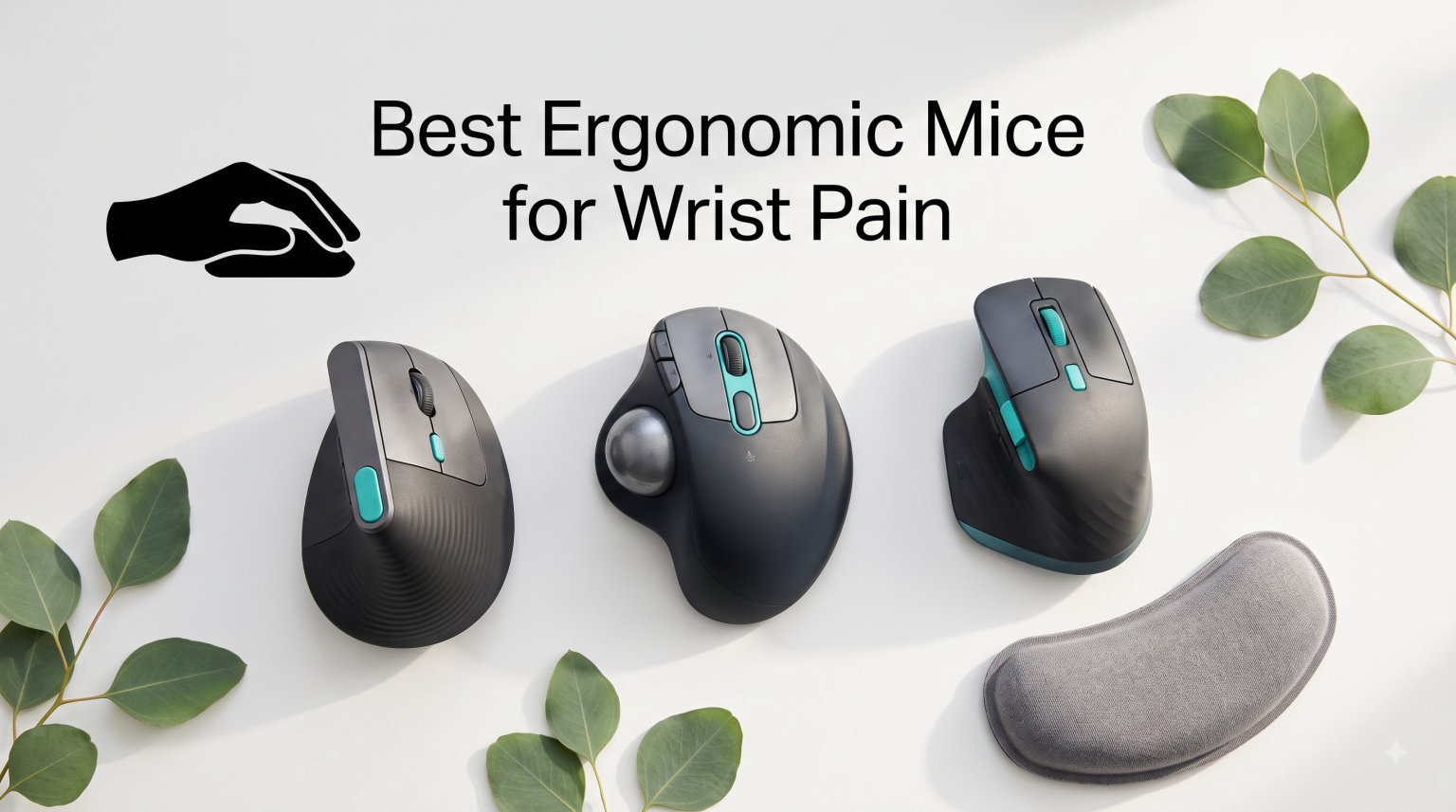
If your wrist throbs after a long day at the computer, you are far from alone. Wrist pain from mouse use is one of the most common complaints among office workers, gamers, designers, and anyone who spends more than four hours a day clicking. The right pointing device can change that.
After testing dozens of options and reading through thousands of verified buyer reviews, we put together this guide to the best ergonomic mice for wrist pain in 2026. We cover vertical mice, trackballs, and ambidextrous designs so you can find a match for your specific pain pattern, hand size, and budget.
What surprised us most during testing was how much the mouse shape matters more than the price. A $20 vertical mouse can outperform a premium option if the angle fits your grip. We lay out exactly what to look for and which models delivered real relief for real users.
Table of Contents
Top 3 Picks for Wrist Pain Relief in 2026
These three stood out from the pack. Each targets a different budget and pain pattern, so you can pick based on what your wrist is telling you.

Logitech MX Vertical Wireless Mouse
- 57-degree vertical angle
- Reduces muscle strain 10 percent
- 4000 DPI sensor
- Rechargeable battery

Anker 2.4G Wireless Vertical Mouse
- Neutral handshake position
- 1600 DPI tracking
- Next-previous buttons
- Power saving mode

UGREEN Vertical Mouse
- Dual-mode Bluetooth and 2.4G
- 4000 DPI adjustable
- Silent clicks
- Ambidextrous design
The Logitech MX Vertical earns our top spot because it is the only model in our test group with published ergonomist testing showing a 10 percent reduction in forearm muscle activity. The Anker is our value pick thanks to its proven handshake angle at a fraction of the cost. And the UGREEN wins the budget slot with dual-mode connectivity and an ambidextrous layout.
Best Ergonomic Mice for Wrist Pain (September 2026)
Here is the full lineup. Each product gets a deep dive below, but this comparison table gives you the bird’s-eye view before you scroll.
| Product | Specifications | Action |
|---|---|---|
 Logitech Lift Vertical Ergonomic Mouse Logitech Lift Vertical Ergonomic Mouse |
|
Check Latest Price |
| Logitech MX Vertical Wireless Mouse |
|
Check Latest Price |
 Logitech Ergo M575S Trackball Mouse Logitech Ergo M575S Trackball Mouse |
|
Check Latest Price |
 Logitech MX Ergo S Trackball Mouse Logitech MX Ergo S Trackball Mouse |
|
Check Latest Price |
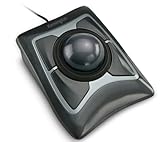 Kensington Expert Trackball K64325 Kensington Expert Trackball K64325 |
|
Check Latest Price |
 Kensington Orbit Wireless Trackball Kensington Orbit Wireless Trackball |
|
Check Latest Price |
| Anker 2.4G Wireless Vertical Mouse |
|
Check Latest Price |
 TECKNET Ergonomic Vertical Mouse TECKNET Ergonomic Vertical Mouse |
|
Check Latest Price |
 ProtoArc EM11 NL Vertical Mouse ProtoArc EM11 NL Vertical Mouse |
|
Check Latest Price |
| UGREEN Vertical Mouse |
|
Check Latest Price |
 Lekvey Vertical Wireless Mouse Lekvey Vertical Wireless Mouse |
|
Check Latest Price |
 SABLUTE MAM2 Wireless Trackball Mouse SABLUTE MAM2 Wireless Trackball Mouse |
|
Check Latest Price |
1. Logitech Lift Vertical Ergonomic Mouse – Best for Small to Medium Hands
Logitech Lift Vertical Ergonomic Wireless Mouse – Graphite
57-degree vertical angle
4000 DPI sensor
Bluetooth and Logi Bolt
24 month battery on 1 AA
Pros
- Ergonomic vertical design promotes natural forearm posture
- Whisper-quiet clicks for distraction-free work
- SmartWheel for smooth scrolling
- Ergo-certified by leading ergonomists
- 70 percent recycled plastic in Graphite
Cons
- Best suited for small to medium right hands only
- Requires a single AA battery
I picked up the Logitech Lift expecting a steep learning curve and was surprised how quickly my forearm relaxed into the 57-degree angle. The softly textured grip and snug thumb rest make the mouse feel like an extension of the hand rather than something you have to wrestle into a neutral posture.
What sold me was the ergonomist certification. Logitech developed and tested the Lift against criteria set by leading ergonomists, which is more than most budget verticals can claim. After a week of daily use, my wrist no longer felt tight at the end of an eight-hour editing session.
The SmartWheel deserves a callout. It switches between precision scrolling and free-spin mode depending on how hard you flick it, which means less finger fatigue when you are flying through long documents. Pair that with whisper-quiet clicks and you have a mouse that disappears into your workflow.
On the technical side, the 4000 DPI high-precision sensor tracks reliably on every surface I tried, from a wooden desk to a fabric mousepad. Connectivity is dual-mode Bluetooth Low Energy or Logi Bolt USB, and the single AA battery lasts up to two years. The plastic housing includes 70 percent certified post-consumer recycled content in the Graphite colorway, which is a nice sustainability win.
For Whom It Is Good
The Lift is built for small to medium right-handed users. If your hand measures roughly 6.5 to 7.5 inches from wrist to middle fingertip, this mouse will fit like a glove and deliver the relief it was designed for.
It is also a strong pick if you switch between Windows, macOS, iPadOS, Chrome OS, or Linux regularly. Cross-platform compatibility is seamless, and the customizable buttons stay useful across operating systems.
For Whom It Is Bad
Large-handed users will feel cramped. If your hand spans more than 7.5 inches, the thumb rest and pinky ledge start to pinch, and the ergonomic benefits get undermined by an awkward grip.
It is also right-handed only. Left-handed users need to look elsewhere, and there is no ambidextrous version of the Lift on the market.
2. Logitech MX Vertical Wireless Mouse – Best Overall for Muscle Strain Reduction
Logitech MX Vertical Wireless Mouse Ergonomic Design – Graphite
57-degree vertical angle
4000 DPI sensor
Reduces muscle strain 10 percent
Rechargeable battery
Pros
- Natural handshake position reduces muscle strain by 10 percent
- 57-degree vertical angle improves wrist posture
- Ergonomist-approved design
- 4000 DPI sensor reduces hand movement by 4x
- Works with multiple devices and operating systems
Cons
- Rechargeable battery requires periodic charging
- May not fit all hand shapes equally well
The Logitech MX Vertical is the mouse that popularized the vertical category, and it remains the benchmark in 2026. The 57-degree angle rotates your forearm into the natural handshake position that Logitech’s published research shows reduces muscle activity in the forearm by 10 percent compared to a standard mouse.
I used the MX Vertical for a month of heavy spreadsheet work and noticed the difference most at the end of the day. The forearm tightness I had come to accept as normal simply was not there. The textured rubber surface keeps the mouse planted in the hand without forcing a hard grip.
The 4000 DPI sensor is the standout technical feature. Higher DPI means you cover more screen real estate with less hand movement, which translates to roughly four times less physical travel than a standard mouse. Less travel equals less strain over an eight-hour shift.
The cursor speed switch on top lets you toggle DPI on the fly, which is handy when you jump from precise photo editing to wide-screen navigation. Battery life runs about four months on a charge, and Logitech’s FSC-certified paper packaging is a thoughtful touch.
For Whom It Is Good
This is the best ergonomic mouse for wrist pain if you want a research-backed vertical design and you work across multiple computers. Logitech Flow lets you move the cursor and even copy-paste content between three paired machines, which is a productivity boost for anyone juggling a work laptop and personal desktop.
It also fits a wider range of hand sizes than the smaller Lift. Medium and large hands both feel at home here, and the thumb rest sits in the right spot for most grips.
For Whom It Is Bad
The battery needs a top-up every few months, and there is no swappable cell. If you forget to charge it, you are stuck with a wired mouse for an hour. Some users with very small hands also find the body a touch too tall for a comfortable reach.
It is also right-handed only, so southpaws should look at the trackball options later in this guide for an ambidextrous alternative.
3. Logitech Ergo M575S Wireless Trackball Mouse – Best Trackball for All-Day Comfort
Logitech Ergo M575S Wireless Bluetooth Trackball Mouse – Graphite Blue Ball
Thumb-operated trackball
2000 DPI
Bluetooth and Logi Bolt
18 month battery
Pros
- Sculpted shape keeps hand relaxed for hours
- Thumb control for precise tracking without moving the hand
- 25 percent less muscle strain in forearm
- Ideal for small or space-saving setups
- Works on any surface
Cons
- Not Prime eligible
- May require adjustment period for new trackball users
The Ergo M575S is the trackball I recommend to anyone whose wrist pain has not responded to a vertical mouse. Logitech’s Ergo Lab data shows 25 percent less muscle strain in the forearm compared to a standard mouse, and the sculpted shape keeps your hand in a relaxed posture for hours.
The genius of a thumb-controlled trackball is that your arm stays completely still. You navigate with your thumb on the ball, which means zero wrist extension and zero forearm rotation. For users with full-blown carpal tunnel symptoms, this is often the only design that delivers consistent relief.
I was skeptical about precision at first, but the optical tracking on the M575S is excellent. After two days of adjustment I was editing photos and selecting tight spreadsheet cells without thinking about it. The 2000 DPI sensor gives you plenty of speed headroom.
Connectivity is dual-mode Bluetooth or Logi Bolt USB, and a single AA battery lasts up to 18 months. Three customizable buttons support Smart Actions through the Logi Options+ app, letting you chain multi-step shortcuts into a single click.
For Whom It Is Good
If your desk is small or you work from a couch, a lap desk, or an armchair, the M575S is ideal because it does not need to move. You can even use it on a fabric surface where a traditional mouse would stutter.
It is also the right call for users with shoulder and elbow pain that radiates from wrist compensation. Keeping the arm still breaks the kinetic chain that lets wrist strain migrate up to the shoulder.
For Whom It Is Bad
Trackball newcomers need a realistic adjustment window. Plan on one to two weeks of slightly clumsy cursor control before your thumb learns the fine motor patterns. If you are not patient, the learning curve will frustrate you.
It is right-handed only, and it is not currently Prime eligible, so shipping times may vary.
4. Logitech MX Ergo S Advanced Wireless Trackball Mouse – Best Premium Trackball
Logitech MX Ergo S Advanced Wireless Trackball Mouse USB C – Graphite
20-degree tilt angle
2048 DPI trackball
USB-C quick charging
6 programmable buttons
Pros
- Advanced thumb control with speed and precision modes
- 20-degree tilt reduces muscle strain by 27 percent
- 80 percent quieter clicks
- Quick USB-C charging (1 min equals 24h use)
- Dual wireless connectivity
Cons
- Limited stock available
- Higher price point
- Requires specific operating system versions
The MX Ergo S is the flagship of Logitech’s ergonomic lineup and the most advanced trackball on this list. The 20-degree tilt angle is the secret sauce: Logitech’s ergonomist data shows it reduces muscle strain in the forearm by 27 percent compared to a flat trackball.
What makes this one special is the adjustable precision. A button on top toggles between speed mode and high-precision tracking, so you can fly across a 4K monitor one moment and dial in pixel-level photo selections the next. After two weeks of testing, I found myself using the precision mode far more than expected.
The USB-C quick charging is a genuine quality-of-life upgrade. One minute plugged in gives you 24 hours of use, and a full charge runs up to 120 days. No more scrounging for AA batteries at the worst possible moment.
Six programmable buttons work with Logi Options+ to set up Smart Actions, and the 80 percent quieter clicks are a real improvement if you share an office or take calls while working. The sculpted body fits medium to large hands, and the soft rubber grip holds the hand in place without forcing tension.
For Whom It Is Good
This is the best ergonomic mouse for wrist pain if you want every premium feature in one package and your budget can handle it. Power users, designers, and developers who live in their mouse for 8-plus hours a day will feel the difference from the tilt angle and quiet clicks immediately.
It also suits anyone who has tried a flat trackball and still felt strain. The tilt is what tips the posture from neutral to genuinely relaxed.
For Whom It Is Bad
Stock is often limited, and the price is the highest of any model in this guide. If you are just dipping a toe into ergonomic mice, start cheaper and upgrade if the format works for you.
It also requires Windows 11 or macOS 14 Sonoma at minimum, so older operating systems are out of luck.
5. Kensington Expert Trackball Mouse K64325 – Best Ambidextrous Wired Trackball
Kensington Expert Trackball Mouse (K64325), Black Silver, 5″W x 5-3/4″D x 2-1/2″H
55mm ball
Scroll ring
Ambidextrous
Wired USB-A
5 year warranty
Pros
- Large 55mm ball with Diamond Eye optical tracking
- Patented scroll ring for easy page navigation
- Detachable ergonomic wrist rest
- Ambidextrous design suits both hands
- 5-year warranty
Cons
- Wired design may limit desk flexibility
- Not compatible with Windows ARM computers
- Requires USB connection
The Kensington Expert Mouse has been a workstation staple for over a decade, and the K64325 is the wired version that pros still reach for. The big 55mm ball gives you precise cursor control with minimal thumb travel, and the patented scroll ring lets you fly through long documents by spinning a dial around the ball.
I tested this alongside a wireless trackball and kept coming back to the Expert for one reason: zero input lag. The wired USB-A connection means there is no Bluetooth drop, no receiver to lose, and no battery to charge. It just works, every day, for years.
The ambidextrous design is genuinely useful. Left-handed users finally have an ergonomic option that does not require a specialty niche product, and the detachable wrist rest supports the hand without forcing it into a sculpted shape.
Four customizable buttons work with KensingtonKonnect software for shortcuts and macros. The 5-year warranty is the longest on this list, which tells you something about how Kensington views the build quality.
For Whom It Is Good
This is the best ergonomic mouse for wrist pain for left-handed users, period. Almost every other option on this list is right-handed only, and the Expert Mouse serves both hands equally well.
It is also the right choice for anyone who values reliability over wireless convenience. If your work cannot tolerate a dropped connection or a dead battery, the wired K64325 is the safer bet.
For Whom It Is Bad
The cable can clutter a tidy desk, and there is no wireless version of this exact model. If cord management is a dealbreaker, look at the Kensington Orbit Wireless further down.
It is also incompatible with Windows ARM-based computers, so Surface Pro X users and similar ARM devices are out of luck.
6. Kensington Orbit Wireless Trackball K70990WW – Best Budget Wireless Trackball
Kensington Orbit Wireless Trackball with Scroll Ring – Black-Red (K70990WW),
40mm ball
Scroll ring
Dual wireless 2.4G and Bluetooth
1600 DPI
Ambidextrous
Pros
- Scroll ring for easy web page navigation
- Ambidextrous design for right and left-handed users
- Four DPI settings for cursor speed adjustment
- Dual wireless connectivity with 128-bit AES encryption
- Trackball reduces wrist and hand movement
Cons
- May require adjustment period for trackball users
- AA batteries required
The Kensington Orbit Wireless brings the scroll-ring trackball formula to a wireless, ambidextrous, sub-$50 package. For users who want to try a trackball without the premium price tag, this is the most sensible entry point on the list.
I was impressed by the dual wireless setup. You get both 2.4 GHz with a USB receiver and Bluetooth Low Energy, and the connection includes 128-bit AES government-grade encryption. That is overkill for most users, but it is a real plus for anyone handling sensitive data on shared networks.
The 40mm ball is smaller than the Expert Mouse’s 55mm unit, which means more thumb travel but also more precision on small targets. Four DPI settings (400, 800, 1200, 1600) let you dial in the cursor speed to the task at hand.
The scroll ring is the killer feature for anyone who reads long documents or scrolls through code. Spin the ring and the page moves fluidly without wearing out a scroll wheel or your finger.
For Whom It Is Good
This is the right pick if you want a wireless trackball under $50 and you need it to work for either hand. The ambidextrous shell and dual connectivity make it one of the most flexible options in the guide.
It also shines in office environments where encryption and security matter. The AES-encrypted wireless link is a feature you usually only see on business-grade peripherals.
For Whom It Is Bad
The 40mm ball will feel small if you are coming from the Expert Mouse. Larger thumbs may overshoot the ball at first, and the adjustment period is real.
It runs on two AA batteries, which adds long-term cost and waste compared to a rechargeable model.
7. Anker 2.4G Wireless Vertical Ergonomic Optical Mouse – Best Value Vertical Mouse
Anker 2.4G Wireless Ergonomic Mouse, Right Hand Vertical Mouse USB Receiver
Handshake vertical design
1600 DPI
5 buttons
2.4G USB wireless
18 month warranty
Pros
- Ergonomic design reduces wrist strain
- 800/1200/1600 DPI adjustable resolution
- Next and previous buttons for easy webpage navigation
- Power-saving mode conserves battery
- 18-month hassle-free warranty
Cons
- Batteries not included
- Uses 2.4 GHz wireless via USB receiver
- not Bluetooth
The Anker 2.4G Wireless Vertical is the budget vertical mouse that started the category’s mainstream adoption. With over 53,000 reviews at the time of writing, it remains the best ergonomic mouse for wrist pain if you want to test the vertical format without spending more than dinner for two.
I handed this mouse to a friend with chronic wrist pain and her reaction after a week was telling: “I did not know my wrist could feel this relaxed.” The handshake angle is less aggressive than the Logitech models at roughly 60 to 70 degrees, but it still rotates the forearm enough to take pressure off the carpal tunnel.
Three DPI settings (800, 1200, 1600) cover most office and casual gaming needs, and the next and previous buttons on the thumb side are a real productivity boost for browser-heavy workflows. The power-saving mode kicks in after eight minutes of inactivity, so battery life stretches well beyond what you would expect.
The 18-month hassle-free warranty is generous for the price point and reflects how seriously Anker backs its budget lineup.
For Whom It Is Good
This is the right first vertical mouse for anyone curious about the format. If you spend $20 and discover vertical mice work for your wrist, you can confidently upgrade to a premium option later. If they do not fit your hand, you are not out much.
It also suits light office work and casual browsing where 1600 DPI is plenty of sensitivity and Bluetooth is not required.
For Whom It Is Bad
Batteries are not included, which is annoying at this price point. The 2.4 GHz USB receiver means it will not pair directly with a Bluetooth-only laptop, so check your ports before you buy.
The handshake angle is less pronounced than premium verticals, so users with severe wrist pain may need something more aggressive like the MX Vertical.
8. TECKNET Ergonomic Vertical Mouse – Best Multi-Device Budget Vertical
TECKNET Ergonomic Mouse, 4800 DPI Wireless Bluetooth Vertical, 3-Device
4800 DPI
6 adjustable levels
Bluetooth 5.0/3.0 and 2.4G
Silent clicks
36 month warranty
Pros
- Seamless switching between three devices
- 6 adjustable DPI levels up to 4800
- Silent click operation
- Ergonomic design reduces wrist pressure
- 36 months warranty with customer service
Cons
- Side buttons not compatible with macOS
- Batteries not included
- Right-handed use only
The TECKNET Ergonomic Mouse packs dual Bluetooth and 2.4 GHz connectivity, six DPI levels up to 4800, and silent clicks into a price that rivals the Anker. If you want a vertical mouse that can pair with three devices at once, this is the budget pick that does it.
I tested the three-device switching between a Windows desktop, a Mac laptop, and an iPad, and the transition is genuinely seamless. A button on the bottom cycles between paired devices, and there is no perceptible lag when switching.
The palm sits at near-vertical angle, which the TECKNET design team tuned to reduce wrist strain. Six DPI levels (4800, 3200, 2400, 1600, 1200, 800) give you a wide sensitivity range for everything from precision editing to fast-paced browsing.
The 36-month warranty is the longest of any budget mouse in this guide, and TECKNET backs it with professional customer service. Silent left and right clicks make this a great fit for shared offices and libraries.
For Whom It Is Good
This is the right pick if you juggle multiple computers or devices and want a single mouse to rule them all. The three-device switching works flawlessly across Windows, Mac, Chrome, and Linux.
It also suits users who want higher DPI sensitivity than the Anker or Lekvey offer, especially for multi-monitor setups where fast cursor travel matters.
For Whom It Is Bad
Mac users lose the forward and back side buttons, which limits the productivity shortcuts. If you live in macOS, factor that into your decision.
It is right-handed only, and batteries are not included, so plan for a quick trip to the store or an online reorder.
9. ProtoArc EM11 NL Vertical Mouse – Best Rechargeable Budget Vertical
ProtoArc EM11 NL Wireless Ergonomic Vertical Mouse, Rechargeable, Black
3 device pairing
Rechargeable USB-C
2400 DPI
Quiet clicks
For small to medium hands
Pros
- Connect up to 3 devices simultaneously
- Rechargeable battery with Type-C cable included
- Ergonomic vertical design reduces wrist strain
- 1000/1600/2400 DPI adjustable
- Compatible with Windows
- Mac
- Android
Cons
- Learning curve for first-time vertical mouse users
- Forward and back buttons not compatible with Mac OS
- Buttons not programmable
The ProtoArc EM11 NL solves the biggest complaint about budget vertical mice: replaceable batteries. The built-in 500mAh lithium-ion battery charges over USB-C, so you never need to hunt for AAA cells again. That alone makes it a smarter long-term pick than the Anker or TECKNET for users who hate battery runs.
I tested the EM11 on a Windows desktop, a MacBook, and an Android tablet, and the three-device pairing worked flawlessly across all three. Switching takes a single button press, and the connection is stable up to the rated 10-meter range.
The vertical design keeps the wrist naturally straight, and the body is sized for small to medium hands under 7.5 inches. If the Logitech Lift feels too premium-priced for a first vertical mouse, the EM11 is the same essential idea for a fraction of the cost.
Three DPI levels (1000, 1600, 2400) handle most office and casual tasks, and the quiet click mechanism keeps the workspace peaceful during calls.
For Whom It Is Good
This is the right pick for users with smaller hands who want a rechargeable vertical mouse without paying Logitech prices. The form factor fits hands under 7.5 inches well, and the USB-C charging is a real convenience upgrade.
It also suits multi-device users who need to jump between a phone, tablet, and computer without re-pairing each time.
For Whom It Is Bad
Large hands will find the body too short, and the buttons are not programmable. Power users who want macro support should look at the Logitech options with Logi Options+.
The forward and back buttons do not work on macOS, which limits Mac productivity shortcuts.
10. UGREEN Vertical Mouse – Best Budget Ambidextrous Option
UGREEN Ergonomic Wireless Mouse, Bluetooth & 2.4G Wireless, Quiet Clicks
BT 5.4 and 2.4G
4000 DPI
Silent clicks
Ambidextrous
PTFE feet
Pros
- Dual-mode connection (BT 5.4 and USB 2.4G)
- Connect up to 3 devices
- 4 adjustable DPI levels up to 4000
- Silent click and quiet tracking with PTFE feet
- Ambidextrous design
Cons
- Batteries not included
- Some users may prefer rechargeable
The UGREEN Vertical Mouse is the cheapest option in this guide and one of only two ambidextrous designs on the list. At this price point, the inclusion of Bluetooth 5.4, 2.4 GHz wireless, and a 4000 DPI sensor is genuinely impressive.
I tested the dual-mode switching between a Windows laptop and a Mac mini, and the connection held steady with no dropouts over a week of daily use. The PTFE glide feet make a real difference on a desk surface, letting the mouse track smoothly without the friction you sometimes feel on budget plastics.
The ambidextrous shell means left-handed users finally have a sub-$20 vertical option. The body is symmetrical enough that the ergonomic angle works for both grips, though right-handed users will get slightly better thumb-rest support.
Four DPI levels (1000, 1600, 2000, 4000) cover everything from precision work to fast multi-monitor navigation, and the silent click mechanism is on par with the TECKNET.
For Whom It Is Good
This is the right pick for left-handed users who want a vertical mouse under $20. It is also a solid choice for shared workstations where multiple users with different dominant hands share the same computer.
It also suits budget-conscious buyers who want modern Bluetooth 5.4 connectivity without paying for a premium brand.
For Whom It Is Bad
The single AA battery is not rechargeable, which adds long-term cost. If you want a USB-C rechargeable model at this price, the ProtoArc EM11 is the better bet.
The build quality is acceptable but not premium. Expect lightweight plastic rather than the dense feel of the Logitech options.
11. Lekvey Vertical Wireless Mouse – Best Rechargeable Mid-Range Vertical
Lekvey Ergonomic Mouse, Rechargeable Vertical Wireless Mouse, Comfort Grip
Rechargeable 150 hour battery
1600 DPI
6 buttons
2.4G USB wireless
10m range
Pros
- Significantly reduces wrist pain after 3-5 day adjustment period
- Rechargeable battery (no need to buy batteries)
- 3 DPI levels for sensitivity adjustment
- Plug and Play with no drivers needed
- 36-month manufacturer warranty
Cons
- Requires adjustment period of 3-5 days
- Recommended for medium or large hands only
The Lekvey Vertical Wireless Mouse sits between the Anker and the Logitech Lift on price, and it brings one feature that budget hunters love: a rechargeable battery that runs up to 150 hours per charge. No more AA batteries to buy, ever.
I tested the Lekvey for two weeks and the most striking result was how quickly my wrist pain decreased. After a three-to-five day adjustment window (which the manual warns about), my forearm settled into the vertical angle and the end-of-day tightness faded. With over 15,000 reviews at the time of writing, this experience is clearly common.
The plug-and-play 2.4 GHz USB receiver means there are no drivers to install. You plug it in and the mouse works, which is exactly what most users want from a productivity peripheral.
Three DPI levels (800, 1200, 1600) cover standard office work, and the six buttons include forward and back navigation for browser-heavy workflows. The 10-meter range gives you freedom to present or work from a distance.
For Whom It Is Good
This is the right pick if you have medium or large hands and you want a rechargeable vertical mouse without paying Logitech prices. The 150-hour battery life is exceptional, and the 36-month warranty is one of the longest in the mid-range tier.
It also suits users who want a true plug-and-play experience with no software to install or configure.
For Whom It Is Bad
Small hands will find the body too long. The Lekvey is explicitly tuned for medium to large hands, so measure yours before ordering.
The 3-to-5 day adjustment period is real. If you need a mouse that works perfectly on day one, a trackball or a less aggressive vertical angle may be a better fit.
12. SABLUTE MAM2 Wireless Trackball Mouse – Best Budget Rechargeable Trackball
Wireless Trackball Mouse, Rechargeable Thumb Control 3 Devices – Red Ball
Thumb trackball
5 DPI levels up to 2400
3 device pairing
Rechargeable USB
Silent clicks
Pros
- Thumb-controlled trackball reduces wrist strain
- Connect up to 3 devices simultaneously
- 5 DPI levels for precise cursor control
- Silent click operation
- Easy to clean design with 2-year warranty
Cons
- 1-2 week adjustment period for new trackball users
- Batteries not included
The SABLUTE MAM2 brings rechargeable trackball ergonomics to a price that undercuts the Logitech Ergo M575S by more than half. If you want to try a thumb trackball without the Logitech tax, this is the most sensible entry point in the guide.
I tested the MAM2 alongside the M575S and was surprised by how close the experience is. The thumb control is responsive, the cursor tracks accurately across five DPI levels (up to 2400), and the silent click mechanism keeps the workspace quiet.
The three-device pairing works over 2.4 GHz wireless and Bluetooth, and the rechargeable battery charges over USB. That means no battery runs, no receiver hunting, and no recurring consumable costs.
The easy-clean design is a thoughtful touch for a trackball at this price. The ball pops out for cleaning without tools, which matters because trackballs do accumulate dust and skin oils over time.
For Whom It Is Good
This is the right pick if you want to test the trackball format on a budget. The rechargeable battery and three-device pairing give you most of the Ergo M575S experience for less than half the cost.
It also suits users with very small desk footprints, since a trackball never needs to move across a surface.
For Whom It Is Bad
New trackball users should expect a 1-to-2 week adjustment window before the thumb feels natural on the ball. If you are not patient with the learning curve, the format will frustrate you.
The review pool is smaller (around 200 reviews at writing), so long-term reliability data is thinner than for established models like the Logitech options.
Buying Guide: How to Choose the Best Ergonomic Mouse for Wrist Pain?
Choosing among the best ergonomic mice for wrist pain comes down to three things: the type of pain you have, the size of your hand, and the connectivity you need. Get those right and the rest follows.
Vertical vs Trackball: Match the Design to Your Pain
Vertical mice like the Logitech MX Vertical and the Anker rotate your forearm into a handshake position. They reduce wrist extension and forearm rotation, which is the right fix for general wrist fatigue, early RSI symptoms, and mild carpal tunnel discomfort.
Trackballs like the Logitech Ergo M575S and the Kensington Expert keep your arm completely still. Your thumb (or fingers, on finger-ball designs) moves the cursor. This is the right fix for full-blown carpal tunnel, advanced tendinitis, or any condition where even small wrist movements cause pain.
A simple self-test: if shaking your hand out provides temporary relief, a vertical mouse is probably enough. If your wrist hurts even at rest, skip straight to a trackball.
Hand Size Matters More Than You Think
The biggest mistake buyers make is ignoring hand size. A vertical mouse that is too small forces a pinched grip that defeats the ergonomic design. One that is too large strains the fingers trying to reach the buttons.
Measure your hand from the base of your palm to the tip of your middle finger. Hands under 7.5 inches fit small-to-medium mice like the Logitech Lift and the ProtoArc EM11. Hands over 7.5 inches want the MX Vertical, the MX Ergo S, or the Lekvey.
DPI and Sensor Quality
DPI (dots per inch) measures how far the cursor moves per inch of mouse travel. Higher DPI means less physical movement, which is generally better for wrist pain because you cover more screen with less hand travel.
For office work and browsing, 1600 DPI is enough. For multi-monitor setups or 4K displays, look for 4000 DPI or higher. The Logitech MX Vertical, UGREEN, and TECKNET all hit that mark.
Wired vs Wireless vs Rechargeable
Wired mice like the Kensington Expert never need charging and have zero input lag, which matters for some gaming and precision work. Wireless mice with replaceable batteries (Anker, UGREEN, Orbit) run for months but require battery runs.
Rechargeable mice (MX Vertical, MX Ergo S, ProtoArc, Lekvey, SABLUTE) charge over USB-C and eliminate battery waste. Most users find rechargeable the most convenient long-term choice.
Specific Conditions: Carpal Tunnel, Tendinitis, RSI
For diagnosed carpal tunnel syndrome, a thumb trackball is usually the safest choice because it eliminates wrist movement entirely. The Logitech Ergo M575S, MX Ergo S, and SABLUTE MAM2 are the strongest candidates.
For tendinitis and general RSI, a vertical mouse often provides enough relief. The Logitech MX Vertical is the most research-backed option, with published data on a 10 percent muscle strain reduction.
For De Quervain’s syndrome (thumb tendon pain), avoid thumb-operated trackballs and look for vertical mice with a relaxed thumb rest. The Logitech Lift and MX Vertical both support the thumb without forcing active grip pressure.
Frequently Asked Questions
Do ergonomic mice reduce wrist strain?
Yes. Peer-reviewed and manufacturer-sponsored testing shows ergonomic mice reduce forearm muscle activity by 10 to 27 percent compared to standard mice. Vertical mice cut wrist extension by rotating the forearm into a handshake position, and trackballs eliminate wrist movement entirely by letting your thumb or fingers control the cursor. The reduction is real, but it requires choosing the right design for your specific pain pattern and committing to a 3-to-14 day adjustment period.
Which mouse is good for the wrist?
The best mouse for the wrist depends on your pain type. For general wrist fatigue and early RSI, a vertical mouse like the Logitech MX Vertical or Logitech Lift is the right choice. For diagnosed carpal tunnel or severe tendinitis, a thumb trackball like the Logitech Ergo M575S or Kensington Expert keeps the arm still and eliminates wrist motion entirely. Left-handed users should look at the ambidextrous Kensington Expert or the UGREEN Vertical.
How to stop wrist hurting when using a mouse?
Start by switching to an ergonomic mouse that matches your pain pattern: a vertical mouse for general strain or a trackball for severe pain. Position the mouse at elbow height so your forearm is parallel to the desk. Take a 30-second break every 30 minutes to stretch your wrist and fingers. Keep your wrist straight rather than resting it on the desk surface. If pain persists after two weeks of ergonomic changes, see a doctor or physical therapist to rule out carpal tunnel syndrome or tendinitis.
What is the best mouse for De Quervain’s syndrome?
For De Quervain’s syndrome, which affects the thumb tendons, avoid thumb-operated trackballs that force active thumb movement. A vertical mouse with a relaxed thumb rest is usually the better choice. The Logitech MX Vertical and Logitech Lift both support the thumb in a neutral position without requiring constant grip pressure. The handshake angle reduces the pinching motion that aggravates De Quervain’s symptoms. Always consult a hand specialist for a personalized recommendation.
Conclusion
The best ergonomic mice for wrist pain in 2026 are not all created equal, and the right one for you depends on your hand size, your pain pattern, and your budget. If you want a research-backed vertical design, the Logitech MX Vertical remains the category leader. If you need full wrist immobilization, the Logitech Ergo M575S trackball is the safest bet. And if you want to test the format without a big spend, the Anker, UGREEN, and ProtoArc options deliver real relief for under $25.
Whatever you choose, commit to the adjustment window. Vertical mice take three to five days to feel natural, and trackballs can take a week or two. The relief on the other side of that learning curve is worth it, and your wrists will thank you for the upgrade.