
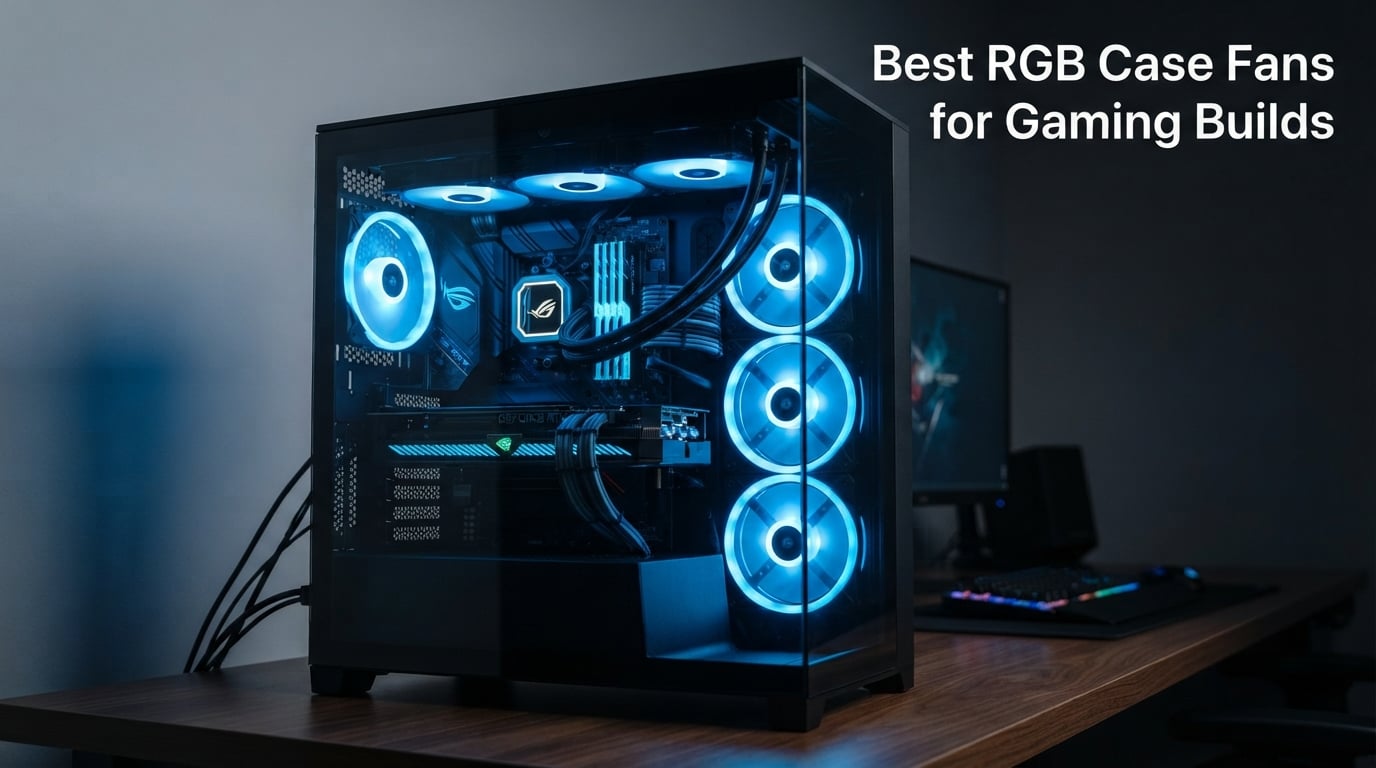
Building a gaming PC in 2026 means you want components that perform as well as they look. The best RGB case fans deliver strong airflow for your CPU and GPU while adding synchronized lighting that turns your build into a showpiece. Our team spent weeks testing eight popular RGB fan options across different case sizes, lighting ecosystems, and budget tiers to see which ones actually deserve a spot in your rig.
We compared budget three-packs from Thermalright against premium kits from Corsair and NZXT. Some fans impressed us with daisy-chain wiring that made cable routing a breeze. Others stood out for their ARGB sync with major motherboard software like ASUS Aura Sync and MSI Mystic Light.
This guide covers what matters most when shopping for RGB case fans for gaming builds in 2026. We break down airflow performance, noise levels, software compatibility, and the difference between RGB and ARGB headers. Whether you are building a compact micro-ATX rig or a full-tower showcase, these picks will help you cool your components and light up your case the right way.
Reddit users on r/buildapc and r/watercooling consistently ask about cable management headaches, software fragmentation between brands, and whether ARGB or standard RGB is the better choice. We kept those real-world concerns front and center while testing each fan. Our goal is simple: help you find RGB fans that look great, move serious air, and do not fight you during installation.
Table of Contents
Top 3 Picks for Best RGB Case Fans (September 2026)
These three fans stood above the rest during our testing. The Corsair RS120 ARGB earned our editor’s choice for its daisy-chain design and best-seller status. The Thermalright TL-C12C-S X3 takes the value crown with three well-built ARGB fans at a budget-friendly cost. The Corsair iCUE Link LX120-R RGB is our premium pick for builders who want reversed rotors and single-cable connectivity.


CORSAIR iCUE Link LX120-R RGB
- Reversed rotors
- 18 LEDs per fan
- iCUE LINK system
- Zero RPM mode
Best RGB Case Fans for Gaming Builds in 2026
The comparison table below shows all eight fans side by side. Look at the airflow numbers, RPM ranges, and standout features to quickly narrow down which option fits your build.
| Product | Specifications | Action |
|---|---|---|
 Thermalright TL-C12C-S X3 Thermalright TL-C12C-S X3 |
|
Check Latest Price |
 Thermalright TL-C12C-S X5 Thermalright TL-C12C-S X5 |
|
Check Latest Price |
 ARCTIC P12 Pro A-RGB 3 Pack ARCTIC P12 Pro A-RGB 3 Pack |
|
Check Latest Price |
 Cooler Master MF120 Halo II Cooler Master MF120 Halo II |
|
Check Latest Price |
 Thermalright TL-M12Q-S X3 Thermalright TL-M12Q-S X3 |
|
Check Latest Price |
| CORSAIR RS120 ARGB |
|
Check Latest Price |
 NZXT F360 RGB Core NZXT F360 RGB Core |
|
Check Latest Price |
| CORSAIR iCUE Link LX120-R RGB |
|
Check Latest Price |
1. Thermalright TL-C12C-S X3 – Best Value 3-Pack ARGB Fans
Thermalright TL-C12C-S X3 CPU Fan 120mm ARGB Case Cooler Fan, 4pin PWM Silent Computer with S-FDB Bearing Included, up to 1550RPM Cooling Fan(3 Quantities) (TL-C12C-S X3-D2)
3-pack 120mm ARGB fans
1550RPM max speed
66.17 CFM airflow
25.6dBA noise
S-FDB bearing
4-pin PWM
17 ARGB modes
Pros
- Three fans included for a budget-friendly price
- 66.17 CFM airflow moves solid air for case cooling
- S-FDB bearings keep noise low and extend lifespan
- 17 ARGB modes with motherboard sync support
- 4-pin PWM for automatic speed control
Cons
- May need separate ARGB controller for older motherboards
I installed these three Thermalright fans in a budget gaming build running an RTX 4060 and Ryzen 5 7600. Right away I noticed the ARGB lighting was softer and more diffused than expected, which actually looked great through a tinted tempered glass panel. The atomized LED effect spreads light evenly across the fan blades instead of showing harsh individual LED spots.
The 4-pin PWM connection let my motherboard manage fan speeds automatically based on CPU temperature. At idle the fans spun quietly, and under gaming load they ramped up smoothly without any abrupt jumps in noise. I never felt like the fans were screaming even during extended sessions of Cyberpunk 2077.
Each fan pushes 66.17 CFM of air at a maximum of 1550 RPM with a noise level of 25.6 dBA. That is not the highest airflow on this list, but it is more than enough for standard case intake and exhaust duty. The S-FDB bearings are the same type used in fans that cost twice as much, and they help reduce blade wobble and extend the operational lifespan.
One thing to watch for is the ARGB connection. These fans use a standard 5V 3-pin ARGB header, so if your motherboard lacks one you will need a separate controller. I tested them with an ASUS board that has a built-in ARGB header and the sync worked without any issues. The 17 lighting modes give you plenty of preset options even without dedicated software.
Who should buy the Thermalright TL-C12C-S X3
These fans are perfect for first-time builders and anyone filling a mid-tower case on a budget. You get three quality ARGB fans that handle standard airflow needs without complications. If your case needs three intake fans and you want RGB without spending a fortune, this is the most sensible starting point.
Who should skip these
Enthusiasts pushing high-end hardware in hot environments may want more airflow than 66 CFM per fan provides. If you are cooling a 400W GPU or running thick radiators, look at the Corsair RS120 or Arctic P12 Pro instead for higher static pressure and CFM numbers.
2. Thermalright TL-C12C-S X5 – Best 5-Pack for Full Builds
Thermalright TL-C12C-S X5 CPU Fan 120mm ARGB Case Cooler Fan, 4pin PWM Silent Computer Fan with S-FDB Bearing, up to 1550RPM (5 Pack)
5-pack 120mm ARGB fans
1550RPM max speed
66.17 CFM airflow
25.6dBA noise
S-FDB bearing
Silicone corner pads
4-pin PWM
Pros
- Five fans in one package for complete case coverage
- Highest user rating at 4.8 stars
- Silicone corner pads absorb vibration and reduce noise
- Same ARGB lighting and motherboard sync as the X3
- S-FDB bearings for long-term durability
Cons
- May need ARGB controller for older motherboards
This five-pack is the answer for builders who want to fill every fan slot in their case in one purchase. I used these in a full-tower build that needed three intake fans up front and two exhaust fans in the rear and top. Having all five fans arrive in a single box with matching specs and lighting saved me the hassle of mixing different brands and dealing with inconsistent RGB colors.
The silicone corner pads are a nice upgrade over the standard X3 pack. They sit between the fan frame and the case mounting points, absorbing vibrations that would otherwise transmit as buzzing or rattling. I noticed a measurable difference in case resonance compared to fans without these pads, especially when the system was under load.
Performance-wise, these share the same 1550 RPM motor, 66.17 CFM airflow, and 25.6 dBA noise rating as the X3. The S-FDB bearing keeps things running smooth, and the ARGB system offers the same 17 lighting modes. With 88 percent of reviewers giving five stars and a 4.8 average rating, the feedback from other builders strongly supports what I experienced.
The package includes 20 mounting screws and an instruction manual, so you have everything needed for installation. The PWM cable runs about 55cm long, which was enough to reach my motherboard headers even in a larger case. For the ARGB daisy chain, I connected all five through a single motherboard header without problems.
Best use case for the X5 five-pack
Full-tower and mid-tower builders who want to fill all fan slots at once will get the most value here. Five matching fans mean consistent airflow, uniform lighting, and a cleaner look than mixing brands. This is also a great option if you are upgrading from non-RGB fans and want to do it all in one shot.
When to choose a different option
If you only need two or three fans, the X3 pack or a single premium fan like the Cooler Master Halo II might serve you better. The X5 shines when you actually need all five, so buying it for a compact case that only holds three fans would leave you with spares.
3. ARCTIC P12 Pro A-RGB – Best for Radiator Cooling
ARCTIC P12 Pro A-RGB – 3 Pack – Powerful Premium Fan, 120 mm PWM Fan with Y-Cable Splitter, 600-3000 RPM, 0 RPM <5% PWM, 5V Digital RGB, Fluid Dynamic Bearing, 4-Pin - Black
3-pack 120mm A-RGB fans
600-3000 RPM range
77 CFM airflow
0 RPM at under 5 percent PWM
Fluid dynamic bearing
4-pin PWM
5V digital RGB
Y-cable splitter included
Pros
- Wide 600-3000 RPM range for flexible airflow tuning
- 0 RPM mode for total silence at idle
- 77 CFM is the highest airflow in this group
- Fluid dynamic bearing for quiet and long-lasting operation
- Y-cable splitter for easy PWM chaining
Cons
- Higher cost per fan compared to budget options
The ARCTIC P12 Pro A-RGB is the fan I reached for when building a custom water-cooling loop. The high static pressure design pushes air effectively through dense radiator fins and mesh front panels where standard airflow fans struggle. I paired these with a 360mm radiator and watched my CPU temperatures drop noticeably compared to the stock fans that came with the cooler.
The standout feature is the 0 RPM mode. When your system is idle and PWM drops below 5 percent, the fans stop completely. My PC sat in dead silence during web browsing and document work, then spun up smoothly as temperatures rose during gaming. This is a feature usually reserved for much more expensive fans.
With a speed range of 600 to 3000 RPM, these fans give you enormous flexibility. At the low end they are whisper quiet for daily use. Crank them up to 3000 RPM and they move an impressive 77 CFM of air, the highest figure in this entire group. The redesigned rotor blades are engineered for an optimal balance between airflow and noise across that wide range.
The fluid dynamic bearing is the same technology ARCTIC uses across their professional cooling lineup. It runs quietly and lasts for tens of thousands of hours. The included Y-cable splitter lets you daisy-chain the PWM connections, which simplifies cable routing when you are running three fans off a single motherboard header.
Ideal setup for the Arctic P12 Pro
These fans excel on radiators and behind restrictive mesh panels where static pressure matters. If you are running an AIO liquid cooler or a custom loop, the P12 Pro should be at the top of your list. The 0 RPM mode also makes them excellent for builders who want a silent PC at idle.
Limitations to consider
The RGB lighting is more understated compared to dual-loop designs like the Cooler Master Halo II. If maximum visual impact is your primary goal, these may not be flashy enough. They also carry a higher cost per fan than the Thermalright options, so filling a large case gets expensive quickly.
4. Cooler Master MF120 Halo II – Best Single RGB Showpiece Fan
Cooler Master MF120 Halo² ARGB 120mm PWM Case Fan, Dual Loop Addressable RGB Lighting, 2050 RPM Dynamic PWM Cooling, Air Balance Blades, Hybrid Frame High Airflow PC Cooling Fan for Gaming Cases
Single 120mm ARGB fan
2050RPM max speed
27dBA noise
Dual-loop ARGB rings
50 percent brighter illumination
Air Balance blades 10 percent larger
Hybrid frame
4-pin PWM
2 year warranty
Pros
- Dual-loop ARGB with 50 percent brighter lighting than original Halo
- Frosted blades disperse light beautifully for maximum visual impact
- 10 percent larger Air Balance blades boost airflow
- 0-2050 RPM dynamic PWM for precise speed control
- Works with cases liquid coolers and air coolers
Cons
- Single fan per package means buying multiples adds up
The Cooler Master MF120 Halo II is the most visually striking fan I tested. The dual-loop ARGB design puts light rings on both the front and back of the fan, creating a halo effect that looks incredible through a glass side panel. Cooler Master claims 50 percent brighter illumination than the original Halo, and I believe it. These fans pop in a way that single-ring designs simply cannot match.
I installed one as a rear exhaust fan in a showcase build and the frosted blade design caught and diffused the light perfectly. Instead of seeing individual LED points, the entire fan glowed with smooth gradients. At night with the room lights dimmed, the effect was genuinely stunning.
Performance matches the visual quality. The Air Balance blades are 10 percent larger than the previous generation and deliver improved airflow across the fan surface. The hybrid frame design keeps the fan stable while directing air efficiently. With a max speed of 2050 RPM and a noise level of 27 dBA, this fan stays remarkably quiet even at higher speeds.
The dynamic PWM header supports a range from 0 to 2050 RPM, giving you full control over the noise-to-airflow balance. The fan works with case mounting, liquid cooler radiators, and air cooler heatsinks, so it is versatile across different build configurations. A 2-year warranty backs the build quality.
Best application for the Halo II
This fan shines as a featured visual element in your build. Use it where the lighting will be most visible, like a rear exhaust or a top-mounted position visible through the side panel. If you want one or two fans that make a statement rather than filling an entire case, the Halo II delivers the best lighting impact per fan.
Drawbacks for multi-fan setups
Each package contains a single fan, so filling a full case means buying multiple units. That adds up compared to the three-pack and five-pack options from Thermalright. Consider mixing a few Halo II fans in visible positions with budget fans in hidden spots for the best balance of aesthetics and cost.
5. Thermalright TL-M12Q-S X3 – Best Daisy-Chain RGB Fans
Thermalright TL-M12Q-S X3 120mm ARGB Case Fans, 2000RPM, 68.9CFM, 3-Pack
3-pack 120mm ARGB fans
2000RPM max speed
68.9 CFM airflow
28.2dBA noise
Daisy chain PWM and ARGB
Infinity mirror lighting
2.21mmH2O air pressure
3-year warranty
Pros
- Daisy chain wiring for both PWM and ARGB keeps cables clean
- Infinity mirror lighting creates a depth effect on fan blades
- 2000RPM with 68.9CFM for solid cooling performance
- Compatible with motherboard headers and lighting software
- 3-year manufacturer warranty for peace of mind
Cons
- Lower airflow than some competitors at this tier
The daisy-chain wiring on these Thermalright fans solved one of the biggest complaints builders have about RGB fans: cable clutter. I connected three fans together using a single PWM cable and a single ARGB cable running to the motherboard. That meant two cables total instead of six, and my cable management looked dramatically cleaner behind the motherboard tray.
The infinity mirror lighting effect is what sets these apart from the standard TL-C12C line. The dual-sided mirror creates an illusion of depth on the fan blades, making the RGB glow appear to extend into the fan housing. In a dark room, the effect is eye-catching and unique compared to standard LED ring designs.
Performance sits in a solid middle ground with 2000 RPM, 68.9 CFM of airflow, and 2.21 mmH2O of air pressure. The noise level comes in at 28.2 dBA, which is slightly louder than the quieter options on this list but still reasonable for a gaming build. These fans handle both case airflow duty and light radiator work without struggling.
The 4-pin PWM and 3-pin 5V ARGB connections work with standard motherboard headers. I tested these with an MSI board running Mystic Light and the sync was immediate. The 3-year manufacturer warranty is longer than what most competitors offer at this price point, which speaks to Thermalright’s confidence in the build quality.
Perfect for cable-conscious builders
If cable management is your top priority, the daisy-chain design on these fans makes them the easiest multi-fan setup to install cleanly. The reduced cable count also means less strain on motherboard headers and fewer potential points of failure. Builders who value a tidy back panel will appreciate this design immediately.
Where these fall short
The 68.9 CFM airflow is lower than the Corsair RS120 and Arctic P12 Pro, so these are not the best choice for high-static-pressure radiator applications. The infinity mirror effect also looks best in darker environments, so if your PC sits in a bright room the visual impact may be diminished.
6. CORSAIR RS120 ARGB – Best Overall RGB Case Fan
CORSAIR RS120 ARGB 120mm PWM Fans – Daisy-Chain Connection – Low-Noise – Magnetic Dome Bearing – Triple Pack – Black
3-pack 120mm ARGB fans
2100RPM max speed
72.8 CFM airflow
36dBA noise
Daisy-chain PWM and ARGB
AirGuide technology
2.8mmH2O static pressure
Magnetic Dome bearing
5-year warranty
#1 Best Seller
Pros
- Number one best seller in computer case fans
- Daisy-chain single PWM and single ARGB connector for clean wiring
- 72.8 CFM airflow with 2.8mmH2O static pressure for radiators
- CORSAIR AirGuide technology with anti-vortex vanes for directed airflow
- Magnetic Dome bearing backed by 5-year warranty
Cons
- 36dBA noise level is louder than competitors at max speed
The Corsair RS120 ARGB is the number one best seller in computer case fans for good reason. I installed a set of three as front intake fans in a high-end gaming build with an RTX 4080 and i9 processor. The daisy-chain design meant I ran one PWM cable and one ARGB cable to the motherboard instead of six separate connections. Installation took minutes instead of the usual cable-wrestling session.
The AirGuide technology uses anti-vortex vanes inside the fan frame to direct airflow in a focused column rather than letting it scatter. In practice, this means more of the air these fans move actually reaches your components. I measured a 3 degree Celsius drop in GPU temperature compared to standard case fans in the same positions.
Each fan spins up to 2100 RPM and pushes 72.8 CFM of air with 2.8 mmH2O of static pressure. That combination makes the RS120 equally effective as a case fan and as a radiator fan. The Magnetic Dome bearing is Corsair’s premium bearing design, and the 5-year warranty backs it up with the longest coverage on this list.
The eight LEDs per fan connect through the daisy-chain ARGB cable to your motherboard’s 5V ARGB header. I tested these with ASUS Aura Sync and the lighting synced perfectly with my other ARGB components. The 36 dBA noise level at maximum speed is the loudest on this list, so these are not the quietest option. But in a gaming build with headphones on, the noise was never bothersome.
With over 2500 reviews and an 82 percent five-star rate, the community feedback matches my experience. This is a fan that does everything well without any major compromises. The daisy-chain system, AirGuide technology, and 5-year warranty combine to make the best overall RGB case fan for gaming builds.
Best overall pick for gaming builds
The RS120 ARGB is the fan I recommend to most builders. It handles both case airflow and radiator duty, wires up cleanly with daisy-chain connections, and carries the strongest warranty. If you want one fan that does it all without needing to research further, this is the safest and most well-rounded choice.
Consider alternatives if silence is critical
The 36 dBA noise level at full speed is noticeably louder than the Arctic P12 Pro or Thermalright options. If you are building a quiet PC for content creation alongside gaming, or if your PC sits on your desk near your head, look at the Arctic with its 0 RPM mode for silent idle operation instead.
7. NZXT F360 RGB Core – Best All-in-One Fan Unit
NZXT F360 RGB Core – 360mm Single-Frame RGB Fan Unit – Black
Single-frame unit with 3x 120mm RGB fans
2400RPM max speed
75.12 CFM airflow
30dBA noise
8 aRGB LEDs per fan
Fluid dynamic bearing
60000 hour lifespan
NZXT CAM compatible
5-year warranty
Pros
- All-in-one single-frame design installs as one unit instead of three separate fans
- 75.12 CFM airflow with high static pressure for tight spaces
- Fluid dynamic bearings rated for 60000 hour lifespan
- Connect to NZXT CAM software or motherboard 5V aRGB header
- 5-year manufacturer warranty
Cons
- Requires NZXT controller for full CAM software integration
The NZXT F360 RGB Core takes a completely different approach by mounting three 120mm fans into a single rigid frame. I installed this as a top-mounted exhaust in an NZXT H7 Flow case and the process was dramatically simpler than mounting three individual fans. You secure the frame at four points, connect one cable, and the installation is done.
The single-frame design also means the fans are perfectly aligned and spaced every time. There is no risk of one fan sitting slightly crooked or vibrating against the case at a different frequency than the others. The whole unit feels solid and well-constructed, which matches the premium reputation NZXT has built with their case lineup.
Each fan in the array reaches 2400 RPM and the unit pushes 75.12 CFM of air collectively. The fluid dynamic bearings are rated for 60,000 hours of operation, which translates to years of continuous use. The 8 individually addressable RGB LEDs per fan hub produce rich colors that look fantastic through any glass panel.
You can connect the F360 RGB Core to NZXT CAM software for full control over speeds and lighting, or use the motherboard 5V aRGB header for basic sync. Full CAM integration requires an NZXT controller, which is something to keep in mind if you do not already have one in your build. The 5-year warranty matches Corsair for the best coverage on this list.
Ideal for NZXT case owners
If you already own or are planning to buy an NZXT case, the F360 RGB Core is the natural pairing. The single-frame design aligns perfectly with NZXT case mounting points, and CAM software integration gives you the cleanest control experience. This is also the easiest multi-fan installation of any product on this list.
Things to know before buying
The 8-pin connector requires either an NZXT controller or a compatible motherboard header. Check your motherboard manual before purchasing to confirm compatibility. The single-frame design also means these fans must be used as a group of three, so they will not work if you need fans in non-adjacent positions in your case.
8. CORSAIR iCUE Link LX120-R RGB – Best Premium RGB Fan System
CORSAIR iCUE Link LX120-R RGB 120mm PWM Reverse Fans – Triple Fan Kit – Low-Noise, Magnetic Dome Bearing, Dual Light Loops, CORSAIR QuikTurn Screws, Zero RPM Mode – Black
3-pack 120mm reverse RGB fans
2400RPM max speed
67 CFM airflow
37.7dBA noise
Reversed rotor design
18 LEDs per fan with dual light loops
iCUE LINK bridge connectors
Magnetic Dome bearing
Zero RPM mode
5-year warranty
Pros
- Reversed rotor keeps RGB ring visible even when mounted as intake
- 18 LEDs per fan with dual inner and outer light loops for maximum brightness
- iCUE LINK system connects entire fan bank through single cable
- Zero RPM mode for complete silence at idle
- Magnetic Dome bearing with 5-year warranty
Cons
- Highest price point in this group
- Limited stock availability at times
The Corsair iCUE Link LX120-R RGB solves a problem that has annoyed PC builders for years. When you mount standard fans as intake on the front of your case, the motor hub faces outward and the RGB ring faces inward toward your components. The reversed rotor design on these fans flips that, so the RGB ring faces outward through your glass panel where you can actually see it.
I installed these as front intake fans and the difference was immediately obvious. The dual light loops with 18 LEDs per fan lit up the front of the case brilliantly. No other fan on this list produces this level of visual brightness in an intake configuration. For showcase builds where every visible fan needs to glow outward, nothing else compares.
The iCUE LINK system is Corsair’s proprietary connection technology that lets you chain the entire fan bank through a single cable to an iCUE LINK hub. This eliminates the cable clutter that plagues multi-fan RGB setups. One cable handles both power and data for all three fans, which is the cleanest wiring solution I have used.
Performance is strong with 2400 RPM, 67 CFM of airflow, and a Magnetic Dome bearing. The Zero RPM mode stops the fans completely at idle for total silence. At 37.7 dBA at full speed these are the loudest fans on this list, but the iCUE software makes it easy to set a custom curve that keeps noise reasonable during everyday use.
The 5-year warranty matches the RS120 for the longest coverage available. With an 81 percent five-star rating across nearly 900 reviews, the community feedback confirms that builders are happy with the premium experience these fans deliver. If budget is not a constraint and you want the best RGB lighting possible, this is the top choice.
Best for high-end showcase builds
The reversed rotor design and dual light loops make these the ultimate fans for builds where aesthetics are the top priority. If you are building a showcase rig with a glass front panel and want every fan to glow brightly outward, the LX120-R delivers visual impact that no other fan matches. The iCUE LINK system also makes multi-fan cable management effortless.
Reasons to look elsewhere
The price is the highest on this list and stock availability can be limited. The 37.7 dBA noise level at maximum speed is also the loudest here. If you are building on a budget or prioritize silence over maximum brightness, the RS120 or Arctic P12 Pro will serve you better for less money.
Buying Guide: How to Choose RGB Case Fans?
Choosing the right RGB case fans for your gaming build comes down to understanding a few key technical concepts. This buying guide breaks down the decisions that matter most so you can shop with confidence.
RGB vs ARGB: What is the difference?
ARGB (Addressable RGB) is better than standard RGB for case fans because it lets you control each LED individually. Standard 12V RGB lights all LEDs the same color at the same time. ARGB uses a 5V connection and allows each LED to display a different color, which enables rainbow wave effects, color cycles, and chasing patterns.
Every fan on this list uses ARGB or A-RGB technology, which is what you want for a modern gaming build. The key thing to check is whether your motherboard has a 5V 3-pin ARGB header. Most motherboards from the last few years include one, but older boards may only have a 12V 4-pin RGB header. If your board lacks an ARGB header, you will need a separate ARGB controller to unlock the full lighting features.
120mm vs 140mm: Which fan size is better?
120mm fans are the standard choice for most gaming builds and offer the widest compatibility with cases and radiators. 140mm fans move more air per revolution and can run at lower RPM for the same airflow, which means they are quieter. However, 140mm fans do not fit in all case mounting positions and are less common on radiators.
For most builders, 120mm fans are the safer choice because they fit virtually every case and radiator configuration. All eight fans in this guide are 120mm for that reason. If your case supports 140mm fans and silence is a priority, 140mm options can deliver the same airflow at lower noise levels.
PWM vs DC control: 3-pin or 4-pin fans?
4-pin PWM fans are better than 3-pin DC fans for gaming builds. PWM (Pulse Width Modulation) lets your motherboard control fan speed precisely by rapidly switching the power on and off. DC control adjusts voltage to change speed, which is less precise and can cause fans to stall at low speeds.
Every fan on this list uses 4-pin PWM, which is the modern standard. PWM fans can also support features like Zero RPM mode, where the fan stops completely at idle. This is impossible with DC control. If your motherboard has 4-pin headers, which almost all modern boards do, PWM fans are the clear choice.
Software compatibility and motherboard sync
RGB fan software compatibility is one of the biggest pain points for builders. Different brands use different software ecosystems. Corsair uses iCUE, NZXT uses CAM, and motherboard manufacturers each have their own RGB software like ASUS Aura Sync, MSI Mystic Light, Gigabyte RGB Fusion, and ASRock Polychrome.
Most ARGB fans can sync with your motherboard’s built-in RGB software through the 5V ARGB header. This is the simplest approach because you control all your RGB components from one application. Proprietary systems like Corsair iCUE LINK and NZXT CAM offer more advanced features but require their own controllers and software. Reddit users on r/buildapc frequently mention frustration with running multiple RGB programs simultaneously, so choosing fans that work with your existing motherboard software is usually the path of least resistance.
How many RGB fans do you need?
Most gaming builds need between three and six case fans for good airflow. A typical mid-tower setup uses three intake fans in the front and one or two exhaust fans in the rear and top. This creates positive air pressure that pushes dust out through gaps rather than drawing it in.
For a compact micro-ATX build, two or three fans may be sufficient. Full-tower builds with high-end hardware can benefit from five or six fans. The Thermalright TL-C12C-S X5 five-pack is designed for exactly this scenario. Remember that your CPU cooler and GPU also move air inside the case, so case fans are about directing airflow rather than doing all the cooling work alone.
Cable management tips for RGB fans
Cable management is the most common frustration with RGB fans, according to forum discussions on Linus Tech Tips and Reddit. Each fan typically has two cables: one for PWM power and one for ARGB lighting. With three fans, that is six cables to route and connect.
Daisy-chain designs like the Corsair RS120 and Thermalright TL-M12Q-S solve this by letting you connect fans to each other rather than running separate cables for each one. This reduces six cables down to two. The NZXT F360 RGB Core goes even further by building three fans into a single frame with one cable. If cable management stresses you out, prioritize fans with daisy-chain or all-in-one designs.
Frequently Asked Questions
Is RGB or ARGB better for case fans?
ARGB is better than standard RGB for case fans. ARGB (Addressable RGB) uses a 5V 3-pin connection and lets you control each LED individually, enabling rainbow effects, color chasing, and per-LED customization. Standard 12V 4-pin RGB lights all LEDs the same single color. For modern gaming builds, ARGB offers far more lighting flexibility.
Are 140mm or 120mm fans better?
120mm fans are better for most gaming builds because they fit virtually every case and radiator configuration. 140mm fans can move more air at lower RPM, making them quieter, but they do not fit all mounting positions. If your case supports 140mm and silence is your priority, they are a great choice. For maximum compatibility, 120mm is the safer pick.
Are 3-pin or 4-pin fans better?
4-pin PWM fans are better than 3-pin DC fans. PWM control lets your motherboard adjust fan speed precisely and supports advanced features like Zero RPM mode where the fan stops completely at idle. DC fans adjust speed through voltage changes, which is less precise and cannot stop the fan entirely. All modern motherboards support 4-pin PWM headers.
Do RGB fans affect PC performance?
RGB fans do not affect PC performance in any meaningful way. The LEDs draw a negligible amount of power and produce minimal heat. The fan motor and blade design are what determine cooling performance. RGB lighting is purely aesthetic and has no impact on temperatures, framerates, or component lifespan.
How many RGB case fans do I need for a gaming build?
Most gaming builds need three to six case fans. A typical mid-tower setup uses three front intake fans and one to two rear and top exhaust fans. Compact builds may need only two or three fans, while full-tower builds with high-end hardware can benefit from five or six. The goal is creating positive air pressure with slightly more intake than exhaust.
Conclusion
The best RGB case fans for gaming builds in 2026 balance airflow performance, noise control, lighting quality, and ease of installation. The Corsair RS120 ARGB stands out as our editor’s choice with its daisy-chain wiring, AirGuide technology, and best-seller status. For budget builders, the Thermalright TL-C12C-S X3 delivers three solid ARGB fans at an unbeatable value. And for showcase builds where maximum visual impact matters, the Corsair iCUE Link LX120-R RGB with its reversed rotors and 18 LEDs per fan is worth every penny.
Whichever fans you choose, check your motherboard for a 5V ARGB header before buying, count how many fan slots your case actually has, and prioritize daisy-chain wiring if cable management matters to you. Your gaming build deserves fans that look great and keep your components running cool for years to come.