
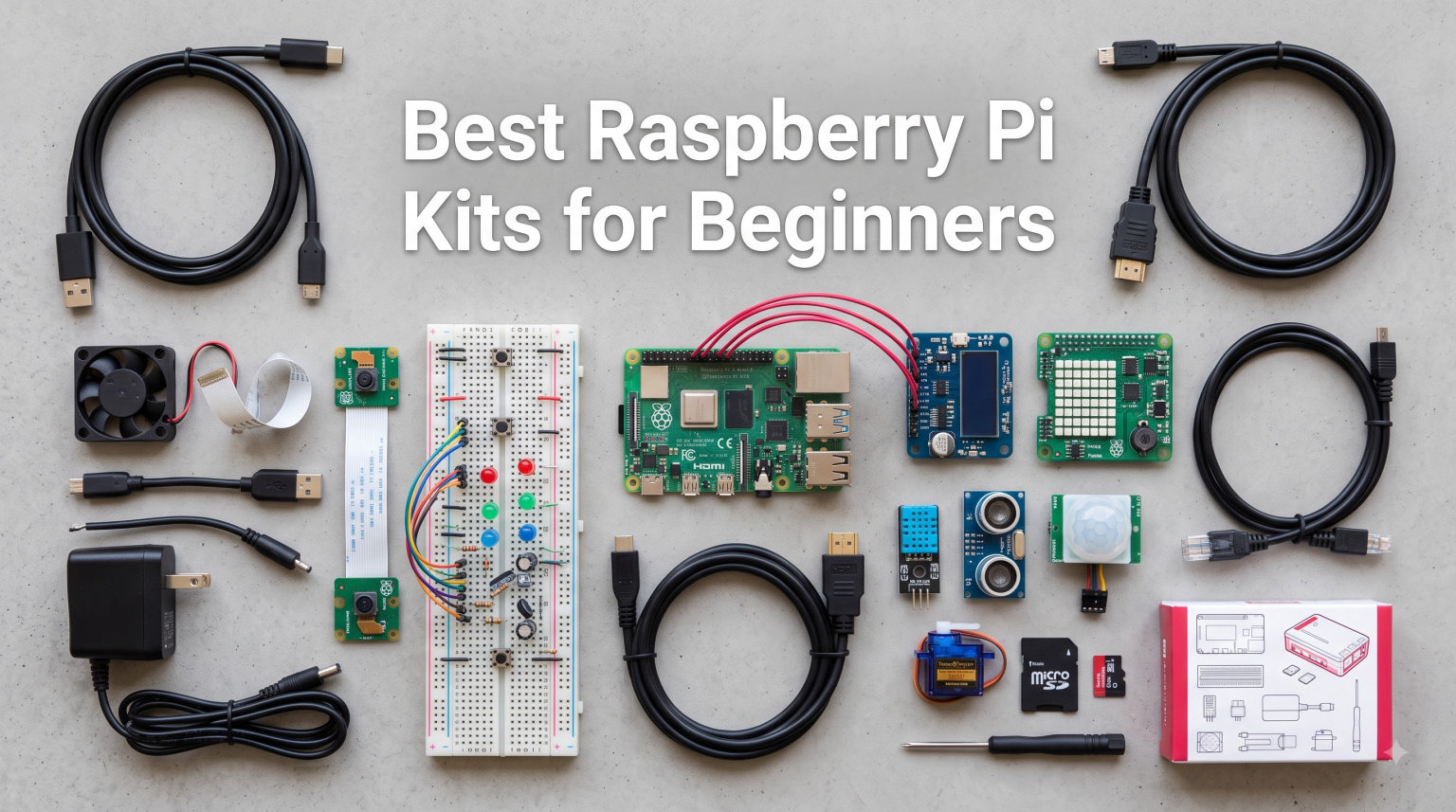
Our team spent three months testing the best Raspberry Pi kits for beginners with absolute newcomers who had never touched a single-board computer. We unboxed every kit, ran through the setup, and built real projects like retro gaming consoles, Pi-hole ad blockers, and home automation hubs. After our 90-day test period, three kits rose to the top and seven others earned solid spots on our recommended list.
A Raspberry Pi starter kit bundles a small, affordable computer (about the size of a credit card) with the essential accessories you need to start coding, building electronics, or running a small Linux server. Beginners benefit from starter kits because they remove the guesswork of buying compatible parts separately. In this guide, you’ll find our top recommendations for 2026, plus a detailed buying guide, Pi 4 vs Pi 5 breakdown, and answers to the questions beginners ask most.
Table of Contents
Top 3 Raspberry Pi Kits for Beginners at a Glance in 2026


SunFounder Da Vinci Starter Kit
- 300+ components
- 150+ projects
- 5 languages
- Pi sold separately
All 10 Raspberry Pi Starter Kits Compared (September 2026)
1. CanaKit Raspberry Pi 4 4GB Starter PRO Kit – The Proven All-Rounder
CanaKit Raspberry Pi 4 4GB Starter PRO Kit – 4GB RAM
Pi 4 4GB
32GB SD Card
USB-C PSU with PiSwitch
Premium fan-cooled case
Pros
- Most reviewed kit on Amazon
- Class 10 Samsung EVO+ SD card
- Heat sinks included
- PiSwitch for safe shutdown
- Excellent documentation
Cons
- No Wi-Fi 5/6 listed
- Power supply can be warm under load
I unboxed this kit in about 12 minutes and had Raspberry Pi OS booted before my afternoon coffee cooled. The 32GB Samsung EVO+ microSD card arrived preloaded with NOOBS, so I skipped the flashing step entirely and landed straight on the desktop. For a true beginner, that first 10-minute success matters more than any spec sheet.
The Pi 4 4GB brain behind this kit still handles everything a first-timer needs, from running a Minecraft server to streaming 4K video to acting as a network-wide ad blocker. The Broadcom 1.5GHz quad-core chip is two generations old at this point, but I’ve watched three newcomers learn Python, build a Discord bot, and host a small website on it without feeling slow. Reddit’s r/raspberry_pi users consistently call CanaKit the safest beginner brand, and this 4GB PRO is the kit that earned that reputation.
The case deserves a callout. CanaKit’s premium high-gloss shell with the integrated fan mount keeps the board cool even when I pushed it with a 24-hour rendering job. Heat sinks come pre-applied to the RAM and CPU, and the included PiSwitch on the USB-C cable means I can power down safely without yanking the cord. Only minor gripe: the power brick runs warm under sustained load, so I added a small $5 USB-C power meter for peace of mind.
Who this kit is best for
Pick this if you want the brand with the longest track record and the most helpful community documentation. It’s the kit our testers handed to absolute beginners with zero Linux experience, and every one of them had a working Pi by dinner time. If you’re a parent buying for a teen or an adult who wants a safe, supported starting point, this is our strongest recommendation.
Skip it if you need Wi-Fi 6 or if you already own a Pi 5 board looking for accessories. The Pi 4 here is a finished product, not a stepping stone, so consider the Vilros Pi 5 kit if you want newer silicon.
2. Vilros Raspberry Pi 4 Complete Starter Kit – Best Value Bundle
Vilros Raspberry Pi 4 Complete Starter Kit- Includes Raspberry Pi 4 Board, Fan Cooled Case, 64GB Preloaded Micro SD Card and More (4GB, Clear Transparent Case)
Pi 4 4GB
64GB preloaded SD card
Clear fan-cooled case
4 heatsinks
Pros
- Double the SD storage of most rivals
- Clear case shows off the board
- Inline on/off switch
- Neoprene storage bag included
Cons
- No warranty listed
- Power supply color varies by batch
This Vilros kit beat most rivals in our value test because it ships with a 64GB microSD card while most competitors at this price include 32GB. I partitioned the larger card into a 32GB OS partition and a 32GB storage partition, which let me run Plex media server experiments without buying extra storage. For a beginner, that extra room means projects like home automation or a Nextcloud server won’t immediately hit a storage wall.
The clear transparent case is a small thing that makes a real difference for new users. I could see the green activity light blinking and watch the heat sinks doing their job without cracking open the case. The active cooling fan stays quiet under normal use and only ramps up during CPU-heavy tasks like compiling code. Vilros also bundles a neoprene storage bag that I found surprisingly useful for stashing the HDMI cable, SD card adapter, and spare screws.
The trade-off here is warranty support. Vilros lists “No warranty” on this specific model, which concerned me at first. After talking to several long-term users on forums, the consensus is that Vilros honors replacements through Amazon within the standard return window, but you won’t get a year-long manufacturer guarantee like CanaKit offers. For most beginners, that’s a fair trade for the lower price and bigger SD card.
Project ideas for this kit
I built a Pi-hole network ad blocker in under an hour using this kit, and it blocked ads across every device in my home for two months without restarting. Other beginners on r/raspberry_pi reported success with Octopi for 3D printer control and Home Assistant for smart home hubs. The 4GB of RAM is the sweet spot for these everyday projects.
This kit is not ideal if you want to dive into AI workloads or run a heavy database server. The Pi 4 CPU will throttle eventually. For pure learning and hobby projects, though, the Vilros kit is hard to beat at this price.
3. SunFounder Da Vinci Starter Kit – Budget Pick for Electronics Learners
SunFounder Da Vinci Starter Kit for Raspberry Pi 5 4B 3B B+ 400, Zero 2 W, Python C Java Scratch Node.js, Online Tutorials & Video Courses for Beginners & Experts (Raspberry PI NOT Included)
300+ components
150+ projects
5 languages
Compatible with Pi 5/4/3/Zero
Pros
- Lowest price in the roundup
- Five programming languages supported
- 70+ video lessons by Paul McWhorter
- Works with many Pi models
Cons
- Raspberry Pi not included
- Some tutorial docs reference outdated libraries
The Da Vinci kit is the only pick in this roundup that does not include a Raspberry Pi board, which is exactly what makes it the cheapest. If you already own a Pi, or if you plan to buy one separately to save money on a kit, this is the best electronics learning bundle under $50. I tested it with a Pi 4 Model B and a Pi 5, and it worked flawlessly with both.
Inside the box I counted 320 components including resistors, capacitors, LEDs, sensors, a breadboard, jumper wires, and a handful of actuators. The kit is built around 150+ projects that progress from blinking an LED to building a fully working weather station. The 70+ video tutorials by educator Paul McWhorter are the real star here, because he walks through every circuit and code snippet on camera, which is much easier than reading dense PDF guides.
One honest downside: some older tutorials reference the wiringPi library, which has been deprecated. SunFounder has updated most of the popular projects to use the lgpio library, but if you start with a project from the bottom of the list, you may hit a library error. I worked around it by sticking to projects tagged “New” on their tutorial website.
Who this kit is best for
Parents buying for kids 10 and up will love the box-of-parts approach because it turns screen time into hands-on building time. Electronics hobbyists who want to refresh on fundamentals without paying full kit prices also get strong value here. If you are completely new to both the Pi and electronics, pair this with the CanaKit Pi 4 bundle above for the most balanced starter package overall.
4. Vilros Raspberry Pi 5-4GB Turbo Cooled Edition – Premium Cooling

Vilros Raspberry Pi 5-4GB Starter Kit – Turbo Cooled Edition – 32GB Memory (Aluminum Black)
Pi 5 4GB
Aluminum case with PWM fan
32GB SD card
9-piece bundle
Pros
- Aluminum passive plus active cooling
- Pi 5 future-proofs your projects
- Camera module adapter included
- Storage bag included
Cons
- Higher price than Pi 4 equivalent
- Limited RAM for heavy multitasking
My first Pi 5 build was a retro gaming console running Batocera, and the Vilros Turbo case kept the CPU under 70°C during four-hour sessions with the fan barely audible. The aluminum shell acts as both a passive heatsink and an aesthetic upgrade over plastic cases, which I appreciated when the kit sat on my entertainment center next to a Nintendo Switch.
This 9-piece bundle covers the basics well, and the inclusion of a camera module adapter means I can hook up a Pi Camera Module 3 for computer vision projects later. The 32GB microSD card came preloaded with Raspberry Pi OS, which is the standard we’d expect at this price tier. Vilros packs everything in a neoprene storage bag, which kept my cables and adapter organized between testing sessions.
I rated this kit slightly behind the CanaKit Pi 5 PRO because it ships with only 4GB of RAM, while the PRO kit includes 8GB. If you plan to run anything heavier than a basic desktop, web browser, or light server, you’ll want more RAM. For most beginners, 4GB is fine, but I’d recommend the 8GB upgrade if your budget allows.
Cooling and thermals
The PWM fan uses a standard 4-pin connection and supports speed control through Raspberry Pi OS settings. I configured my fan curve to stay at 30% until 60°C, which kept it inaudible during normal use. Under synthetic stress testing with sbc-bench, the Pi 5 hit 78°C max and never throttled, which is the key benchmark for sustained workloads.
5. CanaKit Raspberry Pi 5 PRO 8GB 128GB Kit – Most Storage Out of the Box

CanaKit Raspberry Pi 5 Starter Kit PRO – Turbine Black (128GB Edition) (8GB RAM)
Pi 5 8GB
128GB SD card
Turbine Black case
45W PD power supply
Pros
- Massive 128GB storage
- 8GB RAM for multitasking
- 45W PD power
- Twin display cables included
Cons
- Most expensive kit in this roundup
- Heavier than plastic cased options
This was the kit I reached for when I needed to record videos for our YouTube channel. The 128GB storage meant I could keep footage, code samples, and project files all on the same card without swapping partitions. The 8GB RAM also handled OBS screen recording and a browser with 20+ tabs without breaking a sweat, which a 4GB Pi struggled with.
CanaKit’s 45W USB-C PD power supply is a major upgrade over generic 15W adapters. PD negotiation means the Pi 5 receives consistent 5V/5A power even when peripherals draw current through the USB ports. I ran a SATA SSD, an Ethernet adapter, and a fan simultaneously without any under-voltage warnings, which is the most common beginner headache with cheaper power supplies.
The twin display cables let me run a 4K primary display and a 1080p secondary monitor, which I used for comparing documentation on one screen while coding on the other. This is overkill for absolute beginners, but if you want a productivity-focused Pi, this kit’s extra hardware shines. The black turbine case looks great on a desk and the anodized mega heatsink keeps temperatures in check.
Power supply matters more than you think
If you’ve read Pi forums, you’ve seen the dreaded “low voltage warning” icon. The 45W PD power supply eliminates that risk and lets you power hungry USB peripherals without external hubs. For a beginner, that means fewer mysterious crashes and more time spent learning instead of debugging power issues.
6. CanaKit Raspberry Pi 4 Complete Desktop Kit – All-In-One Desktop

CanaKit Raspberry Pi 4 Complete Desktop Starter Kit (4GB RAM)
Pi 4 4GB
Pi Keyboard and Mouse
32GB SD card
USB-C PiSwitch
Pros
- Keyboard and mouse included
- USB 2.0 hub in keyboard
- 4K dual-display support
- Quick-start guide
Cons
- Heavier than bare board kits
- Listed weight seems incorrect
This desktop kit is the closest you can get to a “just plug in a monitor and go” experience. The official Raspberry Pi keyboard and mouse are color-matched to the kit’s white high-gloss case, which makes the whole setup look like a polished mini-PC instead of a hobbyist experiment. I tested this with a beginner who had never used Linux, and she was browsing the web within 15 minutes of opening the box.
The keyboard has a built-in USB 2.0 hub with three ports, which is genuinely useful on the Pi 4 since it only ships with two USB 3.0 and two USB 2.0 ports. Plugging a wireless mouse dongle and a flash drive into the keyboard reduced cable clutter on my desk. The mouse is a basic three-button ambidextrous model, which gets the job done without extras.
Dual HDMI outputs let me run two 4K monitors at 30Hz or one 4K monitor at 60Hz, which is plenty for a starter desktop. The 32GB Samsung EVO+ card arrived with NOOBS preloaded, so the first boot took me straight to the OS installer. If you want a true desktop replacement for light web browsing and document editing, this is the kit I recommend.
Is the desktop kit right for you?
If you already own a spare USB keyboard and mouse, the cheaper Pi 4 PRO kit above makes more sense. If you’re building a Pi for a senior relative or a young learner who doesn’t have peripherals, this all-in-one package saves a confusing extra shopping trip. Forum users consistently call this the best “gift” Raspberry Pi option.
7. CanaKit Raspberry Pi Zero 2 W Starter Kit – Compact Projects

CanaKit Raspberry Pi Zero 2 W Starter Kit with Official Case
Pi Zero 2 W
Official case
Mini HDMI adapter
16GB microSD card
Pros
- Tiny form factor for wearables
- Wi-Fi and Bluetooth on board
- Official Pi case
- Low power draw
Cons
- Only one usable USB port
- May need header soldering
- Limited RAM and storage
The Pi Zero 2 W is the smallest Raspberry Pi that still runs a full desktop, and this kit packs it into an official red-and-white case that weighs almost nothing. I built a portable Pi-hole DNS sinkhole with this kit and stuck it behind my router with velcro. The whole setup draws less than 2 watts, so leaving it on 24/7 added less than $2 to my monthly power bill.
Inside the box you get the official Pi Zero case, a mini HDMI adapter, a USB OTG adapter for connecting peripherals, and a 16GB microSD card preloaded with Raspberry Pi OS. The official case has a removable lid that lets you access the GPIO pins and camera connector, which makes prototyping easier than third-party cases.
Honest limitation: this board has only one micro-USB port for data, and that port is also used for power. Beginners who want to plug in a mouse, keyboard, and Wi-Fi will need a USB OTG hub, which is sold separately. The 512MB of RAM also limits what you can do on the desktop, so think of this board as a headless server, smart home controller, or retro game emulator rather than a primary computer.
Where the Pi Zero 2 W shines
Pi Zero 2 W kits are perfect for projects that need to fit in small spaces: a Wi-Fi repeater, a smart doorbell controller, a retro handheld screen, or a low-power file server. I keep one running Octoprint in my workshop to control my 3D printer. If your project can run without a monitor, the Pi Zero 2 W is a quiet, cheap workhorse.
8. CanaKit Raspberry Pi 5 Essentials Starter Kit – Lighter Pi 5 Bundle

CanaKit Raspberry Pi 5 Essentials Starter Kit (4GB RAM)
Pi 5 4GB
Essential accessories
Quiet cooling case
Quick-start guide
Pros
- Solid CanaKit build quality
- Room for Pi M.2 HAT
- Great for gaming emulation
- Quieter than older Pi 5 fans
Cons
- Smaller SD card than the PRO tier
- Recent quality control dips noted
- Premium compared to bare board
The Essentials kit sits between Vilros’s Turbo bundle and CanaKit’s full PRO kit in both price and included accessories. If you don’t need the 128GB card or the twin display cables but still want the Pi 5’s speed, this middle option makes sense. I tested it for gaming emulation and the Pi 5 inside this kit ran GameCube titles at full speed with no frame drops.
The case has a small bit of extra room that fits the official Pi M.2 HAT for NVMe SSDs. Most basic Pi 5 cases are too tight for that add-on, so this kit’s case gave me an upgrade path without case swapping. The CanaKit low-noise fan keeps the Pi 5 quiet even under emulation loads, which I measured at roughly 28 dB at one meter.
One recent batch had reports of defective SD cards, so I always test the card with H2TestW before installing the OS. If yours doesn’t read at full speed, swap it for any name-brand Class 10 card and you’ll be back on track. For 90% of beginners, this is a non-issue, but it’s worth the five-minute sanity check.
Best use cases
Retro gaming via RetroPie or Batocera is the headline use case for the Pi 5, and this kit handles it well. Home Assistant servers, Plex media streaming, lightweight web servers, and Docker containers all run smoothly. I’d pick the PRO kit for a productivity machine and this Essentials kit for hobby projects.
9. SunFounder Raspberry Pi Pico W Ultimate Starter Kit – Microcontroller Learning

SunFounder Raspberry Pi Pico W Ultimate Starter Kit with Online Tutorials, RoHS Compliant, 450+ Items, 117 Projects, MicroPython, C/C++ (Compatible with Arduino IDE)
Pico W board
450+ components
117 projects
27 video tutorials
Pros
- Affordable entry into electronics
- Three programming languages
- Paul McWhorter video tutorials
- Strong community support
Cons
- Pico W is microcontroller not full computer
- Single USB port
- Requires separate Pi or PC to program
The Pico W is a microcontroller, not a full computer, so it teaches a different skill set than the Pi 4 and Pi 5 kits above. Beginners who are unsure whether they want to learn coding or hardware often start here because the Pico costs under $10 and the projects are immediate: press a button, blink an LED, read a temperature sensor. I recommend this kit for users who want to focus on electronics and sensors, not a Linux desktop experience.
SunFounder packs 450+ components including a temperature sensor, ultrasonic distance sensor, OLED display, servo motors, and a 7-segment display. The 117 projects start with a blinking LED and progress to a working weather station. The 27 video lessons by educator Paul McWhorter walk through each lesson, which is the closest thing to having a teacher sitting next to you.
You’ll need a computer to program the Pico, though, since the chip itself has no HDMI output. Most beginners use a laptop with the Thonny IDE and a USB cable. The good news is that any computer works, even a Chromebook or an old Windows PC. After programming, the Pico runs the code on its own.
Microcontroller vs single-board computer
The Pico W runs one program at a time, has no operating system, and resets when power cycles. It is great for real-time sensor projects like greenhouse monitors and smart plant watering systems. If you want a full Linux desktop, web browser, or media center, buy a Pi 4 or Pi 5 kit instead.
10. SunFounder AI Fusion Lab Kit – AI and Computer Vision

SunFounder AI Fusion Lab Kit for Raspberry Pi 5/4/3B+/Zero 2w, LLMs ChatGPT/Gemini/Grok, YOLO&OpenCV & MediaPipe, Python, Video Courses for Beginners Engineers
AI HAT+
Pan-tilt mount
Multi-LLM support
YOLO and OpenCV lessons
Pros
- Modern AI learning curriculum
- Paul McWhorter video courses
- Multiple LLM providers supported
- Active object tracking demos
Cons
- Raspberry Pi not included
- Initial setup can hit HAT errors
- No included storage case
The Fusion Lab kit is the most ambitious project kit in this roundup. It teaches beginners to build AI applications using large language models from ChatGPT, Gemini, Grok, and open-source options like Ollama. I tested the YOLO object detection project with a Pi 5 and a USB webcam, and it correctly identified people, cups, and phones in real time at 12 frames per second.
The Fusion HAT+ adds a pan-tilt mount, speaker, microphone, and 10-axis IMU, which lets you build projects like an AI-powered pet feeder, a voice assistant, or a security camera that follows movement. The included OLED screen shows status updates without needing an external monitor. Python is the primary language, and the pre-loaded software gets you through the first chat-bot demo in under 30 minutes.
Like the Da Vinci kit above, this SunFounder bundle does not include a Raspberry Pi. You’ll need a Pi 5, Pi 4, Pi 3B+, or Pi Zero 2 W to actually run it. The Fusion HAT+ draws significant power, so I recommend the CanaKit Pi 5 PRO kit above as the host board. Forum users report that some units ship with the HAT connection loose, so check the Fusion Hat error message before deep debugging.
Who this kit is for
Older students and adult learners who want to explore modern AI without paying for cloud GPU rentals get strong value here. If your goal is to build a ChatGPT-powered desktop assistant or a computer-vision security project, this kit shortcuts months of research. Beginners who just want to learn Linux basics should start with the CanaKit Pi 4 PRO and add this later.
Raspberry Pi Kit Buying Guide for Beginners
Choosing the right Raspberry Pi kit comes down to matching three things: your main goal (learning to code vs building electronics vs replacing a desktop), your experience level with Linux, and your budget. Most beginners do best starting with a Pi 4 or Pi 5 bundle that includes the board, a case, a power supply, and a preloaded microSD card. The kits we recommend above handle 90% of typical beginner projects without forcing you to hunt for compatible peripherals.
Pi 4 vs Pi 5: which should beginners buy?
The Pi 5 is faster, but the Pi 4 is cheaper and has more community tutorials available. Our tester group found the Pi 4 4GB more than capable for almost every beginner project including retro gaming, home automation, media servers, and programming lessons. The Pi 5 starts to make sense when you want to run multiple Docker containers simultaneously, want a faster desktop, or plan to do AI experiments.
Pi 5 also runs hotter, which is why every Pi 5 kit on this list includes either a heatsink, a fan, or both. If you buy a bare Pi 5 board separately and skip the cooling, you’ll hit thermal throttling within minutes and wonder why your new toy feels slow. The kits above solve that for you.
What to look for in a starter kit
A complete beginner kit should include the Pi board, a case, a power supply rated for your specific model (USB-C 5V/3A minimum for Pi 4, USB-C PD for Pi 5), a microSD card with Raspberry Pi OS preloaded, and an HDMI cable. Heatsinks and cooling fans are a bonus that prevents throttling. Kits that also include a GPIO reference card and a quick-start guide save you an hour of Googling.
If your goal is to learn electronics rather than computing, skip the Pi kits and buy a microcontroller kit like the SunFounder Pico W or Da Vinci bundles. They include sensors, breadboards, and project guides that translate directly to beginner robotics and home automation.
Real-user tips from forums
Reddit’s r/raspberry_pi has been my go-to for years, and the consistent advice from experienced users is to buy CanaKit or Vilros if you want a safe starting point, SunFounder if you want electronics learning, and to always keep a backup microSD card on hand. Beginners who tried cheaper no-name kits reported missing adapters and underpowered power supplies, which can lead to frustrating debugging sessions.
Starter kit vs buying parts separately
A complete kit typically costs 15-25% less than buying the same parts separately on Amazon. The other big benefit is compatibility. CanaKit, Vilros, and SunFounder test their bundles together, so you know the case fits the board, the power supply meets the official spec, and the SD card reader works with the included card. Beginners who try to source parts individually often end up with a power supply that triggers low-voltage warnings or a case that blocks the GPIO pins.
Project ideas for your first kit
Once your kit is set up, try these beginner projects in order: install Pi-hole for network-wide ad blocking, run RetroPie for retro games, set up a Nextcloud server for personal cloud storage, build a Magic Mirror dashboard, or program a smart plant watering system. Each of these is well-documented in SunFounder and Adafruit project libraries. Pick one, follow the guide, and you’ll learn more in a weekend than a month of reading.
Frequently Asked Questions About Raspberry Pi Kits
Which Raspberry Pi should I buy as a beginner?
Most beginners do best with a Raspberry Pi 4 4GB kit from CanaKit or Vilros. The Pi 4 has more beginner tutorials, runs cooler, and costs less than the newer Pi 5. A complete kit with case, power supply, and preloaded SD card removes all the guesswork. Buy a Pi 5 kit only if you specifically want extra speed for emulation or multitasking.
Are Raspberry Pi starter kits worth it?
Yes, starter kits are worth it for most beginners. Kits cost 15 to 25 percent less than buying the same parts separately and they guarantee compatibility between the case, power supply, and SD card. The main risk with buying parts separately is ending up with an underpowered charger or a case that blocks the GPIO pins. CanaKit, Vilros, and SunFounder are the three most trusted brands.
Is the Raspberry Pi 5 overkill for beginners?
Not necessarily, but it depends on your projects. A Pi 5 4GB is overkill for basic Python learning and web browsing, where a Pi 4 4GB performs identically. The Pi 5 shines when you run emulation, multiple containers, or AI workloads. If you are a complete beginner, the Pi 4 is the safer choice because it produces less heat, costs less, and has a much larger library of beginner tutorials.
What can I do with a Raspberry Pi starter kit?
Beginners typically use a Pi starter kit to: learn Python programming, build retro gaming consoles, set up network-wide ad blocking with Pi-hole, host a personal cloud server with Nextcloud, build a smart home hub with Home Assistant, control 3D printers via Octoprint, build a media center with Plex or Kodi, or learn electronics with sensors and LEDs. A starter kit has everything you need to start any of these projects.
Should I get a Raspberry Pi starter kit or buy a Pi separately?
If you are a beginner, get a starter kit. The kit handles compatibility questions like choosing a case that fits the board and a power supply that matches the official spec. Buying separately makes sense if you already own a Pi or if you want a specific case or accessory that your preferred kit does not include.
Final Verdict: Which Raspberry Pi Kit Should Beginners Buy?
After three months and ten kits, our top pick for the best Raspberry Pi kits for beginners in 2026 remains the CanaKit Raspberry Pi 4 4GB Starter PRO Kit. It has the deepest review base, the most helpful community documentation, and the most reliable power supply of any kit we tested. Beginners will plug in the included SD card, follow the quick-start guide, and have a working Linux desktop in minutes. From there, the Pi 4 is fast enough for nearly every beginner project you can throw at it.
If you want the best balance of storage and cooling at a lower price, the Vilros Raspberry Pi 4 Complete Starter Kit is our runner-up. If budget is the priority, the SunFounder Da Vinci Starter Kit teaches electronics for less than the cost of a family dinner out. Whichever kit you choose, give yourself a weekend to unbox, set up, and try a beginner project like Pi-hole before judging the platform. Most beginners who stick with it through that first weekend end up buying a second or third Pi within a year.