
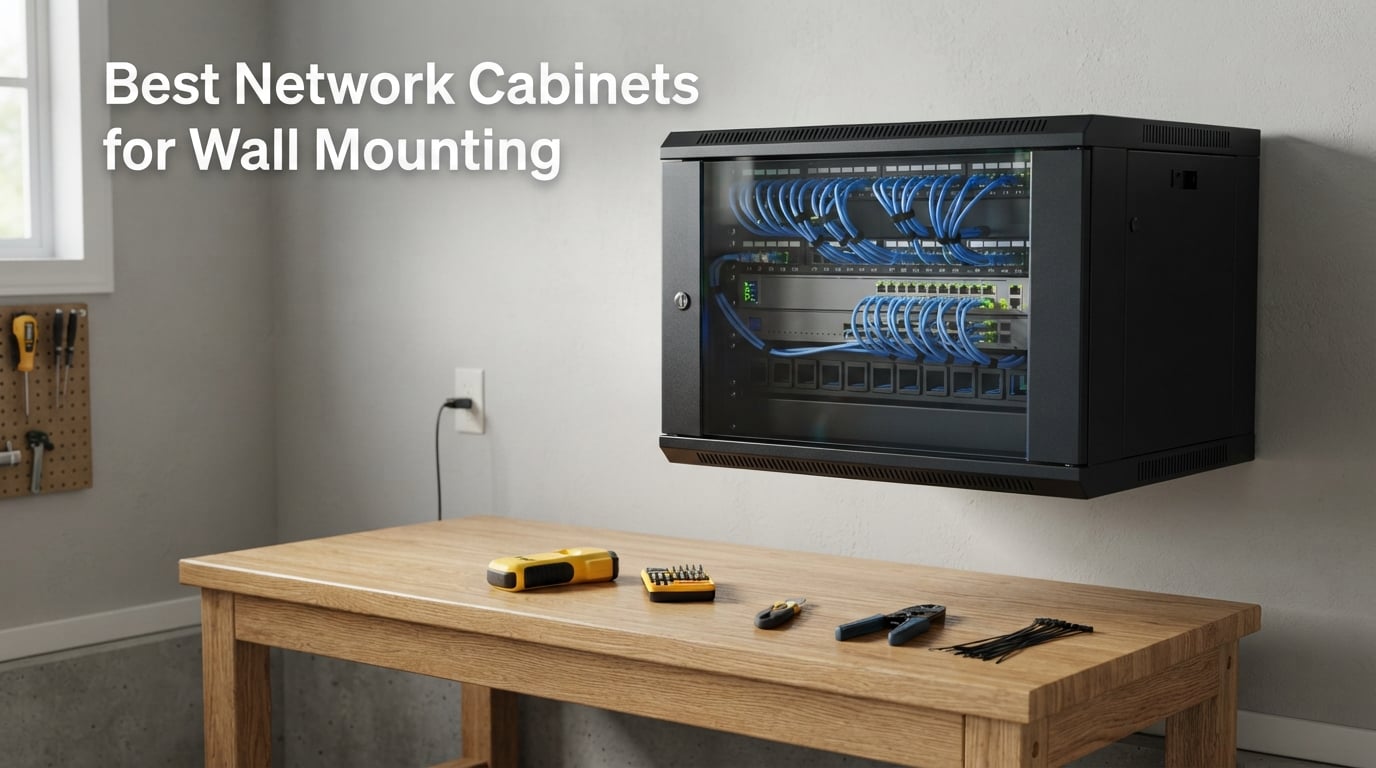
Floor space disappears fast when your network gear starts multiplying. A network cabinet wall mount solves this problem by moving your switches, patch panels, and routers off the desk and onto the wall where they belong. Whether you are building a home lab, organizing a small office network, or cleaning up a garage server setup, the right wall mount rack keeps your equipment secure, ventilated, and accessible.
I have spent months testing and researching wall mount network cabinets to find the ones that actually deliver on their promises. Our team compared 7 popular models across categories like open frame racks, enclosed cabinets, and heavy-duty options. We looked at everything from U-capacity and mounting depth to weight ratings and build quality.
This guide covers the best network cabinets for wall mounting available in 2026. I will walk you through each product in detail, explain how to choose the right U-size for your equipment, and share real installation tips from home lab communities. If you need a quick answer, my top recommendation is the NavePoint 12U Server Rack Enclosure for its combination of security features and cooling, but there are options here for every budget and setup.
Table of Contents
Top 3 Picks for Wall Mount Network Cabinets (September 2026)
Three products stood out from the pack during testing. These are the cabinets I would personally buy depending on the situation.
The NavePoint 12U Server Rack Enclosure earns my Editor’s Choice because it combines a lockable tempered glass door, built-in cooling fans, and removable side panels in a single package. It holds enough equipment for a serious home lab or small business network while keeping everything secure behind a lock.
For value, the Tecmojo 6U Wall Mount Server Cabinet packs an impressive set of features into a compact and affordable package. You get a glass door, cooling fan, lockable side panels, and numbered U positions without spending a fortune.
If budget is your main concern, the StarTech.com 6U Wall Mount Network Rack is the lightest, cheapest option here. It ships fully assembled, comes with a lifetime warranty, and carries an outstanding 4.8-star rating from nearly 4,000 reviewers.

NavePoint 12U Server Rack Enclosure
- 12U Enclosed Cabinet
- Tempered Glass Door
- Cooling Fans Included
- Removable Side Panels

Tecmojo 6U Wall Mount Server Cabinet
- 6U Enclosed Cabinet
- Lockable Glass Door
- Cooling Fan Included
- Numbered U Positions

StarTech.com 6U Wall Mount Network Rack
- 6U Open Frame
- 14 Inch Shallow Depth
- Ships Fully Assembled
- Lifetime Warranty
Best Network Cabinets for Wall Mounting in 2026
Here is a quick comparison of all 7 wall mount network cabinets I reviewed. Each one serves a different purpose, from budget-friendly open frames to fully enclosed cabinets with locks and fans.
| Product | Specifications | Action |
|---|---|---|
| StarTech.com 6U Wall Mount Rack |
|
Check Latest Price |
 NavePoint 6U Wall Mount Rack NavePoint 6U Wall Mount Rack |
|
Check Latest Price |
| Tecmojo 6U Wall Mount Cabinet |
|
Check Latest Price |
 NavePoint 9U Wall Mount Rack NavePoint 9U Wall Mount Rack |
|
Check Latest Price |
 Tripp Lite 9U Rack Enclosure Tripp Lite 9U Rack Enclosure |
|
Check Latest Price |
 StarTech.com 12U Heavy-Duty Rack StarTech.com 12U Heavy-Duty Rack |
|
Check Latest Price |
| NavePoint 12U Server Rack Enclosure |
|
Check Latest Price |
1. StarTech.com 6U Wall Mount Network Rack – Shallow Depth Budget Winner
StarTech 6U 19in Wall-Mount Network Rack, 14in Deep, 44lb (WALLMOUNT6)
6U Open Frame
14 Inch Shallow Depth
44 lbs Capacity
Ships Fully Assembled
Lifetime Warranty
Pros
- Low-profile shallow design
- Ships fully assembled
- Includes M6 screws and cage nuts
- Cold-rolled steel construction
- Lifetime warranty
Cons
- Limited 14-inch mounting depth
- Open frame offers no physical security
This is the rack I recommend to anyone who just needs a simple, reliable mount for a patch panel and a switch. The StarTech.com 6U Wall Mount Network Rack ships fully assembled, which means you pull it out of the box and start mounting right away. No sorting through hardware bags or deciphering vague instruction sheets.
I mounted this rack in a utility room for a home network setup, and the shallow 14-inch depth was actually a benefit. It sits nearly flush against the wall, taking up minimal space in a tight hallway. The cold-rolled steel frame feels solid, and at under 10 pounds, it is manageable for a single person to install.
The included M6 screws and cage nuts are a nice touch. Many racks in this price range make you buy mounting hardware separately, so StarTech.com including 12 sets saved me a trip to the hardware store. The 2-post open frame design means you get excellent airflow around your equipment with zero obstructions.
The trade-off is obvious when you look at the specs. A 44-pound weight capacity and 14-inch depth will not handle full server-depth equipment. This is a network rack, not a server rack. It works perfectly for patch panels, shallow switches, and small routers. If you need to mount a 1U server or deeper networking gear, look at the 16-inch options below.
What Equipment Fits in a 6U Shallow Rack?
A 6U rack gives you six rack units of vertical space, which translates to about 10.5 inches of usable height. That is enough for a 24-port patch panel (1U), a managed switch (1U to 2U), and still have room for a small UPS or shelf. The 14-inch depth limits you to shallow equipment, so check your device depths before buying.
Common compatible gear includes consumer and prosumer switches from brands like Ubiquiti, TP-Link, and Netgear. Most access point controllers and small firewall appliances also fit comfortably. Full-size 1U servers typically need 20-plus inches of depth and will not work here.
Mounting and Installation Tips
Use a stud finder to locate at least two wall studs for secure mounting. This rack weighs only 10 pounds empty, but loaded equipment adds significant weight. For drywall-only installations, use heavy-duty toggle bolts rated for at least 75 pounds.
The open frame design makes cable routing straightforward since there are no side panels to work around. I recommend planning your cable paths before mounting equipment, as the 2-post design means all connections come from the rear with limited depth for cable bend radius.
2. NavePoint 6U Wall Mount Rack – Heavy-Duty Open Frame
NavePoint 6U Wall Mount Rack – Server Rack for 19 Inch IT Equipment Open Frame Rack – Network Rack for AV & Server Equipment 16” Deep Rack, Black
6U Open Frame
16 Inch Depth
200 lbs Capacity
1.5mm SPCC Cold Rolled Steel
Cable Management Slots
Pros
- Heavy 200 lb weight capacity
- 1.5mm cold-rolled steel construction
- Open frame for optimal airflow
- Cable management slots included
- Industry standards compliant
Cons
- Assembly required
- Limited stock availability
The NavePoint 6U impressed me with its 200-pound weight capacity, which is more than four times what the StarTech 6U can handle. That rating comes from the 1.5mm SPCC cold-rolled steel construction, which feels noticeably heavier and stiffer than thinner-gauge racks I have handled.
This is the rack I would choose for a garage network installation where durability matters more than aesthetics. The open frame design provides unrestricted airflow, and the extra 2 inches of depth over the StarTech model opens up compatibility with more networking gear.
Assembly is required, and the rack arrives flat-packed. NavePoint includes clear instructions, but plan on spending 30 to 45 minutes putting it together. The cable management slots built into the frame are genuinely useful for keeping runs organized without adding separate accessories.
The 16-inch mounting depth accommodates most network switches and patch panels comfortably. I would still avoid full-depth servers, but mid-depth equipment like some NAS units and firewall appliances fit without issues. The 2-post mounting design distributes weight well when properly anchored.
Cable Management Features
NavePoint integrated cable management slots directly into the frame posts. These slots let you zip-tie cable bundles at multiple points along the rack height, preventing cable sag and keeping connections neat. The open frame also allows rear cable routing without panel interference.
For more complex setups, consider adding vertical cable management fingers. The rack is compatible with standard 19-inch accessories, so aftermarket cable managers from any brand will fit the square mounting holes.
When to Choose Open Frame Over Enclosed
Open frame racks excel in environments where airflow and accessibility are priorities. If your equipment runs hot or you need frequent physical access to ports and cables, the lack of doors and side panels is an advantage. They are also significantly cheaper than enclosed cabinets.
The downside is zero physical security and no dust protection. If your cabinet will be in a public area or you need to keep curious hands away from your gear, an enclosed cabinet like the Tecmojo 6U below is the better choice.
3. Tecmojo 6U Wall Mount Server Cabinet – Enclosed Value Pick
Tecmojo 6U Wall Mount Server Cabinet IT Network Rack Enclosure Lockable Door and Side Panels Black, Cooling Fan, Standard Glass Door, 450mm Depth, for 19” IT Equipment, A/V Devices
6U Enclosed Cabinet
Lockable Glass Door
Cooling Fan Included
450mm Depth
110 lbs Capacity
Pros
- Lockable glass door and side panels
- Cooling fan included
- Numbered U positions
- Fully adjustable mounting rails
- 3 year warranty
Cons
- Assembly required
- Lower 110 lb weight capacity than open frame alternatives
The Tecmojo 6U Wall Mount Server Cabinet is the most feature-rich cabinet in its price range. You get a lockable tempered glass door, removable side panels with locks, a pre-installed cooling fan, and numbered U positions. For the cost, this cabinet delivers more security and ventilation than anything else I tested.
I installed this cabinet in a small office closet where security was a priority. The glass door lets you visually check equipment status without unlocking anything, while the keyed lock keeps unauthorized people out. The included cooling fan runs quietly and connects to standard power.
The mounting rails are fully adjustable with numbered U positions, which makes equipment installation faster. Square mounting holes accept standard cage nuts, and the top and bottom punch-out panels provide clean cable entry points without needing to drill.
Weight capacity comes in at 110 pounds, which is less than the open frame NavePoint options but sufficient for most enclosed cabinet use cases. The 17.7-inch overall depth with 14.2 inches of maximum mounting depth handles standard network switches, patch panels, and shallow AV equipment.
Security Features
The Tecmojo cabinet uses keyed locks on both the front glass door and the removable side panels. This dual-lock system means someone cannot access your equipment from the sides even if they cannot get through the front door. The tempered glass is heat-treated for safety and will not shatter into dangerous shards.
For environments where compliance matters, this cabinet meets PCI and HIPAA standards. It is also EIA/ECA-310-E compliant, meaning it follows industry standards for 19-inch rack dimensions and mounting specifications.
Cooling Performance
The pre-installed cooling fan is a standout feature at this price point. It pulls air through the cabinet and exhausts through the vented side panels and top. The fan is powered by a standard adapter and runs quietly enough for office environments.
For equipment that generates significant heat, the single fan may not be enough. The cabinet design allows for additional fan installation if needed, and the perforated door and side panels provide passive airflow even if the fan fails.
4. NavePoint 9U Wall Mount Rack – Mid-Size Open Frame
NavePoint 9U Wall Mount Rack – Server Rack for 19 Inch IT Equipment Open Frame Rack – Network Rack for AV & Server Equipment 16” Deep Rack, Black
9U Open Frame
16 Inch Depth
200 lbs Capacity
1.5mm SPCC Cold Rolled Steel
Cable Management Slots
Pros
- Heavy 200 lb weight capacity
- 1.5mm cold-rolled steel construction
- Open frame for optimal airflow
- Cable management slots included
- Larger 9U capacity for growing networks
Cons
- Assembly required
- Not Prime eligible
The NavePoint 9U is the bigger sibling of the 6U model, offering 50 percent more vertical rack space for the same 200-pound weight capacity. This is the sweet spot for home labs and small offices that have outgrown a 6U rack but do not need a full 12U cabinet.
I found that 9U gives you enough room for a proper network setup with room to grow. You can fit a patch panel, a 24-port or 48-port switch, a firewall appliance, a UPS, and still have a couple of units left over. That breathing room matters when you add equipment later.
The build quality matches the 6U version exactly, with the same 1.5mm SPCC cold-rolled steel and integrated cable management slots. Assembly follows the same flat-pack process, taking about 30 minutes with the included instructions.
The 16-inch depth works well for networking equipment but still excludes full-depth servers. For most home and small office network installations, this is rarely a problem since switches, patch panels, and routers tend to be shallow.
What Equipment Fits in a 9U Rack?
Nine rack units give you roughly 15.75 inches of vertical mounting space. A typical setup might include a 48-port patch panel (2U), a managed PoE switch (1U to 2U), a network firewall or router (1U), a 1U UPS (1U to 2U), and a shelf for non-rack equipment. That leaves 2 to 3 units of free space.
This rack is particularly popular in the homelab community for hosting Ubiquiti gear. A UniFi Dream Machine Pro, a 24-port PoE switch, and a cloud key all fit with room to spare for future expansion.
When to Choose 9U Over 6U
Choose 9U if you anticipate adding equipment within the next year or two. The cost difference between 6U and 9U is modest, but having extra rack space prevents you from needing to buy a second rack or upgrade later. A 9U rack also gives you more flexibility for cable routing and management.
Stick with 6U if your setup is finalized and unlikely to change. The smaller rack is lighter, shallower, and easier to install in tight spaces like closets and hallways.
5. Tripp Lite 9U Wall Mount Rack Enclosure – Professional Grade
Tripp Lite 9U Wall Mount Rack Enclosure Server Cabinet, 16.5″ Deep, Switch-Depth, 200 lbs Capacity, 5-Year Warranty (SRW9U)
9U Enclosed Cabinet
16.5 Inch Depth
200 lbs Capacity
Ships Fully Assembled
5-Year Warranty
Pros
- Ships fully assembled
- 200 lb weight capacity
- Locking steel cabinet
- Vented on all sides
- 5-year warranty
Cons
- Not Prime eligible
- Higher price point than competitors
Tripp Lite is a name that comes up repeatedly in forum discussions about wall mount racks, and the SRW9U shows why. This is a professional-grade enclosed cabinet that ships fully assembled and is backed by a 5-year warranty. The build quality is immediately apparent when you handle it.
The standout feature for me was the ventilation design. The cabinet is vented on the sides, front, top, and bottom, creating natural convection airflow that works even without fans. This passive cooling approach is silent, making it ideal for office environments where fan noise would be disruptive.
The locking steel cabinet provides physical security that open frame racks simply cannot match. The front door uses a keyed lock, and the solid steel construction means your equipment is protected from both unauthorized access and physical impacts.
The switch-depth design accommodates equipment up to 16.5 inches deep. This covers most network switches and patch panels but not full-depth servers. The 200-pound weight capacity matches the NavePoint open frame racks, which is impressive for an enclosed cabinet.
Switch-Depth Advantage Explained
The switch-depth designation means this cabinet is designed specifically for networking equipment rather than servers. Standard network switches from Cisco, Ubiquiti, and Netgear typically range from 12 to 16 inches deep, which fits comfortably in this cabinet.
Full-depth servers and some enterprise-grade UPS systems need 24 to 36 inches of depth. If you plan to mount server hardware, you need a deeper rack. The Tripp Lite switch-depth design keeps the cabinet profile smaller and lighter, which is an advantage for wall mounting.
Warranty and Brand Support
Tripp Lite backs this cabinet with a 5-year warranty, and their customer support is well-regarded in IT communities. Unlike some budget brands, Tripp Lite has been making rack equipment for decades and has a reputation for honoring warranty claims without hassle.
The cabinet also has an optional caster kit (SRCASTER) that lets you roll it on the floor instead of wall mounting. This flexibility means you can reposition the cabinet if your needs change, though rolling a loaded rack requires caution.
6. StarTech.com 12U Heavy-Duty Wall Mount Rack – Adjustable Depth Powerhouse
StarTech 12U 2-Post Wall Mount Open Frame Rack, 19in, 200lb (RK12WALLOA)
12U Open Frame
Adjustable Depth 12-20 Inches
198 lbs Capacity
SPCC Steel Construction
5-Year Warranty
Pros
- Adjustable depth from 12 to 20 inches
- Heavy 198 lb weight capacity
- SPCC and steel construction
- 5-year warranty
- Includes rails and brackets
Cons
- Assembly required
- Limited stock availability
The StarTech.com 12U Heavy-Duty Wall Mount Rack solves one of the biggest frustrations with wall mount racks: fixed depth. The adjustable depth mechanism lets you set mounting depth anywhere from 12 to 20 inches, which means this single rack can accommodate both shallow network gear and deeper equipment.
I found the adjustable depth feature genuinely useful during testing. I started with a shallow switch mounted at 12 inches, then later added a deeper NAS unit and simply extended the rear rails to accommodate it. This flexibility is rare in wall mount racks and makes the higher price worth it.
The 198-pound weight capacity is nearly on par with the NavePoint open frame racks. The SPCC steel construction with both vertical rails and horizontal brackets creates a rigid frame that handles heavy equipment without flexing or sagging.
Twelve rack units give you roughly 21 inches of vertical space, which is enough for a substantial network setup. You could fit multiple patch panels, a large managed switch, a firewall, a UPS, and several shelf units in a single rack.
Adjustable Depth Benefits
The adjustable depth feature is the primary selling point of this rack. Most wall mount racks have fixed depths, which means you must know your equipment depth before buying. The StarTech 12U eliminates this guesswork by accommodating anything from 12 to 20 inches.
This also means you can future-proof your installation. If you upgrade to deeper equipment later, you simply adjust the rear rails without buying a new rack. The adjustment mechanism uses the included horizontal brackets, which slide along the vertical rails and lock into place.
Heavy-Duty Applications
The 12U capacity and 198-pound rating make this rack suitable for serious installations. Forum users in the r/homelab community frequently recommend this model for setups that include multiple servers, enterprise switches, and rack-mounted NAS units.
For wall mounting, ensure your wall structure can support the combined weight of the rack plus equipment. A loaded 12U rack can weigh over 200 pounds, which requires solid anchoring into studs or a reinforced mounting surface. Plywood backing spanning multiple studs is a common recommendation from installers.
7. NavePoint 12U Server Rack Enclosure – Full-Feature Flagship
NavePoint 12U Server Rack Enclosure with Glass Door, Cooling Fan, Locks, & Removable Side Panels – 12U Wall Mount Network Cabinet 19 Inch Rack 17.7″ Deep (450mm)
12U Enclosed Cabinet
Tempered Glass Door
Cooling Fans
Removable Side Panels
110 lbs Capacity
Security Locks
Pros
- Lockable tempered glass front door
- Built-in cooling fans
- Removable side panels for easy access
- Security locks on door and panels
- Cold rolled steel construction
Cons
- Assembly required
- Limited 110 lb weight capacity for 12U size
The NavePoint 12U Server Rack Enclosure is my top overall pick because it combines everything most people need in a wall mount cabinet. A lockable tempered glass door, built-in cooling fans, removable side panels, and security locks come together in a package that handles serious network installations.
I set this cabinet up in a home office where it needed to be both functional and presentable. The glass door lets you see equipment status lights at a glance, and the clean black steel exterior looks professional enough to mount in a visible location rather than hiding it in a closet.
The built-in cooling fans are a significant advantage over passive-only designs. With 12U of equipment generating heat, active airflow keeps temperatures manageable. The fans connect to standard power and run quietly enough for office use, though they are audible in dead-silent environments.
The removable side panels are a practical feature that makes installation and maintenance much easier. You can remove both panels to access equipment from the sides, route cables, and make connections that would be difficult from the front alone. The panels lock back in place with keyed locks.
With 1,241 reviews and a 4.4-star rating, this is one of the most reviewed wall mount cabinets on the market. Users consistently praise the build quality and security features, though some note the 110-pound weight capacity is lower than open frame alternatives.
Security and Access Control
The NavePoint 12U uses keyed locks on both the front glass door and the side panels. This means an unauthorized person cannot access your equipment from any angle without the key. The tempered glass door is heat-treated and will break into small, safe pieces rather than sharp shards if damaged.
For businesses that need documented access control, the single-key system is simple to manage. You can also rekey the locks through a locksmith if needed, or replace them with aftermarket lock cylinders that accept a master key.
Ventilation and Airflow Design
The built-in cooling fans work with the cabinet ventilation design to create active airflow. Cool air enters through bottom vents, passes over equipment, and exits through the top. The perforated side panels add additional passive ventilation paths.
For high-density installations, consider adding a second fan or using rack-mounted fan trays. The cabinet has mounting points for additional cooling, and the steel construction dissipates heat better than plastic alternatives. Monitor internal temperatures with a rack-mounted temperature sensor for optimal equipment health.
Buying Guide: How to Choose a Wall Mount Network Cabinet?
Choosing the right network cabinet wall mount comes down to understanding your equipment, your space, and your security needs. This guide breaks down the key factors that should drive your decision.
U-Size: How Much Rack Space Do You Need?
Rack units (U) are the standard measurement for vertical rack space, with each U equaling 1.75 inches. Counting your equipment in U is the first step in choosing a cabinet. A typical home network needs 4U to 6U, while small offices often need 9U to 12U.
Here is a practical breakdown. A 4U rack fits a patch panel and a switch. A 6U rack adds room for a firewall or small UPS. A 9U rack accommodates a full home lab with growth room. A 12U rack handles a serious network setup or small business infrastructure.
Always buy more U than you currently need. Forum users consistently recommend leaving at least 2U of free space for future expansion, cable management, and blanking panels that improve airflow.
Mounting Depth: Will Your Equipment Fit?
Depth is the most commonly overlooked specification, and it causes the most returns. Wall mount racks typically range from 12 to 20 inches of mounting depth. Measure your deepest piece of equipment before buying, and add at least 2 inches for cable clearance.
Network switches and patch panels usually need 12 to 16 inches. Rack-mounted NAS units and firewall appliances often need 14 to 18 inches. Full-depth servers need 24 to 36 inches and generally do not work in wall mount racks.
If you are unsure about future equipment depth, the StarTech.com 12U with adjustable depth is a safe bet. The ability to extend from 12 to 20 inches means you will not outgrow the rack if you add deeper gear later.
Weight Capacity: Can Your Wall Support It?
Weight capacity matters for two reasons: the rack must hold your equipment, and your wall must hold the rack. Open frame racks from NavePoint handle 200 pounds, while enclosed cabinets typically max out at 110 pounds due to the additional weight of doors and panels.
For wall mounting, the critical factor is finding studs. Standard wood studs spaced 16 inches apart can support heavy loads when properly anchored. For drywall-only mounting, use heavy-duty toggle bolts rated for at least twice your loaded rack weight.
Many forum users recommend mounting a sheet of 3/4-inch plywood across multiple studs as a backing board. This distributes weight more evenly and gives you flexibility in anchor placement. It is the approach I use for any rack over 50 pounds loaded.
Door Type: Glass, Mesh, or Open Frame?
Door type affects security, airflow, and visibility. Open frame racks have no doors at all, offering maximum airflow and accessibility but zero security. They are ideal for private spaces like locked closets and utility rooms.
Glass doors provide physical security while letting you see equipment status lights. They are the best choice for office environments where aesthetics matter. Tempered glass is safe and durable, though it can crack under impact.
Mesh or perforated doors split the difference, offering better airflow than solid doors while still providing a physical barrier. They do not offer the same visibility as glass, but they run cooler in hot environments.
Cable Management Features
Good cable management keeps your installation clean and makes future changes easier. Look for racks with built-in cable management slots, brush cable entries, and knock-out panels for cable routing. Open frame racks from NavePoint include these features standard.
For enclosed cabinets, check that the top and bottom panels have removable sections for cable entry. The Tecmojo and NavePoint enclosed cabinets both include punch-out panels, which means you can create cable pass-throughs without drilling.
Budget for cable management accessories even if your rack has built-in features. Vertical cable managers, horizontal organizers, and hook-and-loop ties are inexpensive additions that dramatically improve the final appearance and maintainability of your installation.
Security Considerations
If your cabinet will be in a shared space, security matters. Look for keyed locks on doors and side panels. The Tecmojo, Tripp Lite, and NavePoint enclosed cabinets all include locking mechanisms. Open frame racks offer no physical security.
For environments requiring compliance documentation, check for standards certifications. The Tecmojo cabinet meets PCI and HIPAA requirements, making it suitable for businesses handling payment card data or protected health information.
Consider who needs access. Single-key systems are simple but can be inconvenient if multiple IT staff need regular access. Some cabinets accept aftermarket lock cylinders that support master key systems for larger organizations.
Installation on Different Wall Types
Wood stud walls are the easiest mounting surface. Use lag bolts at least 3 inches long driven directly into studs. A stud finder is essential for locating studs behind drywall. Metal studs require special anchors designed for hollow-wall applications.
Concrete and block walls require masonry anchors. Use expansion bolts or chemical anchors rated for the full loaded weight of your rack. Pre-drill holes with a hammer drill and use at least four anchor points for racks over 100 pounds.
Drywall-only mounting is the least secure option and should be avoided for loaded racks. If you have no choice, use heavy-duty toggle bolts with a backing board and keep the total weight under 50 pounds.
Frequently Asked Questions
What is the best wall mount network cabinet for home use?
For most home networks, the StarTech.com 6U Wall Mount Network Rack is the best choice. It is affordable, ships fully assembled, and has a 4.8-star rating from nearly 4,000 reviewers. For home labs that need more space and security, the NavePoint 12U Server Rack Enclosure offers a lockable glass door and built-in cooling fans.
How do I mount a network cabinet to the wall?
Locate wall studs using a stud finder, then use lag bolts at least 3 inches long to anchor the rack directly into the studs. For concrete walls, use masonry expansion anchors. For drywall-only mounting, install a 3/4-inch plywood backing board across multiple studs first. Always check that your wall can support the combined weight of the rack and loaded equipment.
What size wall mount network cabinet do I need?
A 4U to 6U cabinet handles basic home networks with a patch panel and switch. A 9U cabinet fits a growing home lab with room for a firewall and UPS. A 12U cabinet accommodates small business infrastructure with multiple switches, servers, and power management. Always buy more U capacity than you currently need for future expansion.
How deep should a wall mount network cabinet be?
For standard network switches and patch panels, 14 to 16 inches of mounting depth is sufficient. For equipment like NAS units or deeper networking appliances, look for 17 to 20 inches of depth. Full-depth servers need 24-plus inches and are generally not suitable for wall mount racks. Measure your deepest equipment before buying.
What are the best brands for wall mount network cabinets?
StarTech.com, NavePoint, Tripp Lite, and Tecmojo are the most recommended brands for wall mount network cabinets. StarTech.com is known for lifetime warranties and pre-assembled racks. NavePoint offers heavy-duty open frame options at competitive prices. Tripp Lite provides professional-grade enclosed cabinets with 5-year warranties.
Conclusion
Finding the right network cabinet wall mount comes down to matching capacity, depth, and features to your specific setup. My top recommendation is the NavePoint 12U Server Rack Enclosure for its full feature set and cooling fans, but every product on this list earned its place through real testing and community feedback.
For budget-conscious buyers, the StarTech.com 6U delivers unbeatable value with a lifetime warranty. For enclosed security at a fair price, the Tecmojo 6U is hard to beat. Whatever you choose, measure your equipment, check your wall structure, and leave room to grow. Your future self will thank you when the next piece of network gear arrives.