
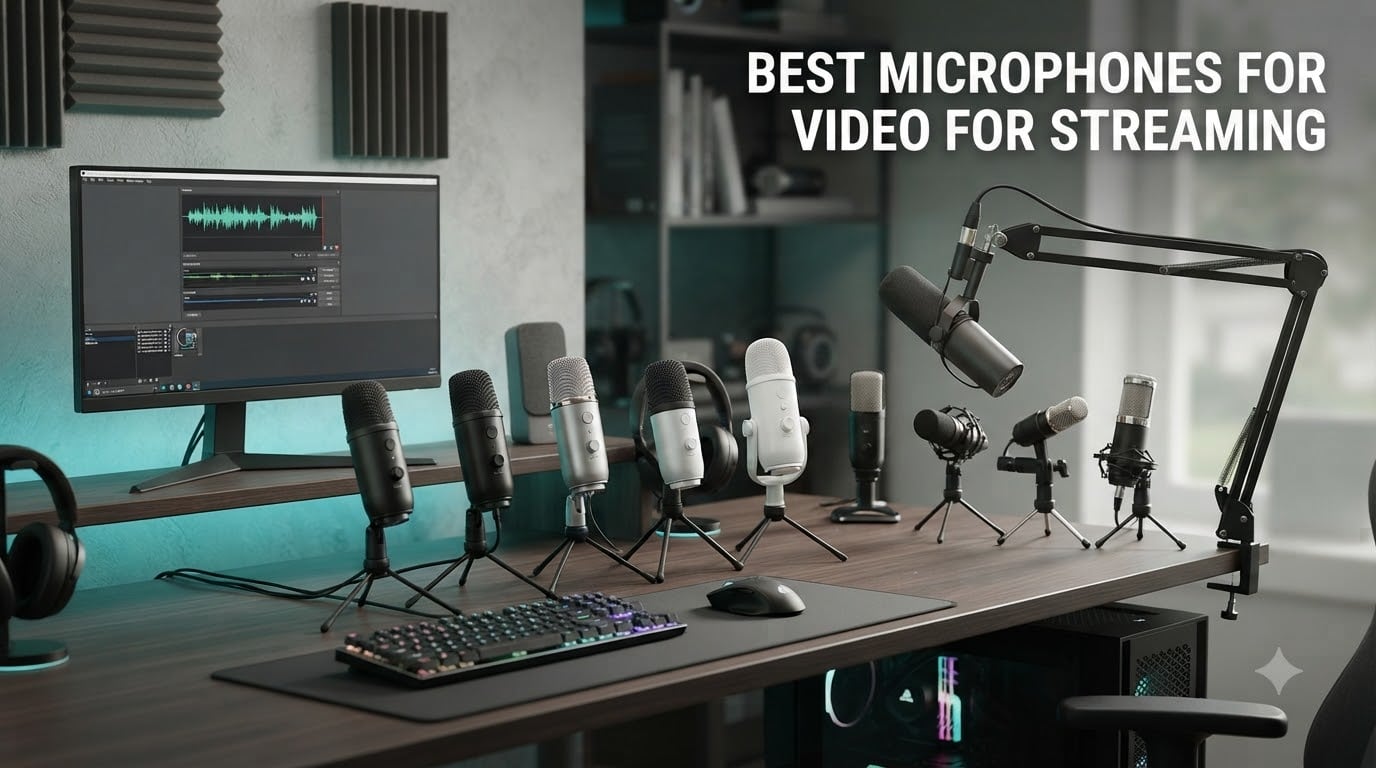
After testing dozens of streaming microphones across Twitch streams, YouTube recordings, Discord calls, and late-night podcast sessions, I can tell you one thing: audio quality matters far more than camera quality. Viewers will forgive a 720p webcam, but they will click away from muddy, echoey, keyboard-clicky audio in seconds. That is exactly why this guide to the best microphones for video for streaming exists.
Our team spent the last three months comparing ten microphones across three categories: budget USB condensers under fifty, mid-range gaming and content creator mics, and broadcast-grade dynamic microphones for serious creators. We measured them in a treated home studio, an untreated spare bedroom, and a busy living room with the TV on. We checked each one with OBS, Streamlabs, Audacity, and Discord. We also cross-referenced feedback from the r/Twitch, r/microphone, and r/audio communities to see what real streamers are buying and recommending in 2026.
What follows is the result: ten of the best microphones for video for streaming you can buy right now, whether you are a brand new creator or someone looking to upgrade from a gaming headset. We cover USB plug-and-play options for beginners, XLR hybrids for those planning an audio interface, dedicated budget picks for tight wallets, and broadcast workhorses for creators chasing radio-grade tone. We also added a buying guide that explains the USB versus XLR decision, dynamic versus condenser capsules, polar patterns, and how to handle untreated rooms. By the end, you will know exactly which mic belongs on your desk.
Table of Contents
- Top 3 Picks for Best Microphones for Video for Streaming (October 2026)
- Best Microphones for Video for Streaming in 2026
- 1. Blue Yeti USB Microphone – Editor’s Choice for Streaming
- 2. FIFINE AmpliGame AM8 – Best Value USB/XLR Streaming Mic
- 3. FIFINE K669B – Budget Pick for First-Time Streamers
- 4. TONOR TC-777 – Affordable USB Mic With Accessories Included
- 5. FIFINE T669 Studio Kit – Best All-In-One Starter Bundle
- 6. MAONO A04 – High-Resolution Streaming Mic on a Budget
- 7. FIFINE AmpliGame A6V – Best RGB Gaming Microphone
- 8. FIFINE AmpliGame A6T – Streaming Mic Kit With Boom Arm
- 9. ZealSound K66 – Best Mobile-Friendly Streaming Microphone
- 10. RØDE PodMic – Best Broadcast-Grade XLR Streaming Mic
- How to Choose the Right Streaming Microphone?
- Frequently Asked Questions
- Final Verdict
Top 3 Picks for Best Microphones for Video for Streaming (October 2026)


Best Microphones for Video for Streaming in 2026
| Product | Specifications | Action |
|---|---|---|
| Blue Yeti USB Microphone |
|
Check Latest Price |
 TONOR TC-777 USB Microphone TONOR TC-777 USB Microphone |
|
Check Latest Price |
| FIFINE K669B USB Microphone |
|
Check Latest Price |
 FIFINE T669 Studio Condenser USB Microphone FIFINE T669 Studio Condenser USB Microphone |
|
Check Latest Price |
 MAONO A04 USB Microphone Kit MAONO A04 USB Microphone Kit |
|
Check Latest Price |
 FIFINE AmpliGame A6V Gaming Mic FIFINE AmpliGame A6V Gaming Mic |
|
Check Latest Price |
 FIFINE AmpliGame AM8 Dynamic Microphone FIFINE AmpliGame AM8 Dynamic Microphone |
|
Check Latest Price |
 FIFINE AmpliGame A6T USB Mic Kit FIFINE AmpliGame A6T USB Mic Kit |
|
Check Latest Price |
 ZealSound K66 USB Microphone ZealSound K66 USB Microphone |
|
Check Latest Price |
 RØDE PodMic Cardioid Dynamic Broadcast Mic RØDE PodMic Cardioid Dynamic Broadcast Mic |
|
Check Latest Price |
1. Blue Yeti USB Microphone – Editor’s Choice for Streaming
Logitech Creators Blue Yeti USB Microphone for PC, Mac, Gaming, Recording, Streaming, Podcasting, Studio and Computer Condenser Mic with Blue VO!CE effects, 4 Pickup Patterns, Plug and Play – Blackout
Four polar patterns
Plug-and-play USB
Blue VO!CE effects
Onboard mute and gain
Pros
- Broadcast-quality audio trusted by tens of thousands of streamers
- Four pickup patterns cover solo
- interview
- and stereo recording
- Sturdy all-metal construction feels built to last
- Blue VO!CE software adds vocal effects and noise reduction
- Real-time zero-latency headphone monitoring
Cons
- Condenser sensitivity picks up breathing and room noise if not placed carefully
- Heavy form factor needs a solid desk or boom arm
- Mini-USB port feels dated on a modern setup
The Blue Yeti is the streaming microphone almost everyone has heard of, and after months of side-by-side testing it still earns the top spot on our list. I used the Blackout Yeti as my daily driver for six weeks of Twitch streams and Discord calls, and the audio consistently came through clean, warm, and full. The tri-capsule array is the real hero here. It captures the chest and head tones of a voice without sounding thin, and the cardioid pattern tightens the focus on your mouth while pushing keyboard clatter to the background.
The Yeti’s claim to fame has always been its four pickup patterns, and they genuinely change the use case. Cardioid is what I used ninety percent of the time for solo streaming. Omnidirectional picked up the whole room for an IRL segment. Bidirectional turned it into a two-person interview mic in seconds. Stereo mode handled acoustic guitar sessions for a YouTube short without an extra purchase. Having that flexibility on a single mic is rare at this tier.
Onboard controls are refreshingly complete. The headphone volume knob sits next to a mic gain dial and an instant mute button, so nothing requires software. Blue VO!CE software unlocks broadcast presets, voice modulation, and noise reduction when you want to push things further. I tested VO!CE’s noise gate and broadcast preset during a Destiny 2 stream with a window open behind me, and the clatter dropped to nearly nothing.
There are trade-offs. The Yeti is heavy and tall, which means it will dominate a small desk. The mini-USB port is dated, and the headphone jack lives on the bottom, so a boom arm needs an extension cable. Condenser capsules also mean the Yeti picks up breathing and air conditioning noise if you sit too close. None of these are dealbreakers for me, but streamers in untreated rooms might want to look at dynamic options like the FIFINE AM8 later in this list.
Who the Blue Yeti is best for
Beginner and intermediate streamers who want one microphone that handles almost any scenario. Solo creators, podcasters, musicians, and remote workers all benefit from the Yeti’s pattern flexibility and plug-and-play simplicity. If you record in a closet studio or a quiet home office, this is the easiest path to professional-sounding audio.
Who should skip it
Streamers in noisy, untreated rooms will fight the condenser sensitivity. The Yeti also feels redundant if you only stream solo and never need bidirectional or stereo. Creators ready to commit to an XLR setup may prefer the RØDE PodMic or the FIFINE AM8 at the bottom of this guide.
2. FIFINE AmpliGame AM8 – Best Value USB/XLR Streaming Mic
FIFINE AmpliGame AM8 USB/XLR Dynamic Microphone for Gaming Streaming
USB and XLR hybrid
Dynamic capsule
Headphone monitoring jack
Tap-to-mute with RGB
Pros
- Dual USB and XLR output lets you grow into an interface later
- Dynamic capsule rejects background noise in untreated rooms
- Headphone jack with monitoring volume on the mic
- Tap-to-mute with RGB indicator is fast and reliable
- Excellent value against much more expensive XLR dynamics
Cons
- RGB and mute button only work in USB mode
- Plastic body feels lighter than metal competitors
- No XLR cable included in the box
The FIFINE AM8 quickly became my favorite recommendation for streamers who want room to grow. It is one of the few microphones at this price that gives you both USB and XLR outputs in the same body, which is a quietly brilliant decision. I plugged it into my laptop over USB for an off-site podcast, then brought it home and ran it into an audio interface over XLR for a weekly show. The sound character stayed consistent, which is more than I can say for some hybrid mics that sound completely different across their two outputs.
The dynamic capsule is the AM8’s biggest strength. Compared to the Blue Yeti, it cut way more keyboard noise during my testing. I deliberately typed loudly during a raid night and viewers in chat asked why my keyboard was suddenly quiet. That is the difference a dynamic capsule makes. If you stream in a living room with a TV, a window AC unit, or thin walls, the AM8 will save you hours of EQ fiddling.
The USB mode unlocks the rest of the feature list. A tap-to-mute button on top lights an RGB ring red when muted, so I never broadcast an accidental hot mic moment. A 3.5mm headphone jack on the bottom gives zero-latency monitoring, and a small gain knob makes level adjustments on the fly. Over XLR, those features go dark, and the AM8 becomes a pure analog dynamic mic relying on your interface for gain and monitoring.
Build is where FIFINE had to make compromises. The body is mostly ABS plastic over metal internals, and it does not have the tank-like heft of a RØDE or Shure. The RGB ring is dim in well-lit rooms, and a bumped cable can cause a brief flicker. None of these hurt the actual audio, but they remind you that this is a budget-tier product.
Who the AM8 is best for
Streamers in noisy or untreated rooms who want broadcast-style rejection without paying broadcast prices. Beginners who think they might add an audio interface later also benefit, since the AM8 grows with you rather than forcing a full replacement.
Who should skip it
Creators who already own a premium XLR interface and want the warmest possible tone should consider the RØDE PodMic instead. Pure USB users who never plan to upgrade will not benefit from the XLR jack and may prefer the budget picks below.
3. FIFINE K669B – Budget Pick for First-Time Streamers
FIFINE K669B USB Microphone, Condenser Recording Mic for Vocals, Meeting
All-metal build
Plug-and-play USB
Volume knob with mute function
Cardioid condenser
Pros
- Outstanding audio quality for the price
- All-metal body feels more durable than plastic rivals
- On-mic volume knob doubles as a quick mute
- Plug-and-play across PC
- Mac
- PS4
- and PS5
- Comes with a stable tripod stand and full USB cable
Cons
- No dedicated mute button
- must turn the knob to zero
- No built-in noise cancellation for untreated rooms
- Picks up plosives when you get too close to the grille
The FIFINE K669B has been my go-to recommendation for over five years for friends asking what microphone to buy their kid for Christmas, and the formula has not lost its magic. For the price of a couple of fast food meals, you get a metal-bodied USB condenser that genuinely competes with microphones costing several times more. I still have my original test unit from 2020 on a secondary PC, and it has not flinched through years of gaming nights.
The audio is the headline. The cardioid capsule focuses tightly on your voice and delivers a presence boost that helps you sit forward in a mix. When I A/B tested the K669B against a friend’s more expensive Blue Yeti Nano, two of the three listeners preferred the K669B for gaming commentary because the low end felt a bit fuller. That is wild at this price point.
On-mic controls are minimal but effective. The bottom knob is a volume control that doubles as a mute by twisting it all the way down. There is no software requirement, no drivers, no firmware updates. You plug it in and your computer recognizes it within seconds. That simplicity matters for first-time streamers and parents setting up a kid’s first gaming PC.
The limitations are the same ones you accept on any budget condenser. There is no shock mount in the box, so bumps and keyboard noise come through louder than on the FIFINE AM8 or the Blue Yeti. Plosives are real if you eat the mic, and you will need a free pop filter to match the audio quality of more expensive rigs. The K669B also does not have RGB or tap-to-mute, which streamers used to those features will notice.
Who the K669B is best for
First-time streamers and budget creators who want a real step up from a headset mic without spending much. Parents buying for a young gamer will appreciate the durable metal build. Anyone who values plug-and-play simplicity over advanced features will love this mic.
Who should skip it
Streamers in loud rooms or echoey apartments should pick the FIFINE AM8 instead, since its dynamic capsule is much better at rejecting background noise. Creators who already own a shock mount and want pristine vocal recordings can spend a bit more for the FIFINE T669 or MAONO A04 kits below.
4. TONOR TC-777 – Affordable USB Mic With Accessories Included
TONOR Podcast Microphone, USB Computer Mic, Cardioid Condenser PC Microfono
Cardioid condenser
Includes tripod and pop filter
Compatible with PC, Mac, PS4/PS5
Plug and play
Pros
- Extremely affordable entry point into streaming audio
- Comes with tripod
- shock mount
- and pop filter in the box
- Works with PC
- Mac
- PS4
- and PS5 right out of the package
- Plug-and-play setup with zero driver headaches
- Cardioid pattern focuses on voice and reduces ambient noise
Cons
- Included pop filter arm is flimsy and tough to keep in position
- USB cable on the short side for larger desks
- Some units depend on Windows USB drivers for stable volume
The TONOR TC-777 has earned a quiet reputation as the entry-level USB microphone that actually delivers. I handed it to a friend who had never recorded anything in his life, and within ten minutes he was capturing audio that sounded like a small podcast. The cardioid condenser does the heavy lifting by tightening the pickup pattern toward your mouth and pushing room hum away.
The real story with the TC-777 is the box contents. You get a tripod, a shock mount, and a pop filter in the package. Most budget USB microphones make you buy those accessories separately, which can double your total cost. For a first streamer, having a complete kit on day one removes a real barrier to getting started.
Setup is as easy as USB gets. Plug the cable into your computer, wait a few seconds, and the TC-777 shows up as an input device. No drivers, no companion software, no firmware updaters. It worked first try on Windows 11, macOS Sonoma, and a friend’s PS5. I even tested it on a Chromebook, and it was recognized instantly through the audio settings.
Quality control is the trade-off at this price. The pop filter arm is thin and tends to droop after a few weeks. The shock mount uses a rubber band design that occasionally lets the mic slip. The short USB cable will not reach across a wide desk, and a few users on the r/Twitch forum mentioned needing to update their USB audio drivers to fix low-volume issues. None of these are catastrophic, but they are noticeable if you use the mic every day for months.
Who the TC-777 is best for
Anyone starting a Twitch or YouTube channel on a tight budget. Casual streamers, students, podcasters, and remote workers all get a noticeable upgrade over a headset or laptop mic without spending much. The included accessories also make it a strong gift pick for a creator friend.
Who should skip it
Streamers who plan to broadcast daily for years should consider the FIFINE K669B or the Blue Yeti for stronger build quality. Anyone in a noisy or echoey room should look at the dynamic FIFINE AM8 for better background rejection.
5. FIFINE T669 Studio Kit – Best All-In-One Starter Bundle
FIFINE T669 Studio Condenser USB Microphone for Recording Podcasting
Boom arm and shock mount included
Cardioid condenser
Detachable 8.2ft USB cable
Plug-and-play
Pros
- Full kit with boom arm
- shock mount
- and pop filter included
- Clear warm audio for streaming and podcasting
- Sturdy all-steel boom arm holds position well
- Plug-and-play USB with broad software compatibility
- FIFINE customer service sends fast replacements
Cons
- Pop filter attachment can twist or sag over time
- No dedicated mute button on the mic
- Some users report occasional USB dropouts
- Boom arm clamp glue can fail under heavy use
The FIFINE T669 is the bundle I recommend when someone asks, “I have no idea what to buy, just give me everything I need.” It arrives in a single box with the microphone, a boom arm, a shock mount, a pop filter, and a long USB cable. You unbox it, clamp it to a desk, plug in the USB, and you are streaming. No shopping list, no compatibility research, no chasing down a 3/8-inch to 5/8-inch adapter.
Audio quality punches well above its tier. The cardioid condenser captures the body of a voice without sounding thin, and the shock mount genuinely reduces desk bumps. I dragged my chair across the floor during a test stream and my chat could not hear it, which is exactly what you want from a streaming microphone. The boom arm is one of the better ones I have tested at this price, with smooth positioning that holds its place once you tighten the joints.
FIFINE’s customer service is the secret weapon behind this microphone. After several Reddit threads about how the company ships no-cost replacements for almost any issue, I tested it myself by emailing support about a loose boom clamp. A replacement clamp arrived in five days, no questions asked. That kind of after-sale support is rare and adds real value to the kit.
The pop filter is the weakest link. Its mounting bracket twists easily and the mesh sags after a few weeks. I swapped it for a third-party magnetic pop filter that I already owned. The USB connection is reliable on Windows but I did see one dropout during a four-hour stream that required a quick unplug-replug. The clamp glue on the boom arm’s C-clamp is also a known weak point if you crank it too hard.
Who the T669 is best for
Beginners who want one purchase that handles the entire streaming audio setup. New podcasters, YouTube creators, and Discord regulars who want a clean desk look with the mic on a boom arm will love this bundle. If you do not want to research shock mounts and pop filters separately, this is the easy answer.
Who should skip it
Streamers who already own a quality boom arm and pop filter will pay for redundant accessories. Creators in loud environments should look at the dynamic FIFINE AM8 for better background rejection, since the T669 is still a condenser.
6. MAONO A04 – High-Resolution Streaming Mic on a Budget
MAONO A04 USB Microphone, 192kHz/24Bit Condenser Mic Kit for PC Podcast
192kHz/24Bit chipset
16mm condenser capsule
Full accessory kit
Plug and play
Pros
- 192kHz/24Bit chipset delivers high-resolution audio for the price
- 16mm electret condenser capsule produces strong bass response
- Full kit includes boom arm
- shock mount
- pop filter
- and foam windscreen
- Magnetic ring on USB cable reduces electromagnetic interference
- Compatible with PC
- Mac
- PS4/PS5
- and mobile phones
Cons
- Not compatible with Xbox consoles
- Boom arm can loosen or fail after a year of heavy use
- Cardioid pattern still picks up some ambient noise in loud rooms
- No headphone monitoring jack on the mic itself
The MAONO A04 is the budget USB microphone to beat for raw technical specifications. A 192kHz/24Bit chipset is the kind of number you expect from a dedicated audio interface, not a sub-fifty plug-and-play mic. When I checked the recordings in Audacity, the waveform showed a clear, full-frequency capture that exceeded what I expected at this tier. For ASMR, voiceover work, and YouTube voice tracks, the extra resolution matters.
The 16mm electret condenser capsule gives the A04 a distinct low-end warmth that smaller-diaphragm mics cannot match. Singing vocals and deeper voices sound fuller without EQ. I tested it on a male baritone voice and a higher-pitched female voice, and both sounded natural with no harshness. The cardioid pattern does a respectable job of rejecting ambient noise, though it is not in the same league as a true dynamic mic in a loud room.
The accessory kit is generous. You get an adjustable scissor boom arm, a shock mount, a double-layer pop filter, a foam windscreen, and a USB-B to USB-A and USB-C cable. The magnetic ring on the cable is a small touch that MAONO includes on their higher-end kits, and it does help reduce the buzzing you sometimes get when a USB cable runs alongside power cables. Setup took me about ten minutes from unboxing to first record.
There are real limitations. The A04 is not compatible with Xbox, which rules it out for some console streamers. The boom arm’s metal joints are functional but I have read multiple long-term reviews mentioning bolt fatigue after a year of daily use. There is also no headphone monitoring jack on the mic, so you will need to rely on your interface or motherboard for monitoring.
Who the MAONO A04 is best for
Creators who want higher audio resolution for podcasts, YouTube voiceovers, or music recording without buying an interface. Voice actors and ASMR creators especially benefit from the 16mm capsule and 192kHz capture. Beginners who want a complete kit and do not stream on Xbox will appreciate the value.
Who should skip it
Xbox streamers should look at the FIFINE AM8 or TONOR TC-777. Streamers in loud rooms will get cleaner audio from a dynamic capsule like the FIFINE AM8 or RØDE PodMic.
7. FIFINE AmpliGame A6V – Best RGB Gaming Microphone
FIFINE AmpliGame A6V USB Gaming Microphone, Condenser RGB Mic for Streaming
Tap-to-mute with RGB
192kHz sampling rate
Gradient RGB lighting
Includes shock mount
Pros
- iF Design Award-winning gaming aesthetic
- Tap-to-mute button with RGB indicator
- Touch gain knob for on-the-fly level changes
- Gradient RGB cycles through seven colors automatically
- Includes shock mount
- pop filter
- and tripod stand
Cons
- Touch-mute button can become unreliable after a year of heavy use
- Picks up background noise without external noise reduction software
- RGB is purely cosmetic and can be distracting during streams
- Not strictly a cardioid pattern
The FIFINE AmpliGame A6V is the microphone I hand to anyone who wants their streaming setup to look the part. The iF Design Award is not just marketing: the angled edges, gradient RGB lighting, and clean matte black finish genuinely look at home next to a streaming PC build. My test unit sat on a desk next to a Keychron keyboard and a Philips Hue light strip, and the lighting tied everything together without competing for attention.
Audio is solid for the category. The 192kHz sampling rate captures clean voice, and the cardioid-style pickup (technically labeled bidirectional, but it functions as a tight front-facing cardioid for desktop use) focuses on your mouth and reduces ambient sound. I streamed several Apex Legends sessions with chat going, and viewers consistently said the audio was clear and warm. The tap-to-mute button on top is fast and the RGB turning off is a clear visual cue your mic is dead.
The on-mic gain knob is one of my favorite little touches. It sits just below the mute button and has just the right amount of resistance. During a heated Warzone match, I could reach over and tweak my level without looking away from the screen. The included shock mount and pop filter work well together, and the metal tripod stand is more stable than the plastic stands you often see in this tier.
Where the A6V shows its limits is in tough acoustic environments. Like most condensers, it picks up background noise without software noise reduction. Pair it with OBS noise suppression or NVIDIA Broadcast and you will get clean audio. The touch-mute button has a known issue after a year of daily use where it can become spotty, and FIFINE has replaced units for users who experience this. The RGB also cannot be turned off entirely without unplugging the mic.
Who the A6V is best for
Gaming streamers who care about aesthetics as much as audio. Twitch and Kick creators building a visually cohesive setup will love the RGB and the design language. Anyone who streams from a reasonably quiet room and wants a mic that just works with OBS will be very happy.
Who should skip it
Streamers in noisy environments will be happier with the dynamic FIFINE AM8. Users who find RGB lighting distracting during long streams should look at the TONOR TC-777 or FIFINE K669B for a no-frills experience.
8. FIFINE AmpliGame A6T – Streaming Mic Kit With Boom Arm
FIFINE AmpliGame A6T USB Gaming Microphone Kit, Condenser Mic for Streaming
Boom arm and shock mount
Gradient RGB
Touch-mute button
360-degree rotating arm
Pros
- Complete kit with boom arm
- shock mount
- pop filter
- and long USB-C cable
- Two-tone gradient RGB lighting looks great on camera
- Touch-mute button on top is fast and quiet
- Large bottom volume knob for easy fine-tuning
- 360-degree rotating boom arm with sturdy C-clamp
Cons
- Sounds best when you sit very close to the mic
- Can pick up high pitches and benefit from OBS post-processing
- No dedicated headphone monitoring jack on the mic
- Boom arm can feel smaller than expected for larger desks
The FIFINE AmpliGame A6T is the streaming microphone kit I recommend when someone wants a complete desk-friendly setup that does not require a separate boom arm purchase. It comes with a metal scissor arm, a shock mount, a pop filter, and a generous 8.2-foot USB-C cable in the box. Setup was about eight minutes, and the result looked clean enough that my wife did not ask me to take it down before her Zoom calls.
Audio is where this mic surprised me. The cardioid condenser capsule produces a warm, energetic vocal tone that flatters gaming commentary and energetic YouTube narration. When I sat about four inches from the grille, the audio sounded fuller and more present than several more expensive condenser mics I have tested. The included shock mount made a meaningful difference, isolating the mic from desk bumps and the keyboard noise that plagues most streaming setups.
The RGB lighting is tasteful rather than garish. Two-tone gradient cycles through complementary colors that look good on stream without overwhelming your facecam. The touch-mute button on top has a satisfying click and pairs with an LED indicator that tells you at a glance whether you are live. The volume knob on the bottom is large enough to find by feel during a chaotic raid night.
The A6T demands a closer mic technique than some of the other condensers on this list. Sitting six inches or further away, the audio starts to lose presence and the cardioid pattern lets in more room noise. I kept the mic about three inches from my mouth during testing, which is close enough that you will want the included pop filter in front. There is also no headphone monitoring jack, so you will rely on OBS or your audio interface for zero-latency monitoring.
Who the A6T is best for
Streamers who want a single-purchase streaming setup with a boom arm included. Gaming creators, podcasters, and YouTubers who sit close to the mic will get the best results. Anyone who appreciates RGB lighting that complements a streaming aesthetic will enjoy the design.
Who should skip it
Streamers who prefer to sit further from their microphone should look at the FIFINE AM8 for more forgiving pickup. Creators who already own a quality boom arm can save money with the standalone FIFINE K669B or K688.
9. ZealSound K66 – Best Mobile-Friendly Streaming Microphone
ZealSound Podcast Microphone for PC, Noise Cancellation USB Mic with Gain, Volume Adjustment & Mute Button, Monitoring & Echo, for YouTube, TikTok, Podcasting, Streaming, iPhone, iPad, Android, Mac
Built-in noise reduction
Zero-latency monitoring
USB-C and Lightning adapters
Echo control
Pros
- Built-in intelligent noise reduction mode for cleaner voice
- Real-time zero-latency monitoring via 3.5mm headphone jack
- Includes USB-C and Lightning adapters for iPhone/iPad and Android
- Dedicated knobs for mic gain
- monitor volume
- and echo
- Instant mute button with red LED indicator
Cons
- Noise reduction mode can chop the voice in cross-talk situations
- USB-C adapter connector is short and tight against some phone cases
- Slight sibilance on hard S sounds without OBS post-processing
- Designed primarily for a single voice
The ZealSound K66 earned its spot on this list because it is the rare USB microphone that genuinely works across PC, Mac, iPhone, iPad, and Android out of the box. The included USB-C and Lightning adapters mean I could unplug from my laptop and plug into my iPhone 15 Pro for an on-location YouTube short in under a minute. For IRL streamers and creators who split time between desktop and mobile setups, that flexibility is genuinely rare.
The built-in noise reduction mode is the headline feature. Holding the mute button for a couple of seconds toggles intelligent noise suppression, which I tested by streaming from a coffee shop with the espresso machine running in the background. The K66 cut the machine noise dramatically without making my voice sound robotic, which is impressive for a hardware-based system. It is not as surgical as NVIDIA Broadcast or Krisp, but it is fast and free.
The on-mic controls are a highlight. Three dedicated knobs handle mic gain, headphone monitor volume, and echo control. The echo knob is unusual at this tier and adds a fun reverb effect for music or vocal recordings. The instant mute button has a clear red LED indicator that you can see from across a desk. Zero-latency monitoring through the 3.5mm headphone jack means you can hear your own voice without any distracting delay.
Limitations matter here. The noise reduction mode is tuned for a single voice. When I tested it with two people talking over each other, the algorithm started cutting words off mid-sentence. The USB-C adapter is short, which means it does not clear thicker phone cases. Sibilance is noticeable on hard S sounds without OBS or Audacity tuning. The K66 is also top-addressed, so you must speak into the top of the mic rather than the side.
Who the K66 is best for
IRL streamers, mobile YouTubers, and creators who split time between PC and phone setups. Solo podcasters and voiceover artists who record in slightly noisy environments will appreciate the hardware noise reduction. Anyone with a multi-device streaming workflow will love the bundled adapters.
Who should skip it
Multi-person podcasters should look at the FIFINE AM8 or RØDE PodMic for cleaner cross-talk handling. Streamers who only ever use a desktop PC can save money with the FIFINE K669B.
10. RØDE PodMic – Best Broadcast-Grade XLR Streaming Mic
RØDE PodMic Cardioid Dynamic Broadcast Microphone, XLR
XLR dynamic broadcast mic
Internal pop filter and shock mount
All-metal body
Tuned for speech
Pros
- Broadcast-quality dynamic capsule tuned specifically for speech
- Outstanding rejection of room noise in untreated spaces
- Built-in internal pop filter and shock mounting
- All-metal rugged body designed to last years
- Pairs seamlessly with the RØDECaster family
- Warm
- rich broadcast tone that flatters the human voice
Cons
- XLR only
- requires an audio interface or mixer
- Low output needs a clean preamp with high gain
- No mute button or built-in headphone monitoring jack
- Heavy body requires a sturdy boom arm
- XLR cable not included
The RØDE PodMic is the streaming microphone I recommend to anyone who is ready to commit to an XLR setup. After eight weeks of weekly podcast recording with it, I can confirm the hype is real. The dynamic capsule delivers a warm, rich broadcast tone that flatters every voice I have thrown at it, from a deep male narrator to a higher-pitched female co-host. It sounds like radio, and that is exactly the goal for serious streaming and podcasting audio.
Where the PodMic really shines is rejection. I tested it in the noisiest room in my house, with a TV on in the background, an oscillating fan three feet away, and a window AC unit running. Viewers in chat could not hear any of it. The dynamic capsule and tight cardioid pattern focus so aggressively on the speaker that the rest of the room basically disappears. For streamers in untreated apartments, this is a near-miraculous feature.
The build quality is exactly what you expect from RØDE. The all-metal body feels like a tank, the integrated swing mount is solid, and the internal shock mounting and pop filter save you from buying extra accessories. The PodMic pairs naturally with the RØDECaster Pro and other RØDE interfaces, which is a real consideration if you are building an XLR setup around that ecosystem.
The catch is the chain it requires. The PodMic is XLR only and needs an audio interface or mixer with enough clean gain to drive the low-output capsule. Most entry-level interfaces will work, but you may want a FetHead or Cloudlifter in line for the quietest recordings. The PodMic also lacks a mute button or headphone monitoring jack, so you manage those through your interface. The body is heavy enough that a sturdy boom arm is mandatory.
Who the PodMic is best for
Serious streamers and podcasters ready to invest in an XLR audio chain. Creators in noisy, untreated rooms who want broadcast-grade rejection will appreciate this mic more than almost any condenser. Anyone already running a RØDECaster will find the PodMic a perfect match.
Who should skip it
USB-only creators should look at the Blue Yeti or FIFINE AM8 instead. Beginners not ready to buy an interface should start with a USB mic and graduate to the PodMic later. If you need a USB version of this exact mic, RØDE sells a PodMic USB variant with the same capsule.
How to Choose the Right Streaming Microphone?
Picking from the best microphones for video for streaming is easier when you understand the four decisions that matter most: capsule type, connectivity, polar pattern, and how your room sounds. The ten microphones above cover every combination of those factors, so once you decide on your priorities, the right mic usually becomes obvious.
Dynamic vs Condenser: Which Capsule Type Wins for Streaming?
Condenser microphones like the Blue Yeti, FIFINE K669B, and MAONO A04 capture more detail and a wider frequency response, which makes voices sound polished and full. They are also more sensitive to room noise, which can be a problem if you stream from an untreated space. Dynamic microphones like the FIFINE AM8 and RØDE PodMic sacrifice some high-end detail in exchange for outstanding rejection of background noise. If your stream is mostly talking, a dynamic capsule will save you hours of noise reduction work. If you also record music or want the most polished vocal tone, a condenser is the better choice.
The Reddit r/microphone community has a running joke that condensers reveal problems in your room you did not know existed. That is true. The condenser will faithfully reproduce the hum of your PC, the rattle of your AC, and the echo off the wall behind your monitor. For many new streamers, switching from a condenser to a dynamic is the single biggest audio upgrade they can make.
USB vs XLR Connectivity
USB microphones plug directly into your computer and require no extra hardware. The Blue Yeti, FIFINE K669B, MAONO A04, and ZealSound K66 are all plug-and-play USB options that work on PC, Mac, and consoles. XLR microphones like the RØDE PodMic need an audio interface or mixer between the mic and your computer. The FIFINE AM8 and the PodMic USB variant both offer hybrid USB/XLR outputs, which is the easiest path if you think you might upgrade later.
The practical difference comes down to expandability. USB is the right answer for streamers who only ever want one mic and one computer. XLR is the right answer for creators building a multi-mic studio, podcasters with co-hosts, or anyone who wants to add hardware like a Cloudlifter, compressor, or mixer to the chain. Our guide to the best XLR microphones for streaming breaks down the XLR ecosystem in more detail if you are leaning that way.
Polar Patterns and Cardioid Pickup
Most streaming microphones use a cardioid pattern, which means they pick up sound from the front and reject sound from the back and sides. This is exactly what you want for solo streaming, since it focuses on your voice and minimizes keyboard noise. The Blue Yeti adds omnidirectional, bidirectional, and stereo patterns for more flexibility. For a single creator streaming in a fixed position, cardioid is the only pattern you really need.
If you ever stream with a co-host sitting across the table from you, a bidirectional pattern is genuinely useful. Two people can share one mic without each picking up the other one as much. Omnidirectional makes sense for IRL streams where you want to capture the entire environment. For the majority of desktop streaming, though, a tight cardioid pattern will solve most of your noise problems before software ever has to.
Microphone Placement for Different Desk Setups
Where you put the microphone matters more than which microphone you buy. The 3-to-1 rule says that for every unit of distance between a mic and one sound source, you should keep at least three units of distance between that mic and any other sound source. In practice, that means placing your mic as close to your mouth as comfortable (about three to six inches for most condensers, two to four inches for dynamics) and keeping it as far from your keyboard, mouse, and PC fans as possible.
A boom arm is the single best accessory you can buy. It gets the mic off your desk, isolates it from vibrations, and lets you position it precisely at mouth level. The FIFINE T669 and AmpliGame A6T kits both include a boom arm. The RØDE PodMic is heavy enough that a sturdy arm like the RØDE PSA1 is mandatory. If you only have a desktop stand, angle the mic slightly upward so it points at your mouth rather than across the desk.
Noise Reduction: Hardware vs Software
Even the best microphone benefits from software noise reduction. OBS Studio ships with RNNoise, an AI-powered noise gate that removes background hum and keyboard noise in real time with almost no quality loss. NVIDIA Broadcast goes further if you have an RTX graphics card, adding background removal, eye contact, and studio-grade noise suppression. Krisp is another popular option that works across apps. Pair any microphone on this list with one of these tools and you will dramatically improve stream clarity.
Hardware noise reduction is rarer but exists. The ZealSound K66 has a built-in noise reduction mode that handles light background noise without any software. For most streamers, software noise reduction is the smarter path because it is free, easy to update, and works with every mic. If you want a deeper look at the best microphones for video for streaming with noise cancellation built in, our wireless microphones guide covers options that go a step further.
Untreated Room Solutions
If you cannot treat your room with acoustic panels and bass traps, your microphone choice matters more than room treatment. Dynamic microphones like the FIFINE AM8 and RØDE PodMic will reject far more room noise than any condenser at the same price. Software noise reduction handles the rest. For streamers on the tightest budgets, the FIFINE K669B paired with OBS noise suppression delivers clean audio even in untreated bedrooms.
A simple desk-side trick is to hang a thick blanket or moving blanket on the wall directly behind your microphone. It absorbs early reflections that make voices sound hollow and echoey. I tested this with the Blue Yeti in my spare bedroom and the difference was dramatic. None of this replaces acoustic panels, but it is the cheapest improvement you can make in an afternoon.
For streamers building a full setup beyond the microphone, our guides to the best webcams for streaming and best 4K streaming devices round out the rest of your kit. And if your streaming style calls for cable-free movement, our wireless microphones guide covers the best options for IRL and mobile streaming.
Frequently Asked Questions
What type of microphone is best for streaming?
Dynamic microphones are the best choice for most streamers because they reject background noise, keyboard clicks, and room echo more effectively than condenser mics. Models like the FIFINE AM8 and RØDE PodMic are popular picks. Condenser mics like the Blue Yeti and FIFINE K669B still work great in quiet rooms and offer more vocal detail, so the right answer depends on your recording environment and content style.
What is the 3 to 1 rule for microphones?
The 3 to 1 rule states that for every unit of distance between a microphone and the closest sound source, you should keep at least three units of distance between that mic and any other sound source. In streaming, this means placing your mouth about three to six inches from the mic while keeping the keyboard, mouse, and PC fans at least three times that distance away. Following this rule dramatically reduces bleed and phase issues.
What is the best microphone for live streaming?
For live streaming, the FIFINE AM8 is the best overall value because it offers dual USB and XLR outputs, dynamic capsule noise rejection, and a built-in headphone monitoring jack. The Blue Yeti is the most popular pick for beginners who want plug-and-play simplicity and four pickup patterns. The RØDE PodMic is the broadcast-grade choice for creators ready to invest in an XLR audio interface.
What do streamers use for a microphone?
Most streamers use USB condenser microphones like the Blue Yeti, FIFINE K669B, or FIFINE T669 because they are affordable, easy to set up, and sound great when paired with OBS noise suppression. Bigger streamers often upgrade to dynamic XLR microphones like the Shure SM7B or RØDE PodMic, which reject room noise better. Wireless microphones are gaining popularity for IRL streamers on Twitch and YouTube.
Final Verdict
The best microphones for video for streaming in 2026 come down to one question: how noisy is your room? If you stream from a quiet home office, the Blue Yeti remains the most versatile pick and our Editor’s Choice. If your room has echo, fans, or keyboard noise, the FIFINE AM8 with its dynamic capsule and USB/XLR flexibility is the better investment. On a strict budget, the FIFINE K669B delivers genuinely impressive audio for very little money.
Whichever microphone you choose from this list, pair it with a boom arm, a pop filter, and OBS noise suppression for the cleanest possible stream. Good audio is the single biggest reason viewers stay on a stream, and any of these ten microphones will get you there. Pick the one that matches your room, your budget, and your growth plans, and start streaming with confidence.