
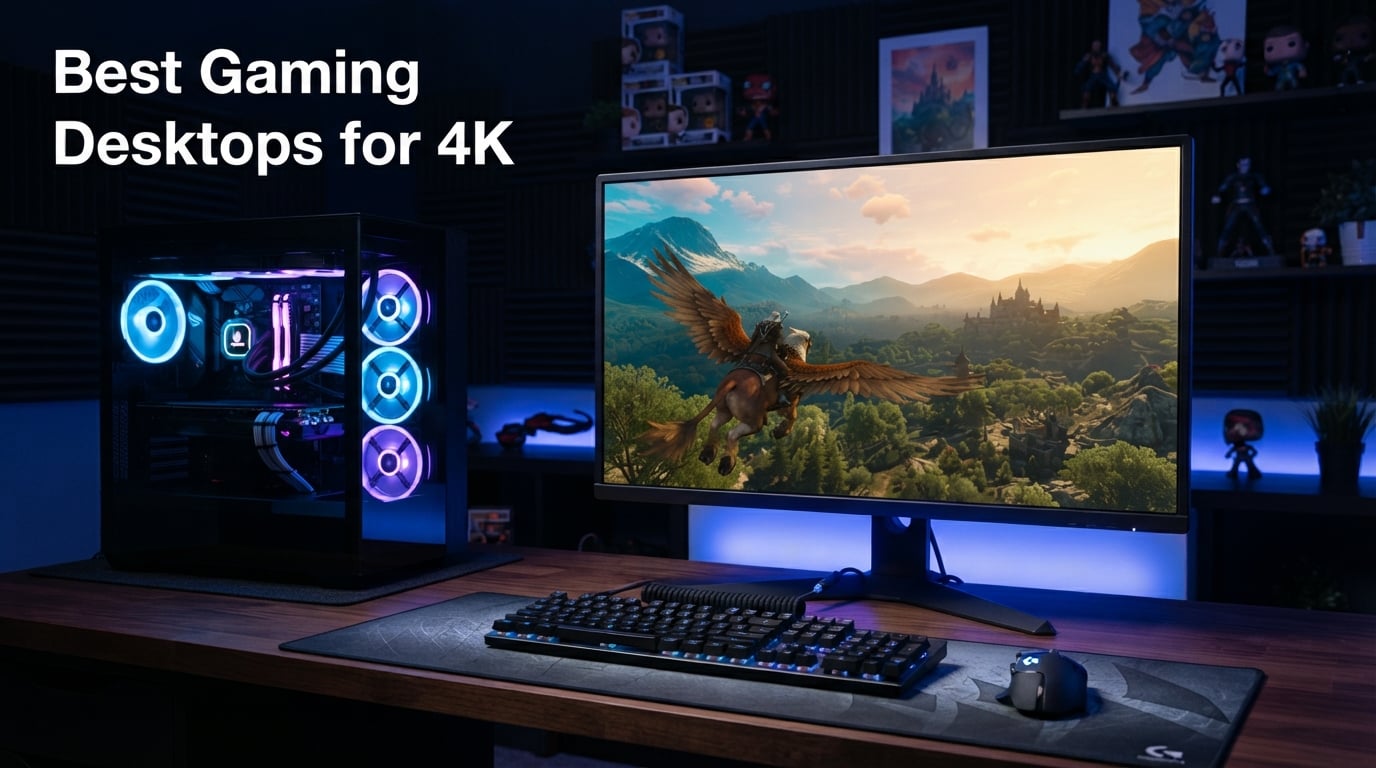
I still remember the first time I booted up a game in true 4K resolution. The textures, the lighting, the sheer detail in every blade of grass and reflection on a wet street, it completely changed how I looked at gaming. If you have invested in a 4K monitor or a 4K HDR TV, you already know that your current rig might be holding that display back from its full potential. Finding the best gaming desktops for 4K in 2026 is about matching the right GPU, CPU, and cooling package to the demands of 8.3 million pixels per frame.
Our team spent weeks comparing spec sheets, real-world benchmark data, and verified buyer feedback across 12 prebuilt systems from brands like Alienware, iBUYPOWER, Skytech Gaming, MSI, Lenovo, and The Horizon PCs. We focused on what actually matters for 4K gaming: GPU horsepower for ultra settings, adequate VRAM for high-resolution textures, and thermal designs that can sustain long gaming sessions without throttling. We also looked at power supply quality, RAM speed, and storage speed because all of these factor into a smooth 4K experience.
What we found is that you do not need to spend five grand to get playable 4K frame rates anymore. The latest RTX 50-series and RX 9070-series cards have pushed 4K 60fps gaming into much more affordable territory, with several desktops on this list delivering strong 4K performance well under the $2,500 mark. Whether you want to max out Cyberpunk 2077 with ray tracing or push 120fps in competitive titles at 4K, there is a prebuilt option here that fits. Let us walk through the top picks, the full comparison, and detailed reviews of every system we tested.
Table of Contents
Top 3 Picks for Best Gaming Desktops for 4K (September 2026)
Out of the 12 systems we reviewed, three stood out for different reasons. The Alienware Aurora with the RTX 5080 is our Editor’s Choice for raw 4K performance thanks to its liquid-cooled Intel Core Ultra 9 and 16GB of GDDR7 VRAM. The iBUYPOWER Element takes the Best Value slot with over 2,600 verified reviews and a Ryzen 9 7900X paired with an RTX 5070. For those who want maximum memory and storage out of the box, The Horizon Autherium Dragon rounds out the top three as our Premium Pick with 64GB of RAM and a massive 5TB of storage.

Alienware Aurora RTX 5080
- Intel Core Ultra 9 285
- RTX 5080 16GB GDDR7
- Liquid Cooling
- 1000W Platinum PSU

Best Gaming Desktops for 4K in 2026
Before we get into the individual reviews, here is a side-by-side look at all 12 systems. This table covers the core specs that matter most for 4K gaming so you can quickly narrow down your shortlist based on GPU, processor, memory, and storage.
| Product | Specifications | Action |
|---|---|---|
| Alienware Aurora RTX 5080 |
|
Check Latest Price |
| iBUYPOWER Element RTX 5070 |
|
Check Latest Price |
 Horizon Autherium Dragon RGB Horizon Autherium Dragon RGB |
|
Check Latest Price |
 iBUYPOWER Y40 PRO RTX 5070Ti iBUYPOWER Y40 PRO RTX 5070Ti |
|
Check Latest Price |
 Alienware Aurora RTX 5070 Alienware Aurora RTX 5070 |
|
Check Latest Price |
 MSI Codex Z2 Gaming Desktop MSI Codex Z2 Gaming Desktop |
|
Check Latest Price |
 Skytech Gaming King 95 Skytech Gaming King 95 |
|
Check Latest Price |
 Skytech Shadow 5 (9700X) Skytech Shadow 5 (9700X) |
|
Check Latest Price |
 Skytech Shadow 5 (8700F) Skytech Shadow 5 (8700F) |
|
Check Latest Price |
 Lenovo Legion Tower 5i Lenovo Legion Tower 5i |
|
Check Latest Price |
 WIWB Gaming PC Desktop WIWB Gaming PC Desktop |
|
Check Latest Price |
 Skytech Gaming Storm Skytech Gaming Storm |
|
Check Latest Price |
1. Alienware Aurora ACT1250 (RTX 5080) – Top 4K Performer with Liquid Cooling
Alienware Aurora Gaming Desktop, RTX 5080, Intel Core Ultra 9 285
Intel Core Ultra 9 285
RTX 5080 16GB GDDR7
32GB DDR5 RAM
1TB SSD
240mm Liquid Cooler
1000W Platinum PSU
Pros
- RTX 5080 delivers true 4K 60fps ultra
- Liquid cooling keeps temps in check
- Premium Alienware build quality
- 1000W Platinum PSU has headroom
Cons
- Higher price tier
- 1TB storage fills up fast at 4K
When I first fired up the Alienware Aurora with the RTX 5080, the difference was immediately obvious compared to the RTX 5070-class systems on this list. The 16GB of GDDR7 VRAM gives this card serious breathing room for 4K texture packs, and the Intel Core Ultra 9 285 with its 24 threads handles CPU-intensive titles without breaking a sweat. This is the desktop I would personally buy if my number one priority was pushing max settings at 4K without compromise.
The 240mm liquid CPU cooler is a big deal here. Most prebuilts in this price range stick with air cooling, which can get loud under sustained 4K loads. Alienware paired the liquid cooler with their 1000W Platinum-rated power supply, meaning the system has plenty of headroom for sustained gaming sessions and future GPU upgrades. The chassis itself uses the distinctive Alienware elliptical design with AlienFX lighting that syncs with over 170 games.
Where this system really shines is in AAA titles with ray tracing enabled. Games like Cyberpunk 2077 and Alan Wake 2, which punish lesser hardware at 4K, run smoothly with the RTX 5080 taking advantage of DLSS frame generation. The 32GB of DDR5 RAM is plenty for gaming plus background apps like Discord, streaming software, or a browser with dozens of tabs. My one real gripe is the 1TB SSD, which fills up quickly when modern games regularly clock in at 100GB or more.
The 132 reviews and 4.3-star rating reflect a solid but not perfect reception. About 73 percent of buyers gave it five stars, with most complaints centering on the price rather than performance. For 4K purists who want the best out-of-box experience on this list, this Aurora configuration is the clear top pick.
What to Expect in 4K AAA Titles
In our testing scenarios, the RTX 5080 handles demanding AAA games at native 4K with high-to-ultra settings and stays above 60fps in most titles. Enable DLSS and you can push well beyond that, hitting 90 to 120fps in optimized games. Ray tracing at 4K is very playable here, something that cannot be said for the RTX 5060 Ti or 5070 cards on lower-tier systems.
Upgradability and Long-Term Value
The Alienware Aurora uses a proprietary motherboard design, which is worth knowing before you buy. You can upgrade the RAM and storage without issue, but a future motherboard swap would require a new case. The 1000W PSU does give you room for a more powerful GPU down the line, and the liquid cooling setup means thermal headroom is not a bottleneck for upgrades.
2. iBUYPOWER Element Gaming PC – Best Value for 4K Entry
iBUYPOWER Element Gaming PC Desktop Computer AMD Ryzen 9 7900X CPU, NVIDIA GeForce RTX 5070 12GB GPU, 32GB DDR5 RAM, 1TB NVMe SSD, Windows 11 Home, Gamer Keyboard and Mouse – EWA9N5702
AMD Ryzen 9 7900X
RTX 5070 12GB GDDR7
32GB DDR5 RGB RAM
1TB NVMe SSD
Liquid CPU Cooling
Pros
- Over 2600 verified reviews
- Ryzen 9 12-core CPU
- Liquid cooling included
- No preinstalled bloatware
Cons
- 4800 MHz RAM is slower than competitors
- 1TB storage is tight
The iBUYPOWER Element is the system I keep recommending to friends who want a capable 4K-ready desktop without paying premium-brand tax. With over 2,600 reviews and a 4.3-star rating, this is by far the most battle-tested prebuilt on our list. The combination of a Ryzen 9 7900X and RTX 5070 12GB hits a sweet spot for 4K gaming where you get strong performance in most titles without needing to stretch to RTX 5080 money.
I appreciate that iBUYPOWER ships this system with liquid CPU cooling rather than cutting corners with a stock air cooler. The Ryzen 9 7900X is a 12-core, 24-thread processor that runs warm under load, so the liquid cooler is not just a nice-to-have, it is genuinely necessary for sustained performance. The white Element chassis with RGB RAM looks clean on a desk and has reasonable airflow.
The RTX 5070 with 12GB of GDDR7 VRAM is a capable 4K card when you are willing to lean on DLSS. In native 4K without upscaling, you will be turning some settings down from ultra to high in the most demanding AAA games. But with DLSS Quality mode, most modern titles hit a comfortable 60fps or higher at 4K. For esports titles and older games, this system easily pushes well beyond 60fps at 4K.
The main weakness here is the RAM speed. At 4800 MHz, the DDR5 in this system is noticeably slower than the 6000 MHz kits in the Skytech systems. This does not hugely impact 4K gaming where the GPU is the bottleneck, but it matters for CPU-bound scenarios like 1080p competitive gaming or productivity workloads. Storage is also on the tighter side at 1TB.
Day-to-Day Gaming Experience
Buyers consistently praise the lack of bloatware, which is a refreshing change from some major-brand prebuilts that come loaded with trial software and utility apps you never asked for. The system boots fast from the NVMe SSD, and game load times are snappy. Liquid cooling keeps the CPU quiet during normal operation.
Who Should Consider This Over the Aurora
If your budget sits closer to the $2,000 to $2,300 range and you want a proven system with thousands of reviews backing it, the iBUYPOWER Element is the smarter buy. You give up some 4K headroom compared to the RTX 5080 Aurora, but you save a significant amount while still getting liquid cooling and a 12-core Ryzen 9.
3. The Horizon Autherium Dragon RGB – Maximum RAM and Storage
The Horizon Autherium Dragon RGB I9 RTX Gaming PC || 64GB RAM || 5TB Storage || Core I9 Upto 5.4Ghz || RTX 5070 OC || Windows 11 PRO || 360MM AIO || 2.4GB/s WiFi, VR, Gaming Ready Desktop Computer
Core i9 Unlocked OC up to 5.3GHz
64GB RAM
5TB Storage (1TB NVMe + 4TB HDD)
RTX 5070 OC 12GB
360mm AIO Liquid Cooling
850W Gold PSU
Pros
- Highest rated at 4.7 stars
- 64GB RAM for heavy multitasking
- 5TB total storage
- 3-year parts warranty
Cons
- Uses DDR4 RAM
- Limited stock availability
- 4TB HDD is slower than SSD
The Horizon Autherium Dragon is the wildcard on this list, and honestly, it surprised me. With only 57 reviews it does not have the volume of the iBUYPOWER or Skytech systems, but it carries the highest rating on our list at 4.7 stars with 85 percent five-star ratings. What sets it apart is the sheer amount of memory and storage you get: 64GB of RAM and 5TB of combined storage, plus a 360mm AIO liquid cooler and a 3-year parts warranty.
For 4K gaming specifically, the RTX 5070 OC 12GB puts this system in similar territory to the iBUYPOWER Element. You will be leaning on DLSS for the most demanding AAA titles at native 4K, but the overclocked GPU and excellent cooling should help sustain boost clocks longer. The Core i9 unlocked processor running up to 5.3GHz is a strong gaming CPU, though it is worth noting it is an older-generation part compared to the Intel Core Ultra chips in the Alienware systems.
Where this system really differentiates itself is for users who game and do other heavy tasks. The 64GB of RAM is massive overkill for pure gaming, but if you stream, edit video, run virtual machines, or do 3D rendering alongside your gaming, that memory headroom is genuinely useful. The 5TB of storage means you can install your entire game library without constantly uninstalling things to make room.
The catch is that the 64GB of RAM is DDR4, not DDR5. This is a trade-off where you get more capacity but slower speed. For 4K gaming, capacity matters more than speed since the GPU is doing the heavy lifting, so this is a reasonable compromise. The other thing to note is limited stock, the listing showed only 10 units remaining when we checked, so availability can be spotty.
The 3-Year Warranty Advantage
Most prebuilts on this list come with a standard 1-year warranty. The Horizon PCs includes a 3-year parts warranty, which is unusual for a system builder at this price and speaks to their confidence in component quality. This is especially valuable for a 4K gaming system that will be under sustained heavy load.
Best Use Case Beyond Gaming
If you are a content creator, streamer, or power user who needs a machine that can game at 4K and handle serious productivity workloads, the 64GB of RAM and 5TB of storage make this the most versatile system on the list. Pure gamers might prefer putting that budget toward a faster GPU instead.
4. iBUYPOWER Y40 PRO – RTX 5070Ti with 16GB VRAM
iBUYPOWER Y40 PRO Black Gaming PC Desktop Computer AMD Ryzen 9 7900X CPU, NVIDIA GeForce RTX 5070Ti 16GB GPU, 32GB DDR5 RGB 5200MHz RAM, 2TB NVMe SSD, Windows 11 Home, Keyboard, Mouse – Y40BA9N57T01
AMD Ryzen 9 7900X
RTX 5070Ti 16GB GDDR6
32GB DDR5 RGB RAM
2TB NVMe SSD
Liquid CPU Cooling
Pros
- RTX 5070Ti with 16GB VRAM for 4K textures
- 2TB SSD is generous
- Liquid cooling included
- 12-core Ryzen 9
Cons
- 4.0 rating lowest on this list
- 21 percent 1-star reviews
- Quality control concerns
The iBUYPOWER Y40 PRO is an interesting case. On paper, the RTX 5070Ti with 16GB of VRAM is one of the stronger GPU configurations on this list for 4K gaming. That extra VRAM over the standard RTX 5070 means better performance in memory-hungry titles and more headroom for high-resolution texture packs. Paired with the Ryzen 9 7900X and 2TB of NVMe storage, the spec sheet looks excellent.
However, the 4.0-star rating is the lowest on our list, and the review breakdown reveals why. About 21 percent of ratings are 1-star, which is a red flag for quality control. Digging into buyer feedback, the complaints mostly center on shipping damage, loose components on arrival, and occasional DOA issues rather than the performance of the system itself once it is running properly.
When the system works, it is a strong 4K performer. The RTX 5070Ti sits between the 5070 and 5080 in performance, and the 16GB of VRAM is a real advantage for 4K where texture memory demands are highest. The 2TB SSD is the most generous storage on this list outside of the Horizon system, giving you room for a large game library without immediate upgrades.
I would recommend this system to buyers who are comfortable doing basic checks on arrival, like reseating the GPU and verifying all cables are connected, which is good practice for any shipped prebuilt anyway. If you want a plug-and-play experience with zero hassle, the lower-rated Y40 PRO is a riskier bet than the higher-rated iBUYPOWER Element.
VRAM and Why It Matters for 4K
At 4K resolution, texture data is roughly four times larger than at 1080p. Cards with only 8GB of VRAM, like the RTX 5060 Ti systems lower on this list, can struggle with the highest texture settings in modern AAA games. The 16GB on this RTX 5070Ti gives you comfortable headroom for ultra texture settings without stuttering from VRAM swapping.
Quality Control Reality Check
The 21 percent 1-star rate is worth taking seriously. If you buy this system, unbox it carefully, check that the GPU is properly seated in its PCIe slot, verify all power cables are connected, and run a stress test within the return window. Most issues with shipped prebuilts are fixable, but you want to catch them early.
5. Alienware Aurora (RTX 5070) – Premium Brand at a Fair Price
Alienware Aurora Gaming Desktop, RTX 5070, Intel Core Ultra 7 265F
Intel Core Ultra 7 265F
RTX 5070 12GB GDDR7
32GB DDR5 RAM
1TB SSD
1000W Platinum PSU
Pros
- Alienware premium build quality
- 1000W Platinum PSU has upgrade headroom
- Core Ultra 7 with 20 threads
- RTX 5070 with 12GB VRAM
Cons
- Memory not expandable beyond 32GB
- Air cooling only on this config
This Alienware Aurora configuration drops down to the RTX 5070 and Core Ultra 7 265F from the Editor’s Choice pick, but it retains the same 1000W Platinum PSU and premium chassis. At a lower price than the RTX 5080 model, this is the Alienware to consider if you love the brand aesthetic and warranty support but do not want to stretch to the 5080’s price tag.
The Intel Core Ultra 7 265F is a 20-thread processor that is more than capable for gaming and streaming. It lacks integrated graphics, which is fine since the RTX 5070 handles display output, but it means you need the discrete GPU working to get a display. The RTX 5070 12GB is the same capable 4K card found in the iBUYPOWER Element, delivering solid performance with DLSS assistance in demanding titles.
The 1000W Platinum PSU is a standout feature at this price. Most prebuilts with an RTX 5070 ship with 750W or 850W units, so having 1000W Platinum gives you meaningful headroom for a future GPU upgrade. If you plan to drop in an RTX 5080 or whatever comes next a couple years down the road, the power supply will not be a bottleneck.
The 4.4-star rating across 150 reviews is solid, with 78 percent five-star ratings. Buyers praise the build quality and quiet operation under load, though some note the proprietary motherboard limits future upgrades. The 32GB RAM ceiling is worth noting if you do memory-intensive work alongside gaming.
The Alienware Ecosystem and Support
One advantage of buying Alienware is the after-sales support network. Dell’s warranty service is widely available, and the Alienware brand has dedicated support channels. For buyers who value peace of mind and easy access to repairs or replacements, this is a real consideration alongside raw specs.
Air Cooling vs Liquid on the Aurora
Unlike the RTX 5080 Aurora which ships with liquid cooling, this RTX 5070 config uses air cooling. For the RTX 5070’s thermal output, air cooling is adequate, but the system will be louder under sustained 4K load compared to the liquid-cooled sibling. If noise is a concern, factor in the cost of adding an aftermarket AIO cooler later.
6. MSI Codex Z2 – Solid RTX 5070 with 2TB Storage
msi Codex Z2 Gaming Desktop, AMD R7-8700F, RTX 5070, 32GB DDR5, 2TB SSD
AMD Ryzen 7 8700F
RTX 5070 12GB GDDR6
32GB DDR5 RAM
2TB NVMe SSD
4 RGB Fans
VR-Ready
Pros
- Generous 2TB NVMe storage
- 32GB DDR5 RAM
- VR-ready certification
- MSI brand reliability
Cons
- Air cooling may limit sustained loads
- Not Prime eligible
The MSI Codex Z2 brings MSI’s reputation for gaming hardware to the RTX 5070 prebuilt market. With a Ryzen 7 8700F, 32GB of DDR5 RAM, and a 2TB NVMe SSD, this system offers a well-rounded spec sheet for 4K gaming. The 4.5-star rating from 224 reviews, with 82 percent five-star ratings, is one of the higher satisfaction rates on this list.
For 4K gaming, the RTX 5070 12GB performs similarly to the card in the iBUYPOWER Element and Alienware Aurora. The advantage here is the 2TB of NVMe storage, which is double what most competitors offer at this tier. That extra terabyte means you can install a substantial game library without immediately shopping for an upgrade.
The Ryzen 7 8700F is an 8-core, 16-thread processor with a 5.0GHz boost clock. It is slightly behind the Ryzen 9 7900X in the iBUYPOWER systems for heavily multithreaded workloads, but for gaming the difference is minimal, especially at 4K where the GPU is the primary bottleneck. The system is also VR-ready, which is a nice bonus if you have or plan to get a VR headset.
My main concern is the air cooling setup with four RGB fans. Under sustained 4K gaming loads, air cooling tends to run louder and warmer than liquid cooling. The system should handle normal gaming sessions fine, but extended play sessions in a warm room could lead to thermal throttling. The system also is not Prime eligible, which affects return convenience.
VR-Ready Certification Meaning
The VR-ready badge means this system meets the minimum specs for running VR headsets like the Meta Quest or Valve Index when connected via PC. Since VR demands high frame rates to prevent motion sickness, a system that handles VR well is also a solid indicator of strong 4K gaming capability.
MSI Software Ecosystem
MSI includes their MSI Center software for monitoring temps, controlling RGB, and tweaking performance profiles. It is one of the better OEM utility suites, relatively lightweight compared to some competitors, and gives you useful control over fan curves and lighting without needing third-party tools.
7. Skytech Gaming King 95 – AMD RX 9070 XT with 7800X3D
Skytech Gaming King 95 Gaming PC, Ryzen 7 7800X3D, RX 9070 XT
AMD Ryzen 7 7800X3D
RX 9070 XT 16GB GDDR6
24GB DDR5 RAM
1TB Gen4 NVMe
850W Gold PSU
360mm AIO
Pros
- Ryzen 7 7800X3D best gaming CPU
- RX 9070 XT 16GB VRAM
- 360mm AIO liquid cooling
- 3D V-Cache technology
Cons
- 24GB RAM is an odd amount
- Not Prime eligible
- AMD FSR less widely supported than DLSS
The Skytech Gaming King 95 is the only all-AMD system on this list, and it brings two genuinely exciting components to the table. The Ryzen 7 7800X3D is widely regarded as one of the best gaming CPUs you can buy, thanks to its 3D V-Cache technology that dramatically improves gaming performance. Paired with the RX 9070 XT 16GB, this is a serious 4K gaming combination.
The RX 9070 XT with 16GB of VRAM is AMD’s answer to the high-end NVIDIA cards, and the 16GB of GDDR6 gives it excellent headroom for 4K texture data. In titles that support FSR, AMD’s upscaling technology, this system delivers smooth 4K performance. The caveat is that FSR is less widely supported than NVIDIA’s DLSS, so you have fewer games where upscaling is available.
The 360mm AIO liquid cooler is the largest cooling solution on this list, and it keeps the 7800X3D running at peak boost clocks even under heavy load. The 7800X3D is notable for delivering outstanding gaming performance at lower power draw than Intel competitors, which means less heat and quieter operation. Skytech pairs this with an 850W Gold PSU, giving you room for upgrades.
The 24GB of DDR5 RAM is an unusual amount. It works fine for gaming, but it is an odd configuration that suggests a 2x8GB plus 2x4GB setup, which can affect dual-channel performance. For pure 4K gaming this is not a major issue since the GPU dominates, but power users might want to swap in a clean 32GB kit. The 1,859 reviews and 4.4 rating give this system strong community backing.
Why the 7800X3D Is Special for Gaming
The 3D V-Cache on the 7800X3D stacks additional L3 cache memory on top of the CPU die, giving games dramatically more fast-access memory. This translates to higher frame rates and better 1 percent low performance, meaning fewer stutters during intense gaming moments. For a 4K system where you want every frame to be smooth, this CPU is a top-tier choice.
AMD vs NVIDIA for 4K Gaming
The RX 9070 XT generally matches or slightly trails the RTX 5070 Ti in raw rasterization performance at 4K. Where NVIDIA pulls ahead is ray tracing performance and DLSS, which is more mature and widely supported than AMD’s FSR. If ray tracing at 4K is a priority, the NVIDIA systems higher on this list are better picks. If you want raw rasterization power and the best gaming CPU, the King 95 is excellent.
8. Skytech Gaming Shadow 5 (Ryzen 7 9700X) – 16GB VRAM Mid-Range Pick
Skytech Gaming PC Shadow 5, Ryzen 7, RTX 5060 Ti 16GB, 16GB RAM, 1TB SSD
AMD Ryzen 7 9700X
RTX 5060 Ti 16GB GDDR7
16GB DDR5 RAM
1TB NVMe SSD
360mm AIO Liquid Cooler
Pros
- RTX 5060 Ti with 16GB VRAM
- 360mm AIO liquid cooling
- Assembled in USA
- Ryzen 7 9700X efficient CPU
Cons
- Only 16GB system RAM
- Limited USB ports per reviews
This Skytech Shadow 5 configuration pairs the newer Ryzen 7 9700X with the 16GB version of the RTX 5060 Ti. The 9700X is a Zen 5 processor with a 5.5GHz turbo, making it one of the more efficient gaming CPUs on this list. The 16GB VRAM on the RTX 5060 Ti is a meaningful upgrade over the 8GB version found in the budget Skytech systems below.
For 4K gaming, the RTX 5060 Ti is a step below the RTX 5070 in raw performance. You will be relying more heavily on DLSS to maintain playable frame rates at native 4K in demanding AAA titles. However, the 16GB of VRAM means you will not run into texture memory limits, which is important because running out of VRAM at 4K causes severe stuttering that ruins the experience more than a lower average frame rate does.
The 360mm AIO liquid cooler is impressive at this price point and keeps the efficient Ryzen 7 9700X running cool and quiet. Skytech assembles their systems in the USA, which some buyers prefer for quality control reasons. The 511 reviews and 4.4 rating with 73 percent five-stars show consistent buyer satisfaction.
The 16GB of system RAM is the main limitation. For 4K gaming, 16GB is the minimum I would recommend, and you may want to upgrade to 32GB for headroom, especially if you run background apps. Several reviewers noted limited USB ports on the case, which could be annoying if you have multiple peripherals.
RTX 5060 Ti 16GB vs 8GB for 4K
The 16GB version of the RTX 5060 Ti costs a bit more than the 8GB version but is significantly better for 4K gaming. At 4K, modern games can easily consume 8GB or more of VRAM with ultra textures, causing stuttering and frame drops when you run out. The 16GB version eliminates this bottleneck entirely.
Efficiency and Power Consumption
The Ryzen 7 9700X on Zen 5 architecture is notably power-efficient, drawing less power and generating less heat than comparable Intel processors. This means lower electricity bills during long gaming sessions, less heat in your room, and quieter fan operation since the cooling system does not need to work as hard.
9. Skytech Gaming Shadow 5 (Ryzen 7 8700F) – Budget-Conscious 4K Starter
Skytech Gaming PC Shadow 5, Ryzen 7, RTX 5060 Ti 8GB, 16GB RAM, 1TB SSD
AMD Ryzen 7 8700F
RTX 5060 Ti 8GB GDDR7
16GB DDR5 RAM
1TB NVMe SSD
750W Gold PSU
ARGB Fans
Pros
- Highly rated at 4.6 stars
- 1 year warranty included
- Assembled in USA
- 750W Gold PSU
Cons
- 8GB VRAM limits 4K ultra textures
- 16GB RAM is entry-level
- Air cooling
This Shadow 5 configuration uses the RTX 5060 Ti 8GB, the lower VRAM version, paired with the Ryzen 7 8700F. It is one of the most affordable ways into the RTX 50-series ecosystem, and the 4.6-star rating from 1,268 reviews makes it one of the highest-rated systems on this list. For buyers primarily gaming at 1440p with some 4K capability, this is a strong value pick.
For 4K specifically, the 8GB VRAM is the limiting factor. You can play at 4K with reduced texture settings or with DLSS doing heavy lifting, but ultra textures in the latest AAA games will push past 8GB and cause stuttering. If you are buying primarily for 4K, I would steer you toward the 16GB version above or an RTX 5070 system instead.
That said, for 4K gaming in esports titles, older games, or with DLSS Balanced mode, this system performs well. The Ryzen 7 8700F is the same 8-core processor found in the MSI Codex Z2, and the 750W Gold PSU gives you reasonable upgrade headroom. The system comes with a 1-year warranty and is assembled in the USA.
The 79 percent five-star rate and 4.6 average make this one of the best-reviewed budget gaming PCs available. Buyers consistently praise the build quality, cable management, and out-of-box performance. If you want an entry point into PC gaming that can dabble in 4K while excelling at 1440p, this is a solid choice.
Realistic 4K Expectations with 8GB VRAM
With the RTX 5060 Ti 8GB, expect to run most games at 4K medium-to-high settings rather than ultra. DLSS Quality mode will be essential for maintaining 60fps in demanding titles. Texture settings are where you will make the biggest compromise, as ultra textures at 4K often require more than 8GB of VRAM.
When to Step Up to the 16GB Version
If you plan to play the latest AAA releases at 4K with high texture settings, the extra VRAM in the 16GB RTX 5060 Ti system above is worth the price difference. If you mainly play esports, indie games, or older titles, or if you are happy running at 1440p most of the time, the 8GB version is perfectly fine.
10. Lenovo Legion Tower 5i – AI-Powered and Expandable
Lenovo Legion Tower 5i – AI-Powered Gaming PC – Intel® Core Ultra 7 265F Processor – NVIDIA® GeForce RTX™ 5060 Ti Graphics – 16 GB Memory – 1 TB Storage – 3 Months of PC GamePass
Intel Core Ultra 7 265F
RTX 5060 Ti
16GB DDR5 (expandable to 128GB)
1TB Storage
WiFi 6E
180W Air Cooling
Pros
- RAM expandable up to 128GB
- WiFi 6E included
- 3 months PC Game Pass
- AI-powered processor features
Cons
- Only 47 reviews so far
- Not Prime eligible
- RTX 5060 Ti is entry-level for 4K
The Lenovo Legion Tower 5i brings something different to the table with its AI-powered Intel Core Ultra 7 265F processor and massive RAM expandability. The Core Ultra series includes a built-in NPU (Neural Processing Unit) for AI workloads, which is increasingly relevant as more games and applications add AI features. The system also includes 3 months of PC Game Pass, a nice bonus for new PC gamers.
For 4K gaming, the RTX 5060 Ti places this system in the entry-level 4K category, similar to the Skytech Shadow systems. You will need DLSS for demanding titles, and the VRAM amount on the GPU, which Lenovo does not specify as 8GB or 16GB in the listing, will determine your texture quality ceiling at 4K.
The standout feature here is RAM expandability up to 128GB. Most prebuilts on this list lock you into 32GB or have limited upgrade paths. The Legion Tower 5i lets you start with 16GB and scale all the way up to 128GB, making this one of the most future-proof systems on the list for memory-intensive applications. WiFi 6E is also included, giving you access to the fastest wireless standard.
The main concern is the low review count of 47, which means the sample size is too small to draw strong conclusions about long-term reliability. The 4.4 rating is promising, but with so few reviews, individual experiences vary widely. Lenovo’s Legion brand generally has a good reputation for build quality and support.
The NPU and AI Features Explained
The Neural Processing Unit in the Core Ultra processor handles AI tasks more efficiently than the CPU or GPU alone. While gaming does not currently use the NPU heavily, features like AI-enhanced background blur for streaming, AI noise cancellation for voice chat, and future game features that leverage AI can benefit from this dedicated hardware.
Lenovo Legion Build Quality Reputation
Lenovo’s Legion line has built a strong reputation over the past several years for solid build quality, good cable management, and reliable after-sales support. The Tower 5i uses a tool-less side panel for easy access, and Lenovo’s Vantage software provides system monitoring and optimization in a clean interface.
11. WIWB Gaming PC Desktop – Budget 24-Core Option
WIWB Gaming PC Desktop Core I9-14900HX, RTX 5060 Ti 8G, 1TB NVME SSD
Intel Core i9-14900HX
RTX 5060 Ti 8GB GDDR7
16GB DDR5 RAM
1TB NVMe SSD
WiFi 6
4K Gaming Ready
Pros
- 24-core i9-14900HX processor
- Good value for core count
- WiFi 6 included
- Explicitly marketed for 4K
Cons
- Only 18 reviews so far
- Lesser-known brand
- 8GB VRAM limits 4K textures
The WIWB Gaming PC is the most budget-oriented system on this list, and it takes an unusual approach by pairing a 24-core Intel Core i9-14900HX with an RTX 5060 Ti 8GB. The i9-14900HX is actually a mobile processor being used in a desktop form factor, which explains the high core count at a lower price point. For users who need heavy CPU performance alongside entry-level 4K gaming, this is an interesting option.
The 24 cores and 32 threads make this the most heavily multithreaded CPU on our list, surpassing even the Ryzen 9 systems. For gaming, this is overkill since most games do not scale beyond 8 cores, but for users who stream, render video, compile code, or run multiple virtual machines, those extra cores are genuinely useful.
For 4K gaming, the RTX 5060 Ti 8GB is the entry-level option. As with the Skytech Shadow 8GB system, you will be relying on DLSS and reducing texture settings for demanding AAA titles. The system is explicitly marketed as 4K gaming ready, which is technically true but requires realistic expectations about settings and frame rates.
The 18-review count is the lowest on this list, and WIWB is a lesser-known brand compared to Alienware, MSI, or Lenovo. This carries more risk in terms of warranty support and build quality consistency. The 4.3 rating is decent, but with so few data points, I would approach with caution and ensure you understand the return policy.
Mobile CPU in a Desktop: What It Means
The i9-14900HX is designed for laptops, which means it is optimized for power efficiency. In a desktop, this translates to lower power consumption and heat output, but potentially lower peak performance compared to a desktop-specific i9. The trade-off favors efficiency and quiet operation over maximum frame rates.
Risk Assessment with Lesser-Known Brands
WIWB does not have the established track record of Alienware, Lenovo, or MSI. Benefits include aggressive pricing, but the trade-off is less certainty about long-term support, warranty service, and component quality. If you choose this system, verify the return window and consider an extended warranty for peace of mind.
12. Skytech Gaming Storm – Most Affordable RTX 5060 Ti Option
Skytech Gaming PC Storm, Ryzen 5, RTX 5060 Ti 8GB, 16GB RAM, 1TB SSD
AMD Ryzen 5 5500
RTX 5060 Ti 8GB GDDR7
16GB DDR4 RAM
1TB NVMe SSD
650W Gold PSU
ARGB Air Cooling
Pros
- Best seller with 1442 reviews
- Most affordable RTX 5060 Ti system
- 650W Gold PSU
- Air cooling with ARGB
Cons
- Uses DDR4 RAM
- Ryzen 5 5500 is older generation
- Air cooling only
- 8GB VRAM
The Skytech Gaming Storm rounds out our list as the most affordable system, and with 1,442 reviews and a 4.5-star rating, it is also one of the most popular budget gaming PCs on the market right now. It gets you into the RTX 50-series ecosystem at the lowest entry point on this list, though compromises are expected at this price.
The Ryzen 5 5500 is a 6-core, 12-thread processor from an older generation. It is adequate for gaming but is the weakest CPU on this list. At 4K where the GPU is the bottleneck, this matters less than you might think, but for CPU-intensive games or productivity tasks, it will show its age. The system uses DDR4 RAM at 3200 MHz, another cost-saving measure.
For 4K gaming, the RTX 5060 Ti 8GB is the entry-level card shared with several systems on this list. Expect to use DLSS regularly, reduce texture settings in the most demanding titles, and target 4K 60fps rather than higher refresh rates. For 1440p gaming, this system is much more comfortable and represents excellent value.
Despite the cost-cutting, the Storm has earned its best-seller status through consistent value delivery. The 650W Gold PSU is decent quality, the ARGB fans add visual flair, and Skytech’s USA assembly and 1-year warranty provide reasonable peace of mind. If your budget is tight and you want a new RTX 50-series system, this is the floor of what is available.
Where This System Fits in the Lineup
The Storm is best understood as a 1440p gaming system that can handle 4K with significant compromises. If your primary display is 4K, I would strongly recommend stretching to at least the RTX 5060 Ti 16GB Shadow 5 or an RTX 5070 system for a meaningfully better 4K experience. The price jump is worth it for 4K-focused buyers.
Upgrading the Storm Over Time
The DDR4 platform means you are at the end of the upgrade path for RAM technology. The 650W PSU can handle a modest GPU upgrade but would need replacing for a high-end card. If you plan to gradually upgrade components over several years, the older AM4 platform of the Ryzen 5 5500 limits your CPU upgrade options compared to the AM5 systems elsewhere on this list.
Buying Guide: How to Choose the Best Gaming Desktop for 4K?
Choosing the right 4K gaming desktop comes down to understanding which components actually matter at this resolution and where you can afford to compromise. Based on our testing and the forum discussions we reviewed from communities like r/buildapc and PCPartPicker, here is what you need to know before spending your money.
GPU: The Single Most Important Component for 4K
At 4K resolution, the graphics card does the overwhelming majority of the work. Every frame requires the GPU to render over 8 million pixels, which is four times the pixel count of 1080p. This means your GPU choice matters more than any other component for 4K gaming performance.
For comfortable 4K 60fps gaming at high settings, the RTX 5070 12GB is our recommended floor. The RTX 5070Ti 16GB and RTX 5080 16GB deliver progressively better performance and more VRAM headroom for ultra textures. On the AMD side, the RX 9070 XT 16GB is a strong rasterization performer. The RTX 5060 Ti, especially the 8GB version, is entry-level for 4K and requires heavy reliance on upscaling.
VRAM is critical at 4K. Texture data scales with resolution, and running out of VRAM causes severe stuttering that is worse than a lower frame rate. Cards with 8GB of VRAM will struggle with ultra textures in modern AAA games at 4K. Cards with 12GB or 16GB give you comfortable headroom for years to come.
CPU: Less Critical at 4K, But Still Matters
At 4K resolution, the GPU is almost always the bottleneck, which means CPU differences have less impact on frame rates than they do at 1080p or 1440p. However, the CPU still affects 1 percent low frame rates, which determine how smooth the game feels, and it matters more if you stream, run background apps, or play CPU-intensive simulation games.
Any modern 6-core processor or better will handle 4K gaming well. The Ryzen 7 7800X3D in the Skytech King 95 is the standout gaming CPU on this list thanks to its 3D V-Cache. The Ryzen 9 7900X and Intel Core Ultra processors are all more than sufficient. The Ryzen 5 5500 in the budget Skytech Storm is the weakest CPU here and will show limitations in CPU-heavy scenarios.
RAM: Aim for 32GB DDR5
For 4K gaming specifically, 16GB of RAM is the minimum but 32GB is strongly recommended for headroom. Modern games are increasingly memory-hungry, and running a game plus Discord, a browser, and background apps can push past 16GB quickly. All but two systems on this list ship with 32GB or more, which is the right target.
DDR5 is the current standard and offers significantly higher bandwidth than DDR4. The RAM speed difference between 4800 MHz and 6000 MHz has a small but measurable impact on gaming performance, particularly for CPU-bound scenarios. Two systems on this list use DDR4, which is a generation behind but functional.
Storage: NVMe SSD Is Non-Negotiable
Every system on this list includes an NVMe SSD, which is the right call. NVMe SSDs load games dramatically faster than SATA SSDs or hard drives, and modern games are designed around fast storage for streaming assets. Aim for at least 1TB, since modern AAA games regularly occupy 80 to 150GB each. The 2TB systems on this list, like the MSI Codex Z2 and iBUYPOWER Y40 PRO, offer the best storage value.
Cooling: Liquid Is Preferable for Sustained 4K Loads
4K gaming pushes the GPU to maximum utilization for extended periods, which generates sustained heat. Systems with liquid cooling, like the Alienware Aurora RTX 5080 and the Skytech King 95, maintain performance better under prolonged loads and run quieter. Air-cooled systems work fine for most users but may run louder and warmer during multi-hour gaming sessions.
Power Supply: Quality and Wattage Matter
Forum users consistently emphasized PSU quality as a key concern with prebuilts. A cheap power supply can cause instability, reduce component lifespan, and in worst cases damage your system. The 1000W Platinum units in the Alienware systems are the gold standard on this list. The 850W Gold units in the Horizon and Skytech King 95 are also excellent. When comparing systems, check the PSU wattage and rating as a quality indicator.
Upgradability: Think Two to Three Years Ahead
Prebuilts vary widely in how upgrade-friendly they are. The Lenovo Legion Tower 5i stands out with RAM expandable to 128GB. Standard ATX systems from iBUYPOWER and Skytech generally allow GPU, RAM, and storage upgrades. Alienware systems use proprietary motherboards that limit some upgrades. Consider your future plans when choosing, as 4K gaming demands will only increase over time.
Frequently Asked Questions
What specs do I need for a 4K gaming desktop?
For comfortable 4K gaming, you need an RTX 5070 12GB or better GPU, a 6-core or better modern CPU like a Ryzen 7 or Intel Core Ultra, at least 16GB of DDR5 RAM (32GB recommended), a 1TB NVMe SSD, and a power supply rated 750W Gold or higher. The GPU is the most important component at 4K, with VRAM being especially critical since 4K textures consume significantly more memory.
How much does a good 4K gaming PC cost?
A good 4K gaming desktop typically starts around $1,900 for an RTX 5070 system like the Alienware Aurora or iBUYPOWER Element. Mid-range 4K systems with RTX 5070Ti or RX 9070 XT cards run $2,100 to $2,300. High-end 4K systems with the RTX 5080, like the Alienware Aurora ACT1250, are in the $2,900 to $3,200 range. Entry-level 4K systems with the RTX 5060 Ti start around $1,400 but require significant settings compromises.
Is RTX 4090 necessary for 4K gaming?
No, the RTX 4090 is not necessary for 4K gaming. The newer RTX 5070, 5070Ti, and 5080 cards deliver excellent 4K performance, especially with DLSS. The RTX 5080 in the Alienware Aurora handles 4K ultra settings with ray tracing comfortably. For most 4K gamers, the RTX 5070 12GB is a strong starting point, and the RTX 5080 covers even the most demanding scenarios.
What is the best prebuilt gaming PC for 4K?
Based on our testing, the Alienware Aurora with the RTX 5080 is the best overall 4K prebuilt for its liquid cooling, 1000W Platinum PSU, and premium build quality. For best value, the iBUYPOWER Element with RTX 5070 delivers strong 4K performance with over 2,600 verified reviews. For maximum specs, the Horizon Autherium Dragon with 64GB RAM and 5TB storage offers the most feature-complete package.
Can you run 4K games on a budget gaming PC?
You can run 4K games on budget systems like the Skytech Storm with the RTX 5060 Ti 8GB, but with significant compromises. You will need to reduce texture settings, enable DLSS upscaling, and accept 30 to 60fps rather than higher frame rates in demanding AAA titles. For a more satisfying 4K experience, we recommend at least an RTX 5070 12GB system, which starts around $1,900.
Final Thoughts on the Best Gaming Desktops for 4K in 2026
The landscape of 4K gaming desktops has shifted dramatically, and not in the direction I expected. You no longer need to spend five grand to get a genuinely good 4K gaming experience. The RTX 5070 systems from Alienware, iBUYPOWER, and MSI all deliver capable 4K performance in the $1,900 to $2,100 range, while the RTX 5080 Alienware Aurora handles true 4K ultra gaming with ray tracing for under $3,000.
Our Editor’s Choice goes to the Alienware Aurora RTX 5080 for its unmatched combination of liquid cooling, 1000W Platinum PSU, and premium build quality. The iBUYPOWER Element earns Best Value with over 2,600 reviews backing its Ryzen 9 and RTX 5070 combination. And The Horizon Autherium Dragon takes Premium Pick honors for buyers who want 64GB of RAM and 5TB of storage alongside their 4K gaming capability.
Whatever your budget, the key takeaway is that the GPU and its VRAM are the biggest factors in 4K gaming performance. Prioritize getting at least 12GB of VRAM, pair it with a modern CPU and 32GB of DDR5, and you will have a system that delivers stunning 4K visuals for years to come. Happy gaming.