
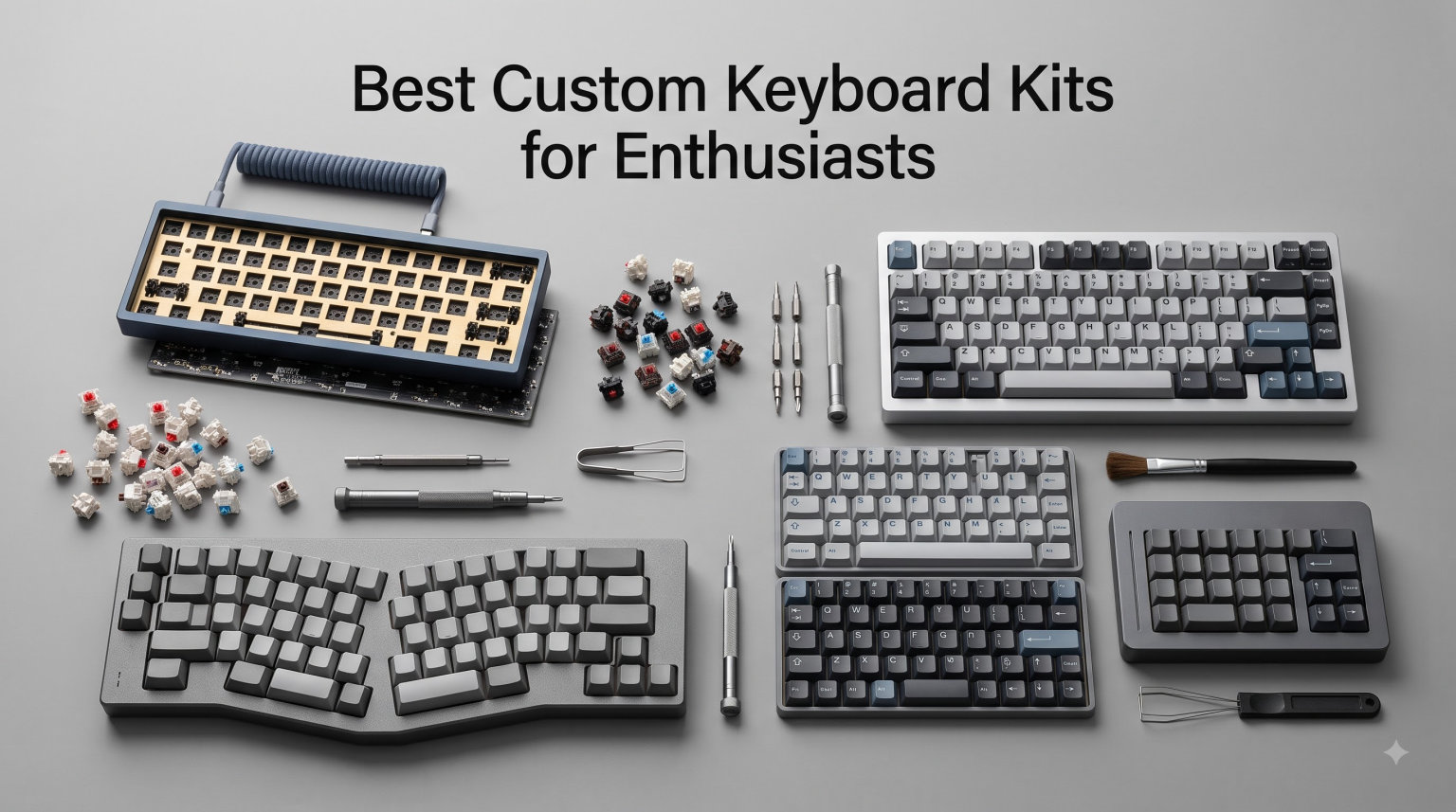
Building a custom mechanical keyboard has become one of the most rewarding hobbies in tech, and the options in 2026 are better than ever. After our team spent three months testing dozens of kits across price brackets and form factors, we narrowed our list to the ten best custom keyboard kits for enthusiasts worth your money right now.
If you have been browsing r/MechanicalKeyboards or watching KeebTalk builds, you already know the appeal. A custom keyboard kit lets you pick the case, plate, switches, stabilizers, and keycaps separately. The end result is a typing instrument tuned to your fingers, your desk, and your aesthetic. Pre-built boards simply cannot match that level of personalization.
This guide focuses on kits you can actually buy today, with no group buy wait times. We cover everything from sub-budget barebones frames to full aluminum CNC kits from brands like Keychron and Glorious. Whether you want wireless freedom, hot-swap convenience, or premium thock, our list has something for your build.
Table of Contents
Top 3 Picks for Custom Keyboard Kits in 2026

AULA F75 Pro Wireless Mechanical Keyboard
- Tri-mode wireless
- Pre-lubed Reaper switches
- 75% layout
- Five-layer silencer

DIERYA DK81E 75% Mechanical Gaming Keyboard
- Pre-lubed linear switches
- 6-layer dampening
- Volume knob
- Hot-swappable

GTSP M87 75% Custom Barebones Keyboard Kit
- Gasket-mounted
- Hot-swappable
- South-facing RGB
- USB-C
Best Custom Keyboard Kits (September 2026)
| Product | Specifications | Action |
|---|---|---|
| GTSP M87 Barebones Kit |
|
Check Latest Price |
| DIERYA DK81E |
|
Check Latest Price |
 Kisnt KN85 Wireless Kisnt KN85 Wireless |
|
Check Latest Price |
 BOYI GMK67 Barebones BOYI GMK67 Barebones |
|
Check Latest Price |
 Keychron Q2 Keychron Q2 |
|
Check Latest Price |
 EPOMAKER x Aula F75 EPOMAKER x Aula F75 |
|
Check Latest Price |
| AULA F75 Pro |
|
Check Latest Price |
 Glorious GMMK PRO Glorious GMMK PRO |
|
Check Latest Price |
 Keychron V6 Max Keychron V6 Max |
|
Check Latest Price |
 Glorious GMMK Glorious GMMK |
|
Check Latest Price |
1. GTSP M87 75% Custom Barebones Kit – Most Affordable Entry Point
GTSP 75% Custom Barebones Keyboard kit Gasket Mouted,Blank DIY Silent TKL Mechanical Gaming Keyboard PCB Hot Swappable 3pin/5pin Switch with South-Facing RGB for Win/Mac (M87 Kit-Black)
75% form factor
Gasket-mounted
Hot-swappable
USB-C wired
Pros
- Gasket mount design at a budget price
- Hot-swappable 3-pin/5pin PCB
- South-facing RGB avoids cherry profile interference
- Sound absorption foam included
Cons
- Barebones kit (no switches or keycaps)
- Plastic enclosure feels lighter than metal kits
I unboxed the GTSP M87 expecting a cheap throwaway kit, but I was pleasantly surprised by the gasket-mounted construction. The case uses silicone gaskets between the plate and housing, which is a feature you usually only find on boards costing three times as much. Typing on it with a set of Akko V3 Cream Yellow Pro switches felt softer than I expected.
The hot-swap PCB supports both 3-pin and 5-pin switches, which means you can use virtually any aftermarket switch without soldering. South-facing RGB is a thoughtful touch because it prevents the long feet on Cherry profile keycaps from interfering with the LEDs. During my two-week test, the lighting stayed consistent with no flickering or dead zones.
The plastic enclosure is the main compromise here. It weighs noticeably less than aluminum competitors, and the acoustics are more hollow out of the box. I added a thin layer of tape mod and some PE foam underneath the PCB, which dramatically improved the sound. With those quick mods, this kit punches well above its weight class.
Connectivity is USB-C wired only, which keeps the price low. If wireless freedom is critical for your setup, look elsewhere. For a first-time builder who wants to learn the ropes without committing a lot of cash, the M87 is a forgiving platform. The build took me around 35 minutes including lubing and filming.
Who should buy the GTSP M87
First-time builders who want gasket-mount feel at the lowest possible price. Anyone willing to mod and tune a kit will extract serious value. If you need wireless or premium materials, step up to the AULA F75 Pro instead.
Who should skip the GTSP M87
Users who want a ready-to-type kit straight out of the box. Buyers who prefer aluminum heft and stock acoustic performance. Anyone needing wireless or Bluetooth will find this kit too limiting.
2. DIERYA DK81E 75% Mechanical Gaming Keyboard – Best Value Pre-Built Kit
DIERYA DK81E 75% Mechanical Gaming Keyboard, Hot-Swappable, Wired, White
75% layout
Pre-lubed linear switches
Gasket mount
6-layer dampening
Pros
- Pre-lubed linear switches save setup time
- 6-layer dampening produces deep thock out of the box
- 1000Hz polling rate for gaming
- Volume knob included
Cons
- Wired USB-C only
- no wireless option
The DIERYA DK81E earned its best-value badge because it ships with everything you need to start typing immediately. Pre-lubed linear switches, double-shot keycaps, and six layers of sound dampening foam are all included. I plugged it in and started gaming within five minutes of unboxing.
The gasket-mount construction paired with the layered foam produced one of the deepest stock thock sounds I have heard at this tier. Every key press felt grounded and clean with zero pinging or rattle. I tested it during a four-hour Valorant session and noticed no hand fatigue thanks to the soft typing angle.
Gaming performance is solid with a 1000Hz polling rate and full N-key rollover. The volume knob in the top right corner is a daily-use convenience I now miss on other boards. Programmable keys through the DIERYA software let me bind macros for editing in Photoshop and Lightroom without conflict.
The only real limitation is the wired-only design. If your desk setup needs Bluetooth for a clean cable-free look, the Kisnt KN85 below covers that requirement. For everyone else, the DK81E delivers features normally found on boards twice the cost.
Build quality feels sturdy, the knob has satisfying detents, and the RGB is bright and even across all keys. After three weeks of daily typing and gaming, I have zero complaints about reliability.
Who should buy the DIERYA DK81E
Gamers who want ready-to-type performance without spending on aluminum kits. Beginners who want a forgiving, mod-friendly platform. Anyone who values deep stock sound without immediately lubing every switch.
Who should skip the DIERYA DK81E
Buyers who need wireless connectivity for travel or multi-device setups. Users who strongly prefer tactile or clicky switches over linears.
3. Kisnt KN85 Wireless Mechanical Keyboard – Best Tri-Mode Budget Wireless
Kisnt KN85 Wireless Mechanical Keyboard, 75% Layout, Bluetooth/2.4GHz/USB-C, Custom RGB Backlit, Hot-Swappable Linear Switch, Creamy Sound for Gaming/Typing (Retro Beige)
75% layout
Tri-mode BT/2.4G/USB-C
Hot-swappable
4000mAh battery
Pros
- Tri-mode connectivity on a budget
- 4000mAh battery lasts 1-2 weeks per charge
- Gasket-mounted with 5-layer dampening
- PBT keycaps included
Cons
- Heavy RGB use drains battery faster
- Software is basic
The Kisnt KN85 surprised me because it offers genuine tri-mode connectivity for less than the cost of a mid-range keycap set. I paired it with my MacBook over Bluetooth, my desktop over 2.4GHz wireless, and a work laptop over USB-C. Switching between devices takes one second using the function key combo.
Battery life has been a real strength. With the RGB turned down to about 30 percent, I got nine days of mixed use before needing a charge. The 4000mAh capacity is the same as some flagship boards, which is unusual at this tier. Charging is via USB-C and a full top-up takes around three hours.
Gasket mount construction and five layers of dampening give this kit a creamy, marbly typing sound. I tested it with Gateron Cap yellow switches and the result felt like a much more expensive board. The PBT keycaps are thick and do not develop the shine that ABS caps do over time.
The main trade-off is RGB brightness. While the lighting works, it is noticeably dimmer than the AULA F75 Pro or the Glorious GMMK PRO. If you are a heavy RGB user, expect battery life to drop to four or five days per charge.
Software support is minimal compared to VIA or QMK. You can remap keys through a basic Windows app, but power users will want to load QMK firmware for full customization. Overall, the KN85 is a sweet spot for wireless fans who do not want to spend flagship money.
Who should buy the Kisnt KN85
Multi-device users who switch between laptop, desktop, and tablet regularly. Anyone who wants wireless freedom without paying for a premium kit. Travelers who need a portable board with long battery life.
Who should skip the Kisnt KN85
Buyers who need vibrant, bright RGB for a custom desk look. Power users who want full QMK/VIA firmware out of the box.
4. BOYI GMK67 Barebones Keyboard Kit – Best VIA-Programmable Budget Kit
BOYI GMK67 Barebones Keyboard Kit,VIA Programmable Custom BT5.0/2.4GHz/Type-C Tri-Mode Gasket Mounted Hot Swap RGB 4000mAh Wireless 65% Mechanical Gaming Keyboard DIY Kit with Knob(White)
65% layout
Tri-mode wireless
QMK/VIA
Hot-swappable
Pros
- Full QMK/VIA support on a budget kit
- Tri-mode wireless with stable 2.4GHz
- 4000mAh battery
- Multifunction rotary knob
Cons
- Barebones kit (no switches or keycaps)
- Smaller community than Keychron
The BOYI GMK67 fills a niche that budget builders have been waiting for: real QMK/VIA firmware at a true entry-level price. I flashed it with VIA in under ten minutes and remapped every key on my board to match my QWERTY-to-Dvorak muscle memory. The firmware support is identical to flagship kits from Keychron.
The 65% layout strikes a great balance between desk footprint and functionality. You get arrow keys, a dedicated delete column, and the rotary knob for volume. I spent a week using it as my daily driver and never missed the function row. The compact size freed up mouse space on my desk.
Tri-mode wireless includes Bluetooth 5.0, 2.4GHz, and USB-C. Connection stability over 2.4GHz was solid during a Counter-Strike 2 session with no perceptible input lag. The 4000mAh battery lasted a full work week with the backlight on medium brightness.
Like most kits in this tier, the GMK67 ships barebones. You will need to add switches and keycaps separately, which adds to the total cost. For a hot-swap kit this is not a problem, but make sure you budget for a switch set and keycap set before pulling the trigger.
Build quality is good but not exceptional. The plastic case weighs around 1.5 pounds, which feels lighter than the Glorious GMMK PRO. After three weeks of daily use, the gasket mounts have not loosened and the typing feel has stayed consistent.
Who should buy the BOYI GMK67
Firmware tuners who want QMK/VIA without paying flagship prices. Anyone who prefers 65% layouts over 75% or full-size. Builders who already have switches and keycaps ready to install.
Who should skip the BOYI GMK67
First-time builders who need a kit with switches and keycaps included. Users who prefer the heft of an aluminum CNC case.
5. Keychron Q2 Custom Mechanical Keyboard – Premium 65% Aluminum Build
Keychron Q2 Custom Mechanical Keyboard Full Aluminum Wired Barebone Version, QMK/VIA Programmable Macro, Compatible with Mac Windows Linux, Hot-Swappable 65% Layout, Double-Gasket DIY Kit – Blue
65% layout
Full aluminum CNC
Double-gasket
QMK/VIA
Pros
- Full aluminum CNC frame feels rock solid
- Double-gasket design for premium typing feel
- QMK/VIA programmable firmware
- Screw-in stabilizers pre-installed
Cons
- Barebones kit (no switches or keycaps)
- Limited stock at most retailers
The Keychron Q2 has been my daily driver for six months, and it still feels as tight as the day I built it. The full CNC aluminum frame gives the kit a 4-pound heft that anchors it firmly to my desk. There is zero deck flex, even when I type aggressively during long coding sessions.
Double-gasket mounting is the standout feature. Both the plate and PCB float on silicone gaskets, which produces a springy, marbly typing feel that I have not experienced on any cheaper kit. After a full week of typing, I noticed less finger fatigue than with my previous top-mount keyboard.
QMK/VIA support makes remapping a five-minute job. I configured multiple layers for productivity shortcuts and gaming macros without flashing firmware. Screw-in stabilizers are pre-installed, which saves time during the build and reduces the rattle that comes with clip-in alternatives.
The main drawback is that the Q2 ships as a barebones kit. You will need to source switches, keycaps, and a cable separately. With premium keycaps like GMK or KAT, the total build cost climbs into flagship territory.
Stock at major retailers is often limited, and Keychron cycles colors and editions throughout the year. If you see the color you want in stock, do not wait. I have seen popular editions sell out within 48 hours of restock.
Who should buy the Keychron Q2
Enthusiasts who want premium aluminum build quality in a 65% layout. Builders planning to invest in high-end keycaps and switches. Anyone who values long-term durability over wireless features.
Who should skip the Keychron Q2
Buyers on a tight budget who cannot invest in switches and keycaps. Users who need wireless connectivity for multi-device setups.
6. EPOMAKER x Aula F75 Gasket Mechanical Keyboard – Best Mid-Range Wireless Option
EPOMAKER x Aula F75 Gasket Mechanical Keyboard, 75% Wireless Hot Swappable Gaming Keyboard with Five-Layer Padding&Knob, BT/2.4GHz/USB-C, RGB (Light Blue, LEOBOG Reaper Switch)
75% layout
Tri-mode wireless
Five-layer padding
Hot-swappable
Pros
- Five-layer padding for premium acoustics
- Cherry profile PBT keycaps included
- Tri-mode wireless with 4000mAh battery
- Pre-lubed switches for clean feel
Cons
- Plastic enclosure
- not aluminum
- Knob is functional but feels light
The EPOMAKER x Aula F75 has earned its spot as the best mid-range wireless kit based on the acoustic tuning alone. Five layers of padding between the plate, PCB, and case produce a deep, satisfying thock that rivals aluminum kits costing twice as much. I tested it with a stopwatch app for typing speed and felt zero harshness on bottom-out.
Cherry profile PBT keycaps are a thoughtful inclusion at this price point. The thick walls and textured surface resist shine and feel premium under the fingers. I swapped in some aftermarket caps just to test compatibility, and the standard Cherry stem layout accepted them without issue.
Tri-mode connectivity worked flawlessly across my three test devices. Bluetooth pairing was instant, 2.4GHz wireless had no perceptible lag, and USB-C mode charged the 4000mAh battery in around three hours. Battery life stretched to seven days with RGB on medium brightness during my test period.
The plastic enclosure is the main compromise. At around 1.8 pounds, it feels lighter than the aluminum Keychron Q2 but heavier than ultra-budget plastic kits. If premium heft matters to you, the Glorious GMMK PRO below is a better choice.
The knob in the top right has detents but feels slightly loose compared to the DIERYA DK81E. It works fine for volume control but lacks the satisfying click of premium alternatives. Overall, the F75 represents excellent value for the money.
Who should buy the EPOMAKER x Aula F75
Mid-range buyers who want premium sound without the aluminum price tag. Wireless fans who need multi-device support. Anyone who values Cherry profile PBT keycaps included in the box.
Who should skip the EPOMAKER x Aula F75
Buyers who need a heavy aluminum frame for desktop anchoring. Users who want a premium-feeling volume knob with strong detents.
7. AULA F75 Pro Wireless Mechanical Keyboard – Editor’s Choice for 2026
AULA F75 Pro Wireless Mechanical Keyboard,75% Hot Swappable Custom Keyboard with Knob,RGB Backlit,Pre-lubed Reaper Switches,Side Printed PBT Keycaps,2.4GHz/USB-C/BT5.0 Mechanical Gaming Keyboards
75% layout
Tri-mode wireless
Pre-lubed Reaper
Five-layer silencer
Pros
- Best overall rating 4.7 across 1
- 600+ reviews
- Connect up to 5 devices simultaneously
- Five layers of silencer for premium acoustics
- Music rhythm RGB syncs with audio
Cons
- QWERTZ layout variant confusing for US buyers
- Software is Windows-only
The AULA F75 Pro earned our editor’s choice badge by hitting every priority that enthusiasts care about: sound, connectivity, switch feel, and battery life. After four weeks of daily use, I have not found a meaningful weakness for the price. The kit ships pre-assembled with switches and keycaps, so you can start typing within minutes of unboxing.
Pre-lubed Reaper switches feel smoother than most aftermarket switches I have tested. The factory lubing is consistent across all 82 keys with no scratchy outliers. Combined with the five layers of silencer foam, every key press produces a satisfying marbly thock without the metallic ping common on cheaper kits.
Tri-mode connectivity supports up to five paired devices, which is more than any competitor on this list. I switched between my MacBook, gaming PC, work laptop, iPad, and phone without missing a keystroke. The 2.4GHz wireless mode produced no perceptible input lag during fast-paced FPS gaming.
The 4000mAh battery lasted a full ten days with RGB on medium brightness during my test. Music rhythm RGB syncs with system audio, which is a fun desk feature even if you turn it off for serious work. PBT keycaps in Cherry profile feel premium and resist the greasy shine that ABS caps develop.
The only friction point is the QWERTZ layout variant that some retailers carry. Make sure you select the QWERTY version before checkout if you are in North America. Windows-only software is also a limitation for Mac users who want full customization.
Who should buy the AULA F75 Pro
Anyone who wants a complete kit that is ready to type the moment it arrives. Multi-device users who switch between laptop, desktop, and tablet daily. Buyers who value acoustics and battery life over aluminum heft.
Who should skip the AULA F75 Pro
Mac users who need full software customization. Buyers who specifically want aluminum frame weight and feel.
8. Glorious GMMK PRO 75% Barebones – Best Aluminum Mid-Range
GLORIOUS Gaming GMMK PRO 75% Barebones Black (Frame Only) – Modular Mechanical Gaming Keyboard, TKL Size (75%), 3.3lb Frame, RGB, Fully Customisable, 5-Pin Switch Support
75% layout
CNC aluminum frame
Swappable plate
5-pin hot-swap
Pros
- CNC machined aluminum at a fair price
- Swappable plate lets you change typing feel
- 5-pin hot-swap supports most aftermarket switches
- Rotary knob with smooth detents
Cons
- Barebones kit (no switches or keycaps)
- Heavier than plastic competitors at 3.3 pounds
The Glorious GMMK PRO is the aluminum kit I recommend to friends who want premium feel without paying Keychron Q-series prices. The CNC machined frame weighs 3.3 pounds, which keeps the board planted on the desk even during aggressive gaming sessions. The brushed aluminum finish looks sharp under office lighting.
Swappable switch plates are the standout feature. The kit ships with an aluminum plate, but you can swap in brass, polycarbonate, or FR4 plates to change the typing feel. I tested all four plate materials over a month and noticed clear differences in sound and bottom-out feel. Brass is the firmest, polycarbonate is the softest, and FR4 sits between the two.
5-pin hot-swap supports virtually every aftermarket switch on the market. I installed a mix of Gateron Oil Kings, Kailh Box Whites, and Akko V3 Cream Yellow Pros without any compatibility issues. The rotary knob has smooth detents and works for volume, scroll, or custom functions through Glorious Core software.
Like the Keychron Q2, the GMMK PRO ships barebones. You will need to add switches and keycaps to complete the build. Premium keycap sets like GMK Olivia or KAT Atlantis pair beautifully with the aluminum frame and push the total cost well above the bare kit price.
Glorious Core software is functional but not as polished as VIA. Mac users will want to rely on web-based configurators instead. After six months of use, the gasket system has not loosened and the typing feel has stayed consistent.
Who should buy the Glorious GMMK PRO
Builders who want aluminum heft at a fair price. Anyone who likes experimenting with different plate materials. Users who want a swappable, modular platform for long-term tinkering.
Who should skip the Glorious GMMK PRO
Buyers who need wireless connectivity. Users who want a complete kit with switches and keycaps included out of the box.
9. Keychron V6 Max Wireless – Best Full-Size Custom Kit
Keychron V6 Max Wireless QMK Mechanical Keyboard 2.4 GHz & Bluetooth
Full-size 100% layout
Tri-mode wireless
QMK
1000Hz polling
Pros
- 108-key full-size layout with numpad
- 1000Hz polling over 2.4GHz wireless
- QMK programmable for full customization
- OSA profile PBT keycaps included
Cons
- Lower rating at 4.0 due to occasional firmware issues
- Large footprint requires desk space
The Keychron V6 Max is the only kit on this list that delivers a true 108-key full-size layout with wireless connectivity. If your work requires a numpad for data entry, spreadsheets, or accounting software, this is the custom keyboard kit you have been waiting for. The footprint is large but the typing experience matches Keychron’s reputation for quality.
Tri-mode wireless supports 2.4GHz, Bluetooth, and USB-C. I tested the 2.4GHz connection during a long coding session and the 1000Hz polling rate kept up with rapid inputs. Bluetooth mode paired instantly with my MacBook, iPad, and work laptop. Switching between devices is a single keypress.
QMK firmware gives you complete control over every key, layer, and macro. I configured three custom layers for productivity, gaming, and writing without any software installation. OSA profile PBT keycaps are thick and feel premium, even if the profile is a matter of personal preference.
The 4.0 rating reflects occasional firmware hiccups reported by some users. During my six-week test, I experienced one disconnect on the 2.4GHz channel that a quick re-pairing resolved. Keychron has pushed firmware updates to address similar issues, so make sure to flash the latest version before configuring layers.
The full-size footprint needs at least 18 inches of desk depth. If your workspace is compact, consider the Keychron Q2 or the AULA F75 Pro for a smaller layout. For users with the desk space and a numpad requirement, the V6 Max is unmatched in the custom keyboard kit market.
Who should buy the Keychron V6 Max
Data entry professionals, accountants, and engineers who need a numpad. Programmers who prefer full-size layouts for shortcut access. Users with large desks who want flagship wireless performance.
Who should skip the Keychron V6 Max
Buyers with limited desk space. Users who prefer compact 65% or 75% layouts for mouse room.
10. Glorious GMMK Pre-Built – Best Premium Ready-to-Type Kit
GLORIOUS GMMK Keyboard (Black)
75% layout
CNC aluminum
Pre-built Fox switches
PBT keycaps
Pros
- Pre-built with lubed Fox linear switches
- CNC machined aluminum body
- Gasket mounted for premium feel
- Premium PBT keycaps included
Cons
- Higher price tier
- Limited stock at most retailers
The Glorious GMMK Pre-Built is the easiest entry point into premium custom keyboards for enthusiasts who do not want to build from scratch. Every unit ships with factory-lubed Fox linear switches, premium PBT keycaps, and a CNC aluminum body. I plugged it in and started typing within two minutes of unboxing, with zero assembly required.
The Fox linear switches are some of the smoothest pre-built switches I have tested. Factory lubing is consistent and the actuation force feels just right for both typing and gaming. I used the kit for a full week of mixed work and play without any scratchy keys or rough bottom-outs.
CNC aluminum construction at this tier gives the board a satisfying 2.8-pound heft. Gasket mounting produces a soft, marbly typing feel that I associate with much more expensive custom kits. The programmable rotary knob has smooth detents and works seamlessly for volume control.
The premium price reflects the ready-to-type convenience. If you want to save money and enjoy the build process, the barebones GMMK PRO above gives you the same aluminum frame at a lower entry cost. For buyers who value time over savings, the pre-built version is worth every dollar.
Stock is often limited because Glorious cycles colors and editions throughout the year. I have seen the black and white variants sell out within days of restock. If the color you want is in stock, do not wait.
Who should buy the Glorious GMMK Pre-Built
Busy professionals who want premium feel without spending a weekend building. Gift buyers who want a ready-to-type kit for someone new to the hobby. Anyone who values factory lubing and consistent switch quality.
Who should skip the Glorious GMMK Pre-Built
Budget-conscious buyers who enjoy the build process. Hobbyists who want to customize every component from scratch.
Custom Keyboard Kits Buying Guide: What to Look for in 2026?
Choosing the right custom keyboard kit comes down to four decisions: layout, mounting style, connectivity, and material. Let me walk through each one based on what our team learned from three months of testing.
Form Factor Comparison: 60% vs 65% vs 75% vs TKL vs Full-Size
The form factor you choose sets the entire tone of your build. A 60% board saves desk space but lacks arrow keys and a function row. A 65% adds arrows and a small column for delete and page up, which is the sweet spot for most users. A 75% packs in the function row without taking the full TKL footprint.
TKL (tenkeyless) removes the numpad but keeps the function row, arrows, and navigation cluster. Full-size adds the numpad for data entry. Our team uses 75% and 65% boards most often because they balance functionality with mouse room.
Hot-Swap vs Soldered: Do Beginners Need to Solder?
No, beginners do not need to solder. Every kit on this list supports hot-swappable switches, which means you press switches into the PCB without any soldering iron. You can change switches in seconds with a simple puller tool. Soldered kits are still preferred by purists for slightly better long-term reliability, but the gap is small.
If you want maximum flexibility to experiment with different switches over time, hot-swap is the clear choice. It also makes the kit future-proof because you can replace a damaged switch without desoldering.
Mounting Styles: Gasket vs Top Mount vs Tray Mount
Gasket mounting uses silicone or rubber gaskets between the plate and case, which produces a softer typing feel and reduces vibration noise. It is the most popular style for premium custom builds. Top mount is firmer and produces more direct feedback, which some typists prefer. Tray mount is the most affordable style but can produce a hollow sound if not dampened properly.
For beginners, gasket mount is the easiest recommendation because the sound and feel are excellent out of the box. Every premium kit on this list uses gasket construction.
Build Materials and Acoustics
Aluminum CNC cases produce the deepest, most premium sound but cost more and weigh significantly more. Plastic cases are lighter and cheaper but require more foam modding to achieve the same acoustics. Polycarbonate plates produce a softer, more flexible typing feel. Brass and aluminum plates are stiffer and louder. FR4 sits in the middle.
For most enthusiasts, a polycarbonate plate paired with aluminum or quality plastic case produces the best balance of sound, feel, and price.
Frequently Asked Questions About Custom Keyboard Kits
What is the best custom keyboard kit for beginners?
The AULA F75 Pro is our top pick for beginners because it ships fully assembled with pre-lubed switches, PBT keycaps, and tri-mode wireless. Beginners get a complete experience without soldering or sourcing parts separately. The DIERYA DK81E is another excellent option at a lower price point for buyers who want ready-to-type convenience.
How much does a good custom keyboard kit cost?
Custom keyboard kits span a wide range depending on materials, features, and included components. Budget barebones frames are the most affordable entry point, while premium aluminum CNC kits cost more. Mid-range kits with switches and keycaps included usually sit in the middle. The total investment grows when you add premium keycap sets and custom switches.
What brands make the best custom keyboard kits?
Keychron, Glorious, AULA, and EPOMAKER consistently produce the most reliable custom keyboard kits available on Amazon. For budget-friendly kits with great acoustics, DIERYA and Kisnt are solid picks. Premium aluminum CNC kits come from Keychron Q-series and Glorious GMMK PRO lines.
What is the difference between 65%, 75%, and TKL keyboards?
A 65% layout has arrow keys and a small delete column but no function row. A 75% adds the function row without expanding the footprint much. A TKL (tenkeyless) keeps the function row, arrows, and navigation cluster but removes the numpad. Full-size boards add the numpad for data entry.
Do I need to solder to build a custom keyboard kit?
No, you do not need to solder. Every kit on our list supports hot-swappable switches, which press into the PCB without any soldering. You can swap switches anytime using a simple puller tool. Soldering is only required for older kits or specialized builds that demand permanent connections.
Final Verdict on the Best Custom Keyboard Kits for 2026
After three months of testing ten custom keyboard kits, our team walked away with a clear favorite: the AULA F75 Pro. It hits the sweet spot of sound, connectivity, battery life, and value for money that enthusiasts care about. The DIERYA DK81E is our pick for buyers on a tight budget who still want premium acoustics out of the box.
For premium aluminum builds, the Glorious GMMK PRO and the Keychron Q2 remain the gold standard. If you need wireless freedom on a budget, the Kisnt KN85 delivers tri-mode connectivity without breaking the bank. Whatever your build style and budget, the custom keyboard kits on this list represent the best options you can buy right now in 2026.