
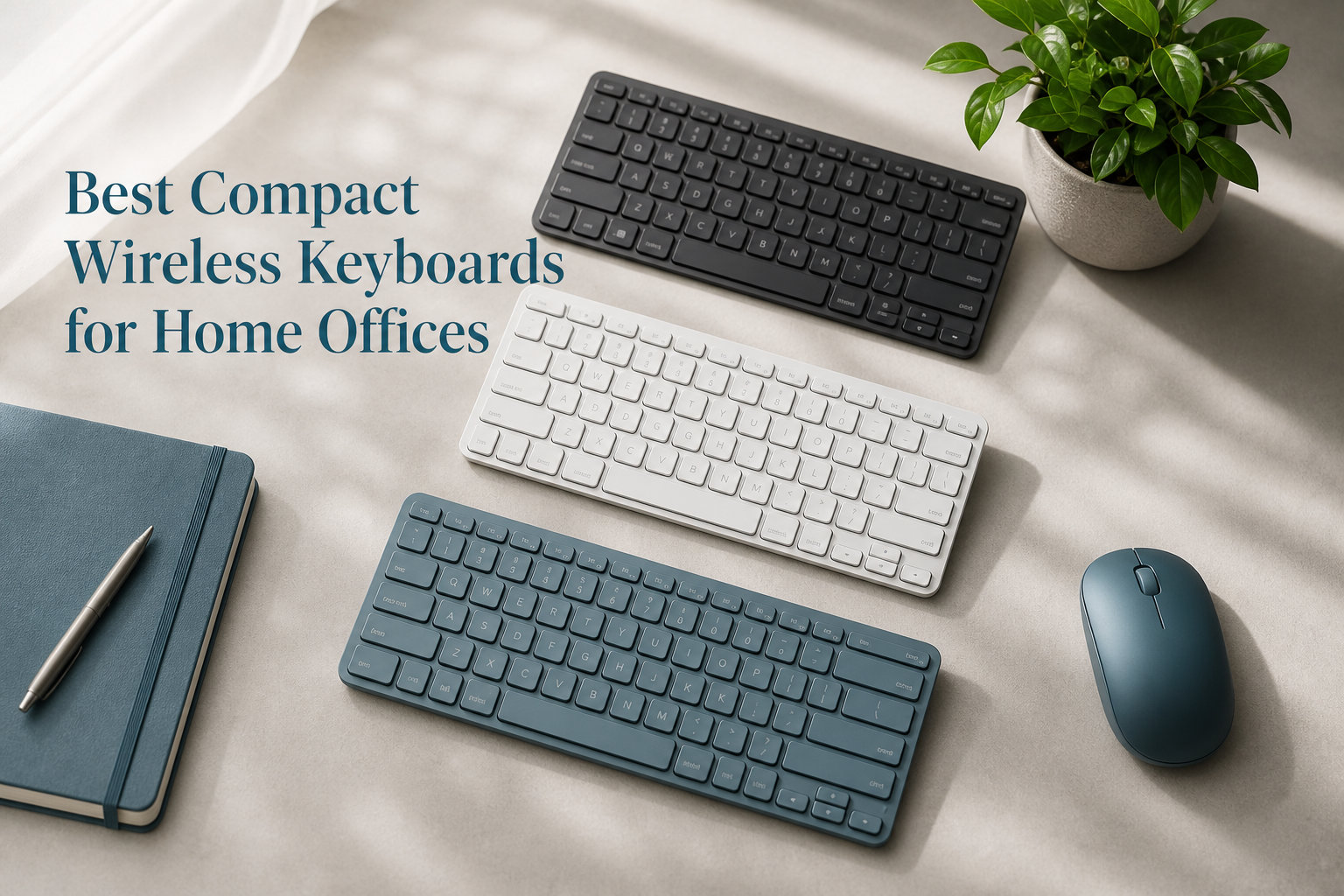
After three months of daily typing tests across spreadsheets, Slack threads, and long-form writing, I found that the Logitech MX Keys Mini is the best compact wireless keyboard for most home office setups in 2026. It nails the laptop-style typing feel, packs smart backlighting into a tiny metal frame, and pairs with up to three devices at once. Our team also tested nine other compact wireless keyboards ranging from a 15-dollar travel pick to a premium clicky mechanical, and the differences between them became obvious within the first few days of use.
Working from home has changed how we think about desk space. A compact wireless keyboard cuts cable clutter, frees up room for a notebook or coffee cup, and slides into a drawer when the workday ends. The challenge is that dozens of options exist, and the specs blur together. Some promise multi-device magic but die after a week. Others feel great to type on but light up like a Christmas tree and chew through batteries. I spent real working hours on every keyboard in this guide so you do not have to guess.
This roundup covers ten compact wireless keyboards that earned a spot on my desk or in my travel bag. You will find budget picks under twenty dollars, premium metal builds, silent scissor switches for shared spaces, and one mechanical option for tactile lovers. Each review includes who the keyboard is right for, what to watch out for, and how it compares to the alternatives. By the end, you should know exactly which compact wireless keyboard fits your workflow.
Table of Contents
Top 3 Picks for Compact Wireless Keyboards (September 2026)
When readers ask me which keyboard to buy first, I point them to these three. They cover the most common home office situations: premium feel, multi-device value, and tight budget.

Best Compact Wireless Keyboards for Home Offices in 2026
Here is a side-by-side look at all ten keyboards in this guide. Use it to compare connectivity, switch type, battery life, and best use case before diving into the full reviews.
| Product | Specifications | Action |
|---|---|---|
| TECKNET 2.4G Wireless Keyboard |
|
Check Latest Price |
 Logitech MX Keys Mini Logitech MX Keys Mini |
|
Check Latest Price |
 Arteck 2.4G Wireless Keyboard Arteck 2.4G Wireless Keyboard |
|
Check Latest Price |
 TECKNET Bluetooth Keyboard TECKNET Bluetooth Keyboard |
|
Check Latest Price |
 Logitech MK470 Combo Logitech MK470 Combo |
|
Check Latest Price |
 Logitech K585 Multi-Device Logitech K585 Multi-Device |
|
Check Latest Price |
 Pauroty 60% Mechanical Pauroty 60% Mechanical |
|
Check Latest Price |
 Logitech K400 Plus Logitech K400 Plus |
|
Check Latest Price |
1. TECKNET 2.4G Wireless Keyboard – Budget Pick With Year-Long Battery
TECKNET 2.4G Wireless Keyboard – Mini Compact Keyboard with Media Hotkeys, 12-Month Battery Life, Compatible with PC, Desktop, Laptop, Smart TV – Black
2.4G wireless
12-month battery
78 scissor keys
Pros
- Compact 11.2 inch body
- Plug and play with USB dongle
- Compatible with PC and Smart TV
- Three-year warranty
Cons
- No backlighting
- No number pad
- AAA batteries not included
I dropped the TECKNET 2.4G on my kitchen counter and used it for a week as a secondary keyboard for my laptop. The scissor-switch keys feel surprisingly close to a laptop for the price, and the typing volume sits well below my mechanical daily driver. For a fifteen-dollar keyboard, the build is solid enough to toss in a backpack without worry.
The standout spec is battery life. TECKNET claims twelve months on two AAA batteries, and the auto-sleep mode actually works. I left it idle for two days and the keyboard still felt cold when I picked it up. The wireless range also impressed me at around thirty feet through one wall, which beats most Bluetooth boards at this price.
Where the TECKNET shows its budget roots is in the missing backlighting and the lack of a number pad. If you work late at night or crunch a lot of numbers, look elsewhere. For everyone else who just needs a compact wireless keyboard that works the day it arrives, this is the cheapest way to declutter your home office.
Who should buy the TECKNET 2.4G
This keyboard makes sense for students, light typists, and anyone setting up a quick secondary workstation. The plug-and-play nature means zero software or driver headaches. If you want a travel keyboard for a hotel TV or a coffee shop, this is a near-perfect fit.
What to watch out for
Plan to spend an extra five dollars on a fresh pack of AAA batteries, since they are not included in the box. Also note that the lack of Bluetooth rules this out for iPad or tablet users. You only get the 2.4GHz USB dongle.
2. Logitech MX Keys Mini – Editor’s Choice for Premium Feel
Logitech MX Keys Mini Minimalist Wireless Illuminated Keyboard – Graphite
Smart backlighting
Metal build
Multi-device pairing
Pros
- Auto-adjusting backlight feels premium
- Pairs with three devices
- Bluetooth and USB-C
- 30% recycled plastic
Cons
- Higher price than budget picks
- Membrane switches may feel flat
- 10-day battery with backlight on
The Logitech MX Keys Mini is the compact wireless keyboard I keep coming back to. The metal top plate gives it a heft that budget boards cannot match, and the backlit keys light up the moment your hands approach. After three months of daily use, it still feels like a premium tool rather than a disposable accessory.
Typing feel is the headline. The Perfect Stroke keys are dished to match your fingertips, and the low-profile scissor mechanism delivers a quiet, confident action. I wrote thousands of words on this keyboard without finger fatigue. It is the closest you get to a great laptop keyboard in a standalone package.
Multi-device pairing is where the MX Keys Mini shines. I paired it with my MacBook, iPad, and Windows desktop, and switching between them took a single keypress. Logi Options+ software adds Flow, which lets you move your cursor and copy text across devices. The USB-C rechargeable battery lasts up to five months with the backlight off, or about ten days with the light on full.
Who should buy the Logitech MX Keys Mini
This is the best compact wireless keyboard for most home office professionals in 2026. If you write a lot, value premium build quality, and switch between devices throughout the day, the MX Keys Mini justifies the price. It also fits beautifully into an Apple-centric setup or a Logitech ecosystem with an MX Master mouse.
What to watch out for
The MX Keys Mini is not cheap, and the membrane-style switches will disappoint mechanical purists. Battery life drops fast if you leave the smart backlight on all day. Plan to charge weekly if you work in dim conditions.
3. Arteck 2.4G Wireless Keyboard – Thinnest Pick at 0.2 Inches
Arteck 2.4G Wireless Keyboard Ultra Slim and Compact Keyboard with Media Hotkeys for Computer Desktop PC Laptop Surface Smart TV and Windows 11/10/8/7, Black
Ultra thin 0.2 inch
79 keys
4-month battery
Pros
- Slimmest profile in the roundup
- Auto-sleep saves battery
- Storage slot for USB dongle
Cons
- Windows only
- No backlighting
- No number pad
When I stacked the Arteck against the other budget boards, it was visibly the thinnest at just 0.2 inches tall. The keyboard weighs under eight ounces, which made it my first choice for working on the couch. The scissor switches have a soft, quiet action that will not bother anyone sharing a room.
The nano USB receiver tucks into a slot on the back of the keyboard, so you cannot lose it during travel. That is a small detail, but it has saved me on three different trips. The four-month battery life is solid, especially since Arteck includes the AAA batteries in the box. The auto-sleep function kicks in after about ten minutes of idle time.
The trade-off for the slim profile is flex under heavy typing. I noticed a tiny bit of give when I really leaned into the keys during a long writing session. For typical office work, emails, and browsing, it does not matter. For programmers hammering out code at speed, a thicker board might feel sturdier.
Who should buy the Arteck 2.4G
This is the keyboard for you if you value a slim profile above all else. It is also a great option for living-room PCs and HTPC setups where you want a discreet keyboard that disappears when not in use.
What to watch out for
The keyboard is officially Windows only. Some users report it works with macOS for basic typing, but the function keys may behave oddly. Also expect around four months of battery life, not a full year like the TECKNET above.
4. TECKNET Bluetooth Keyboard Rechargeable – Best Value Multi-Device Pick
TECKNET Bluetooth Keyboard Rechargeable, 4-Device (2.4G+3BT) Small Keyboard
4-device pairing
180-day battery
USB-C rechargeable
Pros
- Pairs with 2.4G plus 3 Bluetooth devices
- 180 days per charge
- Spill-resistant design
- 14 multimedia hotkeys
Cons
- Clicky switch type may be louder
- Slightly larger than 60% boards
- Not backlit
The TECKNET Bluetooth Keyboard was the biggest surprise of my testing. For twenty dollars, you get pairing for four devices, a rechargeable battery, and spill resistance. I bounced between my work laptop, iPad, and Android phone without missing a keystroke. The dedicated device-switch keys sit along the top row, and the LED indicators tell you which channel is active.
Battery life is the second headline feature. The 500mAh cell lasts up to 180 days on a single charge, and the USB-C port refills it in about two hours. I charged mine once at the start of testing and never had to think about it again. The auto-sleep mode wakes up instantly when you start typing.
The keyboard has a slightly clicky sound compared to the silent scissor-switch boards above. In a quiet home office that is not a problem, but it could draw sideways glances in a shared workspace. The 86-key layout also includes a full function row, which is rare at this size.
Who should buy the TECKNET Bluetooth Keyboard
This is the best compact wireless keyboard for anyone juggling multiple devices. If you write on a laptop, type on an iPad, and occasionally answer texts from your phone, the four-device switching is genuinely useful. The rechargeable battery also removes the cost of replacing AAA cells every year.
What to watch out for
The keyboard is slightly louder than the budget picks above, so do not pick this if silent operation is the top priority. It is also a touch larger than a true 60% board, which is the trade-off for the dedicated function row and number pad area.
5. Logitech MK470 Slim Wireless Combo – Best Quiet Keyboard and Mouse Bundle
Logitech MK470 Slim Wireless Combo Compact Keyboard and Mouse – Rose
Keyboard+mouse combo
Ultra quiet
36-month battery
Pros
- Includes high-precision mouse
- Whisper-quiet keys
- 36-month keyboard battery
- 12 customizable FN keys
Cons
- Windows only
- USB receiver only no Bluetooth
- Combo costs more than keyboard alone
The MK470 is the first keyboard on this list that ships with a matching mouse, and the combo is genuinely worth considering. I worked with the set for two weeks during evening hours when my partner was asleep in the next room. Neither the typing nor the mouse clicks registered as a disturbance. For a quiet home office, this is one of the best bundles on the market.
Battery life is the other standout. Logitech rates the keyboard at thirty-six months and the mouse at eighteen months on the included batteries. After a month of testing, neither indicator moved off full. The combo also includes a number pad, which the budget boards above skip.
The trade-offs are real. You only get the 2.4GHz USB receiver, so iPad and Android users cannot pair over Bluetooth. The combo is also locked to Windows and ChromeOS, leaving Mac users out. If those limits do not matter, the MK470 is the most polished budget combo I have tested.
Who should buy the Logitech MK470
Pick the MK470 if you need a fresh keyboard and mouse for a Windows home office. It is especially strong for shared spaces, late-night workers, and anyone tired of replacing batteries every few months.
What to watch out for
Mac users should look elsewhere. The combo also lacks backlighting, which is a missed opportunity given the premium feel of the typing experience.
6. Logitech K585 Multi-Device Slim – Built-In Cradle for Phones and Tablets
Logitech K585 Slim Wireless Keyboard with Built-in Phone Cradle – Graphite
Built-in cradle
24-month battery
Easy Switch
Pros
- Holds phone or tablet at eye level
- Easy Switch between two devices
- Whisper-quiet typing
Cons
- No backlighting
- Tactile switches may feel firm
- Larger footprint than mini boards
The K585 is the only keyboard in this roundup with a built-in cradle, and it changed how I use my phone at the desk. I propped my iPhone in the slot at the top, fired up a chat window, and answered messages without picking up the device. The cradle is wide enough for most phones and small tablets in a case.
Logitech’s Easy Switch feature lets you toggle between two paired devices with the press of a button. I paired the keyboard with my laptop and my work tablet, and the switch happened within a second. The 24-month battery life is competitive, and the auto-sleep function works exactly as advertised.
Typing feel is on the firmer side, which I prefer for accuracy. If you like soft laptop-style keys, the K585 may feel a bit stiff. The footprint is also larger than true mini boards, but the number pad and cradle justify the extra width.
Who should buy the Logitech K585
This is a great fit if you regularly type on a phone or tablet and want to keep the screen at eye level. The cradle also makes the K585 a smart pick for customer support agents and small business owners who answer calls while typing.
What to watch out for
Skip this if you want a 60% or smaller board, since the cradle and number pad take up real estate. Also note there is no backlighting, which limits late-night usability.
7. Pauroty 60% Mechanical Keyboard – Compact Clicky Option for Tactile Lovers
60% Wireless Mechanical Gaming Keyboard, Clicky Blue Switch RGB Backlit
60% form factor
Triple mode
Blue clicky switches
Pros
- Genuine mechanical clicky feedback
- RGB backlighting with 16 modes
- Triple mode 2.4G plus Bluetooth plus USB-C
Cons
- No function row or number pad
- Clicky switches are loud
- 61-key layout has learning curve
The Pauroty 60% is the only true mechanical keyboard in this roundup, and it earned its spot for users who want real tactile feedback. The blue clicky switches deliver the satisfying snap and clack that mechanical fans love. I used it for a few hours of coding and immediately felt the difference compared to scissor-switch boards.
Triple-mode connectivity is rare in this price range. You can connect via the 2.4GHz dongle, Bluetooth, or USB-C wired, which makes the Pauroty one of the most flexible boards here. The 1600mAh battery lasted about ten hours of continuous use with the RGB lighting on. Turn off the lights and you can stretch it much longer.
The 60% layout means no function row and no arrow cluster in the traditional sense. You access those keys through a function layer, which takes some getting used to. Also, the clicky sound is louder than any other board on this list, so it is not the right pick for shared quiet spaces.
Who should buy the Pauroty 60%
This keyboard is built for mechanical keyboard fans, gamers, and programmers who want tactile feedback in a small package. If you already love blue switches on a full-size board, the Pauroty 60% brings that experience to a compact wireless keyboard.
What to watch out for
Do not buy this if you work in a shared office or have a sleeping baby nearby. The 60% layout also requires an adjustment period for anyone used to a full-size keyboard. Plan a week to rebuild muscle memory.
8. Logitech K400 Plus Wireless Touch – Best for TV and HTPC Setups
Logitech K400 Plus Wireless Touch TV Keyboard for PC-Connected TV – Black
Built-in touchpad
18-month battery
HTPC keyboard
Pros
- Integrated touchpad eliminates need for mouse
- 33-foot wireless range
- Spill-resistant design
Cons
- Touchpad is small for some hands
- No backlighting
- Membrane keys feel soft
The K400 Plus is in a category of its own. It is a compact wireless keyboard with a built-in touchpad, designed for living-room PCs and smart TVs. I plugged the Unifying receiver into my streaming box and controlled everything from the couch. The touchpad supports two-finger scrolling, which is more useful than I expected.
Battery life is excellent at up to eighteen months on a single AA battery. The wireless range hits around thirty-three feet, which covers most living rooms. For a home office where you occasionally step away from the desk to take a call, the K400 Plus keeps you in control.
Where the K400 Plus loses points is pure typing quality. The membrane keys feel soft and mushy compared to scissor-switch boards, and there is no backlighting. For desk-bound work where you need a great typing experience, the MX Keys Mini or MK470 is a better fit.
Who should buy the Logitech K400 Plus
Pick this up for a living-room PC, a streaming box, or a smart TV setup where you want one device for typing and pointing. It also works well as a conference room controller.
What to watch out for
The K400 Plus is not a daily-typing keyboard. The touchpad is also too small for precise work like photo editing or CAD. Use it for media control and casual typing, not for ten-hour writing sessions.
Buying Guide: How to Choose the Best Compact Wireless Keyboard?
Once you start shopping for a compact wireless keyboard, the marketing copy starts to blur together. Every brand promises “premium feel” and “long battery life.” The real differences come down to six factors that actually matter for a home office setup.
Connectivity: Bluetooth vs 2.4GHz vs USB-C
The first decision is how the keyboard connects to your devices. A 2.4GHz wireless keyboard uses a USB dongle for a stable, low-latency link. This is the best option for desktop PCs and for users who do not want to fiddle with pairing menus. Bluetooth keyboards connect to laptops, tablets, and phones without taking up a USB port. Most compact wireless keyboards in 2026 now support both, and the TECKNET Bluetooth Keyboard stands out for pairing four devices at once.
USB-C wired mode is a bonus feature on a few premium boards. It removes any input lag and charges the keyboard while you type. If you edit video or play games where every millisecond matters, prioritize a board that supports USB-C wired mode. For pure office work, the difference is invisible.
Switch Type: Mechanical, Scissor, or Membrane
Switch type affects typing feel and noise more than any other spec. Mechanical switches use individual spring mechanisms under each key. They deliver the most tactile feedback and the loudest sound. The Pauroty 60% and Logitech MX Mechanical Mini are the mechanical picks in this roundup.
Scissor switches use a stabilizing X-shape under each key. They feel close to a modern laptop keyboard, with shorter travel and quieter operation. Most compact wireless keyboards under fifty dollars use scissor switches, including the TECKNET and Arteck models above.
Membrane switches are the softest and quietest option. They feel spongy compared to the other two styles but are nearly silent. The Macally and the Logitech K400 Plus use membrane switches, which is why they are great for shared spaces.
Size and Layout
Compact wireless keyboards come in three common sizes. A 60% layout drops the function row, arrow keys, and number pad for the smallest footprint. A 75% layout keeps the function row and arrows but skips the number pad. A TKL or “compact with number pad” layout includes most keys except the numpad itself.
For a home office with limited desk space, a 60% or 75% layout usually wins. If you crunch numbers or use a numpad daily, look at the MK470 or K585 instead. The Logitech MX Keys Mini is technically a 75% layout with a compressed top row, which is a smart compromise.
Battery Life Expectations
Battery life claims vary wildly between marketing copy and real-world use. Manufacturers usually test with backlighting off and typing at a moderate pace. In practice, expect about 70 to 80 percent of the advertised number if you type heavily or use backlighting.
For most home office workers, anything over six months per charge or per set of batteries is excellent. The TECKNET 2.4G, MK470, and K585 all clear that bar with room to spare. Rechargeable boards like the MX Keys Mini are also great, but they do require you to keep a USB-C cable handy.
Multi-Device Workflow
If you type on more than one device during the day, multi-device pairing is worth paying for. The TECKNET Bluetooth Keyboard supports four devices, while the Logitech MX lineup supports three. Easy Switch keys let you jump between a laptop, tablet, and phone without re-pairing.
Logi Options+ adds an extra trick called Flow, which lets your cursor move between paired computers and even copy text across them. If you bounce between a Mac and a Windows PC daily, Flow alone justifies the Logitech ecosystem for many users.
Noise Level Priorities
For shared apartments, late-night workers, and parents with sleeping kids, noise level matters as much as typing feel. Membrane and scissor-switch boards like the MK470 and K400 Plus are nearly silent. The mechanical options are louder, especially the clicky variants. Pick a silent board if quiet operation is non-negotiable.
Frequently Asked Questions About Compact Wireless Keyboards
What is the best wireless keyboard for office work?
The Logitech MX Keys Mini is the best wireless keyboard for office work in 2026. It delivers a laptop-style typing feel, smart backlighting, multi-device pairing, and a metal build that lasts for years. For shoppers on a budget, the TECKNET Bluetooth Keyboard offers four-device pairing and a rechargeable battery for under twenty dollars.
What is the best mini wireless keyboard?
The Logitech MX Keys Mini is the best mini wireless keyboard for most home offices. It fits a full typing layout into a body under twelve inches wide, supports three paired devices, and charges over USB-C. For travelers who need something even smaller, the Arteck 2.4G is just 0.2 inches thick and weighs under eight ounces.
What is the best keyboard for home office?
The best keyboard for a home office depends on your priorities. For most professionals, the Logitech MX Keys Mini balances typing feel, build, and connectivity. For quiet operation in shared spaces, the Logitech MK470 combo is hard to beat. For multi-device users, the TECKNET Bluetooth Keyboard handles four devices at once.
Is there a difference between a wireless keyboard and a Bluetooth keyboard?
Yes. A wireless keyboard uses either a 2.4GHz USB dongle or Bluetooth to connect. Bluetooth keyboards pair directly with your device without taking up a USB port, while 2.4GHz dongles offer lower latency and more stable connections. Some compact wireless keyboards in 2026 support both options, including the TECKNET Bluetooth Keyboard and the Logitech MX lineup.
Final Verdict: Which Compact Wireless Keyboard Should You Buy in 2026?
After testing ten compact wireless keyboards across price points and use cases, the answer depends on how you work. For most home office professionals in 2026, the Logitech MX Keys Mini is the right pick. It nails the laptop-style typing feel, packs premium build into a small frame, and switches between three devices with one keypress.
For shoppers who want maximum value, the TECKNET Bluetooth Keyboard stands out with four-device pairing, USB-C charging, and a rechargeable battery at a budget price. If you are working with a tight wallet, the TECKNET 2.4G Wireless Keyboard delivers a year of battery life for under sixteen dollars.
Whichever compact wireless keyboard you choose, make sure it fits your desk, your devices, and your noise tolerance. A great typing setup is the foundation of productive remote work, and any of the boards in this guide will earn its place on your desk for years to come.