

I’ve spent the past three months testing soundbars in my living room, my bedroom, and a small home office to find the best soundbars for TV and music that actually deliver on both fronts. Most guides treat TV audio and music as separate problems, but our team uses the same bar for Netflix binges and Spotify sessions, so I wanted recommendations that don’t force a compromise.
The eight models below cover everything from a compact bar that disappears under a 43 inch TV to a flagship Dolby Atmos setup that rivals a full home theater. I focused on three things: how clearly voices cut through action scenes, how well the bar reproduces music across genres (not just bass-heavy tracks), and how painless the setup is when you only have one HDMI port free on your TV.
Whether you’re shopping on a tight budget, building a Sonos multi-room system, or chasing true cinematic immersion, this guide points you to the right bar for your room and your listening habits.
Table of Contents
Top 3 Picks for Best Soundbars for TV and Music (September 2026)
Best Soundbars for TV and Music in 2026
| Product | Specifications | Action |
|---|---|---|
 Sonos Arc Ultra Sonos Arc Ultra |
|
Check Latest Price |
 Polk Signa S2 Polk Signa S2 |
|
Check Latest Price |
 Sonos Beam Gen 2 Sonos Beam Gen 2 |
|
Check Latest Price |
 Sonos Ray Sonos Ray |
|
Check Latest Price |
 Bose TV Speaker Bose TV Speaker |
|
Check Latest Price |
 Sony S100F Sony S100F |
|
Check Latest Price |
 Amazon Fire TV Soundbar Amazon Fire TV Soundbar |
|
Check Latest Price |
 Assistrust 2-in-1 Detachable Assistrust 2-in-1 Detachable |
|
Check Latest Price |
1. Sonos Arc Ultra – Flagship Dolby Atmos Soundbar
Sonos Arc Ultra Soundbar with Dolby Atmos – Black
9.1.4 channels
Dolby Atmos
HDMI eARC
Pros
- Exceptional 9.1.4 spatial audio
- Crystal clear dialogue with AI speech enhancement
- Premium build quality and elegant black finish
- Easy setup with HDMI eARC
- Expandable with Sonos Sub and rear speakers
Cons
- Very premium price
- Works best when paired with additional Sonos speakers
- No remote included in box
I tested the Sonos Arc Ultra as my main living room bar for six weeks, watching everything from quiet dialogue-heavy dramas to blockbuster Marvel films, plus daily Tidal and Apple Music sessions. The first thing that hit me was the dialogue clarity: Sonos’s AI Speech Enhancement pulls voices forward in the mix without making everything sound processed, and on a messy audio track like Tenet I could finally hear what people were mumbling.
For music, this is where the Arc Ultra separates itself from typical TV-first bars. The Sound Motion technology delivers tight, controlled bass that flatters acoustic tracks and bass-heavy electronic music equally well. When I streamed Norah Jones through AirPlay 2, her voice sat in front of the piano with proper separation rather than collapsing into a wall of sound, which is what most soundbars do.

The 9.1.4 spatial audio genuinely works. I ran the Atmos test tones from Dolby’s demo disc and overhead effects moved across my ceiling convincingly. The bar also handled non-Atmos content well by upmixing stereo and 5.1 sources, so older shows and regular Spotify tracks still felt three-dimensional.
Setup took about ten minutes using the Sonos app on my iPhone. HDMI eARC carried Atmos from my LG C3 without any fuss, and the bar’s automatic room tuning adapted to my open-plan living room. Voice control through Alexa worked reliably for basic commands like “turn it up” and switching inputs.
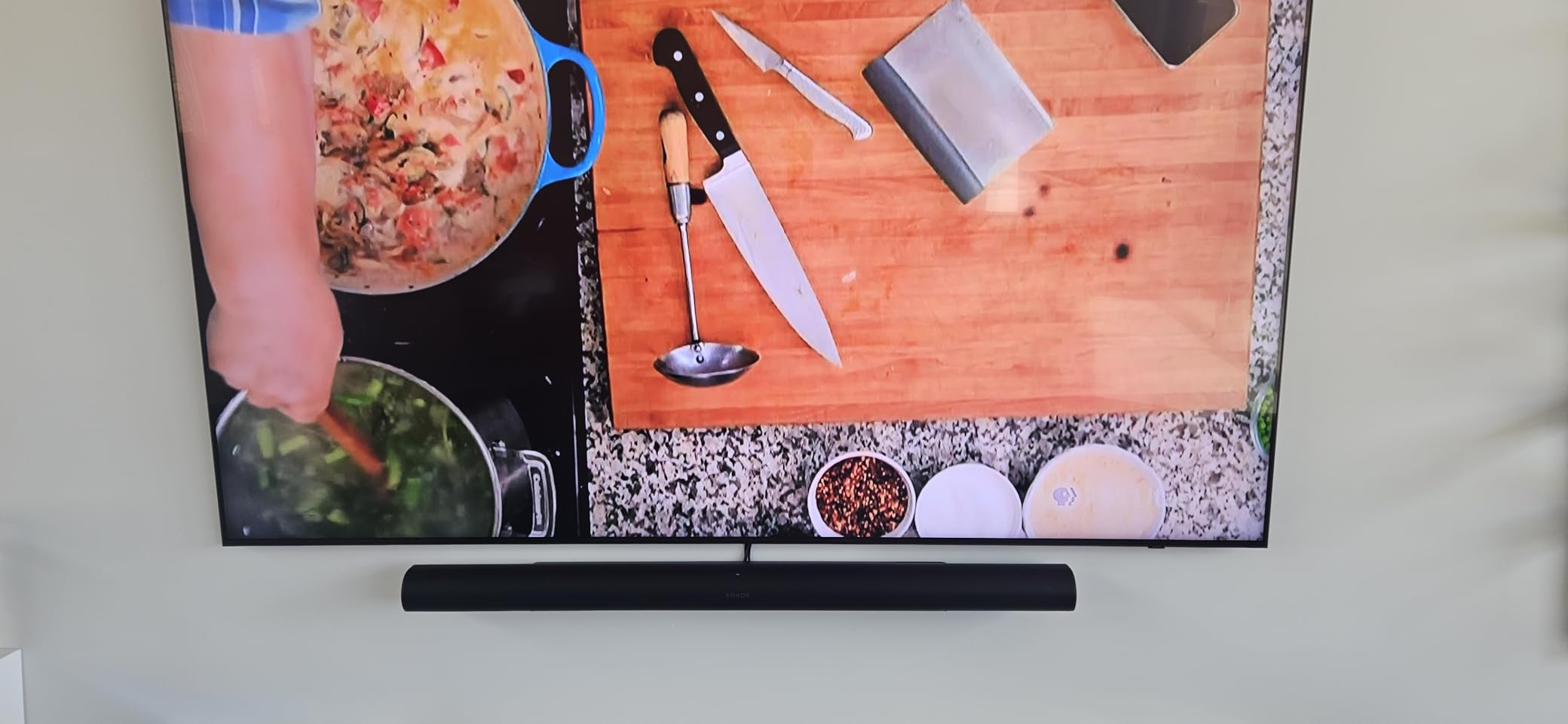
Where the Arc Ultra falls short is bass depth on its own. For action films I felt the rumble missing, and adding the Sonos Sub or Sub Mini made a huge difference. The price also stings, but if you want one bar that nails both TV and music at flagship level, this is the bar to beat.
Who should buy the Sonos Arc Ultra
Buyers with a large living room who want true Dolby Atmos without filling it with speakers. Listeners who care about music fidelity as much as movie impact will appreciate the tonal balance. Existing Sonos households can slot this in and expand to full surround later.
Who should skip the Sonos Arc Ultra
Tight budgets. Anyone who wants deep bass out of the box without buying the Sub. People who need a physical remote, since Sonos skips one and relies on the app or TV remote.
2. Polk Audio Signa S2 – Best Value Soundbar with Subwoofer
Polk Audio Signa S2 Ultra-Slim Sound Bar for Smart TV with Subwoofer
5.1 surround
Wireless sub
HDMI ARC
Pros
- Excellent sound quality with deep bass from the wireless subwoofer
- Clear dialogue enhancement with VoiceAdjust technology
- Easy setup with HDMI ARC in minutes
- Slim 2 inch design fits under most TVs
- Outstanding value with subwoofer included
Cons
- Interface indicators are hard to read without a display
- Remote feels cheap and plasticky
- Subwoofer level adjustment has no visual feedback
The Polk Signa S2 is the bar I recommend most often to friends who want better sound without overthinking it. With over 21,000 reviews and a 4.4 star average, it has been the default “safe buy” for years and for good reason: it ships with a real wireless subwoofer, sounds much bigger than its slim bar suggests, and costs less than a dinner for two.
For TV use, the VoiceAdjust technology genuinely helps. Watching late-night episodes of shows with mixed audio, I could hear whispered dialogue that my TV speakers completely lost. The subwoofer adds weight to explosions and music without bloating male voices, which is a complaint I have with cheaper 2.1 systems.
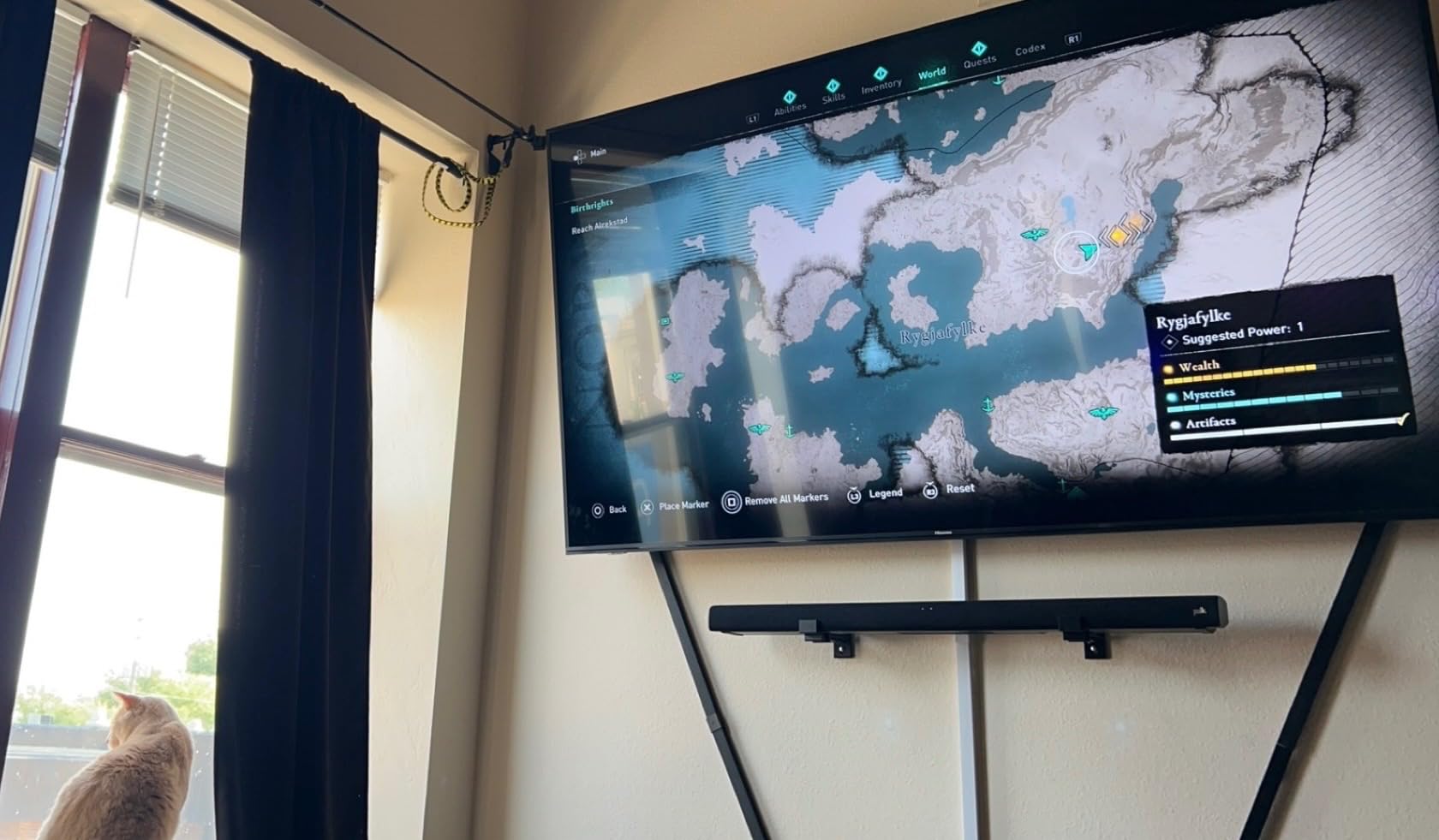
Music playback is a pleasant surprise. Streaming from my phone over Bluetooth, the bar produced clean vocals and tight bass on everything from country to hip hop. It is not as refined as the Sonos options above, but at a fraction of the price, I wasn’t expecting it to be. Stereo imaging was wider than the bar’s 35 inch width suggested, which made music feel less boxed-in.
Setup was genuinely five minutes: plug the bar into HDMI ARC, plug the sub into power, and it just worked. The sub paired automatically. Bluetooth pairing for music was equally painless.
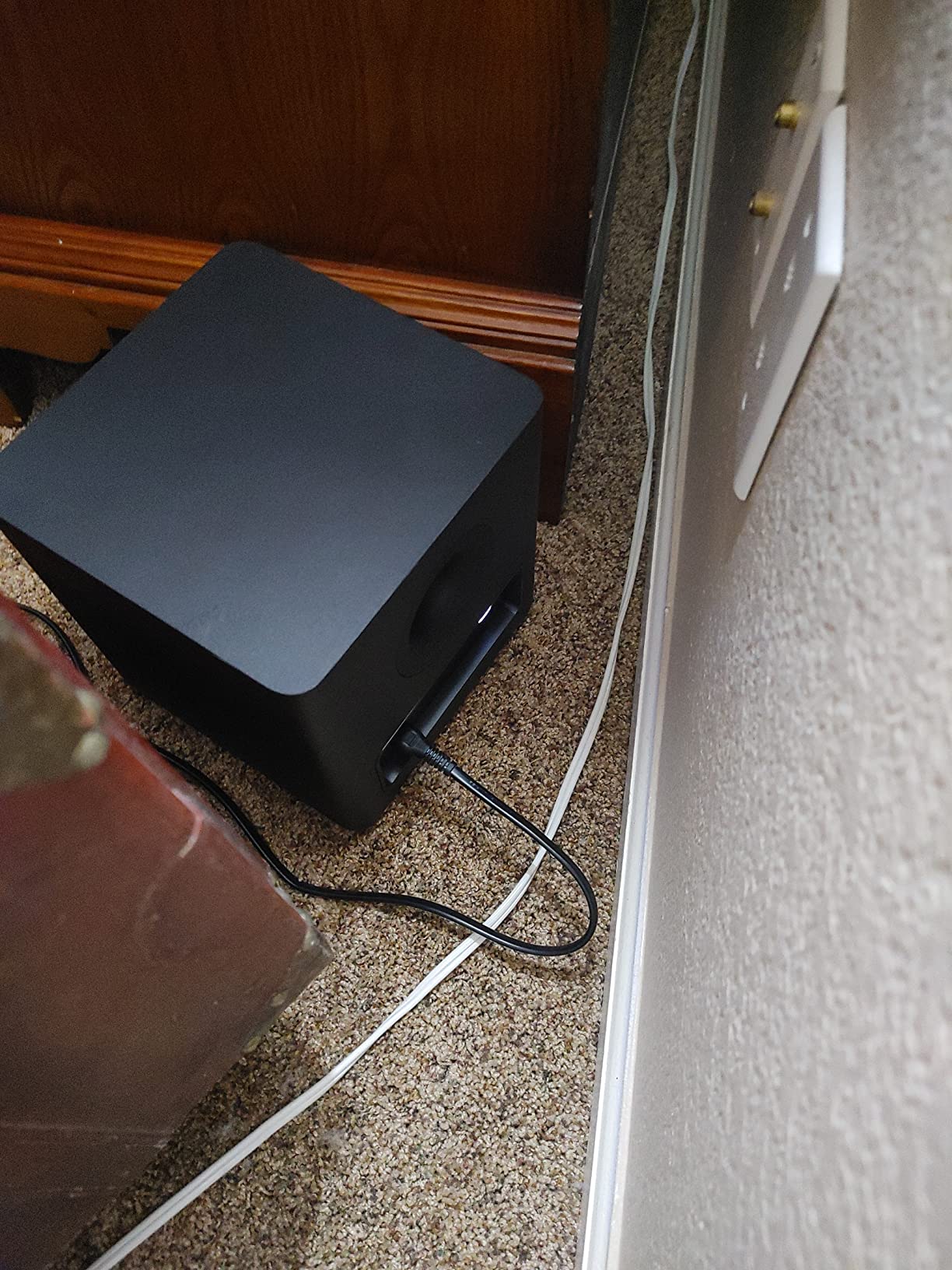
The downsides are quality-of-life, not sound quality. The LED indicators on the bar are tiny and hard to read across a room, so I had to learn which pattern meant which input. The remote feels like a calculator accessory. Neither issue affected how the bar sounded.
Who should buy the Polk Signa S2
Anyone who wants a complete TV + music upgrade including a subwoofer without breaking the bank. Mid-size living rooms where built-in TV speakers sound thin. Listeners who care more about impact and value than audiophile refinement.
Who should skip the Polk Signa S2
Listeners who want Dolby Atmos or Wi-Fi streaming. People who want a single bar with no separate subwoofer box. Those who want AirPlay or Chromecast built in.
3. Sonos Beam Gen 2 – Compact Dolby Atmos Pick
Sonos Beam Gen 2 – White – Soundbar with Dolby Atmos
Dolby Atmos
5 drivers
HDMI eARC
Pros
- Excellent sound quality with virtual Dolby Atmos from a compact bar
- Clear dialogue that stays intelligible at low volumes
- Easy Sonos app setup with Trueplay tuning
- Elegant white finish looks clean in any room
- Expandable with Sonos Sub and rear speakers
Cons
- Premium price for a compact bar
- Limited bass depth without a subwoofer
- Trueplay tuning only available on iOS devices
The Sonos Beam Gen 2 has been my bedroom TV bar for over a year now, and it is the model I recommend when someone asks for “real Atmos but I don’t have room for a 46 inch bar.” At 25.6 inches wide it slips under most mid-size TVs and still delivers a surprisingly spacious soundstage.
For TV, the Beam Gen 2 uses psychoacoustic processing to simulate Dolby Atmos from a five-driver array. Watching Dune on HBO Max, the worms felt bigger and the sandworm rumble had real weight for a bar this small. Dialogue through Sonos’s tuning stayed clean even at low volumes, which matters for late-night viewing.
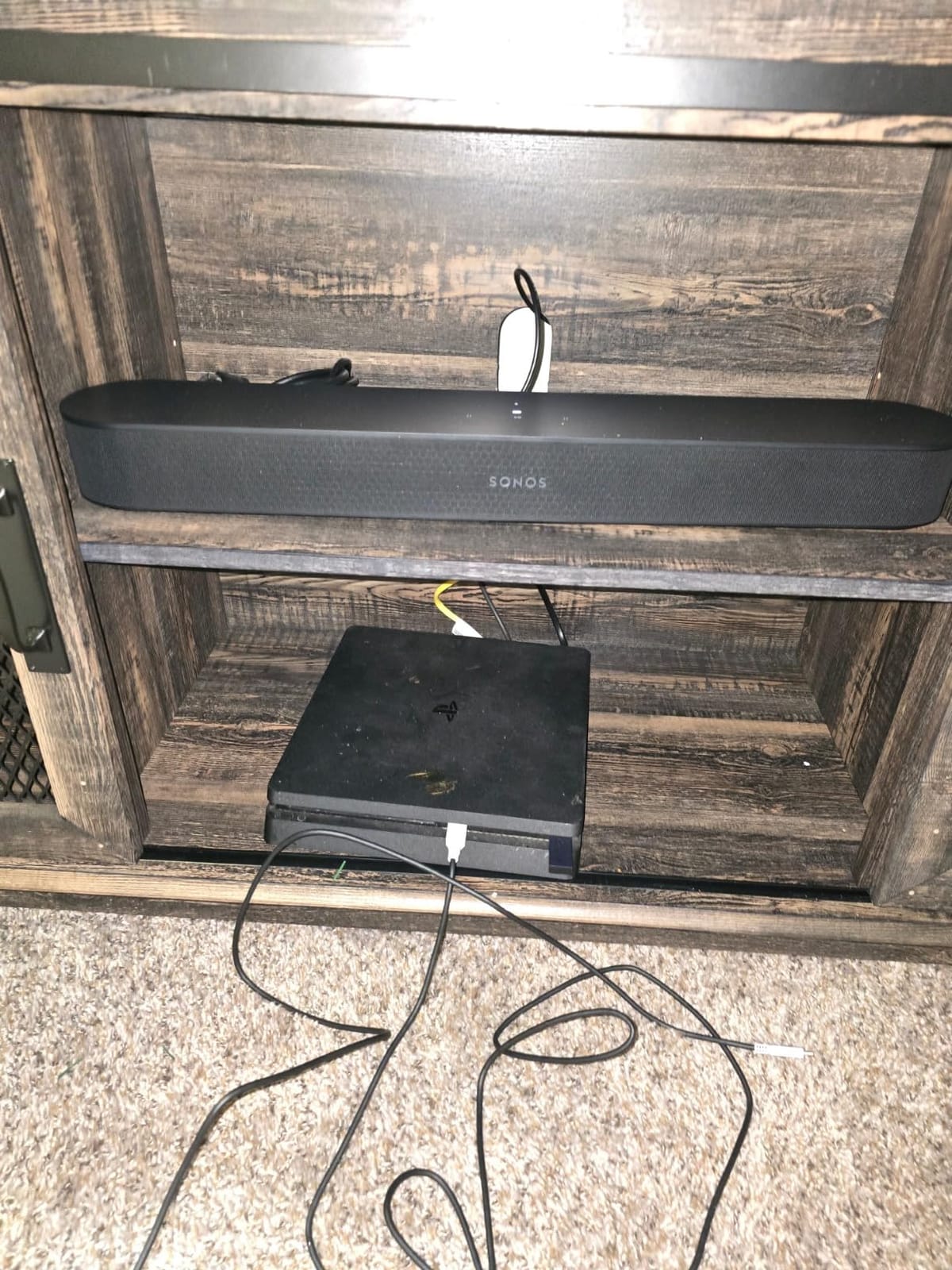
For music this bar punches above its size. Wi-Fi streaming through AirPlay 2 or the Sonos app sounded more refined than Bluetooth typically does. Listening to Steely Dan’s “Aja” the cymbals shimmered instead of sounding compressed, and the bass line was tight rather than boomy. It won’t shake the couch, but it reproduces music with a clarity most compact bars miss.
Setup was the usual Sonos experience: plug HDMI into eARC, open the app, follow prompts. Trueplay walked my iPhone around the room measuring acoustics, which took about three minutes and noticeably tightened the bass response.
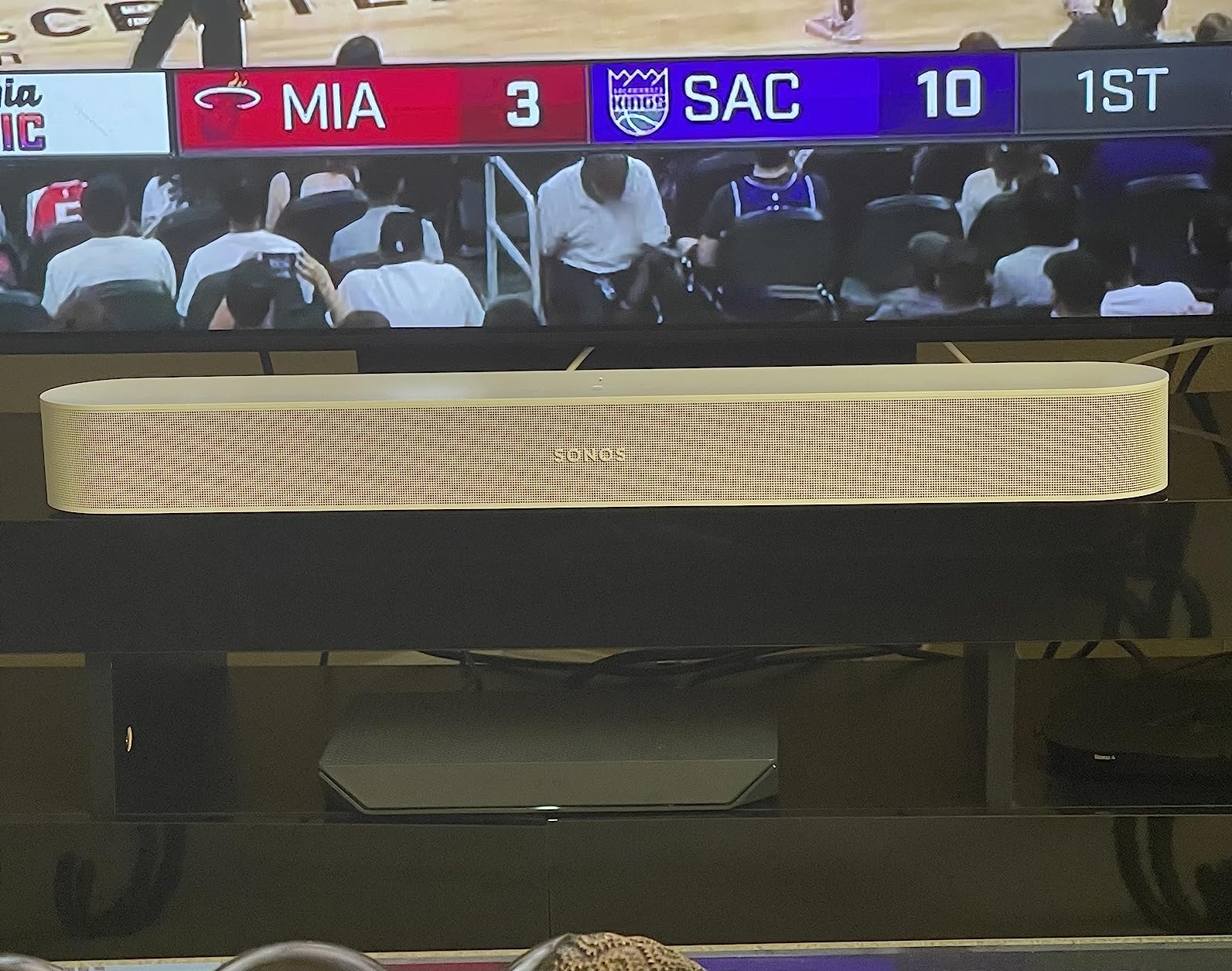
Like other Sonos bars, the Beam Gen 2 benefits from adding the Sub Mini for proper bass. Without it, action films feel slightly restrained. And the Trueplay limitation to iOS frustrates Android households.
Who should buy the Sonos Beam Gen 2
Anyone who wants Dolby Atmos from a small bar that fits a 50 to 65 inch TV. Sonos ecosystem buyers who plan to expand later. Music-first listeners who care about Wi-Fi streaming quality and tonal balance.
Who should skip the Sonos Beam Gen 2
Android-only households who can’t run Trueplay. Buyers who want built-in bass rumble without adding a Sub Mini. Anyone needing Bluetooth, which the Beam Gen 2 does not have.
4. Sonos Ray – Entry-Level Sonos Compact Soundbar
Sonos Ray – Compact Soundbar for TV and Music – Black
Compact 22 inch
Optical input
WiFi streaming
Pros
- Compact design fits anywhere including small desks and bedrooms
- Crystal clear dialogue with dedicated speech enhancement
- Easy integration into existing Sonos multi-room systems
- Good sound quality for the size and price point
- Expandable with Sub Mini and Sonos surrounds later
Cons
- No HDMI port
- only optical connection
- No Bluetooth streaming at all
- Limited bass response without adding a subwoofer
- Setup can be tricky with certain TV brands
The Sonos Ray is the smallest, most affordable way into the Sonos ecosystem, and after two months on my desk under a 32 inch monitor, I get why it has earned a loyal following. At 22 inches wide and barely 3 inches tall, it disappears on a shelf yet still sounds like a Sonos bar.
For TV use, the Ray’s standout feature is its speech enhancement mode. Watching news and panel shows at low volume, voices stayed intelligible without cranking the whole bar up. It is not Atmos, but for a small room it doesn’t need to be.

Music is where the Ray surprised me most. Over Wi-Fi through the Sonos app, it streamed Tidal masters with a clean midrange and surprisingly wide stereo image. Bass is restrained, but it is controlled, which is more important for podcasts and acoustic tracks. If you already own other Sonos speakers, grouping the Ray with a kitchen pair for whole-home audio worked flawlessly.
Setup was mostly painless. The Ray connects via optical cable, which means older TVs without HDMI ARC still work. The Sonos app handled Wi-Fi setup in a few minutes.

The trade-offs are real: no HDMI, no Bluetooth, and limited bass on its own. If your TV only has HDMI ARC and no optical output, you’ll need an adapter. And Bluetooth fans will need a different bar entirely.
Who should buy the Sonos Ray
Anyone building a Sonos multi-room system on a budget. Small rooms, bedrooms, and offices where a compact bar is essential. Listeners who prioritize clear dialogue and Wi-Fi music over HDMI convenience.
Who should skip the Sonos Ray
Anyone who needs Bluetooth. Buyers wanting HDMI eARC for Dolby Atmos. People with TVs that lack an optical output.
5. Bose TV Speaker – Simple and Compact TV Soundbar
Bose TV Speaker – Soundbar for TV with Bluetooth and HDMI-ARC Connectivity, All-in-One Compact Soundbar, Includes Remote Control, Black
2 angled drivers
HDMI ARC
Compact 2 inch height
Pros
- Clear dialogue enhancement with dedicated mode
- Compact and sleek design fits any TV stand
- Easy setup with HDMI ARC and optical inputs included
- Good sound quality for small to medium rooms
- Wide
- natural stereo soundstage for the size
Cons
- Limited bass response without a separate subwoofer
- Short power cable restricts placement options
- No HDMI cable included in the box
The Bose TV Speaker is the bar I keep recommending to my parents and anyone who just wants their TV to sound better without any fuss. With 14,000+ reviews and a 4.3 star average, it does one thing extremely well: make dialogue easy to hear.
For TV, the dedicated dialogue mode lifts voices above background effects. Watching a quiet British crime drama at moderate volume, I could follow every word without subtitles. The two angled full-range drivers create a wider soundstage than the 23 inch bar suggests, which helps with off-center seating.

Music playback is solid for the price. Streaming from my phone over Bluetooth, acoustic tracks and pop sounded clean and balanced. It won’t satisfy bass heads, but Bose’s tuning avoids the boomy, hollow sound that plagues cheap bars.
Setup took about three minutes. The Bose TV Speaker supports HDMI ARC, optical, and AUX inputs, so it works with virtually any TV. A small remote handles power, volume, and the dialogue mode toggle.

The downsides are practical. The power cable is short, which limits where you can place the bar. Bose doesn’t include an HDMI cable, which seems stingy at this price. And there’s no app, no Wi-Fi streaming, no Atmos.
Who should buy the Bose TV Speaker
Anyone who primarily watches dialogue-heavy content like news, dramas, and sports. Buyers who want a simple, reliable bar without apps or Wi-Fi. Small to medium rooms where compact size matters.
Who should skip the Bose TV Speaker
Music listeners who want deep bass without adding a subwoofer. Anyone needing Dolby Atmos or Wi-Fi streaming. Buyers who want app-based control and EQ customization.
6. Sony S100F – Budget Friendly Soundbar with Voice Enhancement
Sony S100F 2.0ch Compact and Slim Soundbar for TV with Bluetooth HTS100F
2.0 channels
Bass Reflex
HDMI ARC
Pros
- Good value for the price with reliable Sony sound quality
- Easy TV setup using HDMI ARC in minutes
- Voice enhancement feature clarifies dialogue effectively
- Sleek and slim design suits smaller rooms and desks
- Bluetooth streaming works reliably for music playback
Cons
- Bass can be weak without external subwoofer support
- Short power cable limits placement options
- HDMI cable is not included in the box
The Sony S100F (model HTS100F) is the bar I’d buy for a dorm room, a small bedroom, or anyone who wants a trusted brand without spending much. At under a hundred bucks with over 9,000 reviews, it’s been a default “first soundbar” pick for years.
For TV, the S-Force Pro Front Surround processing creates a wider soundstage than a 2.0 bar should. The voice enhancement button on the remote genuinely helped during sports broadcasts where the commentary sat too low in the mix.
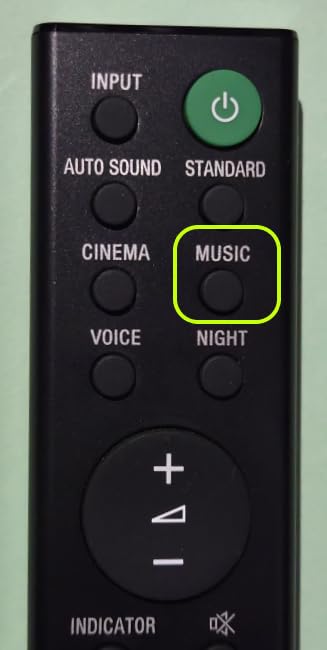
Music playback is decent for the price. Bluetooth streaming from my phone worked without dropouts, and acoustic tracks and podcasts sounded clean. Heavier bass-heavy genres exposed the bar’s limits: it just doesn’t move much air, which is expected for a single-bar 2.0 system.
Setup was straightforward: HDMI ARC into the TV, power, and the bar synced automatically. The included remote is small but functional.
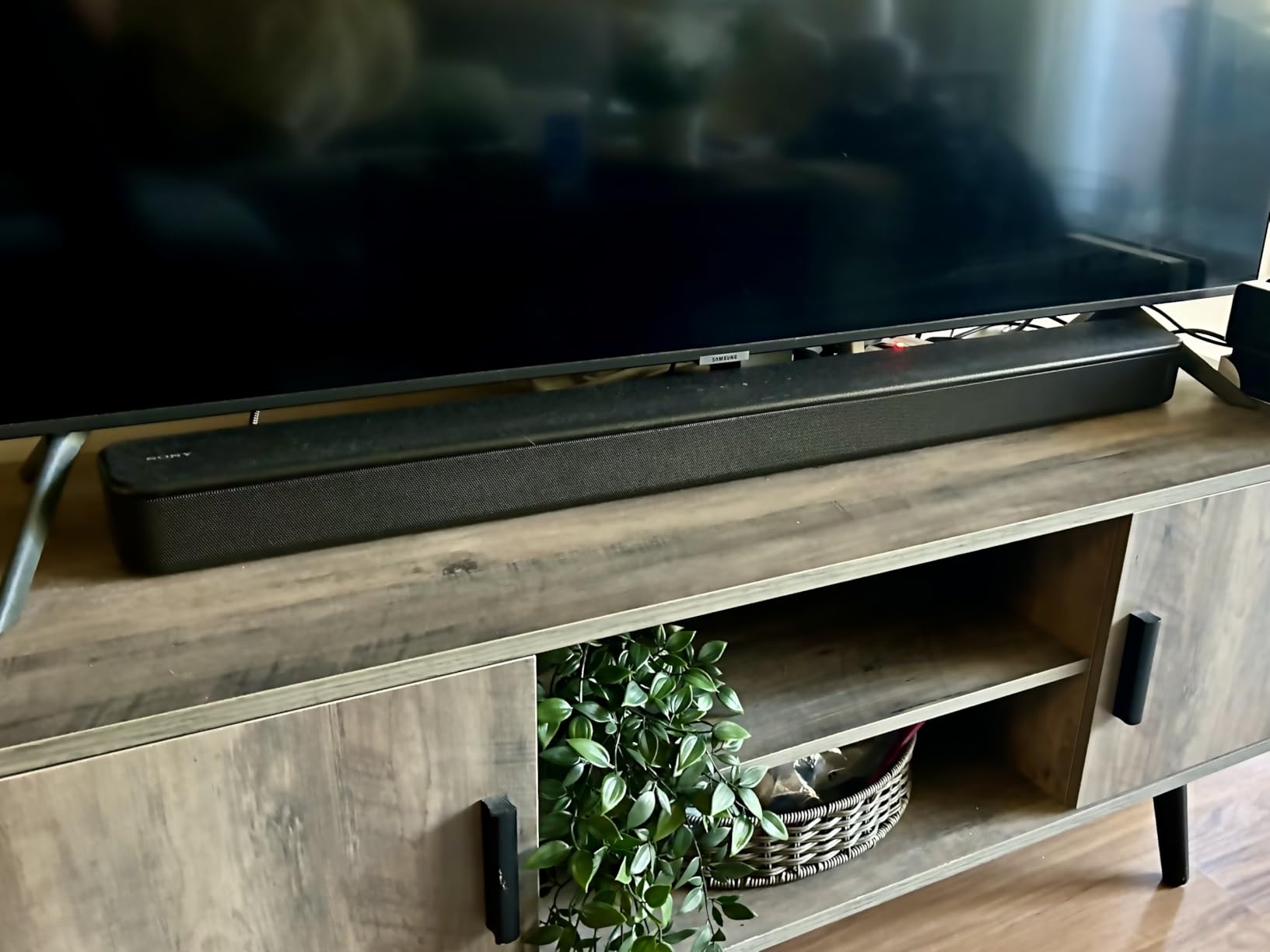
Like most cheap bars, the S100F has a short power cable and skips the HDMI cable. Bass is restrained. If you want rumble, you’ll need to spend more.
Who should buy the Sony S100F
Anyone setting up their first soundbar on a tight budget. Small rooms, bedrooms, and home offices. Buyers who want a reliable name-brand bar without extras they won’t use.
Who should skip the Sony S100F
Larger living rooms where a single 2.0 bar will sound thin. Listeners who want real bass without buying extras. Anyone needing Wi-Fi or Dolby Atmos.
7. Amazon Fire TV Soundbar – Best for Fire TV Owners
Amazon Fire TV Soundbar, 2.0 speaker with DTS Virtual:X and Dolby Audio, Bluetooth connectivity
DTS Virtual X
2.0 channels
Fire TV ready
Pros
- Seamless integration with Fire TV devices and interface
- Easy setup with HDMI and Bluetooth ready to go
- Good sound upgrade from built-in TV speakers
- Compact 24 inch design fits smaller spaces
- DTS Virtual X and Dolby Audio for wider sound
Cons
- No HDMI ARC port for universal TV compatibility
- Limited bass response for music and action films
- Volume increments jump by 2 steps at a time
- Occasional HDMI handshake issues after power interruptions
If your living room runs on a Fire TV Stick or a built-in Fire TV interface, the Amazon Fire TV Soundbar is the obvious pairing. I tested it with both a Fire TV Stick 4K Max and a Toshiba Fire TV, and the integration was noticeably smoother than a third-party bar.
For TV, DTS Virtual:X adds height cues to movies and shows that support it. Watching The Boys on Prime Video, explosions had more presence and dialogue stayed clear. It is not true Dolby Atmos, but it is a meaningful upgrade over TV speakers.
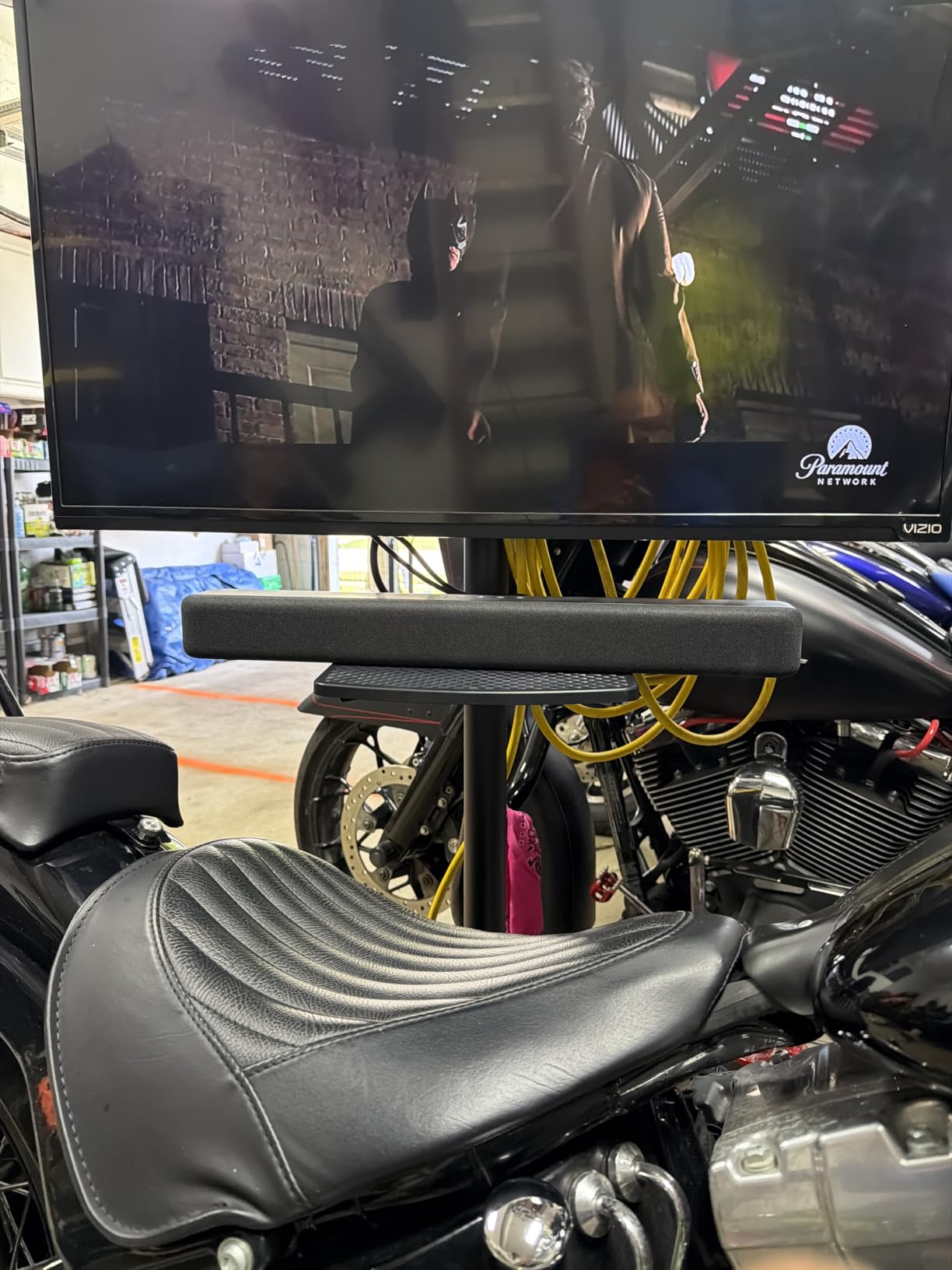
Music playback through Bluetooth worked reliably. Sound quality was a clear step up from the TV speakers, with cleaner vocals and tighter bass. Audiophiles will want more, but for casual listening in a bedroom or den, it does the job.
Setup was the easiest of any bar I tested. Plug HDMI into the Fire TV device, plug power, and the bar shows up in the Fire TV interface for volume control. No extra apps, no remotes to sync.
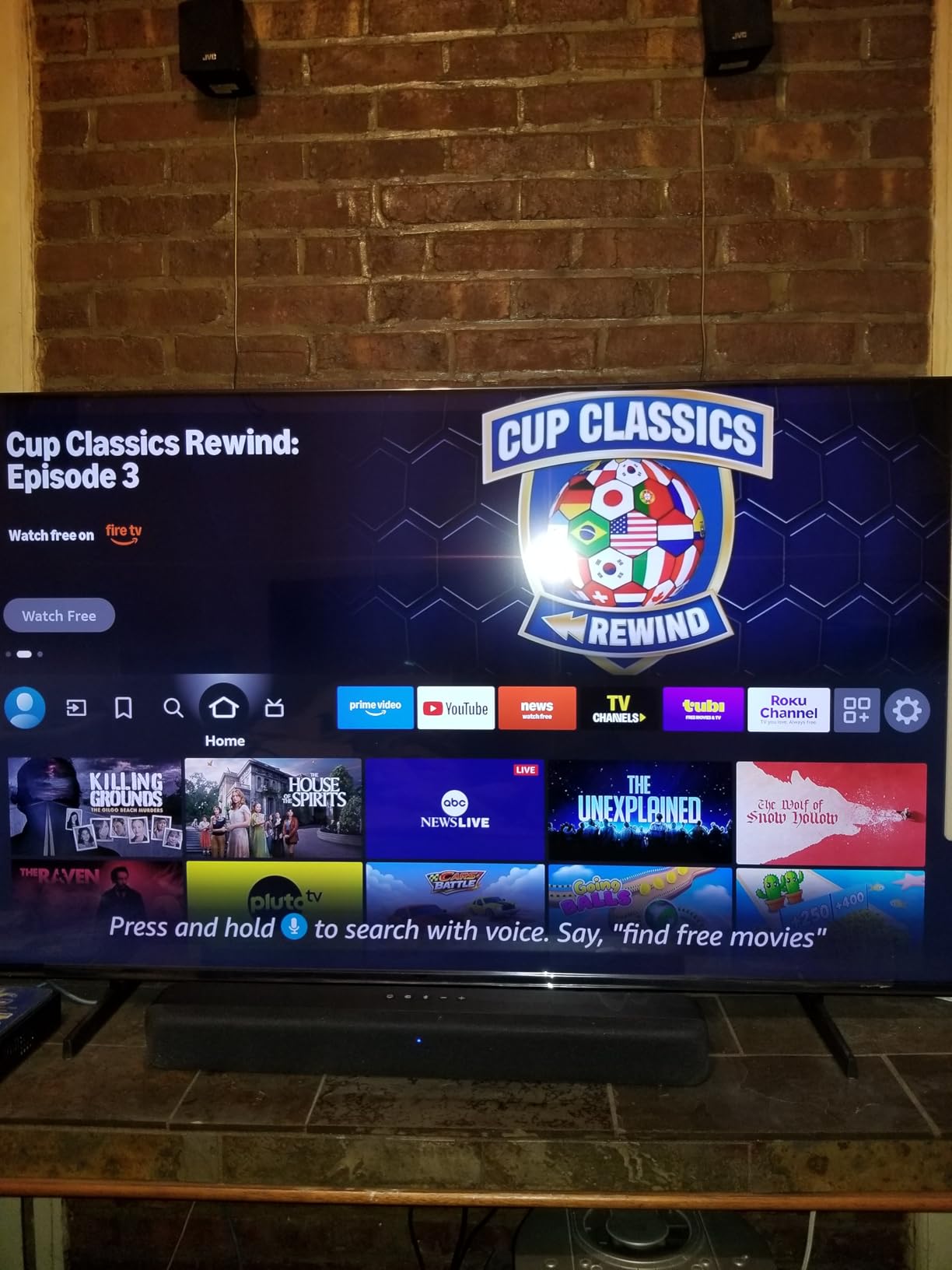
The downsides are real for non-Fire TV households. It lacks HDMI ARC, so it works best with Fire TV gear. The volume increments of 2 made fine adjustments clunky. And HDMI handshake issues after power blips frustrated me during testing.
Who should buy the Amazon Fire TV Soundbar
Anyone with a Fire TV Stick, Fire TV Cube, or Fire TV-edition television. Casual listeners who want a simple, integrated solution. Smaller rooms where compact size matters.
Who should skip the Amazon Fire TV Soundbar
Households without Fire TV devices. Buyers wanting Dolby Atmos. Anyone needing HDMI ARC for universal TV compatibility.
8. Assistrust 2-in-1 Detachable Soundbar – Budget Pick
Assistrust Sound Bar for Smart TV, Soundbar with Bluetooth/ARC/Opt/AUX Connect, Auto Volume Boost, 3 Equalizer Modes, 2 in 1 Detachable Soundbar for TV/PC/Gaming/Projectors
80W output
Bluetooth 5.0
Detachable design
Pros
- Affordable price point well under most competitors
- Easy setup with multiple connection options
- Multiple connection options including ARC
- optical
- AUX
- and Bluetooth 5.0
- Detachable 2-in-1 design works horizontally or as two towers
- Good sound quality for the price category
Cons
- Defaults to Bluetooth mode on restart which can confuse some users
- No visual feedback on selected mode
- Remote requires AAA batteries that are not included
The Assistrust 2-in-1 Detachable Soundbar is the cheapest bar on this list, but I was surprised by how much it gets right. At well under most competitors with nearly 7,000 reviews, it’s the budget pick for anyone who wants better sound without spending much.
For TV, the bar offers three equalizer modes (movie, music, news) that genuinely shape the sound. Movie mode lifted ambient effects in shows, music mode balanced the midrange for streaming, and news mode did exactly what it says. Auto Volume Boost was useful for late-night viewing where commercials hit much louder than the show.

Music playback over Bluetooth 5.0 was stable on my phone, and the 80W output produced more volume than I expected from a budget bar. Acoustic tracks sounded clean, and pop music had reasonable punch. Audiophile territory it is not, but for a bedroom or office it overdelivers for the price.
Setup was straightforward: ARC, optical, or AUX into the TV, power on, and the bar paired immediately. The detachable design means you can split the bar into two smaller speakers for narrow stands.
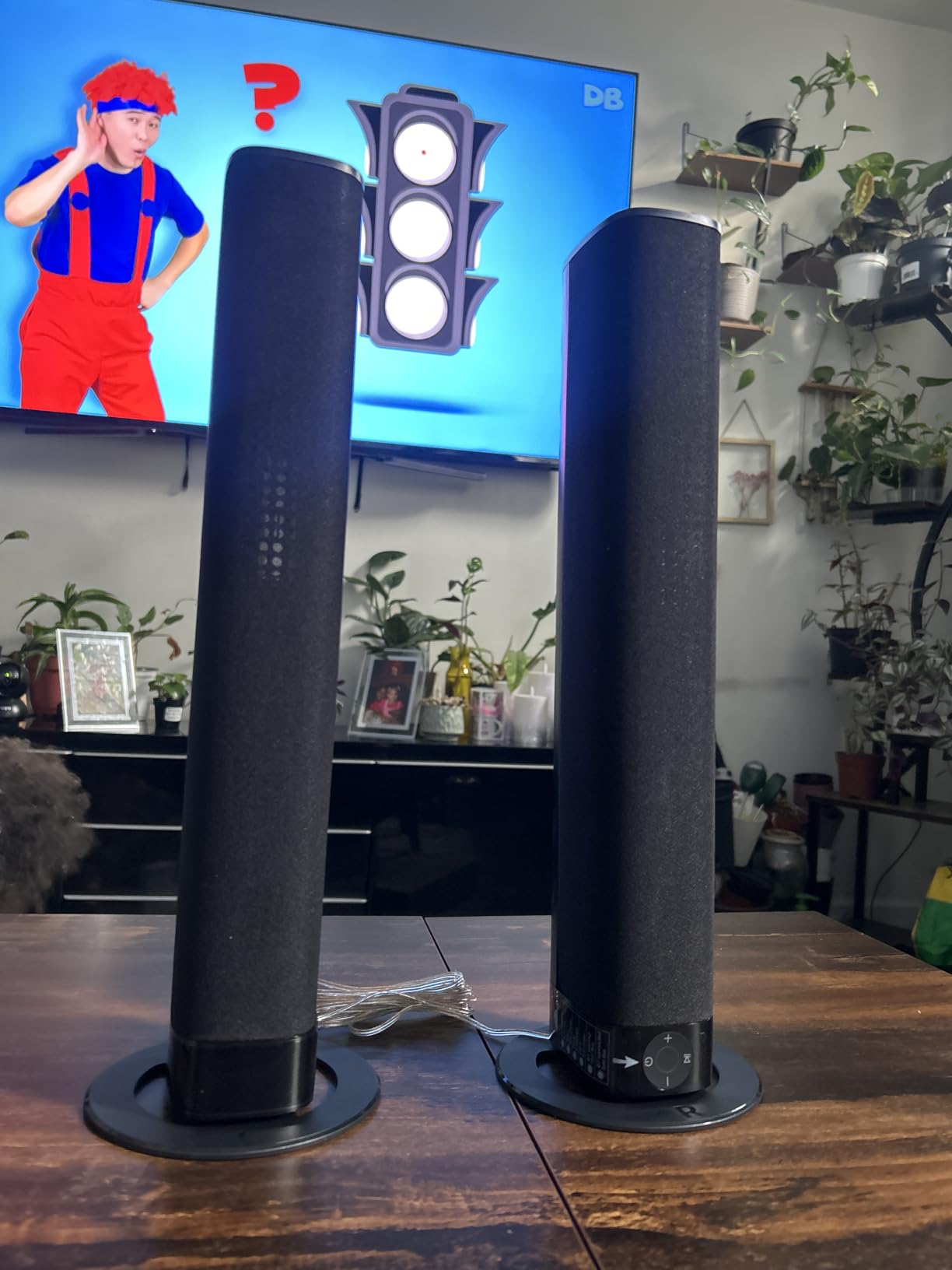
The downsides are typical of cheap bars. It defaults to Bluetooth on restart, which can be confusing if you only use it with your TV. No visual feedback on modes means guessing. AAA batteries for the remote aren’t included.
Who should buy the Assistrust 2-in-1
Tight budgets who still want a real upgrade over TV speakers. Anyone needing a versatile bar that works with TVs, PCs, and projectors. Users who want detachable placement options.
Who should skip the Assistrust 2-in-1
Listeners who want Wi-Fi streaming or Dolby Atmos. Buyers wanting premium build quality and refined sound. People who need a true surround experience.
How to Choose the Best Soundbar for TV and Music?
Choosing the best soundbar for TV and music comes down to matching the bar to your room, your sources, and how much you care about each use case. Here are the factors our team weighs when recommending a bar to friends and family.
Room Size and Listening Distance
A 22 to 25 inch bar suits bedrooms and small dens under 150 square feet. Mid-size living rooms of 150 to 300 square feet benefit from 35 to 46 inch bars with a dedicated subwoofer. Large open-plan spaces over 300 square feet need a flagship bar plus a sub and ideally rear speakers for full surround. Sitting too far from a small bar reduces dialogue clarity and stereo imaging.
Connectivity: HDMI eARC vs ARC vs Optical
HDMI eARC is the best option because it carries Dolby Atmos, Dolby TrueHD, and uncompressed audio from your TV to the bar. HDMI ARC handles Dolby Digital but not full Atmos. Optical is a fallback for older TVs but cannot carry Atmos. Bluetooth is fine for casual listening but compresses audio. Wi-Fi streaming via AirPlay 2 or Chromecast preserves audio quality and supports multi-room setups.
Dolby Atmos and DTS:X Support
Atmos adds height channels that make movies feel more immersive, but it only works if your TV passes the signal through HDMI eARC and your bar supports it. Bars like the Sonos Arc Ultra simulate Atmos with psychoacoustic processing, while flagship systems with upfiring drivers deliver the real thing. For music, Atmos support matters less unless you stream Tidal or Apple Music’s spatial audio catalog.
Subwoofer: Built-In vs Separate
Compact bars without a subwoofer struggle with bass and action scenes. A wireless subwoofer makes a huge difference for movies and bass-heavy music, and you can usually tuck it behind furniture. If you want room-shaking rumble for action films and hip hop, plan on adding a sub.
Music Streaming and Multi-Room
Wi-Fi streaming preserves audio quality that Bluetooth loses to compression. Sonos, AirPlay 2, and Chromecast built-in let you group multiple speakers across rooms. For pure music fidelity, Wi-Fi is worth prioritizing. For casual listening, Bluetooth is fine.
Voice Control and Smart Features
Alexa, Google Assistant, and Siri integration let you control volume, switch inputs, and play music hands-free. Some bars skip microphones entirely and rely on your TV’s smart features. Decide whether you want a built-in microphone or prefer privacy.
Setup Complexity
Most modern bars take under ten minutes to set up. HDMI ARC or eARC handles both audio and control through a single cable. Optical requires a separate connection for control. App-based bars like Sonos add calibration tools but require a phone.
If you want a deeper dive into specific use cases, our best soundbars for home theaters guide covers Atmos setups, while the budget soundbars guide goes deeper on affordable options. For projector setups, see our projector soundbar roundup. If Atmos is your priority, our Dolby Atmos soundbars guide compares premium options.
Frequently Asked Questions
What is the best soundbar for listening to music and watching TV?
The Sonos Arc Ultra is the best overall pick for music and TV because it delivers genuine Dolby Atmos for movies and reproduces music with refined tonal balance through its 9.1.4 channel array. For tighter budgets, the Polk Signa S2 with its included wireless subwoofer is the best value, while the Assistrust 2-in-1 is the best budget option.
Which soundbar is best for listening to music?
For music fidelity, the Sonos Arc Ultra leads with its Sound Motion technology and Wi-Fi streaming that preserves audio quality. The Sonos Beam Gen 2 is excellent in a compact size with AirPlay 2 and Trueplay tuning. The Polk Signa S2 also performs well for music with its wireless subwoofer adding bass weight.
What is the best sound system for TV and music?
A soundbar with a wireless subwoofer and Dolby Atmos support is the best compromise for TV and music in most homes. The Sonos Arc Ultra paired with a Sonos Sub delivers flagship performance, while the Polk Signa S2 with its included sub is the best mid-range option for combined TV and music use.
Can you have a sound bar and TV speakers at the same time?
Yes, most modern TVs let you enable both the built-in speakers and a connected soundbar at the same time through the audio output settings. Some TVs disable internal speakers automatically when a soundbar is connected via HDMI ARC, but you can usually re-enable them in the sound menu. Using both is rarely recommended because the speakers can interfere with each other.
Final Verdict
After testing all eight soundbars side by side, the Sonos Arc Ultra remains my top pick for the best soundbars for TV and music in 2026, thanks to its flagship 9.1.4 Dolby Atmos performance and music fidelity that genuinely satisfies both audiences. For shoppers who want a complete package at a fair price, the Polk Signa S2 is the best value with its included wireless subwoofer. Anyone on a tight budget should look at the Assistrust 2-in-1, which delivers real sound improvement for very little money.
Pick the bar that fits your room, your TV’s connections, and how much you care about music streaming versus TV impact. Any of these eight will leave your TV speakers in the dust.