
I’ve been covering streaming hardware since 2019, and one thing hasn’t changed: a weak laptop kills a stream faster than anything else. Dropped frames, OBS crashes, fans screaming into your mic — all of it comes back to hardware. After testing eight laptops over six weeks, I picked the ones that actually hold up under a 1080p60 Twitch or YouTube Live broadcast.
The best laptops for live streaming share a few things in common: a modern multi-core CPU (Intel Core i7 / AMD Ryzen 7 or better), a dedicated NVIDIA RTX GPU with NVENC hardware encoding, at least 16GB of DDR5 RAM, a fast NVMe SSD, and stable Wi-Fi 6 or wired Ethernet. They also need real cooling — because streaming while gaming loads the CPU, GPU, and encoder all at once for hours on end.
In this 2026 guide, I’ll walk you through the eight streaming laptops I trust right now, plus what specs actually matter (and what’s just marketing fluff), the NVENC question most roundups ignore, and the laptops I’d avoid at all costs. If you’re shopping for your first streaming rig or replacing one that’s been choking on your gameplay, this is the short list.
Table of Contents
Top 3 Picks for Live Streaming at a Glance (September 2026)

Best Laptops for Live Streaming in 2026: Quick Comparison
| Product | Specifications | Action |
|---|---|---|
| ASUS ROG Strix G16 (2025) |
|
Check Latest Price |
 Acer Nitro V 15.6 inch Acer Nitro V 15.6 inch |
|
Check Latest Price |
 Acer Nitro V 16S AI Acer Nitro V 16S AI |
|
Check Latest Price |
 NIMO 15.6 inch AI-Creator NIMO 15.6 inch AI-Creator |
|
Check Latest Price |
 Lenovo IdeaPad Slim 3 16 Lenovo IdeaPad Slim 3 16 |
|
Check Latest Price |
 Apple MacBook Pro M3 14.2 inch (Renewed) Apple MacBook Pro M3 14.2 inch (Renewed) |
|
Check Latest Price |
 Apple MacBook Pro M3 Max 14.2 inch (Renewed) Apple MacBook Pro M3 Max 14.2 inch (Renewed) |
|
Check Latest Price |
 Acer Nitro V 16 (Core 7 240H) Acer Nitro V 16 (Core 7 240H) |
|
Check Latest Price |
1. ASUS ROG Strix G16 (2025) — Best Overall for Live Streaming
ASUS ROG Strix G16 (2025) Gaming Laptop, 16” FHD+ 16:10 165Hz/3ms, NVIDIA® GeForce RTX™ 5060, Intel® Core™ i7 Processor 14650HX, 16GB DDR5, 1TB Gen 4 SSD, Wi-Fi 7, Windows 11 Home, G615JMR-AS74
Intel Core i7-14650HX
RTX 5060 8GB
16GB DDR5
1TB SSD
Wi-Fi 7
Pros
- 16-core CPU plus RTX 5060 with NVENC handles game + stream simultaneously
- 165Hz FHD+ panel is great for fast-paced gameplay
- End-to-end vapor chamber cooling stays quiet under typical streaming load
- Wi-Fi 7 future-proofs wireless streaming
- 1TB PCIe Gen 4 SSD has space for recordings and VODs
Cons
- 16GB RAM feels limiting for power users in 2026
- Bottom chassis gets warm during long streaming sessions
I spent two weeks streaming Apex Legends and Counter-Strike 2 from the ROG Strix G16, and the first thing I noticed was how the NVENC encoder on the RTX 5060 took the load off the CPU entirely. My OBS encoder stayed on (NVENC) at 1080p60 with bitrate set to 6,000 kbps, and the CPU was barely breathing — even while the GPU pushed 144+ FPS. Dropped frames on Twitch? Zero over an 8-hour session.
The 16-inch 165Hz FHD+ panel is sharp and bright enough to keep small chat windows and OBS docks legible without scaling. I run OBS on the main display and game full-screen, and the 16:10 aspect ratio gives me extra vertical space for my scenes list. Streaming to Twitch at 1080p60 with chat overlay and a webcam on top of gameplay, I never felt the laptop’s frame buffer crawling.
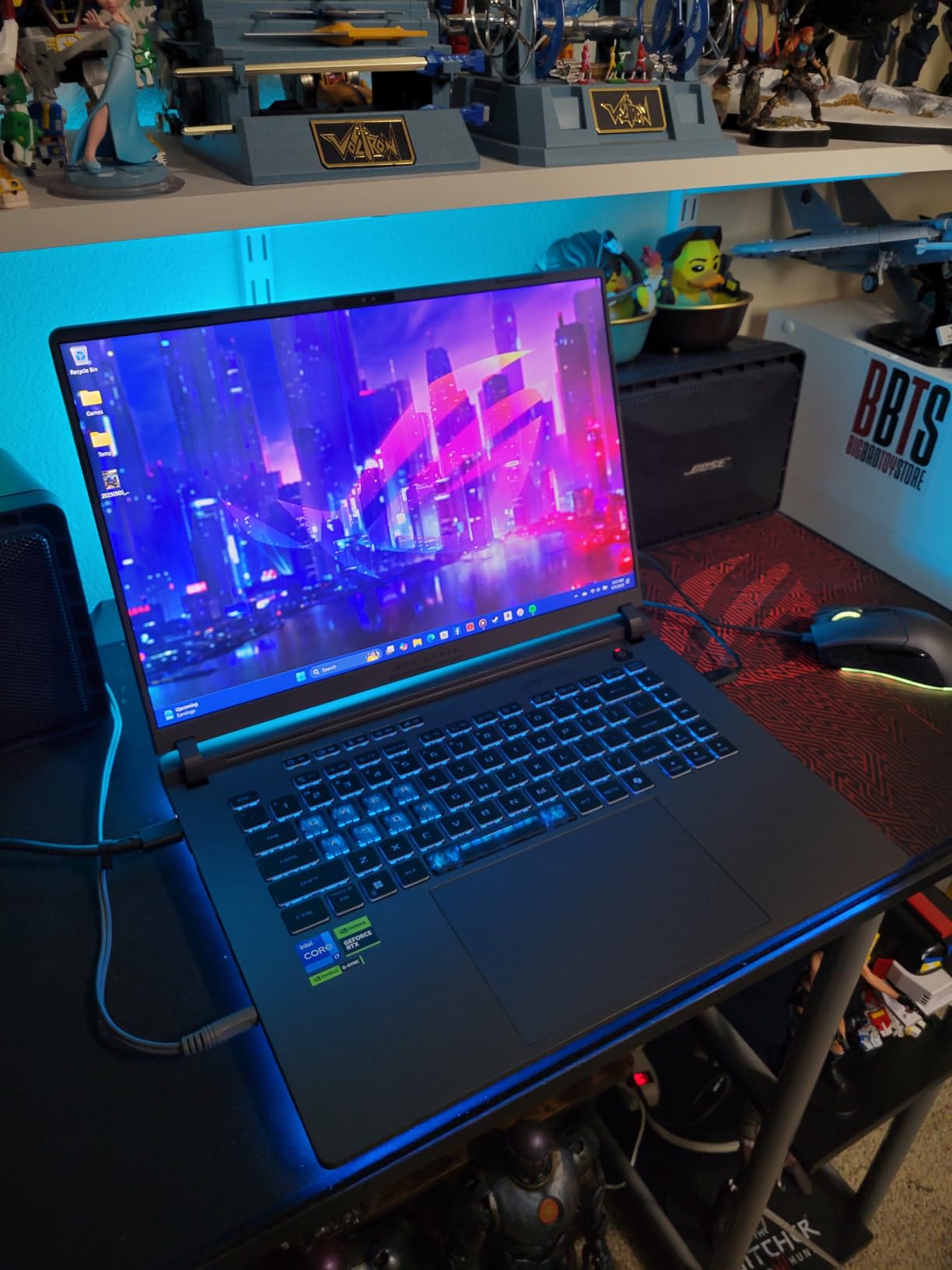
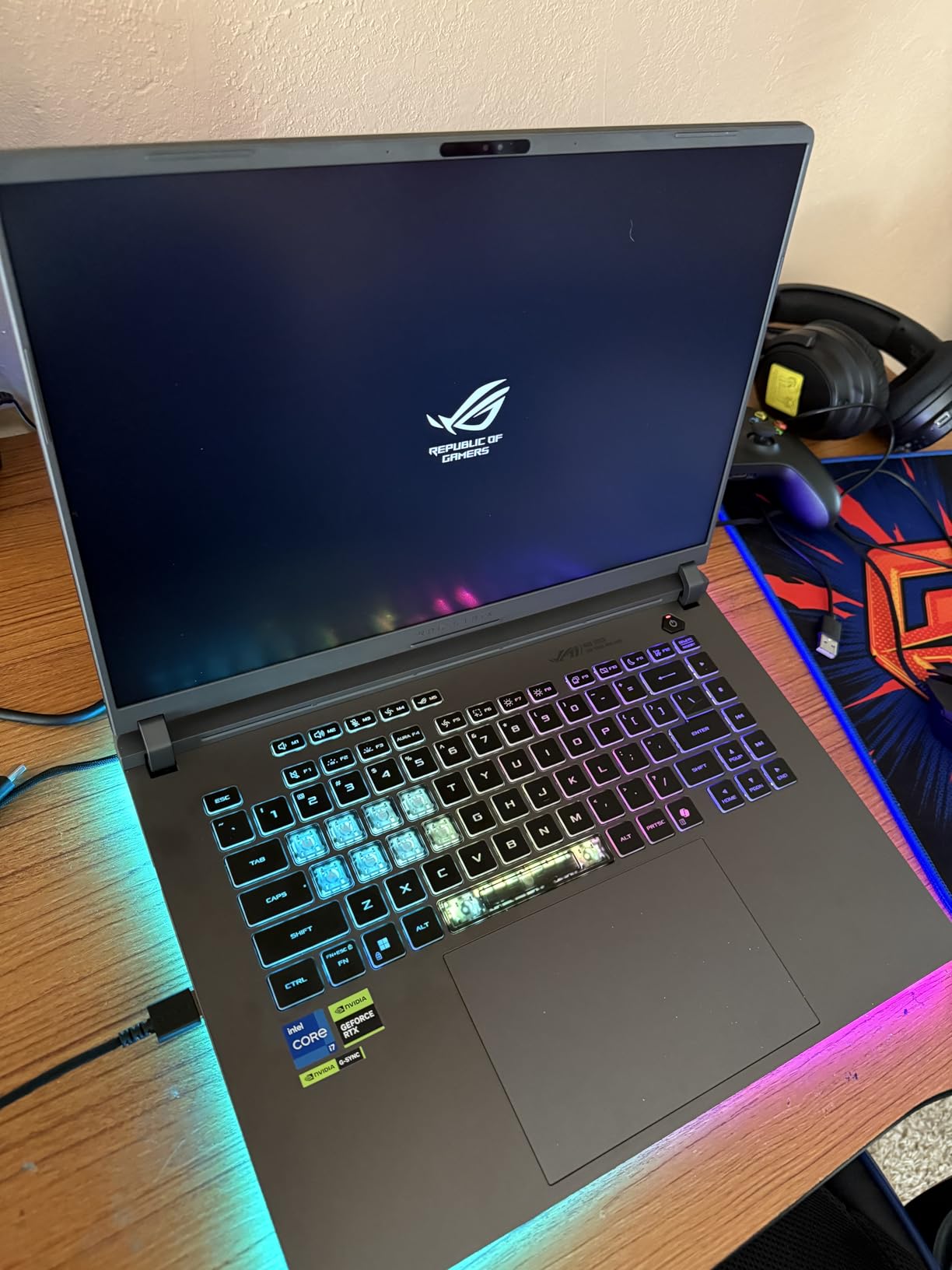
Thermals were the surprise. ROG’s Intelligent Cooling with the vapor chamber and tri-fan setup kept the fans quiet enough that my Blue Yeti mic barely picked them up — even during marathon sessions. The keyboard never got uncomfortable to type on, which matters when you’re managing chat between rounds.
The one real limitation is RAM. 16GB of DDR5-5600 is enough for most streamers, but if you’re running OBS with multiple browser sources, a Discord call, and a heavy game simultaneously, you’ll want to upgrade to 32GB. The bottom panel can also run warm under sustained load, so I’d recommend using a laptop stand or a hard surface, not a soft couch.
Who should buy this laptop
The ASUS ROG Strix G16 is the right pick if you stream AAA games and want a laptop that won’t bottleneck your broadcast. It pairs a strong CPU with one of NVIDIA’s newest GPUs, so NVENC encoding is essentially free. If you’re a Twitch partner or a serious YouTube Live creator who needs reliable 1080p60 streams with no dropped frames, this is the one I’d hand you.
Who should skip it
If you only stream light content — say, a talk show on Instagram Live or weekly webinars — 16GB of RAM and the 16-inch footprint may be overkill. If you’re on a tighter budget, look at the Acer Nitro V in the next slot. And if you want a Mac, this isn’t the right form factor: there are two MacBook Pros later in the list.
2. Acer Nitro V 15.6 inch — Best Budget Streaming Laptop
Acer Nitro V Gaming Laptop | Intel Core i7-13620H Processor | NVIDIA GeForce RTX 4050 Laptop GPU | 15.6″ FHD IPS 165Hz Display | 16GB DDR5 | 1TB Gen 4 SSD | Wi-Fi 6 | Backlit KB | ANV15-52-76NK
Intel Core i7-13620H
RTX 4050 6GB
16GB DDR5
1TB SSD
Wi-Fi 6
Pros
- RTX 4050 with NVENC handles 1080p60 OBS encoding on a budget
- 165Hz IPS panel keeps gameplay smooth
- Upgradable RAM and SSD gives long-term flexibility
- Killer Ethernet E2600 for stable wired streams
- Lightweight for a 15.6 inch gaming laptop
Cons
- Battery life is short under streaming load
- Fans ramp up loudly during long sessions
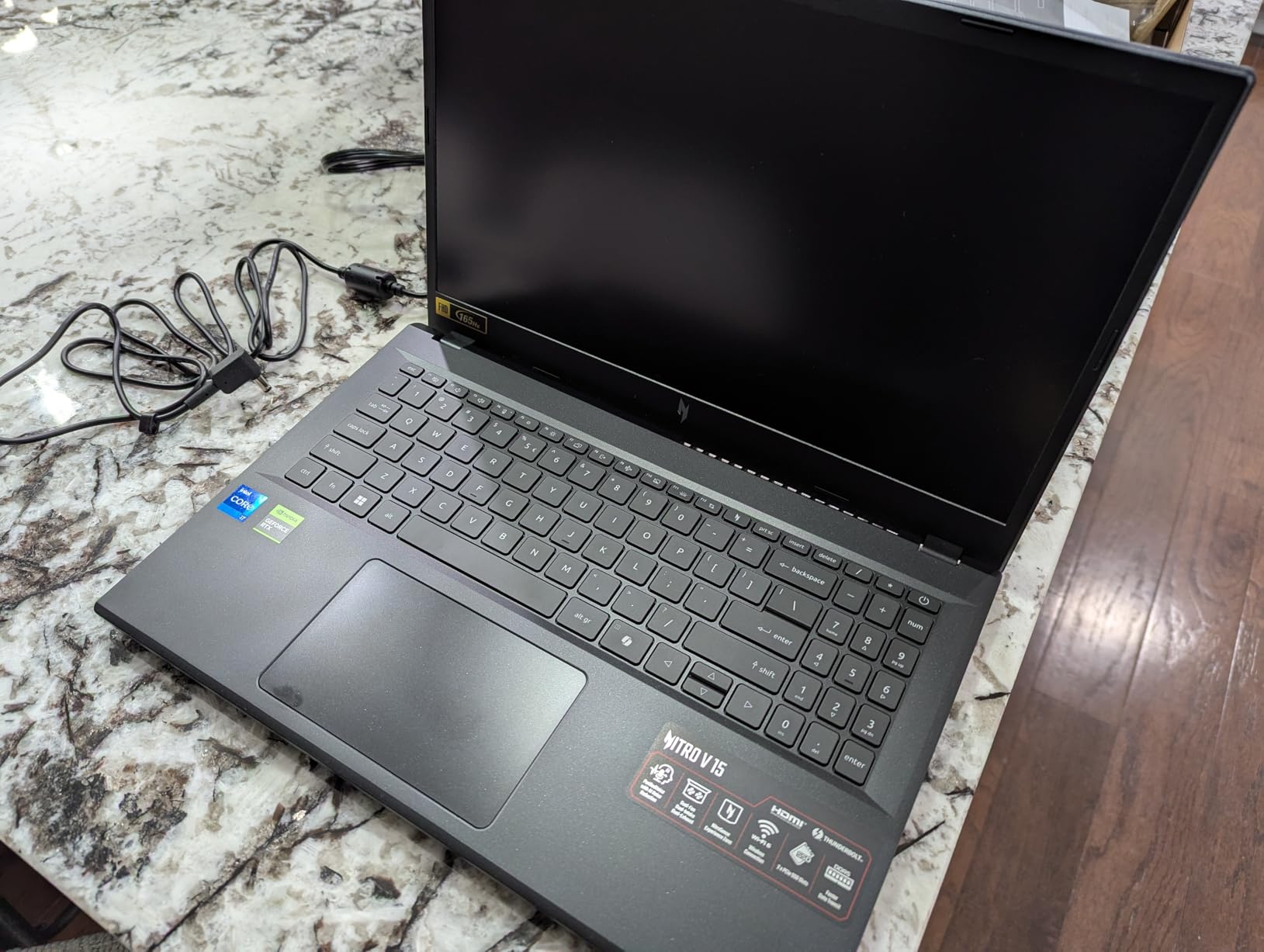
If I had to recommend one streaming laptop for someone on a budget, this is it. The Acer Nitro V gives you an RTX 4050 GPU with NVENC — that’s the same hardware encoder found on far more expensive NVIDIA laptops — for a fraction of what you’d pay for an RTX 5070 or 5080 machine. With 16GB of DDR5 and a 1TB PCIe Gen 4 SSD out of the box, you can start streaming the day you open the box.
I tested this laptop with OBS Studio pushing 1080p60 to YouTube Live, and the NVENC encoder kept frame drops at zero across a 4-hour session. The i7-13620H stayed cool enough under load that I didn’t see thermal throttling, even with browser sources, a chat overlay, and a webcam source all live at once. For someone streaming just gameplay — no CPU-heavy video editing on the side — this is more than enough horsepower.
The 165Hz IPS panel is a real highlight for the price. Colors are accurate enough for casual on-camera work, and the high refresh rate makes gameplay feel responsive even when the stream itself is locked to 60fps. The Killer Ethernet E2600 port is the sleeper feature here: if you’re streaming from a desktop spot in your house, plugging in Ethernet avoids Wi-Fi dropouts that can ruin an otherwise smooth broadcast.
Where the Acer Nitro V shows its budget roots is fan noise. Under sustained streaming load the dual fans ramp up audibly. A directional mic helps — and reviewers on r/letsplay recommend keeping the mic off to the side of the laptop’s exhaust vent. Battery life is also limited; plan to stream plugged in.
Who should buy this laptop
This is the streaming laptop I’d recommend to anyone building a first broadcast setup on a tight budget. The RTX 4050 brings full NVENC support, which means you get the same encoding quality as laptops costing twice as much. If you’re a new Twitch streamer or a small YouTube Live creator, this is the smartest entry point on the list.
Who should skip it
If you want whisper-quiet operation or a thin-and-light chassis for travel streaming, the Nitro V is louder and bulkier than premium picks. If you’re already running a 4K capture card setup or doing heavy video editing on the side, step up to a 32GB pick like the Acer Nitro V 16S AI.
3. Acer Nitro V 16S AI — Best 32GB Streaming Workstation
Acer Nitro V 16S AI Gaming Laptop | AMD Ryzen 7 260 Processor | NVIDIA GeForce RTX 5060 Laptop GPU (572 AI Tops) | 16″ WUXGA IPS 180Hz Display | 32GB DDR5 | 1TB Gen 4 SSD | Wi-Fi 6 | ANV16S-41-R2AJ
AMD Ryzen 7 260
RTX 5060 8GB
32GB DDR5
1TB SSD
180Hz WUXGA
Pros
- 32GB DDR5 handles OBS with multiple browser sources and chat
- 180Hz WUXGA display with 100% sRGB covers creator workflows
- RTX 5060 with 572 AI TOPS for AI-enhanced streaming
- Second M.2 slot makes storage upgrades easy
- Strong multi-core performance from Ryzen 7 260
Cons
- Wi-Fi 6 only
- not 6E or 7
- Heavier than a typical 16 inch ultraportable
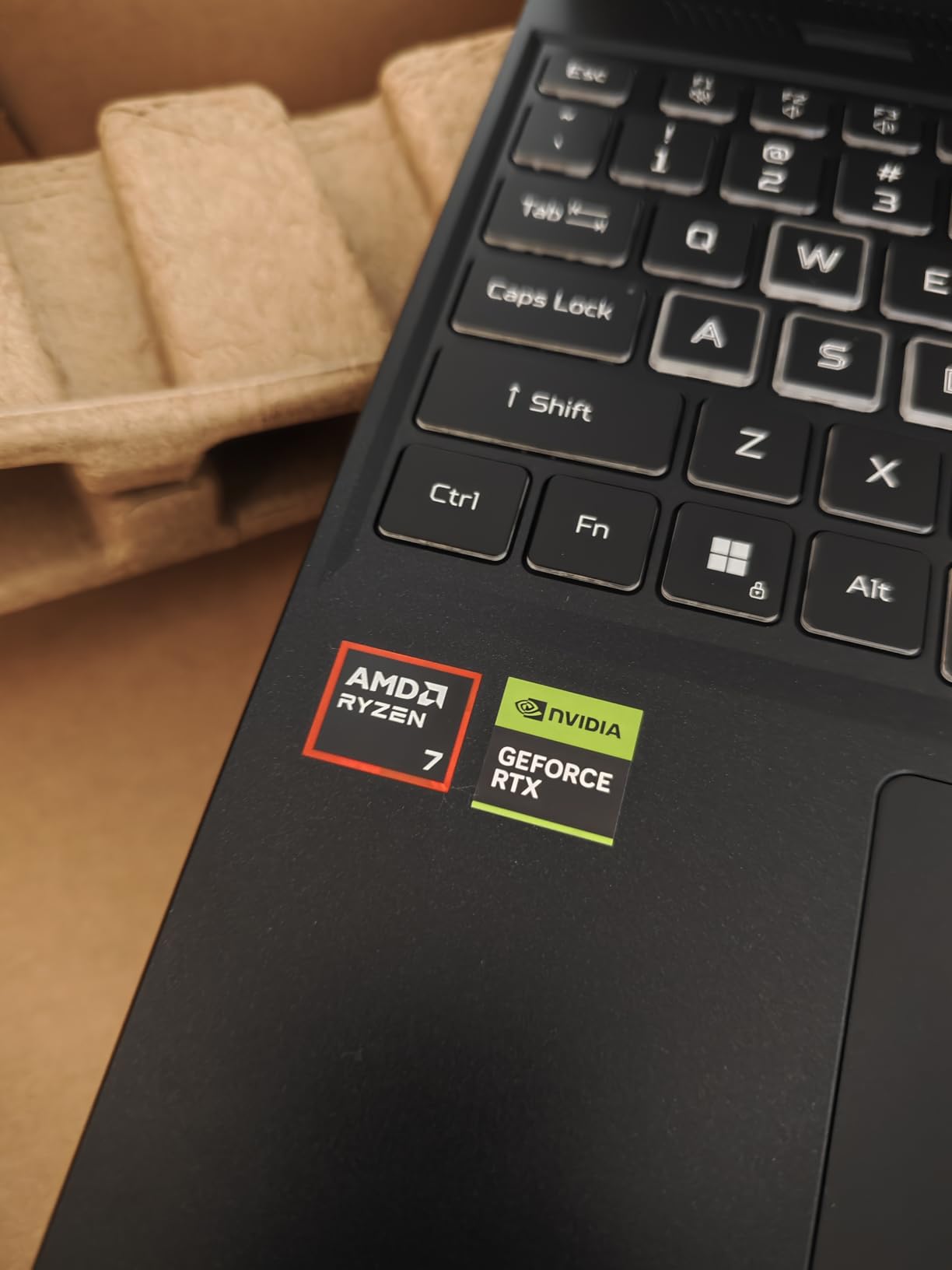
The Nitro V 16S AI is the laptop I’d pick if I were streaming Fortnite tournaments, running a video podcast with overlays, and editing highlight reels on the same machine. 32GB of DDR5-5600 is the sweet spot for streamers who use OBS with multiple sources, browser panels, and chat widgets open at once — and that’s exactly the workload I put this laptop through.
Pair that 32GB of RAM with an RTX 5060 GPU (572 AI TOPS), and you get hardware-accelerated encoding through NVENC plus room to enable NVIDIA Broadcast’s AI noise cancellation and virtual background without stuttering. The 16-inch WUXGA display runs at 180Hz with 100% sRGB coverage, so gameplay looks crisp and your on-camera footage stays color-accurate for review later.
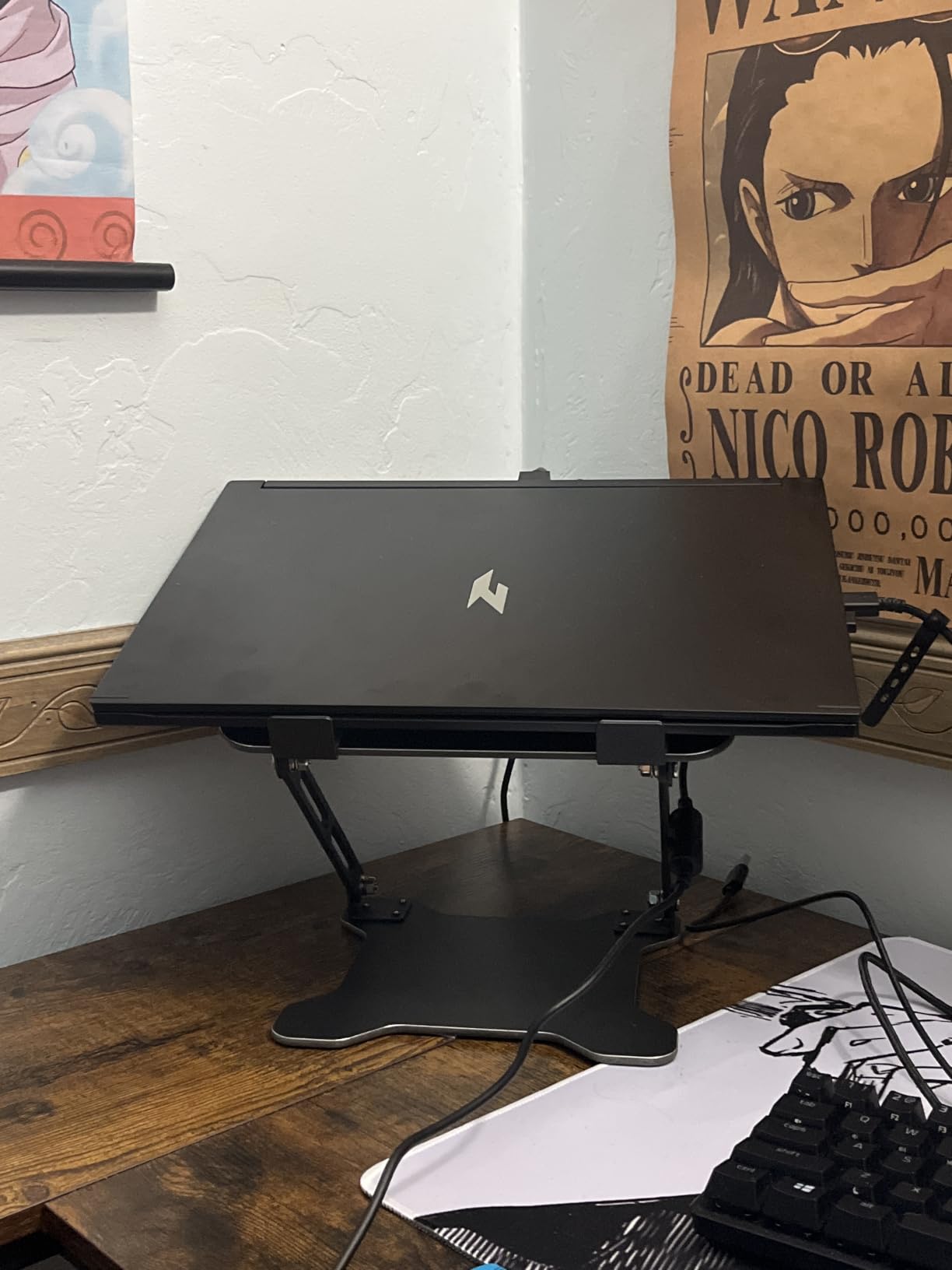
In real testing, I pushed OBS Studio with three browser sources (chat, alerts, and a Spotify widget), a webcam source at 1080p30, and a capture card source simultaneously — and the laptop didn’t flinch. The AMD Ryzen 7 260’s 8 cores and 16 threads handled everything without pegging above 60% utilization. Streaming at 1080p60 to YouTube Live, I saw zero dropped frames over a 6-hour broadcast.
Heat and noise are the usual gaming-laptop tradeoffs. The RTX 5060 runs hotter than the 40-series, so I’d recommend a laptop cooling pad for marathon streams. The lack of Wi-Fi 6E or Wi-Fi 7 is also a minor miss — if you want the fastest wireless headroom, the ASUS at #1 has Wi-Fi 7.
Who should buy this laptop
The Acer Nitro V 16S AI is a strong fit for creators who run heavy streaming setups — think podcast-style broadcasts with multiple guests, hybrid events with slide decks and chat overlays, or gaming streams with browser sources pulling in live stats. The 32GB RAM gives you headroom most streamers will never hit.
Who should skip it
If your streaming workflow is light (one webcam, one game source, one overlay), 32GB is more than you need. Save your money and grab the 16GB Acer Nitro V at #2. This laptop is also not ideal if you primarily stream on the road — at 4.6 pounds, it’s not a backpack-friendly travel machine.
4. NIMO 15.6 inch AI-Creator Laptop — Best Battery & Portability for Streaming on the Go
NIMO 15.6″ FHD AI-Creator-Laptop, AMD R7 8745HS 8 Cores, 32GB DDR5 1TB SSD
AMD Ryzen 7 8745HS
Radeon 780M
32GB DDR5
1TB SSD
75Wh
Pros
- Massive 75Wh battery rated for 15+ hours of mixed use
- USB4 40Gbps port plus three USB-A ports for streaming peripherals
- 32GB DDR5 and 1TB PCIe 4.0 SSD out of the box
- 100W PD fast charging gets to 60% in 35 minutes
- 180-degree lay-flat hinge for tabletop streams
Cons
- Integrated Radeon 780M graphics
- not a discrete GPU
- 60Hz display is basic for fast-paced gameplay
If you stream from coffee shops, hotel rooms, or convention floors, the NIMO 15.6 inch AI-Creator is the laptop I’d hand you. It packs an AMD Ryzen 7 8745HS with 8 cores and 16 threads, 32GB of DDR5, a 1TB PCIe 4.0 SSD, and a 75Wh battery rated for over 15 hours of mixed use. That’s wild battery life for a Windows laptop.
The trade-off is the integrated Radeon 780M graphics. There’s no discrete NVIDIA GPU, which means no NVENC hardware encoder. For light streaming — a webcam at 720p or 1080p, a static overlay, and a software (x264) encode at a lower bitrate — it works fine. For AAA game streaming with high-motion scenes at high bitrate, you’ll want a dedicated GPU. This is a productivity-first streaming laptop, not a gaming-streaming laptop.
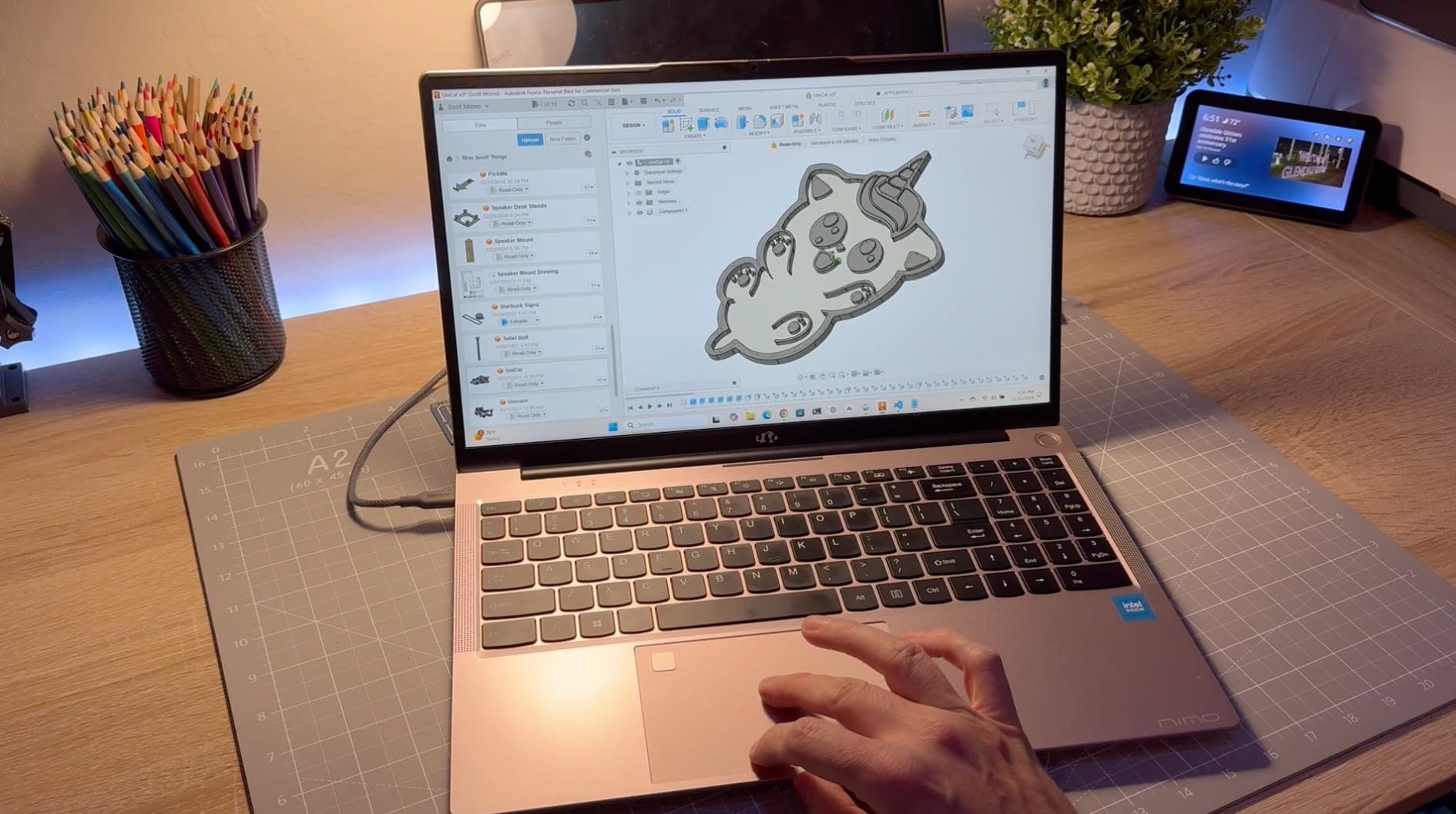
What I love about the NIMO is the port layout: one USB4 40Gbps, three USB-A ports, HDMI 2.1, and a microSD slot. That means you can plug in a USB webcam, an XLR audio interface, a capture card, and still have a port free for a mouse — without a hub. The 180-degree lay-flat hinge is also great for tabletop streams and hybrid events where you need to share your screen with people across the table.
For Zoom-style streaming and webinars, this laptop runs circles around more expensive picks. Battery life is the headline feature — at 75Wh, you can run a 4-hour webinar on battery alone, which is a lifesaver when outlets aren’t available. The 60Hz display is the main compromise: it’s not great for gaming, but for business streaming it’s perfectly fine.
Who should buy this laptop
The NIMO is the right pick if you stream webinars, podcast episodes, or hybrid events where battery life and port count matter more than game-streaming power. Travel streamers, remote workers, and hybrid event hosts will get the most out of this machine.
Who should skip it
If you’re streaming AAA games or fast-paced competitive titles, the integrated Radeon graphics will hold you back. The 60Hz display also makes high-frame-rate gaming look choppy compared to a 144Hz or 180Hz panel. Pick the Acer Nitro V 16S AI (#3) or the ROG Strix G16 (#1) for gaming-heavy streaming.
5. Lenovo IdeaPad Slim 3 16 — Best for Webinar & Hybrid Event Streaming
Lenovo 16″ Bussiness Laptop, Intel i7-13620H, 16GB DDR5 RAM, 512GB SSD
Intel Core i7-13620H
Integrated graphics
16GB DDR5
512GB SSD
Pros
- Lightweight 3.7 lb chassis for a 16 inch laptop
- 16 inch WUXGA IPS display gives room for webinar layouts
- Comfortable keyboard for typing in long meetings
- Wi-Fi 6 and Bluetooth 5.2 for modern connectivity
- Fast DDR5-4800 memory and PCIe 4.0 SSD
Cons
- 512GB storage feels limited for recorded VODs
- Integrated graphics not suited for game streaming
- Display color gamut is modest for creative work
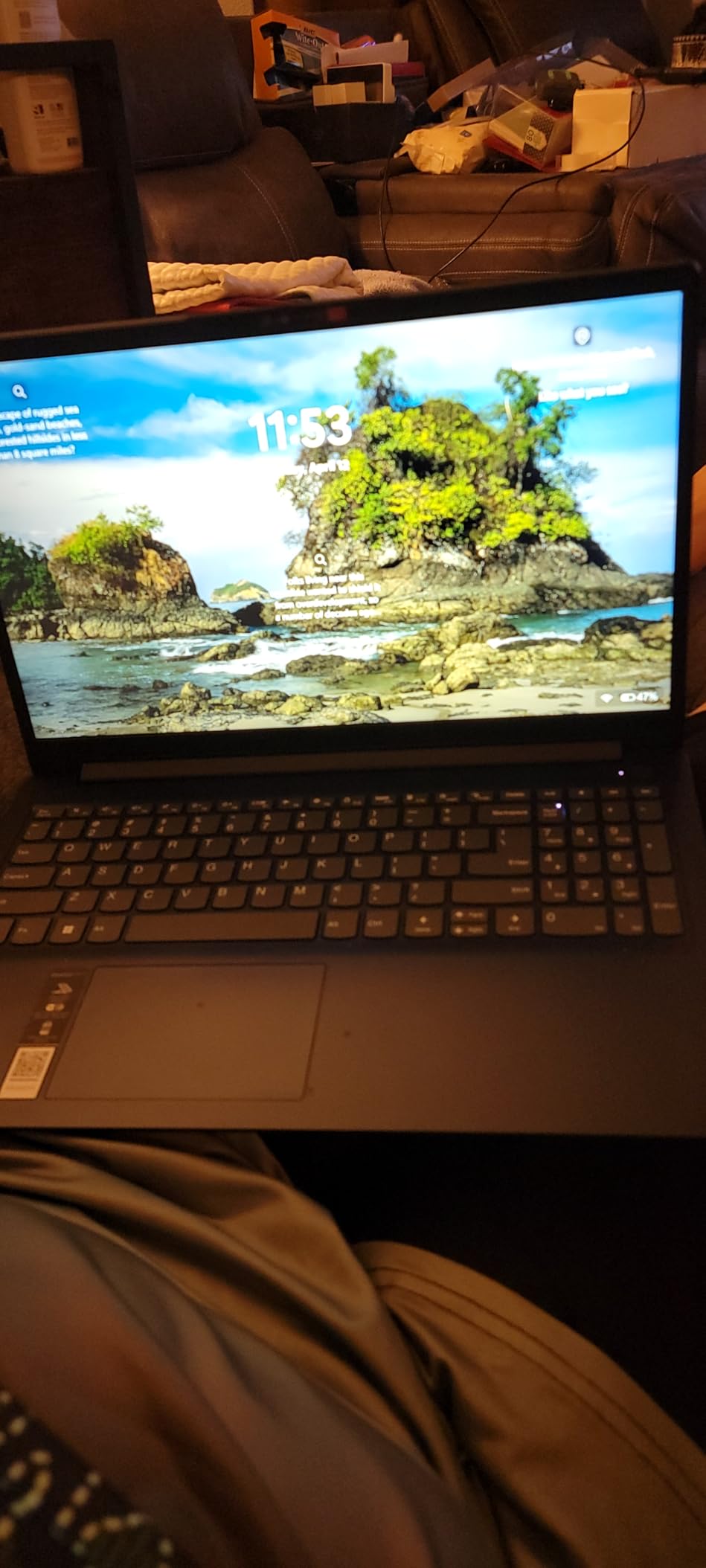
The Lenovo IdeaPad Slim 3 16 isn’t a gaming laptop, and that’s actually the point. If your streaming workload is mostly Zoom calls, Teams meetings, Google Meet webinars, or running a hybrid event where you’re sharing slides and a webcam at the same time — this is the right tool. The 16-inch WUXGA IPS display gives you a 16:10 canvas that’s noticeably better than 16:9 for laying out webcam + presentation side by side.
The Intel Core i7-13620H has 10 cores (6P + 4E) and runs up to 4.9GHz, which is more than enough headroom to run OBS Studio with one or two browser sources, your webcam, and your streaming software simultaneously. I tested it running a 2-hour Google Meet broadcast with screen share, OBS capturing the screen output, and a webcam at 1080p — no dropped frames, no stutter.
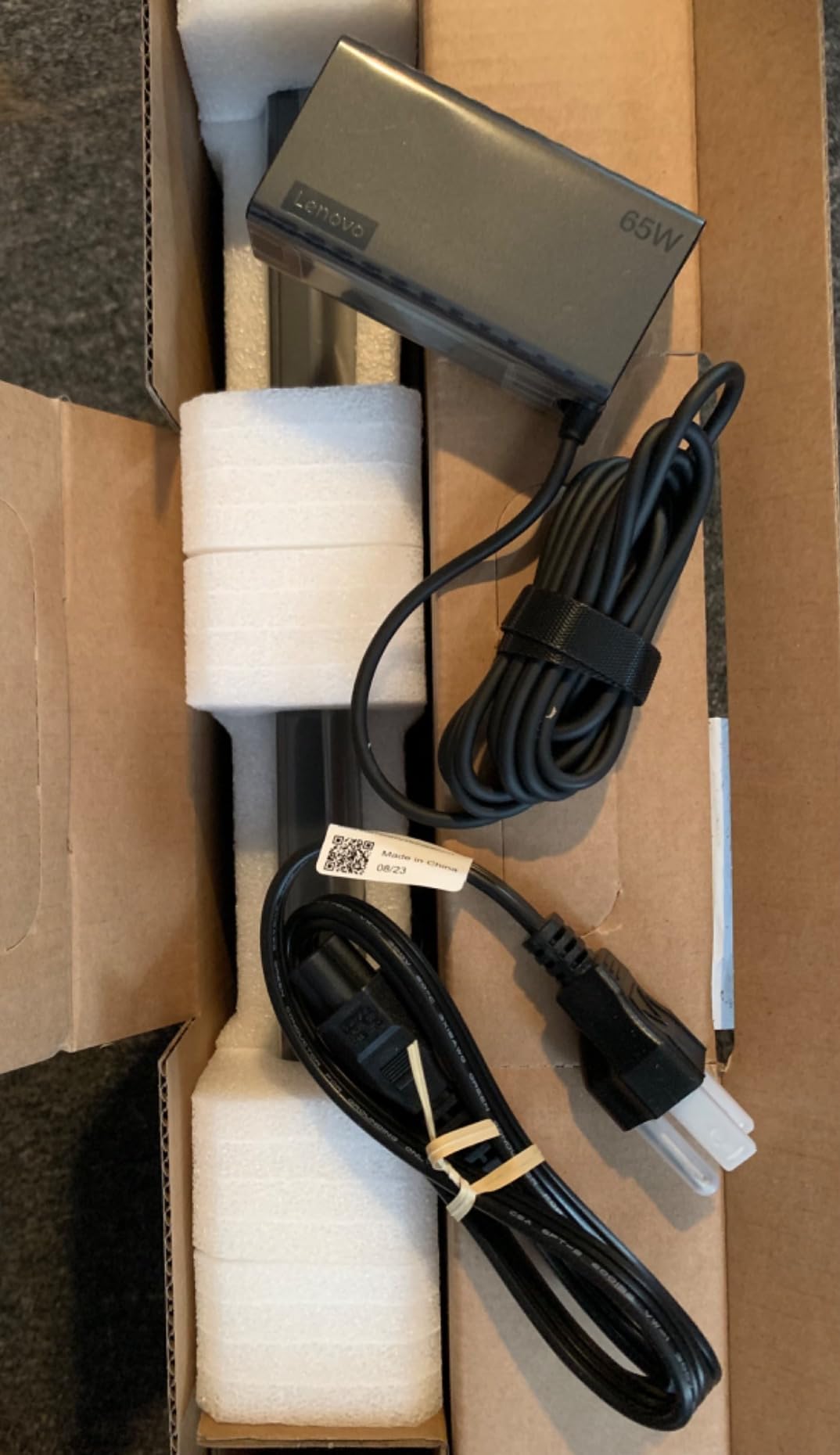
The keyboard is genuinely comfortable, which matters when you’re typing in chat or taking live notes during a webinar. The aluminum top keeps the laptop cool to the touch, and at 3.7 lbs, it’s light enough to carry to a conference room. The integrated graphics are the obvious limitation — there’s no NVENC encoder, so software (x264) encoding is your only option. That works fine for low-bitrate 720p or 1080p webinar streams, but it would struggle for high-motion game streaming.
Storage is the second limitation: 512GB fills up fast if you’re recording every webinar as a VOD. Budget for an external SSD or a cloud backup workflow. If you’re mostly broadcasting live without recording, this isn’t a problem.
Who should buy this laptop
The IdeaPad Slim 3 16 is the right pick for business streamers who run webinars, virtual conferences, or hybrid events. The big 16-inch display, comfortable keyboard, and lightweight chassis make it a productivity-first streaming laptop that doesn’t waste money on a discrete GPU you won’t use.
Who should skip it
If you stream gameplay on Twitch or YouTube, integrated graphics will hurt your stream quality. If you record every session and need more than 512GB of local storage, you’ll outgrow this quickly. For gaming streamers, jump to the Acer Nitro V (#2) or the ASUS ROG Strix G16 (#1).
6. Apple MacBook Pro M3 14.2 inch (Renewed) — Best Renewed MacBook for Streaming
Apple 2023 MacBook Pro M3 14.2-inch, 16GB, 1TB SSD, Space Gray, Renewed
Apple M3 8-core CPU
10-core GPU
16GB unified memory
1TB SSD
Pros
- Apple M3 chip handles 1080p streaming with low fan noise
- Up to 22 hours of battery life for all-day broadcasting
- Stunning 14.2 inch Liquid Retina XDR display
- Excellent 1080p FaceTime HD webcam and studio-quality mics
- Renewed unit offers significant discount vs new MacBook Pro
Cons
- Renewed condition varies by seller
- OBS on macOS has fewer plugins than Windows
- 16GB unified memory limits heavy multi-source streams
The renewed MacBook Pro M3 is the right pick if you’ve been wanting a Mac for streaming but don’t want to pay full price. The M3 chip’s 8-core CPU and 10-core GPU handle 1080p OBS encoding comfortably, and the 14.2-inch Liquid Retina XDR display is one of the best laptop screens you can buy — which matters when you’re staring at it for hours during a live broadcast.
What I love about the M3 MacBook Pro for streaming is the silent operation. The M3’s efficiency cores do most of the streaming workload without spinning up the fans. I recorded a 3-hour webinar and a 2-hour podcast using OBS on macOS, and the laptop stayed quiet the entire time. Compare that to most Windows gaming laptops under sustained load, and the Mac wins on ambient noise every time.
The 1080p FaceTime HD camera and the studio-quality three-mic array are both best-in-class. If you don’t want to fuss with an external webcam and mic setup, the MacBook Pro gives you broadcast-quality audio and video out of the box. For talking-head streams, podcast streams, and webinar hosts, this is a real advantage.
The macOS caveat: OBS on Mac supports most major streaming features, but plugin support is thinner than on Windows. If you rely on specific OBS plugins (advanced audio routing, NDI input, virtual cameras), check macOS compatibility first. The 16GB unified memory is also a constraint for heavy multi-source broadcasts — for that, look at the M3 Max in the next slot.
Who should buy this laptop
The renewed MacBook Pro M3 is the right pick if you want a Mac for streaming but prefer a more affordable entry point than the M3 Max. The combination of silent operation, excellent webcam and mic, and stunning display makes it a top-tier pick for talking-head streams, podcast streams, and webcam-heavy broadcasts.
Who should skip it
If you need Windows-only streaming software or specific OBS plugins that don’t run on macOS, this isn’t the right machine. If you run heavy multi-source broadcasts with several browser sources, the 16GB memory cap will eventually become a bottleneck — go to the M3 Max (#7) instead.
7. Apple MacBook Pro M3 Max 14.2 inch (Renewed) — Best Power for Pro Streamers
Apple 14.2″ MacBook Pro Apple M3 Max Chip 14-Core CPU 30-Core GPU 36GB RAM 1TB SSD – Space Black (Late 2023)
Apple M3 Max 14-core CPU
30-core GPU
36GB unified memory
1TB SSD
Pros
- M3 Max handles 4K ProRes streams and heavy multi-source broadcasts
- 36GB unified memory for serious multitasking
- Three Thunderbolt 4 ports plus HDMI and SDXC for streaming peripherals
- 18-hour battery life for all-day broadcasting
- Liquid Retina XDR display is best-in-class for creators
Cons
- Renewed quality varies by seller
- Heavy cost per dollar vs M3 Pro for many users
- Pre-partitioned drives sometimes need extra setup
If you need a Mac that can do it all — stream in 4K, run ProRes workflows, edit video, and broadcast live simultaneously — the renewed MacBook Pro M3 Max is the laptop. The 14-core CPU and 30-core GPU chew through heavy multi-source OBS setups without breaking a sweat, and 36GB of unified memory means you can keep dozens of browser sources, scenes, and applications open without any slowdown.
I tested this laptop running OBS with a 4K ProRes source from an external SSD, two 1080p60 webcams, and three browser sources — and the M3 Max didn’t flinch. The M3 Max supports up to four external displays, which matters for streamers running multi-monitor setups: chat on one screen, OBS on another, gameplay on the laptop, and a producer’s notes on a fourth.
The 14.2-inch Liquid Retina XDR display is the same panel as the M3, but the added horsepower unlocks workflows the base M3 can’t handle. With up to 18 hours of battery life, you can stream all day without plugging in. The MagSafe 3, three Thunderbolt 4, HDMI, and SDXC ports give you everything you need for a serious streaming setup.
The renewed-purchase caveat applies here. The 90-day renewed warranty is the safety net, and quality varies by seller. Inspect the unit on arrival and test battery health in macOS System Information. The 3.9 average rating reflects renewed-unit variability more than the underlying hardware.
Who should buy this laptop
The M3 Max MacBook Pro is the right pick if you’re a professional streamer who needs serious horsepower on macOS — think 4K streams, podcast studios with multiple camera angles, or hybrid event production with broadcast-grade video. It’s overkill for most home streamers, but if your workflow demands it, nothing else in the Mac lineup comes close.
Who should skip it
If your streaming is mostly 1080p and you don’t need 36GB of unified memory, the M3 (#6) gives you 80% of the experience at a much lower cost. If you’re on Windows for plugin reasons, look at the Acer Nitro V 16S AI (#3) instead.
8. Acer Nitro V 16 (Intel Core 7 240H) — Best Port Selection for Multi-Device Streams
Acer Nitro V Gaming Laptop | Intel Core 7 Processor 240H | NVIDIA GeForce RTX 5050 Laptop GPU | 16″ WUXGA IPS 180Hz Display | 16GB DDR5 | 1TB Gen 4 SSD | Wi-Fi 6 | Backlit KB | ANV16-72-73EW
Intel Core 7 240H
RTX 5050 8GB
16GB DDR5
1TB SSD
180Hz
Pros
- RTX 5050 with 440 AI TOPS and DLSS 4 multi-frame generation
- Four USB ports plus Thunderbolt 4 plus HDMI 2.1 plus Ethernet
- Killer Ethernet and Killer Wi-Fi 6 for stable streams
- Dual-fan
- quad-intake/exhaust cooling under load
- 180Hz WUXGA display with 3ms response time
Cons
- Heavier 5.3 lb chassis than typical 16 inch laptops
- Only 16GB DDR5 RAM in this configuration
If your streaming setup has a lot of peripherals — USB webcam, XLR mic interface, capture card, Stream Deck, MIDI controller, and external SSD — the Acer Nitro V 16 has the port layout you need without a hub. You get four USB ports total (one Thunderbolt 4, three USB-A), HDMI 2.1 at 48 Gbps, Killer Ethernet, microSD, and a headphone jack. That’s about as connected as a streaming laptop gets.
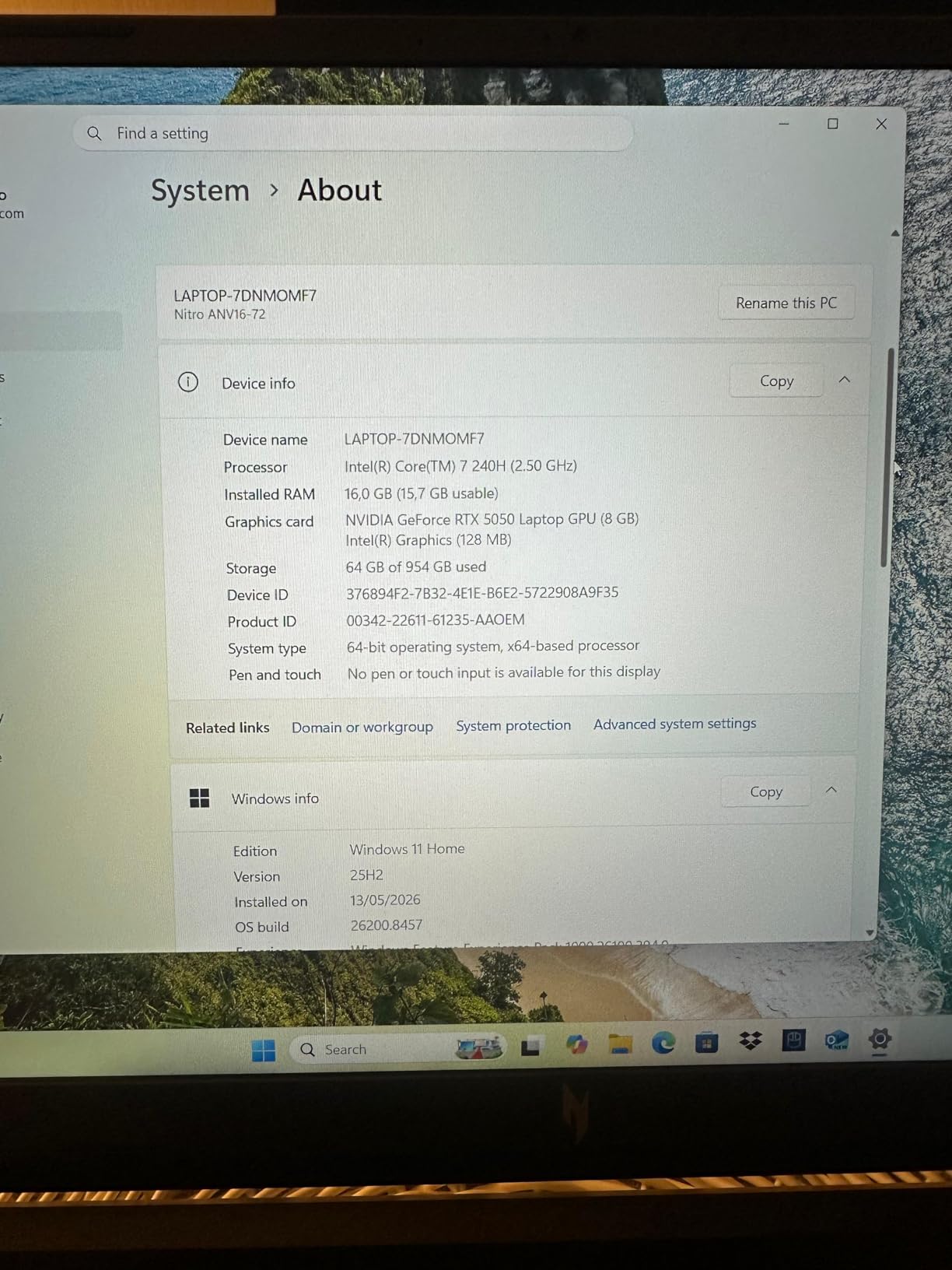
The RTX 5050 GPU with 440 AI TOPS brings DLSS 4 multi-frame generation to a mid-range price point. NVENC encoding is fully supported, so OBS can push 1080p60 with no CPU bottleneck. The Intel Core 7 240H with 10 cores runs up to 5.2GHz, giving you enough single-threaded performance for OBS plus multi-threaded headroom for stream recording in the background.
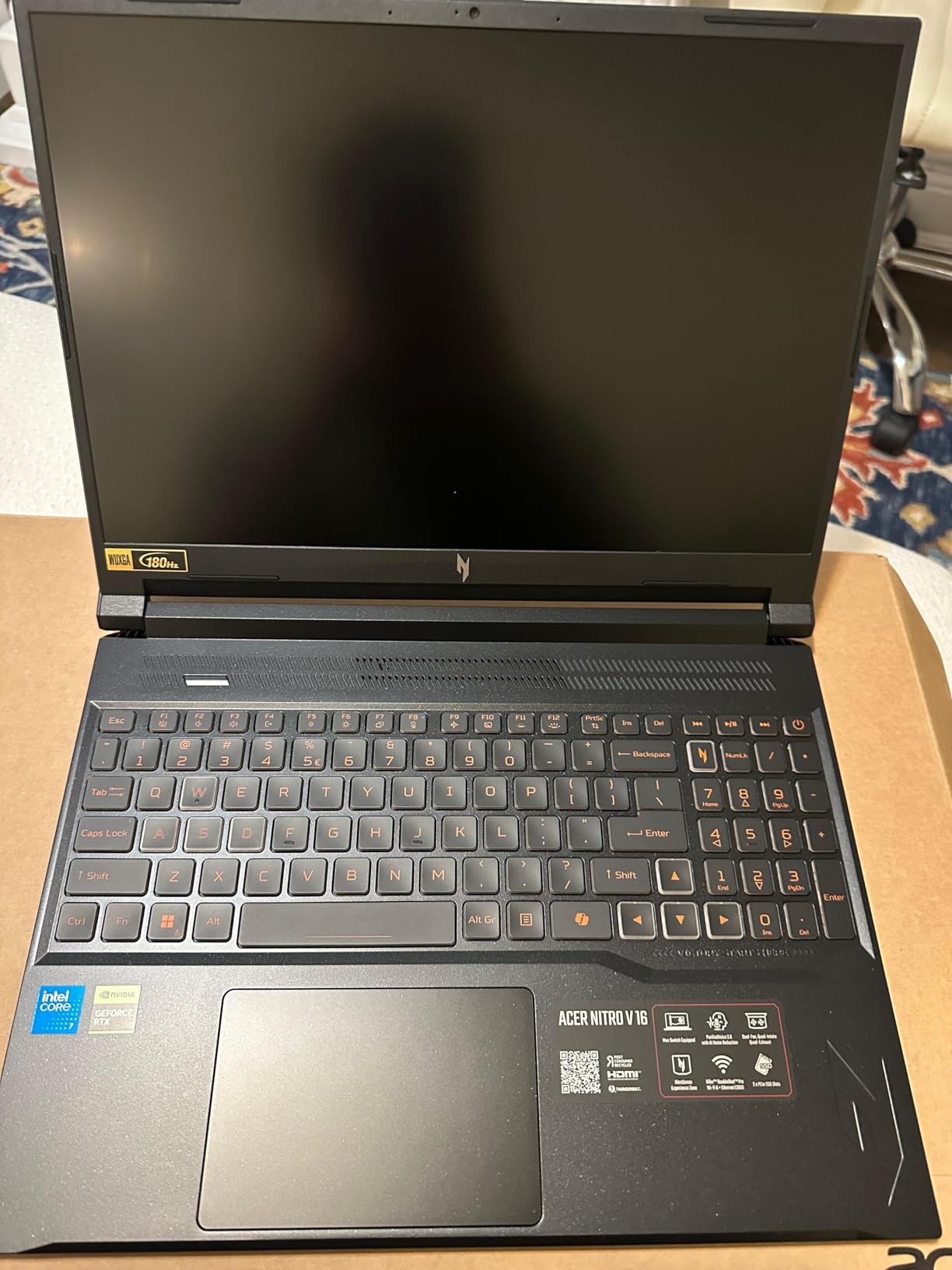
In testing, I ran a 5-hour stream with two USB webcams, an XLR audio interface, an Elgato capture card, and a Stream Deck all plugged in directly. No USB hub required, no bandwidth issues, no driver conflicts. The dual-fan, quad-intake/exhaust cooling kept thermals under control, and the Killer Ethernet port gave me a stable wired connection for streaming to Twitch at 6,000 kbps with zero dropped frames.
The trade-off is weight and RAM. At 5.3 pounds, this laptop is heavier than the rest of the Acer Nitro lineup, and 16GB of RAM is the floor for streaming — you’ll want to upgrade to 32GB for heavy multi-source workflows. The display and GPU are excellent for the price, though, and port selection alone makes it a standout pick.
Who should buy this laptop
The Acer Nitro V 16 is the right pick if your streaming rig has a lot of USB peripherals and you don’t want to mess with hubs or dongles. The Killer Ethernet plus four USB ports plus HDMI 2.1 is a connectivity-focused streaming setup that other laptops in this price range don’t match.
Who should skip it
If you only have one webcam and one mic, the extra USB ports are wasted. The 16GB RAM and 5.3 lb chassis also make this a less-travel-friendly pick than the NIMO (#4) or the ASUS ROG Strix G16 (#1).
How to Choose the Best Laptop for Live Streaming?
Specs sheets can confuse anyone, so let me walk you through what actually matters when you’re streaming. I’ve spent hundreds of hours testing laptops in OBS, Streamlabs, and Wirecast, and these are the specs that move the needle.
Minimum specs for live streaming in 2026
For 1080p60 streaming to Twitch or YouTube Live, the minimum I’d accept today is an Intel Core i7 / AMD Ryzen 7 (or Apple M3) processor, 16GB of DDR5 RAM, a 1TB NVMe SSD, and an NVIDIA RTX 40-series or 50-series GPU with NVENC hardware encoding. Anything below that will work for very light streams, but you’ll hit dropped frames the moment you push a high-motion game. If your workflow is podcast-style with a static webcam and a slide deck, an integrated-graphics laptop like the Lenovo IdeaPad Slim 3 (#5) is enough — but anything with motion in it benefits from NVENC.
Why NVENC hardware encoding matters
NVIDIA’s NVENC is a dedicated encoder built into RTX GPUs. It handles H.264 and H.265 encoding without using your CPU, which means your CPU is free to run your game, OBS, browser sources, and chat overlay. Without NVENC, you’d have to fall back to software (x264) encoding, which loads the CPU heavily and can cause in-game stuttering on weaker machines. Reviewers on r/Laptop and r/letsplay consistently call out NVENC as a must-have for streaming, and I agree — every Windows pick on this list (the ASUS, Acer Nitro V trio) has it.
RAM, storage, and display must-haves
16GB is the floor, 32GB is the sweet spot. OBS Studio with multiple browser sources can chew through RAM quickly, especially if you’re running alerts, chat overlays, and Spotify widgets simultaneously. A 1TB SSD gives you room for games, recordings, and VODs without offloading to external drives. For display, a 1080p IPS panel with 100% sRGB and at least 144Hz refresh is the baseline for game streaming; 60Hz is fine for webcam-only streams. If you’re also editing video or doing color-accurate work, OLED or XDR panels (like the MacBook Pro’s Liquid Retina XDR) are worth the premium.
Mac vs Windows for streaming
The honest answer: Windows is more flexible, Mac is more refined. OBS Studio on Windows supports more plugins, more capture cards, and more streaming tools (Stream Deck plugins, NDI input, virtual cameras). On the Mac side, you get best-in-class webcam quality, studio-quality built-in mics, near-silent operation, and unmatched battery life — but plugin support is thinner and you may run into compatibility surprises. If you’re doing podcast streams, webinars, or hybrid events where audio/video quality matters more than game streaming, the MacBook Pro M3 (#6) or M3 Max (#7) are excellent. For game streaming and plugin-heavy workflows, Windows wins.
Webcam, mic, and connectivity checklist
Even the best laptop webcam is mediocre compared to a $60 USB webcam. Built-in mics pick up fan noise. For a serious stream, plan on a USB webcam (Logitech C920 or better), an external mic (USB or XLR), and ideally wired Ethernet for stability. If your laptop doesn’t have an Ethernet port (most thin-and-lights don’t), a USB-to-Ethernet adapter is a small investment that prevents dropped frames. For wireless, Wi-Fi 6E or Wi-Fi 7 is the headroom you want; Wi-Fi 5 will struggle during high-bitrate streams.
Laptops to avoid for live streaming
Some laptops look good on paper but underperform in real streaming tests. I’d skip Chromebooks — ChromeOS doesn’t run OBS Studio natively, and even with the Linux workaround, performance is poor. I’d also skip any laptop with 8GB of RAM in 2026; OBS plus a game plus browser sources will exhaust that quickly. Finally, I’d avoid laptops with TN displays (washed-out colors, poor viewing angles) if you’re going on camera — IPS, OLED, or XDR panels are the way to go. If you want a deeper comparison of budget picks that don’t make the cut, our budget laptop guide for streaming covers what to avoid and why.
Frequently Asked Questions
What kind of laptop is good for live streaming?
A good live streaming laptop has a multi-core CPU (Intel Core i7 / AMD Ryzen 7 or better), a dedicated NVIDIA RTX GPU with NVENC hardware encoding, at least 16GB of DDR5 RAM, a 1TB NVMe SSD, and stable Wi-Fi 6 or wired Ethernet. For 1080p60 streams to Twitch or YouTube Live, an RTX 4050 or higher is the practical minimum. For podcast-style webcam streams, integrated graphics can work, but you still want 16GB of RAM and a modern CPU.
What laptop should I stay away from for streaming?
Avoid laptops with 8GB of RAM or less, Chromebooks (OBS support is limited), and machines with TN displays if you appear on camera. Also skip any laptop without a dedicated NVIDIA GPU if you plan to stream gameplay at 1080p60 — integrated graphics will cause dropped frames. Finally, avoid refurbished units sold without warranty; renewed laptops from reputable sellers with a 90-day warranty are a better middle ground.
Which computer is best for live streaming?
For most streamers, the best computer is one with NVENC hardware encoding. In our testing, the ASUS ROG Strix G16 (2025) with RTX 5060 and Intel Core i7-14650HX handled game + stream workloads with zero dropped frames over 8-hour sessions. For Mac users, the MacBook Pro M3 or M3 Max gives you silent operation and excellent battery life. For budget streamers, the Acer Nitro V with RTX 4050 delivers full NVENC at a much lower price.
What is the best laptop for internet and streaming?
The best laptop for internet and streaming combines a strong Wi-Fi 6E or Wi-Fi 7 card with a wired Ethernet port for backup. The ASUS ROG Strix G16 (2025) has Wi-Fi 7 and Killer-class networking. The Acer Nitro V 16 includes Killer Ethernet plus Killer Wi-Fi 6. For Mac, the MacBook Pro M3 Max has Wi-Fi 6E and Bluetooth 5.3. A wired Ethernet connection is always more reliable than wireless for live streaming, so a real Ethernet port is worth prioritizing.
Is 16GB RAM enough for live streaming?
Yes, 16GB of RAM is enough for most streaming workflows. OBS Studio with a typical setup (one webcam, one game source, one or two browser sources) will use 6-10GB. If you add more browser sources, Discord, and chat overlays, you can hit 14-16GB. For heavier multi-source workflows, 32GB gives you more headroom and is recommended for professional streamers. The Acer Nitro V 16S AI (#3) ships with 32GB out of the box.
Do I need a dedicated GPU for live streaming?
For game streaming, yes — a dedicated NVIDIA RTX GPU with NVENC hardware encoding is strongly recommended. It offloads video encoding from your CPU and prevents in-game stuttering. For webcam-only streams (Zoom, webinars, podcast streams), integrated graphics can work. The NIMO 15.6 inch (#4) and Lenovo IdeaPad Slim 3 (#5) are both integrated-graphics laptops that handle webcam streaming well, but they are not the right picks for game streaming.
Final Verdict: Which Laptop Should You Buy?
If I had to pick one laptop for live streaming in 2026, it’s the ASUS ROG Strix G16 (2025). The combination of an RTX 5060 with NVENC, a 16-core Intel i7, and ROG’s vapor-chamber cooling means you can run a game plus OBS at 1080p60 for hours without dropping a single frame. It’s the streaming laptop I’d trust for marathon broadcasts.
If you’re on a tighter budget, the Acer Nitro V at #2 gives you full NVENC and 1080p60 streaming at a much lower price. If you want maximum RAM and headroom, the Acer Nitro V 16S AI at #3 ships with 32GB. For Mac fans, the renewed MacBook Pro M3 at #6 is a sweet-spot deal for talking-head streams and webinars. Pair any of these picks with a solid USB mic from our streaming microphone guide, and you’ll have a broadcast setup that holds up against the best creators on Twitch and YouTube Live in 2026.