
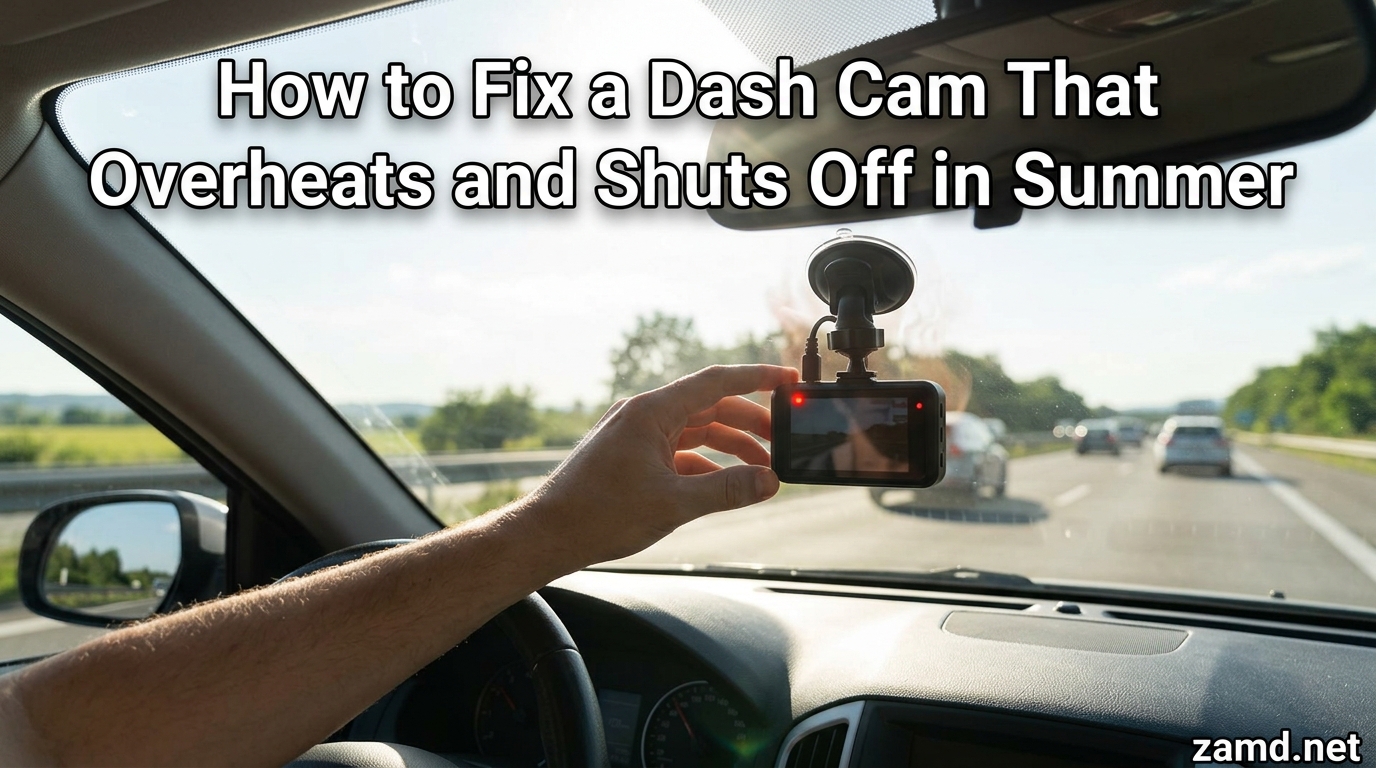
You are driving down the highway on a 100-degree afternoon, and suddenly your dash cam goes black. No warning, no error message, just a dead screen. If this has happened to you, you are dealing with dash cam overheating, and summer makes it ten times worse.
Interior car temperatures can climb past 140 degrees Fahrenheit when parked in direct sun. Most dash cams are not built to handle that kind of heat day after day. The result is thermal shutdowns, corrupted footage, and in some cases permanent damage to the device.
In this guide, I will walk you through how to fix dash cam overheating in summer with practical, step-by-step solutions you can apply today. We will cover why your dash cam overheats, specific temperature thresholds, quick fixes, long-term prevention strategies, and when it is time to replace the unit entirely.
Whether you live in Phoenix, Texas, or anywhere with brutal summer heat, these fixes will help keep your dash cam recording when you need it most.
Table of Contents
Why Dash Cams Overheat in Summer
Dash cam overheating in summer comes down to a combination of internal and external heat sources working against each other. Understanding the root cause helps you pick the right fix instead of guessing.
The biggest culprit is direct sunlight. When your dash cam is mounted on the windshield, it sits in the hottest part of the car. The glass magnifies solar radiation, and the dark dashboard absorbs heat, creating an oven-like environment around the device.
Inside the dash cam, the image processor and sensor generate their own heat while recording. Higher resolutions like 4K or 2.5K demand more processing power, which means more internal heat. When you combine this internal heat generation with 130-degree cabin temperatures, the device simply cannot dissipate heat fast enough.
Poor ventilation makes things worse. Many dash cams are mounted flush against the windshield with no airflow behind them. The heat has nowhere to go, so it builds up inside the casing until the thermal protection circuit triggers a shutdown.
Power supply issues also contribute. Cheap hardwire kits or aging car adapters can deliver inconsistent voltage, forcing the dash cam’s voltage regulator to work harder and generate additional heat. I have seen users solve overheating problems simply by replacing a faulty power cable.
Temperature Thresholds and Safe Operating Ranges
Most dash cam manufacturers specify an operating temperature range of 14F to 140F (-10C to 60C). That sounds impressive, but the reality is more complicated. Sustained operation near the top of that range will significantly shorten the lifespan of your device.
The real danger zone for lithium-ion battery dash cams starts around 113F (45C). At this temperature, the battery begins to degrade faster than normal. Prolonged exposure above 120F can cause battery swelling, reduced capacity, and in extreme cases, the risk of thermal runaway.
Here is the problem: a car parked in summer sun can reach interior temperatures of 130F to 170F within 30 to 60 minutes. That pushes well beyond the safe operating range for most dash cams. The dashboard surface where the camera is mounted can be even hotter than the surrounding air.
When the internal temperature sensor detects unsafe heat levels, the dash cam triggers thermal shutdown to protect itself. This is why your device shuts off without warning. It is not broken, it is trying to survive.
Supercapacitor-based dash cams handle heat better because they do not have a lithium-ion battery to protect. Some models are rated for continuous operation up to 158F (70C), making them significantly more resilient in hot climates.
Signs Your Dash Cam Is Overheating
Before you can fix the problem, you need to confirm overheating is actually what is happening. Here are the most common warning signs.
Random shutdowns during recording. If your dash cam turns itself off in the middle of a drive, especially on hot days or during long trips, thermal protection is the likely cause. The device will usually power back on once it cools down.
Overheating warning messages. Some dash cams display a temperature warning or error code before shutting off. If you see a message like “High Temperature” or “Device Overheated,” the diagnosis is straightforward.
Hot to the touch. If the dash cam casing feels uncomfortably hot when you touch it, the internal components are even hotter. This is a clear sign that heat dissipation is insufficient.
Corrupted or missing footage. Overheating can cause recording errors where the file becomes corrupted or the camera fails to save the current recording before shutting down. If you find gaps in your footage during hot weather, overheating is a prime suspect.
Failure to restart after sitting in the sun. If your dash cam will not power on after the car has been parked in direct sunlight, the battery may have temporarily failed due to heat exposure. This is especially common with lithium-ion battery models.
Inconsistent behavior between city and highway driving. Some users on the r/Dashcam subreddit report that their cameras work fine in city traffic but overheat on long highway drives. Highway driving means sustained recording without stops, generating continuous internal heat with no cooling breaks.
Quick Fixes for Immediate Relief
If your dash cam is overheating right now, here are the steps you can take today to get it back up and running.
Step 1: Power It Off and Let It Cool
The moment you notice overheating signs, power off the dash cam immediately. Remove it from the windshield mount and place it in a shaded area. Let it cool for 15 to 30 minutes before attempting to use it again. Never put a hot dash cam in the freezer or use ice, as rapid temperature changes can cause condensation damage inside the electronics.
Step 2: Move It Behind the Rearview Mirror
Relocating your dash cam behind the rearview mirror puts it in what forum users call the shade zone. This area gets significantly less direct sunlight than the center of the windshield. The temperature difference can be 15 to 25 degrees, which is often enough to prevent thermal shutdown.
Step 3: Enable Screen Auto-Off
The LCD screen on your dash cam generates heat. Most models have a setting to turn off the display after 1 to 3 minutes of inactivity. Enabling this feature reduces internal heat generation and saves power at the same time. Look for settings labeled “Screen Off,” “Display Timeout,” or “Auto LCD Off.”
Step 4: Turn Off Wi-Fi and GPS When Not Needed
Wi-Fi connectivity and GPS logging both draw power and generate heat. If you are not actively connected to the dash cam app or do not need speed and location data, disable these features. On some models, turning off Wi-Fi alone can reduce operating temperature by several degrees.
Step 5: Lower the Recording Resolution Temporarily
Recording in 4K or 2.5K requires significantly more processing power than 1080p. If overheating is a recurring problem, switch to 1080p during the hottest months. You will still capture clear, usable footage while dramatically reducing the processor workload and heat output.
Step 6: Use a Windshield Sunshade
A reflective windshield sunshade is one of the cheapest and most effective tools for dash cam heat protection. When parked, place the sunshade on the windshield to block direct solar radiation. This can reduce cabin temperatures by 30 to 40 degrees, which directly benefits your dash cam.
Step 7: Crack the Windows Slightly
Leaving your windows cracked half an inch allows hot air to escape the cabin, reducing interior temperatures significantly. This is a common practice among dash cam owners in Arizona and Texas. Combined with a sunshade, cracked windows can keep your dash cam within safe operating temperatures even on 110-degree days.
Long-Term Solutions to Prevent Overheating
Quick fixes help in the moment, but if you live in a hot climate, you need permanent solutions to stop dash cam overheating for good.
Switch to a Supercapacitor Dash Cam
The single most effective upgrade you can make is replacing a lithium-ion battery dash cam with a supercapacitor model. Supercapacitors do not degrade in high heat the way lithium batteries do. They are rated for extreme temperatures and will not swell, leak, or fail after repeated heat exposure. Users on r/Dashcam consistently report that supercapacitor models last years longer in hot climates.
Use a High-Endurance SD Card
The connection between SD card health and overheating is often overlooked. Cheap or worn-out SD cards force the dash cam processor to work harder to write data, generating additional heat. A high-endurance microSD card designed for continuous recording writes data more efficiently, reducing processor strain. Replace your SD card every 12 to 18 months, as degraded cards are a hidden source of both overheating and recording failures.
Check and Upgrade Your Power Supply
Aging hardwire kits and cheap car adapters can deliver unstable voltage, which makes the dash cam’s internal voltage regulator work overtime and generate excess heat. If your dash cam is more than two years old, inspect the power cable for damage. Consider upgrading to a quality hardwire kit with built-in voltage protection to ensure clean, stable power delivery.
Install a Heat Shield or Reflective Strip
You can create a simple DIY heat shield by cutting a piece of reflective material to fit behind your dash cam. Some Reddit users report success with reflective bubble insulation cut to size and placed between the camera and the windshield. This blocks direct solar radiation from hitting the device while still allowing the camera to record through a small opening.
Update Firmware Regularly
Manufacturers sometimes release firmware updates that optimize power management and reduce heat generation. Check your dash cam manufacturer’s website every few months for updates. These updates can improve thermal management algorithms, reduce idle power consumption, and fix bugs that cause unnecessary processor load.
Adjust Parking Mode Settings
Parking mode is one of the most heat-intensive features on a dash cam. If your area regularly exceeds 100 degrees, consider setting a parking mode timer that limits recording to 12 hours or switching to motion-activated parking mode instead of continuous recording. This reduces the amount of time the camera runs in a hot, parked car.
Battery vs Supercapacitor: What Handles Heat Better
This is one of the most common questions in dash cam forums, and the answer matters a lot if you live in a hot climate.
Lithium-ion batteries are sensitive to heat. Repeated exposure to temperatures above 113F (45C) causes the battery to degrade faster, lose capacity, and eventually swell. A swollen battery can damage the dash cam housing, interfere with internal components, and in rare cases pose a safety risk. Most lithium-ion battery dash cams will show noticeable degradation after 1 to 2 years of summer use in hot climates.
Supercapacitors, on the other hand, store energy using a completely different mechanism that is highly resistant to heat. They can operate safely at temperatures up to 158F (70C) and do not degrade the same way batteries do. A supercapacitor dash cam can last 4 to 6 years in the same conditions where a battery model would fail in 2.
The trade-off is that supercapacitors hold less energy than batteries. They are designed to provide just enough power to save the current recording file when the car is turned off, not to power the camera for extended periods without external power. For most users, this trade-off is well worth it for the heat resilience.
One user on r/Dashcam shared that they went through three battery-powered dash cams in three years due to heat damage before switching to a supercapacitor model. That model has now lasted over four years in the same Phoenix climate. If you are replacing dash cams frequently due to heat, the power source is likely your problem.
For anyone living in states like Arizona, Texas, Nevada, or Florida, I strongly recommend choosing a supercapacitor dash cam from the start. It will save you money and frustration in the long run.
Parking Mode and Heat: A Dangerous Combination
Parking mode is the feature most likely to cause heat-related problems. When your car is parked in the sun, the dash cam continues running, generating heat in an already dangerously hot environment.
Continuous parking mode recording is the worst offender. The camera runs non-stop, processing and writing video even when nothing is happening. This generates maximum heat with zero benefit unless an incident actually occurs.
Motion-activated parking mode is a better option. The camera enters a low-power state and only starts recording when it detects movement. This dramatically reduces heat generation while still capturing events that matter.
If you live in an area where summer temperatures regularly exceed 100F, consider disabling parking mode entirely during the hottest months. The risk of heat damage to your dash cam outweighs the benefit of parking surveillance. Alternatively, set a parking mode timer to limit recording to a specific window, such as overnight when temperatures are cooler.
If parking mode is essential for your security needs, make sure you are using a supercapacitor model with motion detection and a reliable hardwire kit with low-voltage cutoff to protect your car battery.
When to Replace Your Dash Cam
Sometimes the fixes are not enough, and it is time to buy a new dash cam. Here is how to know when you have reached that point.
If your dash cam shuts down regularly despite trying all the quick fixes and long-term solutions in this guide, the internal components may have suffered permanent thermal damage. Heat stress degrades processors, sensors, and power management circuits over time. Once that damage accumulates, no amount of cooling will fix it.
Check for battery swelling. If your dash cam has a lithium-ion battery and the casing appears warped, bulging, or difficult to close, the battery has swollen from heat exposure. A swollen battery is a safety hazard and means the device needs to be replaced immediately, not repaired.
If your dash cam is more than three years old and you live in a hot climate, it has likely accumulated significant heat damage even if it still appears to work. Recording quality may have degraded, shutdowns may be increasing in frequency, and the battery is probably near the end of its useful life.
When shopping for a replacement, prioritize three things: supercapacitor power, a high-endurance SD card, and a proven track record in hot climates. Read forum discussions from users in your region to find models that actually perform well in extreme heat, not just models that claim to on the box.
Frequently Asked Questions
How to stop dash cam overheating?
To stop dash cam overheating, power off the device and let it cool in a shaded area. Then move the camera behind the rearview mirror to reduce direct sun exposure, enable screen auto-off, turn off Wi-Fi and GPS when not in use, lower recording resolution to 1080p, and use a windshield sunshade when parked. For a permanent fix, switch to a supercapacitor model designed for hot climates.
Why does my dashcam keep shutting off?
Your dash cam keeps shutting off most likely due to thermal protection. When the internal temperature exceeds the safe operating range, typically above 140F, the device powers down to prevent permanent damage. Other causes include a failing power supply, a degraded SD card, or outdated firmware. Check if the device feels hot to the touch and whether shutdowns happen primarily in hot weather or during long drives.
How to fix an overheated camera?
To fix an overheated dash cam, power it off immediately and remove it from direct sunlight. Let it cool naturally in a shaded area for 15 to 30 minutes. Do not use ice or a freezer, as rapid cooling can cause condensation damage. Once cooled, check your settings, lower the recording resolution, enable screen auto-off, and ensure proper ventilation before turning it back on.
Will my dash cam be ok in really hot weather?
Most dash cams are rated for operation up to 140F (60C), but sustained exposure to extreme heat shortens their lifespan significantly. Supercapacitor models handle hot weather better than lithium-ion battery models. In climates where interior car temperatures regularly exceed 130F, use a windshield sunshade, crack windows when parked, and consider disabling parking mode during the hottest months to protect your device.
Is it normal for a dash cam to get hot?
Yes, it is normal for a dash cam to feel warm during operation because the processor and image sensor generate heat while recording. However, if the casing becomes uncomfortably hot to touch, the device displays overheating warnings, or it shuts down unexpectedly, the temperature has exceeded safe levels and you should take steps to improve cooling and ventilation.
How to cool down a dash cam?
To cool down an overheating dash cam, power it off, remove it from the windshield mount, and place it in a shaded area with airflow for 15 to 30 minutes. For ongoing prevention, relocate the camera behind the rearview mirror, use a reflective windshield sunshade when parked, crack windows to improve ventilation, lower recording resolution, and disable features like Wi-Fi and GPS that generate extra heat.
Conclusion
Dealing with dash cam overheating in summer is frustrating, but it is a solvable problem. The quick fixes, from relocating behind the rearview mirror to enabling screen auto-off and using a windshield sunshade, can provide immediate relief. Long-term solutions like switching to a supercapacitor model, using high-endurance SD cards, and managing parking mode settings will keep your camera running reliably for years.
The most important takeaway is that heat damage is cumulative. Every summer your dash cam spends cooking in a hot car shortens its lifespan. By taking proactive steps now, you protect your investment and ensure your camera is recording when it matters most. Do not wait for the next shutdown to take action, start implementing these fixes before the hottest days of summer arrive.
Learning how to fix dash cam overheating is not just about saving a device. It is about making sure you always have footage when you need it most, whether that is capturing evidence of an accident or protecting your vehicle while parked. Stay cool, stay recording, and drive safe.