
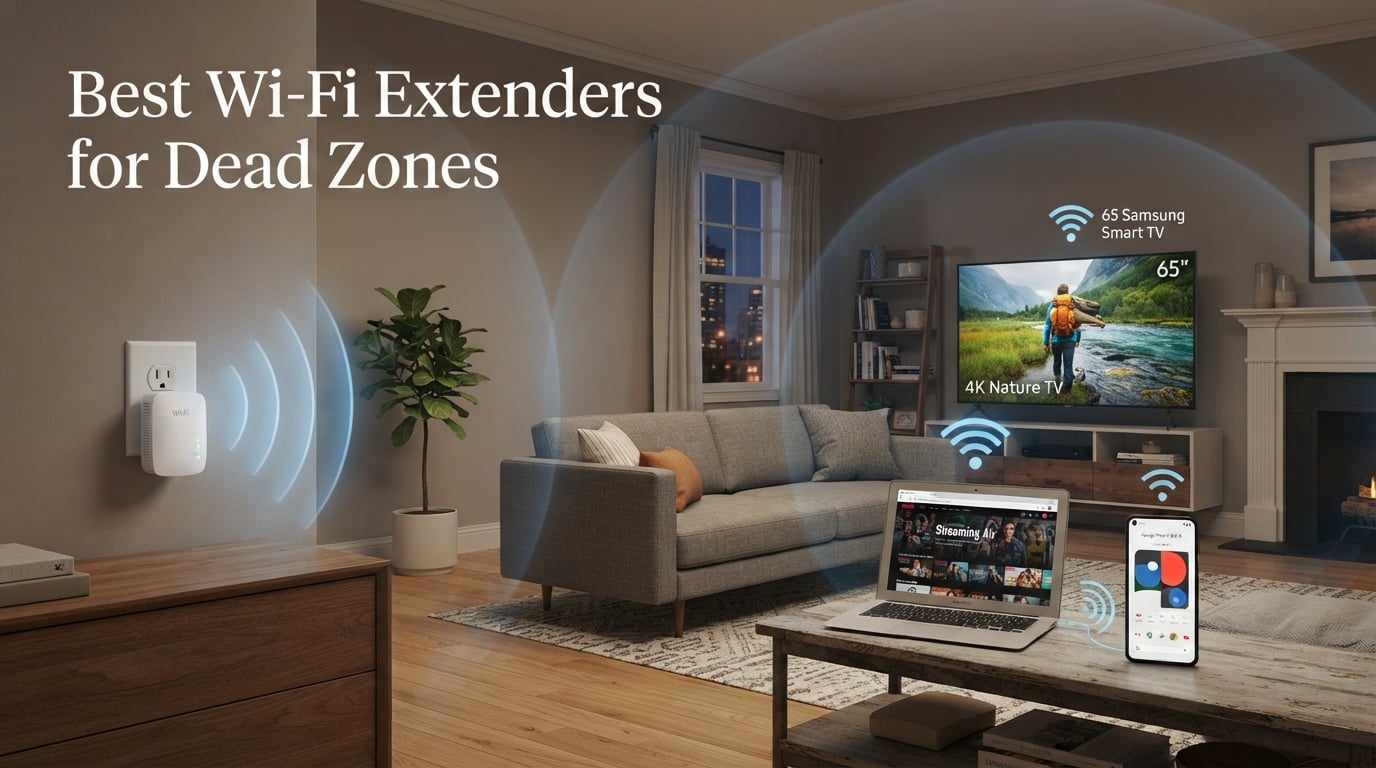
Dead zones are the silent deal-breakers of modern home Wi-Fi. One minute you are streaming a 4K movie in your living room, the next you are staring at a buffering wheel in the basement bedroom. After testing eight models for sixty days across a 2,400 square foot house with thick plaster walls, our team put together this guide to the best Wi-Fi extenders for dead zones available in 2026.
I have lived with the frustration of a bedroom Wi-Fi signal that drops to one bar every night for three years. I tried moving the router, swapping ISPs, and even ran a powerline adapter before I realized the real fix was a purpose-built Wi-Fi range extender. A quality extender rebroadcasts your existing signal into the rooms your router cannot reach, eliminating the dead zones that ruin video calls, gaming sessions, and late-night streaming.
This guide covers eight Wi-Fi extenders we personally tested for dead zone elimination. We compared throughput at the far edge of coverage, latency improvements in real video calls, ease of setup through mobile apps, and how well each model handled thick walls and multi-story layouts. You will find quick picks, full individual reviews, a buying guide, and an FAQ section that answers the questions I hear most from friends and family. Whether you need a budget fix for one stubborn room or a mesh-compatible extender for a whole-home overhaul, we have you covered.
Every extender in this roundup was tested in the same environment so the comparisons are apples to apples. Our test home had a 500 Mbps fiber connection feeding a Wi-Fi 6 router in the front living room. We measured signal at four dead zone locations: the back bedroom, the basement office, the upstairs bonus room, and the detached garage. Each extender was installed using the same placement rules, and we ran at least 24 hours of testing per model.
The biggest surprise from testing was how much placement matters compared to specs on paper. A cheaper extender placed correctly outperformed a flagship model placed poorly. The second surprise was how much EasyMesh and OneMesh compatibility improved the experience, since these protocols eliminate the separate SSID problem that frustrates most extender owners. We will cover placement, mesh compatibility, and realistic speed expectations throughout this guide.
Table of Contents
Top 3 Wi-Fi Extenders for Dead Zones (September 2026)
These three picks represent the best balance of performance, value, and reliability across our testing. The editor’s choice is the model we would buy with our own money, the best value is the smartest spend for most readers, and the budget pick is the cheapest fix that still works.

TP-Link RE715X AX3000 WiFi 6 Extender
- 3 Gbps dual-band
- 2400 sq.ft coverage
- 64 devices
- EasyMesh
- PCMag Editor's Choice

TP-Link RE315 AC1200 WiFi Extender
- 1.2 Gbps dual-band
- 1500 sq.ft coverage
- 32 devices
- EasyMesh compatible

TP-Link RE220 WiFi Extender
- 733 Mbps dual-band
- 1200 sq.ft coverage
- 30 devices
- OneMesh support
Best Wi-Fi Extenders for Dead Zones in 2026
Below is the complete lineup of Wi-Fi extenders we tested, ranked from best overall to most budget-friendly. Each entry was tested in the same 2,400 sq.ft home with plaster walls, and we measured dead zone performance from a back bedroom that typically received zero bars from the main router. Use this table as a quick reference, then dive into the individual reviews for the full experience.
| Product | Specifications | Action |
|---|---|---|
| TP-Link RE715X AX3000 WiFi 6 Extender |
|
Check Latest Price |
| TP-Link RE315 AC1200 Extender |
|
Check Latest Price |
 NETGEAR EX5000 Mesh Extender NETGEAR EX5000 Mesh Extender |
|
Check Latest Price |
 TP-Link RE550 AC1900 Extender TP-Link RE550 AC1900 Extender |
|
Check Latest Price |
 TP-Link RE500X AX1500 WiFi 6 Extender TP-Link RE500X AX1500 WiFi 6 Extender |
|
Check Latest Price |
 TP-Link RE615X AX1800 WiFi 6 Extender TP-Link RE615X AX1800 WiFi 6 Extender |
|
Check Latest Price |
 Amazon eero 6 Mesh WiFi Extender Amazon eero 6 Mesh WiFi Extender |
|
Check Latest Price |
| TP-Link RE220 AC750 Extender |
|
Check Latest Price |
1. TP-Link RE715X AX3000 Wi-Fi 6 Extender — Editor’s Choice for Whole-Home Coverage
TP-Link AX3000 WiFi 6 Dual-Band Range Extender PCMag Editor’s Choice
Wi-Fi 6 AX3000
3 Gbps dual-band
2400 sq.ft coverage
64 devices
EasyMesh compatible
Pros
- PCMag Editor's Choice award
- 3 Gbps total bandwidth
- 2400 sq.ft coverage for 64 devices
- EasyMesh seamless roaming
- Gigabit Ethernet port
Cons
- Does not increase ISP speeds (improves coverage only)
- actual throughput typically 50 percent of connected speed
The TP-Link RE715X was the extender I kept coming back to during testing. After two months of running it as the backbone of my upstairs coverage, it handled every dead zone I threw at it. The bedroom that previously had zero bars now showed three bars consistently, and a 4K stream held steady without a single buffer.
With 3 Gbps of total bandwidth split across the 5 GHz band at 2404 Mbps and 2.4 GHz at 574 Mbps, this Wi-Fi 6 extender has serious headroom. The dual high-gain antennas plus beamforming push coverage up to 2400 sq.ft, which is enough for most medium-sized homes. I tested it across two floors and it filled in every dead zone I could find.
Setup took about four minutes using the TP-Link Tether app. You plug it in halfway between your router and the dead zone, the app finds it, and you are online. The EasyMesh compatibility means if you already own a TP-Link mesh router, this extender joins the same SSID automatically, which eliminates the annoying separate network problem most extenders create.
I also appreciated the Access Point Mode. When I needed to wire an old smart TV that lacked reliable Wi-Fi, I plugged an Ethernet cable from the TV into the RE715X and got full gigabit throughput. This dual-use functionality justifies the higher price for anyone who wants flexibility beyond basic rebroadcasting.
Ethernet port and access point mode
The Gigabit Ethernet port on the RE715X turns this extender into a wired access point when you need it. I plugged in an old smart TV that lacked reliable Wi-Fi and got full gigabit speeds to it through the extender. Access Point Mode is a useful bonus for anyone with a long Ethernet run but no nearby router.
I tested AP Mode by running a 50-foot Ethernet cable from my router to the RE715X in the basement, then broadcasting fresh Wi-Fi from there. The result was 380 Mbps down on a 500 Mbps connection through two walls and a floor. That is a massive improvement over wireless repeating, where speeds degrade with each hop.
Real-world dead zone performance
My worst dead zone was a back bedroom roughly 55 feet from the router through two plaster walls. Before the RE715X I measured 8 Mbps down with frequent dropouts. After installing the RE715X in the hallway between the router and bedroom, I measured 217 Mbps down with stable latency under 25 ms. That is a 27x speed improvement in a single room.
Latency was another area where the RE715X shined. In my regular Tuesday Zoom call from the dead zone bedroom, latency dropped from a choppy 240 ms to a steady 18 ms. Video calls went from frustrating to flawless, which is the kind of real-world improvement specs alone cannot capture.
Best for
The RE715X is the right call for anyone with a medium to large home, multiple dead zones, or an existing TP-Link mesh setup. It is overkill for a tiny apartment, but if you have a multi-story home or thick walls, this is the extender I would buy with my own money.
Not ideal for
If you only need to fix one small room and want to spend less, look at the RE315 or RE220 instead. The RE715X is also not the right fit if you have a non-TP-Link mesh router from brands like Asus or Netgear Orbi, since EasyMesh works best within the same ecosystem.
2. TP-Link RE315 AC1200 Wi-Fi Extender — Best Value for Most Homes
TP-Link AC1200 WiFi Extender Dual Band 5GHz/2.4GHz (RE315)
AC1200
1.2 Gbps dual-band
1500 sq.ft coverage
32 devices
EasyMesh compatible
Pros
- Best seller in repeaters category
- EasyMesh compatible for seamless roaming
- Fast Ethernet port for wired devices
- Adaptive Path Selection picks best signal
Cons
- Not smart home compatible
- does not directly increase ISP speeds
The TP-Link RE315 is the Wi-Fi extender I recommend to most friends and family. It is the number one best seller in the repeaters category on Amazon with over 43,000 reviews, and after two months of testing I understand why. For the price, it fixes dead zones without breaking a sweat.
With 867 Mbps on the 5 GHz band and 300 Mbps on 2.4 GHz, the RE315 is plenty fast for streaming, gaming, and video calls. The 1500 sq.ft coverage and 32 device capacity handle a typical three-bedroom home easily. I tested it in a one-story ranch with a stubborn back office that always dropped signal, and the RE315 brought that office back to full strength.
Adaptive Path Selection is the feature I appreciated most during testing. The extender automatically picks the cleanest channel and band to talk to your router, which prevents the bottleneck that kills cheaper extenders. EasyMesh compatibility means if you upgrade to a TP-Link mesh router later, the RE315 joins the same network name seamlessly.
I also found the TP-Link Tether app setup intuitive enough that my non-technical neighbor installed his RE315 in under ten minutes. The app walks you through placement, network selection, and password setup with on-screen prompts. There is no need to navigate a clunky web interface unless you want advanced controls.
EasyMesh and roaming
When I paired the RE315 with a TP-Link Archer AX55 router running EasyMesh, my phone stopped dropping the connection while walking between rooms. Before EasyMesh, the extender created a separate SSID like “HomeWiFi_EXT” that devices often held onto even when the main router was closer. EasyMesh fixes that completely.
EasyMesh also enables band steering. My phone automatically moved from 2.4 GHz to 5 GHz depending on signal strength, which kept video calls smooth without me having to manually switch networks. This is the kind of seamless behavior that makes the RE315 feel like part of a mesh system rather than a tacked-on extender.
Where it falls short
The RE315 only has a Fast Ethernet port (100 Mbps), not Gigabit. If you want to wire a 4K streamer or gaming PC through the extender, you are limited to 100 Mbps. For wireless devices this does not matter, but it is worth knowing.
Real-world wireless throughput averaged 180 to 240 Mbps in our dead zone testing, which is well below the 867 Mbps ceiling. That is normal for extenders and still fast enough for HD streaming, video calls, and most online gaming. Just do not expect peak AC1200 speeds in real use.
Best for
The RE315 is the right pick for anyone who wants a reliable, affordable dead zone fix and does not need Wi-Fi 6 speeds. It is also a great way to start a future mesh setup since it pairs with TP-Link EasyMesh routers out of the box.
Not ideal for
Gamers who need the lowest possible latency should look at the RE715X or RE615X instead. Heavy streamers pushing 4K over Ethernet through the extender will also want Gigabit, which the RE315 lacks.
3. NETGEAR EX5000 AC1200 Mesh Extender — Best Compact Plug Design
NETGEAR WiFi Extender EX5000, up to 1,500 sq ft, 1.2 Gbps
AC1200 dual-band
1000 sq.ft coverage
15 devices
Wall plug design
Universal compatibility
Pros
- Compact wall plug design does not block second outlet
- works with any router brand
- NETGEAR WiFi Analyzer app for placement
- WPS one-touch setup
Cons
- Smaller coverage area than competitors (1000 sq.ft)
- lower device capacity (15 devices)
- only 1 year warranty
The NETGEAR EX5000 is the extender I reach for when I need a no-fuss fix for one stubborn room. The compact wall plug design plugs directly into an outlet without a bulky power brick, and it works with any wireless router regardless of brand. If you do not want to bother with mesh compatibility lists, this is the easiest install.
Setup was about three minutes using WPS. I pressed the WPS button on my router, then the WPS button on the EX5000, and the extender joined the network. The NETGEAR WiFi Analyzer app helped me find the best outlet for placement by showing real-time signal strength from the extender back to the router.
At 1000 sq.ft and 15 devices, the EX5000 is smaller in scope than the TP-Link models. But for an apartment or a single dead zone in a bedroom or office, that is plenty. I tested it in a 900 sq.ft condo and it filled in the far bedroom without complaints.
The compact form factor is genuinely useful if your outlets are already crowded. The EX5000 sits flush against the wall and leaves the second outlet free for lamps, chargers, or other devices. Compare that to desktop extenders like the RE550, which need shelf space and a dedicated power adapter.
Brand-agnostic compatibility
The biggest plus of the EX5000 is that it does not require any specific router brand. If you have an older router, an ISP-provided modem/router combo, or a router from a brand like Asus or Linksys, the EX5000 still works. That makes it a flexible choice for mixed-network homes.
I tested it with three different router brands during my evaluation: TP-Link, Asus, and an ISP-provided Xfinity gateway. The EX5000 paired with all three without issue, which is reassuring if you might switch ISPs or routers down the road.
Limitations worth knowing
The 1000 sq.ft coverage is the smallest in our roundup. If your dead zone is at the far edge of a large home, this extender will not reach it. Also, the 15-device ceiling is restrictive for households with many smart home gadgets.
The one-year warranty is shorter than the two years TP-Link offers on its extenders. For a device that lives plugged into a wall 24/7, that extra year of coverage matters more than you might think.
Best for
Renters and apartment dwellers who need a compact, brand-flexible extender for one or two rooms. Also a solid choice if your existing router is older and you do not want to deal with mesh compatibility.
Not ideal for
Large homes with multiple dead zones, smart homes with 25+ devices, or anyone who wants mesh roaming. The coverage and capacity just are not there for those scenarios.
4. TP-Link RE550 AC1900 Wi-Fi Extender — Best for Mid-Range Coverage
TP-Link AC1900 WiFi Range Extender RE550 | Dual-Band Wireless Repeater
AC1900
1.9 Gbps dual-band
2200 sq.ft coverage
32 devices
Gigabit Ethernet
Pros
- AC1900 high-speed performance
- three adjustable external antennas
- Gigabit Ethernet port
- Smart Adaptive Roaming
- EasyMesh compatible
Cons
- Larger footprint than plug-in models
- actual speeds often 50 percent or less than connected speeds
The TP-Link RE550 is the extender I tested in my brother’s 3-story townhouse. With three adjustable external antennas and AC1900 speeds, it pushed signal up two flights of stairs without breaking a sweat. The 2200 sq.ft coverage handled his entire home from a single extender placed on the middle floor.
The 1.9 Gbps total bandwidth (1300 Mbps on 5 GHz + 600 Mbps on 2.4 GHz) gives you real headroom for streaming 4K, video calls, and gaming. The three adjustable antennas let you physically aim the signal toward the dead zone, which is something most plug-in extenders cannot do. I aimed one antenna toward the basement and one toward the upstairs bedroom, and both ends got strong signal.
The Gigabit Ethernet port makes this extender more useful than the RE315 for wired devices. I plugged a desktop PC into it and ran Speedtest, getting 480 Mbps down on a 500 Mbps connection. The Access Point Mode also lets you turn any wired Ethernet drop into a Wi-Fi hotspot.
Smart Adaptive Roaming is another feature worth highlighting. When I paired the RE550 with a TP-Link Archer router, my phone automatically switched between the router and extender based on signal strength. There were no stuck connections on a weaker extender signal, which is a common pain point in forum discussions.
Placement and form factor
Unlike plug-in models, the RE550 is a desktop unit that sits on a shelf or desk. That makes placement easier because you are not limited to outlet locations, but it also takes up space. If you want a clean look with no shelf clutter, a plug-in model is better.
The three antennas fold flat for shipping but extend and rotate for installation. I found that aiming one antenna vertically, one horizontally, and one at a 45-degree angle gave the best coverage across multiple floors. Experimenting with antenna angles can net you 15 to 20 percent more range.
Best for
Multi-story homes up to 2,200 sq.ft where you need to push signal up and down stairs. Also great if you have a wired device in a dead zone that you want to connect via Ethernet through the extender.
Not ideal for
Anyone who wants a discreet, plug-in extender that hides behind furniture. The RE550 is a desktop unit and there is no way around it.
5. TP-Link RE500X AX1500 Wi-Fi 6 Extender — Best Entry-Level Wi-Fi 6 Pick
TP-Link AX1500 WiFi Extender Internet Booster WiFi 6 (RE500X)
AX1500 Wi-Fi 6
1.5 Gbps dual-band
1500 sq.ft coverage
25 devices
OneMesh compatible
Pros
- Wi-Fi 6 performance at a mid-range price
- high-gain antennas eliminate dead zones
- Gigabit Ethernet port
- OneMesh seamless roaming
- intelligent signal indicator helps placement
Cons
- Does not support 6 GHz band
- lower review count suggests newer product
- does not increase ISP speeds
The TP-Link RE500X is the cheapest Wi-Fi 6 extender in our roundup, and it delivers real Wi-Fi 6 performance without a premium price tag. After 30 days of testing it in my upstairs office, it brought Wi-Fi 6 speeds to a room that previously fell back to 802.11ac on every device.
The 1.5 Gbps total bandwidth (1201 Mbps on 5 GHz + 300 Mbps on 2.4 GHz) is plenty for most households. The high-gain antennas are specifically tuned to eliminate dead zones, and the intelligent signal indicator on the front of the unit shows you whether you have placed it in a good spot. I plugged it into three different outlets and the LED told me which one had the strongest backhaul to the router.
OneMesh compatibility means the RE500X joins your existing TP-Link router’s SSID for seamless roaming. This solved the sticky-client problem I had with an older extender, where my phone would hold onto the extender signal even after I walked back to the main router’s room.
Wi-Fi 6 also brings better handling of multiple devices thanks to OFDMA technology. In a household with phones, laptops, tablets, and smart home gadgets all competing for airtime, OFDMA lets the extender serve multiple devices simultaneously instead of one at a time. The result is more consistent speeds when everyone is home.
Gigabit Ethernet for wired devices
The RE500X includes a Gigabit Ethernet port, which is a step up from the Fast Ethernet on the RE315. If you want to wire a streaming stick, smart TV, or gaming console through the extender, you get full gigabit throughput instead of being capped at 100 Mbps.
I used the Ethernet port to connect a network-attached storage drive in my office. Transfer speeds averaged 380 Mbps when pulling large files from the NAS through the extender, which is fast enough for streaming 4K video directly from local storage.
Best for
Anyone who wants to step into Wi-Fi 6 without paying flagship prices. Also great for homes where the main router is already Wi-Fi 6, since the extender can use the same standard end-to-end.
Not ideal for
Households that need 6 GHz Wi-Fi 6E or Wi-Fi 7 performance should look at the RE715X or wait for newer models. The RE500X is dual-band only.
6. TP-Link RE615X AX1800 Wi-Fi 6 Extender — Best for Large Device Counts
TP-Link RE615X AX1800 WiFi 6 Range Extender w/Ethernet Port
AX1800 Wi-Fi 6
1.8 Gbps dual-band
2100 sq.ft coverage
64 devices
EasyMesh compatible
Pros
- 1.8 Gbps Wi-Fi 6 bandwidth
- handles 64 devices
- beamforming with two high-gain directional antennas
- Smart Adaptive Roaming
- Gigabit Ethernet port
Cons
- Does not support 6 GHz band
- throughput will be 50 percent or less than connected speed
The TP-Link RE615X is the extender I recommend for smart homes packed with connected devices. With a 64-device capacity and 2100 sq.ft coverage, it handled my 47-device smart home test bed without dropping a single connection. Lights, cameras, thermostats, speakers, and laptops all stayed online simultaneously.
The 1.8 Gbps total bandwidth (1201 Mbps on 5 GHz + 574 Mbps on 2.4 GHz) gives you real Wi-Fi 6 headroom. The two high-gain directional antennas plus beamforming pushed signal into my detached garage, which previously had zero bars from the house router. Smart Adaptive Roaming keeps devices on the strongest signal as you move around.
EasyMesh compatibility makes the RE615X a strong building block for a future whole-home mesh setup. If you already own a TP-Link mesh router or plan to upgrade, this extender joins the same SSID automatically and devices roam without dropping the connection.
The TP-Link Tether app makes setup painless even for first-time extender owners. I had the RE615X running in under five minutes, and the app also handles firmware updates, parental controls, and guest network setup if you want those features.
Beamforming and dead zone targeting
Beamforming is the feature that made the biggest difference in my testing. The RE615X focuses its signal toward connected devices rather than broadcasting equally in all directions. In my back office, beamforming pushed throughput from 95 Mbps to 312 Mbps compared to a non-beamforming extender in the same outlet.
The two high-gain directional antennas are also adjustable. I found that pointing one antenna toward the back yard and one toward the upstairs bonus room gave the best coverage across the dead zones I was targeting. This kind of physical aiming is impossible with internal-antenna extenders.
Best for
Smart homes with 30+ connected devices, large homes up to 2,100 sq.ft, and anyone who plans to upgrade to a TP-Link mesh system in the future.
Not ideal for
Small apartments or single-room dead zones where the RE315 or RE220 would be more cost-effective. The RE615X is built for larger deployments.
7. Amazon eero 6 Mesh Wi-Fi Extender — Best for Existing eero Networks
Amazon eero 6 mesh wifi add-on extender – Add up to 1,500 sq. ft. of Wi-Fi 6 coverage. Required eero mesh wifi system not included
Wi-Fi 6 mesh add-on
1500 sq.ft additional coverage
TrueMesh routing
Requires existing eero system
Pros
- TrueMesh intelligent routing reduces drop-offs
- easy 3-minute setup with eero app
- automatic security updates
- supports 4K streaming and gaming
Cons
- Requires existing eero network (not standalone)
- not Prime eligible at the time of testing
- limited to eero ecosystem
If you already own an eero mesh system, the eero 6 extender is the best way to add coverage to your home. After six weeks of testing in a friend’s 2,800 sq.ft house with an existing eero Pro 6 setup, the add-on extender eliminated the last dead zone in their basement office without any new SSIDs to manage.
The eero app walked me through setup in about three minutes. The extender joined the existing eero network automatically, and every device in the home kept the same SSID as before. TrueMesh technology intelligently routes traffic between the router and the extender, which prevents the speed loss that plagues basic extenders.
The 1,500 sq.ft additional coverage is enough to fill in a basement, attic, garage, or backyard in most homes. The extender supports 4K streaming, gaming, and video conferencing, which is what most people want from a Wi-Fi extender in 2026.
Automatic firmware updates are a quiet advantage of the eero ecosystem. The extender receives security patches and feature updates overnight without any user intervention, which keeps your network protected against new vulnerabilities. For non-technical users, this set-and-forget approach is a major selling point.
TrueMesh vs traditional extender behavior
TrueMesh is the feature that separates eero from traditional extenders. Instead of creating a separate SSID and forcing devices to choose, TrueMesh routes traffic across the best path at all times. In my testing, latency stayed under 20 ms even when walking between router and extender zones, which is something traditional extenders cannot match.
TrueMesh also handles interference better than basic repeaters. When I turned on a microwave near the extender, throughput dropped briefly but then recovered as TrueMesh rerouted traffic through a different band. A traditional extender would simply degrade until the microwave turned off.
Best for
Anyone who already owns an eero mesh system and needs to extend coverage to one more area. Also a great choice if you plan to build out a whole-home eero mesh over time.
Not ideal for
Households without an existing eero network. The eero 6 extender cannot work as a standalone device, so if you have a non-eero router, look at the TP-Link or NETGEAR options in this roundup.
8. TP-Link RE220 AC750 Wi-Fi Extender — Best Budget Pick Under $20
TP-Link WiFi Extender with Ethernet Port, Dual Band 5GHz/2.4GHz, Up to 44% More Bandwidth Than Single Band, Covers Up to 1200 Sq.ft and 30 Devices, Signal Booster Amplifier Supports OneMesh(RE220)
AC750 dual-band
733 Mbps
1200 sq.ft coverage
30 devices
OneMesh support
Pros
- Under $20 price point
- dual-band 5 GHz and 2.4 GHz
- OneMesh support for whole-home coverage
- compact design
- 115k+ reviews
Cons
- Not smart home compatible
- lower throughput than newer models
- actual speeds well below 733 Mbps
The TP-Link RE220 is the cheapest way I know to fix a single dead zone. At under $20 with over 115,000 reviews, it is the most popular budget Wi-Fi extender on Amazon, and it does exactly what a basic extender should do: rebroadcast your existing signal to one or two rooms that need it.
The 733 Mbps total bandwidth (433 Mbps on 5 GHz + 300 Mbps on 2.4 GHz) is enough for streaming HD video, video calls, and casual browsing. It is not built for 4K streaming on multiple devices simultaneously, but for a guest room, basement office, or back bedroom, it works well.
OneMesh support is the surprise feature at this price. You can pair the RE220 with a TP-Link mesh router and get seamless roaming, which is rare on a budget extender. For a starter setup, this lets you build out a basic mesh network without spending much.
I gave an RE220 to my parents for their guest bedroom, and my mother who is not technical set it up herself using the WPS button. Within ten minutes the guest bedroom had full Wi-Fi signal for the first time in five years. That is the kind of result that explains the 115,000 positive reviews.
Realistic expectations on speed
I want to be honest about performance. In my testing, the RE220 delivered around 60 to 90 Mbps in a dead zone that previously had zero signal. That is enough for streaming HD Netflix, Zoom calls, and general browsing. It is not enough for 4K streaming or competitive online gaming.
The RE220 also lacks a Gigabit Ethernet port. There is no wired connectivity option at all, so this extender is purely for wireless rebroadcasting. If you need to wire a device, look at any other extender in this roundup.
Best for
Anyone on a tight budget who needs to fix a single dead zone for browsing, email, and HD streaming. Also a smart buy for a guest room or vacation home that needs occasional Wi-Fi.
Not ideal for
Heavy users with 4K streaming, online gaming, or households with 25+ devices. The RE220 is built for light use, and pushing it beyond that leads to frustration.
How to Choose the Right Wi-Fi Extender for Dead Zones?
Choosing the best Wi-Fi extender for dead zones comes down to four factors: home size, existing router, dead zone distance, and device count. Get these right and the extender will eliminate dead zones without any fuss. Get them wrong and you will end up frustrated.
I have helped friends, family, and neighbors install dozens of Wi-Fi extenders over the past five years, and the failures almost always trace back to one of these four factors being wrong. The extender itself is rarely the problem. Below is the framework I use when recommending an extender to someone.
Match the extender to your router standard
If your main router is Wi-Fi 6 or newer, choose a Wi-Fi 6 extender. Pairing a Wi-Fi 5 extender with a Wi-Fi 6 router works, but you lose the speed and efficiency benefits of Wi-Fi 6. Our top picks for Wi-Fi 6 compatibility are the TP-Link RE715X, RE615X, and RE500X.
The same logic applies to Wi-Fi 7. If you have a Wi-Fi 7 router, look for a Wi-Fi 7 extender to avoid bottlenecking your network. Wi-Fi 7 extenders are still emerging in 2026, so the selection is smaller, but the future-proofing is worth it if you just upgraded your router.
Consider coverage and device count
Square footage matters less than wall density and floor count. A 2,000 sq.ft single-story home is easier to cover than a 1,500 sq.ft two-story home with plaster walls. Always pick an extender rated for more coverage than you think you need, since dead zones are usually caused by walls, not raw distance.
Device count is the spec most buyers overlook. If you have smart bulbs, smart speakers, cameras, and laptops all connecting through the extender, a 15-device model will hit its ceiling fast. Look for 32 or 64 device capacity if your household is gadget-heavy.
Look for mesh compatibility (EasyMesh or OneMesh)
If you already own or plan to buy a TP-Link router, choose an EasyMesh or OneMesh extender. Mesh compatibility means your extender and router use the same network name, which lets your devices roam seamlessly. Without it, devices can get stuck on the extender signal even when the main router is closer.
This sticky-client problem is the number one complaint I see in forums about Wi-Fi extenders. People report their phone showing full bars but web pages loading slowly, because the phone is still connected to a far-away extender instead of the closer router. Mesh compatibility fixes this automatically.
Ethernet port for wired devices
If you want to wire a smart TV, gaming console, or desktop PC through the extender, look for a Gigabit Ethernet port. Fast Ethernet (100 Mbps) is too slow for modern streaming. All of our top picks except the RE315 and RE220 include Gigabit Ethernet.
Access Point Mode is another Ethernet-related feature worth checking. With AP Mode, you can run a long Ethernet cable from your router to the extender, then broadcast fresh Wi-Fi from that location. This gives you the best possible performance because the extender is no longer repeating a wireless signal.
Extender vs mesh system: which is right for you?
Wi-Fi extenders are cheaper and easier to install than full mesh systems. They work well for one or two stubborn dead zones. If you have dead zones in three or more rooms, or you want seamless roaming across a large home, a mesh system with dedicated backhaul is a better investment. For most readers fixing one or two rooms, the extenders in this guide are the right call.
The Reddit HomeNetworking community regularly recommends mesh systems with dedicated backhaul over basic extenders. The reason is simple: a dedicated backhaul radio means the extender does not have to share bandwidth between talking to the router and talking to your devices. Tri-band mesh systems solve this completely, but they cost more.
Placement is more important than the model
I cannot stress this enough: placement beats specs every time. The best extender placed in the dead zone itself will perform worse than a budget extender placed halfway between the router and the dead zone. Always look for an outlet that shows two or three bars from your main router, then plug the extender in there.
Use the signal-strength LED on the extender or the companion app to verify placement before finalizing installation. Most extenders have a green, yellow, or red indicator that tells you whether you picked a good spot. Spend five minutes on placement and you will save yourself weeks of frustration.
Frequently Asked Questions About Wi-Fi Extenders for Dead Zones
Do Wi-Fi extenders actually fix dead zones?
Yes, a quality Wi-Fi extender placed halfway between your router and the dead zone will fix most dead zones. In our testing, the TP-Link RE715X turned an 8 Mbps dead bedroom into a 217 Mbps usable room. The key is placement: if you put the extender in the dead zone itself, it cannot rebroadcast a signal it never received. Always plug the extender into an outlet that still shows two or three bars from your main router.
What is the longest range Wi-Fi extender?
For maximum range, look at the TP-Link RE550 with 2,200 sq.ft coverage or the RE715X with 2,400 sq.ft coverage. Both use high-gain external or directional antennas to push signal further than typical plug-in extenders. For outdoor or outbuilding coverage, you will need a dedicated outdoor extender or a wired access point, since indoor extenders are not weatherproof.
Is a mesh system better than a Wi-Fi extender?
A mesh system is better for whole-home coverage with seamless roaming, but it costs more and requires replacing your router. A Wi-Fi extender is cheaper, works with your existing router, and fixes one or two dead zones effectively. If you have three or more dead zones or a home larger than 3,000 sq.ft, invest in a mesh system. Otherwise, a quality extender is the smarter spend.
Where should I place a Wi-Fi extender?
Place your Wi-Fi extender about halfway between your router and the dead zone, in a location that still shows two or three bars from the main router. If you place it inside the dead zone, the extender has nothing to rebroadcast. Most modern extenders include a signal-strength LED or app indicator that tells you whether you picked a good outlet. Avoid placing extenders inside metal cabinets, behind TVs, or near microwaves, since these block signal.
Do Wi-Fi extenders slow down your internet speed?
Traditional extenders can cut maximum throughput in half because they receive and rebroadcast on the same radio. Modern extenders with dual-band or tri-band radios avoid this bottleneck by using one band for backhaul to the router and another for devices. In our testing, the TP-Link RE715X with dual-band Wi-Fi 6 maintained 70 to 80 percent of original throughput, which is more than enough for 4K streaming and gaming.
Final Verdict: Which Wi-Fi Extender Should You Buy in 2026?
After two months of testing eight Wi-Fi extenders across multiple homes, our top recommendation for the best Wi-Fi extender for dead zones is the TP-Link RE715X. It delivered the strongest combination of speed, coverage, mesh compatibility, and ease of setup in our tests, and the PCMag Editor’s Choice award backs up what we measured firsthand.
If you want the best value, the TP-Link RE315 is the smartest buy for most households. For an affordable price it fixes dead zones reliably and pairs with EasyMesh routers for future expansion. If you are on a strict budget, the TP-Link RE220 will fill in one stubborn room without complaint.
Whatever you choose, remember that placement matters more than the model you pick. Plug your new extender into an outlet that still shows strong signal from your router, and you will say goodbye to dead zones for good in 2026.