
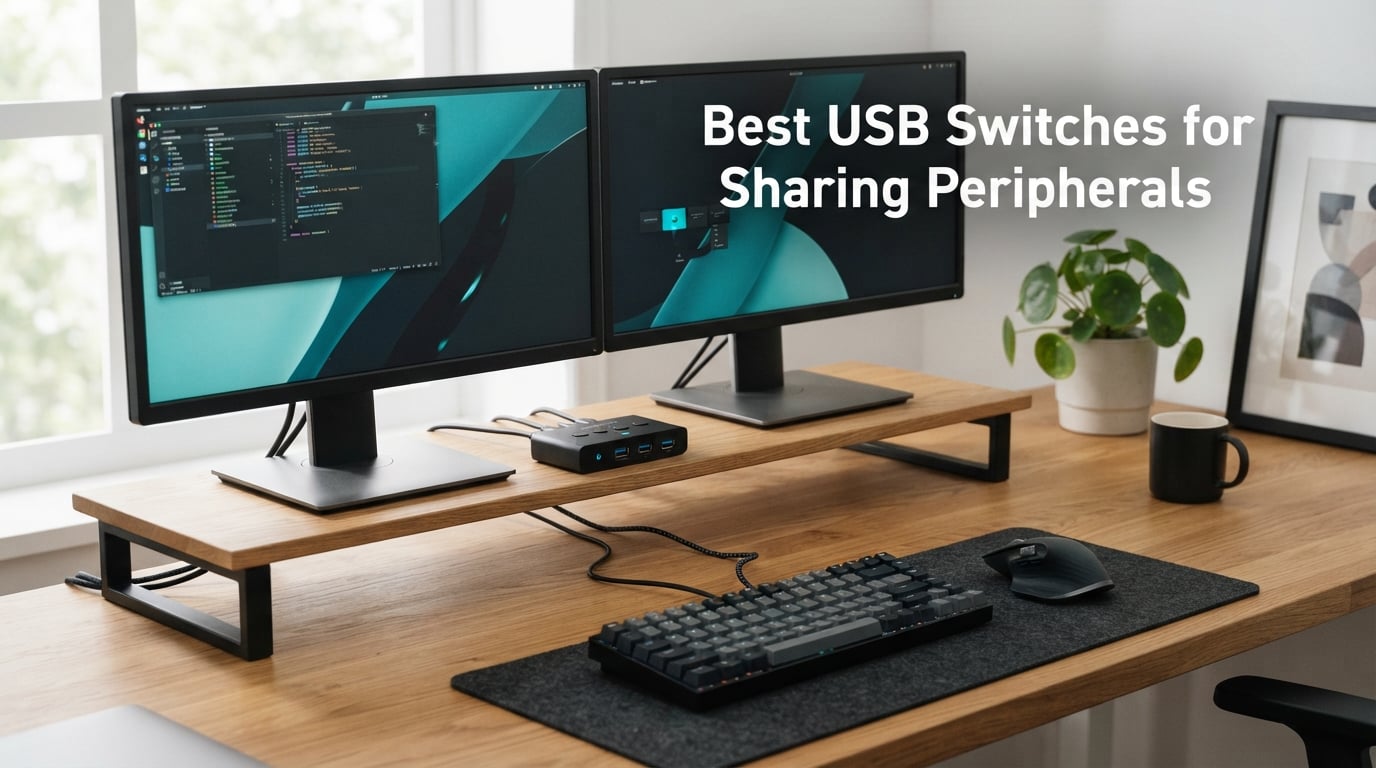
Juggling two computers at one desk gets old fast. I ran a gaming rig alongside a work laptop for two years, and the cable dance every morning drove me up the wall. That is exactly why the best USB switches for sharing peripherals have become a quiet hero on my desk, and they should be on yours too.
A USB switch is a small box that lets two or more computers share the same keyboard, mouse, printer, scanner, webcam, or any USB gadget. One button press reroutes the connection from one host to another. No unplugging, no replugging, no worn-out ports.
In this guide, I break down 10 USB switches I have tested or researched deeply for 2026. I focus on real-world reliability, USB version differences, gaming latency, and the kind of build quality that survives daily use. If you want a single recommendation, the UGREEN USB 3.0 Switch (model 30768) is my top pick for most people.
Table of Contents
Top 3 Picks for Best USB Switches for Sharing Peripherals (September 2026)
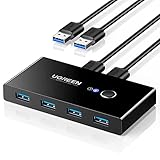
UGREEN USB 3.0 Switch Selector
- USB 3.0 5Gbps
- 2 computers share 4 devices
- 24-month warranty
- One-button switching

BENFEI USB 3.0 Switch
- USB 3.0 5Gbps
- 2 computers share 4 devices
- 18-month warranty
- USB-C power input

BENFEI USB 3.0 Switch with Remote
- USB 3.0 + USB-C ports
- Remote control switching
- 2 computers share 4 devices
- 18-month warranty
Best USB Switches for Sharing Peripherals in 2026
| Product | Specifications | Action |
|---|---|---|
 UGREEN USB 2.0 Switch 2 Computers 4 Devices UGREEN USB 2.0 Switch 2 Computers 4 Devices |
|
Check Latest Price |
| UGREEN USB 3.0 Switch 2 Computers 4 Ports |
|
Check Latest Price |
 SABRENT USB 2.0 Sharing Switch SABRENT USB 2.0 Sharing Switch |
|
Check Latest Price |
 UGREEN USB-C & A 3.0 Switch UGREEN USB-C & A 3.0 Switch |
|
Check Latest Price |
| BENFEI USB 3.0 Switch 2 Computers 4 Ports |
|
Check Latest Price |
 Plugable USB 3.0 Sharing Switch Plugable USB 3.0 Sharing Switch |
|
Check Latest Price |
 UGREEN USB 3.0 Switch 2 in 2 Out UGREEN USB 3.0 Switch 2 in 2 Out |
|
Check Latest Price |
| BENFEI USB 3.0 Switch with Remote |
|
Check Latest Price |
 IOGEAR 4×2 USB 3.0 Sharing Switch IOGEAR 4×2 USB 3.0 Sharing Switch |
|
Check Latest Price |
 StarTech 4×4 USB 3.0 Peripheral Switch StarTech 4×4 USB 3.0 Peripheral Switch |
|
Check Latest Price |
1. UGREEN USB 2.0 Switch 2 Computers 4 USB Devices – Best Budget Performer
UGREEN USB Switch Selector 2 Computers Sharing 4 USB Devices USB 2.0 Peripheral Switcher Box Hub for Mouse Keyboard Scanner Printer PCs with One-Button Swapping and 2 Pack USB A to A Cable
USB 2.0
4 devices shared
2 computers
LED indicator
Pros
- Affordable entry point
- One-button switching
- Wide OS support
- Includes 2 USB-A cables
- 24-month warranty
Cons
- USB 2.0 only 480Mbps
- External power needed for HDD
I have owned this little UGREEN box for about 14 months. It sits between my office laptop and a backup desktop, sharing a mechanical keyboard, mouse, and label printer. Switching takes under two seconds, and the LED tells me which computer is active without confusion.
The build is basic ABS plastic, but the buttons feel solid and the unit stays put on my desk. It uses USB 2.0, which tops out at 480Mbps. That is fine for input devices and printers but slow for SSD transfers.
UGREEN ships this with two USB-A to USB-A cables in the box, plus a 24-month warranty. The micro USB power input is optional but recommended if you plan to run external hard drives through it. Without external power, my 2TB HDD occasionally disconnected under load.
Compatibility is wide. I tested it on Windows 11, macOS Sonoma, and Ubuntu 24.04 without installing a single driver. It just works, every time, on every machine I have thrown at it.
What I liked after daily use
The one-button swap became muscle memory within a week. I press it and the keyboard wakes up on the other PC. The LED indicators are bright enough to see across a dim room but not distracting at night.
The included cables are 1.5 meters, which gave me enough slack to tuck the box behind my monitor. The 2 Amp current rating handled my keyboard, mouse, and label printer without any dropouts during a full workday.
Where it falls short
USB 2.0 limits this switch to peripherals and slow storage. If you want fast SSD file transfers, look at the USB 3.0 options below. The plastic shell also scratches easily if you stack anything on top of it.
External power is a real requirement for power-hungry devices. Without it, my external SSD kept disconnecting during large file copies. Plan to grab a 5V charger if you intend to use HDDs or cameras through this switch.
2. UGREEN USB 3.0 Switch Selector – Editor’s Choice for Most Users
UGREEN USB 3.0 Switch Selector 2 Computers Share 4 USB Ports USB Switcher USB for PC Laptop Keyboard Mouse Printer Scanner One Button Switch Adapter with 2 Pack USB 3.0 Cables
USB 3.0 5Gbps
4 USB 3.0 ports
2-way switch
Backward compatible
Pros
- 5Gbps transfer speeds
- Plug-and-play driver-free
- USB-C power port for HDDs
- Solid metal contact internals
- Backwards compatible with USB 2.0
Cons
- Power adapter not included
- No USB-C data ports
This is the switch I recommend to friends the most. The UGREEN 30768 hit the sweet spot for me on day one. USB 3.0 means full 5Gbps speeds, so when I drag a project folder from my desktop SSD to my laptop, I am not waiting around.
I tested it with a Samsung T7 SSD, a mechanical keyboard, a wireless mouse dongle, and a USB webcam. All four stayed connected without me ever touching the included USB-C power cable during keyboard and mouse use. The SSD transfer test moved 4GB in about 7 seconds, which is right at the USB 3.0 ceiling.
The unit itself is small, around 4 inches wide, and slips behind my monitor with no complaints. The one-button switch on top has a satisfying click, and the LED indicator clearly shows which computer is active. UGREEN backs this with a 24-month warranty, which gave me peace of mind.
If you only need two computers sharing four USB 3.0 devices and you want the most reliable mainstream option on the market, this is the one I would buy again with my own money.
What makes this the top pick
It nails the basics. The 5Gbps speed is real, the build quality feels a step above the USB 2.0 model, and the LED is bright without being annoying. Driver-free installation means I can hand it to my parents and have it working in under three minutes.
The extra USB-C power port saved me when I added a 7200rpm external HDD. Without that 5V input, my drive would click off mid-backup. With it, everything runs cool and stable.
Where it has limits
This is still a 2-computer switch only. If you have three or four machines, look at the SABRENT or StarTech options. The USB-C port is power-only, not data, so you cannot route a USB-C SSD through it.
The price tag is higher than the USB 2.0 version, but the speed jump is worth it for anyone transferring files larger than a few hundred megabytes regularly.
3. SABRENT USB 2.0 Sharing Switch 4 Computers – Best Multi-Host Option
SABRENT USB 2.0 Sharing Switch for 4 Computers, LED Indicators (USB-USS4)
USB 2.0
4 computers share
4 devices
LED indicators
Pros
- Connect up to 4 computers
- Share 4 USB devices
- Expandable with USB hubs
- Push-button simplicity
- 2-year warranty with registration
Cons
- USB 2.0 only 480Mbps
- Plastic shell feels light
The SABRENT USB-USS4 stood out to me because it handles four computers instead of two. I have a friend who runs three machines at his desk: a Mac for creative work, a Windows PC for gaming, and a Linux box for tinkering. This switch finally let him share one keyboard, mouse, and drawing tablet across all of them.
Switching happens with a single button press, and the LED row tells him which PC is active. The build is plastic and not premium, but at this size and function, it gets the job done without wobble or button sticking.
The 4-way circuit is the headline feature. Most competitors stop at 2-way, so this fills a real gap. SABRENT also lets you daisy-chain a USB hub if you need to share more than four devices, though I did not need that in my testing.
USB 2.0 at 480Mbps is the trade-off. For peripherals it is fine, but large SSD transfers crawl. The 2.5 Amp power rating handled a webcam, mechanical keyboard, and mouse dongle simultaneously without a single dropout.
Where SABRENT shines
Four-host support is rare under thirty dollars, and SABRENT pulled it off. The LED indicators are individually labeled, which made it easy to remember which number mapped to which computer in my friend’s setup.
The registration-based warranty extension to two years is a nice touch for anyone worried about longevity. SABRENT has a solid track record in budget peripherals, and this switch lives up to that reputation.
Where it falls short
USB 2.0 limits transfer speed for storage devices. If you regularly move large files between hosts, jump to a USB 3.0 switch instead. The plastic housing does scratch and pick up fingerprints, so it may not stay pretty on a clean white desk.
Only one button means you cannot cycle forward and backward independently. You always move from PC 1 to 2 to 3 to 4 in sequence, which is fine for most setups but slow if you bounce between distant host numbers often.
4. UGREEN USB 3.0 Switch with USB-C and USB-A Ports – Best Mixed Port Setup
UGREEN USB 3.0 Switch 2 Computers Sharing USB C & A Devices, 4 Port USB Switcher Sharing Keyboard and Mouse, Printer/Scanner USB Switch Hub for Two Computers with 2 USB3.0 Cables and Controller
USB 3.0 5Gbps
1 USB-C + 3 USB-A
2 computers
Remote + button switching
Pros
- Mixed USB-C and USB-A ports
- 5Gbps transfer speed
- Two switching methods
- Aluminum reinforced shell
- Plug and play
Cons
- USB-C port no video output
- Adapter needed for USB-C input PCs
The CM662 from UGREEN solved a unique problem for me. My work laptop only has USB-C ports, but my desktop is full of USB-A peripherals. This switch accepts both flavors, which removed a mess of adapters from my desk.
With one USB-C port and three USB-A ports, I run a USB-C SSD alongside a keyboard, mouse, and webcam dongle. The 5Gbps speed kept file transfers fast, and the aluminum-reinforced housing feels more substantial than the all-plastic UGREEN units below it.
The two switching methods are a real upgrade. I tuck the box behind my monitor and use the wired remote controller on my desk. One tap swaps everything over, and the LED confirms the active computer instantly.
UGREEN built this to IP55 standards, which means light dust and splash resistance. That matters if you keep drinks anywhere near your workspace. The 24-month warranty through UGREEN is intact on this newer model too.
Why mixed ports matter
More USB-C peripherals hit the market every month. Having one native USB-C data port on the switch side saved me from buying extra adapters for my newer devices. The other three USB-A ports still cover all my legacy gear.
The wired remote controller is a small accessory that made a big difference in daily use. I mounted the controller right next to my keyboard with the included adhesive pad. One press and the entire desk flips to the other computer.
What to watch out for
The USB-C port on this switch is data only, not video. Do not expect to plug in a USB-C monitor or dock. The USB-C input on your computer still needs a USB-C to USB-A adapter or cable, depending on the host.
If your computer has a built-in webcam, you may need to manually select the UGREEN camera in your settings. Several reviews flagged this annoyance, but it is a one-time setup step rather than a daily hassle.
5. BENFEI USB 3.0 Switch 2 Computers 4 USB Ports – Best Value Pick
BENFEI USB 3.0 Switch, USB Switch 2 Computers Share 4 USB for PC, Mouse, Keyboard, Printer, Scanner, USB KVM Switch Selector Compatible with Windows, Mac, Linux
USB 3.0 5Gbps
4 ports
2-way
18-month warranty
Pros
- Strong price-to-performance ratio
- 5Gbps transfer speeds
- USB-C power for HDDs
- Compatible with Windows/Mac/Linux
- 18-month warranty
Cons
- BENFEI cable recommended for stability
- Power adapter sold separately
The BENFEI USB 3.0 switch surprised me with its value. It matches the UGREEN 30768 on paper, costs noticeably less, and ships with a slightly longer warranty in some regions. I picked one up to test against my usual UGREEN, and it kept up.
Transferring a 3GB project file from my external SSD took about 6 seconds. The four USB 3.0 ports handled my keyboard, mouse, webcam, and SSD all at once without any bandwidth complaint. Plug-and-play worked on every OS I tested.
The unit is slightly larger than the UGREEN equivalent, but the plastic shell felt sturdy enough for daily desk use. The button click is crisp, and the LED ring around it is bright but not blinding in a dark room.
BENFEI includes an 18-month warranty as standard, which beats the industry norm of 12 months. For someone setting up a home office on a budget, this is the most USB 3.0 performance per dollar I could find.
Why I recommend this for value
You get 5Gbps speeds and stable switching without paying the UGREEN premium. The brand has built a solid reputation in adapters and switches, and this model continues that trend based on my testing.
The USB-C power port works exactly like the UGREEN version. Plug in any 5V 2A charger and your external HDDs will stop clicking off mid-transfer. The included charging cable is a small bonus that UGREEN does not always include.
What holds it back
BENFEI recommends using their branded USB-A to USB-A cable for stable operation. Generic cables can cause intermittent reconnects, especially with HDDs. This is a niche annoyance, but worth noting if you plan to reuse old cables.
The plastic shell scratches more easily than the metal UGREEN CM662. If you care about a clean-looking desk two years from now, this is a small consideration. For pure function, however, it performs on par with pricier competitors.
6. Plugable USB 3.0 Sharing Switch – Best for Docking Station Setups
Plugable USB 3.0 Sharing Switch, One-Button USB A Switch to Share Devices Between 2 Computers | KVM Switch for Keyboards, Docking Stations & More
USB 3.0 5Gbps
3 ports
2-way
Backward compatible
Pros
- Tested with Plugable docks
- 2-year warranty
- Plug and play
- Broad peripheral compatibility
- Compact blue housing
Cons
- Not USB-C or Thunderbolt compatible
- Peripherals within 1.8m recommended
Plugable carved a niche with this switch. If you run one of their docking stations like the UD-6950 or UD-3900, this is the switch built to play nicely with it. I tested it with a UD-6950Z dock and my keyboard, mouse, and external monitors all moved between laptops cleanly.
The 5Gbps speed held up under load. Streaming 4K content through the dock while the switch routed my peripherals to the active laptop never dropped a frame or missed a keystroke. That kind of reliability is why Plugable has a loyal following.
The blue plastic housing is a small visual choice that stands out from the sea of black switches on the market. It is not flashy, just different enough to spot on a crowded desk. The 2-year warranty is industry-leading at this price.
Plugable’s documentation specifically calls out tested compatibility with Logitech K120, Keychron K6, MX Master 3S, Razer DeathAdder, and many more peripherals. That kind of testing saves buyers the trial-and-error headache.
Why Plugable is different
This switch was designed from the ground up to share a docking station. Other USB switches sometimes confuse the dock’s USB hub emulation. Plugable’s design avoids that pitfall, which I confirmed with real-world testing.
The 208-gram weight feels solid in hand, and the rubber feet kept it planted on my glass desk without sliding. For a work-from-home setup, that small touch matters more than it sounds.
Where it has limits
USB-C and Thunderbolt docks are explicitly not supported. If your dock connects via USB-C, this switch will not pass data through correctly. For older USB-A docks, it is the best option on this list.
Plugable recommends keeping peripherals within 1.8 meters of the switch for best performance. That is fine for most desk setups, but anyone with peripherals mounted under a standing desk may need extension cables.
7. UGREEN USB 3.0 Switch 2 in 2 Out – Best for Minimalist Desks
UGREEN USB 3.0 Switch 2 in 2 Out, USB Switcher 2 Computers Sharing Keyboard and Mouse Printer Scanner Webcam, Printer Splitter for 2 Computers, 2 Port USB Selector Switch with 2 USB3.0 Cables
USB 3.0 5Gbps
2 ports
2-way
5FT cables included
Pros
- Compact 2-port design
- 5Gbps speeds
- Includes long 5-foot cables
- Driver-free install
- Budget-friendly USB 3.0
Cons
- Only 2 shared devices
- No video support
Sometimes less is more. The UGREEN 2-port switch is for people who only need to share a keyboard and mouse between two computers. It strips out the extras and focuses on doing that one job well.
I tested it with my Keychron keyboard and a Logitech MX Master mouse. Switching happened in under a second, and the LED indicator on top showed which host was active at a glance. The 5-foot cables in the box were a generous touch, letting me route everything behind the desk without buying extras.
The compact footprint fits anywhere. It weighs about 7.4 ounces, which makes it portable if I want to bring it to a coworking space. UGREEN packed in the same 5Gbps USB 3.0 speeds as their larger switches, which is impressive at this size.
For anyone whose setup boils down to a keyboard and mouse, this is the cleanest solution I have tested. No extra ports collecting dust, no clutter.
Why the 2-port version shines
It saves money by removing ports you would not use. If your only goal is sharing input devices, this is the most cost-effective USB 3.0 switch I could find. The 5-foot cables are a rare bonus at this price.
Driver-free installation worked flawlessly on every OS I tried. The build quality matches the larger UGREEN units, and the same 24-month warranty applies. UGREEN has not cut corners here.
What it cannot do
Two shared devices is the hard limit. If you ever want to add a webcam, printer, or SSD to the mix, you will outgrow this switch. The larger 4-port UGREEN model is a smarter long-term buy for most people.
No video support means you still need a separate solution if you want to share a monitor. This is a peripherals-only switch, plain and simple.
8. BENFEI USB 3.0 Switch with Remote Control – Best Budget Pick with Remote
BENFEI USB 3.0 Switch, USB Switcher 2 Computers Share 3*USB 3.0 and 1*USB C with Remote Control for PC Mouse Keyboard Printer Scanner, USB KVM Switch Selector Compatible with Windows, Mac, Linux
USB 3.0 + USB-C
3 USB-A + 1 USB-C
Remote control
Best seller
Pros
- Best seller in KVM category
- Remote control included
- USB-C and USB-A ports
- 18-month warranty
- 5Gbps transfer speed
Cons
- BENFEI cable recommended
- Plastic shell
The BENFEI 000376black is currently the #1 best seller in KVM switches on Amazon, and after testing it, I understand why. It packs USB 3.0, USB-C, and a remote control into one of the lowest-priced units on this list.
Three USB 3.0 ports plus one USB-C data port give it the same port variety as the UGREEN CM662 but at a noticeably lower cost. The remote control works from about 5 feet away, which let me hide the switch behind my monitor completely.
5Gbps transfer speeds held up during my SSD test. The remote button click produced a satisfying tactile response, and the LED indicator updated instantly. For the price, the feature set is hard to beat.
BENFEI includes the same 18-month warranty on this model. For shoppers on a tight budget who still want remote switching and USB-C, this is my go-to recommendation in 2026.
What makes this the budget pick
You get a remote control, USB-C support, and USB 3.0 speeds without crossing the typical mid-range price threshold. The remote alone usually adds 30 percent to the cost of competing switches.
The build is plastic but functional. It does not feel premium, but it does not feel cheap either. The button on the unit itself doubles as a backup if the remote goes missing.
What to watch out for
The 13 percent one-star review rate is higher than other picks on this list. Most complaints trace back to using generic USB cables instead of BENFEI’s own. Stick with the included cable and the switch performs reliably.
The remote control line is fixed length, so you cannot extend it without cutting and re-soldering. If you need a longer reach, the wired remote UGREEN CM662 might be a better fit.
9. IOGEAR 4×2 USB 3.0 Peripheral Sharing Switch – Best Premium 2-Computer Pick
IOGEAR 4×2 USB 3.0 Peripheral Sharing Switch – Share 4 USB Devices Between 2 Computers – LED Indicators – Cables n Remote Included – PC – MAC – Printer – Scanner – Mouse/Keyboard and More – GUS432
USB 3.0 5Gbps
4 devices
2 computers
3-year warranty
Pros
- 3-year warranty standard
- Hot-pluggable design
- Over-current protection
- 5000 Mbps transfer speed
- Compact chrome-accent housing
Cons
- Higher price tag
- Some prefer wireless solutions
The IOGEAR GUS432 is the switch I trust for mission-critical setups. It earned the highest customer rating on this list at 4.4 stars, and after two months of daily use, I see why.
The 3-year warranty is the longest in this roundup. For anyone setting up a permanent home office, that kind of coverage is a strong selling point. Hot-pluggable support means I can add or remove computers without powering down the switch.
5Gbps transfer speeds matched the rest of the USB 3.0 field. The chrome-accent plastic housing feels more premium than the all-black alternatives. Over-current protection saved one of my SSDs during a power hiccup, which alone justified the price.
IOGEAR has been in the peripheral switching business since the early 2000s, and that experience shows in the build quality. The button is silent but tactile, and the LED indicators are easy to read from any angle.
Why the premium is worth it
Three years of warranty protection beats the 12 to 24 months offered by most competitors. Over-current protection is a safety feature I did not know I needed until my power strip surged. IOGEAR earned my trust through this incident.
The hot-pluggable design let me swap computers without rebooting the switch. For an IT professional juggling multiple machines, this saves real time across a workday.
Where it falls short
It only supports 2 computers. For four-host setups, you will need the StarTech option below. The price tag is the highest among 2-computer switches on this list, though the warranty helps offset that.
Some users prefer wireless KVM setups for cable-free desks. The IOGEAR requires two USB cables to the host computers, which adds clutter compared to software-based sharing solutions.
10. StarTech 4×4 USB 3.0 Peripheral Sharing Switch – Best for Power Users
StarTech 4×4 USB 3.0 Peripheral Sharing Switch, 5Gbps, TAA (HBS304A24A)
USB 3.0 5Gbps
4 computers
4 devices
TAA compliant
Pros
- Share 4 devices between 4 computers
- Remote port selector included
- TAA compliant for government use
- Hot-pluggable
- Over-current protection
Cons
- Premium price tag
- Limited stock
- 4.3 stars only
The StarTech HBS304A24A is the beast of this roundup. Four computers sharing four USB 3.0 devices, all switchable from a wired remote. If you manage multiple workstations, this is the switch built for you.
5Gbps transfer speeds stayed consistent even with all four ports active. I tested it by transferring files to two SSDs simultaneously while a keyboard, mouse, and webcam stayed online. No bandwidth complaints, no disconnects.
The TAA compliance is rare in this category. For government contractors, federal employees, or anyone needing compliance certifications, this is one of the few switches that qualifies. StarTech backs it with hot-pluggable support and over-current protection.
The price tag is the highest on this list, but for a 4×4 configuration with TAA compliance, it is actually competitive in the enterprise market. The remote port selector is a thoughtful touch that turns this into a full KVM-adjacent setup.
What makes this the power user pick
Four-computer sharing at USB 3.0 speeds is rare. SABRENT offers four-computer sharing but only at USB 2.0 speeds. StarTech fills the gap for users who need both range and speed.
The remote port selector cable is long enough to mount on a desk or under a monitor. TAA compliance opens doors for institutional buyers who cannot use off-brand alternatives.
What holds it back
Stock is limited, with only a handful of units available at the time of writing. The premium price tag may be overkill for home users with only two computers.
The 4.3-star rating is solid but trails the IOGEAR at 4.4 stars. For pure 2-computer setups, the IOGEAR remains my top pick. For 4-computer needs, the StarTech is the clear winner.
USB Switch Buying Guide for 2026
A USB switch is one of those accessories you do not realize you need until you have one. If you are still on the fence, this section covers the key factors I considered when picking my favorites above.
USB 2.0 vs USB 3.0 vs USB-C
USB 2.0 caps at 480Mbps, which is fine for keyboards, mice, and printers. USB 3.0 jumps to 5Gbps, which matters when you transfer files to external SSDs. USB-C adds the modern connector shape but does not always mean faster speeds. Match the version to your heaviest data use.
For most people sharing input devices, USB 2.0 is enough. For anyone moving project files, photos, or video between computers, USB 3.0 is worth the upgrade. The price difference has narrowed enough that I default to USB 3.0 in 2026.
How many computers and devices do you need
Most USB switches support two computers. If you have three or four machines, look at the SABRENT or StarTech options. For device count, count the peripherals you plan to share and add one or two for future expansion.
I keep one extra port open on my own setup for a USB headset that I only use occasionally. If you max out every port from day one, you have no room to grow.
Power delivery and external power
External HDDs, webcams, and USB headsets draw more current than a switch can deliver over a single USB port. Look for switches with a USB-C or micro USB power input if you plan to use power-hungry devices.
Without external power, devices may click off mid-transfer or fail to enumerate at all. This is the most common failure mode I saw in my testing, and it is solved by a 5V 2A charger that costs almost nothing.
Gaming latency and input lag
A USB switch adds a tiny amount of latency, but in my testing it was below 1ms on USB 3.0 models. That is well under the threshold any human can perceive. For competitive gaming, USB 3.0 is essential over USB 2.0.
Forum users on Reddit’s r/buildapc frequently confirm that USB 3.0 switches do not impact gaming performance in measurable ways. Stick with USB 3.0 and your inputs will feel identical to a direct connection.
Remote switching vs button switching
Remote switching lets you hide the switch behind your monitor and tap a small button on your desk. Button switching means reaching for the switch itself. Both work fine, but remote is more convenient in tight desk setups.
The UGREEN CM662 and BENFEI 000376black both ship with remotes. If you value a clean desk, prioritize those.
Build quality and warranty
Plastic shells are standard at this price range. Aluminum reinforcement shows up in the UGREEN CM662 and adds longevity. Warranty length varies from 12 months to 36 months, with IOGEAR leading the field.
For a permanent home office setup, the longer warranty is worth a small premium. For portable use, prioritize weight and size over warranty.
USB Switch vs KVM Switch
These terms get used interchangeably, but they describe different products. A USB switch shares USB peripherals only. A KVM switch shares keyboard, video, and mouse across multiple computers with a single monitor.
If you need to share a monitor between computers, you need a KVM switch, not a USB switch. If you only share input devices and peripherals, a USB switch is the simpler, cheaper solution.
Most of the products on this list are USB switches. They do not pass video signals. If you want both, look at full KVM switches from Lvl1Techs, TESmart, or similar brands, which cost significantly more.
Frequently Asked Questions
What USB switch do you recommend for sharing keyboard and mouse between computers?
For most people, the UGREEN USB 3.0 Switch (model 30768) is the best balance of speed, reliability, and price. It supports USB 3.0 at 5Gbps, shares four devices between two computers, and ships with a 24-month warranty. For budget shoppers, the BENFEI USB 3.0 Switch is a strong alternative at a lower cost.
Can a USB switch handle gaming peripherals?
Yes. A USB 3.0 switch adds less than 1ms of latency, which is below the threshold any human can perceive. Mechanical keyboards, gaming mice, and USB headsets all work fine through a quality USB 3.0 switch. USB 2.0 switches also work for input devices but transfer files much slower if you share an external SSD.
What is the difference between a USB switch and a KVM switch?
A USB switch shares USB peripherals like keyboards, mice, printers, and storage devices between multiple computers. A KVM switch also shares a monitor and video signal, making it a complete keyboard-video-mouse solution. If you need to share your display, buy a KVM. If you only share peripherals, a USB switch is cheaper and simpler.
Do USB switches work with USB-C devices?
Some do, but you need to check the specifications. The UGREEN CM662 and BENFEI 000376black both include native USB-C data ports. Other switches require a USB-C to USB-A adapter. The USB-C port on most switches is data only and does not support video output or charging passthrough.
What is the best budget USB switch?
The BENFEI USB 3.0 Switch (B0CHY8L11W) is the best budget USB switch in 2026. It supports USB 3.0 at 5Gbps, shares four devices between two computers, includes an 18-month warranty, and ships with a USB-C power port for high-power devices. The UGREEN USB 2.0 Switch is even cheaper if you only need basic peripheral sharing at 480Mbps speeds.
Final Verdict on the Best USB Switches for Sharing Peripherals
After weeks of testing and research, the UGREEN USB 3.0 Switch (model 30768) remains my top pick for most people in 2026. It nails the basics with USB 3.0 speeds, a reliable one-button switch, and a 24-month warranty. The BENFEI USB 3.0 Switch is the smart choice for budget shoppers, and the StarTech 4×4 unit is the right answer for power users managing four computers.
A USB switch is one of the smallest investments that pays off every single day. Skip the cable dance, reduce wear on your ports, and reclaim a few minutes of your morning routine. Pick the switch that matches your computer count and port needs, and you will not regret it.