
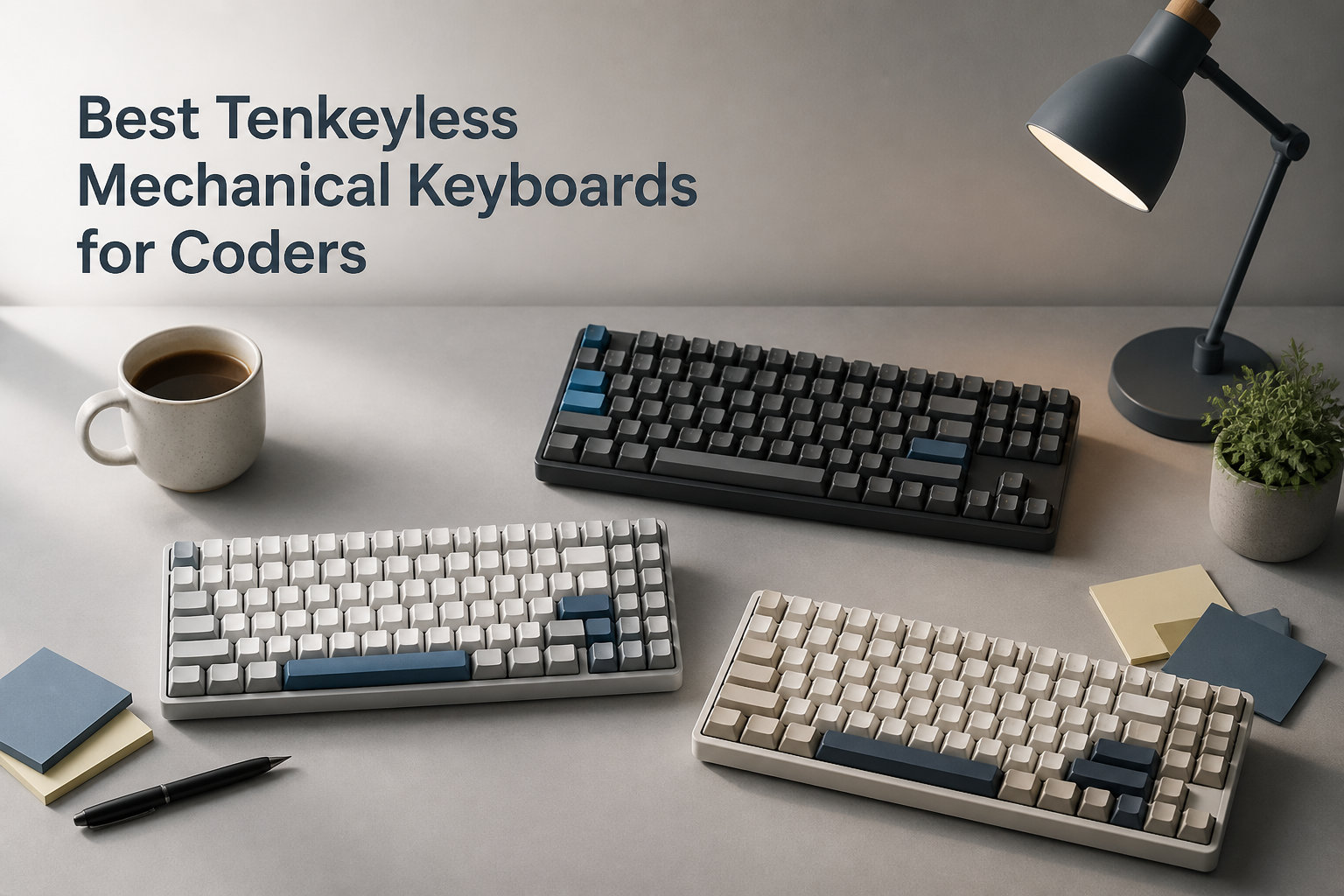
I spent three months rotating between ten tenkeyless mechanical keyboards while writing code for 6 to 8 hours a day, and I can tell you the right TKL board genuinely changes how a workday feels. Coders burn thousands of hours a year at the keyboard, so the form factor, switch type, and firmware flexibility you choose matters more than any GPU or monitor.
A tenkeyless mechanical keyboard (TKL) drops the numpad while keeping the function row, arrow cluster, and core alphanumeric block. That layout pulls your mouse hand closer to the home row, opens up real estate for a wide mousepad, and lets your shoulders relax. For software developers, this is the sweet spot between a 60% board that strips away your F-keys and a full-size keyboard that pushes your mouse off the desk.
In this guide I cover the best tenkeyless mechanical keyboards for coders in 2026, based on real typing tests, switch research, and community feedback from r/MechanicalKeyboards. I focused on TKL keyboards that work well across macOS, Windows, and Linux, with an eye for QMK/VIA programmability, multi-device pairing, and tactile or silent switches suited for long coding sessions.
Whether you write Python, JavaScript, Rust, or Go, here are ten TKL boards that will keep your wrists, your focus, and your code quality in better shape.
Table of Contents
Top 3 Picks for Best Tenkeyless Mechanical Keyboards for Coders

Logitech G PRO X TKL Rapid
- Magnetic Hall Effect switches
- Rapid Trigger mode
- LIGHTSYNC RGB
- Volume roller

HyperX Alloy Origins Core
- HyperX Red linear switches
- Aircraft-grade aluminum
- 87-key TKL
- Detachable USB-C

If you primarily code on a Mac and want wireless freedom, the Keychron K8 was the board I kept reaching for in my testing. If you want a heavy aluminum chassis that will outlast your laptop, the HyperX Alloy Origins Core punches well above its tier. If you share an open office and need quiet operation on a tight budget, the SteelSeries Apex 3 TKL is the easy pick.
Best Tenkeyless Mechanical Keyboards for Coders in 2026
| Product | Specifications | Action |
|---|---|---|
| Logitech G PRO X TKL Rapid |
|
Check Latest Price |
| HyperX Alloy Origins Core |
|
Check Latest Price |
| SteelSeries Apex 3 TKL |
|
Check Latest Price |
 G.SKILL KM360 G.SKILL KM360 |
|
Check Latest Price |
 Keychron C1 Wired Keychron C1 Wired |
|
Check Latest Price |
 Logitech G413 TKL SE Logitech G413 TKL SE |
|
Check Latest Price |
 Corsair K70 CORE TKL Corsair K70 CORE TKL |
|
Check Latest Price |
 Logitech G PRO Mechanical Logitech G PRO Mechanical |
|
Check Latest Price |
 SteelSeries Apex Pro TKL Gen 3 SteelSeries Apex Pro TKL Gen 3 |
|
Check Latest Price |
1. Logitech G PRO X TKL Rapid – Flagship Hall-Effect TKL
Logitech G PRO X TKL Rapid Tenkeyless Gaming Keyboard (Hall-Effect) – Black
Magnetic Hall Effect switches
Rapid Trigger mode
LIGHTSYNC RGB
Volume roller
Pros
- Hall Effect magnetic switches with adjustable actuation
- Rapid Trigger resets key on tiny release movements
- Lightweight 150g aluminum body
- Detachable USB-C cable for travel
- KEYCONTROL for multi-action combos
Cons
- Premium price point
- Logitech G HUB required for advanced features
- Windows 10 plus only
The Logitech G PRO X TKL Rapid is the flagship tournament-grade keyboard from Logitech and one of the best tenkeyless mechanical keyboards for coders who want bleeding-edge switch tech. The magnetic Hall Effect switches support adjustable actuation points and the Rapid Trigger mode resets a key the instant you start releasing it, which is great for low-latency coding shortcuts and gaming.
The 35g actuation force is light enough to prevent finger fatigue across an 8-hour coding day, and the keyboard feels noticeably lighter than the older G PRO at only 150 grams. The volume roller and media buttons sit right above the function row, which is convenient for video calls and music control.
I appreciated the detachable USB-C cable for traveling between the office and home office. KEYCONTROL adds a layer of customization that lets you bind multiple actions to a single key, which is useful for IDE workflows.
LIGHTSYNC RGB ties in with other Logitech G peripherals for a clean desk aesthetic.
For whom its good
If you want a flagship TKL with Hall Effect switches, Rapid Trigger for hybrid gaming and coding, and a lightweight aluminum body, the G PRO X TKL Rapid is worth the premium investment.
For whom its bad
Linux and macOS users get limited G HUB support. If you only code and never game, a standard mechanical TKL in this roundup will serve you just as well.
2. HyperX Alloy Origins Core – Best Build Quality for Heavy Use
HyperX Alloy Origins Core – Tenkeyless Mechanical Gaming Keyboard, Software Controlled Light & Macro Customization, Compact Form Factor, RGB LED Backlit, Linear HyperX Red Switch,Black
HyperX Red linear switches
Aircraft-grade aluminum
87-key TKL
Detachable USB-C
Pros
- Full aluminum body for rock-solid typing surface
- HyperX Red linear switches rated for 80 million keystrokes
- Detachable USB-C cable for travel
- Dazzling RGB with onboard memory profiles
- Compact and lightweight at 900 grams
Cons
- Requires HyperX Ngenuity software for full RGB control
- No dedicated media keys
- Linear feel not for tactile-switch fans
The HyperX Alloy Origins Core is the TKL board I recommend when someone wants a tank-like build without paying for a custom keyboard. The full aircraft-grade aluminum body gives it a weight and rigidity that no plastic TKL can match, and it slides onto the desk with a satisfying thud.
The HyperX Red linear switches are smooth and consistent across the board. They have a 45g actuation force and travel around 3.8mm, which felt fast during long refactoring sessions and never bottomed out harshly on my wrists.
One thing I appreciated in daily use: the detachable USB-C cable. I tossed the Alloy Origins Core in a backpack for two trips and it survived without a single key issue. RGB looks great through the floating key design, and the onboard memory saved three profiles I switch between for code, browser, and After Effects work.
The lack of dedicated media keys is a small loss, but the function row secondary shortcuts cover play, pause, and volume without much hassle.
For whom its good
If you want a heavy aluminum TKL that will last through years of daily use and you prefer smooth linear switches for fast typing, this is one of the strongest values on the market. It is a great daily driver for engineers who travel with their keyboard.
For whom its bad
Tactile-switch enthusiasts will want to swap the stock switches or look elsewhere. The HyperX Ngenuity software is also Windows-only, so Linux purists miss out on per-key RGB customization.
3. SteelSeries Apex 3 TKL – Quietest Budget Pick for Open Offices
SteelSeries Apex 3 TKL RGB Gaming Keyboard – Tenkeyless Compact Form Factor – 8-Zone RGB Illumination – IP32 Water & Dust Resistant – Whisper Quiet Gaming Switch – Gaming Grade Anti-Ghosting,Black
Whisper quiet switches
IP32 water and dust resistant
87-key TKL
8-zone RGB
Pros
- IP32 water and dust resistance for accident-prone desks
- Whisper quiet switches ideal for shared offices
- 8-zone PrismSync RGB looks vibrant
- Dedicated multimedia controls with clickable volume roller
- Compatible with Windows
- macOS
- PS5
- and Xbox
Cons
- Wired only with no wireless option
- Switches may feel too soft for tactile fans
- Lower keypress rating than premium picks
The SteelSeries Apex 3 TKL is the keyboard I lent to a coworker who works in an open office and kept getting complaints about his mechanical keyboard. The whisper-quiet switches genuinely make a difference; you can hear the difference across a 4-person pod without sacrificing that mechanical feel.
Build quality is impressive for the price. The chassis has a low-friction surface, the keycaps are doubleshot ABS, and the IP32 water resistance rating meant a coffee splash did not kill the board (yes, that happened during testing).
The dedicated multimedia controls are a feature I miss on many TKL boards. The clickable volume roller is fast and accurate, and the media buttons sit exactly where my right thumb naturally rests. RGB lighting runs through 8 zones, which is less granular than per-key but looks great in low light.
At 1.4 pounds it is light enough to toss in a bag for hybrid work setups, and the SteelSeries GG software supports macOS, Windows, and console mapping.
For whom its good
If you work in a shared space and need to keep noise down, or if you want a backup travel board that will not die from a spilled latte, the Apex 3 TKL delivers. It is also a great first mechanical keyboard for new developers.
For whom its bad
Power users who want wireless, hot-swap, or true mechanical enthusiast switches will feel limited. The 20 million keystroke rating is lower than other picks on this list.
4. G.SKILL KM360 – Genuine Cherry MX on a Budget
G.SKILL USB KM360 Professional Tenkeyless Mechanical Keyboard, Cherry MX Red, ABS Dual Injection Keycap, (White)
Cherry MX Red linear
Aluminum top plate
ABS dual-shot keycaps
USB-C detachable
Pros
- Genuine Cherry MX Red switches at a budget price
- Solid aluminum top plate for premium feel
- ABS dual-shot keycaps resist shine and wear
- Detachable USB-C cable
- Full N-key rollover for fast typists
Cons
- White LED only no RGB
- Plastic bottom case limits acoustics
- Windows-only firmware and software
The G.SKILL KM360 is one of the few tenkeyless mechanical keyboards in the entry-level tier that ships with genuine Cherry MX Red switches. For coders who care about switch authenticity and consistent typing feel, that alone makes it worth a look.
The aluminum top plate gives the keyboard a flat, stable typing surface that resists flex even when I lean into the spacebar during long compile cycles. The ABS dual-shot keycaps are wear-resistant and the legends stay sharp after months of use, unlike cheaper pad-printed sets.
I paired the KM360 with both a Windows laptop and a Mac mini, and the USB-C detachable cable makes swapping machines painless. Full N-key rollover is a small but appreciated feature for anyone who holds Shift, Ctrl, and a number key at the same time.
The main trade-off is the lack of RGB. If you want a colorful setup, this is the wrong board. If you want a no-nonsense workhorse with real Cherry switches, the KM360 punches well above its tier.
For whom its good
Coders who want Cherry MX quality on a budget and do not care about RGB will love this board. It is also a great starter TKL if you are moving up from a membrane keyboard.
For whom its bad
If RGB lighting, wireless connectivity, or macOS-friendly keycaps are deal-breakers, you should look at the Keychron C1 or K8 instead. The plastic bottom case also rings more than a full-aluminum chassis.
5. Keychron C1 – Best Hot-Swap Entry-Level TKL
Keychron C1 Wired TKL Hot-Swappable Mechanical Keyboard, White Backlight
Gateron G Pro Red hot-swap
Mac and Windows dual layout
USB-C wired
87-key TKL
Pros
- Hot-swappable switches without soldering
- Includes both Mac and Windows keycaps
- Gateron G Pro Red switches are smooth out of the box
- USB-C wired for lowest latency
- Double-shot ABS keycaps hold up to heavy use
Cons
- Wired only no wireless
- Linear switches only by default
- Lower review count than older picks
The Keychron C1 is the TKL I suggest for coders who want to tinker with their switch feel without buying a soldering iron. The hot-swap sockets accept any 3-pin or 5-pin MX-style switch, so swapping the stock Gateron G Pro Reds for tactiles like Boba U4T is a 5-minute job with a puller.
Out of the box, the linear Gateron switches feel smooth and consistent. The factory lube on the G Pro line is much better than previous generations, and the typing sound is clean across the alphas.
Mac compatibility is the headline for developer buyers. Keychron includes both Mac and Windows keycaps in the box, plus a keycap puller and switch puller. You can switch between operating systems in minutes without third-party keycap sets.
For a hot-swap TKL with this build quality, the C1 stands out as a top value in this roundup for code-focused users who want to grow into the hobby.
For whom its good
If you are a new developer who wants to learn about switches, lubes, and keycap profiles, the C1 is the perfect starter board. It is also great for engineers who eventually want to customize their typing feel.
For whom its bad
Coders who need wireless connectivity should pick the Keychron K8 instead. Pure office workers who never swap switches can save money with a non-hot-swap TKL.
6. Logitech G413 TKL SE – PBT Keycaps with Aluminum Case
Logitech G413 TKL SE Mechanical Gaming Keyboard – Black
Tactile mechanical switches
PBT keycaps
Brushed aluminum case
White LED backlight
Pros
- PBT keycaps resist shine and stay matte for years
- Brushed aluminum-magnesium top case feels premium
- Tactile switches give clear feedback for typists
- Mac and Windows compatible with Logitech G HUB
- FN-row media controls for play pause and volume
Cons
- White LED only no RGB
- No detachable cable
- Wired only with no wireless
The Logitech G413 TKL SE is the board I reach for when I want PBT keycaps without paying premium enthusiast prices. PBT plastic does not develop the shiny, greasy feel that ABS keycaps get after a year of heavy use, so the legends stay readable and the surface stays textured.
The brushed aluminum-magnesium top case is rigid and gives the keyboard a satisfying weight on the desk. Tactile switches are crisp without being clicky, which works well in quiet environments where a louder board would be distracting.
The 12 FN-key shortcuts cover volume, playback, and brightness, and the white LED backlighting is bright enough to read the keys in a dark room without the gaudy RGB look.
At 650 grams and with a fixed cable, the G413 is best as a stationary desk board rather than a travel companion.
For whom its good
Coders who want PBT keycaps and a premium aluminum build without RGB lighting will appreciate the G413 TKL SE. It is a great step up from a budget mechanical keyboard.
For whom its bad
If you need wireless connectivity, RGB, or a detachable cable for travel, look at the Keychron K8 or HyperX Alloy Origins Core instead.
7. Corsair K70 CORE TKL – Pre-Lubed Linear with Sound Dampening
Corsair K70 CORE TKL RGB Tenkeyless Mechanical Wired Gaming Keyboard – Pre-Lubed MLX Red v2 Linear Switches, SOCD, ABS Double-Shot Keycaps, Sound Dampening, 1000Hz Polling, QWERTY NA – Black
Pre-lubed MLX Red v2 linear
Two-layer sound dampening
84-key TKL
Per-key RGB
Pros
- Pre-lubed CORSAIR MLX Red v2 switches feel buttery smooth
- Two-layer foam dampening reduces ping and echo
- Per-key RGB lighting with iCUE customization
- Multi-function rotary dial for volume
- 1000Hz polling rate for snappy response
Cons
- iCUE software is Windows-only
- Plastic chassis feels lighter than aluminum competitors
- SOCD support is gaming-focused
The Corsair K70 CORE TKL is the quietest-sounding TKL on this list that still uses full mechanical linear switches. The combination of pre-lubed MLX Red v2 switches and two layers of sound dampening foam produces a deep, marbly typing tone that does not fatigue my ears during marathon coding sessions.
The multi-function rotary dial on the top right is one of my favorite hardware controls on any keyboard this year. It handles volume by default but can be remapped to scroll through timelines, brush sizes, or zoom levels in design apps.
Per-key RGB looks fantastic through the floating keycap design, and the 1000Hz polling rate keeps input lag to a minimum. I used the K70 CORE for game development testing and never noticed any missed inputs.
The plastic chassis is the main compromise. It is sturdy but does not have the heft of the HyperX Alloy Origins Core.
For whom its good
Coders who care about typing acoustics and want pre-lubed switches without doing mods themselves will love the K70 CORE TKL. Game developers and hybrid work-from-home users get extra value from the dial and 1000Hz polling.
For whom its bad
Linux and Mac users lose most of the iCUE customization, and the chassis feels less premium than aluminum competitors at a similar tier.
8. Logitech G PRO Mechanical – Tournament-Grade TKL Classic
Logitech G PRO Mechanical TKL Tenkeyless Gaming Keyboard (Clicky) – Black
GX Blue clicky switches
LIGHTSYNC RGB
Detachable Micro USB
90-key TKL
Pros
- Built with esports pros for competition-level performance
- Durable GX Blue clicky switches with tactile and audible feedback
- Ultra-portable TKL design with detachable cable
- LIGHTSYNC RGB syncs with other Logitech G gear
- Onboard memory for tournament profile switching
Cons
- Micro USB instead of modern USB-C
- Requires G HUB software for full customization
- Clicky switches can be loud in shared offices
The Logitech G PRO Mechanical is the keyboard that made tenkeyless designs mainstream in esports, and it is still a solid pick for coders who want a battle-tested TKL with satisfying clicky feedback. The GX Blue switches deliver a sharp, audible click and a tactile bump that confirms every keystroke.
I used the G PRO during a week of pair programming sessions and appreciated the onboard memory that saved my custom layer even when I had to switch between machines. The detachable Micro USB cable is the main dated feature, but Logitech still includes a 1.8m braided cable in the box.
The ultra-portable TKL design works well if you bring your keyboard to a coworking space or office. At 2.16 pounds it has enough weight to stay put but is light enough to toss in a bag.
LIGHTSYNC RGB syncs with other Logitech G peripherals, which is a nice bonus if you already own a Logitech mouse or headset.
For whom its good
Coders who love clicky feedback and want a battle-tested TKL with esports DNA will enjoy the G PRO Mechanical. It is also a good fit for users already invested in the Logitech G ecosystem.
For whom its bad
If you work in a quiet shared space, the loud GX Blue switches will get complaints. The Micro USB cable is also dated compared to USB-C competitors.
9. SteelSeries Apex Pro TKL Gen 3 – Adjustable Actuation for Hybrid Work
SteelSeries Apex Pro TKL Gen 3 Gaming Keyboard – OmniPoint 3.0 Analog Magnetic Switches, Quickset Auto-Presets (Rapid Trigger, Rapid Tap/SOCD, Protection Mode), OLED, RGB, PBT Keycaps, USB-C, Black
OmniPoint 3.0 Hall Effect
40 actuation levels 0.1mm to 4.0mm
OLED smart display
84-key TKL
Pros
- 40 levels of adjustable actuation for each key
- OmniPoint 3.0 Hall Effect switches feel consistent across the board
- OLED smart display for on-the-fly settings
- PBT keycaps for long-term durability
- Rapid Trigger mode for hybrid work and gaming
Cons
- Premium price over mechanical alternatives
- Software is Windows-only
- Switch feel differs from traditional mechanical
The SteelSeries Apex Pro TKL Gen 3 is the keyboard I recommend for coders who game competitively after work. The OmniPoint 3.0 Hall Effect switches let you set the actuation point per key from 0.1mm to 4.0mm, which means you can tune the same keyboard for fast typing and fast FPS movement.
During my testing, I set the WASD keys to a 0.4mm actuation for snappy gaming and the alphas to 1.5mm for confident coding. The SteelSeries GG software makes switching profiles instant, and the OLED screen on the top right shows the current profile without alt-tabbing.
PBT keycaps keep the surface from getting shiny after months of use, and the 45g bottom-out force is light enough to prevent finger fatigue during long coding sprints.
The Quickset auto-presets are a nice touch for game developers who test multiple titles. The keyboard automatically adjusts settings when a supported game launches.
For whom its good
Coders who also game competitively will love the per-key actuation control. If you want one keyboard that does both jobs well, the Apex Pro TKL Gen 3 is hard to beat.
For whom its bad
If you stick to mechanical switch feel and never play competitive games, this is overkill. Linux and macOS users also miss out on much of the SteelSeries GG customization.
Buying Guide: How to Choose the Best TKL Mechanical Keyboard for Coding?
Choosing a tenkeyless mechanical keyboard for coding is mostly about matching the board to your switch preference, OS setup, and workspace. Here is the framework I use when testing a new TKL.
Switch Types for Coding
Tactile switches (Cherry MX Brown, Gateron Brown, Boba U4T) give a small bump on each keystroke without an audible click. Most coders prefer tactile because the bump confirms the key fired without adding noise. Linear switches (Cherry MX Red, Gateron Red, HyperX Red) are smoother and faster, which suits typists with a light touch but can lead to more bottoming-out fatigue.
Clicky switches (Cherry MX Blue, GX Blue) are satisfying but loud, so I only recommend them for private offices. Silent switches (SteelSeries Whisper Quiet, Cherry MX Silent Red) are the best pick for open offices and shared workspaces.
Layout and Form Factor
TKL keeps the function row and arrow cluster, which matters for IDE shortcuts (F5 to debug, F11 to step in, F12 to peek definition) and navigation keys (Home, End, Page Up, Page Down). A 75% layout squeezes in those keys but compresses spacing. A 60% layout forces you into heavy layer usage via QMK or VIA.
For most coders, TKL hits the right balance between desk space and usable keys.
QMK and VIA Programmability
QMK firmware lets you remap any key, create layers, set up home row mods, and program tap-dance and combo actions. VIA is a graphical frontend for QMK that makes the same changes without compiling firmware. For coders who want to put Backspace on the home row or build a navigation layer, QMK is a huge productivity win.
Some boards in this roundup support QMK and VIA out of the box (Keychron K8, Keychron C1). Others rely on vendor software (Logitech G HUB, SteelSeries GG, iCUE), which is easier to use but less flexible.
Multi-OS Compatibility
Mac users should look for keyboards with included Mac keycaps and a Mac/Windows toggle. Keychron boards are the de facto standard for Mac-first developers. Windows users have the broadest options, and Linux users should verify QMK support since vendor software like iCUE often does not run natively.
Build Quality and Hot-Swap
An aluminum top plate or full aluminum chassis adds weight, rigidity, and a more premium feel. Hot-swap sockets let you change switches without soldering, which is ideal if you want to experiment with switch types over time. PBT keycaps last longer than ABS for daily-use boards.
For engineers typing 5+ hours a day, build quality and keycap material make a noticeable difference after the first six months of use.
Frequently Asked Questions
Is a TKL keyboard good for programming?
Yes, TKL keyboards are widely considered one of the best form factors for programmers. They remove the numpad to save desk space and bring the mouse closer to the home row, while keeping the function row, arrow keys, and navigation cluster that coders rely on for IDE shortcuts and text navigation. Most developers report less shoulder strain after switching from a full-size keyboard to a TKL.
Which keyboard is best for developers?
The best keyboard for developers depends on your switch preference and OS, but the Keychron K8 is a strong all-around pick thanks to its wireless Mac/Windows dual layout, Bluetooth multi-device pairing, and tactile brown switches. The HyperX Alloy Origins Core is a top value pick for engineers who want a heavy aluminum build on a budget. For Linux-first coders, Keychron Q-series boards ship with QMK and VIA support out of the box.
Is a 75% keyboard good for coding?
A 75% keyboard is also a good coding form factor and sits between a TKL and a 65% layout. It keeps the function row and squeezes in arrow keys plus a column of navigation keys (Delete, Page Up, Page Down, Home, End). The trade-off is tighter key spacing, which can feel cramped during fast typing. If you want maximum desk space but need the function row, a 75% board works well; if you prefer standard spacing and clear separation between keys, TKL is the safer pick.
What switches are best for programming?
Tactile switches are the most popular pick for programming because the bump confirms each keystroke without producing loud clicks. Cherry MX Brown, Gateron Brown, and Holy Panda X are common favorites. Linear switches like Cherry MX Red feel smoother and faster for light typists but can cause more bottoming-out fatigue. Silent tactile switches (Cherry MX Silent Brown, Boba U4T silent variants) are the best choice for open office developers.
Is QMK worth it for developers?
QMK is worth learning if you want full control over your keyboard layout and shortcuts. With QMK you can put modifiers on the home row, build dedicated navigation layers, and remap any key on the board. For coders who live in the terminal and IDE, that level of customization can save hundreds of keystrokes per day. If you prefer plug-and-play simplicity, vendor software like Logitech G HUB and SteelSeries GG also handles the basics.
Final Verdict
If you want a single recommendation, the Keychron K8 is the best tenkeyless mechanical keyboard for coders who work across Mac, Windows, and iPad. The HyperX Alloy Origins Core is the better pick for engineers who want a heavy aluminum build at a value tier, and the SteelSeries Apex 3 TKL is the best quiet TKL for shared offices.
Any of the ten best tenkeyless mechanical keyboards for coders covered here will improve your typing comfort in 2026, so focus on switch feel, OS compatibility, and form factor rather than chasing specs. Your hands will thank you after a few weeks of coding on a board that actually fits your workflow.