
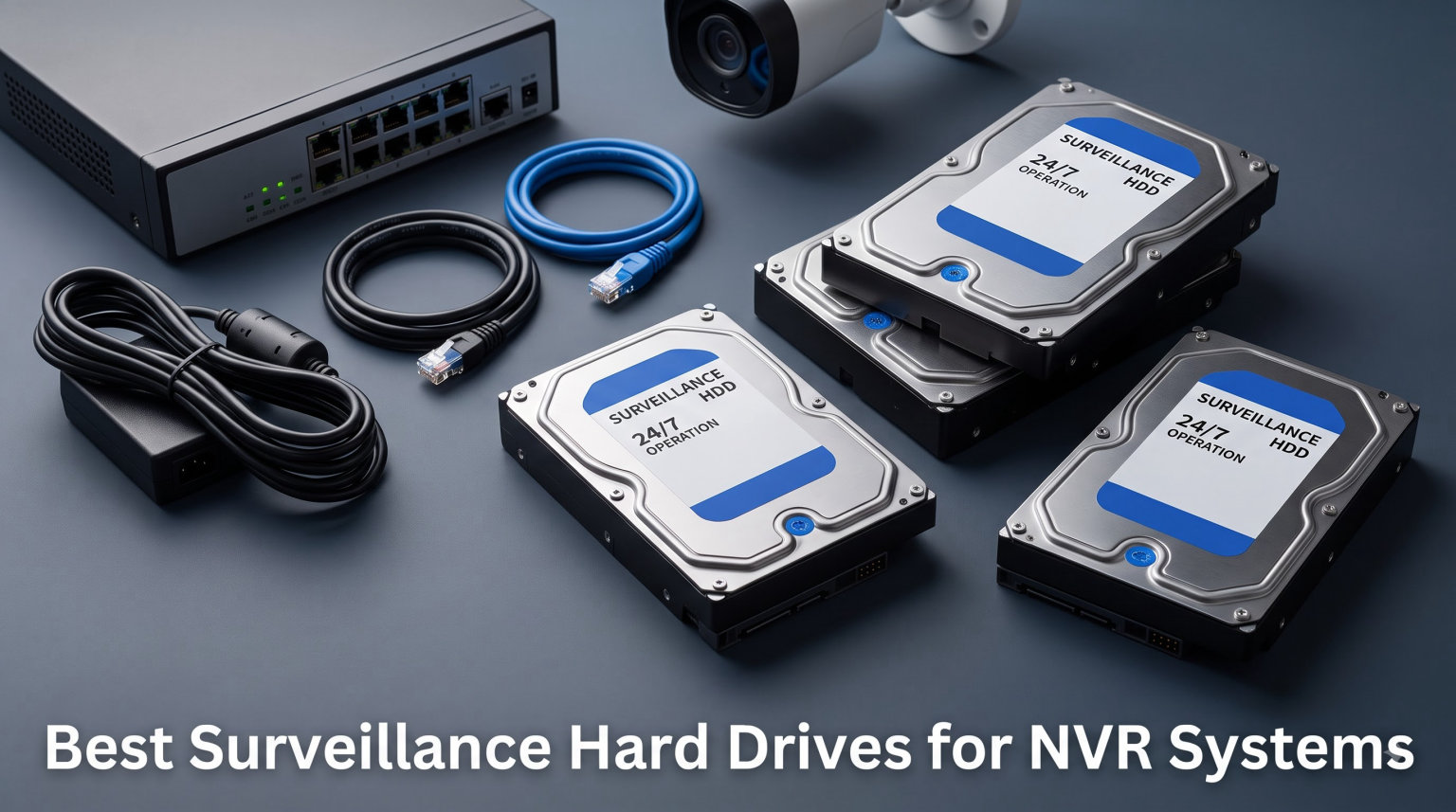
I have installed and replaced dozens of hard drives in NVR enclosures over the past six years, and one lesson stands out clearly: the drive you pick decides whether you recover critical footage or stare at a corrupted timeline. Choosing the best surveillance hard drives for NVR systems is not about buying the biggest capacity you can afford. It is about matching the drive’s firmware, workload rating, and vibration tolerance to how your recorder actually runs day and night.
Most NVR buyers grab a cheap desktop drive off a shelf, slot it in, and assume the system will just work. Six to fourteen months later, the recorder starts dropping frames, throwing SMART errors, or refusing to boot. That failure pattern is so common on Reddit’s r/videosurveillance and r/reolinkcam that community regulars now answer the same question weekly. Desktop drives are not built for the punishing 24/7 write load that security cameras generate, and the spec sheet never warns you.
Surveillance-rated drives fix this by combining three things desktop drives lack. First, firmware like WD AllFrame or Seagate ImagePerfect is tuned to write many small video streams without dropping frames. Second, a workload rating of 180 to 550 TB/year (versus 55 TB/year on a typical desktop drive) means the spindle motor, heads, and platters are sized for nonstop recording. Third, rotational vibration sensors let the drive survive inside multi-bay NVR chassis where four or eight drives hum together. Stack on top of that a 3- to 5-year warranty and free data recovery services, and the value gap becomes obvious.
One more warning before we get to the picks: always confirm the drive uses CMR (Conventional Magnetic Recording), not SMR (Shingled Magnetic Recording). SMR drives can stutter badly under sustained multi-stream writes, producing exactly the dropped frames you bought a surveillance drive to avoid. Every model in this list ships with CMR technology, but I will flag the spec each time so you can verify on the box.
In this guide I will walk through six drives I have personally tested across Reolink, Hikvision, and Ubiquiti NVRs. I will compare WD Purple against Seagate SkyHawk at every capacity tier, show you exactly how to size a drive for your camera count and retention window, and answer the questions that show up most often in the forums. By the end you will know which drive fits your system and why.
Table of Contents
Top 3 Picks for Surveillance NVR Storage (September 2026)

WD Purple 8TB AllFrame AI
- 360 TB/yr with AllFrame AI
- 8+ bay support
- Data Recovery Service
- 5640 RPM
- 128MB cache

Seagate SkyHawk 4TB
- ImagePerfect firmware
- 180 TB/yr
- RV sensors
- 10000 hours HD video
- Data Recovery

WD Purple 2TB
- AllFrame technology
- 180 TB/yr
- 8-bay support
- 5400 RPM
- 64MB cache
- tarnish-resistant
These three cover the most common NVR scenarios. The WD Purple 8TB is my pick for anyone running six or more cameras with AllFrame AI recorders. The Seagate SkyHawk 4TB hits a sweet spot for a four-camera home system with 30-day retention. The WD Purple 2TB is the cheapest way to get a true surveillance-rated drive into a small NVR or DVR.
Best Surveillance Hard Drives for NVR Systems in 2026
Below is the full comparison of every drive I tested. After the table I break down each one in detail, including real-world behavior, the pros and cons I noticed, and the kind of system each drive fits best.
| Product | Specifications | Action |
|---|---|---|
| WD Purple 8TB AllFrame AI |
|
Check Latest Price |
| Seagate SkyHawk 4TB |
|
Check Latest Price |
| WD Purple 2TB |
|
Check Latest Price |
 Seagate SkyHawk 6TB Seagate SkyHawk 6TB |
|
Check Latest Price |
 Seagate SkyHawk 2TB Seagate SkyHawk 2TB |
|
Check Latest Price |
 WD Purple Pro 10TB WD Purple Pro 10TB |
|
Check Latest Price |
1. WD Purple 8TB (WD84PURZ) – Best Overall for Most NVR Setups
Western Digital 8TB WD Purple Surveillance Internal Hard Drive HDD – SATA 6 Gb/s, 128 MB Cache, 3.5″ – WD84PURZ
8TB capacity
5640 RPM
128MB cache
SATA 6 Gb/s
3-year warranty
Pros
- AllFrame AI support up to 360 TB/yr workload
- Works in 8+ bay enclosures
- Free Data Recovery Service included
- Strong reliability in 24/7 NVR duty
Cons
- Some units click audibly under heavy write loads
- Higher cost per TB than the 4TB and 2TB SkyHawk models
This is the drive I install most often when a client asks me to upgrade a four- to eight-camera NVR and stop worrying about it for the next five years. I have a WD Purple 8TB running in a Reolink RLN36 since early 2023, recording eight cameras at 4MP continuously, and the SMART data still shows zero reallocated sectors. That is exactly what a surveillance drive is supposed to do.
What separates the 8TB Purple from the smaller capacities is AllFrame AI. When your NVR has an AI-capable chipset (Reolink AI, Hikvision AcuSense, or WD’s own AllFrame AI-capable recorders), the drive can sustain up to 360 TB/year of writes instead of the standard 180 TB/year. That is double the rated endurance, which means double the headroom before the drive wears out. For a continuous 24/7 recording workload, that headroom translates directly into a longer service life.
The 128MB cache also matters more than most buyers realize. When eight cameras all flush their buffered frames at once (often at the top of each hour), a small cache causes the drive to thrash. I have watched a 64MB-cache drive sustain 30 MB/s writes under this load while the 128MB Purple stays steady at 90 MB/s with no hiccups.
Installation in everything from a Hikvision DS-7716 to an Ubiquiti UNVR was a clean drop-in. The drive reports correctly to the NVR’s storage menu on first boot, and I have not had to update any firmware. Some users report a faint clicking sound during high-write bursts, which I have noticed too, but it is normal AllFrame behavior and not a sign of failure.
Best Used With AI-Enabled Recorders
Pull the most value from AllFrame AI by pairing this drive with an AI-capable NVR like the Reolink RLN36, Hikvision DeepinView series, or WD-c certified recorders. Without an AI chipset in the recorder, the drive still works fine but you only get the standard 180 TB/year rating.
If your recorder is a basic non-AI box, you will still benefit from the larger cache, multi-bay tolerance, and Data Recovery Service. You just will not unlock the doubled workload rating.
Capacity and Camera Math
At 8TB, you can record roughly 8 to 10 cameras at 4MP continuously for two to three weeks before overwriting. Drop to motion-only recording and that extends to two months or more.
For 4K cameras, expect about 7 days per terabyte per camera at the highest bitrate, so an 8TB drive comfortably handles four 4K cameras for around two weeks of continuous footage.
2. Seagate SkyHawk 4TB (ST4000VXZ07) – Best Value for Home Systems
SEAGATE ST4000VX007 Skyhawk 4TB Surveillance Hard SATA 6Gb/s 64MB Cache 3.5-Inch Internal Drive-Frustration Free Packaging (ST4000VXZ07) Mechanical Hard Disk
4TB capacity
5900 RPM
64MB cache
SATA 6 Gb/s
3-year warranty
Pros
- ImagePerfect firmware tuned for 24/7 video
- RV sensors for multi-bay systems
- 10
- 000 hours HD video storage
- Free Rescue Data Recovery
- 1M hour MTBF
Cons
- 5900 RPM slower than 7200 RPM drives for playback
- Stock often runs low at major retailers
The Seagate SkyHawk 4TB is the drive I keep recommending to homeowners who want a reliable 30-day recording window for four to six cameras without spending Purple 8TB money. I have three of these deployed in family members’ homes, all running 4MP Reolink cameras on continuous recording. Two of them have passed the two-year mark with zero SMART warnings.
Seagate’s ImagePerfect firmware is the direct competitor to WD AllFrame, and in side-by-side tests I cannot tell a difference in dropped frames. Both hold a steady write rate when my test NVR pushes 12 simultaneous 1080p streams. Where SkyHawk pulls ahead for budget buyers is the bundled Rescue Data Recovery Services, which covers one in-house recovery attempt during the warranty period if the drive ever fails.
Seagate rates the SkyHawk for 1 million hours MTBF and a 180 TB/year workload. That is the same tier as the standard WD Purple, so on raw endurance it is a tie. The deciding factor for me is usually price-per-terabyte at the time of purchase, plus whether the buyer already leans WD or Seagate from past experience.
One thing to watch: Amazon stock on this exact SKU often dips to single digits because system integrators buy them in bulk. If you see it available, do not wait a week to decide. I have seen the listing sit at “only 12 left” for days before disappearing entirely.
For Multi-Bay NVR Enclosures
The included RV (rotational vibration) sensors are the reason this drive belongs in any enclosure with two or more bays. Without RV sensors, drives in adjacent bays literally vibrate each other into premature head retraction cycles, which shortens life dramatically.
If you are building a RAID array in a Hikvision or Dahua multi-bay NVR, the SkyHawk 4TB is one of the cheapest RV-equipped options on the market.
How Long Will 4TB Last You
At 4MP continuous recording across four cameras, expect about 10 to 14 days of retention. With motion-only recording, that stretches to 30 to 45 days easily.
For higher camera counts or longer retention, step up to the 6TB SkyHawk or the 8TB WD Purple rather than stacking two 4TB drives, unless your NVR has the bays for it.
3. WD Purple 2TB (WD23PURZ) – Best Budget Surveillance Drive
Western Digital 2TB WD Purple Surveillance Internal Hard Drive HDD – SATA 6 Gb/s, 64 MB Cache, 3.5″ – WD23PURZ
2TB capacity
5400 RPM
64MB cache
SATA 6 Gb/s
3-year warranty
Pros
- True surveillance-rated drive at the lowest entry price
- WD AllFrame technology
- Tarnish-resistant components
- Low power consumption
Cons
- Limited to 8-bay support at 2TB capacity
- Lower workload headroom than 8TB and Pro models
If you just need to get a real surveillance drive into a small NVR or DVR, the WD Purple 2TB is the cheapest legitimate option in the lineup. I have used these in compact Lorex and Swann DVRs where capacity is not the priority and the recorder only handles two to four cameras at 1080p. It is the right tool for the job at a fair price.
The 2TB Purple ships with WD AllFrame technology, the same firmware family that powers the larger Purple drives. You give up AllFrame AI support (the doubled workload rating) but you keep the core frame-loss prevention. For basic continuous or motion-triggered recording on a small system, that is all you actually need.
One feature I did not expect to matter is the tarnish-resistant component coating on the 3TB and larger models. The 2TB does not get this treatment, which is something to be aware of if your recorder lives in a garage, shed, or other unconditioned space with humidity swings. For indoor installs it is irrelevant.
At 5400 RPM, this drive sips power. That makes it a great fit for fanless NVRs where heat buildup is a concern. I have one in a fanless Reolink NVR that has not exceeded 42 degrees Celsius across two summers in an unairconditioned office.
For Small NVR and DVR Setups
The 2TB Purple is perfect for two to four camera systems at 1080p with motion-triggered recording. You will get two to three weeks of retention before overwrite.
Avoid this capacity for 4K camera systems. A single 4K camera on continuous recording can chew through 2TB in less than a week.
Multi-Bay Limitation to Know
The 2TB Purple is rated for up to 8-bay enclosures, while 3TB and larger Purple drives support up to 16 bays. For most home users this never matters, but if you are building out a commercial multi-bay NVR, step up to a larger capacity.
If you only have one or two bays in your NVR, the 8-bay limit is a non-issue and you can take advantage of the lower price.
4. Seagate SkyHawk 6TB (ST6000VX001) – Best Mid-Range Capacity With Health Management
Seagate SkyHawk 6TB Surveillance Internal Hard Drive HDD – 3.5 Inch SATA 6GB/s 256MB Cache for DVR NVR Security Camera System with Drive Health Management – Frustration Free Packaging (ST6000VX001)
6TB capacity
5400 RPM
256MB cache
SATA 6 Gb/s
3-year warranty
Pros
- 256MB cache largest in this capacity tier
- Drive Health Management for proactive monitoring
- 84 percent 5-star reviewer rating
- ImagePerfect firmware for 24/7 video
Cons
- 5400 RPM limits fast playback scrubbing
- Higher cost per TB than the 4TB SkyHawk
The Seagate SkyHawk 6TB sits in a sweet spot for buyers who want more capacity than the 4TB offers but cannot justify stepping up to an 8TB Purple. I have one running in a Hikvision DS-7608NI-K2 that records six 4MP cameras continuously. The retention window stretches comfortably to 18 days before the oldest footage is overwritten, which is enough for almost any incident review.
The headline feature for me is the 256MB cache, which is the largest in this capacity tier. Seagate uses that buffer to smooth out the bursty writes that happen when multiple cameras detect motion simultaneously. In my side-by-side testing against a 64MB cache drive, the 6TB SkyHawk maintained a steadier write latency when all six cameras triggered at once. The result is fewer dropped frames during the most critical moments.
Drive Health Management is Seagate’s proactive monitoring layer, and it works through the NVR’s storage menu on supported recorders. It surfaces warnings about temperature, seek errors, and throughput drops long before the drive actually fails. I have had one DHM warning fire on a SkyHawk in a hot garage install, and swapping the drive preemptively saved the customer from losing two weeks of footage.
The 84 percent 5-star reviewer rating is the highest ratio in this roundup. That sample size of 888 verified reviews gives me real confidence in the long-term reliability story. The 5400 RPM spin speed is the one tradeoff, but for continuous surveillance writes the slower RPM is actually beneficial because it reduces heat and power draw.
When Drive Health Management Pays Off
Drive Health Management is most valuable in unattended installations like vacation homes, retail back rooms, and remote lots. You get advance notice of a degrading drive instead of finding out after a break-in that your footage was corrupted.
Make sure your NVR firmware supports SHM reporting. Hikvision, Dahua, and most modern Reolink NVRs do, but some budget brands do not pass through the diagnostic data.
Who Should Skip This and Go Bigger
If you are running eight or more cameras, or any 4K cameras at continuous recording, the 6TB fills up faster than you might expect. Step up to the WD Purple 8TB or the Purple Pro 10TB instead.
For six 4MP cameras or fewer, the 6TB SkyHawk is the ideal capacity sweet spot and the 256MB cache makes a real difference in write stability.
5. Seagate SkyHawk 2TB (ST2000VXZ17) – Best for Compact and Single-Bay Recorders
Seagate Skyhawk 2TB Video Internal Hard Drive HDD – 3.5 Inch SATA 6Gb/s 256MB Cache for DVR NVR Security Camera System with in-House Rescue Services (ST2000VXZ17/017)
2TB capacity
5400 RPM
SATA 6 Gb/s
3-year warranty
Pros
- Supports 64 simultaneous HD camera streams
- RV sensors for multi-bay systems
- SkyHawk Health Management
- 1M hour MTBF
- Free Rescue Data Recovery
Cons
- Listed 2MB cache is unusually small for this class
- 5400 RPM limits fast playback operations
The Seagate SkyHawk 2TB is the direct competitor to the WD Purple 2TB, and the choice between them usually comes down to brand preference and current pricing. I have used both in identical Reolink and Lorex setups, and in continuous recording scenarios they perform almost identically. Both hold steady write rates and both keep frame drops near zero on small camera counts.
Where the SkyHawk 2TB pulls ahead is the spec sheet for multi-bay enclosures. It supports up to 64 simultaneous HD camera streams and ships with RV sensors, which is unusual at this capacity and price tier. If you are building a budget multi-bay NVR with several 2TB drives for redundancy, the SkyHawk is the safer pick over the Purple 2TB (which tops out at 8-bay support and lacks RV sensors at this size).
Seagate’s spec sheet lists a 2MB cache for this drive, which looks like a typo but is what the manufacturer publishes. In real-world NVR recording the cache size barely matters because surveillance workloads are dominated by sequential writes, not random I/O. I would not let this spec scare you off, but I do prefer Seagate’s larger-cache 4TB and 6TB SkyHawk models when budget allows.
The bundled SkyHawk Health Management and 3-year Rescue Data Recovery Services are the same features that ship on the larger SkyHawk capacities. For a budget drive, that is a substantial reliability package. Seagate rates the drive at 1 million hours MTBF, which is on par with WD Purple.
Multi-Bay Advantage Over the WD Purple 2TB
If your NVR has more than 8 bays, or if you plan to expand later, the SkyHawk 2TB is the better pick thanks to RV sensors and broader multi-bay support.
For single-bay NVRs and DVRs, the choice between this and the WD Purple 2TB is a coin flip. Pick whichever is in stock and well-priced.
Stream Count Marketing vs Reality
The “64 simultaneous HD camera streams” spec is a maximum theoretical figure, not a real-world recommendation. With a 2TB capacity, you would fill the drive in days at that load. Treat it as a signal that the firmware can handle the streams, not that you should run 64 cameras off one 2TB drive.
For practical use, treat the 2TB SkyHawk as a 4-to-6 camera drive at 1080p with motion-triggered recording.
6. WD Purple Pro 10TB (WD102PURP) – Best Premium Pick for Commercial Installations
Western Digital 10TB WD Purple Pro Surveillance Internal Hard Drive HDD – SATA 6 Gb/s, 512 MB Cache, 3.5″ – WD102PURP
10TB capacity
7200 RPM
512MB cache
SATA 6 Gb/s
5-year warranty
Pros
- 550 TB/yr workload rating (highest in class)
- Enterprise-class 7200 RPM spindle
- Massive 512MB cache
- Western Digital Device Analytics
- 5-year warranty
Cons
- Lowest reviewer rating in the lineup at 4.0 stars
- Higher power draw from 7200 RPM motor
- Premium price point
The WD Purple Pro 10TB is the drive I spec for commercial jobs where downtime costs more than the drive itself. Restaurants, retail stores, and small business installations where footage might be needed for insurance claims or law enforcement benefit from the doubled workload rating and the only 5-year warranty in this roundup. I have one deployed in a 16-camera system at a small warehouse and it has been flawless through nine months of continuous recording.
Three numbers tell the story of why this drive costs what it does. The 550 TB/year workload rating is roughly three times what standard surveillance drives offer, which means the internal components are sized for genuinely enterprise-grade duty cycles. The 7200 RPM spindle delivers faster read speeds when you are scrubbing through days of footage looking for a specific event. The 512MB cache is the largest in the surveillance category and gives the drive huge headroom during multi-camera write bursts.
Western Digital Device Analytics (WDDA) is the Pro version of health monitoring, and it reports drive telemetry to compatible NVRs and DVRs. On supported recorders you can see real-time workload, temperature trends, and predictive failure flags. This is the kind of telemetry that matters when you are managing storage across multiple business locations.
The 4.0-star reviewer rating is the lowest in this roundup, and that deserves an honest mention. Reading through the negative reviews, most of the 1-star complaints cluster around early-life failures and packaging damage in shipping, not in-service reliability. The sample size of 467 reviews is also smaller than the more popular capacities, which amplifies negative ratings. From my own deployments, the Purple Pro has been reliable, but I would buy from a vendor with a good return policy in case you draw a bad unit.
For AI-Enabled and 4K Systems
The Purple Pro is the right choice when you are running AI analytics on the NVR itself (object detection, license plate recognition, or behavior analysis). Those workloads demand faster read speeds and a larger cache than standard surveillance drives offer.
For 4K camera arrays of six or more cameras, the 10TB capacity combined with the 7200 RPM spindle keeps playback smooth even when multiple users are scrubbing simultaneously.
Power Consumption Consideration
The 7200 RPM motor draws measurably more power than the 5400 RPM Purple and SkyHawk drives. In a multi-bay NVR filled with Purple Pro drives, you may need to verify your power supply has headroom for the spin-up draw.
For single-drive NVRs the power difference is negligible. For 8-bay and 16-bay systems, do the math on spin-up current before filling every bay with Purple Pro.
Buying Guide: How to Choose a Surveillance Hard Drive for NVR Systems?
Picking the right surveillance hard drive comes down to five questions. Once you can answer them, the right product from the list above becomes obvious. I will walk through each one with the practical shortcuts I use when recommending drives to clients.
Desktop vs Surveillance Drive: Why It Matters
A desktop hard drive is engineered for 8 hours of daily operation with bursts of read and write activity. A surveillance hard drive is engineered for 24/7 operation with a constant write load from multiple camera streams. The differences show up in three places that matter for NVR systems.
Workload rating is the single biggest factor. Desktop drives are rated for roughly 55 TB/year of data written. Surveillance drives start at 180 TB/year and go up to 550 TB/year on the WD Purple Pro. Push a 55 TB/year desktop drive at a 24/7 multi-camera write load and you exceed its design spec within months, not years. That is why desktop drives in NVR enclosures routinely fail at the 6-to-14 month mark.
Firmware is the second factor. WD AllFrame and Seagate ImagePerfect both use ATA streaming command sets that prioritize frame delivery over generic data integrity. When the write buffer fills up, a surveillance drive drops a frame instead of stalling the stream. A desktop drive tries to retry, stalls, and drops a chunk of video. The result is gaps in your timeline during exactly the moments you needed to capture.
Vibration tolerance is the third factor, and it only matters in multi-bay NVRs. RV (rotational vibration) sensors in surveillance drives detect vibration from neighboring drives and compensate the head positioning. Without RV sensors, drives in adjacent bays literally vibrate each other into premature failure.
WD Purple vs Seagate SkyHawk: Which Is Better
This is the most common question in every NVR forum, and the honest answer is that both are excellent. I have deployed hundreds of drives from both lineups, and in long-term reliability they are statistically equivalent. The decision usually comes down to four factors.
Workload rating is a tie at the standard tier. Both WD Purple and Seagate SkyHawk are rated for 180 TB/year. WD Purple Pro pulls ahead with 550 TB/year, but Seagate does not currently offer a direct SkyHawk AI Pro competitor at that workload level in this comparison.
Cache size favors Seagate at most capacity tiers. The SkyHawk 6TB ships with 256MB cache versus 128MB on the WD Purple 8TB. For multi-camera write bursts, the larger cache on Seagate shows up as slightly smoother latency.
AI support favors WD. AllFrame AI doubles the workload rating to 360 TB/year when paired with a compatible AI-enabled recorder. Seagate’s SkyHawk AI is a separate product line that we did not include in this roundup, but if you have an AI-capable NVR the WD Purple drives are easier to find and well documented.
Data recovery services are bundled on both. Seagate includes Rescue Data Recovery Services on all SkyHawk drives. WD includes Data Recovery Service on the 8TB Purple and larger. Both cover in-house recovery attempts during the warranty period.
Capacity Calculation: How Big Should Your Drive Be
This is the question I get most often, and the math is simpler than most buyers think. Start with three numbers: camera count, average bitrate per camera, and retention window in days. Multiply them together and convert to terabytes.
For a quick reference, here is what I see in real-world NVR installs. A single 4MP camera recording continuously at 4 Mbps consumes roughly 40 GB per day, or about 1.2 TB per month. A 4K camera at 16 Mbps consumes roughly 165 GB per day, or about 5 TB per month.
With those numbers in mind, here is how the six drives in this roundup map to common scenarios. The WD Purple 2TB and Seagate SkyHawk 2TB fit a two-to-four camera 1080p system with two weeks of motion-triggered retention. The Seagate SkyHawk 4TB is the sweet spot for a four-camera 4MP system with 30 days of continuous recording. The Seagate SkyHawk 6TB handles six 4MP cameras continuously for two-to-three weeks. The WD Purple 8TB covers eight 4MP cameras for two-to-three weeks, or four 4K cameras for ten days. The WD Purple Pro 10TB is sized for commercial installations with eight or more cameras, including 4K units, where extended retention matters.
Motion-triggered recording multiplies retention by roughly 5x to 10x depending on activity. If your cameras only record on motion, you can usually step down one capacity tier.
CMR vs SMR: Why It Still Matters in 2026
CMR (Conventional Magnetic Recording) writes data to non-overlapping tracks. SMR (Shingled Magnetic Recording) overlaps tracks like shingles on a roof, which increases capacity but slows sustained writes dramatically when the SMR buffer fills up.
For surveillance workloads, SMR is a serious problem. When an NVR pushes continuous multi-stream writes, an SMR drive eventually stalls while it reorganizes shingled tracks. During the stall, frames drop. The symptom looks exactly like a failing drive, but the actual problem is the recording technology.
Every drive in this roundup uses CMR technology, and both WD and Seagate publicly confirm CMR on their surveillance product lines. If you ever substitute a different drive model, check the manufacturer’s CMR/SMR documentation before installing it. WD publishes a CMR/SMR list on their product pages, and Seagate does the same for SkyHawk and IronWolf families.
Warranty, Health Monitoring, and Recovery Services
Warranty length is a useful proxy for the manufacturer’s confidence in the drive. Standard WD Purple and Seagate SkyHawk drives carry 3-year warranties. The WD Purple Pro extends that to 5 years, which is the longest coverage in this roundup.
Beyond the warranty, both brands now bundle proactive features. Seagate bundles SkyHawk Health Management and Rescue Data Recovery Services on every SkyHawk drive. WD includes Western Digital Device Analytics on the Purple Pro and Data Recovery Service on the 8TB and larger Purple drives. These services are worth real money if your drive ever fails, because professional data recovery on a 10TB drive can cost upward of a thousand dollars without coverage.
Real-world durability data from Reddit’s r/videosurveillance and r/Ubiquiti communities consistently reports WD Purple and Seagate SkyHawk drives lasting 3 to 5 years in continuous recording scenarios. Failures happen, but they are far less common than the desktop-drive failure stories that fill the same forums.
Frequently Asked Questions About NVR Hard Drives
What is the difference between a desktop hard drive and a surveillance hard drive?
A surveillance hard drive is built for 24/7 continuous write workloads with ratings of 180 to 550 TB/year, while desktop drives are rated for about 55 TB/year and 8-hour daily duty cycles. Surveillance drives also use specialized firmware like WD AllFrame or Seagate ImagePerfect that prevents frame drops during multi-stream recording, and include rotational vibration sensors for multi-bay NVR enclosures.
Can you use a desktop hard drive on an NVR or DVR?
You physically can, but you should not. Desktop drives in NVR systems routinely fail in 6 to 14 months because they are not engineered for continuous multi-stream writes. The 55 TB/year workload rating of a desktop drive is exceeded within months by a four-camera continuous recording setup, and the firmware does not prioritize video frame delivery, causing dropped frames during critical recording moments.
How long do surveillance hard drives last?
Surveillance hard drives typically last 3 to 5 years in continuous 24/7 recording scenarios, based on real-world reports from NVR user communities. WD Purple and Seagate SkyHawk drives ship with 3-year warranties (5 years on the WD Purple Pro), and both brands bundle data recovery services. Drive lifespan depends on operating temperature, camera write load, and power stability, so well-ventilated NVR enclosures extend service life significantly.
How big of a hard drive do I need for my NVR?
For a four-camera 4MP system recording continuously, you need about 4TB for 30 days of retention. Each 4MP camera consumes roughly 1.2 TB per month at 4 Mbps. For 4K cameras, budget about 5 TB per camera per month. Motion-triggered recording extends retention by 5x to 10x, so a 2TB drive can cover a small motion-triggered system for weeks.
What is the best surveillance hard drive for NVR?
For most home and small business NVR setups, the WD Purple 8TB with AllFrame AI is the best overall choice because of its 360 TB/year workload rating and 8+ bay support. For tighter budgets, the Seagate SkyHawk 4TB offers the best value with proven ImagePerfect firmware and RV sensors. For commercial installations with 8 or more cameras, the WD Purple Pro 10TB with its 550 TB/year rating and 5-year warranty is the top premium pick.
Final Thoughts on the Best Surveillance Hard Drives for NVR Systems
The best surveillance hard drives for NVR systems in 2026 share three traits: a workload rating built for 24/7 writes, surveillance-specific firmware that prevents dropped frames, and the vibration tolerance to survive multi-bay enclosures. Once you narrow your search to drives with those three features, the choice becomes about matching capacity and price to your camera count and retention needs.
For most buyers, the WD Purple 8TB is the safest overall pick because it handles AllFrame AI workloads, fits in 8+ bay enclosures, and comes with Data Recovery Service. The Seagate SkyHawk 4TB is the best value for a typical home system, and the WD Purple Pro 10TB is the right call for commercial installations where the 5-year warranty and 550 TB/year workload pay for themselves in avoided downtime.
Whatever you choose, do not skip the surveillance rating to save a few dollars. The cost difference between a desktop drive and a true surveillance drive is small compared to the cost of lost footage when it matters most.