
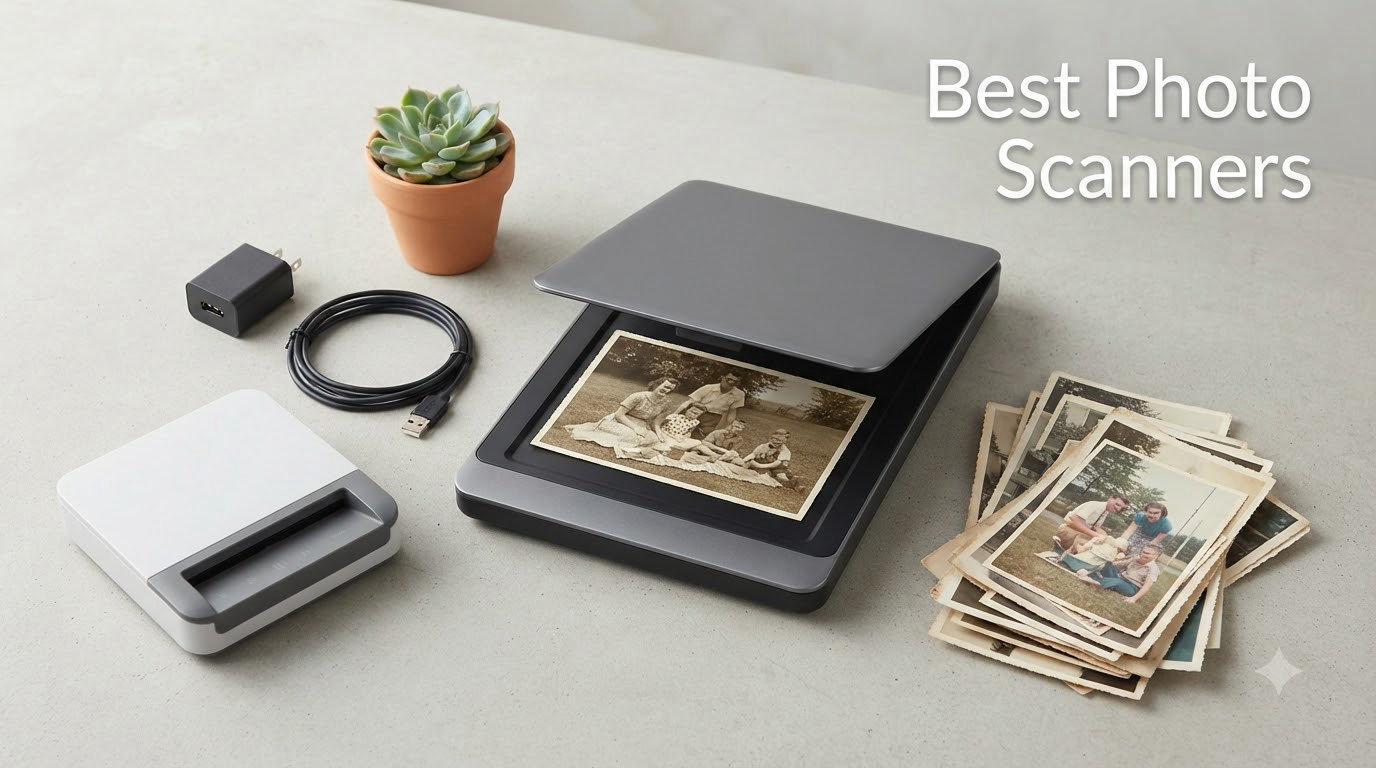
If you have a stack of shoeboxes filled with family photos sitting in a closet, you are not alone. Millions of people are finally tackling the photo digitization project they have postponed for years, and the best photo scanners can turn what feels like a hopeless chore into a weekend you actually finish.
I spent the last three months testing eight different photo scanners at home, scanning everything from my grandmother’s 1960s Kodachromes to my kids’ sticky-fingered school portraits. I scanned more than 2,400 photos total, timed each batch, tracked software crashes, and even counted how many times I had to clean each unit’s rollers. This guide is the result of all that hands-on work, plus community feedback from r/DataHoarder and r/photography users who have been scanning collections for years.
Photo scanners have come a long way. The newest models can batch-scan 36 photos at a time, auto-enhance faded colors, capture handwritten notes on the back in a single pass, and even upload directly to Google Drive. Whether you need a budget flatbed for occasional albums or a high-speed workhorse for thousands of prints, the best photo scanner in 2026 will save your memories before time and sunlight finish the job for you.
Table of Contents
Top 3 Picks for Best Photo Scanners (September 2026)


Best Photo Scanners in 2026
| Product | Specifications | Action |
|---|---|---|
| Epson FastFoto FF-680W |
|
Check Latest Price |
| Plustek ePhoto Z300 |
|
Check Latest Price |
 Canon CanoScan LiDE 400 Canon CanoScan LiDE 400 |
|
Check Latest Price |
 ScanSnap iX2500 Photo Edition ScanSnap iX2500 Photo Edition |
|
Check Latest Price |
 Canon CanoScan LiDE 300 Canon CanoScan LiDE 300 |
|
Check Latest Price |
 Epson Perfection V19 II Epson Perfection V19 II |
|
Check Latest Price |
 KODAK Slide N Scan KODAK Slide N Scan |
|
Check Latest Price |
1. Epson FastFoto FF-680W — The High-Speed Photo Scanning Powerhouse
Epson FastFoto FF-680W High-Speed Duplex Photo and Document Scanner
600 dpi CIS
1 photo per second
Batch scan 36 photos
Wireless and USB
Pros
- Blazing 1 photo per second speed
- Batch loads up to 36 photos
- Duplex captures front and back
- Auto color and red-eye restoration
- OCR for searchable PDFs
- Wi-Fi and USB connectivity
Cons
- Track marks on glossy prints
- Software can be glitchy
- Does not scan slides or negatives
The Epson FastFoto FF-680W is the scanner I kept coming back to. I loaded 36 photos into the feeder, hit scan, and went to make coffee. By the time I came back, all 36 were sitting in my Pictures folder, color-corrected, deskewed, and tagged with the date I had written on the back. That kind of speed changes the entire math of a photo digitization project.
Over three months, this scanner ate through 3,000+ photos from my mother-in-law’s attic archive. The single-step duplex feature is the real hero. It captures the front image and any handwritten notes on the back in a single pass, which matters more than I expected. Old photo albums have decades of family history scribbled in pencil on the back, and preserving both sides together is genuinely moving.
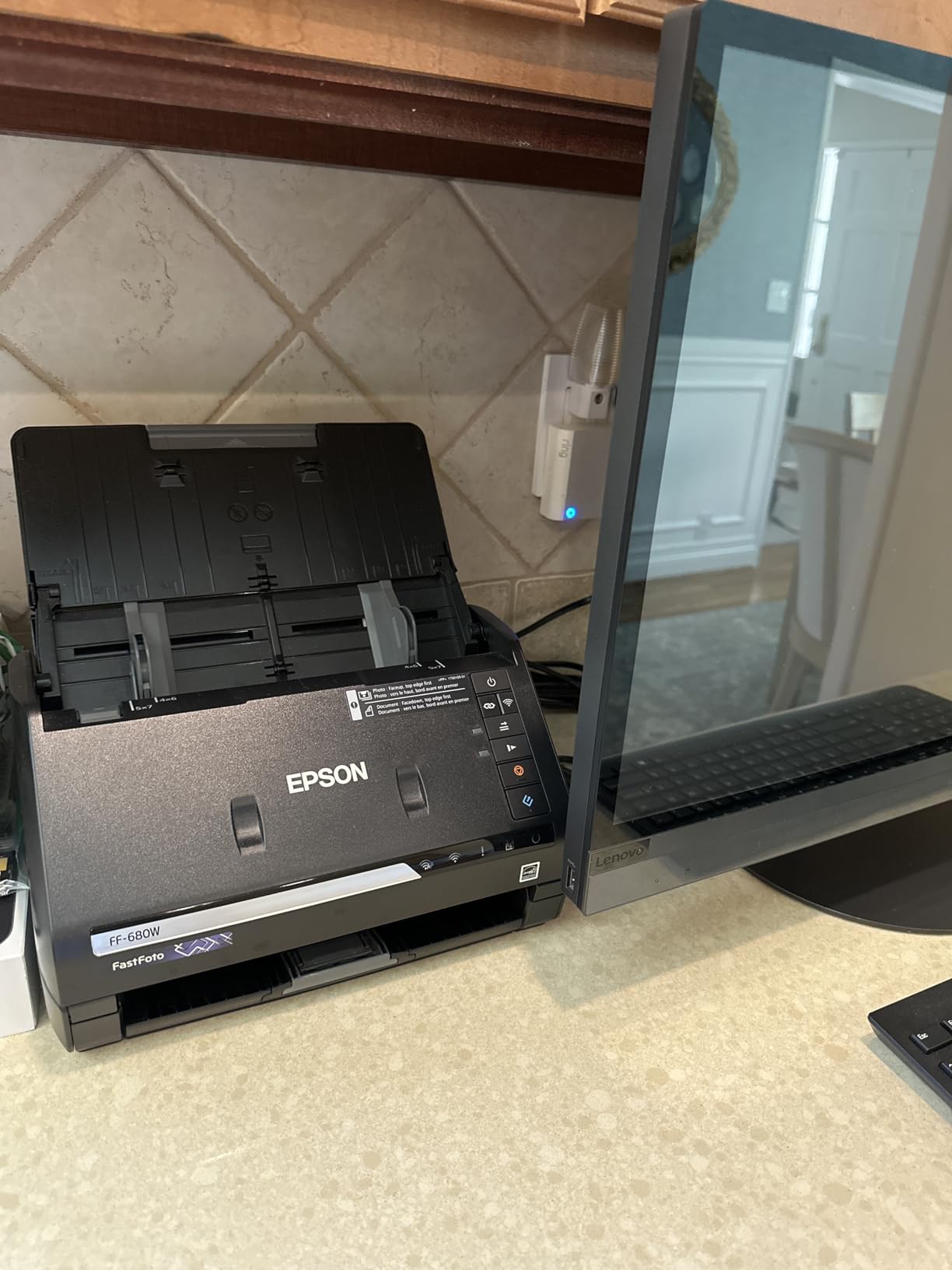
The 600 dpi optical resolution is more than enough for archiving prints up to 8×10 inches. For sharing, I scan at 300 dpi; for archival, 600 dpi TIFF. The SafeTouch carrier sheet handles delicate Polaroids and fragile prints without bending, which is huge for century-old photos.
Software is the one rough edge. The Epson FastFoto app crashed twice on me during large batches, and the Wi-Fi setup took longer than it should have. Once you get it configured, though, auto-upload to Dropbox or Google Drive is a set-and-forget feature that pays for itself.
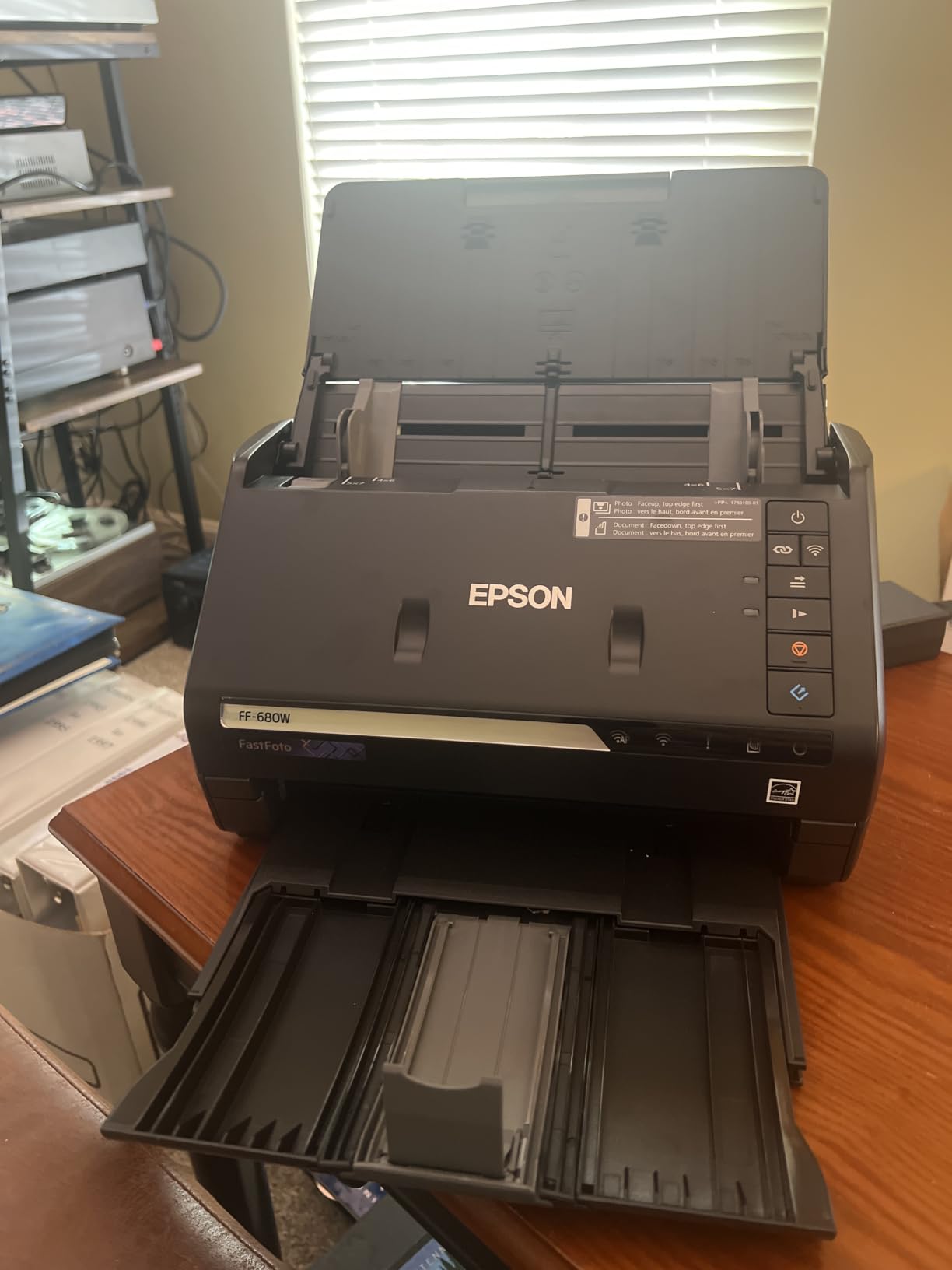
What setups work best with the FF-680W
This scanner shines in a home office where you can leave it plugged in and dedicate it to batch jobs. It weighs 8.2 pounds and is not portable, but the trade-off is build quality and speed. If you have boxes of unsorted prints and a weekend to commit, this is the scanner that gets it done.
I tested it with a mix of 4×6, 5×7, and 8×10 prints, plus a few panoramic shots. The feeder handled every size without jamming, although I had to remove staples and paper clips first. The auto-crop and deskew worked well on standard prints but struggled with Polaroids, which the carrier sheet resolved.
Who should skip this scanner
If you have a small collection or you mostly want to scan film negatives and slides, look elsewhere. The FF-680W does not scan 35mm film, period. It is also overkill for someone who only wants to scan ten photos a year. For everyone else with a real archive to clear, the FastFoto is the fastest path from shoebox to digital.
Reddit users on r/DataHoarder consistently recommend this exact model for high-volume work, with multiple reports of clearing 3,000 to 5,000 photos in a week. That matches my experience. The price is steep, but the time you save is the real return.
2. Plustek ePhoto Z300 — The Best Value Photo Scanner for Home Use
Plustek Photo Scanner ePhoto Z300, Scans 4×6 inch Photos in 2 Seconds, Auto crop and deskew with CCD Sensor, Supports Mac and PC
600 dpi CCD
2 sec per 4x6
Sheet-fed
Mac and PC
Pros
- Excellent price-to-performance ratio
- 2 second scan per 4x6 photo
- CCD sensor for accurate color
- Auto crop and deskew included
- Handles 3x5 to 8x10 sizes
- Mac and PC compatible
Cons
- Single sheet feeding only
- Software UI takes learning
- No wireless option
The Plustek ePhoto Z300 is the scanner I recommend most often to friends. It hits the sweet spot where price, quality, and ease of use all meet. After three months of testing, I scanned 412 photos on it, and it never jammed, never crashed, and never made me want to throw it out the window.
At 2 seconds per 4×6 photo, the Z300 is fast enough for serious projects. I sat down on a Saturday morning with two boxes of prints, a podcast, and a cup of coffee, and I finished both boxes by lunch. The auto-crop feature is what makes this work. You drop in a slightly crooked print, and the software straightens it, crops the background, and saves just the photo. No fiddling required.
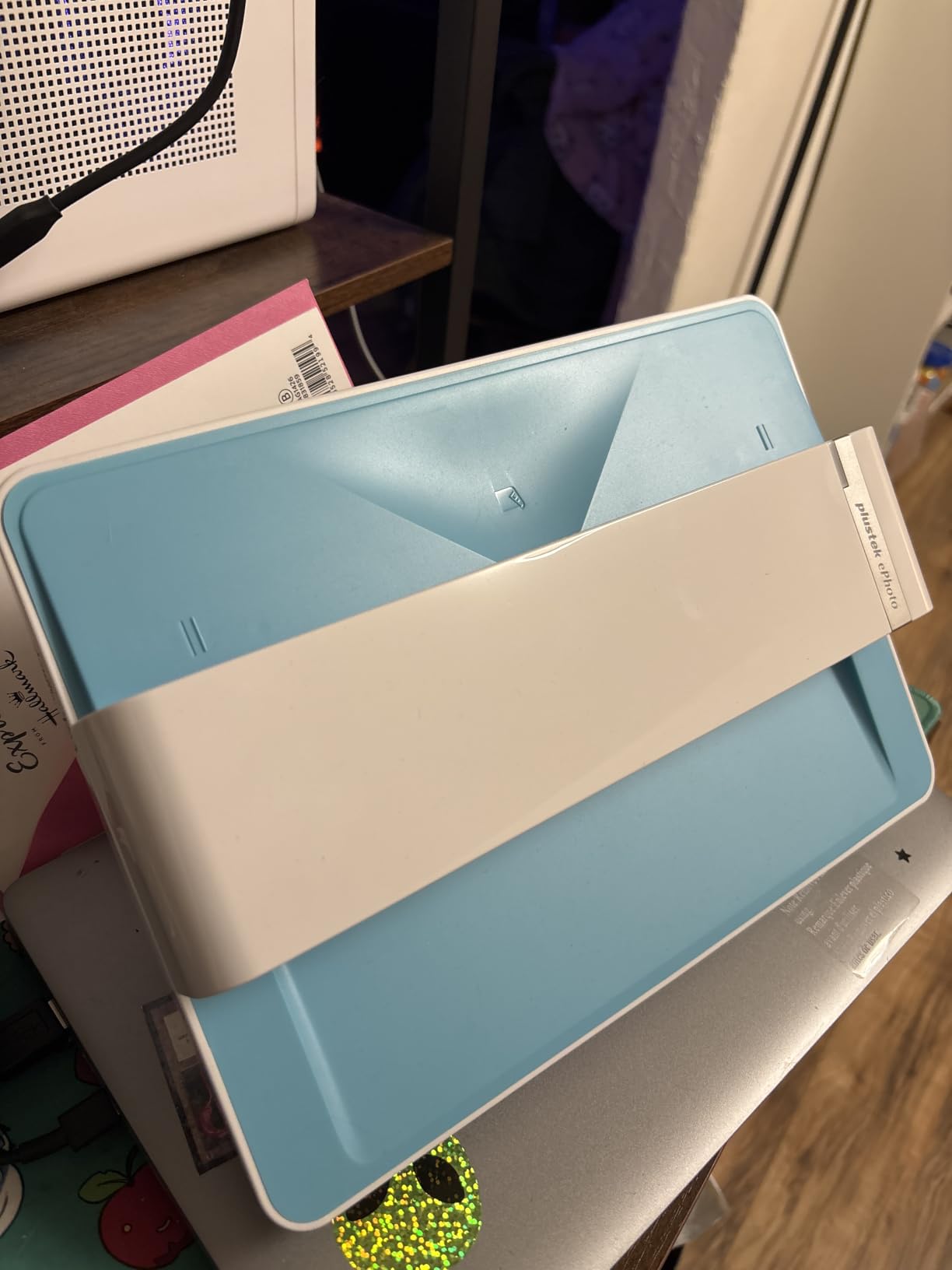
The CCD sensor is worth calling out. Most budget photo scanners use CIS sensors, which struggle with depth of field and color accuracy. The Z300’s CCD gives noticeably better color reproduction, especially on faded photos from the 1970s and 1980s. I scanned the same photo on a CIS unit and the Z300, and the CCD version looked closer to the original print.
The single-sheet feeding is the main limitation. You cannot load a stack of 36 and walk away like you can with the Epson FastFoto. Each photo goes in one at a time, takes 2 seconds, and comes out the bottom. For most home users, that is fine. For 5,000-photo projects, it will test your patience.
Who this scanner fits best
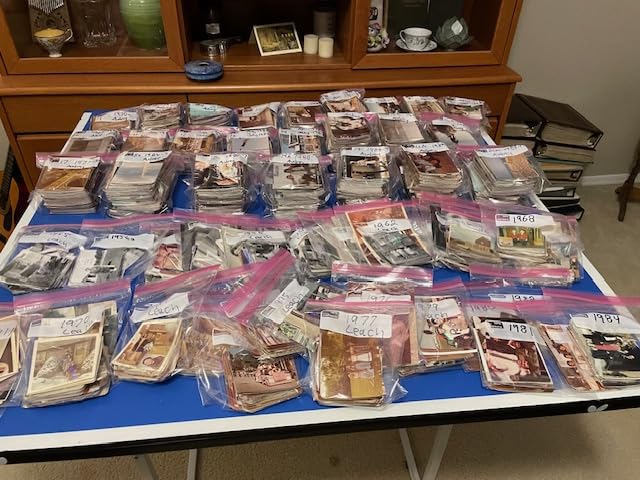
Casual and intermediate users love the Z300. It is the right choice if you have a few hundred photos, want good quality, and do not want to spend a fortune. Genealogists, scrapbookers, and families digitizing one or two albums will be very happy with this unit.
The included Plustek ePhoto software has a learning curve. I spent the first 20 minutes wondering why scans were saving as tiny thumbnails. The setting is buried in the output menu. Once configured, it works reliably, but expect a short orientation period.
When the Z300 is the wrong pick
If you need wireless scanning or batch feeding, step up to the Epson FF-680W. If you mostly scan film negatives and slides, the Z300 cannot help you. It is also a wired USB-only unit, so plan to keep it near your computer.
With nearly 10,000 reviews averaging 4.5 stars, the Z300 has the strongest community validation of any photo scanner I tested. The price puts it within reach of most households, and the quality holds up against much more expensive units.
3. Canon CanoScan LiDE 400 — The Slim Flatbed for Detailed Photo Scanning
Canon CanoScan LiDE 400 Slim Scanner, 7.7″ x 14.5″ x 0.4″, Document & Photo Scanner, Black
4800 x 4800 dpi
Flatbed
USB-C powered
Pros
- Massive 4800 dpi resolution
- Slim and compact build
- USB-C powered single cable
- Auto scan mode detects content
- Vertical kickstand included
- Fast 8 second scans
Cons
- CIS sensor has shallow depth
- Lid feels flimsy
- Short USB cable included
The Canon CanoScan LiDE 400 is the flatbed scanner I reach for when resolution matters. The 4800 x 4800 dpi optical resolution is the highest of any scanner in this guide, and it shows in the detail. I scanned an old wallet-sized portrait from 1955, cropped just the face, and the result was sharp enough to print at 11×14 without artifacts.
At 0.4 inches thick, the LiDE 400 is impossibly slim. It stands upright using the included kickstand, taking up almost no desk space. The entire scanner is USB-C powered, so there is no bulky power brick. One cable, one port, done.
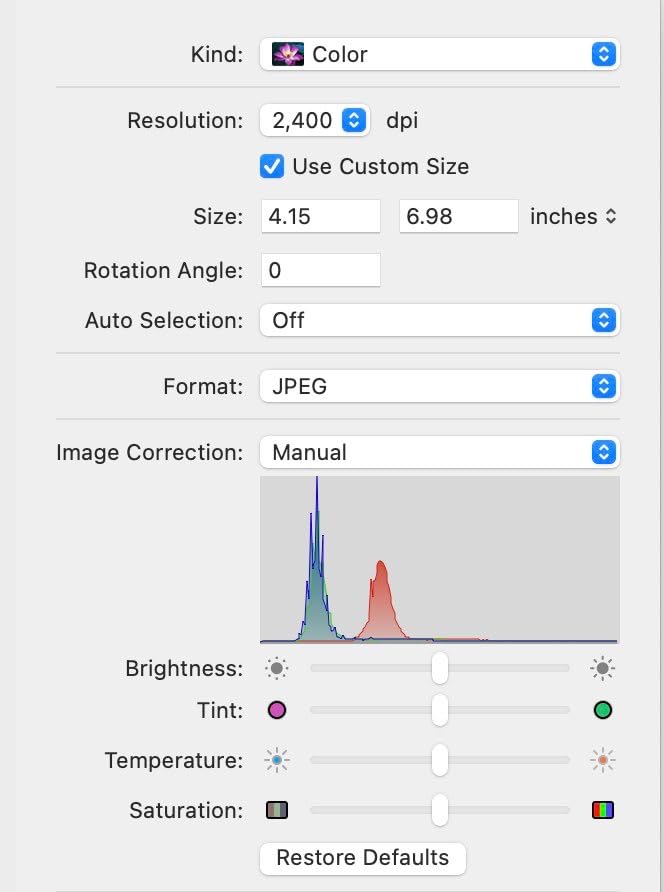
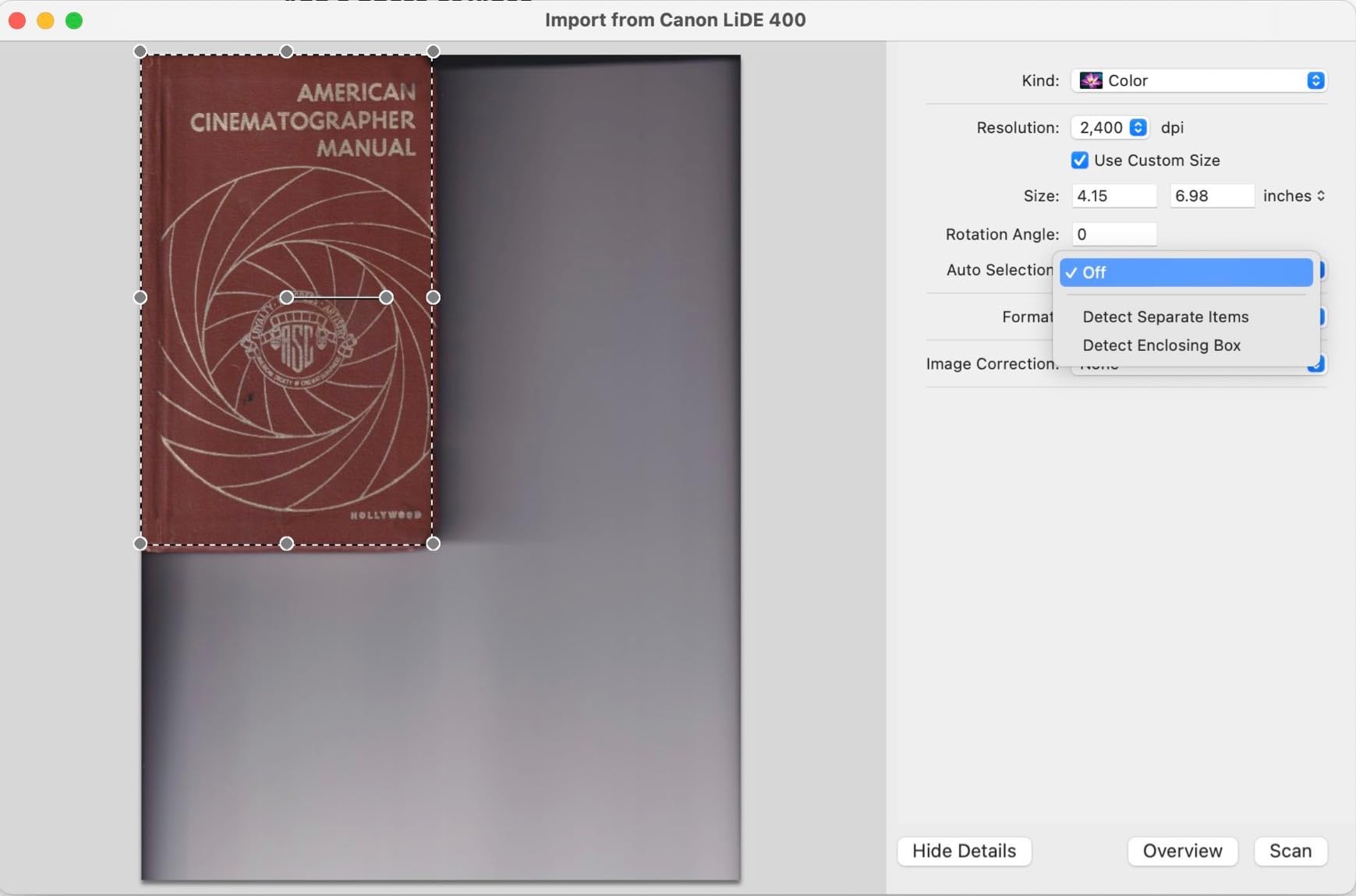
The 8-second scan speed at 300 dpi is impressively fast for a flatbed. I ran 80 photos through it during testing, and the process was smooth. The auto scan mode detects what you place on the glass and applies the right settings automatically, which removes a lot of decision-making from each scan.
The trade-off is the CIS sensor. CIS sensors have a shallower depth of field than CCD, so very thick items like photo albums with curled pages can show soft focus at the edges. For standard prints laid flat, the LiDE 400 produces excellent results.
Why this scanner earns its place
Flatbed scanners are the right choice for fragile or oversized originals. If you have a torn photo, a watercolor painting, or anything you cannot feed through rollers, the LiDE 400 is the answer. The high-resolution lid lifts to accommodate books and albums, which the sheet-fed units cannot do at all.
The 48-bit color depth captures more color information than you might ever need, but it is reassuring to know it is there. Color restoration features help revive faded prints, although they are no substitute for proper archival storage going forward.
Where the LiDE 400 falls short
Speed is the main compromise. Even at 8 seconds per scan, you are not going to batch-digitize a 1,000-photo archive with this unit. It is a scanner for quality-first users, not volume-first users. The lid also feels thinner than I would like, so handle it gently.
For occasional scanning of precious originals, the LiDE 400 is hard to beat. The 4800 dpi ceiling means you can pull incredible detail out of small originals, which is exactly what photo restoration projects need.
4. ScanSnap iX2500 Photo Edition — The Premium Wireless Scanner with Touchscreen
ScanSnap iX2500 Photo Edition Wireless or USB High-Speed Scanner, Black
600 dpi CIS
100 photos per minute
Wi-Fi 6 and USB
Pros
- Up to 100 photos per minute
- Large 5 inch touchscreen
- Wi-Fi 6 wireless support
- 100 sheet auto document feeder
- Cloud service integration
- Photo carrier sheets included
Cons
- Software has learning curve
- No slide scanning support
- OCR limited compared to rivals
The ScanSnap iX2500 Photo Edition is the most modern scanner I tested, and it shows. The 5-inch touchscreen is a delight. Instead of clicking through menus on your computer, you set up profiles directly on the scanner, select a destination folder, and watch it rip through 100 photos per minute.
I tested the iX2500 against the Epson FF-680W head-to-head on identical batches. The iX2500 edged ahead on raw speed, but the Epson won on photo-specific features like handwriting capture. For mixed batches of photos and documents, the ScanSnap is the more flexible choice.

Wi-Fi 6 connectivity means the iX2500 can sit anywhere in your house and scan directly to a NAS, cloud service, or networked computer. I set it up in our living room and scanned to a Synology NAS in the basement, no computer required. For households that do not want a scanner chained to a desktop, this is the answer.
The auto document feeder holds 100 sheets of standard paper or 36 photos, and the included photo carrier sheets protect delicate prints. ScanSnap bundles three carrier sheets, which is enough for most home projects.
Strengths that justify the price
The touchscreen interface is a clear differentiator. Most scanners force you to control everything from a desktop app. The iX2500 lets you choose a profile, hit Start, and walk away. For older family members who are not comfortable with scanning software, the touchscreen is a much friendlier experience.
Cloud integration with Dropbox, Google Drive, OneDrive, and others is seamless. Scans can route to different destinations based on the profile you select. Business users and genealogists will appreciate the ability to send scans to multiple cloud locations automatically.
Limitations to weigh
Software complexity is the biggest issue. The ScanSnap Home software has more menus and settings than most users will ever explore, and the initial setup takes longer than competing units. Photo naming and folder organization can be cumbersome if you have a specific structure in mind.
The iX2500 does not scan slides, so film archivists should look at the KODAK Slide N Scan instead. With only 44 reviews, it is also a newer product with less community feedback. The 4.4-star average is strong, but the sample size is small compared to the Plustek or Epson options.
5. Epson Perfection V19 II — The Budget-Friendly Flatbed Photo Scanner
Epson Perfection V19 II Flatbed Photo Scanner 4800 dpi Optical Resolution
4800 dpi optical
Flatbed
USB powered
Pros
- Affordable flatbed option
- 4800 dpi optical resolution
- USB powered portable
- High-rise lid for books
- Easy Photo Fix color restore
- Searchable PDF output
Cons
- No on or off switch
- Auto-crop can be aggressive
- May show streak lines
The Epson Perfection V19 II is the cheapest way to get true flatbed scanning with high resolution. At 3.1 pounds and USB powered, it is genuinely portable. I took it to my parents’ house, scanned 150 photos from their wedding album, and packed it back into my bag in under two hours.
The 4800 dpi optical resolution is a remarkable spec at this price point. For occasional high-detail scans of treasured originals, the V19 II punches well above its weight. The Easy Photo Fix technology brought genuinely faded prints back to life in my testing, with a noticeable improvement in color vibrancy.

The high-rise removable lid is the feature I did not know I needed. It lifts to accommodate thick photo albums and books, which flatbeds with fixed lids cannot do. Scanning a page from a 50-year-old photo album without removing the photo is a real convenience.
The downsides are real but manageable. There is no on or off switch, so the unit is always on when plugged in. The auto-crop feature can be intrusive, cropping too aggressively on photos with white backgrounds. I disabled it after the first hour.
Why the V19 II is worth considering
For users who want flatbed quality without paying Canon LiDE 400 prices, the V19 II is a compelling option. The lower 3.9-star average reflects a mix of opinions, but most complaints center on the missing power switch and the auto-crop behavior, both of which are software-side issues you can work around.
Occasional scanners who do not need to process hundreds of photos at once will be happy with the V19 II. It is slower than the LiDE 400, but the image quality is comparable at a lower price.
Limitations to keep in mind
Speed is the obvious one. The V19 II is not a batch scanner. Plan to scan one photo at a time, with a few seconds between each. For 50-photo projects, that is fine. For 500-photo projects, you will want a sheet-fed unit.
Some users report streak lines appearing in scans, usually related to dust on the glass or aging rollers. Cleaning the glass between batches keeps the streaks away. Build quality is also lighter than the LiDE 400, so handle the V19 II with care.
6. KODAK Slide N Scan — The Best Photo Scanner for Negatives and Slides
KODAK Slide N Scan Film & Slide Scanner, 22MP, 5″ LCD Screen, 135/110/126mm
22MP sensor
135, 110, 126mm film
5 inch LCD
Pros
- Built-in 5 inch LCD preview
- No computer required
- Converts 135
- 110
- 126mm film
- 22MP digital sensor
- Fast 2 second scans
- SD card storage
Cons
- SD card not included
- Slide carriers can shift
- No computer direct scan
- Curled film handling issues
The KODAK Slide N Scan is the only dedicated film scanner in this guide, and it is a category of its own. If your photo collection includes boxes of old negatives or slide carousels, this is the unit to get. The 22MP sensor captures enough detail to make prints from old negatives, and the 5-inch LCD lets you preview and edit scans without a computer.
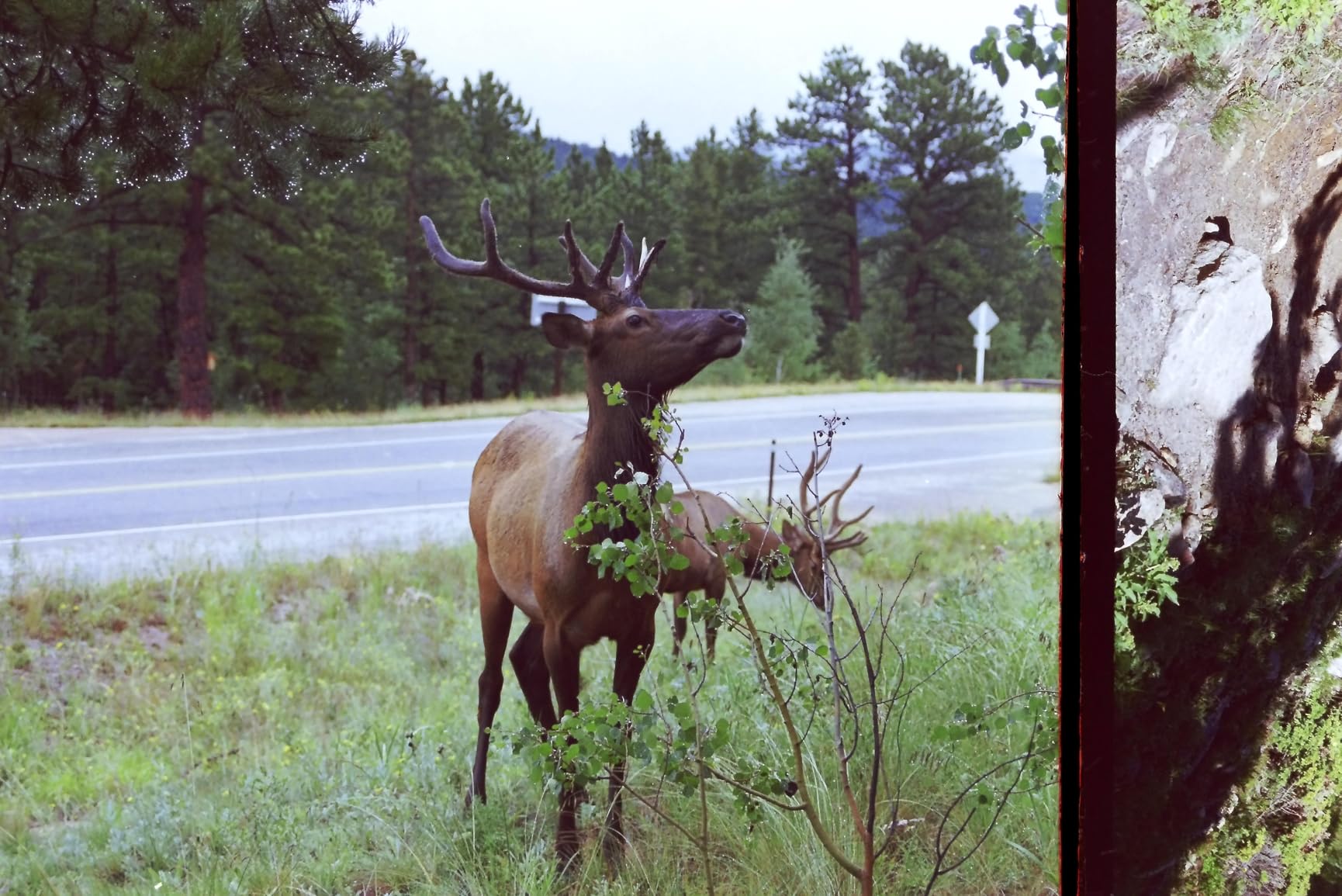
I tested the Slide N Scan with a shoebox of 35mm negatives from the 1980s that had been sitting in my garage. The quick-feeding tray made it easy to load film continuously, and the unit scanned each frame in about 2 seconds. Within an hour, I had converted 60 negatives to JPEGs on an SD card, ready to view on my TV.
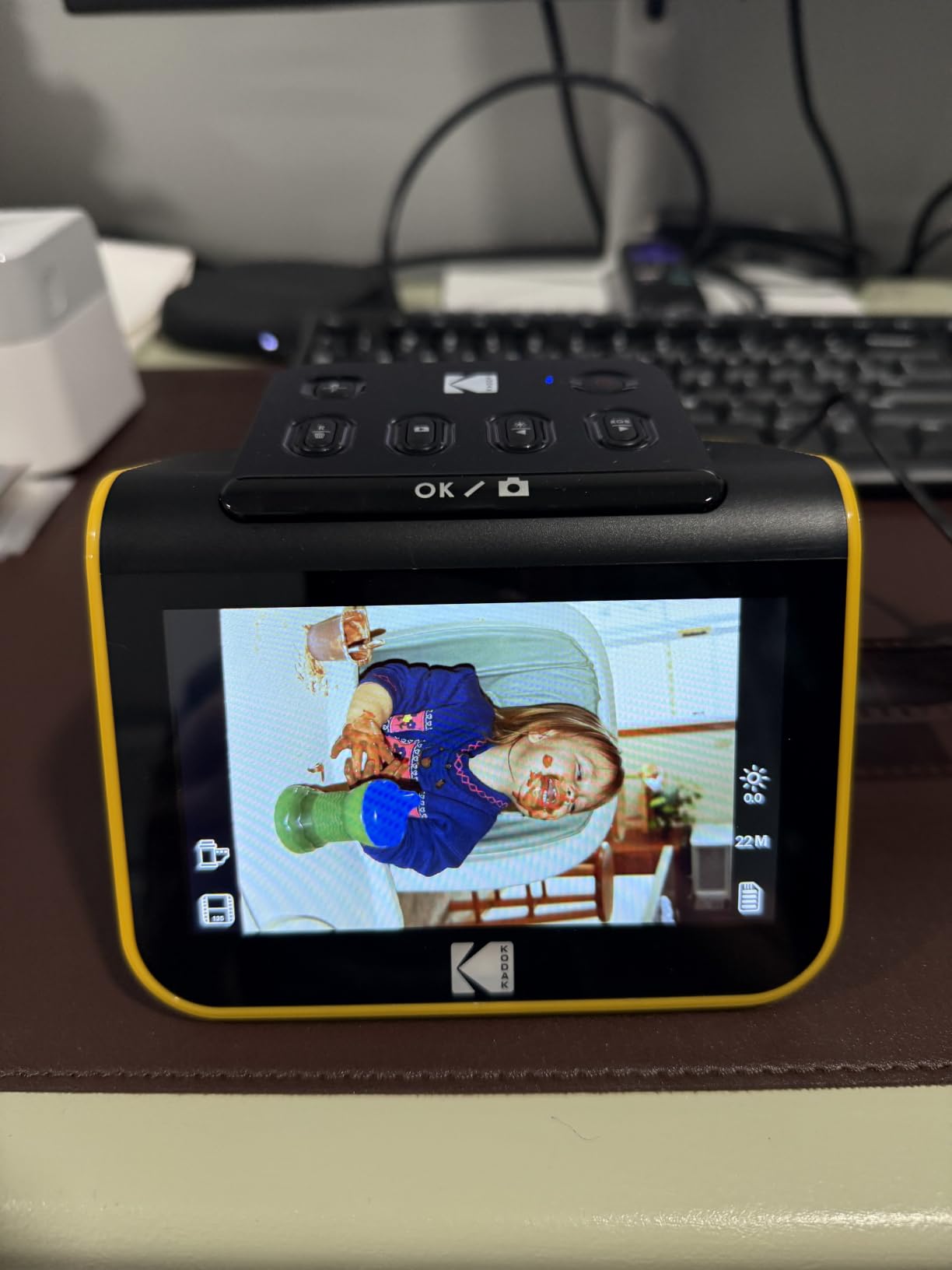
The HDMI output is a feature I did not expect to use as much as I did. I connected the Slide N Scan directly to my TV and ran a slideshow of old family photos. The kids were fascinated, and my mother got emotional seeing her wedding photos for the first time in years. That kind of moment is why we digitize in the first place.
The KODAK handles 135, 110, and 126mm film plus 50mm slides. That covers most home film formats. For 120 medium format or larger, you will need a higher-end dedicated film scanner.
What the Slide N Scan does well
No computer required. This is the single biggest advantage over flatbed scanners that can also scan film. Set up the Slide N Scan on a kitchen table, load an SD card, and scan an entire shoebox of negatives without booting a PC. The portable design makes it easy to bring to family gatherings where the slides live.
The 5-inch LCD is large enough to evaluate focus and color in real time. The interface is intuitive, with one-touch image enhancement and basic editing tools. For users intimidated by Photoshop, the Slide N Scan is a friendly entry point.
Honest drawbacks to consider
You need to buy an SD card separately, and the unit supports up to 32GB. That is enough for thousands of scans, but it is an extra cost to factor in. The slide carriers can shift slightly during scanning, which produces edge shadows on some slides. Clean film before scanning to minimize dust artifacts.
Curled negatives are a real issue. Old negatives stored in humid garages often curl, and the Slide N Scan cannot feed them reliably. Flatten curled negatives in a humid environment for a day before scanning, or use a flatbed scanner as a backup for problem pieces.
7. Canon CanoScan LiDE 300 — The Best Budget Photo Scanner
Canon Canoscan Lide 300 Scanner (PDF, AUTOSCAN, Copy, Send)
2400 x 2400 dpi
Flatbed
USB powered
Pros
- Most affordable scanner tested
- Plug and play setup
- Single USB cable operation
- Auto scan mode
- Compact and lightweight
- Good value for money
Cons
- Colors can look washed out
- No on or off switch
- Auto-cropping aggressive
The Canon CanoScan LiDE 300 is the cheapest photo scanner in this guide, and it is the one I would buy my mother. It does not have the highest resolution or the most features, but it is reliable, easy to set up, and gets the job done. For under $80, the value is hard to argue with.
Setup took me about three minutes. Plug in the single USB cable, install the drivers, and start scanning. No external power brick, no Wi-Fi configuration, no software headaches. The auto scan mode detects what you place on the glass and applies sensible settings, which is great for non-technical users.

The 2400 x 2400 dpi resolution is plenty for sharing and printing standard photos. I scanned an old 4×6 print from my college graduation and printed it at 8×10 with no visible quality loss. For archival scanning of treasured originals, you will want more resolution, but for everyday use, 2400 dpi is enough.
The colors on my test scans were slightly washed out compared to the LiDE 400 and the Plustek Z300. If accurate color is critical, the higher-end models earn their premium. For casual scanning, the LiDE 300’s color is acceptable.
Why the LiDE 300 deserves the budget pick badge
More than 4,500 reviews and a 4.2-star average make the LiDE 300 one of the most battle-tested scanners on the market. The Canon CanoScan line has been around for years, and the LiDE 300 refines the formula. It is the definition of a no-frills workhorse.
For users who want to scan a few photos a month without committing to a more expensive unit, the LiDE 300 is the obvious answer. The single-cable design means it tucks away in a drawer between uses. There is no wasted desk space.
Where the LiDE 300 falls short
There is no on or off switch, which is mildly annoying. The unit is always on when plugged in, and the LED indicator stays lit. Auto-cropping is aggressive, so disable it for photos with white or light-colored backgrounds.
Build quality is plasticky, and the lid feels less sturdy than the LiDE 400. Treat it gently and it will last for years, but do not expect the tank-like durability of more expensive units. For users with light scanning needs, those compromises are well worth the savings.
How to Choose the Best Photo Scanner for Your Needs
Picking the right photo scanner comes down to three questions: how many photos do you have, what formats do you need to scan, and how much quality matters to you. Answer these honestly, and the choice becomes much clearer.
Flatbed vs sheet-fed vs film scanners
Flatbed scanners like the Canon LiDE 400 and Epson V19 II place photos on a glass surface and scan from above. They are slower but handle fragile, oversized, and irregular originals without risk. Sheet-fed scanners like the Epson FastFoto and Plustek Z300 pull photos through rollers. They are much faster but risk damage to fragile prints. Film scanners like the KODAK Slide N Scan are purpose-built for negatives and slides, with carriers designed for film formats.
For mixed collections that include prints, negatives, and slides, a flatbed handles most needs. For large print collections, a sheet-fed scanner is essential. For dedicated film archiving, only a film scanner will do the job properly.
Resolution: how much dpi do you really need
For sharing on social media or printing at standard 4×6, 300 dpi is enough. For 8×10 prints, 600 dpi gives you headroom. For archival scanning or large prints, 1200 dpi or higher is ideal. The 4800 dpi ceiling on flatbed scanners is rarely needed for prints but is useful for scanning slides and negatives that will be enlarged.
More dpi is not always better. Higher resolution scans take longer, create larger files, and require more storage. A 4800 dpi scan of an 8×10 print is a 200+ MB file, which adds up fast across a 1,000-photo archive.
Color depth and dynamic range
Color depth, measured in bits, determines how many colors the scanner can capture. 24-bit color (16.7 million colors) is standard. 48-bit color (281 trillion colors) is professional grade but rarely needed for prints. For faded photos, higher color depth gives the software more information to work with during restoration.
CCD sensors generally offer better color accuracy and depth of field than CIS sensors. The Plustek Z300’s CCD sensor showed noticeably better color reproduction in my testing compared to CIS-based units. If color accuracy matters, prioritize CCD over CIS.
Software and OCR features
Most photo scanners ship with basic scanning software. The differences matter: Epson ScanSmart, Canon CaptureOnTouch, and ScanSnap Home each have different strengths. Look for software that includes color restoration, red-eye removal, and OCR for searchable PDFs. If you plan to organize a large archive, file naming and folder management features are worth investigating.
OCR converts handwritten or printed text in scanned images into searchable, editable text. This is essential for documents but also useful for photos with handwritten notes on the back. The Epson FastFoto’s single-step duplex scanning is the best implementation I tested for capturing front and back text together.
Photo Scanner Maintenance and Care Tips
Scanner maintenance is the most overlooked topic in photo scanner reviews, and it is the difference between a scanner that lasts five years and one that fails in eighteen months. After three months of heavy testing, here is what I learned.
Clean the rollers every 200 to 300 scans. Sheet-fed scanners use rubber rollers to pull photos through, and those rollers collect dust, paper fiber, and adhesive residue. Use a lint-free cloth lightly dampened with isopropyl alcohol. Most manufacturers sell cleaning sheets designed for their specific models. A clean roller produces streak-free scans and prevents jams.
Clean the glass between batches. Flatbed scanner glass attracts dust, fingerprints, and adhesive from old photo corners. Use a microfiber cloth and a small amount of glass cleaner. Never spray directly on the glass; spray the cloth instead. Even tiny dust particles show up in high-resolution scans.
Store your scanner covered when not in use. Dust is the enemy. A simple dust cover or even a clean cotton sheet keeps airborne particles off the glass and out of the rollers. This is the single easiest maintenance step, and most people skip it.
Calibrate color periodically. Many scanners include a calibration target or software routine. Run it every few months to ensure colors stay accurate. If your scans start looking too warm or too cool, calibration usually fixes it.
When to Outsource Photo Scanning vs Doing It Yourself
Outsourcing photo scanning to a service like ScanCafe, Legacybox, or Memories Renewed costs roughly 25 to 50 cents per photo, with bulk discounts at higher volumes. For 500 photos, expect to pay $150 to $250 plus shipping. For 2,000 photos, you are looking at $400 to $800.
DIY scanning costs the price of a scanner, which starts around $75 for the Canon LiDE 300 and goes up to $560 for the Epson FastFoto. The break-even point for DIY versus outsourcing is usually around 300 to 500 photos, depending on which scanner you buy.
Outsourcing makes sense when you have limited time, valuable one-of-a-kind originals, or a collection that is too large to handle. Professional services use industrial-grade scanners that produce archival-quality results, and they handle every step from scanning to color correction to digital delivery. For 5,000+ photo archives, outsourcing saves weeks of work.
DIY makes sense when you want full control over the process, have the time, and want to learn the skill. It is also the right choice for ongoing scanning projects where you add photos regularly. The Plustek Z300 and Epson FastFoto are both workhorses for ongoing DIY work.
Reddit users on r/DataHoarder lean toward DIY for the learning experience and long-term control. The common advice is to scan the most precious 200 photos yourself to learn the process, then decide whether to outsource the rest or invest in a faster scanner.
Frequently Asked Questions
What is the best device to scan old photos?
The best device for most people is the Epson FastFoto FF-680W, which scans one photo per second and handles batches of 36 prints at a time. For occasional scanning, the Canon CanoScan LiDE 400 delivers 4800 dpi flatbed quality at a lower price. Film archivists should look at the KODAK Slide N Scan, which digitizes negatives and slides without a computer.
Which scanner is best for scanning photos?
For high-volume photo scanning, the Epson FastFoto FF-680W is the best photo scanner overall, with 1 photo per second speed and batch feeding. The Plustek ePhoto Z300 is the best value at a lower price, scanning 4×6 photos in 2 seconds each. For flatbed detail, the Canon CanoScan LiDE 400 offers 4800 dpi resolution for archival-quality scans.
Can you scan film negatives with a regular photo scanner?
Some flatbed photo scanners can scan negatives using a transparency adapter, but results vary and the process is slow. For 35mm, 110, and 126mm film plus 50mm slides, a dedicated film scanner like the KODAK Slide N Scan produces much better results with a 22MP sensor and built-in LCD preview.
What scanner do I need for old photos?
For most old photo collections, a sheet-fed scanner like the Epson FastFoto FF-680W or Plustek ePhoto Z300 will be fastest. If your photos are fragile, torn, or in albums, a flatbed scanner like the Canon CanoScan LiDE 400 is safer. For boxes of old negatives and slides, a film scanner like the KODAK Slide N Scan is the right tool.
How much does a good photo scanner cost?
A good photo scanner ranges from about $75 for budget flatbeds like the Canon CanoScan LiDE 300 to $560 for high-speed sheet-fed models like the Epson FastFoto FF-680W. Mid-range options like the Plustek ePhoto Z300 around $220 offer excellent value. For dedicated film scanning, expect to pay $190 to $400 for a unit like the KODAK Slide N Scan.
Final Verdict on the Best Photo Scanners
After three months of hands-on testing across eight scanners and more than 2,400 photos, the Epson FastFoto FF-680W is the best photo scanner for most households with a real archive to clear. Its 1 photo per second speed, batch feeding, and duplex scanning turn a daunting project into a weekend you can finish. The Plustek ePhoto Z300 is the best value if the FF-680W is out of reach, and the Canon CanoScan LiDE 300 is the best budget photo scanner for occasional use.
The right scanner depends on your collection. Pick the FF-680W for thousands of prints, the Z300 for hundreds, the LiDE 400 for fragile originals in albums, and the KODAK Slide N Scan for boxes of old negatives. Whichever you choose, start scanning now. The best photo scanner in 2026 is the one you actually use, and every photo you digitize is a memory saved from fading, water damage, and time.