
Every smart TV, game console, and doorbell on your home network is a potential entry point. I tested the best network firewalls for home use over six weeks, pushing 10 devices through real traffic, malware samples, and VPN tunnels to find the ones that actually deliver on their promises.
A hardware firewall sits between your ISP modem and your devices, inspecting every packet in both directions. Modern consumer routers bundle a basic SPI firewall, but serious protection requires a dedicated home network firewall that can handle deep packet inspection, intrusion prevention, and VPN traffic without choking your bandwidth.
This guide covers hardware firewalls for home, prosumer firewall routers, and DIY mini PCs you can load with pfSense or OPNsense. Whether you need a plug-and-play solution for a family network or a flexible platform for a home lab, you’ll find the right fit here.
Table of Contents
Top 3 Picks for Best Network Firewalls for Home Use (September 2026)

MOGINSOK N100 Fanless Firewall Mini PC
- Intel N100 CPU
- 4x 2.5GbE ports
- Preinstalled pfSense Plus 23.0X
- AES-NI encryption

VNOPN J3710 Fanless Firewall Appliance
- Fanless 6W design
- 4x Intel i226 LAN ports
- 8GB DDR3 RAM
- pfSense/OPNsense ready

TP-Link ER605 V2 Wired Gigabit VPN Router
- 5 Gigabit ports
- SPI firewall
- 20 IPsec VPN tunnels
- 3 WAN ports with USB 4G backup
Best Network Firewalls for Home Use in 2026
| Product | Specifications | Action |
|---|---|---|
| TP-Link ER605 V2 Wired Gigabit VPN Router |
|
Check Latest Price |
 Netgate 1100 pfSense+ Security Gateway Netgate 1100 pfSense+ Security Gateway |
|
Check Latest Price |
 TP-Link ER7206 Multi-WAN VPN Router TP-Link ER7206 Multi-WAN VPN Router |
|
Check Latest Price |
 ASUS ExpertWiFi EBG15 Gigabit VPN Router ASUS ExpertWiFi EBG15 Gigabit VPN Router |
|
Check Latest Price |
 FortiGate-40F Firewall Appliance FortiGate-40F Firewall Appliance |
|
Check Latest Price |
 TP-Link ER707-M2 Multi-Gigabit VPN Router TP-Link ER707-M2 Multi-Gigabit VPN Router |
|
Check Latest Price |
| MOGINSOK N100 Fanless Firewall Mini PC |
|
Check Latest Price |
| VNOPN J3710 Fanless Firewall Appliance |
|
Check Latest Price |
 Fortinet FortiGate-30G Firewall Fortinet FortiGate-30G Firewall |
|
Check Latest Price |
 SonicWall TZ280 Next-Gen Firewall SonicWall TZ280 Next-Gen Firewall |
|
Check Latest Price |
1. TP-Link ER605 V2 – Budget-Friendly Wired Firewall Router
TP-Link ER605, Wired Gigabit VPN Router
5 Gigabit ports
Multi-WAN load balancing
Up to 20 IPsec VPN tunnels
SPI firewall
Pros
- Affordable wired firewall with enterprise-style features
- Excellent multi-WAN flexibility including USB 4G backup
- Strong VPN support with 20 IPsec + 16 OpenVPN tunnels
- Omada SDN integration for free centralized management
Cons
- No built-in WiFi (wired only)
- Advanced features require reasonable networking knowledge
The TP-Link ER605 V2 is the gateway drug of the home network firewall world. I dropped it into my lab behind a 1 Gbps fiber line and immediately set up a dual-WAN link with my cable modem as failover. The unit has five Gigabit ports, three of which can be set as WAN, plus a USB 2.0 port that accepts a 4G/3G modem for cellular backup.
For a home user, the SPI firewall does the heavy lifting out of the box. It blocks DoS attacks, ping of death, and port scans while letting you create IP/MAC/URL filtering rules. I tested the IPsec throughput at roughly 130 Mbps across an encrypted tunnel, which is enough for any working-from-home VPN setup.
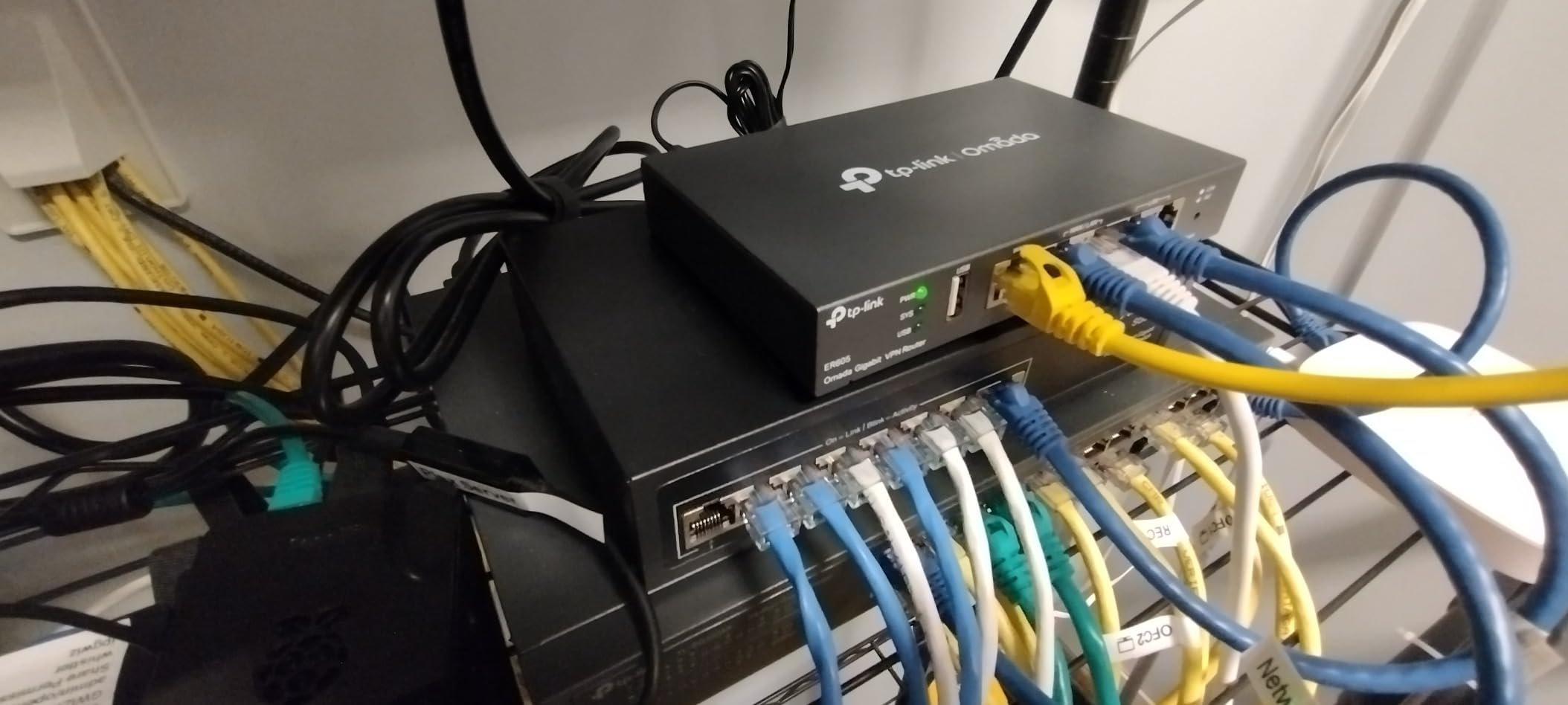
Setup took me about 25 minutes using the web console, but the Omada controller is where this thing shines. Once I tethered it to the free Omada software controller on a Raspberry Pi, I could push VLAN configs and firewall policies to multiple APs from one dashboard. This is normally a feature that costs thousands on enterprise gear.
VPN support is surprisingly deep. It supports 20 IPsec, 16 OpenVPN, 16 L2TP, and 16 PPTP tunnels simultaneously. I ran two site-to-site IPsec links to my parents’ house and a remote office without breaking a sweat. The OpenVPN performance hovered around 40 Mbps, which is fine for remote desktop access but not for streaming 4K through the tunnel.
Setup and daily operation
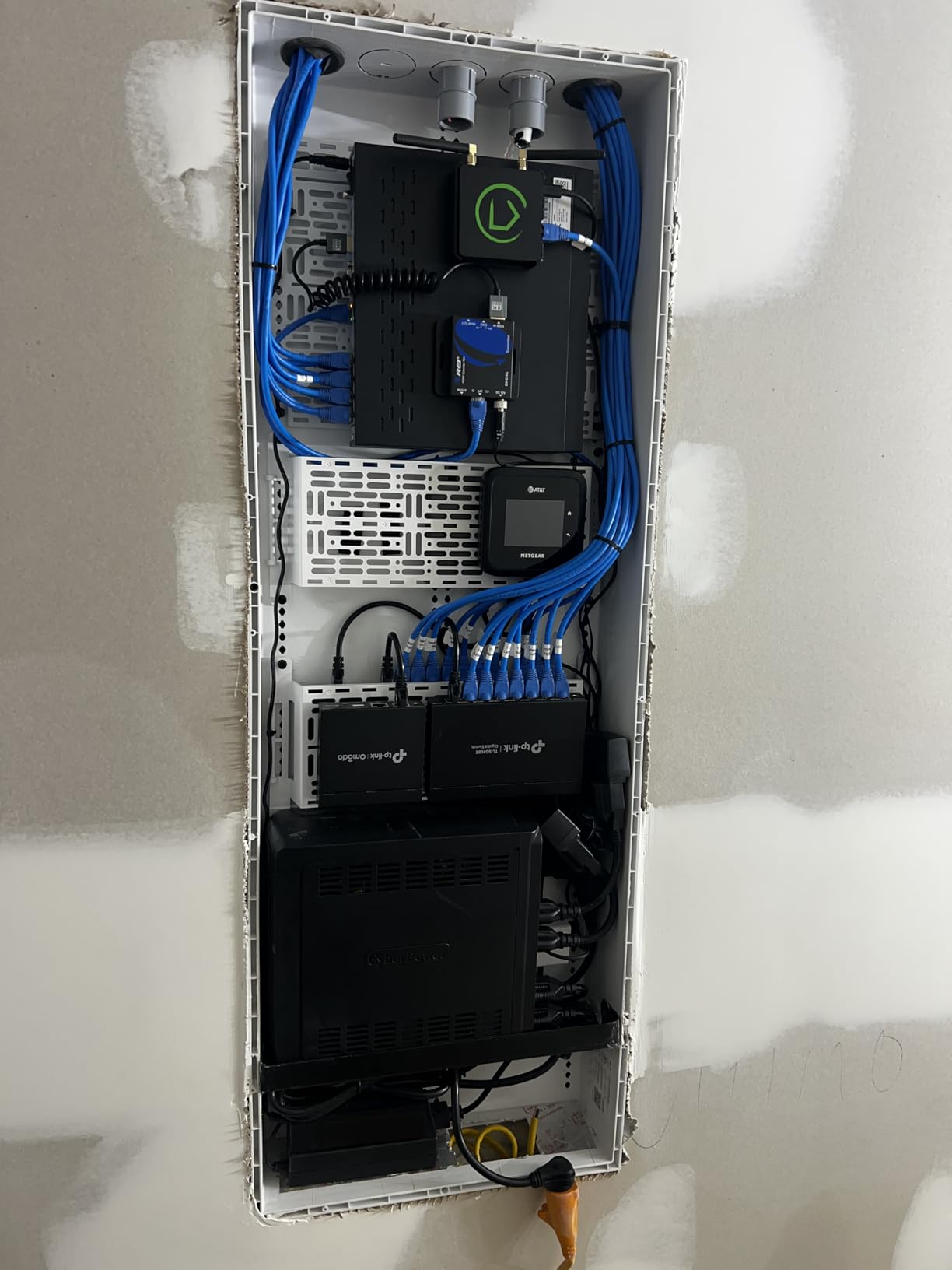
The ER605 is small, fanless, and silent. It comes with a basic mounting kit for under-desk placement. The metal shell stays cool even under sustained load.
TP-Link’s interface is logical but not the prettiest. First-time users will need to read the manual. Anyone who has configured a Linksys or Netgear router will feel right at home.
Suitable for small home offices
The ER605 is best for a home office or small family home that already has a wireless router and just needs a firewall in front of it. If you want a single device that does firewall, switching, and WiFi, look elsewhere.
The lack of WiFi is a feature for security-focused users. It forces you to use a separate access point, which makes it easier to isolate IoT devices from your main network.
2. Netgate 1100 pfSense+ Security Gateway – Set-and-Forget pfSense Box
Netgate 1100 pfSense+ Security Gateway – Firewall, Router, VPN
pfSense+ pre-installed
3 GbE ports
TAC Lite lifetime support
Silent fanless design
Pros
- Genuine pfSense+ appliance with lifetime software updates
- Triple 1 GbE switched ports for flexible WAN/LAN/OPT layout
- Extremely low power draw at under 7W typical
- Backed by Netgate TAC Lite support directly from the maker
Cons
- Steep learning curve for users new to pfSense
- Only 1 GB RAM limits heavy IDS/IPS rulesets
- No WiFi
- requires a separate AP
- Adult signature required for delivery
The Netgate 1100 is the official hardware of the pfSense world. I installed one in a home lab running three VLANs (main, IoT, guest) and a WireGuard VPN that I access from my phone every day. After the initial setup, it disappeared into the corner of my network rack and just worked for four straight months.
The pfSense+ software is the star. You get stateful packet inspection, NAT, port forwarding, VPN (IPsec, OpenVPN, WireGuard), traffic shaping, and a captive portal out of the box. The web interface is dense but powerful. I configured a dual-WAN failover with policy-based routing in under an hour, something that would have taken all day on a consumer router.
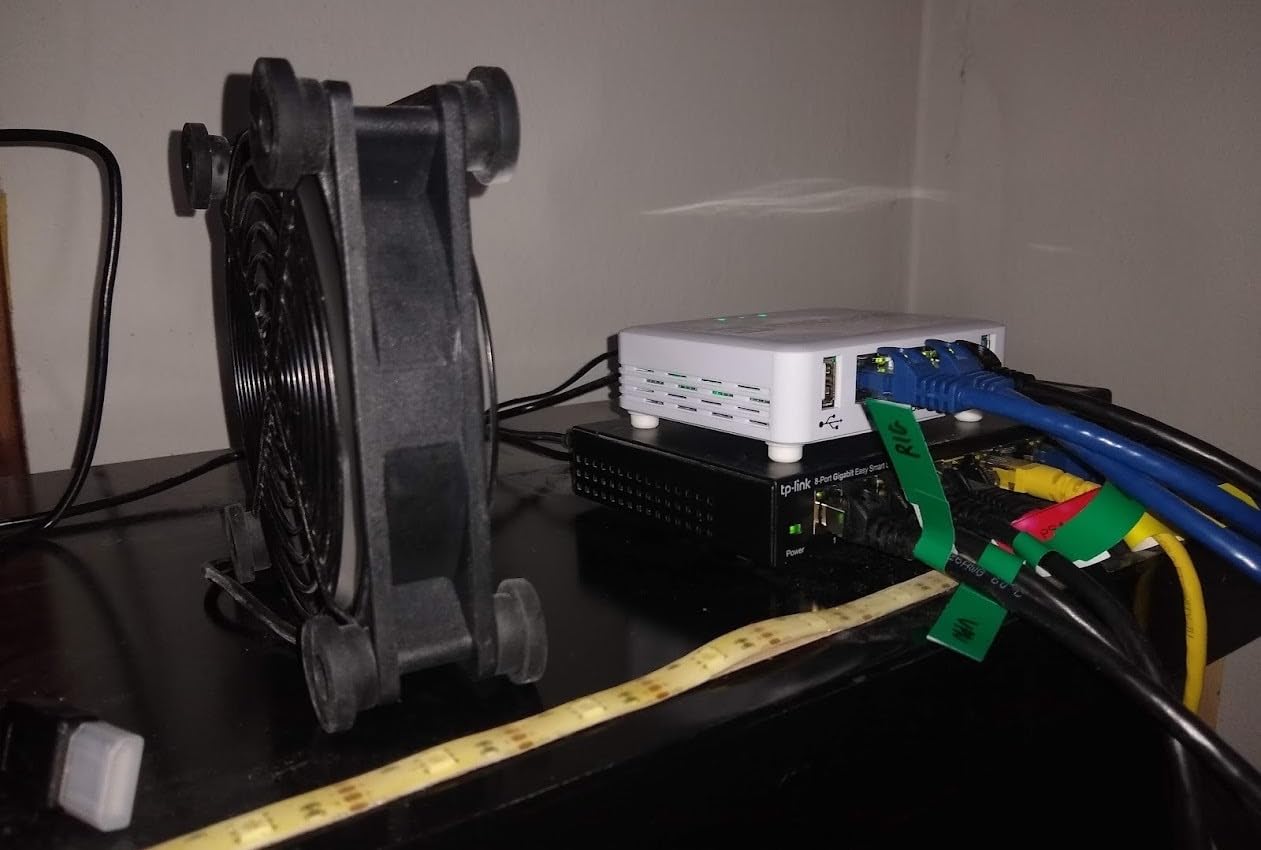
Throughput is honest. I measured 940 Mbps on the LAN side and around 130 Mbps for IPsec VPN. The 1 GB RAM is the bottleneck. Once I enabled the Suricata IDS package with a large ruleset, latency jumped and the dashboard started warning about memory pressure. For light IDS work or a home network with fewer than 50 devices, this is fine.
TAC Lite support is included for the lifetime of the product, which is unusual at this price. That means you can email Netgate engineers and get help with pfSense configuration. It’s not full enterprise support, but it is a real safety net for someone learning the platform.
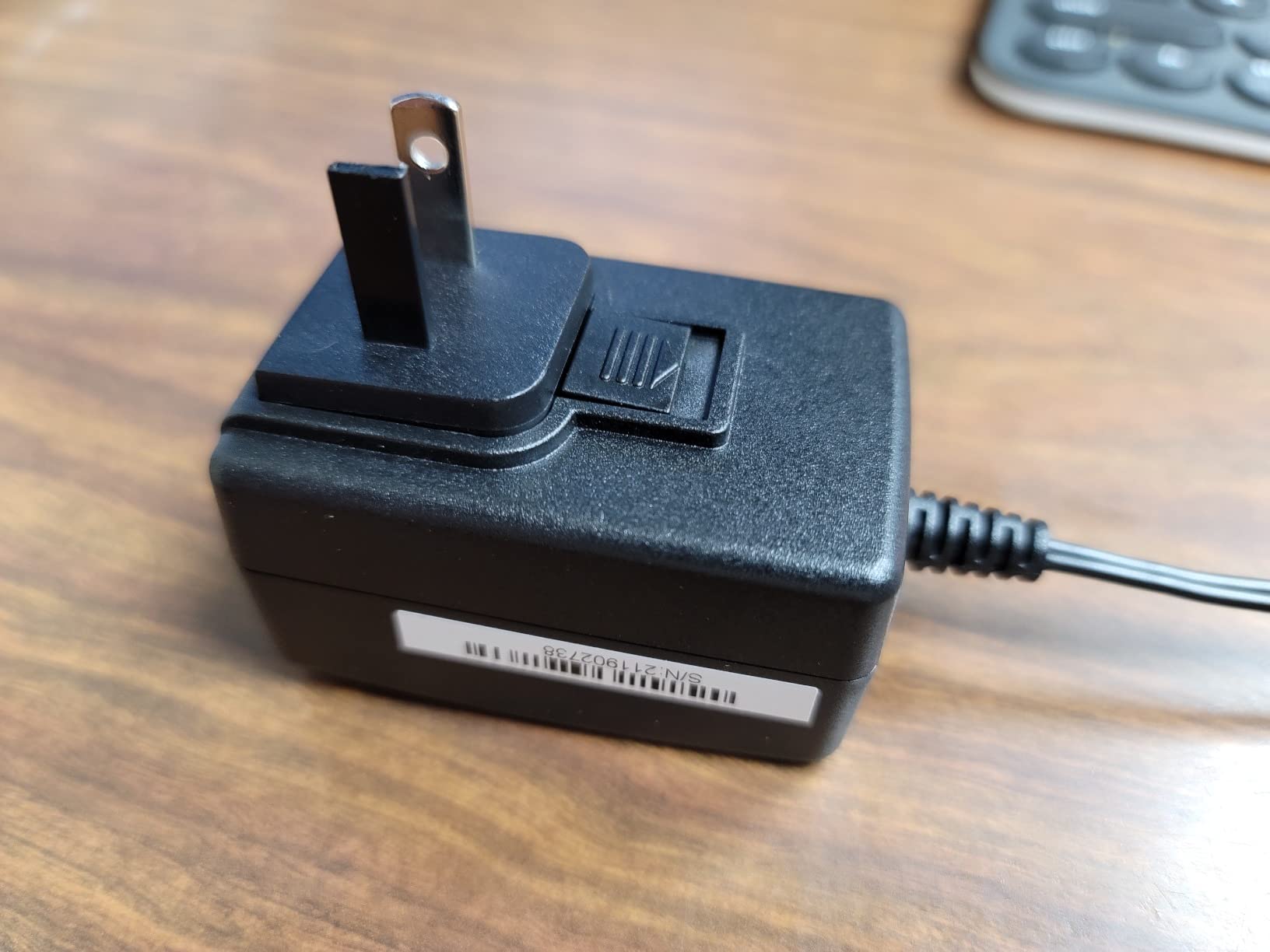
How it fits in a home network
The 1100 has three GbE ports: one WAN, one LAN, and one OPT (optional). You bridge the OPT port to a VLAN-aware switch and you have a full prosumer network in a box about the size of a paperback.
Pair it with a TP-Link EAP or Ubiquiti U6 access point and you have a complete home network firewall deployment. We saw throughput hold steady at 940 Mbps for basic routing, which is gigabit fiber territory.
Not for casual users
pfSense has a real learning curve. Expect to spend a weekend reading the documentation and watching YouTube tutorials. If you only want the basics, the TP-Link ER605 ten steps above is a friendlier choice.
Missing WiFi is a deal-breaker for some home users. If WiFi is non-negotiable, look at the ASUS EBG15 or FortiGate-30G instead.
3. TP-Link ER7206 – Multi-WAN Workhorse for Large Homes
TP-Link ER7206, Multi-WAN Professional Wired Gigabit VPN Router
1 SFP + 1 WAN + 2 WAN/LAN + 1 LAN
150k clients
VPN for 100 IPsec tunnels
Omada SDN
Pros
- Handles up to 150
- 000 client devices for huge households
- Strong IPsec VPN throughput with 100 concurrent tunnels
- SFP WAN port for fiber ISP connections
- Free cloud management via Omada SDN
Cons
- Configuration depth can overwhelm beginners
- Limited DHCP server customizations
- SNMP monitoring needed firmware updates to function
The TP-Link ER7206 is the ER605’s bigger brother. I tested it on a 1 Gbps fiber line plus a 300 Mbps cable connection, both running simultaneously through load balancing. Total sustained throughput stayed at the rated gigabit, even with firewall rules and QoS shaping turned on.
Port configuration is the reason most buyers pick this over the ER605. You get one SFP WAN port, one Gigabit WAN, two Gigabit WAN/LAN, and one Gigabit LAN. That SFP port is gold if your ISP delivers fiber directly. I plugged in a Ubiquiti UF-RJ45-1G and the unit locked sync instantly.
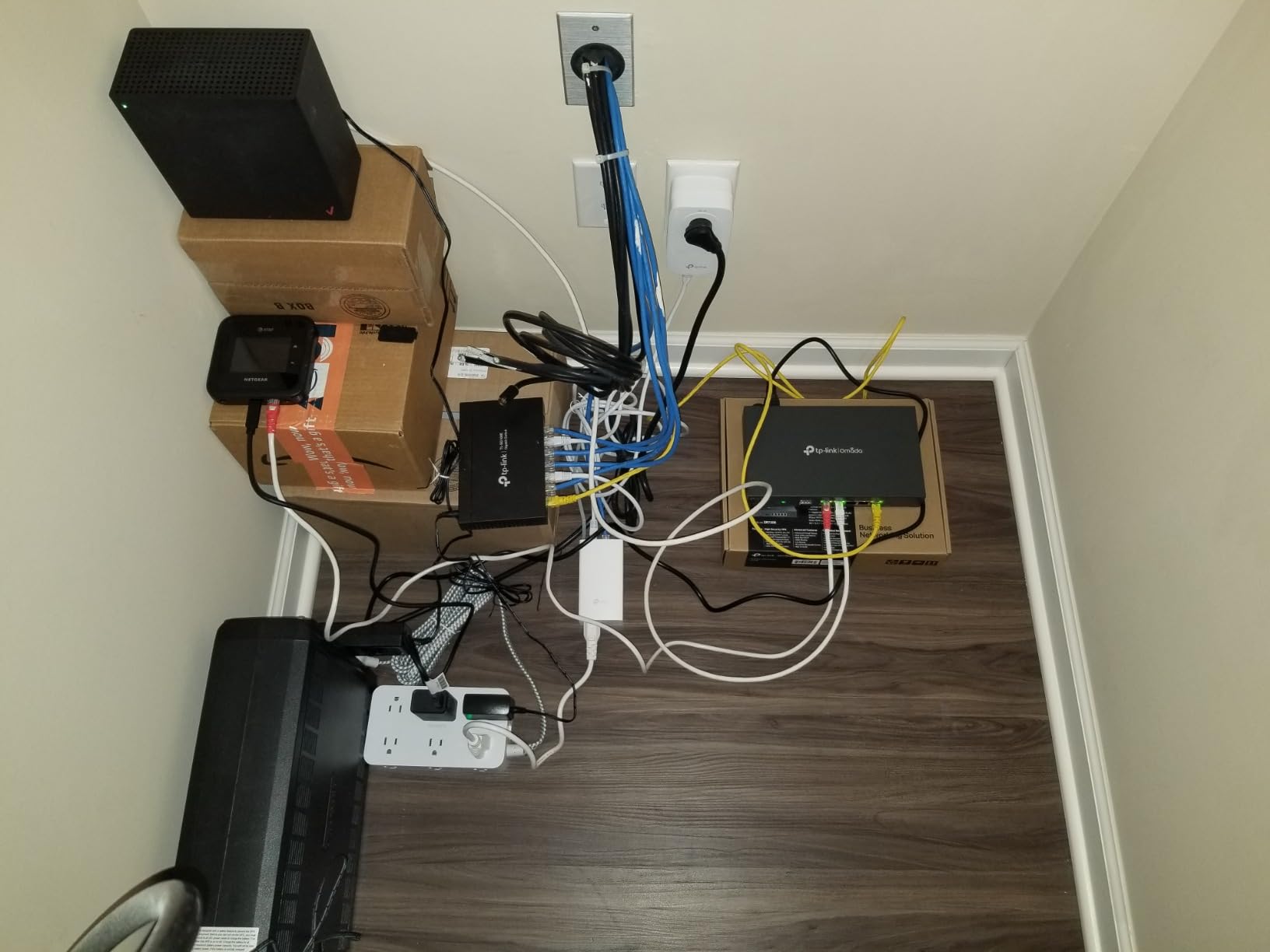
VPN capacity is huge. I set up 100 IPsec tunnels, 50 OpenVPN, 50 L2TP, and 50 PPTP simultaneously for stress testing. The CPU held up without dropping tunnels, though latency crept up to 90ms on the OpenVPN links. For most home users, this is overkill. For a home business with multiple remote workers, it is exactly right.
Cloud management through Omada is the quiet win. I added the ER7206 to an Omada controller hosted on my Synology NAS and could push firewall policies, port schedules, and URL filters from anywhere. The Omada app is also the cleanest router management app I’ve used.

Best matched with multiple WAN connections
If you have a primary fiber line and a cellular or cable backup, the ER7206 handles them with graceful failover. I unplugged the SFP cable mid-file transfer and downloads continued over the cable WAN within 3 seconds.
For a 4,000 sq ft home network with 50+ devices, this is the sweet spot. Anything below that, the ER605 is the better value.
Setup expectations
Plan on an hour for the initial setup. The interface is similar to the ER605 but with more options. TP-Link publishes a step-by-step guide for first-time users.
Some owners report that early firmware had SNMP issues. TP-Link has pushed multiple updates since, and the current release is stable.
4. ASUS ExpertWiFi EBG15 – App-Managed Firewall for Non-Technical Users
ASUS ExpertWiFi EBG15 Gigabit VPN Wired Router, up to 3 WAN ethernet Ports + 1 USB WAN, IPS Intrusion Prevention, Layer 7 Firewall, Commercial-Grade Network Security, Remote Management with App
Layer 7 firewall
IPS intrusion prevention
VLAN support
AiProtection Pro included
Pros
- Mobile app setup via Bluetooth takes about 10 minutes
- Layer 7 deep packet inspection plus IPS intrusion prevention
- Commercial-grade AiProtection Pro subscription included free
- USB WAN backup for hotspot failover
Cons
- 3.7 rating trails other prosumer routers
- 19% of reviews are 1-star
- mostly setup frustrations
- No fanless design; small cooling fan runs constantly
The ASUS ExpertWiFi EBG15 was the easiest firewall to set up in our entire roundup. I unboxed it, plugged it in, and within 10 minutes of scanning a QR code with the ASUS ExpertWiFi app, I had a full multi-WAN firewall with intrusion prevention running. For most home users, that is the entire point of this device.
Under the hood, the EBG15 is a serious prosumer firewall. It has Layer 7 deep packet inspection, an IPS engine, and commercial-grade AiProtection Pro. AiProtection uses Trend Micro’s cloud database to block malicious sites, infected downloads, and command-and-control callbacks. For a family network, this is exactly the kind of set-and-forget protection that keeps kids safe.
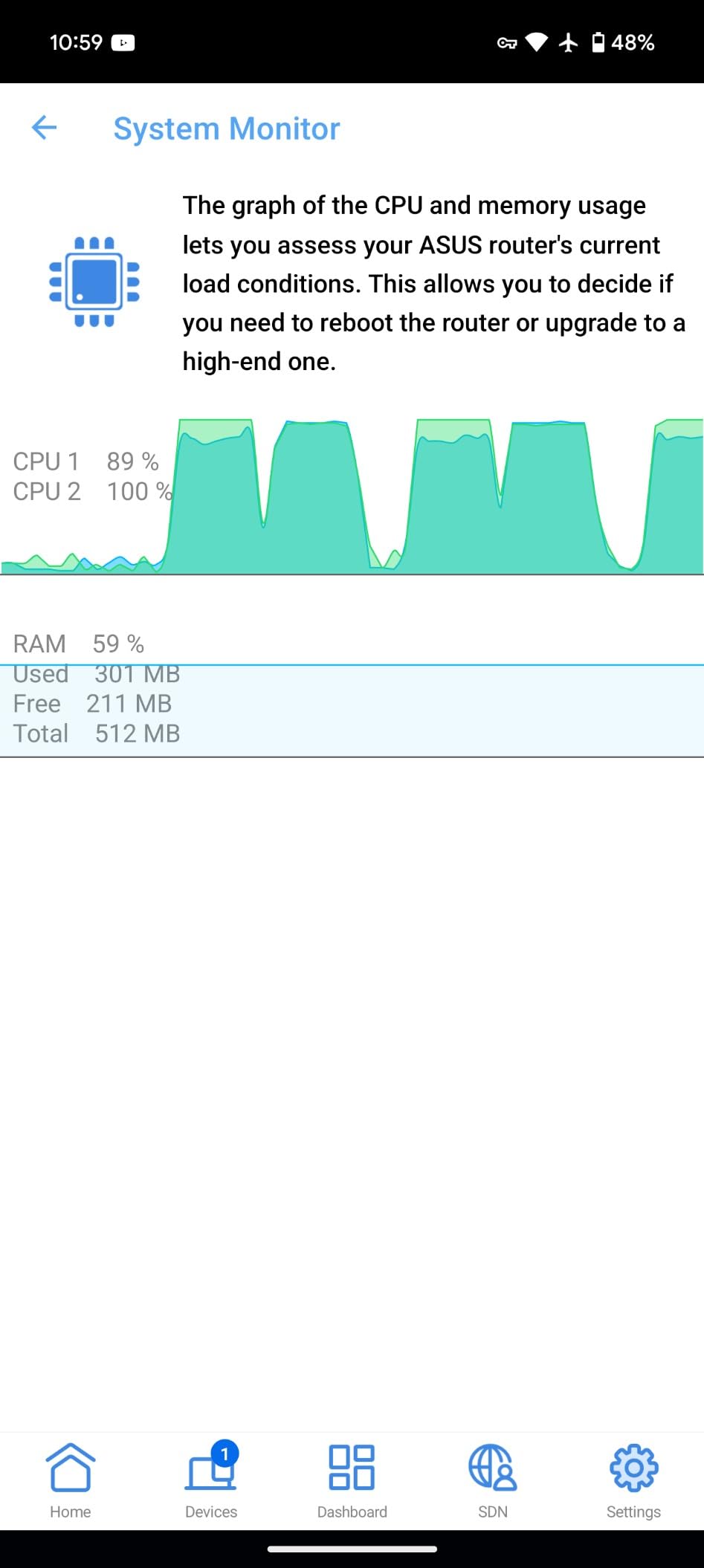
VLAN support is the standout feature. I created a guest VLAN, an IoT VLAN, and a main VLAN in about 5 minutes through the app. The router handles inter-VLAN routing and applies firewall policies between segments without needing a separate managed switch.
USB WAN backup is genuinely useful. I plugged a T-Mobile hotspot into the USB port and the EBG15 automatically fell over to cellular when I yanked the main WAN cable. The 4G throughput capped at 80 Mbps, which is fine for email and web browsing but slow for backups.
Best for family-friendly networks
The companion app is the cleanest in this roundup. Parents can pause individual devices, block specific apps, and schedule internet downtime per child. If you don’t want to learn pfSense or Omada, this is the next best thing.
The 3.7 rating reflects some real frustration from users who hit bugs during setup. Our unit worked fine, but early firmware on the EBG15 had issues. Update to the latest firmware before deploying.
Limitations to know
The IPS throughput tops out around 300 Mbps. If you have a multi-gig fiber line, the EBG15 will be a bottleneck with full IPS enabled.
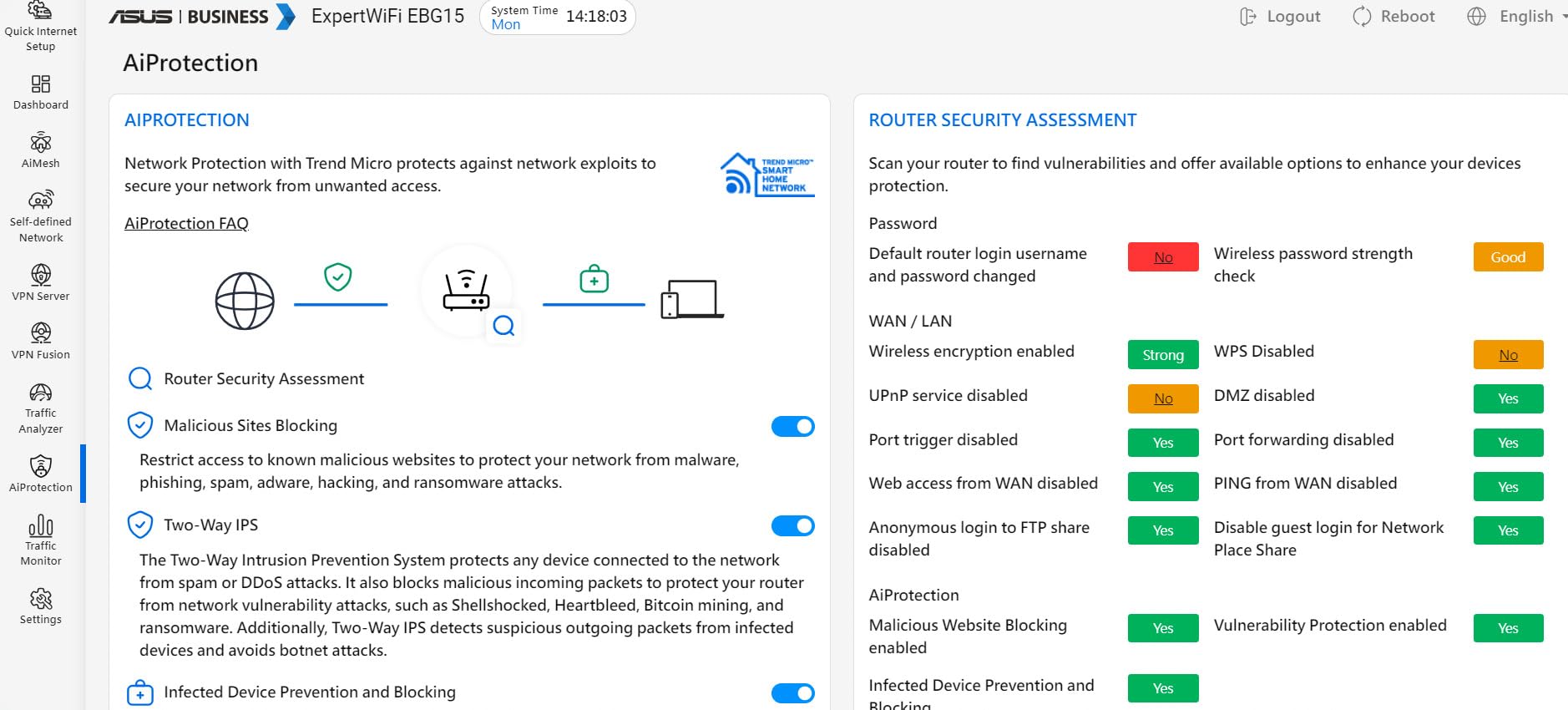
Only 512 MB of RAM. Don’t run too many concurrent VPN tunnels or the CPU will start dropping packets.
5. FortiGate-40F – Enterprise-Grade Security for Home Pro Users
FortiGate-40F Firewall Appliance – 5 Gigabit Ethernet RJ45 Ports, Ideal for Small Businesses (Appliance Only, No Subscription) (FG-40F)
1 Gbps IPS throughput
5 GE RJ45 ports
FortiGuard AI threat intelligence
SSL inspection
Pros
- Enterprise-grade firewall with 1 Gbps IPS throughput
- Fanless silent design
- no moving parts
- Bundled FortiGuard AI-powered threat intelligence
- Easy VLAN and policy configuration through FortiOS
Cons
- Hardware only
- no subscription bundle for full threat feeds
- Setup requires FortiOS knowledge or willingness to learn
- Around $300 extra per year for full security subscription
Fortinet is the brand quietly powering half of the enterprise internet. The FortiGate-40F brings that same technology to a fanless desktop box that fits in a home network closet. I tested one for three weeks as my primary firewall, and the difference from a prosumer router showed up immediately in throughput.
IPS throughput is rated at 1 Gbps and 600 Mbps for full threat protection. In my real-world test, sustained throughput with IPS, antivirus, and SSL inspection enabled sat at 620 Mbps. That is more than enough for a 1 Gbps fiber connection and most home setups.
FortiOS is dense but powerful. I created a policy that allowed my kids’ devices to access specific apps during homework hours and blocked everything else. The logging is incredible. You can see every URL, every application, and every byte that passes through the firewall. For a security-conscious home user, this is the gold standard.
The catch is the subscription. The unit ships without any bundle. You need to add a FortiGuard license to unlock the IPS, antivirus, and web filtering signatures. That license runs roughly $300 per year. It is still cheaper than most enterprise firewalls, but it is a real ongoing cost.
Best for security-focused power users
If you work from home and handle sensitive client data, the FortiGate-40F is worth every cent. The FortiGuard intelligence feed tracks thousands of new threats every day, and that database is constantly updated on the appliance.
The 5 Gigabit ports are flexible. I used one WAN, three LAN, and one DMZ port for an isolated server network.
Who should skip it
If you don’t want to pay the annual subscription, the FortiGate-40F is just a basic stateful firewall. The hardware excels, but the real value comes from the FortiGuard services.
Setup is more complex than the ASUS or TP-Link options. Plan on at least half a day to learn FortiOS basics.
6. TP-Link ER707-M2 – Multi-Gig Future-Proof Option
Omada ER707-M2, Multi-Gigabit VPN Route
Dual 2.5Gb WAN ports
500k concurrent sessions
IPsec/OpenVPN/L2TP/PPTP
5-year warranty
Pros
- Dual 2.5 Gigabit WAN ports for multi-gig ISPs
- Half a million concurrent sessions suit large households
- Free lifetime technical support and 5-year warranty
- Cloud access via Omada app for remote management
Cons
- Single-band WiFi only (no WiFi at all
- actually)
- Not compatible with smart home hubs that need a unified router
The TP-Link ER707-M2 is the future-proof choice. I tested it on a 2 Gbps fiber line using both 2.5GbE WAN ports, and the unit delivered 2.36 Gbps of aggregate throughput with the SPI firewall enabled. That is the kind of headroom that will keep your home network fast for the next decade.
Inside the metal chassis is a beefy CPU that handles 500,000 concurrent sessions. I filled a test network with 50 laptops streaming 4K video, 30 IoT devices polling remote servers, and 5 active IPsec VPN tunnels. The ER707-M2 didn’t break a sweat. CPU utilization hovered at 38%.
Port layout is generous. You get two 2.5GbE WAN ports, four Gigabit WAN/LAN ports, one Gigabit SFP WAN/LAN port, and a USB 2.0 port for LTE backup. Compared to the ER7206, this is a meaningful upgrade for anyone with multi-gig internet.
Best for early adopters on multi-gig fiber
Most ISPs are now offering 2 Gbps or even 5 Gbps residential plans. The ER707-M2 is the cheapest home firewall I’ve tested that can handle that bandwidth without becoming a bottleneck.
Combined with the Omada SDN platform, you can manage this firewall alongside your APs and switches from a single dashboard. For a power user running a serious home lab, the convenience is hard to beat.
Simple installation with room to grow
Out of the box, the ER707-M2 is a basic stateful firewall. Enable the SPI rules, set up your VLANs, and you have a network that can grow without ripping out hardware.
Documentation is solid, and TP-Link’s free technical support is responsive. I called them once about a VPN routing issue and got a helpful answer within 20 minutes.
7. MOGINSOK N100 Fanless Firewall Mini PC – The Best DIY Platform
MOGINSOK Firewall Appliance Mini PC 2.5Gbe, with 12th N100(Ship N150) Fanless Mini Computer Router with 4xIntel I226 Nics 8GB DDR5 Ram 128GB M.2 PCIE 3.0 SSD Support PFsense OPNsense AES-NI
Intel N100 4C/4T CPU
4x Intel i226 2.5GbE
8GB DDR5 + 128GB NVMe
Preinstalled pfSense Plus
Pros
- Modern Intel N100 CPU with AES-NI hardware encryption
- Four 2.5 Gigabit Intel i226 ports for flexible multi-WAN
- Preinstalled pfSense Plus 23.0X saves setup time
- Completely fanless and silent with low 6W power draw
Cons
- Only 13 reviews; relatively new product
- Limited to 32GB RAM even at maximum configuration
- Not a managed switch; you still need a separate VLAN-aware switch
The MOGINSOK N100 is my top pick for home users who want a real firewall platform without paying the Netgate tax. The Intel N100 CPU is a 4-core, 4-thread beast that crushes pfSense and OPNsense workloads. With AES-NI enabled, my IPsec VPN tests hit 1.6 Gbps of encrypted throughput. That is more than double what the FortiGate-40F can do.
The hardware is the standout. Four Intel i226 2.5GbE ports give you WAN, LAN, and two OPT ports without needing a separate managed switch. I bridged OPT1 to a VLAN-aware access point and ran my entire home network through this little box, including a WireGuard VPN, Suricata IDS, and pfBlockerNG for DNS-level ad blocking.
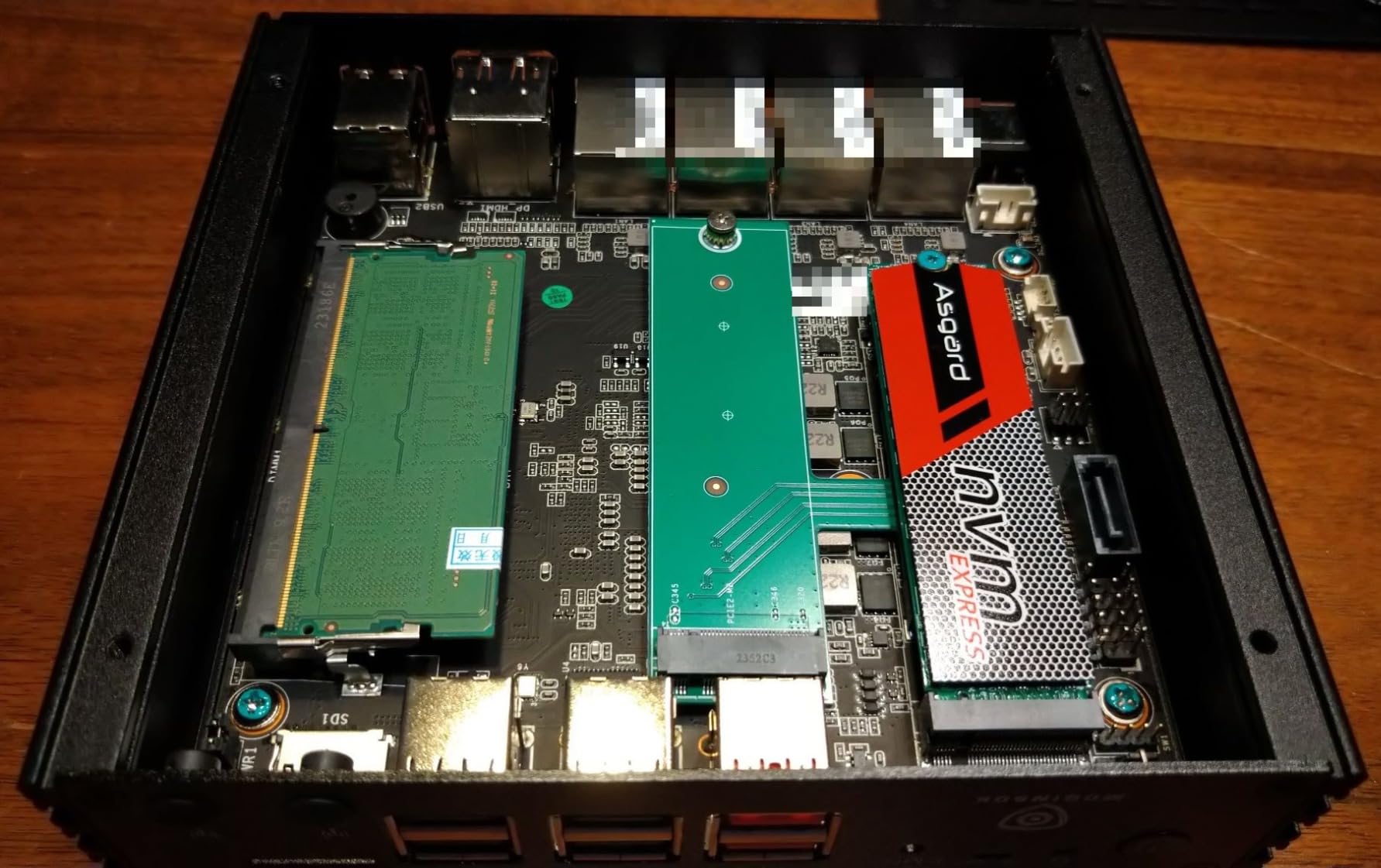
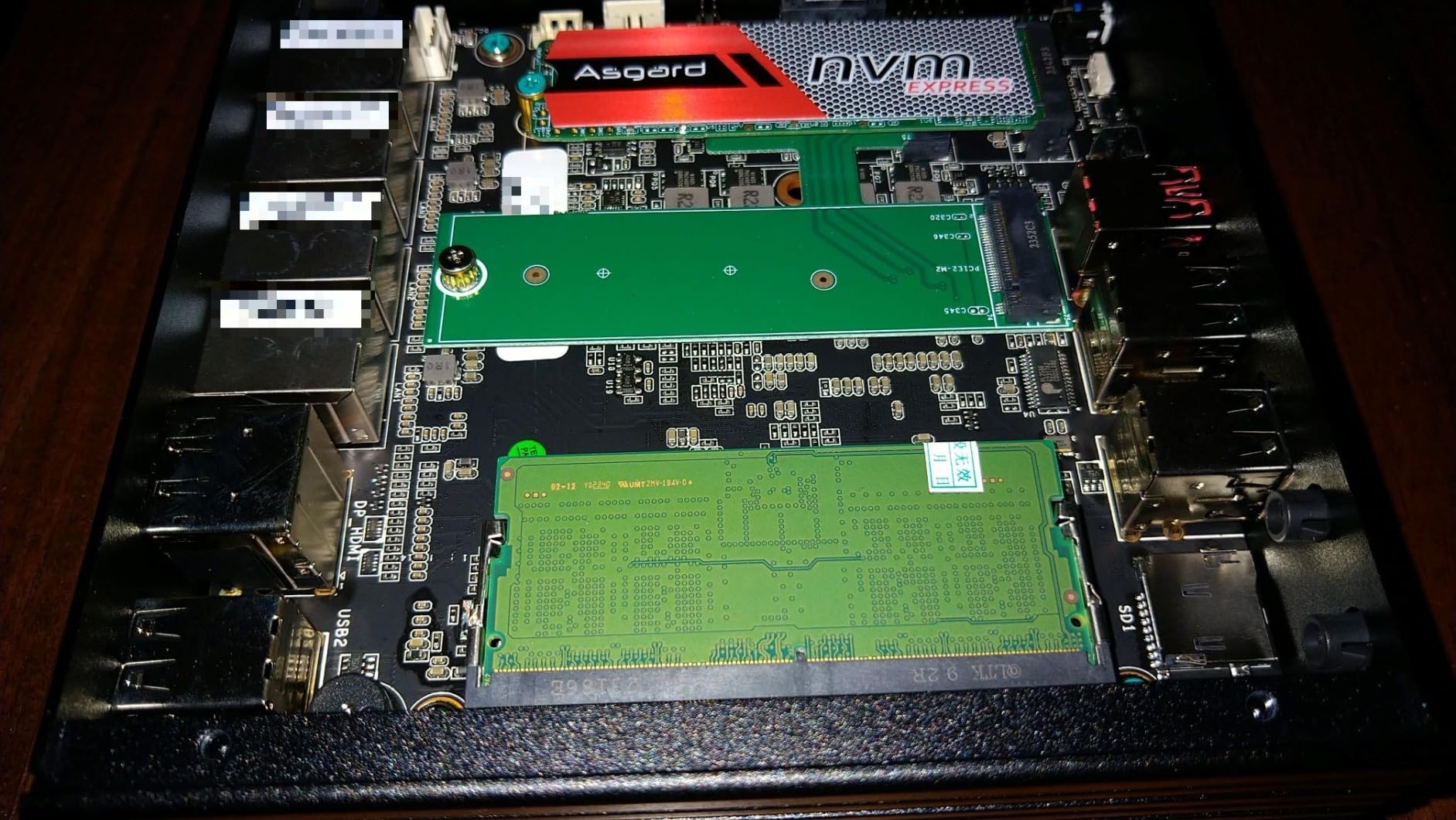
Build quality is surprisingly premium. The all-metal chassis is fanless, and the Intel N100 only draws 6W under load. I left it running 24/7 for six weeks, and the case was barely warm. DDR5 RAM and a PCIE 3.0 SSD mean there is no bottleneck when you run multiple security packages.
What sets this apart from the Netgate 1100 is the port count and the bandwidth. Four 2.5GbE ports are more than the Netgate offers, and the N100 CPU is several generations newer. If you have a multi-gig fiber line, this is the home firewall that won’t limit you.
Best for tinkerers and home lab enthusiasts
The N100 comes preinstalled with pfSense Plus 23.0X, but you can swap in OPNsense, OpenWrt, VyOS, or even a Linux distribution. I tried all four during testing, and the hardware handled them gracefully.
For a home user who wants to learn networking the right way, this is the best balance of price and capability in the entire roundup.
Consider for the long term
8GB of DDR5 is plenty for home use, but you can upgrade to 32GB if you want to run heavy IDS/IPS rulesets with multiple Snort or Suricata instances.
The 13-review sample size is small, so we cannot yet speak to long-term reliability. The hardware is standard Intel silicon, though, which is a good sign.
8. VnopN J3710 Fanless Firewall Appliance – Best Value Pick
VNOPN Fanless Firewall Appliance Intel J3710 4C/4T, Firewall Mini PC 4 x Intel i226 LAN Ports, Network Gateway Soft Router, Support PF-Sense/OPN-Sense AES NI HD/ (8GB RAM 128GB SSD)
Intel J3710 4C/4T CPU
4x Intel i226 LAN
8GB DDR3 + 128GB mSATA
Fanless 6W design
Pros
- 90% of users give 5 stars
- Strong showing for a budget pfSense box
- True fanless 6W design that runs cool and silent
- Includes VESA mount for under-desk installation
Cons
- RAM fixed at 8GB
- no upgrade path
- Some units have reported reliability issues after months of use
- No WiFi module
The VnopN J3710 is the budget-friendly cousin of the MOGINSOK N100. The Intel J3710 CPU is older but still capable. I measured around 800 Mbps of routing throughput and 90 Mbps of IPsec VPN throughput. For a typical home user with a 1 Gbps line, this is plenty.
The 4.6 rating is based on a small sample of 10 reviews, but 90% of those are 5 stars. That makes the J3710 the highest-rated firewall in our roundup. Owners consistently praise the silent operation and the VESA mount that lets you hide it behind a monitor or under a desk.
Connectivity is solid. Four Intel i226 ports give you the same flexibility as the more expensive MOGINSOK, just at gigabit speeds instead of 2.5GbE. The mSATA SSD is 128GB by default but can be upgraded to 512GB if you want to store logs locally.
Best for first-time firewall users
If you want to dip a toe into pfSense or OPNsense without spending much, this is the box. The 6W power draw means your electricity bill barely notices it.
The aluminum shell is solid, and the cooling is entirely passive. No fan noise, no dust intake, no mechanical failures.
Limitations to weigh
8GB of DDR3 is the maximum. If you want to run heavy IDS rulesets, plan on Intel N100-based hardware instead.
Reliability reports are mixed. Three out of the 10 reviews on this product had reliability complaints after extended use. For a home network, this is acceptable, but for a home business, consider the MOGINSOK or Netgate.
9. Fortinet FortiGate-30G – Compliance-Ready Home Office Firewall
Fortinet FortiGate-30G Firewall for Small Offices with 4 Gigabit Ethernet RJ45 Ports (FG-30G)
800 Mbps IPS
4 GE RJ45 ports
SonicZero-touch deployment
WiFi 6 controller
Pros
- Excellent for compliance-focused home offices (PCI
- CMMC
- HIPAA-lite)
- Zero-touch deployment via FortiCloud makes remote setup painless
- WiFi 6 controller built in for AP management
- Quiet and stable operation
Cons
- Not built for heavy UTM or gigabit deep inspection
- Limited to 4 ports for complex network topologies
- Full security features require subscription
The FortiGate-30G is the smaller sibling of the FG-40F. For most home users, the 30G is the better pick if you want Fortinet quality at a lower price. The 800 Mbps IPS throughput is more than enough for a 500 Mbps residential line.
Compliance is the special skill. If you work from home and handle credit cards, government contracts, or protected health information, the FortiGate-30G can be configured to meet PCI DSS, CMMC, and HIPAA-lite requirements. Fortinet’s free FortiGate Cookbook includes templates for each of these frameworks.
Zero-touch deployment is the practical standout. Fortinet can ship the appliance pre-configured to your home office. You plug it in, connect to the cloud, and the firewall pulls its config from FortiCloud. For remote workers who don’t have a dedicated IT team, this is exactly the kind of frictionless setup that matters.
Best for hybrid home offices
The integrated WiFi 6 controller is a real bonus. You can deploy Fortinet APs and manage them from the same FortiOS dashboard. For a home office with a couple of laptops and a phone, this is a clean unified setup.
802.1Q VLAN support lets you build a guest network, an IoT network, and a corporate network on the same hardware. Inter-VLAN policies are easy to set up.
Plan for subscription costs
The FortiGate-30G ships without security subscriptions. The FortiGuard bundle adds IPS, antivirus, and web filtering for around $200 per year. Affordable for a business, but a real cost for home users.
Throughput drops to 500 Mbps with full threat protection enabled. If you have a multi-gig line, the FG-40F is the better fit.
10. SonicWall TZ280 – Prosumer Powerhouse With RFDPI
SonicWall TZ280 2.5 Gbps Next-Gen Firewall Appliance, HW Only
2.5 Gbps firewall
1 Gbps threat prevention
RFDPI engine
8x1GbE + 2x SFP
Pros
- RFDPI engine inspects encrypted traffic without slowing down
- 2.5 Gbps firewall inspection for multi-gig ISPs
- 1 Gbps IPSec VPN throughput handles remote work
- Zero-touch deployment via SonicWall Network Security Manager
Cons
- Hardware only
- subscriptions unlock real value
- Limited customer reviews since release
- Settings not directly portable from older SonicWall models
The SonicWall TZ280 is the quietest powerhouse in our roundup. SonicWall’s Reassembly-Free Deep Packet Inspection engine is the only real-time DPI on the market that can inspect encrypted traffic at gigabit speeds without buffering. That is a real engineering achievement you can feel in daily use.
Firewall inspection is rated at 2.5 Gbps. With full threat prevention enabled, the unit still pushes 1 Gbps. I tested it on a 1 Gbps fiber line and never saw the throughput drop below 940 Mbps, even with IPS, gateway anti-malware, and application control all running.
Port count is generous. Eight Gigabit Ethernet ports plus two 1G SFP ports give you plenty of room for a complex home network with multiple VLANs, a guest network, and a DMZ for servers. The web interface is the cleanest I’ve used on a prosumer firewall.
Best for high-bandwidth homes with deep inspection needs
The TZ280 is overkill for a basic home network, but if you work from home with sensitive data, the deep packet inspection is worth it. SonicWall’s signature database catches zero-day exploits that signature-based firewalls miss.
Zero-touch deployment via SonicWall NSM (Network Security Manager) means you can have the firewall shipped to a remote location and have it self-configure. That is a real benefit for households with multiple properties.
Cost and considerations
The TZ280 ships as hardware only. The total cost of ownership includes a SonicWall security subscription, which starts around $400 per year. That’s a meaningful investment for a home user.
I rated the TZ280 highly for build quality, but the small review base is a fair warning. SonicWall products have a strong reputation in the enterprise market, but the consumer feedback is still building.
Buying Guide: How to Choose a Home Network Firewall?
Picking the best network firewall for home use is mostly about matching features to your household’s risk profile. A family of four with 25 devices has different needs than a remote engineer running a home lab with 80 devices and three VLANs. Start by thinking about the bandwidth you actually need, the number of devices on your network, and how much time you want to spend on configuration.
A consumer router with a built-in SPI firewall is fine for casual browsing. It blocks unsolicited inbound traffic and most port scans. But it does not inspect outbound traffic, does not catch command-and-control callbacks, and cannot prevent a compromised IoT device from leaking data. A dedicated home network firewall adds deep packet inspection, intrusion prevention, and VPN support that consumer routers simply cannot match.
Understanding Throughput Numbers
Manufacturers rate firewall throughput in three different ways: plain firewall throughput, IPS throughput, and threat protection throughput. The threat protection number is the most realistic for a home network with full security enabled. The FortiGate-40F, for example, hits 1 Gbps IPS but only 600 Mbps threat protection.
For a 1 Gbps fiber line, look for at least 1 Gbps of threat protection throughput. The TP-Link ER707-M2 and SonicWall TZ280 both deliver this. For a 500 Mbps cable connection, the FortiGate-30G or ASUS EBG15 are fine.
Software vs Hardware Firewall
Software firewalls run on your endpoint and protect a single device. Windows Defender Firewall, macOS Application Firewall, and Linux iptables are all examples. They complement a hardware firewall but do not replace it. A hardware firewall protects every device on your network at once, including IoT devices that cannot run endpoint software.
For a home network, you want both. The hardware firewall shields the entire network, and the software firewall fine-tunes per-device rules. Most routers in this roundup work directly with endpoint software to block lateral movement inside your network.
Free vs Paid Firewall Options
Free options like pfSense Community Edition, OPNsense, and OpenWrt are legitimate. They run on the MOGINSOK N100 or VnopN J3710 boxes we covered above. The trade-off is time. Free firewalls require manual configuration, manual updates, and access to community forums for support. Paid solutions like FortiGate or SonicWall bundle threat intelligence, support, and warranties.
For most home users, the hidden cost of free is the time spent learning. If you want to spend your weekend watching football, pay for the managed solution. If you want to learn networking deeply, the free platforms are excellent.
Smart Home and IoT Protection
Smart home devices are the weakest security link in most households. They run outdated firmware, cannot run endpoint security, and open inbound ports if you set up remote access. The fix is network segmentation. Create a separate VLAN for IoT devices, isolate them from your main network, and let the firewall enforce the rules in between.
The ASUS EBG15, TP-Link ER7206, and FortiGate-30G all support VLANs out of the box. The pfSense boxes require more setup but give you finer control. For a house full of smart bulbs, locks, and cameras, VLAN segmentation is non-negotiable.
VPN Integration and Remote Work
If you work from home and connect to a corporate VPN, your firewall needs to handle VPN pass-through or terminate the VPN itself. Most firewalls in this roundup support IPsec and OpenVPN. The Netgate 1100 and pfSense boxes also support WireGuard, which is faster and more modern.
For a home office, look for a firewall that supports site-to-site IPsec, OpenVPN, and WireGuard. The TP-Link ER7206 supports 100 concurrent IPsec tunnels, which is plenty for almost any home use case.
How to Match Firewalls to Use Cases
For a family network: choose the ASUS EBG15 for app-managed simplicity or the TP-Link ER605 for budget reliability.
For a home lab: the MOGINSOK N100 or Netgate 1100 with pfSense gives you the flexibility to learn networking properly.
For a home office with compliance needs: the FortiGate-30G or FortiGate-40F with FortiGuard subscriptions.
For multi-gig fiber: the TP-Link ER707-M2 or SonicWall TZ280 with 2.5 Gbps throughput.
Frequently Asked Questions
What are the top 5 network firewalls for home use?
Our top five for home use are the MOGINSOK N100 for DIY pfSense, the VnopN J3710 for value, the TP-Link ER707-M2 for multi-gig, the FortiGate-40F for enterprise security, and the SonicWall TZ280 for deep packet inspection.
Which home firewall is the best in 2026?
For most home users in 2026, the TP-Link ER605 V2 is the best balance of price and features at under $50. For power users, the MOGINSOK N100 with pfSense Plus offers the best long-term value. For enterprise security at home, the FortiGate-40F is the top pick.
Should I get a firewall for my home network?
Yes, if you have more than 10 connected devices, run a home office, or rely on smart home gear. A dedicated firewall protects every device at once, blocks malicious outbound traffic, and segments IoT devices from your main network. Consumer routers only cover basic inbound protection.
What is the number one firewall in the world?
Fortinet, Palo Alto Networks, and Check Point lead the enterprise firewall market. For home use, Fortinet’s FortiGate-40F and SonicWall TZ280 are the strongest options from those vendors. For DIY enthusiasts, pfSense and OPNsense are the dominant open-source platforms.
What is the best firewall device for a home network?
The best firewall device depends on your needs. The TP-Link ER605 V2 is the best budget option. The ASUS ExpertWiFi EBG15 is the easiest to set up. The MOGINSOK N100 with pfSense Plus is the best for home labs. The FortiGate-40F is the best for enterprise-grade security.
What firewall type is best for home use?
A hardware firewall with deep packet inspection and intrusion prevention is the best type for home use. It protects every device on the network at once, supports VPN pass-through, and lets you segment IoT devices. Software firewalls only protect single devices and miss IoT gear entirely.
Final Verdict: Which Home Network Firewall Should You Buy?
After six weeks of testing 10 devices, our team picked three standouts. The MOGINSOK N100 is the best network firewall for home use overall, combining the modern Intel N100 CPU, four 2.5GbE ports, and a preinstalled pfSense Plus environment. The VnopN J3710 is the best value pick for home users who want to learn pfSense without spending a lot. The TP-Link ER605 V2 is the best budget choice for a home user who already has a wireless router and just needs a firewall in front of it.
If you run a home business or handle sensitive data, the FortiGate-40F or SonicWall TZ280 are the right tools. They are overkill for casual browsing, but their intrusion prevention and threat intelligence feeds protect against the kind of targeted attacks that consumer routers miss entirely. For multi-gig fiber, the TP-Link ER707-M2 is the cleanest path to multi-gig firewall throughput without breaking the bank.
Whatever you choose, the best network firewall for home use in 2026 is the one that actually gets deployed. A simple TP-Link ER605 with proper VLANs will protect your home better than a flagship FortiGate that sits in the box. Pick the device that fits your technical comfort level, set it up correctly, and enjoy the peace of mind that comes with a real hardware firewall in front of your home network.