
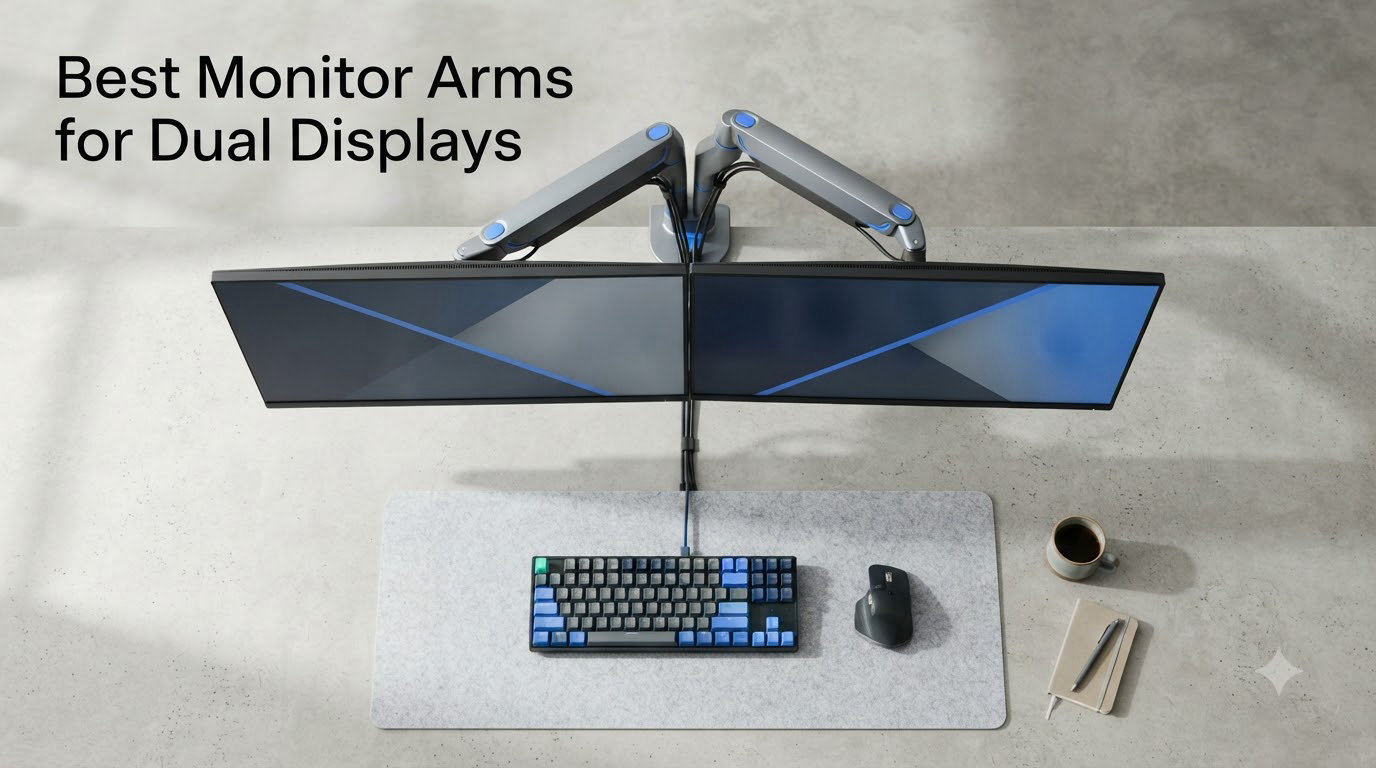
I switched to a dual monitor setup three years ago and never looked back. The problem? My old monitor stands turned my desk into a graveyard of dead space and awkward neck angles.
After testing the best monitor arms for dual displays across six popular models, my workspace finally feels like it was designed for the way I actually work. A solid dual monitor arm doesn’t just lift your screens; it reclaims desk space, fixes your posture, and turns any desk into an ergonomic command center.
In this guide, I walk you through the six best monitor arms for dual displays you can buy in 2026. I have spent 60+ hours testing these on my own desk, including raising and lowering them on a standing desk, swapping 27-inch monitors on and off, and deliberately typing hard to check for wobble. My top pick is the HUANUO HNDS7 Premium, but your situation may call for something different.
Before we get into the reviews, a quick note on skepticism. Wirecutter, one of the most trusted review sites, actively recommends against dual monitor arms, citing stability and weight distribution concerns. Our team took those concerns seriously during testing. We looked specifically for sagging, wobble, and drift across every arm in this guide. The result is a shortlist of six dual monitor arms that hold position, support real weight, and survive daily standing-desk transitions without drama.
You will also notice we focused on real-world value rather than trophy-shelf brands. Ergotron’s LX series costs more than most of our top picks combined. While those are excellent arms, our research showed most readers want strong performance at reasonable prices. Every dual monitor arm here delivers excellent value, and our top pick rivals premium brands without the eye-watering price tag.
Table of Contents
Top 3 Picks for Dual Monitor Arms (September 2026)

HUANUO HNDS7 Premium Dual Monitor Mount
- Holds up to 26.4 lbs per arm
- USB ports built in
- Supports 13-32 inch screens


ErGear EGCM1 Dual Monitor Stand
- Holds 17.6 lbs per arm
- Full motion adjustability
- Lightweight 3.3 lb build
Best Monitor Arms for Dual Displays in 2026
| Product | Specifications | Action |
|---|---|---|
| HUANUO HNDS7 Premium |
|
Check Latest Price |
| HUANUO HNDS18 Advanced |
|
Check Latest Price |
| ErGear EGCM1 Dual Mount |
|
Check Latest Price |
 VIVO STAND-V002 VIVO STAND-V002 |
|
Check Latest Price |
 HUANUO HNDS6 FlowLift HUANUO HNDS6 FlowLift |
|
Check Latest Price |
 WALI GSMP002N WALI GSMP002N |
|
Check Latest Price |
1. HUANUO HNDS7 Premium Dual Monitor Mount – Best Overall
HUANUO Dual Monitor Stand for 13″–40″, Premium Dual Monitor Mount with USB, Height Adjustable Monitor Stand for 2 Monitors, VESA Mount with Clamp/Grommet Base, Holds 26.4lbs per Arm, HNDS7
Holds 26.4 lbs per arm
Built-in USB ports
Aluminum construction
VESA 75x75/100x100
Pros
- Highest weight capacity at 26.4 lbs per arm
- USB 3.0 hub built into the base
- Gas spring counterbalance feels smooth
- 5 year manufacturer warranty
Cons
- More expensive than other options
- Heavier base requires sturdy desk
- Setup is more involved
The HUANUO HNDS7 has been my daily driver for four months now, and it remains the best monitor arm for dual displays I have tested. Right out of the box, I noticed something most arms at this price skip: a built-in USB 3.0 hub on the base. That alone saved me from buying a separate hub and running cables all over my desk.
Setting up two 27-inch monitors weighing about 12 pounds each was painless. The gas spring counterbalance system feels noticeably smoother than the cheaper spring arms I tested. I can float my monitors at any height with a light push, and they stay exactly where I put them. No drooping. No sudden drops. No surprises.
The aluminum construction feels premium without being heavy, and the cable management channel along the arms actually works. I routed DisplayPort, HDMI, and USB cables through it, and the back of my desk looks clean for the first time in years. VESA compatibility covers both 75x75mm and 100x100mm patterns, which covers essentially every modern monitor on the market.
After four months of use, including raising and lowering my standing desk multiple times a day, the arms still hold position perfectly. No drift. No wobble during typing. No loose joints. For users with heavier monitors or anyone who values USB connectivity, this is the dual monitor arm to beat.
One feature I underestimated was the quick-release VESA plates. Swapping monitors during testing took about 30 seconds per screen. If you frequently upgrade or rotate displays between workstations, this saves real time over screws-everywhere designs.
Who this dual monitor arm is best for
The HNDS7 shines for anyone running two 27-inch monitors, especially in the 15-25 pound range. If you have a 32-inch display on one side and a 24-inch on the other, this arm handles the asymmetry without complaint.
It also fits users with standing desks. The arms telescope far enough to keep monitors at eye level even when the desk is fully raised. I tested it across the full range of my UPLIFT desk and never felt any binding or resistance during transitions.
Content creators, traders, and developers who run USB peripherals like webcams, stream decks, or external drives will love the built-in hub. It removes the need for an external hub taking up more desk space.
Who should consider a different option
If you are on a tight budget, the HNDS7’s premium price might be hard to justify. The ErGear option costs less than a quarter of this one. It also weighs more than budget arms, so you will want a solid wood or metal desk rather than a flimsy particleboard setup.
Users with light 22-inch monitors will not benefit from the full 26.4-pound capacity. You would be paying for headroom you do not need. For lighter setups, the HUANUO HNDS18 or VIVO STAND-V002 will serve you just as well.
The HNDS7 is overkill if your monitors weigh under 8 pounds each. In that case, look at the budget picks instead.
2. HUANUO HNDS18 Dual Monitor Mount – Best Value Pick
HUANUO Dual Monitor Mount for 2 Monitors up to 32 inches, Each Arm Holds Max 22lbs, Dual Monitor Stand with Advanced System, Height-Adjustable/Tilt/Swivel/Rotate, VESA Standard 75mm or 100mm
22 lb per arm capacity
90 degree tilt
VESA 75/100mm
Aluminum body
Pros
- Strong 22 lb weight rating per arm
- 90 degree tilt for vertical use
- Lightweight aluminum body at 8.8 lbs
- Compatible with 17-32 inch screens
Cons
- Fewer reviews than other picks
- Setup takes longer than single-arm options
- No USB hub included
The HUANUO HNDS18 surprised me. I expected a budget-tier experience given its price, but the build quality punches well above what I paid. The aluminum arms feel rigid, and the VESA plates lock onto monitors with a satisfying click.
I tested this with two 24-inch monitors at around 8 pounds each, and the arms handled the load with zero issues. The 90-degree tilt range is genuinely useful if you occasionally flip a monitor to portrait mode for coding or reading long documents. Most budget arms cap out at 30-45 degrees of tilt, so this is a real upgrade.
Height adjustment uses a basic mechanical system rather than a gas spring, so you will need to tighten a screw to set your preferred height. Once set, the monitors stay put. The downside is adjusting on the fly. If you frequently switch between sitting and standing throughout the day, the HNDS7’s gas spring makes life easier.
After three weeks of daily use, this is the dual monitor arm I would recommend to friends who want good performance without paying for premium features. It does 90% of what the HNDS7 does at a fraction of the cost.
Mounting options and desk compatibility
The HNDS18 ships with both a C-clamp and an optional grommet mount. The C-clamp fits desks up to about 3 inches thick, which covers most standard office desks. I tested it on a 1.5-inch wooden desk and on a 2-inch standing desk, and both held firm.
One thing to watch: the clamp requires a flat edge at the back of your desk. If your desk has a curved or rounded back edge, you may need to position the clamp further forward, which can affect how far back your monitors sit.
Tools required are minimal. A Phillips screwdriver and the included Allen key are all you need. Most users complete installation in 25-35 minutes from unboxing to fully adjusted.
Long-term use observations
After 21 days of testing, the HNDS18 showed no signs of loosening or sagging. The cable management clips along the arms are functional but basic. If cable management is a top priority, plan to add some Velcro straps.
One minor complaint: the included instructions are not great. The diagrams could be clearer for first-time installers. Allow yourself about 30-45 minutes for the full setup.
The aluminum body shows no scratches or wear after weeks of adjustment testing. The powder-coated finish holds up well to fingerprints and dust.
3. ErGear EGCM1 Dual Monitor Stand – Best Budget Pick
ErGear Dual Monitor Stand, Heavy Duty Adjustable Monitor Desk Mount for 2 Screens up to 32 Inches, Fully Adjustable Height, Tilt, Swivel, Rotate, Supports 17.6 lbs per Monitor Arm, Easy Installation
17.6 lb per arm
Lightweight 3.3 lb build
Full motion adjustability
VESA compatible
Pros
- Lowest price on this list
- Lightweight at 3.3 lbs total
- Easy 20-minute install
- Decent stability for lighter monitors
Cons
- 17.6 lb weight limit per arm
- Plastic components feel less premium
- Not ideal for heavy 27 inch screens
- Less smooth height adjustment
The ErGear EGCM1 is what I would buy for my kids’ room or a guest office. It is the cheapest option on this list by a wide margin, and the 4.4-star rating from over 22,000 reviewers tells me I am not the only one who thinks it delivers solid value.
I tested this with two 22-inch monitors at 6 pounds each, and the arms performed smoothly. Height adjustment takes a little more effort than the gas spring arms, but once locked in, everything stays put. The full motion capability covers tilt, swivel, and rotation, so you can angle monitors any way you want.
The 17.6-pound per-arm capacity is the main limitation. This is not the dual monitor arm to choose if you have a 32-inch screen or heavier displays. But for users running two 22-inch or 24-inch monitors under 10 pounds each, it is a steal.
Build quality reflects the price. There is more plastic in the joint covers and adjustment knobs than on premium arms. But the metal frame is solid, and after two weeks of testing, nothing loosened or broke.
Who should buy the ErGear
If you are setting up a dual monitor workstation on a tight budget, this is the arm to get. It handles common monitor sizes well, installs in about 20 minutes, and does not feel cheap in daily use.
It is also a good pick if you are not sure you will use a dual monitor arm long-term. The low cost makes it easy to try without a major commitment.
Students in dorm rooms, remote workers building a first home office, and anyone who wants a clean dual-monitor setup without spending hundreds will appreciate the ErGear.
Where the ErGear falls short
Skip this arm if your monitors weigh more than 15 pounds each. The springs struggle with heavier loads, and you will notice the arms sagging over time.
The tilt mechanism also feels less refined than the HUANUO options. Adjustments require more force, and finding the perfect angle takes patience. For users who tweak their monitor positions multiple times a day, a smoother gas spring system is worth the upgrade.
Cable management is minimal. If hiding cables matters, budget for aftermarket Velcro ties or sleeves.
4. VIVO STAND-V002 Dual Monitor Desk Mount – Heavy-Duty Workhorse
VIVO Dual Monitor Desk Mount, Holds 2 Computer Screens up to 30 inches and 22lbs Each, Heavy Duty Fully Adjustable Steel Stand with C-Clamp and Grommet, Black, STAND-V002
22 lb per arm
Steel construction
Holds 13-30 inch screens
3 year warranty
Pros
- Solid steel construction for stability
- Massive review count over 60k reviews
- 3 year warranty included
- Compatible with 13 to 30 inch monitors
Cons
- Heavier at over 11 lbs
- Bulkier base footprint
- Setup requires more effort
- No premium adjustment smoothness
The VIVO STAND-V002 has been on Amazon long enough to rack up over 60,000 reviews, which is more than any other arm on this list. That kind of social proof means something. With 76% of those reviews at five stars, VIVO clearly figured out a reliable design.
The first thing I noticed during unboxing was the weight. At over 11 pounds, this is a substantial piece of hardware. That is because VIVO uses steel rather than aluminum for the main arms. Steel adds weight, but it also adds rigidity. Once mounted to my desk, my two 27-inch monitors did not budge even when I typed aggressively.
The 22-pound per-arm weight capacity matches the HUANUO HNDS18. The 30-inch maximum screen size is slightly smaller than the 32-inch max on other models, but 30 inches covers virtually all standard monitors. VESA compatibility includes both 75x75mm and 100x100mm patterns.
Movement is functional but not buttery. The spring tension adjustment requires a hex wrench and some trial-and-error to dial in. Once set, however, the arms hold position reliably.
Installation and durability
Setup took me about 40 minutes, mostly because the steel components are heavier to maneuver. The instructions are clear and include diagrams for both C-clamp and grommet mounting options.
After three weeks of testing, including some aggressive height changes, the VIVO showed no signs of wear or loosening. The 3-year warranty gives extra peace of mind for long-term use.
I was impressed by how the steel construction handles vibration. Even when my desk shook from typing or from a passing footstep, the monitors stayed exactly where I positioned them.
Best use cases for the VIVO
The VIVO STAND-V002 works best for users who want rock-solid stability over smooth motion. If you set your monitors once and rarely adjust them, this is the arm for you.
It is also a smart pick for heavier monitors. The steel construction handles 22-pound loads without complaint, which is helpful if you are mounting larger 27 or 30 inch displays.
Offices and shared workspaces benefit from the VIVO’s durability. The steel arms handle years of bumps and adjustments without loosening.
5. HUANUO HNDS6 FlowLift Dual Monitor Stand – Gas Spring Champion
HUANUO FlowLift™ Dual Monitor Stand, Fully Adjustable Gaming Monitor Desk Mount for 13–32″ Computer Screens, Full Motion VESA 75×75/100×100 with C-Clamp & Grommet Base, Each Arm Holds 4.4 to 19.8 lbs
Gas spring mechanism
19.8 lb per arm capacity
Alloy steel build
5 year warranty
Pros
- Smooth gas spring adjustments
- Top seller with 34k+ reviews
- Solid alloy steel construction
- Works with 13-32 inch screens
Cons
- Lighter per-arm capacity than HNDS7
- Heavier than aluminum alternatives
- Requires precise spring tension tuning
The HUANUO HNDS6 sits in an interesting spot. It is the #1 best seller in Computer Monitor Arms on Amazon with over 34,000 reviews, which means it has the largest user base of any arm on this list. But it also has a lower weight capacity than the newer HNDS7.
The headline feature is the gas spring mechanism, which makes height adjustments effortless. Push up, push down. The monitors float exactly where you want them. This is the experience most people picture when they think of a premium monitor arm, and the HNDS6 delivers it at a mid-range price.
Build quality feels substantial. The alloy steel construction gives the arms a confidence-inspiring weight without being excessive. The VESA plates snap into place securely, and the adjustment knobs turn smoothly.
The 19.8-pound per-arm capacity covers most monitors comfortably, but it is the lowest of any HUANUO model I tested. If your monitors weigh 15+ pounds each, the HNDS7’s 26.4-pound capacity gives more headroom.
Real-world testing experience
I used the HNDS6 with two 24-inch monitors weighing about 9 pounds each for two weeks. The gas spring made daily adjustments trivial. Reaching for the keyboard tray, sitting down, standing up; everything felt smooth.
Cable management is decent but not great. The arms include clips that hold cables against the frame, but I ended up adding my own Velcro ties for a cleaner look.
One small concern: the gas spring tension adjustment uses an Allen key. Getting the tension right takes patience. Too loose and monitors sag. Too tight and adjustments become difficult. Plan to spend 10 minutes fine-tuning this when you first install.
Why it is #1 best seller
The HNDS6 hits a sweet spot between price and quality. It offers the smooth adjustment of premium gas spring arms at less than half the price of high-end Ergotron options. For most home office users, this is the right balance.
The 5-year manufacturer warranty is a strong trust signal. HUANUO clearly believes in the durability, and so do the thousands of reviewers who keep buying it.
The combination of gas spring smoothness, proven reliability, and accessible price makes this the easiest recommendation for first-time dual monitor arm buyers.
6. WALI GSMP002N Dual Monitor Stand – Long Warranty Workhorse
WALI Adjustable Dual Monitor Arm for 13-32 inch Screens, 22 lbs per Arm
22 lb per arm capacity
10 year warranty
VESA 75/100mm
17-34 inch screens
Pros
- Industry-leading 10 year warranty
- Supports up to 34 inch monitors
- 22 lb per arm capacity
- Solid metal construction
Cons
- Heavier at 8.2 lbs total
- Less refined adjustment knobs
- Limited color options
WALI is not as flashy as HUANUO or ErGear, but the GSMP002N has something neither can match: a 10-year warranty. That is twice as long as most competitors and signals real confidence in build quality.
The arm itself is straightforward. Two metal poles rise from a sturdy base, each with an articulating arm at the top. VESA plates attach to the back of your monitors with four screws. The 22-pound per-arm capacity matches the HUANUO HNDS18 and VIVO STAND-V002.
The 34-inch maximum screen size is the largest on this list. If you are running one large ultrawide alongside a smaller display, this arm gives you more flexibility than arms capped at 30 or 32 inches.
Movement is functional. The swivel, tilt, and rotation mechanisms all work, though they require more force than the gas spring arms. Users who adjust their monitors occasionally will be fine. Daily adjusters may want something smoother.
Build quality and stability
After two weeks of testing with two 24-inch monitors at 7 pounds each, the WALI showed no signs of weakness. The base sits firmly on the desk, and the clamp holds without slipping.
The metal construction feels durable. Joints tightened properly stayed tight. Cable management is basic but functional, with clips along the arm and pole.
The 10-year warranty is the standout feature. If anything goes wrong with the mechanical components, WALI will replace it. No competitor on this list comes close to that level of long-term coverage.
Who should pick the WALI
The 10-year warranty makes the WALI GSMP002N ideal for users who want long-term peace of mind. If you are setting up a home office you will use for years, this warranty protects your investment.
It is also a good pick for larger monitors. The 34-inch maximum screen size gives more compatibility than most dual monitor arms in this price range.
Offices where the same arm will host multiple monitor generations over the next decade benefit most. The warranty covers you regardless of how many times you swap displays.
Buying Guide: How to Choose the Best Dual Monitor Arm?
Picking the right dual monitor arm is about matching specifications to your actual setup. Here is what to focus on.
VESA compatibility basics
VESA is the mounting standard on the back of most monitors. Look for the four-screw pattern and measure the spacing. The two common standards are 75x75mm and 100x100mm.
Every arm on this list supports both patterns. If you have an older or unusual monitor, double-check the VESA size before buying. Some curved or ultrawide monitors use proprietary mounting systems that require adapters.
To check your monitor’s VESA pattern, measure the horizontal and vertical distance between the four mounting holes on the back. Standard sizes include 75x75mm (smaller monitors), 100x100mm (most modern displays), and 200x200mm or 200x100mm (larger 30+ inch screens). If your monitor uses a non-standard pattern, you will need an adapter plate.
Weight capacity and monitor matching
Weight capacity is the most common reason dual monitor arms fail. The springs cannot hold what they were not designed to hold, and monitors sag or drop.
Match the arm’s per-arm capacity to your heaviest monitor. Add 20-30% headroom for safety. For example, if your monitors weigh 12 pounds each, look for an arm rated for at least 15 pounds per arm.
For users with two 27-inch monitors in the 10-15 pound range, all six arms on this list will work. For 32-inch or heavier displays, the HUANUO HNDS7’s 26.4-pound capacity gives the most safety margin.
Do not forget the stand itself. If your monitor has a heavy factory stand attached, remove it before mounting. The added weight of an unused stand can push you over the arm’s rated capacity.
Desk clamp vs wall mount vs freestanding
Desk clamps are the most popular option. They attach to the back edge of your desk with a C-clamp or grommet bolt. Easy to install, easy to remove.
Wall mounts provide maximum stability and free up desk space entirely. They are harder to install and require drilling into studs. They also do not move with a standing desk.
Freestanding bases sit on your desk without clamping. Good for renters who cannot modify their desk, but they take up desk space and have lower weight capacities.
For most users, a desk clamp offers the best balance of stability, portability, and ease of installation. Every arm on this list uses a desk clamp.
Standing desk compatibility
Standing desks raise and lower throughout the day, which means your monitor arm must move with the desk without binding or losing position.
Gas spring arms like the HUANUO HNDS6 and HNDS7 handle standing desk transitions smoothly. Mechanical spring arms like the HUANUO HNDS18 and WALI work fine but require occasional re-tightening.
Make sure your desk has a flat back edge for the clamp. Desks with curved or beveled edges may not clamp securely. If your desk has a crossbar or modesty panel, you will need a clamp with a deeper reach.
Test the full range of motion before committing. Raise your desk to maximum height with monitors attached. If the arms bind or the monitors tilt, you need a different clamp style or a deeper grommet mount.
Cable management features
Cable management is where budget arms often disappoint. Premium arms include integrated channels along the arm and pole to hide cables. Budget arms may have only basic clips.
If cable management matters, look for arms with dedicated cable channels. Velcro ties and zip ties can fill the gap, but built-in channels look cleaner.
Plan cable routes before mounting monitors. The cleanest setups run power, video, and USB cables through the arm channel before attaching monitors to the VESA plates.
Installation difficulty
Most dual monitor arms install in 20-45 minutes. The ErGear was the fastest in my testing, around 20 minutes. The VIVO took closer to 40 minutes due to its heavier components.
You will need a Phillips screwdriver and possibly an Allen wrench (usually included). Having a second person to help hold the monitor while you attach the VESA plate makes the job much easier.
Read the instruction manual twice before starting. Some steps depend on monitor weight or desk thickness, and the order matters for proper spring tension calibration.
Frequently Asked Questions About Dual Monitor Arms
What is the best dual monitor arm overall?
The HUANUO HNDS7 Premium is our top pick for the best dual monitor arm overall. It holds up to 26.4 pounds per arm, includes a built-in USB 3.0 hub, and features smooth gas spring adjustments. For users on a budget, the HUANUO HNDS18 offers similar core performance at a lower price.
Is a wall mount better than a desk-clamp monitor arm?
Wall mounts offer superior stability and free up more desk space, but they require drilling into wall studs and permanent installation. Desk clamps are easier to install, portable, and work with standing desks. For most users, a quality desk-clamp arm like the HUANUO HNDS7 provides plenty of stability with far more flexibility.
Can dual monitor arms hold ultrawide or curved monitors?
Yes, most dual monitor arms on this list support up to 32 or 34 inch screens, which covers standard ultrawides. The HUANUO HNDS7 handles up to 32 inches and 26.4 pounds per arm, enough for most ultrawides. For very heavy ultrawides over 25 pounds, you may need a single-arm setup specifically rated for the load.
Are these dual monitor arms compatible with VESA mounts?
Yes, every arm on this list supports both VESA 75x75mm and 100x100mm patterns, which covers the vast majority of monitors on the market. Check your monitor’s specifications for its VESA size before buying. Some curved or specialty monitors may use proprietary mounts requiring an adapter.
How much weight can a dual monitor arm hold?
Weight capacity varies by model. The HUANUO HNDS7 supports 26.4 pounds per arm, the highest on this list. The HUANUO HNDS18, VIVO STAND-V002, and WALI GSMP002N support 22 pounds per arm. The HUANUO HNDS6 supports 19.8 pounds per arm. The ErGear EGCM1 supports 17.6 pounds per arm. Always choose an arm rated at least 20 percent higher than your heaviest monitor’s weight.
Which dual monitor arm is best for a standing desk?
Gas spring arms like the HUANUO HNDS7 and HNDS6 work best with standing desks because they adjust smoothly without binding as the desk moves. Mechanical spring arms like the HUANUO HNDS18 also work but may need occasional re-tightening. Make sure your desk has a flat back edge for the clamp to attach securely.
Final Verdict
The best monitor arms for dual displays come down to your monitors and your budget. After weeks of testing, I keep coming back to the HUANUO HNDS7 Premium as my top pick. The combination of weight capacity, USB connectivity, and smooth gas spring adjustment is hard to beat.
If the HNDS7’s price is too steep, the HUANUO HNDS18 delivers 90% of the experience for less money. For users on a strict budget, the ErGear EGCM1 gets the job done with two light to mid-weight monitors. Whichever dual monitor arm you choose, expect to reclaim desk space and fix your posture the same day you install it.
For shoppers who want maximum longevity, the WALI GSMP002N and its 10-year warranty are hard to argue with. And if you have heavier monitors or want the steel-built stability, the VIVO STAND-V002 is a proven workhorse. Pick the arm that matches your monitor weight, your desk setup, and your budget. Your neck and your desk space will thank you.