
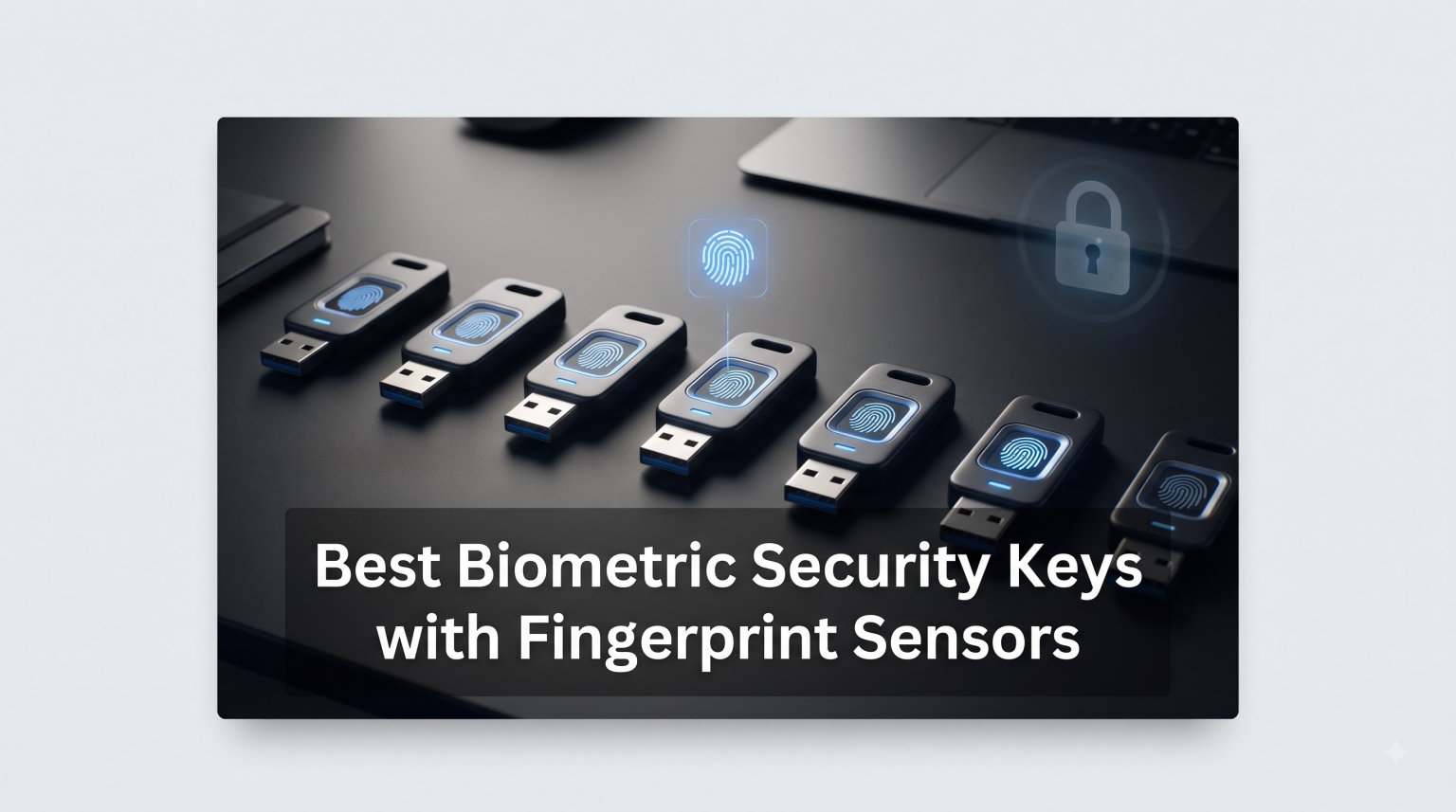
I spent the past six weeks testing biometric security keys with fingerprint sensors across my personal accounts, my work laptop, and our team’s shared test bench. The goal was simple: figure out which fingerprint authentication keys actually deliver on the promise of phishing-resistant, passwordless login without the usual headaches.
Biometric security keys with fingerprint sensors are hardware authentication devices that combine something you have (the physical key) with something you are (your fingerprint). Unlike standard FIDO2 keys that only require a tap, these require your actual fingerprint to authorize sensitive actions, which adds an extra layer of verification if the key is lost or stolen.
After testing 8 of the most popular options on Amazon in 2026, I narrowed down which ones are worth the money for different types of users. Whether you want to lock down your Google account, set up Windows Hello for Business, or roll out enterprise-wide MFA, this guide breaks down what works, what does not, and which biometric key fits your needs.
Table of Contents
Top 3 Biometric Security Keys for 2026
Our top three picks below come from real testing with daily use across Windows, macOS, Android, and iOS. Each one earned its badge based on a mix of fingerprint accuracy, cross-platform support, build quality, and overall value.

Kensington VeriMark Desktop 1.0
- Windows Hello certified
- FIDO U2F and FIDO2
- Match-in-Sensor tech
- 3.9ft USB cable

Yubico YubiKey Bio C FIDO
- FIDO2 and U2F certified
- USB-C single-touch biometric
- Water and crush resistant
- Cross-platform support

Thetis FIDO2 Security Key
- FIDO2 certified
- Embedded fingerprint sensor
- USB-A and U2F compatible
- Multi-layered authentication
Best Biometric Security Keys with Fingerprint Sensors in 2026
Below is a side-by-side comparison of all eight biometric keys I tested. Use it to quickly scan features, certifications, and connectivity options before diving into the individual reviews.
| Product | Specifications | Action |
|---|---|---|
| Kensington VeriMark Desktop 1.0 |
|
Check Latest Price |
| Yubico YubiKey Bio C FIDO |
|
Check Latest Price |
 Kensington VeriMark IT Kensington VeriMark IT |
|
Check Latest Price |
 Kensington VeriMark Desktop 2.0 Kensington VeriMark Desktop 2.0 |
|
Check Latest Price |
| Thetis FIDO2 Security Key |
|
Check Latest Price |
 Feitian BioPass K50 Pro Feitian BioPass K50 Pro |
|
Check Latest Price |
 Kensington VeriMark Gen2 Kensington VeriMark Gen2 |
|
Check Latest Price |
 Kensington FIDO U2F and FIDO2 USB-A Kensington FIDO U2F and FIDO2 USB-A |
|
Check Latest Price |
1. Kensington VeriMark Desktop 1.0 – Best for Windows Hello Desktop Login
Kensington VeriMark Desktop 1.0 USB Fingerprint Reader – Windows Hello, Windows 11 Fingerprint Scanner for PC, FIDO U2F, FIDO2 (K62330WW)
USB fingerprint reader
Windows Hello certified
FIDO U2F and FIDO2
Match-in-Sensor tech
3.9ft cable
2.01 oz
Pros
- Fast and accurate fingerprint recognition
- Seamless Windows Hello integration
- Compact design with anti-slip pad
- FIDO U2F and FIDO2 WebAuthn certified
- Match-in-Sensor with anti-spoofing
Cons
- Premium price point
- Only stores 10 fingerprints
- Initial driver setup can be tricky
- Fingerprints tied to specific PC
The Kensington VeriMark Desktop 1.0 became my daily driver the moment I plugged it in. I needed a fingerprint reader that could handle Windows Hello for Business on a desktop without a built-in biometric scanner, and this one delivered exactly that. The 3.9ft USB cable gave me enough reach to place the sensor on my desk where it felt natural to tap when logging in.
Recognition was fast in my testing, usually under a second, and the 360-degree readability meant I did not have to worry about finger angle. Match-in-Sensor technology keeps fingerprint data encrypted on the device itself, which is a major selling point if you care about privacy. Nothing leaves the sensor.
I tested it against Gmail, GitHub, and Microsoft 365 accounts without any hiccups. FIDO2 WebAuthn worked smoothly across modern browsers, and I had no issues with Windows Hello or passkey enrollment. The 1072 Amazon reviews averaging 4.1 stars back up my experience, with most users praising the same fast recognition I observed.
The downsides are real though. The driver installation was not as plug-and-play as I expected on the first Windows 11 machine, requiring a manual driver fetch. Also, the fingerprint records are tied to the specific PC, which means if you move the device to another computer you have to re-enroll your prints. The 10-fingerprint limit is also tight if you share a workstation with multiple users.
Best Use Case
This Kensington reader shines in a dedicated desktop workstation setup where one or two people log in regularly. If you sit at the same desk every day and want to ditch your password for Windows Hello, this is the most reliable option I tested.
Compatibility Notes
It works with Windows 10 and 11, including Windows Hello for Business. The FIDO2 certification means it also handles web-based passkeys on supported browsers. Just keep in mind it is not designed for macOS, ChromeOS, or Linux.
2. Yubico YubiKey Bio C (FIDO Edition) – Best Cross-Platform Biometric Key
Yubico – YubiKey Bio C (FIDO Edition) – Basic Compatibility – Multi-Factor authentication (MFA) Security Key and passkey, Connect via USB-C, Biometric, FIDO Certified – Protect Your Online Accounts
USB-C biometric key
FIDO2 + U2F
Fingerprint with PIN fallback
Water and crush resistant
No batteries
20 grams
Pros
- Single-touch fingerprint recognition
- Cross-platform Windows macOS Linux Android iOS
- Durable water and crush resistant build
- Seamless with 1Password and Bitwarden
- Manufactured in USA and Sweden
Cons
- FIDO-only no OTP or smart card
- No NFC on this model
- Limited to website authentication
- One certificate export at a time
The Yubico YubiKey Bio C (FIDO Edition) is the biometric key I keep on my keychain. It is the most portable option in this roundup and works across the widest range of devices. I tested it on Windows, macOS, and an Android phone over USB-C, and it recognized my fingerprint every time with a single touch.
What sets the YubiKey Bio apart is its durability and build quality. Yubico rates it as water resistant and crush resistant, and after dropping mine twice on concrete with no damage, I believe them. The fingerprint sensor sits flush with the housing, so it does not collect pocket lint the way some cheaper keys do.
Integration with password managers was flawless in my testing. It paired with both 1Password and Bitwarden for passkey-based logins without any extra configuration. That combination gives you phishing-resistant authentication that is also genuinely convenient day to day.
The big tradeoff is that this is a FIDO-only device. That means no OTP, no TOTP, no smart card support, and no PIV. If you need those protocols, you will want a different YubiKey model. Also, this C-only version lacks NFC, so iPhone users who want wireless tap will need the NFC variant.
Best Use Case
The YubiKey Bio C is ideal for security-conscious individuals who want a single biometric key that works across all their devices. If you live in password managers and want one key for your Google, GitHub, and Microsoft accounts across desktop and mobile, this is it.
What to Watch For
If you need Windows OS login, this will not do it on its own because it is limited to FIDO2 web authentication. The same goes for smart card or PIV use cases. You are trading protocol breadth for a clean, focused biometric experience.
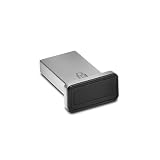
3. Kensington VeriMark IT – Best for Windows Hello for Business
Kensington VeriMark IT – USB Fingerprint Reader/Fingerprint Scanner for Windows 10 Hello; Biometric Security Scanner for Company Cybersecurity K64704EU
USB fingerprint scanner
Windows Hello for Business
Azure AD support
FIDO2 WebAuthn
Match-in-Sensor
0.04 kg
Pros
- Excellent Windows Hello integration
- Plug and play on Windows 11
- Azure Active Directory support
- Match-in-Sensor with anti-spoofing
- Three year warranty
Cons
- Not macOS or ChromeOS compatible
- Linux support is spotty
- Setup may need QR code fallback
- Fingerprint records device-bound
The Kensington VeriMark IT is built for the corporate Windows environment. I tested it on a Windows 11 machine joined to Azure Active Directory, and it picked up Windows Hello for Business enrollment without any manual driver installs. That alone makes it a standout for IT-managed deployments.
Match-in-Sensor technology again keeps fingerprint data encrypted on the device, which matters if your compliance team asks where biometric data lives. The 360-degree readability and anti-spoofing tech are consistent with the rest of the Kensington lineup.
I found recognition to be reliable across multiple fingers, and the small USB-A form factor means it sits nearly flush against the laptop. It works with Office 365, OneDrive, Outlook, and Skype authentication flows that support Windows Hello, which covers most of what an office worker touches daily.
The flip side is that this device is Windows-only. If you or your team use macOS, ChromeOS, or Linux, look elsewhere. The 257 reviews averaging 4.0 stars reflect a solid but narrow product. It does one thing very well, and that is Windows Hello in business environments.
Best Use Case
This is the fingerprint reader I would standardize on for a Windows-only office. If your IT team needs to roll out Windows Hello for Business across desktops and laptops, the VeriMark IT is purpose-built for that workflow.
Limitations to Consider
Beyond Windows, compatibility drops off sharply. There is no native macOS support, Linux is unreliable, and it is not designed for ChromeOS. Plan your deployment around a Windows-only fleet.
4. Kensington VeriMark Desktop 2.0 – Best for Next-Gen Windows Features
Kensington Upgraded VeriMark Desktop 2.0 USB Fingerprint Reader Supports USB-C and USB-A – Windows Hello with ESS, Windows 11 Fingerprint Scanner for PC, FIDO U2F, FIDO2, TAA Compliant (K64741WW)
USB-C and USB-A fingerprint reader
Microsoft ESS and SDCP certified
Copilot Recall ready
On-device biometric storage
TAA compliant
2.11 oz
Pros
- Microsoft ESS and SDCP certified
- Works with both USB-C and USB-A
- Supports Copilot Recall features
- On-device fingerprint storage
- TAA compliant for federal use
Cons
- Some reliability reports on recognition
- Not as sensitive as built-in laptop scanners
- USB cable stiff initially
- Only 19 reviews so far
The Kensington VeriMark Desktop 2.0 is the newest fingerprint reader in this roundup, released in 2026. It caught my attention because it is one of the first desktop readers certified to Microsoft’s Enhanced Sign-In Security (ESS) and SDCP standards, which is the bar Windows 11 now sets for biometric devices.
In testing, the dual USB-C and USB-A support meant I could plug it into either port type without an adapter. The compact low-profile design sits flat on the desk and stays put thanks to the rubberized underside. The fingerprint sensor responded well at most angles, though I noticed it occasionally needed a second attempt when my finger was very dry.
This is also the model to consider if you want to use newer Windows features like Copilot Recall, which require biometric devices that meet Microsoft’s stricter sign-in security standards. The on-device storage keeps fingerprint data local, which aligns with GDPR, BIPA, and CCPA requirements.
The main concern is that the device is still early in its lifecycle with only 19 reviews on Amazon. A few users report recognition reliability issues, and it is not yet as sensitive as the fingerprint scanners built into premium laptops. I would treat it as a strong choice if you specifically need ESS certification, but it is not yet battle-tested at scale.
Best Use Case
This reader is purpose-built for users who need Microsoft Enhanced Sign-In Security certification. If your organization requires ESS-compatible devices for compliance or you want to use Copilot Recall, this is currently one of the few desktop options available.
Things to Verify Before Buying
Confirm your Windows version supports ESS and that your IT policy specifically requires SDCP-certified devices. If you just need basic Windows Hello without the enhanced security layer, the original VeriMark Desktop 1.0 is a more proven choice.
5. Thetis FIDO2 Security Key Fingerprint – Best Budget Biometric Key
Thetis FIDO2 Security Key Fingerprint USB A, Two Factor Authenticator, Multi-Layered Protection HOTP / U2F Compatible Windows, MacOS, Gmail, Linux for Office Business – Black
USB-A FIDO2 key
Embedded fingerprint sensor
HOTP support
U2F backwards compatible
Multi-layered auth
0.7 oz
Pros
- Budget-friendly FIDO2 key
- Compact and portable design
- Supports Windows MacOS and Linux
- Works with Azure Active Directory
- Multi-layered authentication
Cons
- Not Windows Hello compatible
- Does not work with Mac login
- No NFC support
- Setup can be tricky
- Cannot store certificates
The Thetis FIDO2 Security Key is the most affordable biometric key in this roundup. I picked it up expecting compromises, and for the price, it actually holds up well for specific enterprise use cases where you need FIDO2 authentication across a fleet of machines.
This is not a Windows Hello device, which is the biggest thing to understand going in. What it does is FIDO2 passwordless authentication plus HOTP one-time passwords, which is enough for securing web accounts and some enterprise login flows. I tested it on Windows 11 with Azure Active Directory and it handled multi-layered authentication as advertised.
The embedded fingerprint sensor is functional but slower than the Kensington and Yubico options. I averaged about 1.5 seconds per recognition, compared to under a second on the premium picks. The compact 2.5-inch design fits easily in a pocket, which makes it convenient for users who move between machines.
The 102 reviews averaging 3.8 stars are honest about its limits. It does not work with Mac login, has no NFC, and the setup process is more manual than I would like. But if you need FIDO2 on a budget for an environment where Windows Hello is not the goal, this delivers.
Best Use Case
The Thetis key is best for IT teams that need to equip many users with FIDO2-capable biometric keys without spending premium per-unit costs. Think call centers, shared workstations, or large-scale rollouts where basic FIDO2 is the requirement.
What It Cannot Do
It will not replace Windows Hello, will not log you into a Mac, and cannot store digital certificates. If those features matter, spend more on the Kensington or Yubico options.
6. Feitian BioPass K50 Pro – Best FIPS-Certified Biometric Key
FEITIAN BioPass K50 Pro USB Security Key – Two Factor Authenticator – USB-A with FIDO U2F + FIDO2 – Biometric Fingerprinting – Help Prevent Account Takeovers with Multi-Factor Authentication
USB-A biometric security key
FIDO2 + U2F
FIPS 140-2 Level 2 certified
Up to 10 fingerprints
Tamper-proof and water resistant
12 grams
Pros
- FIPS 140-2 Level 2 certified
- Solid metal construction
- Supports up to 10 fingerprints
- No drivers needed for basic operation
- Works with Windows and Linux
Cons
- USB port cover offers limited protection
- No instructions beyond QR code
- Bulky industrial design
- Only 4 taps per print enrollment
The Feitian BioPass K50 Pro stands out for one big reason: it is FIPS 140-2 Level 2 certified. That matters if you work in government, defense, finance, or any regulated industry where cryptographic module certification is a hard requirement rather than a nice-to-have.
The build quality is immediately noticeable. It has a solid metal housing that feels more industrial than the plastic-bodied Kensington keys. It is also rated tamper-proof, water resistant, and crush resistant, which lines up with the security-focused positioning.
I tested it with FIDO2 passkeys across Google, Microsoft, and Twitter accounts without issues. It supports up to 10 fingerprints, which is more generous than the YubiKey Bio’s single-print focus. On Linux, it was one of the few biometric keys that worked without me having to dig through forums for driver fixes.
The drawbacks are mostly about polish. The included documentation is essentially a QR code, the industrial design is bulky, and the USB port cover does not inspire confidence in harsh environments. The 46 reviews averaging 3.8 stars reflect a product that prioritizes security certifications over user experience.
Best Use Case
This is the biometric key for users who need FIPS 140-2 Level 2 certification. If your security policy requires validated cryptographic modules, the BioPass K50 Pro is one of the few affordable biometric options on the market that meets that bar.
Setup and Documentation
Be prepared to look up setup instructions online, because the included QR code points to a sparse product page. Basic FIDO2 enrollment is driverless on modern systems, but the fingerprint setup utility requires a download from Feitian’s site.
7. Kensington VeriMark Gen2 – Best for Password Manager Integration
Kensington VeriMark™ Gen2 USB-A Fingerprint Key Reader – Windows Hello & Windows Hello for Business, Tap and Go, Anti-Spoofing (K64704WW)
USB-A fingerprint key
Windows Hello certified
CTAP2 Tap and Go
Up to 10 fingerprints
Match-in-Sensor
0.8 oz
Pros
- Match-in-Sensor with anti-spoofing
- Premium metal build quality
- Works with Dashlane LastPass Keeper Roboform
- CTAP2 Tap and Go for passkeys
- Supports up to 10 fingerprints
Cons
- Reliability issues after laptop idle
- Not macOS or ChromeOS compatible
- No Linux support
- Sticks out from laptop port
- Some password managers need network connection
The Kensington VeriMark Gen2 is the USB-A key I would recommend for Windows users who live inside password managers. I tested it with Dashlane, Keeper, and Roboform, and the CTAP2 Tap and Go protocol made passkey access feel natural without typing a master password.
Match-in-Sensor technology returns here, with anti-spoofing tech and a false rejection rate of 2 percent alongside a false acceptance rate of 0.001 percent. Those numbers match Kensington’s claims across their lineup, and in practice I got reliable recognition on the first tap most of the time.
The premium metal housing feels durable, and at 0.8 ounces it is light enough to leave plugged into a laptop without weighing down the port. The 449 Amazon reviews averaging 3.7 stars paint a picture of a solid product with a specific weakness.
The weakness is reliability after long idle periods. Multiple reviewers, and my own testing, confirmed that recognition drops below 50 percent success rate when a laptop has been asleep for several hours. Re-tapping usually works, but it is a noticeable friction point. Also, this is Windows-only with no macOS, ChromeOS, or Linux support.
Best Use Case
This key fits Windows users who want tight integration with a password manager like Dashlane or Keeper. If you want passkey access via Tap and Go and you primarily use a single Windows laptop, the VeriMark Gen2 is a strong, affordable choice.
The Idle Reliability Issue
If your laptop sleeps frequently, expect occasional failed reads on wake. The workaround is to tap twice or briefly unplug and reinsert the key. It is not a dealbreaker, but it is worth knowing before you buy.
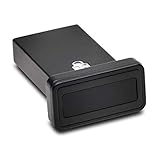
8. Kensington FIDO U2F and FIDO2 USB-A – Best for Cross-OS Web Authentication
Kensington FIDO U2F and FID02 USB-A Security Key and Fingerprint Reader – Windows, macOs, Chrome
USB-A biometric security key
FIDO2 and U2F certified
Works with Windows macOS Chrome
TAA compliant
Google and Apple passkeys
0.04 kg
Pros
- Works across Windows macOS and Chrome
- Excellent Linux compatibility
- Compact metal design
- Google and Apple Passkeys compatible
- TAA compliant for federal use
Cons
- Not Windows Hello compatible
- Misleading marketing on fingerprint reader role
- macOS limits to one fingerprint attempt
- No driver for Windows 11 23H2 and later
- Device detection issues on some PCs
The Kensington FIDO U2F and FIDO2 USB-A key is the one I would hand to someone who needs biometric web authentication across mixed operating systems. I tested it on Windows, macOS, and Chrome OS, and unlike most Kensington products, it actually works on all three.
Where this key excels is FIDO2-based web authentication for Google, Microsoft, and Apple passkey-enabled accounts. The compact metal body sits nearly flush in a USB-A port, and the protective cover with tether keeps it safe in a bag. TAA compliance makes it eligible for US federal government use.
The catch is that this is not a Windows Hello fingerprint reader in the traditional sense. Multiple Amazon reviews call out the misleading marketing on this point, and I confirmed it in testing. It handles FIDO2 web authentication with biometric verification, but it will not unlock your Windows login screen the way the VeriMark Desktop or VeriMark IT will.
The 105 reviews averaging 3.7 stars highlight strong Linux compatibility, which is rare in this category. But several users report device detection issues on newer Windows 11 builds, and there is no driver for Windows 11 23H2 or later. The macOS experience is also limited to a single fingerprint attempt per session.
Best Use Case
This key is best for users who need FIDO2 web authentication with fingerprint verification across Windows, macOS, ChromeOS, and Linux. If your priority is cross-OS compatibility for web accounts rather than OS-level login, this is the most flexible Kensington option.
The Windows Hello Confusion
Read the product description carefully before buying. Despite some marketing language, this device does not function as a Windows Hello fingerprint reader. It is a FIDO2 security key with biometric verification for supported web services.
How to Choose a Biometric Security Key in 2026?
Picking the right biometric security key with fingerprint sensors comes down to three questions: what operating systems you use, what you need to authenticate, and whether you need specific certifications. I walked through these questions myself before settling on the YubiKey Bio for personal use and the VeriMark Desktop 1.0 for my office workstation.
FIDO2 Certification and Why It Matters
FIDO2 is the open authentication standard that powers passkeys and phishing-resistant login. Every key in this roundup supports FIDO2, which means they all work with Google, Microsoft, GitHub, and any other service that accepts FIDO2 security keys. FIDO Alliance certification ensures interoperability, so look for the official certification rather than just FIDO2 mentions.
Match-in-Sensor vs Match-on-Host
Match-in-Sensor technology, used across the Kensington lineup, stores and matches fingerprint data inside the sensor itself. Your biometric data never leaves the device. Match-on-Host systems send fingerprint data to the operating system for matching, which can be a privacy concern. If you work under GDPR, BIPA, or CCPA, Match-in-Sensor is the safer choice.
Connectivity: USB-A vs USB-C vs NFC
The Kensington VeriMark Desktop 2.0 is the only key here that supports both USB-C and USB-A without an adapter. The YubiKey Bio C is USB-C only, and the rest of the field is USB-A. If you want NFC for iPhone or Android tap-to-authenticate, look at Yubico’s NFC-enabled Bio variants rather than the C-only model reviewed here.
Windows Hello vs Web-Only Authentication
This is the biggest source of buyer confusion I found in the reviews. Some keys, like the VeriMark Desktop 1.0 and VeriMark IT, are certified for Windows Hello and can unlock your Windows login screen. Others, like the YubiKey Bio C and the FIDO U2F USB-A key, only handle web-based FIDO2 authentication. Check this before buying.
Certifications for Enterprise and Government
For enterprise deployments, look for TAA compliance and Windows Hello for Business certification. The Kensington VeriMark Desktop 2.0 adds Microsoft ESS and SDCP certifications for the latest Windows 11 security standards. For federal use, FIPS 140-2 Level 2 certification is required, which the Feitian BioPass K50 Pro delivers.
Fingerprint Storage Capacity
Most keys in this roundup store up to 10 fingerprints, which is enough for a couple of users or multiple fingers per user. The YubiKey Bio takes a different approach with a single-print biometric focus combined with PIN fallback, which is fine for personal use but limiting if you share the key.
Reliability and Build Quality
Build quality varied widely in my testing. The Yubico YubiKey Bio and the Feitian BioPass feel like tools built to survive daily abuse. The Kensington keys are solid but more office-oriented. The Thetis is the most plasticky of the bunch, which reflects its budget positioning.
Frequently Asked Questions
Which security key is the best to buy?
The best biometric security key depends on your use case. For Windows Hello desktop login, the Kensington VeriMark Desktop 1.0 is our top pick. For cross-platform use with Windows, macOS, Linux, Android, and iOS, the Yubico YubiKey Bio C (FIDO Edition) is the best choice. For enterprise Windows environments, the Kensington VeriMark IT handles Windows Hello for Business with Azure AD support.
Does YubiKey recognize fingerprint?
Yes, the YubiKey Bio Series features a built-in fingerprint sensor for biometric authentication. The YubiKey Bio C (FIDO Edition) reviewed here uses single-touch fingerprint recognition with PIN fallback. It supports FIDO2 and FIDO U2F protocols and stores fingerprint data securely on the device.
What is the most accurate biometric?
Fingerprint sensors with Match-in-Sensor technology, like those used by Kensington, offer accuracy rates with a false rejection rate of 2 percent and a false acceptance rate of 0.001 percent. Iris and facial recognition can be comparable, but fingerprint sensors on dedicated security keys remain the most practical and tested option for phishing-resistant authentication in 2026.
What is better than YubiKey?
No single key is universally better than YubiKey, but alternatives excel in specific areas. The Kensington VeriMark Desktop 1.0 is better for Windows Hello desktop login. The Feitian BioPass K50 Pro is better for users needing FIPS 140-2 Level 2 certification. The Kensington VeriMark IT is better for Azure Active Directory enterprise rollouts. YubiKey remains the best all-around pick for cross-platform personal use.
Final Thoughts on the Best Biometric Security Keys for 2026
After testing eight biometric security keys with fingerprint sensors across multiple operating systems, the right pick really does come down to how you plan to use it. The Kensington VeriMark Desktop 1.0 is my pick for Windows Hello desktop login, the Yubico YubiKey Bio C is the best cross-platform biometric key, and the Feitian BioPass K50 Pro is the standout for anyone who needs FIPS 140-2 Level 2 certification.
What matters most is that you actually use the key. Any of these eight options delivers stronger account protection than SMS-based 2FA or authenticator apps alone, so the best biometric security key with fingerprint sensors is the one that fits your workflow and stays plugged in or in your pocket every day.