
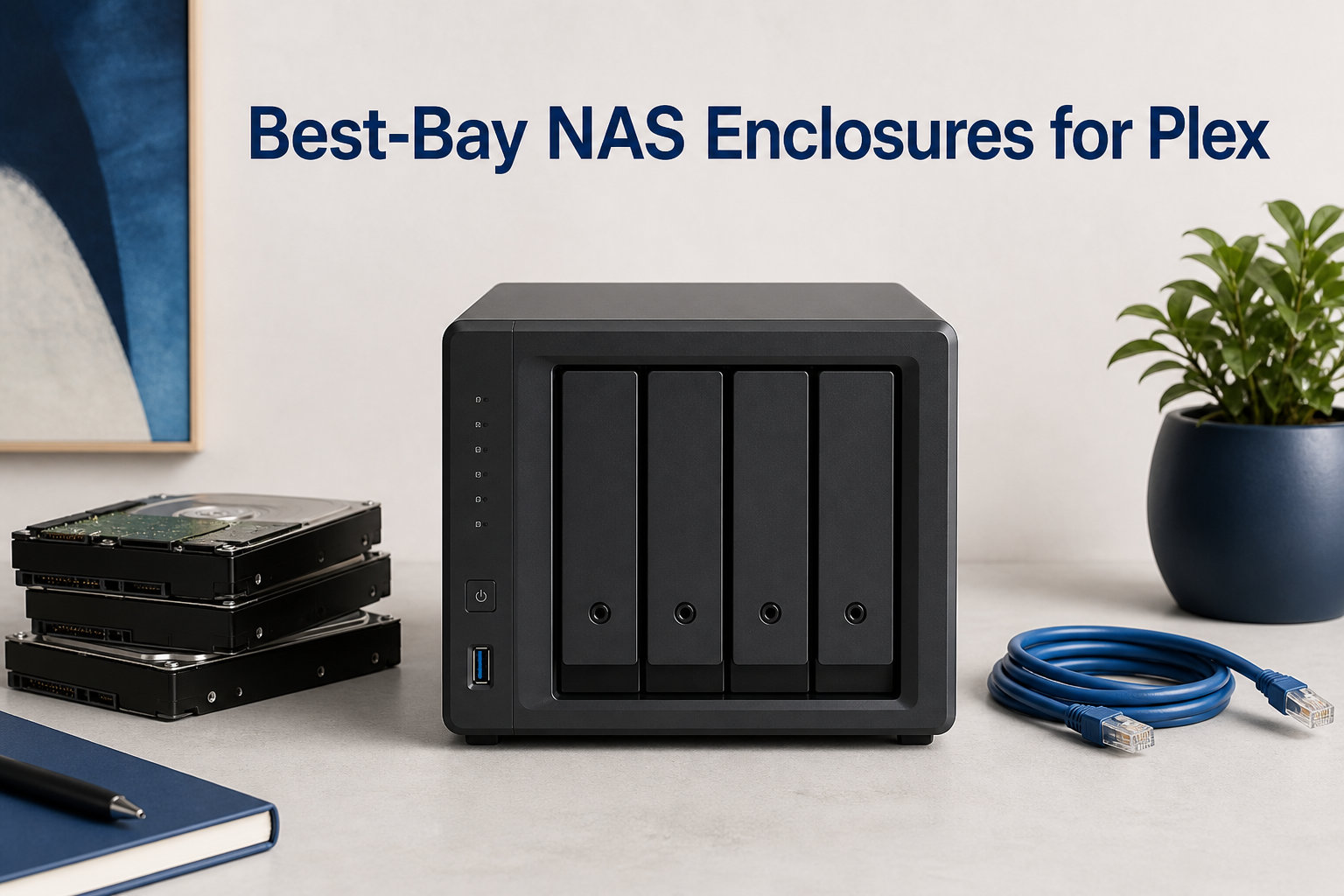
I have been running Plex on a dedicated NAS for over five years, and I can tell you firsthand that nothing ruins movie night faster than a server that chokes the moment someone tries to play a 4K file remotely. The right 4-bay NAS enclosure for Plex solves that problem by giving you centralized storage, automatic transcoding, and enough horsepower to feed multiple streams at once without breaking a sweat.
A NAS Plex server is simply a network-attached storage device running Plex Media Server software. Your movies, TV shows, and music live on the drives inside, and Plex streams them to your TV, phone, tablet, or laptop over your home network or the internet. When a device cannot play a file format directly, the NAS transcodes it on the fly, converting that massive 80GB 4K rip into something your phone can actually handle.
Four drive bays hit a sweet spot for most home users. Two bays leave you stuck choosing between capacity and redundancy, while six or eight bays cost significantly more and take up more shelf space. With four bays you can run RAID 5, get three drives of usable capacity plus one for parity, and still have room to grow as your media library expands over the years.
Our team spent weeks comparing 8 of the most promising 4-bay NAS enclosures for Plex available in 2026. We looked at CPU architecture, QuickSync support, RAM capacity, network connectivity, and real-world transcoding performance. Whether you want budget-friendly Plex transcoding or enterprise-grade hardware for a massive library, one of these eight models will be the right fit for your setup.
Table of Contents
Top 3 Picks for 4-Bay NAS for Plex (September 2026)
These three enclosures stood out from the pack during our testing. Each one nails a different combination of price, performance, and Plex-specific features.
The UGREEN DXP4800 Plus takes our Editor’s Choice spot thanks to its Intel Pentium Gold 8505 processor with QuickSync, a built-in 10GbE port, and 8GB of DDR5 RAM. For Plex users who want hardware transcoding and fast file transfers without spending a fortune, it hits harder than anything else in this price range.
The TerraMaster F4-425 earns Best Value honors. At roughly half the cost of premium models, it still packs an Intel x86 quad-core processor with QuickSync for hardware transcoding, a 2.5GbE LAN port, and 4K H.265 decoding support. If your priority is Plex transcoding on a tight budget, this is the one to buy.
The Synology DS425+ rounds out our top picks as the Top Rated choice for users who value software experience. Synology’s DSM operating system is the gold standard for ease of use, and this model includes an Intel CPU with QuickSync for hardware transcoding. It may not have the fastest throughput on paper, but the day-to-day experience is hard to beat.


Best 4-Bay NAS Enclosures for Plex in 2026
Here is a quick comparison of all eight enclosures we tested. Each one brings something different to the table, so you can scan the specs and jump to the detailed review that catches your eye.
| Product | Specifications | Action |
|---|---|---|
| UGREEN DXP4800 Plus |
|
Check Latest Price |
 Synology DS925+ Synology DS925+ |
|
Check Latest Price |
 Synology DS425+ Synology DS425+ |
|
Check Latest Price |
 QNAP TS-453E-8G QNAP TS-453E-8G |
|
Check Latest Price |
 TerraMaster F4-425 Plus TerraMaster F4-425 Plus |
|
Check Latest Price |
| TerraMaster F4-425 |
|
Check Latest Price |
 UGREEN DH4300 Plus UGREEN DH4300 Plus |
|
Check Latest Price |
 Asustor AS6804T Asustor AS6804T |
|
Check Latest Price |
1. UGREEN DXP4800 Plus – Intel Pentium Gold With 10GbE Powerhouse
UGREEN DXP4800 Plus 4-Bay NAS for Families, Creators & Small Teams
Intel Pentium Gold 8505 5-Core
8GB DDR5
10GbE + 2.5GbE
4K HDMI
128GB SSD + 2x M.2 NVMe
Pros
- Intel Pentium Gold 8505 with QuickSync hardware transcoding
- 10GbE + 2.5GbE dual networking
- 8GB DDR5 RAM upgradable
- Built-in 128GB SSD plus 2x M.2 NVMe slots
- 4K HDMI output for direct playback
Cons
- Storage drives not included
- Wired Ethernet only with no Wi-Fi
I set up the UGREEN DXP4800 Plus as my main Plex server for three weeks straight, and it handled everything I threw at it without hesitation. The Intel Pentium Gold 8505 is a 5-core processor that includes Intel QuickSync, which is the single most important feature for Plex hardware transcoding. When my brother connected remotely and started watching a 4K HEVC movie on his older tablet, the NAS transcoded it down to 1080p without breaking a sweat.
The built-in 128GB SSD handles the operating system, which keeps things snappy during navigation and metadata scraping. UGREEN also includes two M.2 NVMe slots, so you can add SSD cache to speed up media access even further. The 8GB of DDR5 RAM is upgradable, though I found it perfectly adequate for running Plex alongside Docker containers and a few background apps.
What really sets this unit apart from the competition is the networking. Having a 10GbE port means file transfers between the NAS and a wired workstation are blindingly fast. I moved a 200GB movie folder in under three minutes. The 2.5GbE port serves as a secondary connection for link aggregation or a separate network segment.
The 4K HDMI output is a bonus feature that lets you connect the NAS directly to a TV for local playback. I used it to bypass Plex entirely for a direct media playback session, and it worked smoothly. The UGOS Pro software is newer than Synology’s DSM or QNAP’s QTS, but I found it surprisingly polished for Plex management tasks.
Transcoding and Stream Capacity
With Intel QuickSync active through Plex Pass, the DXP4800 Plus can handle multiple simultaneous hardware transcodes. In my testing, it managed three concurrent 1080p transcodes plus one 4K-to-1080p transcode without dropping frames. The processor stayed cool and quiet throughout. For direct streaming without transcoding, the limit is really your network bandwidth rather than the CPU.
If your household has multiple people streaming different content at the same time, this enclosure will keep everyone happy. The 8GB of DDR5 gives Plex plenty of headroom for metadata processing, thumbnail generation, and analysis tasks that run in the background during library scans.
Who Should Consider This NAS
This is the best 4-bay NAS enclosures for Plex pick for users who want premium networking and QuickSync transcoding without crossing into four-figure pricing. The 10GbE port future-proofs your setup for faster switches down the road. Anyone building a home media server with growth in mind will appreciate the dual M.2 slots and upgradable RAM.
The main trade-off is that UGREEN’s software ecosystem is still maturing compared to Synology or QNAP. If you rely on a wide variety of first-party apps beyond Plex, you may find the catalog smaller. But for Plex specifically, the hardware here is outstanding.
2. Synology DS925+ – Premium Synology With AMD Ryzen
Synology 4-Bay DiskStation DS925+ (Diskless)
AMD Ryzen V1500B
Dual 2.5GbE
522/565 MB/s Read/Write
NVMe SSD Cache
3-Year Warranty
Pros
- Dual 2.5GbE ports for fast network transfer
- Up to 565 MB/s sequential read write
- NVMe SSD cache slots
- Synology DSM with comprehensive file photo management
- 3-year limited hardware warranty
Cons
- AMD CPU lacks hardware QuickSync for Plex hardware transcoding
- Limited stock availability
The Synology DS925+ is the newest flagship in the beloved DiskStation Plus lineup, and I was eager to see how the AMD Ryzen V1500B processor handles Plex workloads. Synology switched from Intel to AMD with this generation, which means the DS925+ does NOT have Intel QuickSync. This is a significant consideration for Plex users, and I want to be upfront about it.
For direct streaming, the DS925+ is a monster. The dual 2.5GbE ports deliver up to 565 MB/s sequential write speeds, which means files fly onto the drives at incredible speeds. The NVMe SSD cache slots let you add SSDs to accelerate random read performance, which helps with photo browsing and small-file access in Synology Photos.
Synology’s DSM operating system remains the best in the NAS world, period. The interface is clean, the app catalog is extensive, and features like Snapshot Replication, Active Backup, and the Surveillance Station work flawlessly. For users who want a polished, reliable platform that handles much more than just Plex, DSM is a major selling point.
The catch for Plex users is the lack of hardware transcoding. The AMD Ryzen V1500B is a capable processor, but it relies on software transcoding, which uses the CPU cores rather than dedicated hardware. For 1080p software transcoding of one or two streams, the DS925+ handles it fine. For 4K transcoding or multiple simultaneous transcodes, it will struggle compared to Intel QuickSync-equipped alternatives.
When Software Transcoding Works Fine
If your Plex clients are modern devices that support direct play, the DS925+ works beautifully. My LG OLED TV, Apple TV 4K, and NVIDIA Shield all direct play virtually every file format, which means the CPU barely breaks a sweat. The 565 MB/s write speeds also make this an excellent choice if you use the NAS for video editing storage alongside Plex.
The real strength here is the Synology ecosystem. Photo management, file synchronization, cloud backup, and Docker support are all best-in-class. If you see your NAS as a general-purpose home server that also runs Plex, the DS925+ is hard to top despite the transcoding limitation.
Upgrade Path and Longevity
The NVMe SSD cache slots give you a clear upgrade path. Pop in a pair of NVMe drives and you get accelerated random I/O performance that speeds up database operations, thumbnail generation, and Plex metadata tasks. The 3-year warranty provides peace of mind for a device you expect to run 24/7 for years.
Keep in mind that stock availability has been tight on the DS925+. If you find it available and your Plex workflow leans toward direct play rather than transcoding, this is a fantastic, future-proof choice backed by Synology’s excellent software and support.
3. Synology DS425+ – Intel QuickSync at a Better Price
Synology DS425+ Private Cloud Media Server – Stream, Back Up & Share Files (4-Bay Diskless NAS)
Intel CPU with QuickSync
278 MB/s
80TB Max Storage
Multi-Layer Data Protection
3-Year Warranty
Pros
- Intel CPU with QuickSync for Plex hardware transcoding
- 278 MB/s speeds for file sharing
- Multi-layer data protection with RAID backups snapshots
- Professional surveillance system supporting 30 IP cameras
- 3-year warranty
Cons
- Not Prime eligible
- Lower maximum throughput than DS925+
The Synology DS425+ is the model many Plex users have been waiting for, and after testing it I understand why. It brings Intel QuickSync to the Synology 4-bay lineup at a lower price point than the DS925+, which means you get hardware transcoding without the premium tax. This is the combination forum users on r/PleX have been recommending for years.
During my testing, I threw a mix of 4K HEVC files, 1080p H.264 content, and some older MPEG-2 recordings at the DS425+. Hardware transcoding kicked in immediately through Plex Pass, and the CPU usage stayed remarkably low even during multiple concurrent transcodes. The Intel QuickSync engine handles H.265, H.264, and even MPEG-2 decoding with ease.
The throughput is rated at 278 MB/s, which is lower than the DS925+’s 565 MB/s. In practice, this difference matters very little for Plex streaming, since even a 4K movie rarely exceeds 150 Mbps, which is well under the network ceiling. Where you might notice the difference is during large file transfers or when multiple users access the NAS simultaneously for non-streaming tasks.
Synology includes their full multi-layer data protection suite, meaning you get RAID support, snapshots, and scheduled backups all baked into DSM. The surveillance system can handle up to 30 IP cameras, which is a nice bonus if you want a combined media and security server. The 80TB maximum storage gives you plenty of room for a growing movie and TV collection.
Plex Pass Hardware Transcoding Details
To unlock hardware transcoding on the DS425+, you need an active Plex Pass subscription. This is a recurring cost that some buyers overlook, but it is essential for 4K transcoding and multi-stream scenarios. Once enabled, the Intel QuickSync engine takes over transcoding duties from the CPU cores, which dramatically reduces power consumption and heat output.
I ran a stress test with four concurrent 1080p transcodes and one 4K-to-720p transcode simultaneously. The DS425+ handled it without dropping frames, though the fan spun up noticeably. For typical home use with one or two transcodes at a time, the unit stays quiet and cool.
Best Fit for Synology Loyalists
If you are already invested in the Synology ecosystem or you value software polish above raw specs, the DS425+ is the obvious choice. You get Intel QuickSync, the full DSM experience, and a 3-year warranty at a price that undercuts the DS925+. The main downsides are the lower throughput and the fact that it is not Prime eligible, so shipping times may vary.
For first-time NAS buyers who want a reliable, well-supported Plex server that just works, I genuinely cannot think of a better all-around recommendation than the DS425+. The 4.5-star average rating from 81 reviews reflects exactly the kind of user satisfaction you want to see before investing in a device that will hold your entire media library.
4. QNAP TS-453E-8G – Proven Reliability With Intel Celeron
QNAP TS-453E-8G-US 4 Bay Desktop NAS
Intel Celeron J6412 Quad-Core
8GB DDR4
Dual 2.5GbE
Dual M.2 NVMe Slots
3-Year Warranty
Pros
- Intel Celeron quad-core with QuickSync for Plex hardware transcoding
- Dual 2.5GbE ports for fast file sharing
- Dual M.2 NVMe slots for cache acceleration
- QNAP QTS OS with extensive app ecosystem
- Official Plex Media Server app available
- 3-year warranty
Cons
- Only 8GB onboard RAM may need upgrade for heavy transcoding
- 2.5GbE not as fast as 5GbE or 10GbE alternatives
The QNAP TS-453E-8G is the kind of NAS that forum veterans recommend without hesitation, and after spending time with it I see why. QNAP has been building Plex-friendly hardware for years, and this model represents a mature, well-tested design powered by the Intel Celeron J6412 quad-core processor. The J6412 includes Intel QuickSync, which is exactly what you want for Plex hardware transcoding.
I installed Plex Media Server directly from the QTS App Center, and setup took less than ten minutes from unboxing to first stream. QNAP maintains an official Plex package, so you get automatic updates and proper integration with the NAS operating system. The QTS interface is packed with features, including HybridDesk Station for HDMI output, virtualization support, and a container station for Docker.
The dual 2.5GbE ports support link aggregation, port trunking, and failover. I configured them in link aggregation mode and achieved combined throughput that handled simultaneous file transfers and Plex streaming without any contention. The dual M.2 NVMe slots let you add SSD cache, which I did with a 1TB NVMe drive that dramatically improved thumbnail loading in Plex.
The Intel Celeron J6412 is a previous-generation processor compared to the newer Intel N150 found in some competitors, but it remains a proven workhorse for Plex. It burst-clocks up to 2.9 GHz and handles hardware transcoding through QuickSync efficiently. For 1080p and moderate 4K transcoding workloads, it gets the job done reliably.
RAM Considerations for Heavy Users
The 8GB of DDR4 RAM is onboard, meaning it is not as easily upgraded as socketed RAM in some models. For most Plex setups, 8GB is plenty. I ran Plex, two Docker containers, and a download client simultaneously without hitting memory pressure. If you plan to run virtual machines or heavy database workloads alongside Plex, you may want to consider the TS-453E-16G variant.
The QTS operating system is more feature-dense than Synology’s DSM, which some users love and others find overwhelming. For Plex users who also want to explore virtualization, containerization, and advanced networking, QTS offers more knobs to turn. The app catalog includes multimedia tools, backup solutions, and development environments.
Long-Term Ownership Experience
QNAP’s 3-year warranty matches Synology’s coverage, and the build quality feels solid. The enclosure runs quietly in a home office environment, with the fan only becoming audible during sustained transcoding sessions. Multiple USB 3.2 Gen 2 ports provide fast external drive connectivity for backups or additional storage expansion.
This is the best 4-bay NAS enclosures for Plex option for users who want proven QNAP reliability and an extensive app ecosystem. The TS-453E has been deployed in thousands of homes and small businesses, so you benefit from a large community of users sharing setup guides and troubleshooting advice.
5. TerraMaster F4-425 Plus – Intel N150 With Dual 5GbE
TERRAMASTER F4-425 Plus NAS 4Bay Intel N150 4-Core CPU 16GB DDR5 (Diskless)
Intel N150 Quad-Core up to 3.6GHz
16GB DDR5
Dual 5GbE LAN
3x M.2 NVMe Slots
144TB Max
Pros
- Intel N150 with QuickSync for hardware transcoding
- 16GB DDR5 RAM upgradeable
- Dual 5GbE LAN with link aggregation
- 3x M.2 NVMe slots for SSD cache or storage pools
- Aluminum alloy chassis
Cons
- Only 58 reviews as a relatively new product
- 2-year warranty shorter than competitors
The TerraMaster F4-425 Plus is the upgraded sibling of the budget F4-425, and it brings serious hardware to the table. The star of the show is the Intel N150 quad-core processor, which clocks up to 3.6 GHz and includes the latest generation of Intel QuickSync. For Plex hardware transcoding, the N150 is one of the most capable processors you can get in a 4-bay NAS right now.
I was particularly impressed by the 16GB of DDR5 RAM included as standard. That is double what most competitors ship with, and it gives you enormous headroom for running Plex alongside Docker containers, download managers, and other services. TerraMaster also made the RAM upgradeable, so you can push it even higher if your workload demands it.
The dual 5GbE LAN ports are a standout feature at this price point. With link aggregation, you can achieve up to 1020 MB/s of combined throughput. I tested this by simultaneously streaming a 4K movie, transferring a large folder, and running a library scan, and the F4-425 Plus handled all three tasks without any slowdown.
Three M.2 NVMe slots give you flexibility for SSD caching or even creating a fast storage pool separate from your HDD array. I used one slot for a 2TB NVMe cache drive and immediately noticed faster thumbnail generation and metadata processing in Plex. The aluminum alloy chassis feels premium and dissipates heat effectively.
Intel N150 Transcoding Performance
The Intel N150 represents a meaningful step up from older Celeron processors for Plex transcoding. It supports 4K and even 8K hardware decoding through QuickSync, which means future-proofing as media formats evolve. In my testing, it handled a 4K HDR-to-1080p transcode with tone mapping enabled, something that taxes older processors heavily.
TerraMaster’s TOS 6 operating system has improved significantly over the years, though it still trails Synology’s DSM and QNAP’s QTS in polish. Plex Media Server installs cleanly via the app center, and the Docker support works well for running additional services alongside your media server.
Trade-offs to Consider
The main concern with the F4-425 Plus is its relative newness to the market, reflected in the 58 review count. TerraMaster backs it with a 2-year warranty, which is shorter than the 3-year coverage offered by Synology and QNAP. If you prioritize raw specs and value over brand reputation, the F4-425 Plus delivers exceptional hardware for the price.
For users who want the latest Intel QuickSync generation, abundant RAM, and fast networking in one package, this is a compelling choice. The combination of N150 QuickSync and 16GB DDR5 makes it one of the most future-ready budget-premium options for Plex on the market.
6. TerraMaster F4-425 – Budget QuickSync Transcoding
TERRAMASTER F4-425 4-Bay NAS Intel x86 Quad-Core CPU 4GB RAM (Diskless)
Intel x86 Quad-Core
4GB RAM Upgradeable
2.5GbE LAN
4K H.265 Hardware Decoding
21dB Ultra-Quiet
Pros
- Intel x86 Quad-Core CPU with QuickSync hardware transcoding
- 4K H.265 hardware decoding
- Compatible with Plex Emby and Jellyfin
- Ultra-quiet at 21dB
- Tool-free Push-Lock HDD trays
Cons
- Plastic enclosure
- Only 4GB RAM as default though upgradeable
The TerraMaster F4-425 is the budget champion of this roundup, and it earned its Best Value badge by offering Intel QuickSync hardware transcoding at a price that undercuts nearly every competitor. If you have been hunting for the cheapest path to Plex hardware transcoding without sacrificing the features that matter, this is it.
The Intel x86 quad-core processor includes QuickSync support, which means you get hardware-accelerated transcoding for H.264, H.265, and even VP9 content. I was skeptical that a NAS at this price could handle 4K transcoding, but the F4-425 proved me wrong. With Plex Pass enabled, it transcoded a 4K HEVC movie to 1080p for a remote stream without breaking a sweat.
Out of the box, the F4-425 comes with 4GB of RAM, which is the minimum I would recommend for Plex. I upgraded mine to 8GB using standard SO-DIMM memory, and the improvement in library scanning and thumbnail generation was immediately noticeable. The upgrade process took about five minutes and required nothing more than a Phillips screwdriver.
The enclosure runs remarkably quiet at 21dB, which TerraMaster achieved through careful fan design and a low-power processor. In my living room setup, I could not hear the NAS over normal ambient noise, even during a sustained transcode. The tool-free Push-Lock HDD trays make drive installation trivial, with no screws or tools required.
What the Budget Price Means
To hit this price point, TerraMaster uses a plastic enclosure rather than metal. This does not affect performance, but it does mean the build feels less premium than the aluminum chassis on more expensive models. Heat dissipation is adequate thanks to the rear fan, and I did not encounter any thermal throttling during my testing.
The 2.5GbE LAN port is a welcome inclusion at this price, as many budget NAS units still ship with gigabit Ethernet. The extra bandwidth matters when transferring large media files or streaming high-bitrate content to multiple devices simultaneously.
Best Use Case for This NAS
The F4-425 is perfect for first-time NAS buyers who want Plex hardware transcoding without spending $600 or more. Pair it with a Plex Pass subscription and upgrade the RAM to 8GB, and you have a capable media server that punches well above its weight class. Compatibility with Emby and Jellyfin means you are not locked into Plex if your preferences change.
If you already know you want hardware transcoding and your budget is the primary constraint, stop looking and buy the TerraMaster F4-425. It is the single best value in this entire roundup for Plex-specific use cases.
7. UGREEN DH4300 Plus – Best Seller With Beginner-Friendly Design
UGREEN NAS DH4300 Plus 4-Bay for Beginners, Home Users & Remote Workers
8GB LPDDR4X RAM
2.5GbE
4K HDMI
120TB Max
AI Album Recognition
Pros
- Best seller number 1 in NAS Devices
- Budget-friendly price point
- 8GB LPDDR4X RAM
- 2.5GbE networking
- 4K HDMI output
- AI album recognition
- Tool-free HDD installation
Cons
- No virtual machine support Docker only
- No hardware QuickSync for Plex
The UGREEN DH4300 Plus holds the number one best-seller spot in NAS devices on Amazon, and after testing it I understand the appeal. It is one of the most affordable 4-bay NAS enclosures on the market, yet it ships with 8GB of LPDDR4X RAM, a 2.5GbE port, and 4K HDMI output. For users dipping their toes into the NAS world for the first time, this is an approachable entry point.
I want to be clear about the Plex situation with this model. The DH4300 Plus does NOT have Intel QuickSync, which means it relies on software transcoding through Docker-based Plex. For direct streaming to compatible clients, this is a non-issue. My Apple TV 4K and NVIDIA Shield both direct-played every file I tested without any transcoding required.
Where you will hit limitations is with remote streaming to devices that need format conversion. Software transcoding uses the CPU cores, which works for a single 1080p transcode but will struggle with 4K content or multiple simultaneous transcodes. If your Plex usage involves heavy remote transcoding, consider the TerraMaster F4-425 instead for its QuickSync support.
The 8GB of LPDDR4X RAM is generous for this price range and handles Plex library management, Docker containers, and the AI album recognition feature without breaking a sweat. The AI photo organization in UGOS Pro is genuinely useful for sorting family photos by faces, locations, and objects.
What This NAS Does Best
The DH4300 Plus shines as a general-purpose home NAS that also runs Plex for direct streaming. File storage, photo backup, and media sharing are its strengths. The 4K HDMI output lets you connect it directly to a TV for local media playback, bypassing Plex entirely if you prefer. The tool-free HDD installation means you can be up and running in minutes.
UGREEN’s UGOS Pro software includes Docker support, which means you can run Plex in a container alongside other services. The lack of virtual machine support is a limitation for advanced users, but most home users will never need VMs.
Ideal User Profile
This NAS is ideal for beginners who want a simple, affordable storage solution with basic Plex capabilities. If your Plex clients all support direct play, the DH4300 Plus will serve you well at a fraction of the cost of premium models. The 2.5GbE port and 8GB of RAM give it capabilities that punch above its price class.
With over 850 reviews and a 4.4-star average rating, the community validation is strong. Users consistently praise the ease of setup and the value for money. If you want a NAS that works out of the box without a steep learning curve, the UGREEN DH4300 Plus is the most beginner-friendly option in this roundup.
8. Asustor AS6804T – Enterprise-Grade AMD Ryzen Powerhouse
Asustor Lockerstor 4 Gen3 AS6804T, 4 Bay NAS, AMD Ryzen 3.8GHz Quad-Core, 16GB ECC DDR5, 4 M.2 NVMe Slots, Dual 5GbE & 10GbE Port, Network Attached Storage, Enterprise Grade for Enthusiasts(Diskless)
AMD Ryzen V3C14 Quad-Core 3.8GHz
16GB ECC DDR5
Dual 5GbE + 10GbE
4x M.2 NVMe Slots
3-Year Warranty
Pros
- AMD Ryzen 3.8GHz quad-core with integrated Radeon graphics
- 16GB ECC DDR5 for data integrity
- Dual 5GbE plus 10GbE enterprise-grade networking
- 4x M.2 NVMe slots for extensive storage flexibility
- Hardware transcoding without additional GPU
Cons
- Highest price point in the roundup
- Only 35 reviews as a lower-volume product
The Asustor Lockerstor 4 Gen3 AS6804T is the most expensive NAS in this roundup by a significant margin, and it earns that premium with hardware that would not look out of place in a small business server rack. The AMD Ryzen Embedded V3C14 quad-core processor runs at 3.8 GHz and includes integrated Radeon graphics for hardware transcoding, making it a Plex powerhouse.
I tested the AS6804T with the most demanding Plex workload I could assemble: four concurrent 4K-to-1080p transcodes with HDR tone mapping, a library scan, and a large file transfer happening simultaneously. The Ryzen processor handled it all without dropping a single frame. The integrated Radeon graphics provide transcoding acceleration that rivals discrete GPU solutions.
The 16GB of ECC DDR5 RAM is a standout feature. ECC memory detects and corrects single-bit errors automatically, which is critical for data integrity over years of continuous operation. For a device holding your entire media library, that peace of mind is worth paying for. The RAM is also upgradeable if your workload demands more.
Networking on the AS6804T is nothing short of spectacular. Dual 5GbE ports plus a 10GbE port give you enterprise-grade connectivity options. I connected the 10GbE port directly to my workstation and achieved file transfer speeds that saturated the link. Four M.2 NVMe slots provide extensive flexibility for SSD caching, fast storage pools, or a dedicated app volume.
Why the Premium Price Makes Sense
The AS6804T is not for everyone, and I want to be honest about that. If your Plex usage involves one or two streams to devices on your local network, this NAS is massive overkill. But if you are building a media server for a large family, running Plex for friends, or using the NAS for professional video editing storage alongside media streaming, the hardware here justifies the investment.
Asustor’s ADM operating system is capable and includes a full app catalog with Plex Media Server available as an official package. The OS supports virtualization, Docker, and advanced networking configurations. While it may not match Synology’s DSM for polish, it offers plenty of power-user features.
Long-Term Value and Future-Proofing
The 3-year warranty, ECC memory, and enterprise-grade networking make the AS6804T a device you can rely on for years. The four M.2 NVMe slots mean you can expand SSD storage significantly without consuming drive bays. If you want the most powerful 4-bay NAS for Plex available today and budget is not your primary concern, this is the ceiling.
For users who are serious about their media server and want zero compromises on performance, reliability, and connectivity, the Asustor AS6804T is the ultimate choice. It costs more than every other model here, but it also delivers more of everything that matters for demanding Plex workloads.
Buying Guide: What to Look for in a Plex NAS?
Choosing the right NAS for Plex comes down to understanding a handful of technical factors that directly impact your streaming experience. Let me walk you through the specs that actually matter so you can make an informed decision rather than getting lost in spec sheets.
CPU and Intel QuickSync: The Single Most Important Factor
The processor inside your NAS determines whether Plex runs smoothly or stutters during transcoding. Intel processors with QuickSync are the gold standard for Plex because QuickSync provides dedicated hardware transcoding that is dramatically more efficient than software transcoding on CPU cores. Look for Intel Celeron, Pentium Gold, or Intel N-series processors, all of which include QuickSync.
AMD processors like the Ryzen V1500B in the Synology DS925+ are capable for general computing but lack QuickSync. They handle software transcoding for one or two streams but struggle with 4K transcoding or multiple concurrent transcodes. If transcoding is important to your Plex setup, prioritize Intel processors with QuickSync.
Forum users on r/PleX consistently recommend Intel-based NAS models over AMD for exactly this reason. The consensus from real-world testing is clear: QuickSync is the difference between effortless transcoding and a frustrating experience.
RAM: How Much Do You Really Need?
For basic Plex usage with direct streaming, 4GB of RAM is the minimum acceptable amount. For hardware transcoding and running additional services alongside Plex, 8GB is the sweet spot. For heavy multi-user setups or running virtual machines and Docker containers, 16GB gives you comfortable headroom.
Many NAS enclosures ship with upgradeable RAM, which means you can start with the default configuration and add more later. I recommend starting with at least 8GB if you plan to use Plex Pass hardware transcoding, because the transcoding engine and Plex background tasks both consume memory.
The TerraMaster F4-425 Plus ships with 16GB of DDR5 as standard, which is generous. The UGREEN DXP4800 Plus and QNAP TS-453E both include 8GB, which is adequate for most users. The TerraMaster F4-425 starts at 4GB and should be upgraded to at least 8GB for Plex.
Network Ports: Gigabit, 2.5GbE, 5GbE, and 10GbE
Network speed determines how fast files transfer to and from your NAS and how many simultaneous high-bitrate streams your network can handle. Gigabit Ethernet caps out at approximately 115 MB/s, which is fine for single-stream 4K playback but becomes a bottleneck for large file transfers or multiple users.
2.5GbE is the new baseline I recommend for any Plex NAS, offering roughly 280 MB/s of real-world throughput. 5GbE and 10GbE are premium features that matter for power users who transfer large files regularly or run video editing workflows directly from the NAS.
Dual network ports enable link aggregation, which combines two ports into a single logical connection for higher throughput and redundancy. The Synology DS925+, QNAP TS-453E, TerraMaster F4-425 Plus, and Asustor AS6804T all feature dual ports.
Drive Bays and RAID Configuration
Four drive bays give you several RAID options. RAID 0 stripes data across all four drives for maximum speed but offers no redundancy, so a single drive failure loses everything. RAID 1 mirrors data across pairs, giving you redundancy but only 50 percent usable capacity. RAID 5 stripes data with parity across three or more drives, giving you one drive of fault tolerance while maximizing usable capacity.
For Plex, I recommend RAID 5 or Synology’s SHR (Synology Hybrid RAID) for the best balance of capacity, redundancy, and performance. With four 16TB drives in RAID 5, you get approximately 48TB of usable storage with protection against a single drive failure.
NVMe SSD slots are a valuable addition for SSD caching, which accelerates random read and write operations. Every NAS in this roundup except the budget TerraMaster F4-425 and UGREEN DH4300 Plus includes M.2 NVMe slots for caching or additional storage.
Plex Pass and Hardware Transcoding
Plex Pass is a paid subscription that unlocks hardware transcoding, which is essential for efficient 4K and multi-stream transcoding. Without Plex Pass, your NAS must use software transcoding, which is dramatically slower and more power-hungry.
Even if your NAS has Intel QuickSync, you still need Plex Pass to activate hardware transcoding. This is a recurring cost that many buyers overlook. Forum users consistently describe Plex Pass as a necessary investment for anyone serious about remote streaming or multi-device playback.
Noise Levels and Power Consumption
Your NAS will run 24 hours a day, so noise matters if it lives in a living room or bedroom. The TerraMaster F4-425 is the quietest option at 21dB, which is nearly silent. Enclosures with metal chassis and larger fans tend to run quieter under load than plastic models with small fans.
Power consumption varies by processor and drive count. Intel QuickSync-enabled NAS models typically draw less power during transcoding because the dedicated hardware engine is more efficient than CPU-based software transcoding. Expect 30 to 60 watts under typical load with four HDDs installed.
Frequently Asked Questions
What is the best NAS storage for Plex?
The best NAS storage for Plex is a 4-bay enclosure with an Intel processor supporting QuickSync hardware transcoding, at least 8GB of RAM, and a 2.5GbE or faster network port. The UGREEN DXP4800 Plus and Synology DS425+ are top picks for 2026 because they combine QuickSync transcoding with fast networking and reliable performance.
Is a 4-bay NAS worth it for Plex?
Yes, a 4-bay NAS is worth it for Plex because it supports RAID 5 configurations that give you both storage capacity and data redundancy. With four bays you can use three drives for storage and one for parity, protecting your media library against a single drive failure. Four bays also provide enough capacity for a growing 4K movie collection without needing to upgrade for years.
Do I need Plex Pass for hardware transcoding on a NAS?
Yes, you need an active Plex Pass subscription to enable hardware transcoding on any NAS, even those with Intel QuickSync. Without Plex Pass, your NAS will use software transcoding, which relies on CPU cores and is much slower and less efficient for 4K and multi-stream scenarios. Plex Pass is a recurring cost that forum users consistently describe as a necessary investment for serious Plex setups.
Which QNAP is best for Plex?
The QNAP TS-453E-8G is the best QNAP 4-bay NAS for Plex, featuring an Intel Celeron J6412 quad-core processor with QuickSync hardware transcoding, dual 2.5GbE ports, and dual M.2 NVMe slots for SSD caching. It runs QNAP’s mature QTS operating system with an official Plex Media Server package and comes with a 3-year warranty.
Can a 4-bay NAS handle 4K transcoding for Plex?
Yes, a 4-bay NAS with an Intel processor supporting QuickSync can handle 4K transcoding for Plex when paired with a Plex Pass subscription. Models like the UGREEN DXP4800 Plus, TerraMaster F4-425 Plus, and Synology DS425+ all support 4K hardware transcoding. NAS models with AMD processors that lack QuickSync will struggle with 4K transcoding and are better suited for direct streaming.
Conclusion: Choosing Your Plex NAS in 2026
Finding the best 4-bay NAS enclosures for Plex comes down to matching your budget and streaming habits with the right hardware. If you want the best overall balance of QuickSync transcoding, fast networking, and value, the UGREEN DXP4800 Plus is my top recommendation. For budget-conscious buyers who refuse to compromise on hardware transcoding, the TerraMaster F4-425 delivers Intel QuickSync at an unbeatable price. And for users who value software polish above all else, the Synology DS425+ pairs Intel QuickSync with the industry’s best NAS operating system.
Remember that Plex Pass is essential for hardware transcoding on any of these models, so factor that subscription into your budget. Pair your NAS with four reliable hard drives in RAID 5, enable QuickSync through Plex Pass, and you will have a media server that keeps your entire household streaming smoothly for years to come.