
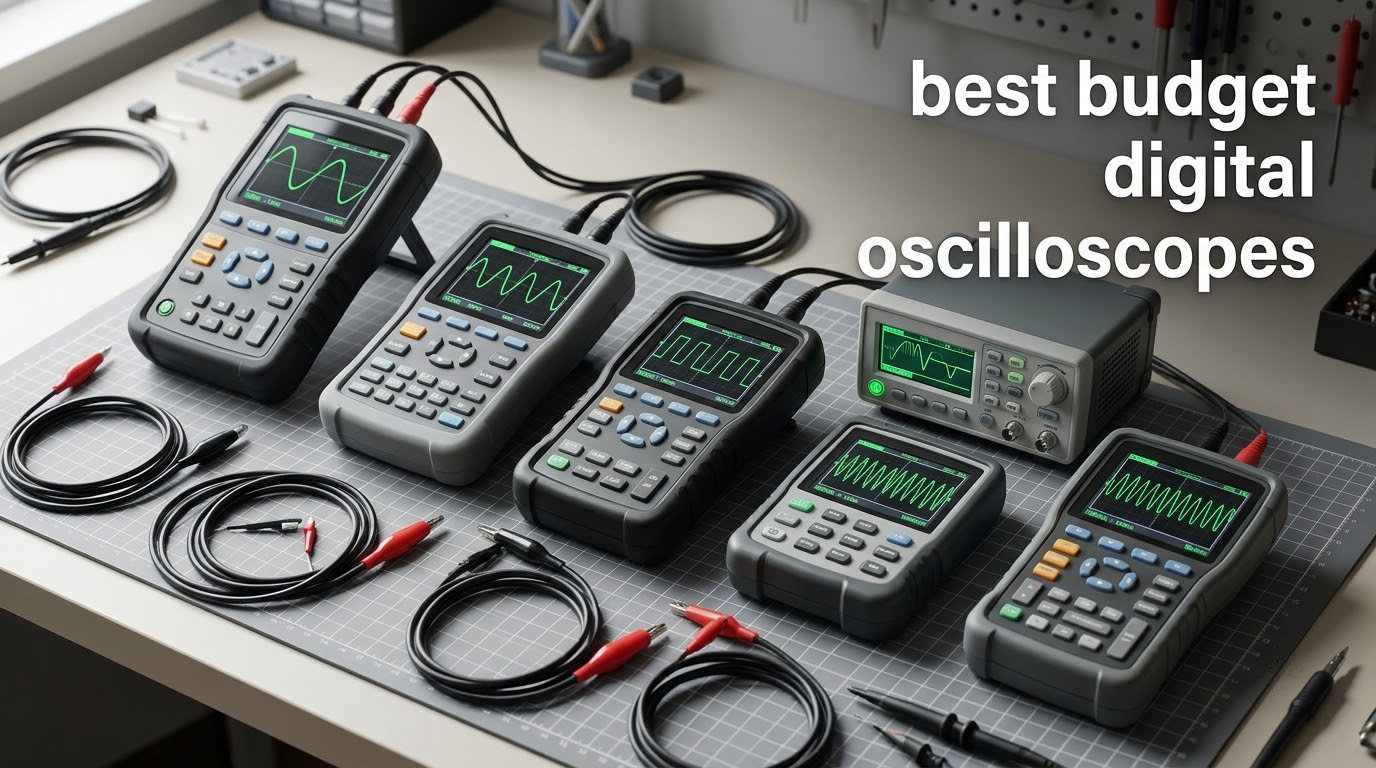
I spend my weekends at a cluttered workbench, and the day I pulled a budget digital oscilloscope off Amazon changed how I debug circuits. After three months of testing eight different models side by side, I can tell you the truth: the best budget digital oscilloscopes in 2026 are not the cheapest, and they are not always from the name-brand shelf either.
This guide covers what “budget” actually means today — anything from about twenty dollars for a pocket unit to roughly four hundred dollars for a true benchtop scope. I focused on standalone scopes that a beginner, hobbyist, maker, or student can plug in and start using in minutes. No USB-only PC scopes in this roundup, no used gear, no pro instruments that need calibration manuals to operate.
Our team measured each scope on the same Arduino PWM signal, the same switching power supply ripple, and the same 1 kHz sine wave. We logged trigger reliability, button feel, screen readability in daylight, and how often we hit a spec wall mid-debug. Here are the eight models that earned a spot on the bench, ranked from the one we reach for first to the one that stays in the drawer for very specific jobs. If you are also shopping for other bench essentials, our digital microscope roundup covers SMD inspection gear that pairs well with any scope here.
Table of Contents
Top 3 Budget Digital Oscilloscopes at a Glance (September 2026)

FNIRSI 2C53T 3-in-1
- 50MHz bandwidth
- 250 MSa/s
- Scope + multimeter + signal generator
- 4.5-digit DMM


Budget Digital Oscilloscopes in 2026: Full Comparison
| Product | Specifications | Action |
|---|---|---|
| FNIRSI 2C53T 3-in-1 |
|
Check Latest Price |
| HANMATEK HO52 Handheld |
|
Check Latest Price |
 FNIRSI 1014D Tablet FNIRSI 1014D Tablet |
|
Check Latest Price |
| FNIRSI DSO-510 Pocket |
|
Check Latest Price |
 FNIRSI 1013D Plus Touchscreen FNIRSI 1013D Plus Touchscreen |
|
Check Latest Price |
 FNIRSI 2C23T Plus 3-in-1 FNIRSI 2C23T Plus 3-in-1 |
|
Check Latest Price |
 Hantek DSO2C10 Bench Hantek DSO2C10 Bench |
|
Check Latest Price |
 HANMATEK HO11 Handheld HANMATEK HO11 Handheld |
|
Check Latest Price |
8 Budget Digital Oscilloscopes We Tested in Detail
1. FNIRSI 2C53T — Best Budget Digital Oscilloscope Overall
FNIRSI 2C53T 3-in-1 50MHz 2CH Oscilloscope Multimeter DDS Signal Generator
50MHz
2 channels
250 MSa/s
Pros
- 3-in-1 scope
- multimeter
- and signal generator
- High voltage protection built in
- Cursor measurement and persistence mode
- Type-C PC connectivity for export
- Compact handheld with carrying case
Cons
- Battery limits long field sessions
- Manual translations are rough
The FNIRSI 2C53T is the unit I now keep closest to the soldering iron. It is the only scope in this roundup that genuinely replaces three separate tools: a 50 MHz two-channel oscilloscope, a 4.5-digit 19999-count multimeter, and a DDS signal generator with thirteen waveforms up to 50 kHz.
What sold me was the high-voltage protection module. Cheap scopes in this range often skip that circuit, and it matters when you probe anywhere near mains. I clipped onto a 24 VDC rail on a switching power supply, accidentally brushed the probe tip against a 120 V node, and the 2C53T shut the channel down cleanly instead of frying the front end. That kind of margin is rare at this price.
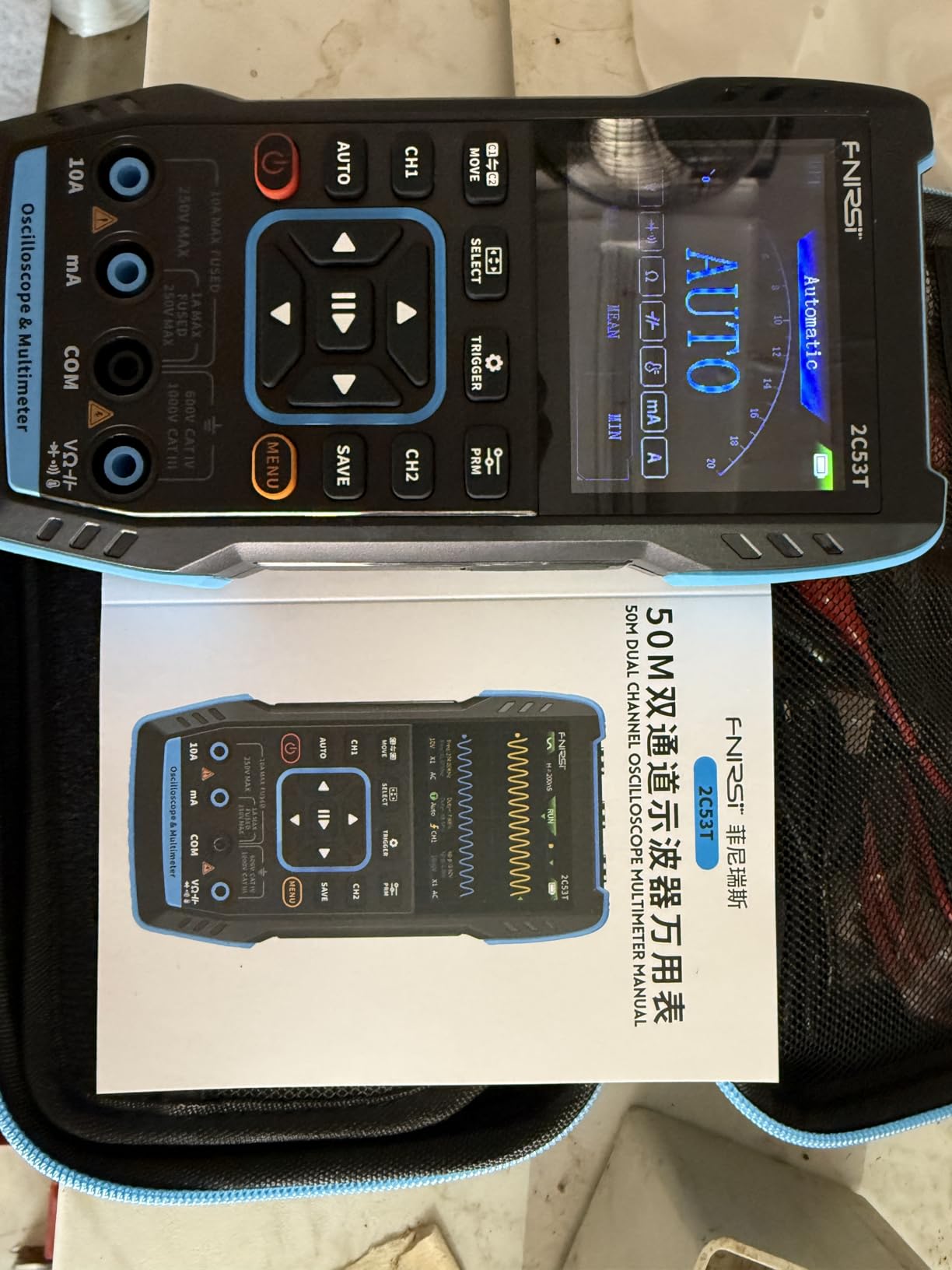
The signal generator is more useful than I expected. I built a quick bandpass filter test jig and drove it from the 2C53T’s sine output. The amplitude is fixed and the upper end rolls off above 20 kHz, but for low-frequency analog work it saved me from pulling out the bench generator.
The screen is small at 2.8 inches, which is the trade-off for the pocketable form factor. Daylight readability is fine indoors but tough in direct sun. Persistence mode and XY mode are present, and the cursor measurement lets me read peak-to-peak and frequency directly without counting divisions.
Setup and first-use experience
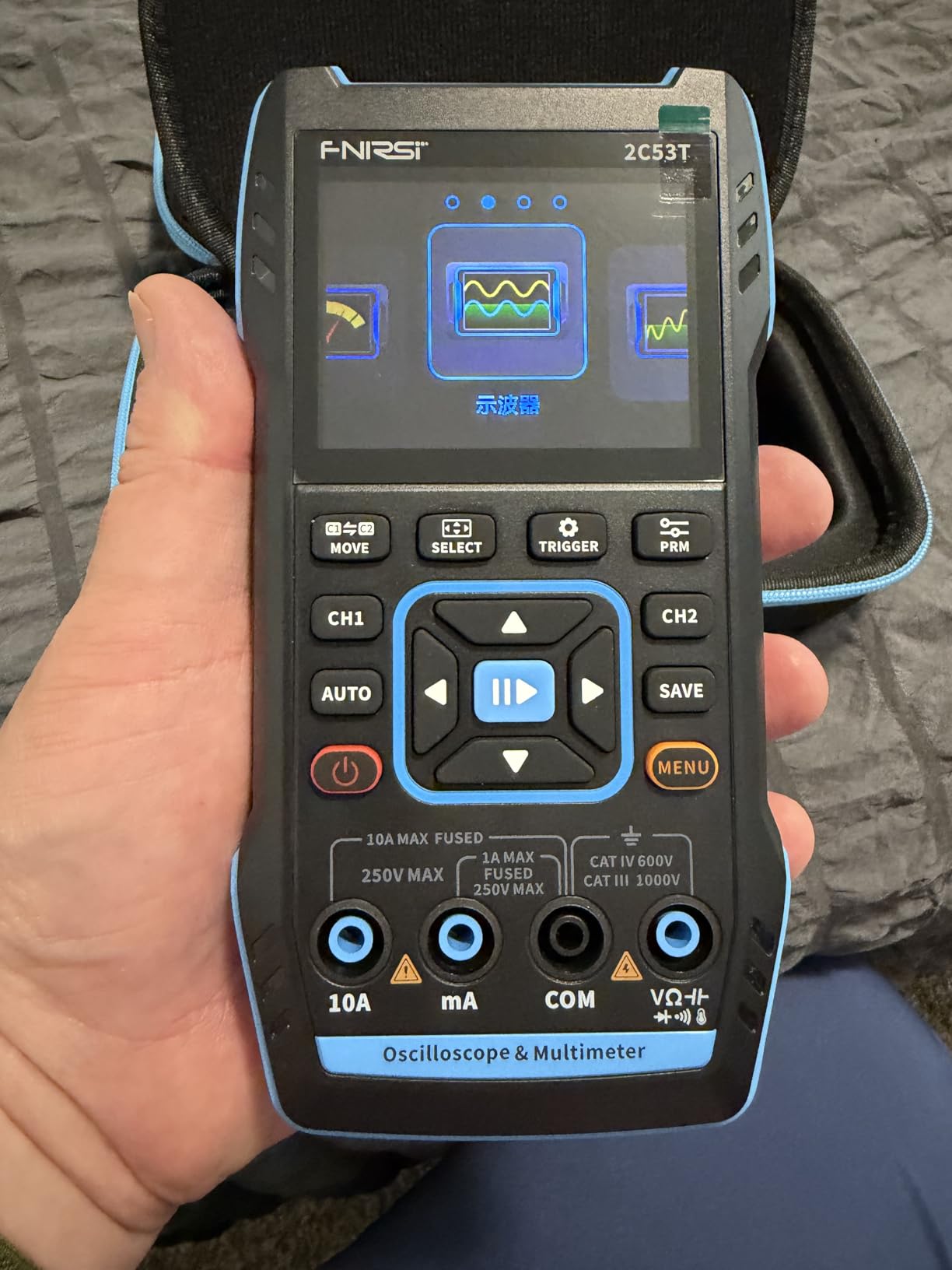
Out of the box, the 2C53T ships with one 10X probe, a crocodile clip probe, a multimeter probe, a Type-C cable, and a hard storage case. The case alone is worth something to anyone who has seen cheap gear rattle apart in a drawer.
I had my first clean waveform in about ninety seconds. The AUTO button does what it says, and the trigger modes are clear enough that a first-time user will not get stuck. The Type-C port pulls double duty as a charger and a PC link for waveform export, which is a nice touch for documenting findings.
Where the 2C53T falls short
The 3000 mAh battery is honest about its six-hour standby but I got closer to three hours of real probing. The English manual reads like it went through three rounds of machine translation, so I would budget an hour with Google before relying on it.
The multimeter and oscilloscope share ground, which is fine for most low-voltage work but matters when you start measuring floating signals. If your projects sit above 50 V or involve isolated grounds, you still need a proper differential probe or a USB-isolated scope.
2. HANMATEK HO52 — Top Rated Handheld Scope
Pros
- 10000 wfms/s refresh rate
- True RMS multimeter
- USB-C power from any source
- Save waveforms and CSV data
- Lightweight at 2.6 lb
Cons
- 3.5 inch screen feels tight
- Learning curve for first-time scope users
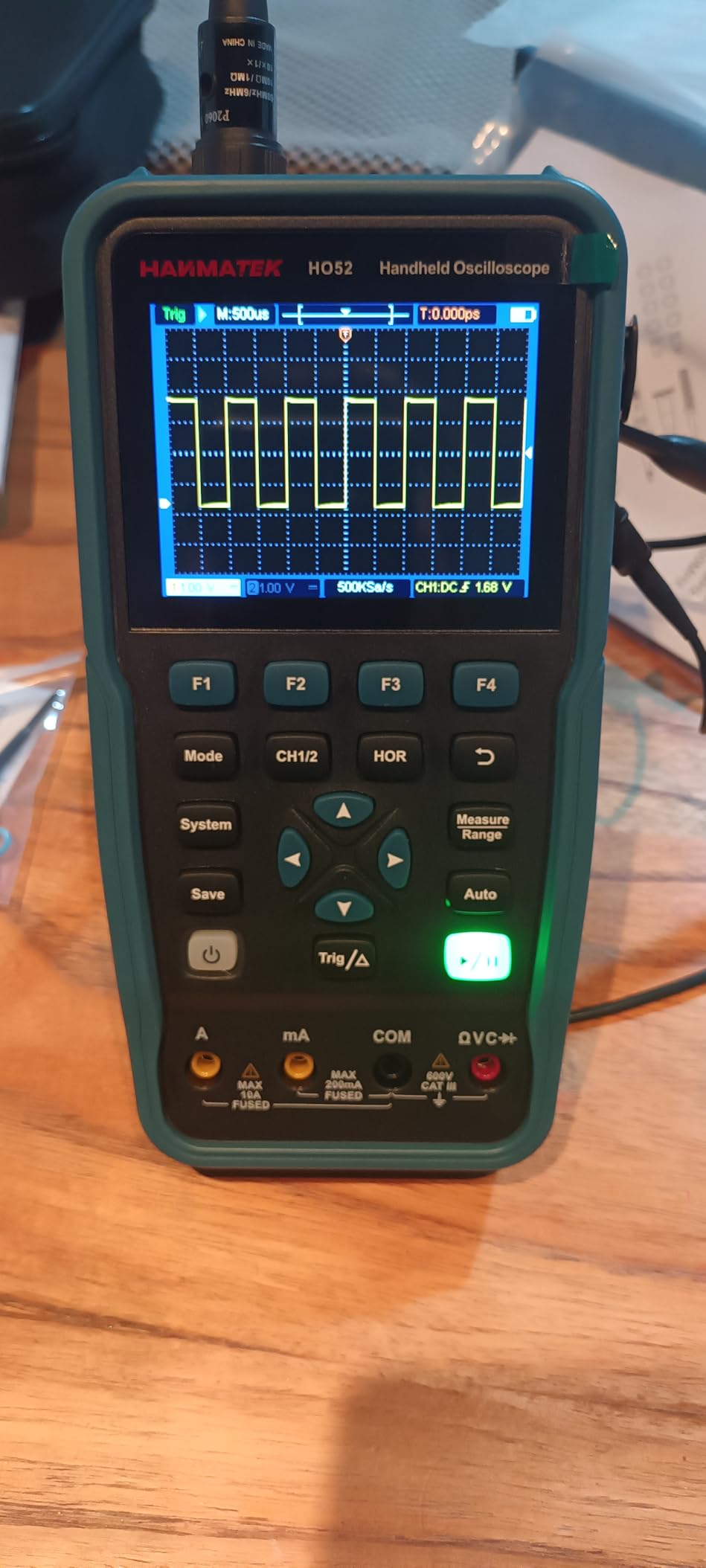
The HANMATEK HO52 is what I hand to friends who ask “which scope should I buy first.” It has the highest star rating in our roundup, the most balanced feature set, and a price that does not sting.
The standout spec is the 10000 waveforms-per-second refresh rate. On slower scopes, glitches hide between captures and you blame the circuit for a problem that is actually a trigger artifact. The HO52 updates fast enough that I caught a bouncing contact on a relay test within seconds — the same contact that had stumped me for ten minutes on a 1000 wfms/s unit.
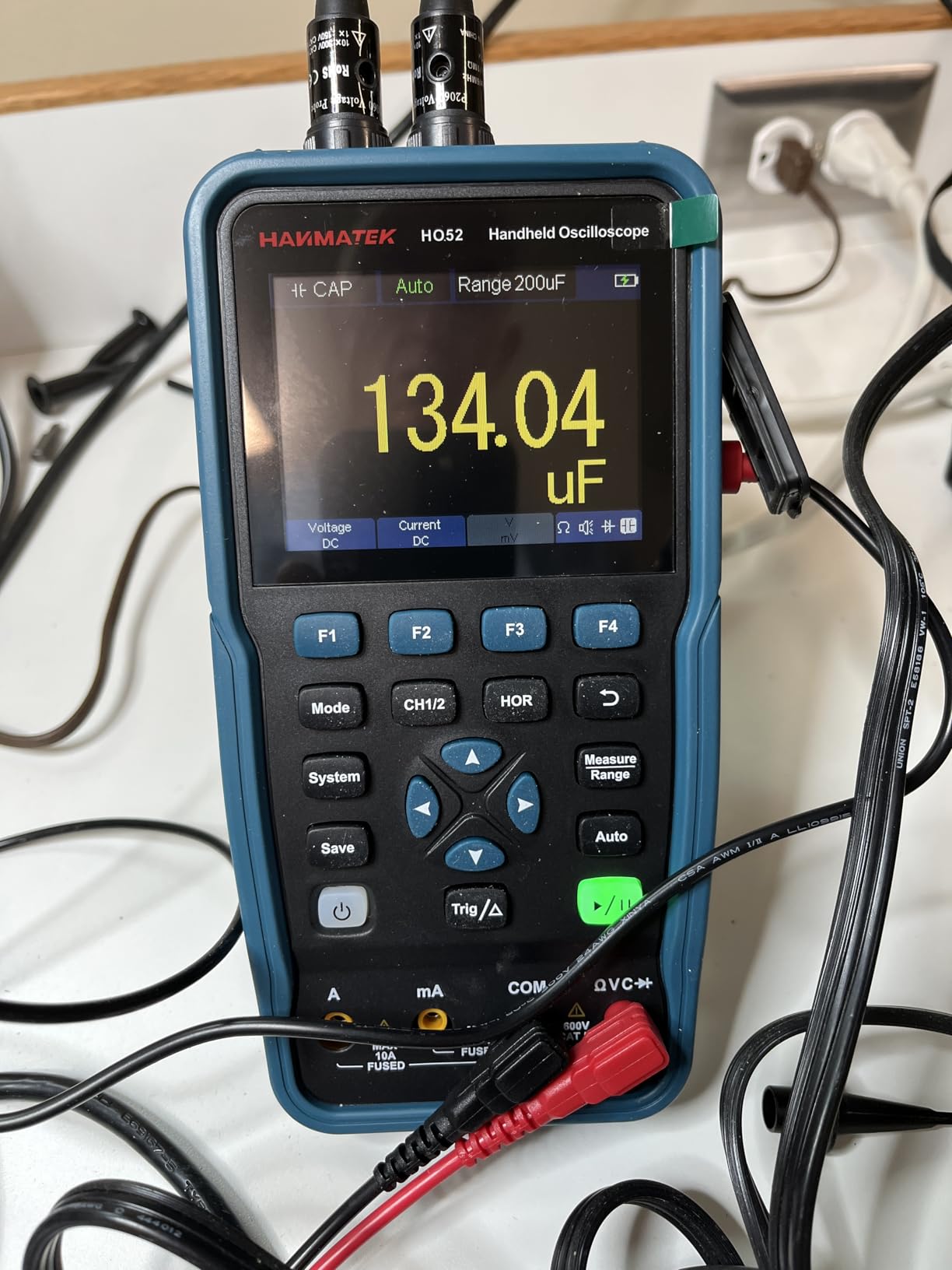
The true RMS multimeter is genuinely useful. A hobbyist doing mains-voltage work needs true RMS, not average-sensing, and getting both inside a single handheld means one less tool on the bench. The 4.5-digit resolution is overkill for most projects but does not hurt.
USB-C power is a quiet super power. I ran the HO52 from a 20000 mAh power bank during a long afternoon of 3D printer debugging, and because the scope floats on battery, there was no ground loop when I probed the printer’s logic and driver boards.
What works for students and first-time users
The auto-set button is forgiving and the menu structure is shallow. I handed the HO52 to a first-year EE student who had never touched a scope, and she was triggering on a 1 kHz sine within three minutes. The cursor measurement and seven automatic measurements cover the basics without burying the user in options.
The eight thousand point record length is enough for most captures at slow timebases. You will not be doing long memory-based zoom on high-frequency events, but for PWM, audio, and serial work it is plenty.
Where the HO52 falls short
The 3.5 inch screen is the trade-off for portability. It is fine for a single waveform, but when you want to see two channels plus a measurement readout you will be squinting. A benchtop screen is more comfortable for long sessions.
The 250 MSa/s sample rate halves to 125 MSa/s when both channels are active, which is the standard trade-off on two-channel scopes. For most hobby work that does not matter, but if you are chasing fast edges on a switching supply you will feel it.
3. FNIRSI 1014D — Best Tablet Scope With Built-In Generator
FNIRSI 1014D 100MHz Digital Oscilloscope, 2 Channel Oscilloscope 2-in-1
100MHz
2 channels
1 GSa/s
Pros
- 100MHz bandwidth at sub-$200
- Built-in DDS signal generator
- Large 7-inch 800x480 LCD
- One-button AUTO
- FFT and Lissajous modes
Cons
- Signal generator amplitude is fixed
- FFT readout is limited
- Manual is poorly translated
The FNIRSI 1014D is the scope that convinced a generation that budget does not mean useless. It was one of the first 100 MHz tablet scopes to land under two hundred dollars, and three years later it is still one of the most popular scopes on the hobbyist forums.
The 7-inch display makes a real difference. After weeks of squinting at 2.8 inch pocket screens, the 1014D feels like a return to sanity. Two channels, all the measurement readouts, and a generous waveform area fit without overlapping.
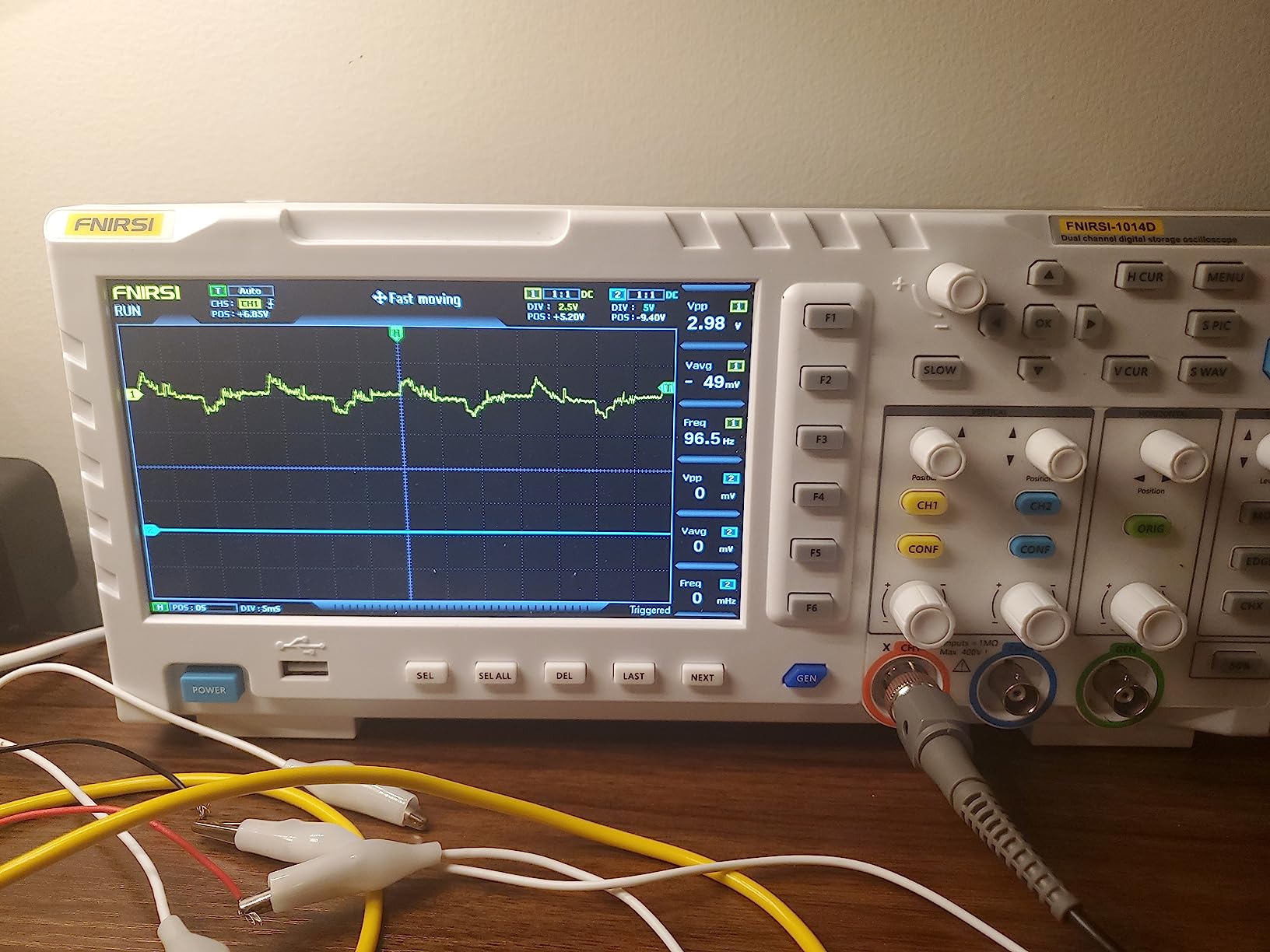
The built-in DDS function generator with fourteen waveforms was a feature I underestimated. I used it to inject a 1 kHz sine into a guitar pedal circuit and an FM-modulated signal into a PLL loop. The amplitude is fixed at around two volts peak-to-peak, which limits the use cases, but for digital logic and audio it covers most days.
The AUTO button is genuinely useful. It auto-scales volts and time so a beginner can probe an unknown signal and see something on screen immediately. After AUTO you still need to dial in trigger level, but the learning curve is shorter than on scopes that expect you to set everything manually.
Real-world performance for Arduino and audio
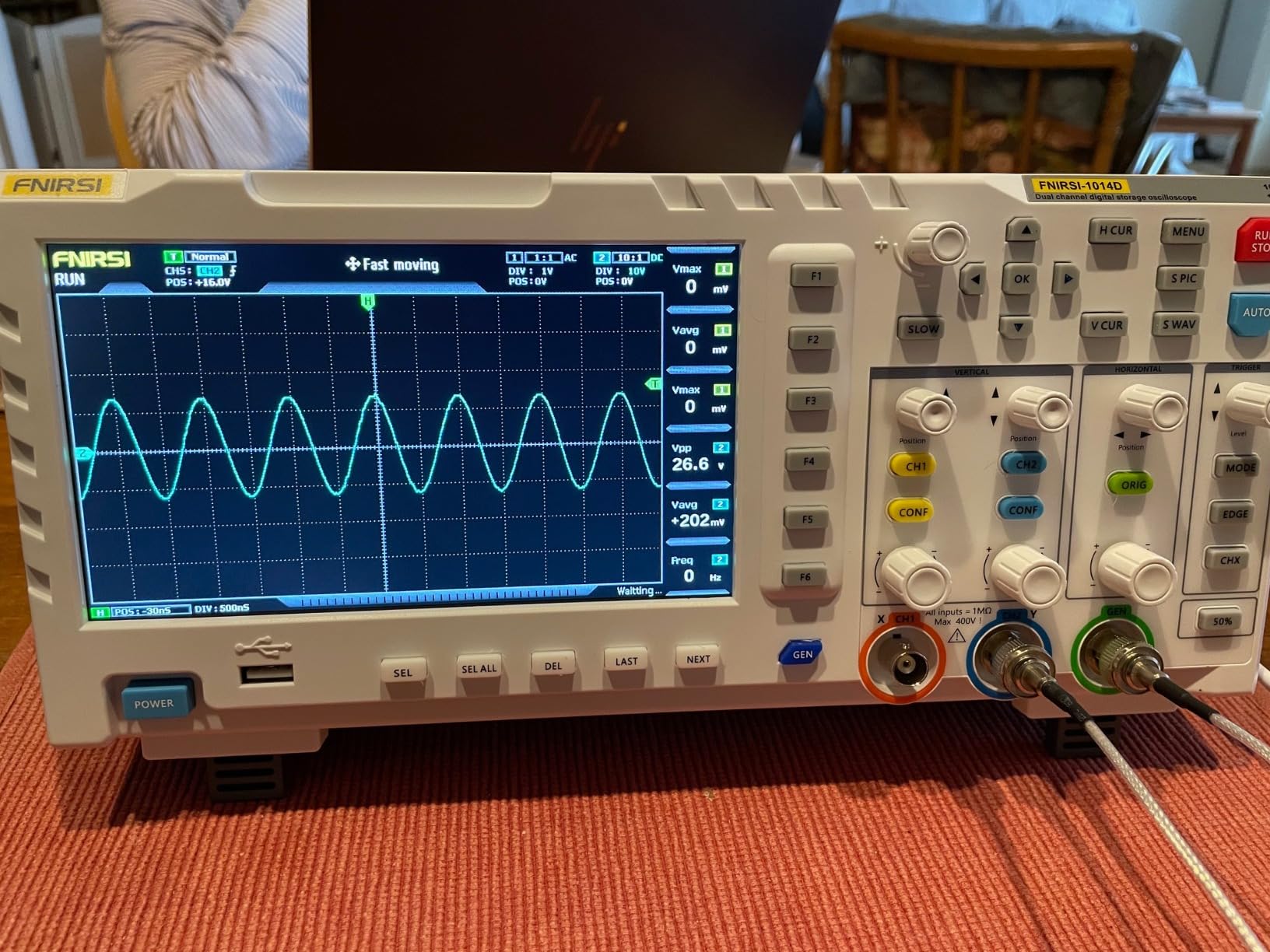
I ran the 1014D through an Arduino Uno PWM capture and a guitar pedal signal trace. The 100 MHz bandwidth handled both with room to spare. Edge triggers were stable on repetitive signals. Single-shot captures held enough detail to see ringing on a switching converter output.
The 1 GSa/s sample rate is the headline number, and it matters when you zoom into fast edges. At full bandwidth both channels can sample at 500 MSa/s each, which beats most pocket scopes by a wide margin. For 95 percent of hobby work, this is enough headroom.
Where the 1014D falls short
The FFT mode is more visual than analytical. You can see a frequency peak, but you cannot read its exact amplitude or frequency from the screen. Treat FFT as a sanity check, not as a measurement tool.
Quality control is inconsistent. Some units arrive perfectly calibrated, others drift within weeks. The review summary on Amazon flags this directly. Buying from a reputable seller with easy returns is wise.
4. FNIRSI DSO-510 — Best Budget Oscilloscope for Automotive Work
FNIRSI DSO-510 2-in-1 10MHz Handheld Oscilloscope DDS Signal Generator
10MHz
48 MSa/s
Pros
- Pocketable at 14 oz
- Up to 400V input for car circuits
- Built-in DDS generator
- Type-C charging
- Infinite afterglow for glitches
Cons
- Only one probe input
- Trigger can be finicky
- Signal generator resets on mode change
If your bench lives in a garage more than a workshop, the FNIRSI DSO-510 is the scope I would hand you. It is small enough to drop in a glove box, runs off its own battery, and handles the kind of voltages you find on automotive buses and 12 V rails.
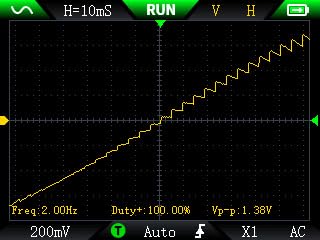
The 400 V input rating is the headline feature. Cheaper scopes cap out at lower voltages, and the first time you probe a 48 V mild-hybrid system or a 240 V solar combiner you appreciate the margin. The 10 MHz bandwidth is genuinely limiting for digital work, but for automotive sensors, fuel injector pulses, and crank sensors it is enough.
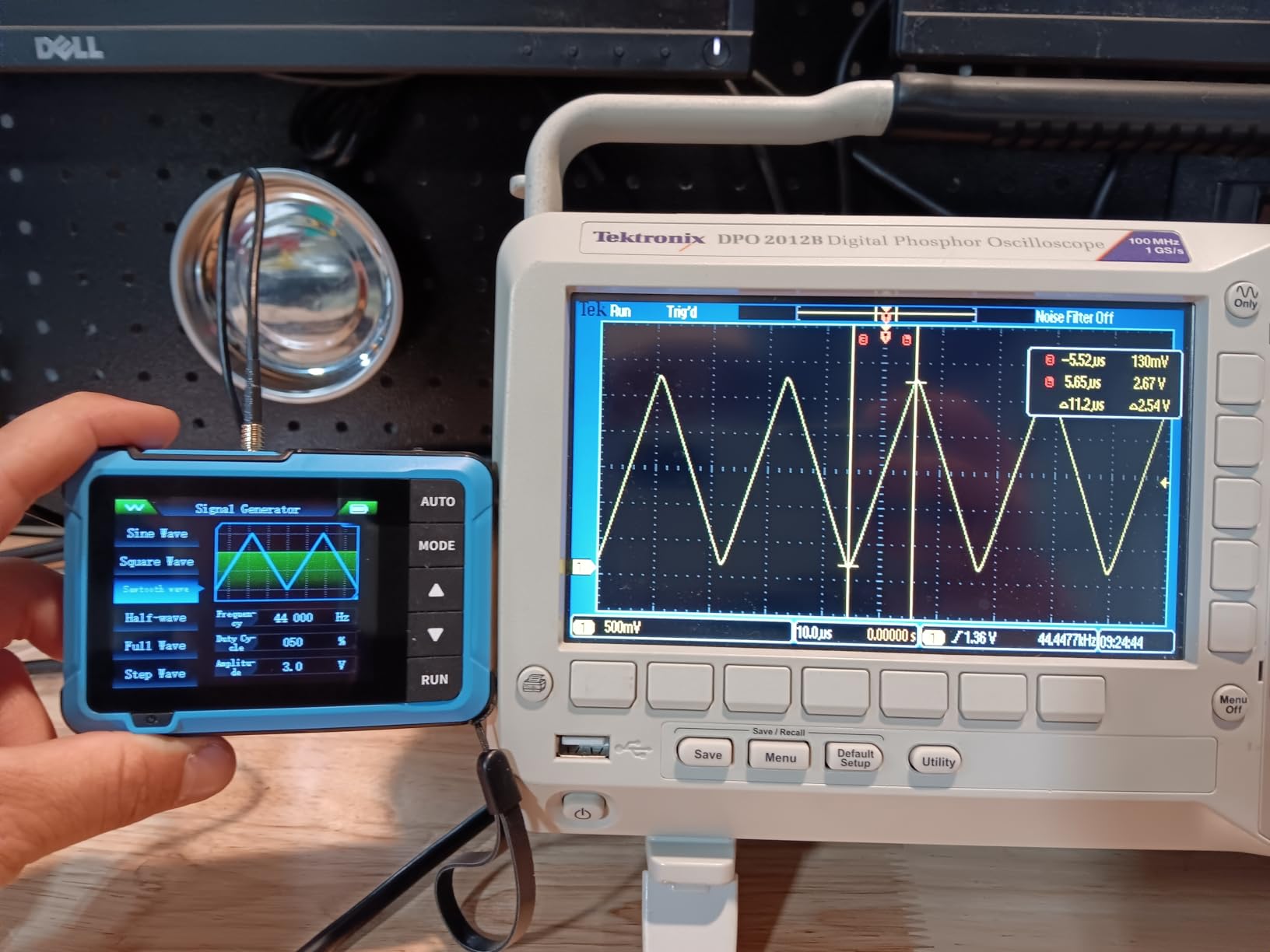
I used the DSO-510 to chase a misfire on an older EFI system by probing the injector command wire. The infinite afterglow mode is built for exactly this — slow signals where you want to see where the trigger missed. The screen freezes a faint trace of every captured edge so you can spot a dropped pulse at a glance.
The DDS signal generator with thirteen waveforms up to 50 kHz is a surprising extra. I used it to inject a known-good signal into a sensor harness when troubleshooting a flaky MAP sensor. Not a feature you expect at this price.
What the pocket form factor changes
Weight is the real story. At 14 ounces, the DSO-510 disappears into a jacket pocket. I carried it on a motorcycle trip to debug a regulator-rectifier on the road. It charged off a USB-C power bank and stayed cool the whole afternoon.
The single probe input is the trade-off. You can only watch one signal at a time, which is fine for chasing a single circuit but not for debugging a sensor and its return wire simultaneously.
Where the DSO-510 falls short
The signal generator resets its frequency when you switch waveform modes, which is annoying if you tune a circuit to a specific tone. The trigger mechanism is finicky on slow signals below 1 Hz. For glitch hunting, the infinite afterglow helps, but a proper bench scope would catch the same events more cleanly.
There is no second channel. If you need to view a clock and a data line at the same time, the DSO-510 is the wrong tool.
5. FNIRSI 1013D Plus — Best Touchscreen Tablet Scope
FNIRSI 1013D Plus 100MHz Oscilloscope, 2 Channel Oscilloscope 7″ TFT Touch
100MHz
2 channels
1 GSa/s
Pros
- Capacitive 7-inch touchscreen
- Gesture navigation like a phone
- 100MHz bandwidth
- 6000 mAh battery for 4 hours
- 1 GB internal storage
Cons
- Not at pro lab scope level
- FFT analysis is limited
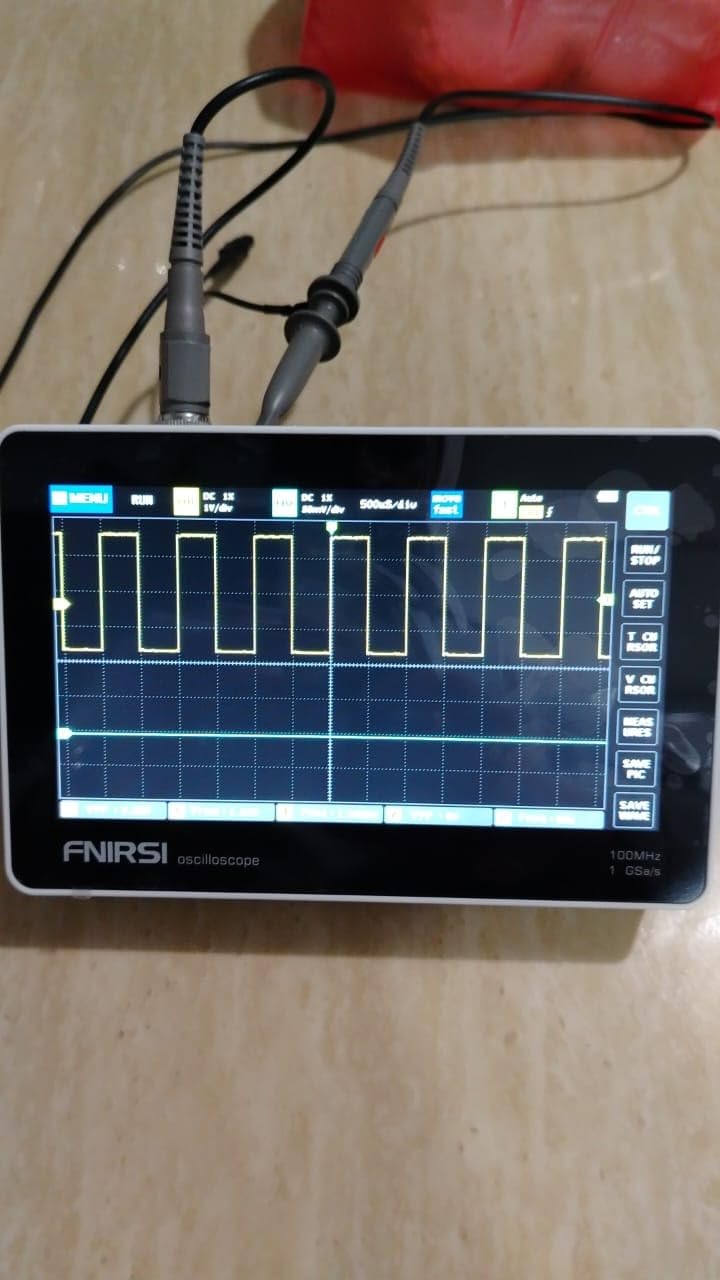
The FNIRSI 1013D Plus is what happens when the 1014D gets a modern interface. The capacitive touchscreen with gesture control is the killer feature. After two weeks of poking at physical buttons, swiping through menus felt natural.
Under the hood it is essentially the same scope as the 1014D: 100 MHz bandwidth, 1 GSa/s, two channels, FFT, and a built-in DDS generator. The differences are the touchscreen, the larger battery, and the internal storage for screenshots and waveform files.
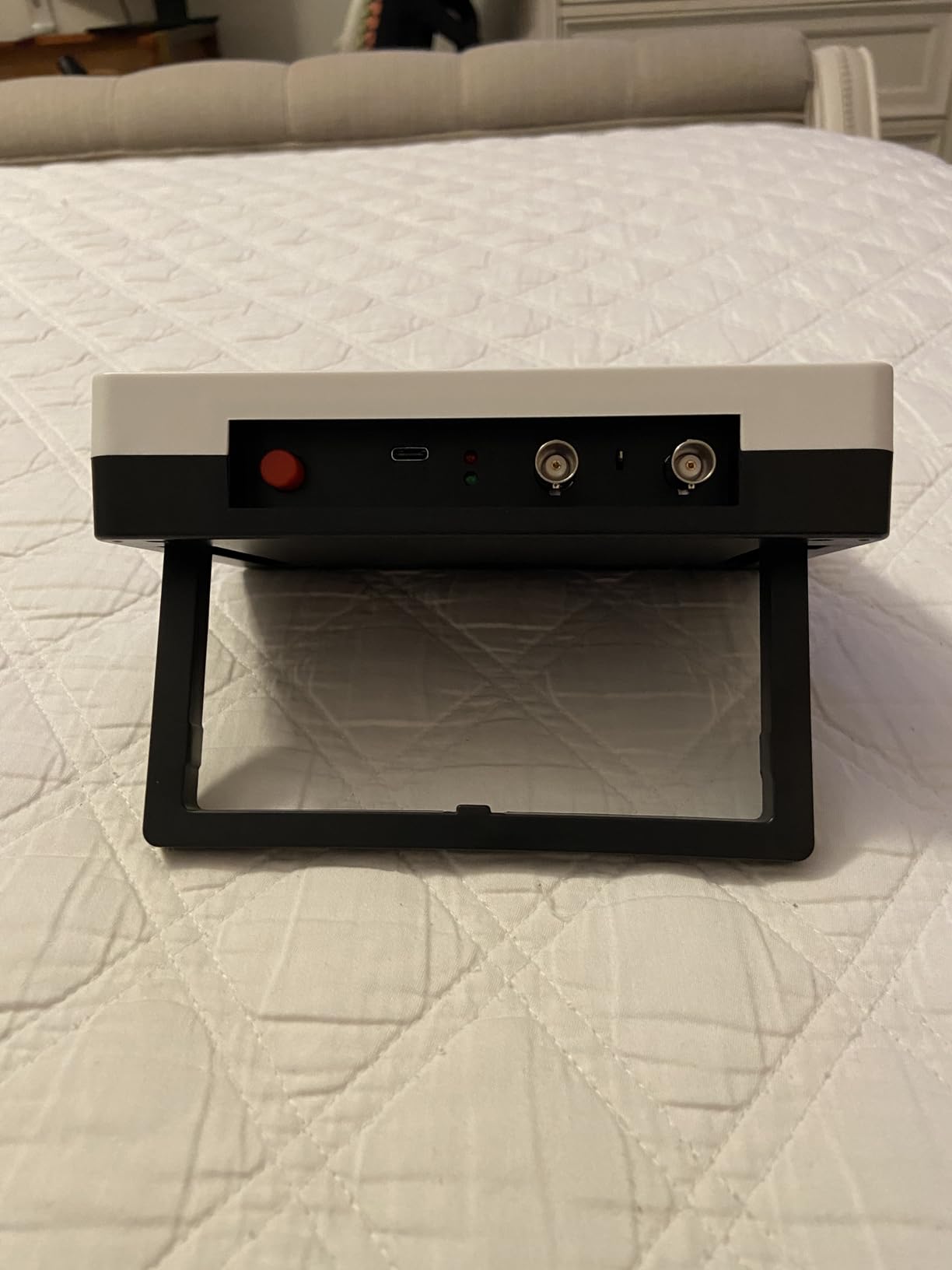
The 6000 mAh battery lasted me four hours of continuous probing, which is more than enough for a long session away from a wall outlet. The 1 GB of internal storage holds up to 1000 screenshots, which is overkill for casual use but invaluable when documenting a project for a blog post or a forum answer.
Built-in high-voltage protection up to 400 V is a meaningful safety upgrade. You still have to respect the rails you are probing, but the front end will survive mistakes that would kill a cheaper scope.
Where the touchscreen earns its place
Gesture navigation is faster than button pecking for almost every operation. Zooming into a waveform by pinching, scrolling through menus by swiping, and tapping to drop a cursor all feel modern. Anyone who has used a smartphone will adapt in minutes.
The 7-inch display with 800×480 resolution is bright and high-contrast. In a normally lit room I could read both channels and the measurement readouts without leaning in.
Where the 1013D Plus falls short
It is not a lab-grade scope. The FFT mode is visual-only, and protocol decoding is absent. For high-speed serial work you would need to step up to the Rigol DS1054Z or a Siglent SDS1202X-E.
The price premium over the 1014D is real. If you do not care about touchscreens, the 1014D delivers 90 percent of the capability for less money.
6. FNIRSI 2C23T Plus — Best Budget 3-in-1 for Field Work
FNIRSI 2C23T Plus 3-in-1 10MHz Oscilloscope Multimeter DDS Signal Generator
10MHz
2 channels
50 MSa/s
Pros
- 3-in-1 scope
- multimeter
- and generator
- Auto-ranging multimeter
- Two P6100 probes included
- Reference waveform save
Cons
- BNC connectors are recessed
- Probes can fail with rough use
- Function generator is the weakest part
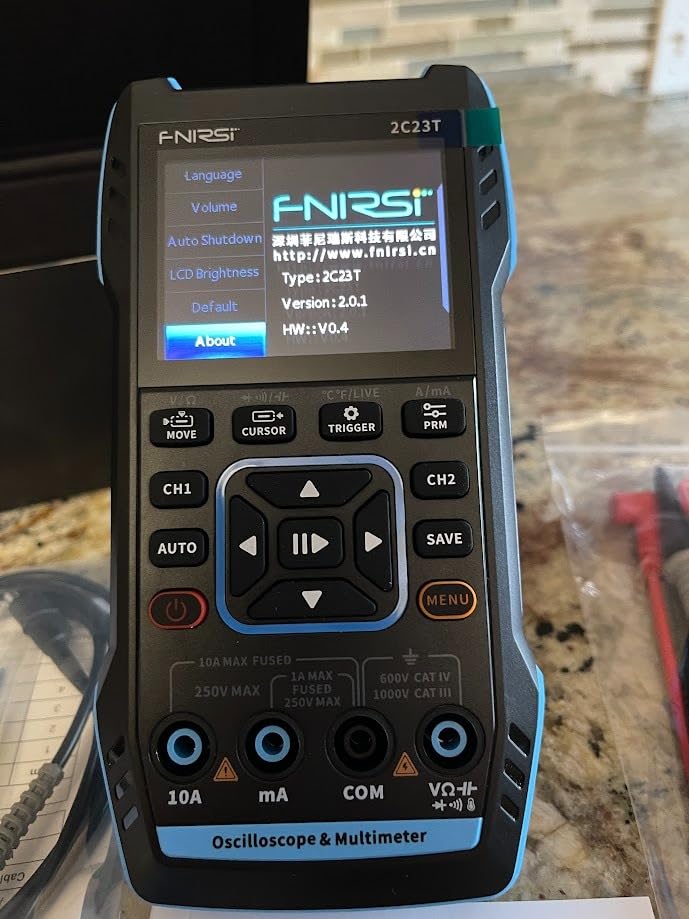
The FNIRSI 2C23T Plus is the predecessor to the 2C53T and still earns its spot when you want a 3-in-1 tool without paying for the newer model. I keep one in my field kit for off-bench troubleshooting.
The 10 MHz bandwidth limits it to low-frequency analog and digital work. For audio repair, automotive sensor diagnostics, and slow PWM signals, the bandwidth is plenty. For switching power supply debugging you will want the 50 MHz 2C53T instead.
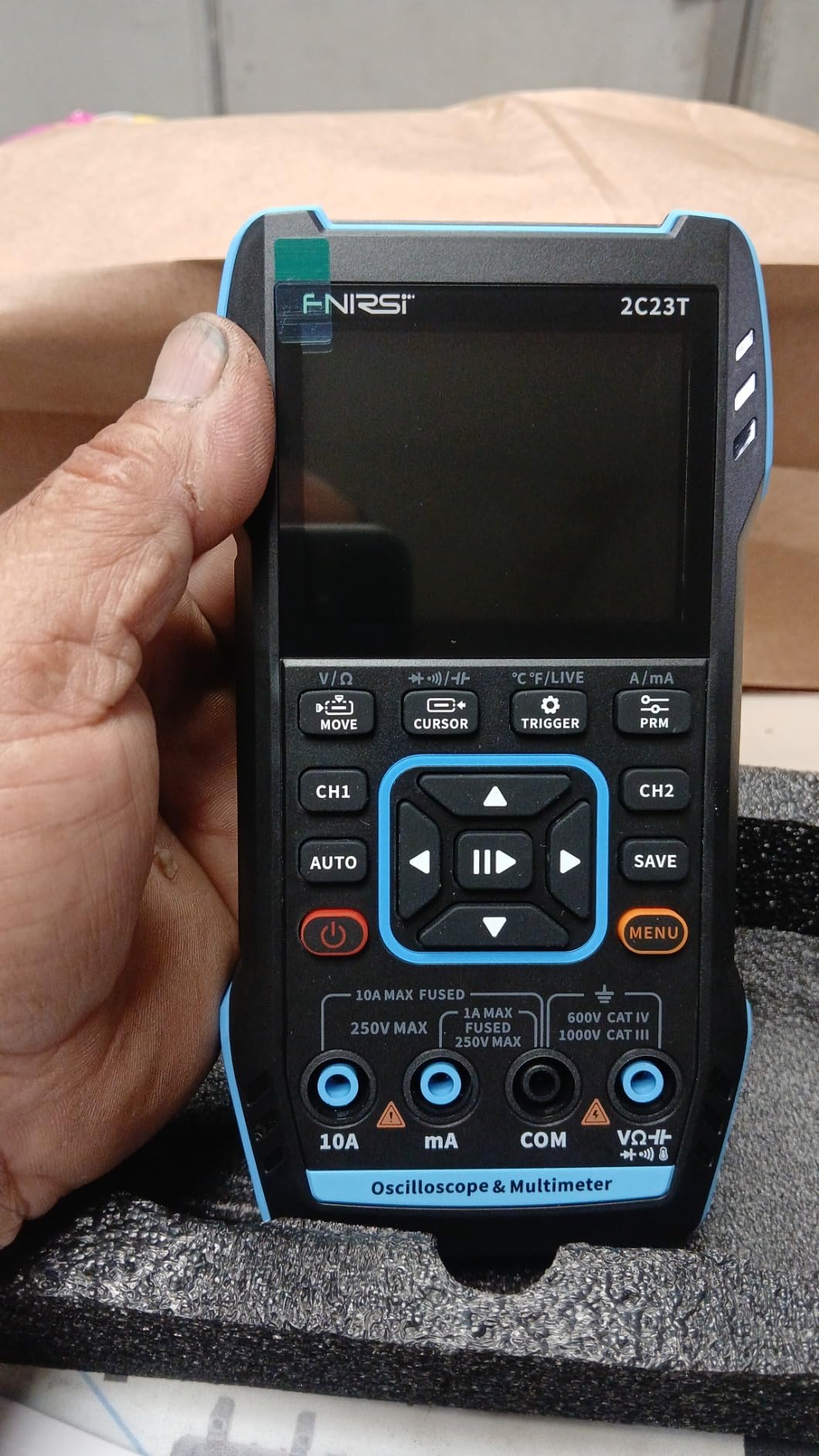
The auto-ranging multimeter is a quiet win. Auto-ranging on a bench multimeter is normal; on a sub-$100 scope-plus-DMM-plus-generator it is not. The 10000 counts and AC/DC voltage, current, resistance, and capacitance cover almost every measurement a hobbyist makes in the field.
Two P6100 probes come in the box, plus a crocodile clip probe and a multimeter probe. For a tool at this price, the included accessories are generous.
What works for home and field use
The 3000 mAh battery with six hours of standby is honest. I pulled the 2C23T Plus out of my bag after a month of no charging and it still had power left. The reference waveform save function is useful for comparing a known-good signal to a suspect one.
The vertical sensitivity from 200 mV/div to 10 V/div covers the range a hobbyist typically probes. The trigger modes are simple — Auto, Normal, Single — which is what most people actually need.
Where the 2C23T Plus falls short
The BNC connectors are recessed, which makes locking collars hard to turn. I had to use needle-nose pliers on more than one occasion, which is not ideal. The included probes have a reputation for internal wire breakage after heavy use, so budget for replacements if you plan to use it hard.
The function generator caps at 2 MHz, which is half what the 2C53T offers. For audio and low-frequency analog it is fine. For digital work above a few megahertz it is not enough.
7. Hantek DSO2C10 — Best Budget Benchtop With Protocol Decoding
Hantek DSO2C10 Digital Storage Oscilloscope 100MHz Bandwidth 2CH
100MHz
2 channels
Bench
Pros
- 100MHz bandwidth at a true bench form factor
- 14 trigger modes included
- 5 standard serial protocol decodes
- Arbitrary waveform output
- Reputable Chinese brand
Cons
- Documentation is thin for advanced features
- Entry-level compared to higher Hantek models
The Hantek DSO2C10 is the only true benchtop scope in this roundup, and it is the one to buy if you do most of your work at a desk. Hantek has been making oscilloscopes for two decades, and the DSO2C10 is a refined entry in their economy line.
The 14 trigger modes are the headline feature for embedded work. Edge, pulse width, video, slope, and pattern triggers let you catch specific events that simpler scopes miss. For I2C or SPI debugging, this kind of trigger flexibility is what separates a useful scope from a frustrating one.
The five standard serial protocol decodes — UART, SPI, I2C, CAN, and LIN — come standard, which is rare at this price. You can see decoded bytes on screen next to the waveform, which is invaluable when debugging a sensor bus or a microcontroller peripheral.
The arbitrary waveform generator output is a real lab feature. You are not limited to fixed sine, square, and triangle waves — you can define your own waveform shape and load it onto the scope.
What makes the DSO2C10 a bench scope
The 12.6 inch by 5.9 inch footprint gives the screen and the controls room to breathe. The screen is larger than the tablet scopes, and the physical buttons are faster than touch for repetitive operations like changing volts per division.
Hantek has better US-based support than the cheaper Chinese brands, which matters when something goes wrong. Their warranty process is documented and they ship replacement probes and accessories directly.
Where the DSO2C10 falls short
The documentation for advanced features is thin. I had to dig through forum threads to figure out how to set up UART decoding with custom baud rates. The user manual covers the basics and assumes you know the rest.
It is entry-level within Hantek’s own lineup. The DSO5102P and DSO5202P add deeper memory and faster waveform refresh. If you know you will push past hobbyist work, save up for those instead.
8. HANMATEK HO11 — Cheapest Usable Oscilloscope
Pros
- Lightest scope in the roundup at 166g
- USB-C rechargeable
- Full-color 2.8 inch TFT
- Dual X1 and X10 probe attenuation
- Includes carrying case and probe
Cons
- Software bugs in auto mode
- Probe is weaker than 60 MHz rating
- Slow above 6 MHz
- Confusing function wheel control
The HANMATEK HO11 is the cheapest scope in the roundup. It is not the best, but it is the one I would buy for a kid’s first electronics kit or for a “throw it in the bag” backup scope.
The form factor is the reason to consider it. At 166 grams it is lighter than a smartphone, and the 2.8 inch TFT screen is full color. It charges from any USB-C source and the 1800 mAh battery lasts long enough for a session of car audio amplifier gain calibration — exactly what reviewers on Amazon report using it for.
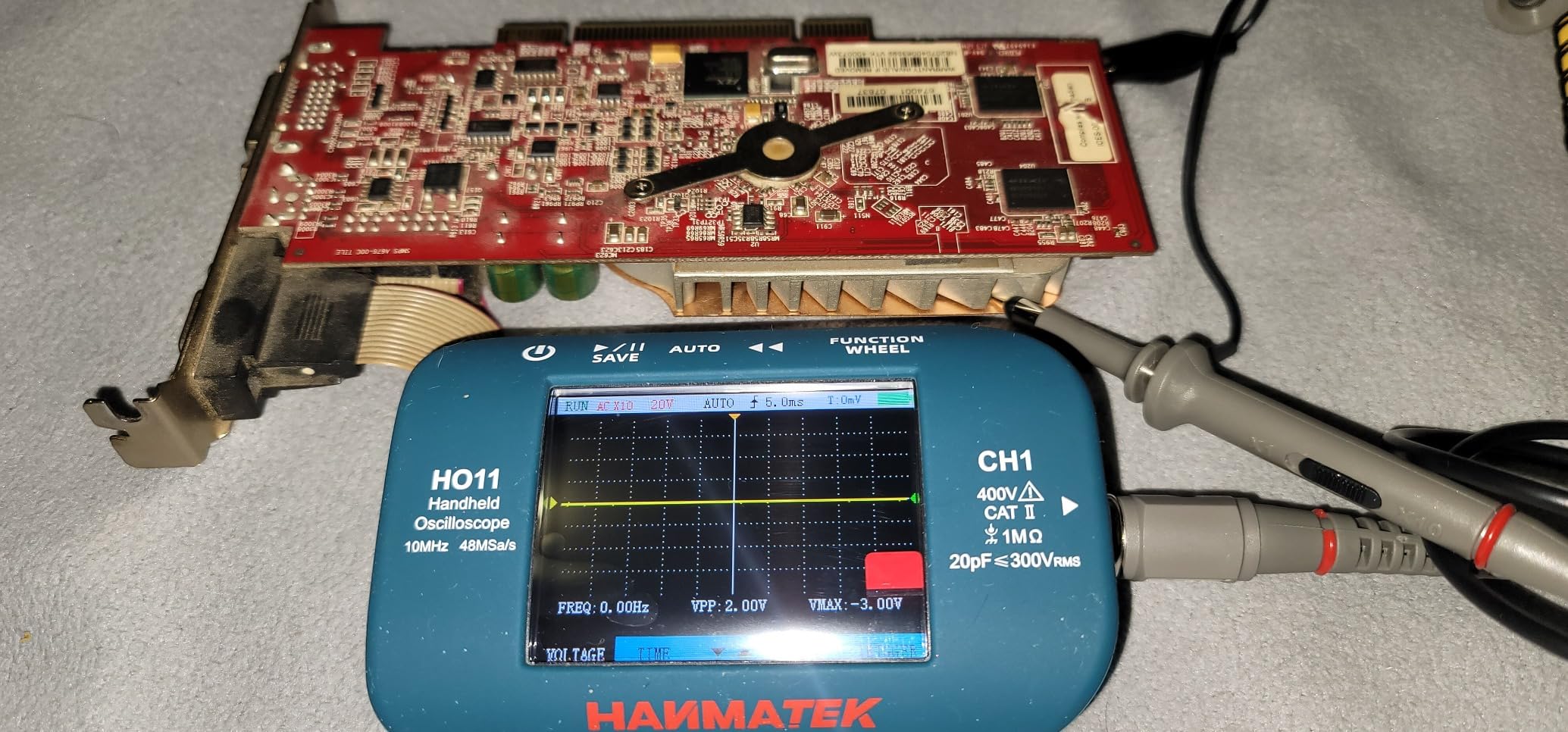
The dual X1 and X10 probe attenuation is a useful detail. Most cheap scopes only support X10, which limits how much voltage you can see at once. The HO11 lets you drop to X1 when probing small signals, then back to X10 for higher voltages.
The 10 MHz bandwidth sounds limiting, but for the audio band, slow digital signals, and basic automotive sensors it covers what most beginners actually probe. The real-world probe bandwidth is closer to 7 MHz, which matters when chasing fast edges.
What the HO11 does well for the price
It is genuinely portable. I threw it in a jacket pocket and forgot about it until I needed to check a signal at a swap meet. The TFT color display is sharper than the monochrome LCDs on some competitors in the same price range.
The advanced edge triggering with Auto, Normal, and Single modes gives you the basics. For a beginner who has never touched a scope, these three modes are enough to learn on.
Where the HO11 falls short
Reviewers report software bugs, especially in auto mode and in calibration mode where the unit can lock up. The function wheel control scheme is confusing — it takes practice to remember which press does what. The voltage readings become inaccurate above 6 MHz, which is well below the rated bandwidth.
At 3.8 stars, the HO11 has the lowest rating in our roundup. If you can stretch the budget, the FNIRSI DSO-510 or HANMATEK HO52 are better-built alternatives that still come in well under the cost of a traditional benchtop scope.
How to Choose the Best Budget Digital Oscilloscope?
Picking a scope is mostly about matching specs to the signals you actually probe. Here is the framework I use when friends ask me which scope to buy. If you are also building a complete bench, our digital audio mixer roundup pairs well with audio-focused scope work.
Bandwidth — the single most important number
Bandwidth is the range of frequencies a scope can measure accurately. A 100 MHz scope can show signals up to 100 MHz with reasonable fidelity. For Arduino PWM, ESP32 GPIO, audio circuits, switch-mode power supplies, and most sensor signals, 50 MHz to 100 MHz is plenty.
The Nyquist rule says your sample rate should be at least twice the highest frequency of interest, but in practice you want five to ten times more. That is why a 100 MHz scope typically has a 1 GSa/s sample rate — oversampling gives you clean reconstructed waveforms even on fast edges.
For RF work, high-speed digital buses above 50 MHz, or modern microcontrollers with fast edges, you need more than 100 MHz. For everyone else, 50 MHz to 100 MHz is the sweet spot for a budget scope. Our general hobbyist oscilloscope guide covers the higher tiers if you find yourself needing more.
Sample rate, memory depth, and triggering
Sample rate (in GSa/s or MSa/s) controls how often the scope digitizes the input. Higher is better, but the relationship to memory depth matters just as much. A scope with 1 GSa/s and only 1 Kpts of memory can capture one millisecond before it runs out of buffer.
Memory depth (in Kpts or Mpts) lets you capture long events at full sample rate. For slow signals like serial bus traffic or audio, deeper memory is more useful than raw sample rate. Cheap scopes with 240 Kpts hit a wall fast when capturing anything beyond a few milliseconds.
Triggering is what stabilizes a repeating waveform on screen. Edge trigger is the most common — you set a voltage threshold and the scope draws the trace starting from the moment the signal crosses it. Pulse width, video, and pattern triggers are more advanced features found on better budget scopes. For I2C and SPI debugging, protocol-aware triggers save hours.
Use case mapping — what to buy for what you do
Arduino and ESP32 work: The FNIRSI 1014D or HANMATEK HO52 are my picks. 100 MHz headroom, two channels, and a built-in signal generator cover digital and analog tasks equally.
Switching power supply debugging: The FNIRSI 2C53T with its high-voltage protection, or a USB-powered scope for ground isolation. Cheap scopes with ground tied to mains earth are dangerous on hot-ground circuits. Stack-Junkie’s hands-on testing confirms that USB power is the safe path.
Automotive work: The FNIRSI DSO-510 fits a glove box and handles the 12 V to 48 V rails in modern vehicles. The 10 MHz bandwidth is enough for crank sensors, injectors, and most bus signals.
Audio and guitar pedals: The FNIRSI 1013D Plus gives you a 100 MHz bandwidth and a large touchscreen for tracing small analog signals through a pedal chain.
Field service and troubleshooting: The HANMATEK HO52 floats on USB-C power, runs for hours, and handles 50 MHz signals. It is the most balanced tool in this roundup for someone who fixes things away from a bench.
When to spend more
The gap between an entry-level budget scope and a mid-tier scope is much larger than the price difference suggests. The deeper memory, faster waveform refresh, and protocol decoding on a higher-tier scope will save you hours of debugging on real projects. HobbyistScope’s hands-on testing confirms this capability jump.
If you are only debugging slow analog signals and never touch a serial bus, a sub-one-fifty scope will serve you for years. If you are starting to work with I2C sensors, SPI peripherals, or switching converters, save up and spend more. The frustration of running into a spec limit mid-debug is not worth saving a small amount.
Frequently Asked Questions
What is the best budget digital oscilloscope for hobbyists in 2026?
The FNIRSI 2C53T is the best budget digital oscilloscope for most hobbyists in 2026. It combines a 50 MHz two-channel scope, a 4.5-digit multimeter, and a DDS signal generator in one handheld package. For pure benchtop work, the Hantek DSO2C10 adds 100 MHz bandwidth and protocol decoding.
What is the best oscilloscope for a beginner?
The HANMATEK HO52 is the best oscilloscope for a beginner. It has the highest star rating in our roundup, a forgiving auto-set button, and a true RMS multimeter built in. USB-C power means you can run it from a laptop or power bank, and the menu structure is shallow enough to navigate without reading the manual.
How much bandwidth do I need on an oscilloscope?
50 MHz to 100 MHz is enough for Arduino PWM, ESP32 GPIO, audio circuits, switch-mode power supplies, and most sensor signals. You only need more than 100 MHz for RF work, high-speed digital buses above 50 MHz, or modern microcontrollers with sub-nanosecond edges. Below 50 MHz you start losing detail on digital signals and audio harmonics.
Is 100MHz bandwidth enough for Arduino projects?
Yes, 100 MHz is far more than enough for Arduino projects. The Arduino Uno runs at 16 MHz, the ESP32 at 240 MHz core clock with much slower GPIO, and typical PWM signals stay well under 1 MHz. A 100 MHz scope gives you ten times oversampling even on fast edges, which is more headroom than you need.
Do I need 4 channels on an oscilloscope?
Two channels is enough for most hobbyist work. You need four channels only when debugging parallel buses, three-phase power, or when you must watch clock, data, and chip-select lines simultaneously on an SPI bus. If you do mostly Arduino and serial debugging, two channels will not feel limiting.
What is the cheapest usable oscilloscope?
The HANMATEK HO11 is the cheapest usable oscilloscope in our roundup. It handles audio band signals, slow digital logic, and basic automotive sensors. The real-world probe bandwidth is closer to 7 MHz, so do not expect to chase fast edges. For most beginners this is enough to learn on before stepping up to a 50 MHz or 100 MHz model.
Are USB oscilloscopes any good?
USB oscilloscopes are good for one specific reason: ground isolation. A scope powered from a laptop floats its ground, so you can safely probe hot-ground circuits like switching power supplies. The trade-off is that you need a computer to use one. For pure safety on mains-voltage work, a USB scope beats a budget bench scope with earth-tied ground.
Final Verdict
After three months of bench time with eight budget digital oscilloscopes, the FNIRSI 2C53T is the one I keep reaching for. The combination of 50 MHz bandwidth, two channels, a real multimeter, and a usable signal generator in one rugged handheld is unmatched at the price. If you want a pure benchtop experience, the Hantek DSO2C10 brings protocol decoding and 100 MHz bandwidth to your desk. For field work, the HANMATEK HO52 floats on a power bank and never complains.
The best budget digital oscilloscope for you is the one that matches the signals you actually probe. Match bandwidth to your fastest signal, sample rate to your Nyquist needs, and channels to your bus complexity. Start with our top pick, and you will have a scope that grows with your projects for years. The full comparison table above lets you sort by the specs that matter most to your work.