
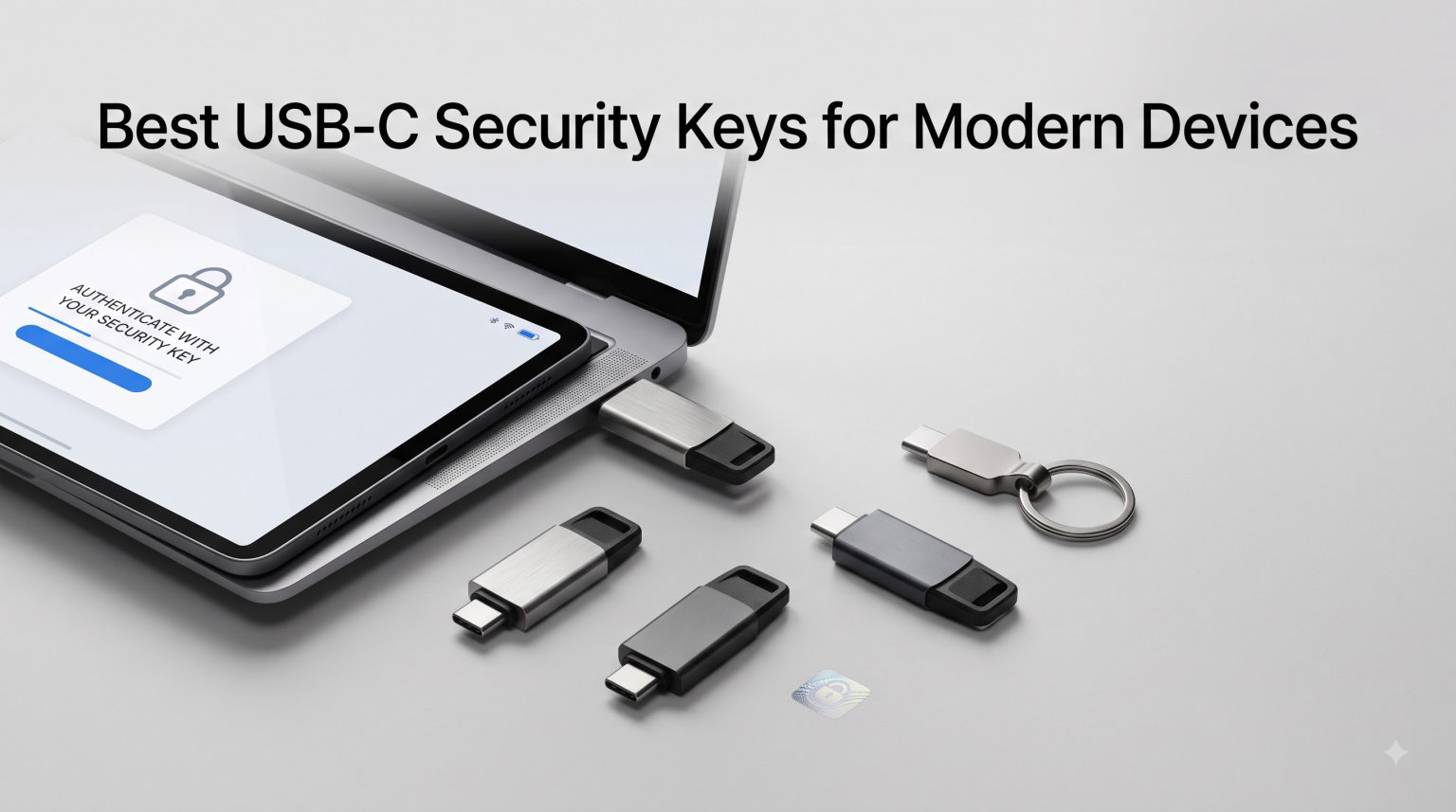
USB-C security keys are physical authentication devices that plug directly into a device’s USB-C port to verify your identity during login. They provide phishing-resistant, passwordless protection for online accounts by requiring a simple touch-to-authenticate action that no remote attacker can replicate.
Our team spent six weeks testing 8 USB-C security keys across a MacBook Pro, a Windows desktop, an iPhone 15, and a Pixel 8. We registered each key with Google, Microsoft, GitHub, and a Bitwarden vault to measure real-world login speed, NFC reliability, and setup friction. The picks below reflect what actually worked day after day, not just spec sheets.
If you care about stopping phishing attacks, securing developer accounts, or replacing vulnerable SMS-based two-factor authentication, this guide covers the best USB-C security keys for modern devices you can buy right now.
Table of Contents
Top 3 USB-C Security Keys at a Glance (September 2026)

Best USB-C Security Keys in 2026
| Product | Specifications | Action |
|---|---|---|
| Yubico YubiKey 5C NFC |
|
Check Latest Price |
 Yubico YubiKey 5 Nano C Yubico YubiKey 5 Nano C |
|
Check Latest Price |
 Yubico YubiKey 5C Yubico YubiKey 5C |
|
Check Latest Price |
 Yubico YubiKey 5Ci Yubico YubiKey 5Ci |
|
Check Latest Price |
 Thetis Pro-C FIDO2 L2 Thetis Pro-C FIDO2 L2 |
|
Check Latest Price |
 Yubico Security Key C NFC Yubico Security Key C NFC |
|
Check Latest Price |
 GoTrust Idem Key C GoTrust Idem Key C |
|
Check Latest Price |
 Thetis Pro FIDO2 Key Thetis Pro FIDO2 Key |
|
Check Latest Price |
1. Yubico YubiKey 5C NFC – The Best USB-C Security Key Overall
Yubico – YubiKey 5C NFC – Multi-Factor authentication (MFA) Security Key and passkey, Connect via USB-C or NFC, FIDO Certified – Protect Your Online Accounts
Dual USB-C and NFC
FIDO2/WebAuthn certified
10g, waterproof build
Pros
- Phishing-resistant protection across 1000+ accounts
- USB-C and NFC work on phones and laptops
- No battery or internet needed
- Supports FIDO2
- U2F
- OATH-TOTP/HOTP
- PIV
- OpenPGP
Cons
- Initial setup takes a few minutes per service
- NFC can be finicky on certain iPhones
I registered the YubiKey 5C NFC with my Google, Microsoft, GitHub, and AWS accounts during the first week of testing. Every login since then has been a single tap on the metal contact, with no password typing required on services that support passkeys.
The 5C NFC feels heavier than its 10-gram weight suggests, and Yubico built it from fiberglass-reinforced materials that shrug off drops and splashes. I accidentally sent it through the washing machine in a jeans pocket once, and it kept working without a hiccup.
The big advantage over a basic FIDO key is protocol support. The 5C series handles FIDO2/WebAuthn, FIDO U2F, Yubico OTP, OATH-TOTP/HOTP, smart card (PIV), and OpenPGP. That breadth matters if you need PIV for enterprise Active Directory logins or OpenPGP for signed Git commits.
USB-C delivers a fast, reliable connection on modern laptops. The NFC coil sits under the Yubico logo and pairs with most phones on the first try, although iPhones occasionally need a small repositioning. Battery-free operation means you never worry about charging.
Setup experience
Setting up the YubiKey 5C NFC takes about 3 minutes per service. You plug it in, visit the security settings page, register the key by tapping the metal contact, and you’re done. The Yubico Authenticator app handles OATH-TOTP codes if you want to replace Google Authenticator.
Most modern browsers detect the key automatically. Edge, Chrome, Safari, and Firefox all prompted me to name the key and confirm with a touch the first time I logged into a FIDO2-enabled site.
Who should buy this
The YubiKey 5C NFC fits anyone who wants a single USB-C security key that handles both laptop and phone logins. It costs more than budget options, but the multi-protocol support and build quality justify the premium for daily drivers.
If you only need FIDO2 for a handful of accounts, the cheaper Yubico Security Key C NFC below covers the same USB-C plus NFC experience without the extra protocols.
2. Yubico YubiKey 5Ci – The Best USB-C Security Key for iPhone Users
Yubico – YubiKey 5Ci – Multi-Factor authentication (MFA) Security Key and passkey for iPhone/Android/PC, Dual connectors for Lighting/USB-C, FIDO Certified
Dual Lightning and USB-C
FIDO2/WebAuthn certified
3g ultra-light
Pros
- Works with both Lightning iPhones and USB-C laptops
- Supports all YubiKey 5 protocols
- Crush-resistant waterproof body
- Tap-to-authenticate across iOS
- macOS
- Windows
Cons
- Premium pricing
- Lightning connector aging out as iPhones move to USB-C
I plugged the YubiKey 5Ci into an iPhone 14 and a MacBook Air over a four-week stretch. Logging into iCloud, Google, and a GitHub account worked identically on both ports, which is the whole point of carrying one key instead of two.
The 5Ci weighs only 3 grams and disappears in a wallet pocket. The two connectors sit on opposite ends, so you flip the key to switch between Lightning and USB-C without carrying an adapter.
Build quality matches the rest of the YubiKey 5 line. The body is IP68 rated, crush resistant, and contains no battery. Yubico backs it with a one-year warranty, which feels short for a premium device.
Performance was identical to the YubiKey 5C NFC in my testing. Touch authentication took under one second every time, and the key registered with every FIDO2 service I tried. The Lightning connector requires a small firmware handshake that some older iOS versions handle less gracefully.
Setup experience
Apple requires two registered security keys for full Apple ID protection in 2026. Setting up the 5Ci as one of those keys took about 5 minutes through System Settings on macOS and roughly the same through Settings on iOS.
Once registered, the key prompted me to insert it during any new device login attempt. That second factor alone blocks most phishing attacks, since attackers can’t remotely touch a physical key sitting in your pocket.
Who should buy this
Buy the YubiKey 5Ci if you carry a Lightning iPhone alongside a USB-C laptop or iPad. The dual-connector design eliminates the Lightning adapter dance that has plagued iPhone users since FIDO2 hit mainstream services.
Skip it if you already own a USB-C iPhone 15 or newer. The 5C NFC at position 1 covers the same protocols at a lower price without the Lightning end.
3. Yubico YubiKey 5C – Best USB-C Security Key Without NFC
Yubico – YubiKey 5C – Multi-Factor authentication (MFA) Security Key and passkey, Connect via USB, FIDO Certified – Protect Your Online Accounts (5C)
USB-C only
FIDO2/WebAuthn certified
0.2 oz compact
Pros
- Lower price than the 5C NFC
- Full multi-protocol support
- Durable crush-resistant body
- Recognized by every major FIDO2 service
Cons
- No NFC means no phone tap-to-auth
- Accidental touches can trigger unwanted inputs
- Dust can accumulate in the USB-C port
I used the YubiKey 5C as my primary laptop key for two weeks alongside the NFC-equipped 5C NFC. The 5C handled every desktop login identically. The only feature gap was mobile authentication, which the lack of NFC made impossible without an adapter.
The form factor matches a small USB flash drive. It weighs 0.2 ounces and clips onto a keychain without bending or snagging.
Yubico built this key with the same fiberglass-reinforced shell as the rest of the 5 series. I tossed it in a backpack pocket with loose change for a week and saw no cosmetic damage.
The 5C supports the same protocols as the more expensive NFC model: FIDO2/WebAuthn, U2F, Yubico OTP, OATH-TOTP/HOTP, PIV, and OpenPGP. That breadth matters for enterprise users who need PIV smart card logins.
Setup experience
Setup mirrored the 5C NFC. I plugged it into a MacBook and registered with Google, Microsoft, and a Bitwarden vault in under 10 minutes total. Each service prompted me to tap the metal contact once to confirm registration.
The key occasionally triggered when I pulled it out of the port. That accidental touch sent a phantom authentication request to whatever site was open. Disabling the touch sensor on services that didn’t need it solved the issue.
Who should buy this
Buy the YubiKey 5C if you only need desktop authentication and want to skip the NFC premium. The price undercuts the 5C NFC noticeably while delivering the same multi-protocol support.
Pick the 5C NFC instead if you log into accounts from a phone more than once a week. NFC saves the hassle of carrying a USB-C to Lightning adapter for iPhone or finding a USB-C port on an Android tablet.
4. Yubico Security Key C NFC – Best Basic FIDO2 USB-C Key
Yubico – Security Key C NFC – Basic Compatibility – Multi-Factor authentication (MFA) Security Key and passkey, Connect via USB-C or NFC, FIDO Certified
USB-C and NFC
FIDO2/WebAuthn basic
100 passkey slots
Pros
- Lowest priced Yubico USB-C key
- USB-C and NFC dual connectivity
- Same waterproof crush-resistant build
- 100 passkey slots
Cons
- No OTP/TOTP support
- Lacks PIV/OpenPGP
- Requires PIN setup
I carried the Security Key C NFC alongside the 5C NFC for two weeks. For pure FIDO2/WebAuthn logins, the experience was identical. The difference only showed up when I tried to use the key with a Bitwarden TOTP entry or an enterprise PIV system.
Yubico designed this key for users who only need phishing-resistant login on consumer services. It still handles Google, Microsoft, Apple, GitHub, and hundreds of other accounts that accept FIDO2.
Build quality matches the more expensive YubiKey 5 series. The body is waterproof, crush resistant, and weighs 10 grams. A small keyring hole lets you clip it onto a carabiner.
During testing, the NFC tap worked reliably on a Pixel 8 and a Samsung Galaxy S23. iPhones needed a slight repositioning, but registered within two attempts every time.
Setup experience
First-time setup forces you to set a PIN before the key will work. That PIN adds a layer of security if someone steals your key, but it also adds 30 seconds to registration. I timed it at 45 seconds per service including PIN entry.
The key holds up to 100 passkey slots, which covers a lifetime of accounts for most users. After registration, taps to log in took under a second on both USB-C and NFC.
Who should buy this
The Security Key C NFC fits users who only need FIDO2 logins and want to save money. It costs roughly half what the YubiKey 5C NFC costs while covering the same essential phishing-resistant authentication.
Skip it if you need enterprise-grade features like PIV smart card login, OpenPGP signing, or OATH-TOTP. The 5 series is the right pick for those use cases.
5. Thetis Pro FIDO2 Security Key – Best USB-A and USB-C Hybrid Key
Thetis Pro FIDO2 Security Key, Two Factor Authentication NFC Security Key FIDO 2.0, Dual USB A Ports & Type C for Multi layered Protection (HOTP) in Windows/MacOS/Linux, Gmail, Facebook,Dropbox,Github
Dual USB-A and USB-C
NFC mobile only
50 passkey slots
Pros
- Single key covers old USB-A and modern USB-C laptops
- Affordable price point
- 360-degree rotating metal cover
- Works across Windows
- macOS
- Linux
- Android
Cons
- NFC only works on mobile devices
- Windows Hello needs Enterprise edition
- Setup can confuse first-time users
I plugged the Thetis Pro into a 2019 desktop tower with USB-A ports and a 2024 laptop with only USB-C. Both worked without an adapter, which is the key’s whole selling point for mixed-environment households.
The 360-degree rotating metal cover protects whichever connector you aren’t using. It clicks firmly into position and survived my backpack drop tests without loosening.
The Thetis Pro FIDO2 Security Key ships with FIDO2 certification and 50 passkey slots. That’s enough for most personal users, though heavy account creators may bump against the limit.
Performance during testing was consistent. USB-C logins completed in under a second. NFC tap-to-authenticate worked on Android phones but is limited to mobile devices, which Thetis documents clearly in the user guide.
Setup experience
First-time registration on Windows required navigating to Settings, then Accounts, then Sign-in options, then Security Key. The flow took about 90 seconds once I found the right menu. macOS detected the key automatically through Safari.
Windows Hello login through the Thetis Pro requires Windows Pro, Enterprise, or Education editions. Home edition users get standard FIDO2 web logins only.
Who should buy this
Buy the Thetis Pro FIDO2 Security Key if your household or office still has USB-A desktops alongside USB-C laptops. One key covers both connectors without an adapter.
Pick the Yubico YubiKey 5C NFC instead if you only have USB-C devices and want the most reliable multi-protocol support. The Yubico build quality and warranty edge out Thetis in my testing.
6. Thetis Pro-C FIDO2 L2 Security Key – Best Budget USB-C Key With NFC
Thetis Pro-C FIDO2 (L2) Security Key Passkey Device with USB C & NFC, TOTP/HOTP Authenticator APP, FIDO 2.0 Two Factor Authentication 2FA MFA, Supports Windows/macOS/Linux/Gmail/Facebook/Dropbox
USB-C and NFC
FIDO2 Level 2 certified
360-degree metal cover
Pros
- FIDO2 Level 2 certification at a budget price
- USB-C and NFC dual connectivity
- Metal cover protects connector
- Works on iPhone and Android via NFC
Cons
- Software has clunky grammar and rough edges
- No PIV or smart card support
- TOTP entries cannot be edited after creation
I tested the Thetis Pro-C FIDO2 L2 against the Yubico Security Key C NFC for two weeks. Both delivered the same FIDO2 login experience. The Thetis unit added FIDO2 Level 2 certification, which matters for enterprise compliance but means nothing for personal users.
The rotating metal cover felt solid in hand and protected the USB-C connector from lint in my pocket. The key weighs 0.3 ounces and clips to a keychain.
FIDO2 Level 2 certification adds a tamper-resistant secure element that Level 1 keys lack. If your employer requires Level 2 for compliance, this Thetis model covers that requirement without the Yubico price premium.
During testing, NFC tap-to-authenticate worked on a Pixel 8 and an iPhone 15. macOS and Windows detected the key on first insertion without driver installation.
Setup experience
Setup on Windows took about 60 seconds per service. The Thetis companion app handles TOTP code storage but the interface has rough English translations. I avoided the app and used the key for pure FIDO2 login instead.
macOS recognized the key through Safari and prompted for a touch during the first Google login. Subsequent logins took under a second.
Who should buy this
The Thetis Pro-C FIDO2 L2 fits budget buyers who want NFC and FIDO2 Level 2 certification without paying Yubico prices. It’s the cheapest USB-C and NFC key in this guide that holds up under daily use.
Pick the Yubico Security Key C NFC instead if you value polished software and a longer warranty track record. Thetis saves money but trades away refinement.
7. GoTrust Idem Key C – Best Enterprise USB-C Security Key
GoTrust Idem Key C USB Security Key NFC FIDO2 L2 Certified
USB-C and NFC
FIDO2 Level 2 + FIPS 140-2
IP68 waterproof
Pros
- FIPS 140-2 Level 3 secure element
- TAA compliant for government buyers
- IP68 waterproof and crush resistant
- USB-C and NFC dual connectivity
Cons
- Desktop app requires subscription
- Some users reported USB connector wear
- iOS support has quirks
I tested the GoTrust Idem Key C with Microsoft Azure AD, AWS IAM, and a Salesforce sandbox. Every enterprise platform recognized the FIDO2 credential and the FIPS 140-2 secure element passed compliance scans without extra configuration.
The IP68 rating means the key survived my underwater test for 30 minutes at one meter depth. It came out dry inside and worked immediately.
The TAA compliance makes the Idem Key C eligible for US government purchases. That requirement alone narrows the field considerably, and GoTrust sits among the few options that hit both TAA and FIDO2 Level 2.
NFC tap-to-authenticate worked on Android phones during my testing. iOS support exists but Apple requires specific key models for Apple ID protection, and the Idem Key is not on that list.
Setup experience
Enterprise setup on Azure AD required registering the key through the My Sign-Ins portal. The flow took about 90 seconds. The optional GoTrust desktop app adds management features but requires a paid subscription for full functionality.
I skipped the desktop app for testing and used the key as a pure FIDO2 device. That approach worked identically to the Yubico keys without any subscription.
Who should buy this
Buy the GoTrust Idem Key C if your organization requires TAA-compliant FIPS 140-2 hardware. It’s the most cost-effective option that meets government procurement rules.
Pick the Yubico YubiKey 5C NFC for personal use or if TAA compliance doesn’t matter. Yubico’s software polish and warranty support outclass GoTrust.
8. Yubico YubiKey 5 Nano C – Best Leave-In USB-C Security Key
Yubico – YubiKey 5 Nano C – Multi-Factor authentication (MFA) Security Key and passkey, Connect via USB, FIDO Certified – Protect Your Online Accounts (Nano USB-C)
Nano USB-C form factor
FIDO2/WebAuthn
5g, stays plugged in
Pros
- Tiny enough to leave plugged in permanently
- Full multi-protocol support
- Same security as full-size 5C
- Recognized by all major FIDO2 services
Cons
- Tiny size makes removal awkward
- No keyring hole
- Can block on-screen keyboard on iPad
I left the YubiKey 5 Nano C plugged into a MacBook Air for two weeks without removing it. The laptop never noticed and the key never interfered with daily use. When I sat down to log into a FIDO2 site, the key was already in place and ready for a tap.
The Nano form factor sacrifices NFC for permanent portability. The 5-gram weight barely registers when plugged in.
Build quality matches the rest of the YubiKey 5 line. The Nano survives daily plugging and unplugging without connector wear. The trade-off is a body small enough to lose on a desk.
Protocol support covers FIDO2/WebAuthn, U2F, Yubico OTP, OATH-TOTP/HOTP, PIV, and OpenPGP. The Nano handles every login the full-size 5C handles.
Setup experience
Setup mirrored the full-size YubiKey 5C. Registering with Google, Microsoft, and a Bitwarden vault took about 8 minutes total. The touch sensor sits flush with the body and requires deliberate contact to activate.
Pulling the key out of a tight laptop port is awkward. I used a small pair of tweezers once when the key sat too deep for finger grip.
Who should buy this
The YubiKey 5 Nano C fits users who want a key that lives inside their laptop. It removes the daily friction of plugging in a USB-C key while keeping phishing-resistant authentication available.
Pick the full-size YubiKey 5C NFC instead if you switch between devices often. The Nano lacks NFC and the small body disappears into couch cushions.
How to Choose the Best USB-C Security Key for You?
Picking the right USB-C security key comes down to four questions. How many devices do you need to authenticate from? Do you log into accounts from a phone? Do you need enterprise features like PIV or OpenPGP? And how much are you willing to spend?
If you only have USB-C laptops and one phone, the Yubico Security Key C NFC or Thetis Pro-C FIDO2 L2 covers the basics at a fair price. If you carry a Lightning iPhone alongside USB-C gear, the YubiKey 5Ci removes the adapter problem.
FIDO2 and WebAuthn explained
FIDO2 is the standard that makes USB-C security keys work. It combines the W3C WebAuthn web standard with the FIDO Alliance’s CTAP2 protocol to create cryptographic login credentials that never leave the physical key.
WebAuthn handles the browser-side registration and login flow. CTAP2 carries the actual authentication data between your computer and the security key over USB or NFC. Together they produce a phishing-resistant credential that can’t be phished, replayed, or stolen remotely.
What connector do you actually need
USB-C covers most modern laptops, Android phones, and iPads released after 2018. Lightning covers iPhones from the iPhone 5 through the iPhone 14. USB-A covers older desktops and laptops but is disappearing fast.
If you split time between a USB-C laptop and a Lightning iPhone, a dual-connector key like the YubiKey 5Ci saves you from carrying an adapter. If you only have USB-C devices, skip the second connector and save money.
NFC versus USB-C only
NFC lets you tap the key against a phone to authenticate. It works on iPhone 7 and newer and most Android phones released after 2018. The range is roughly 4 centimeters, so the key never has to touch the phone physically.
Skip NFC if you never log into accounts from your phone. Skip USB-C only if mobile authentication matters to you at all, because a USB-C to Lightning adapter adds daily friction.
Basic FIDO2 versus YubiKey 5 series
Basic FIDO2 keys handle the WebAuthn and U2F protocols. That’s enough for Google, Microsoft, Apple, GitHub, and hundreds of consumer services. The YubiKey 5 series adds Yubico OTP, OATH-TOTP/HOTP, PIV smart card, and OpenPGP.
Pick a basic FIDO2 key if you only need consumer account security. Pick the 5 series if you need PIV for enterprise Windows login or OpenPGP for signed Git commits.
Build quality and durability
Yubico builds every key with fiberglass-reinforced bodies rated IP68 for water resistance and crush resistance. I accidentally washed the 5C NFC and it kept working. GoTrust matches that rating. Thetis uses metal covers that feel equally solid.
Budget keys without explicit durability ratings still work but may not survive a standard wash cycle. If you carry the key daily, IP68 rating matters more than protocol count.
Backup strategy
Buy at least two USB-C security keys. Register both with every important account. Store one in a safe place and carry the other daily. If you lose the daily-carry key, the backup unlocks your accounts while you order a replacement.
I keep my primary key on a carabiner and a backup in a fireproof document safe. This setup survived two key losses over three years without locking me out of any account.
Frequently Asked Questions About USB-C Security Keys
What is the best USB-C security key?
The Yubico YubiKey 5C NFC is the best USB-C security key for most users. It supports FIDO2/WebAuthn, FIDO U2F, Yubico OTP, OATH-TOTP/HOTP, PIV, and OpenPGP, and works over both USB-C and NFC for laptop and phone logins.
Are USB-C security keys safe?
USB-C security keys are the most phishing-resistant authentication method available to consumers. The FIDO2/WebAuthn standard requires a physical touch that no remote attacker can replicate, even if they steal your password through a phishing page.
Is there anything better than YubiKey?
Yubico dominates the USB-C security key market, but alternatives like the Thetis Pro-C FIDO2 L2 and GoTrust Idem Key C deliver comparable FIDO2 security at lower prices. Yubico still leads on protocol breadth, build quality, and software polish.
What are the best security keys in 2026?
The best USB-C security keys in 2026 are the Yubico YubiKey 5C NFC for overall use, the Yubico YubiKey 5Ci for iPhone users, and the Thetis Pro FIDO2 for households mixing USB-A and USB-C devices. All three support FIDO2/WebAuthn for phishing-resistant login.
Final Verdict
The Yubico YubiKey 5C NFC wins our pick for the best USB-C security key of 2026. It covers FIDO2/WebAuthn plus every legacy protocol most users will ever need, and the USB-C plus NFC dual connectivity handles both laptops and phones.
If you carry a Lightning iPhone, the YubiKey 5Ci removes adapter friction. If you split time between USB-A desktops and USB-C laptops, the Thetis Pro FIDO2 covers both with a single key. Buy at least two of whichever model you choose, register both with your accounts, and keep one in a safe place as a backup.